Week -2
Making Simulink Model for the Doorbell
Objective :
- Creating the Simulink Model of the Doorbell using the Solenoid Block .
- Observing and Analysing the behavior of the the physical movement of plunger of bell .
Simple schematic Diagram of the Doorbell :
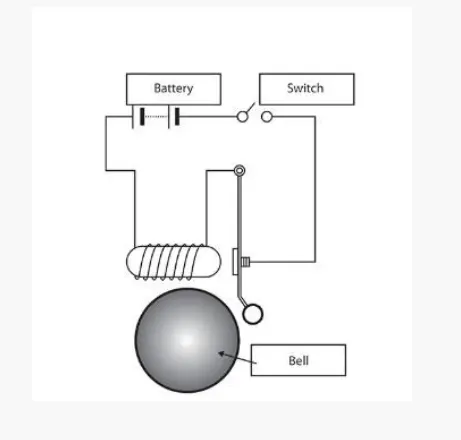
Making the Simulink Model Doorbell :
- For simulating the Doorbell using the Solenoid we required following componants are ,
- Battary Source
- Solenoid
- Ideal Mechanical Translational Motion sensor
- Scope
- Signal source and
- Switch .
Connections :
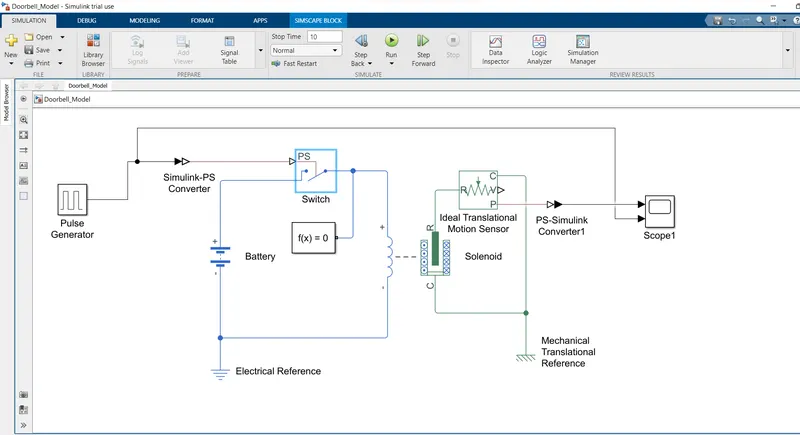
- Initially i have battary as electrical source is taken from the Library Browser and then Solenoid taken as well .
- But for connecting them and having control over connection between battery and solenoid , the Switch also needed .
- This Swith is controlled by the External physical Signal .
- The Positive terminal of the battery is connected to the switch Input and the one Negative terminal to the Negative terminal of solenoid .
- The positive terminal of the Solenoid is connected to the output terminal of the Switch .
- The Ps ( Physical signal ) port of the switch is connected to the Pulse Generator ( Signal source ) .
- For converting the pulse signal generated by the pulse generator to physical signal , the Simulink-PS converter is used .
- The R terminal of the of the mechanical solenoidal side is connected to the R terminal of Ideal Translational Motion Sensor and the C ( Casing ) terminal as connected to the C terminal of the Ideal Translational Motion Sensor.
- The P ( output ) Terminal of Ideal Translational Motion Sensor .
- The Physical Signal from the Ideal Translational Motin sensor is converted to simulink signal using the PS-Simulink converter , Which is further connected to the Scope , For result ploting .
- The Proper Connection of the model can be seen below as,
Simulink Model Of Doorbell :
Working :
- We have to Analys the Physical movement of the plunger for Running the Doorbell for 2 secs.
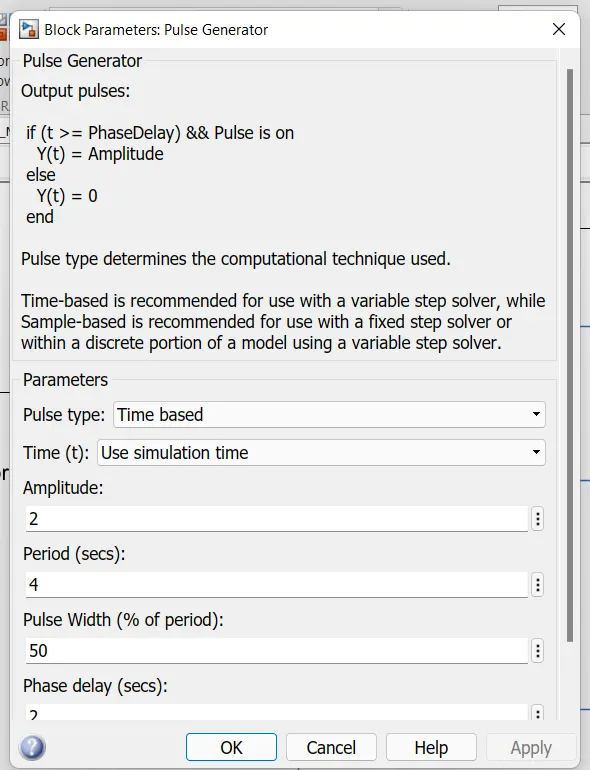
- For that i have creted the signal for the system Using the Pulse generator and the value used for generating the pulse as ,
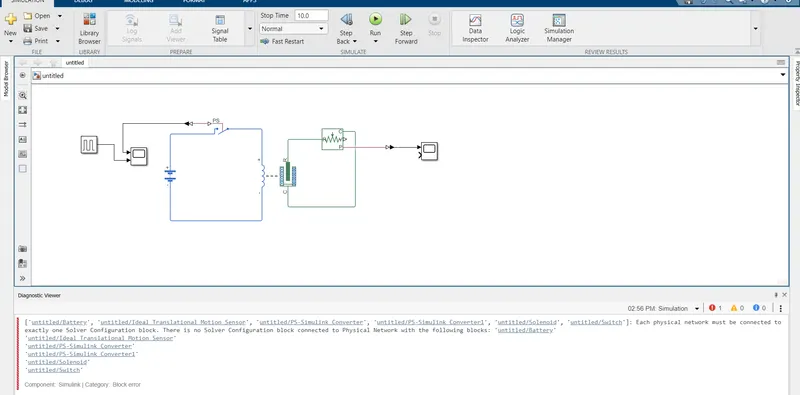
- After Hiting the run Button there was error thrown in the Diagnost Viewer as i hasn't conncetd an solver configuration ,which is corected by prividing the solver configuration as ,
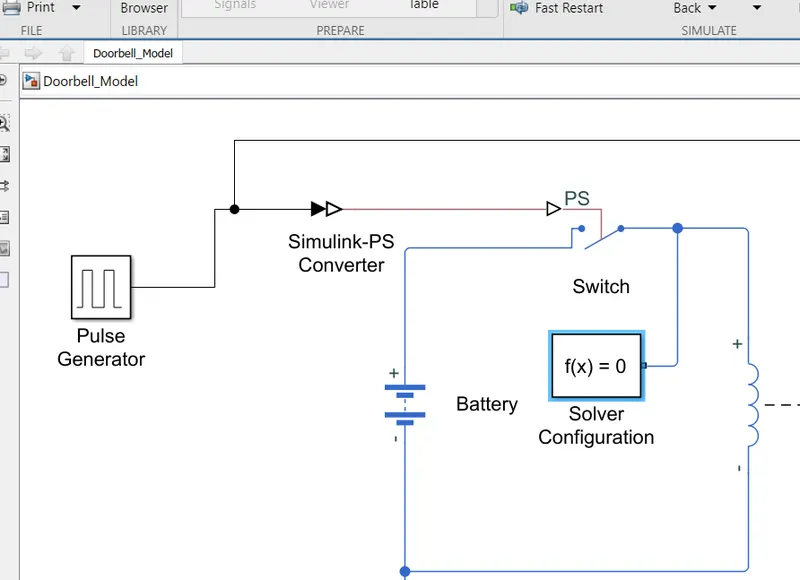
- After compliting the model building , while running the Model for simulation there was an another error thrown in the Diagnost Viewer as hasn't connected the References, which is also corrected by providing the Electrical and Mechanical refeneces ,
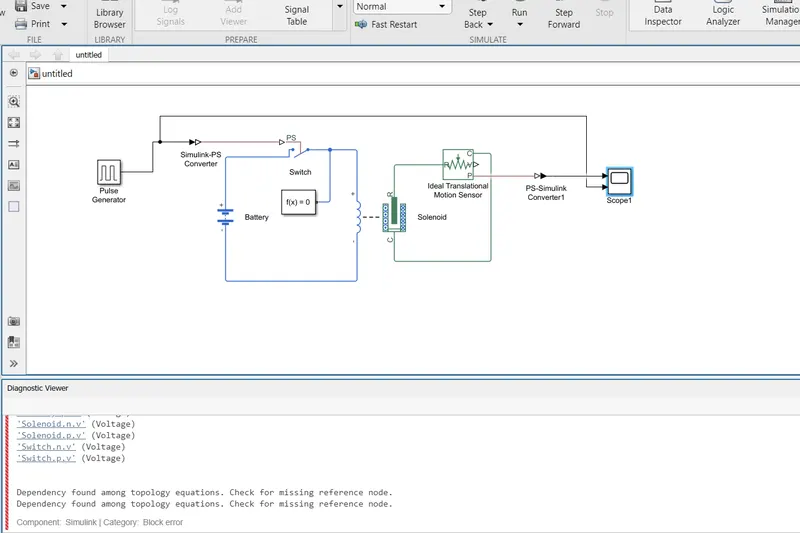
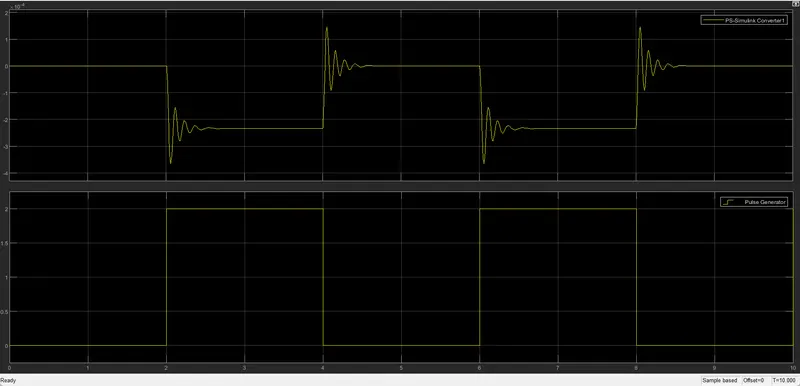
- Now After Compliting the whole model creation and Running the simulation for the 10 Secs . there were no any error thrown and i got the results .
Result :
Conclusion :
- The Model made run for the 10 secs in which Switch is kept closed for 2 secs and open for 2 secs .
- During the This 2 Secs of swith close , the solenoid get excited which moves the plunger from R to C side result in hitting the bell and sound is produced which are recorde by the Ideal Translation Motion Sensor which can be seen in scope ,this data is recorde and the ploted on graph .
Making The Simulink Model for thermister sensing the temperature of heater condition
Objective :
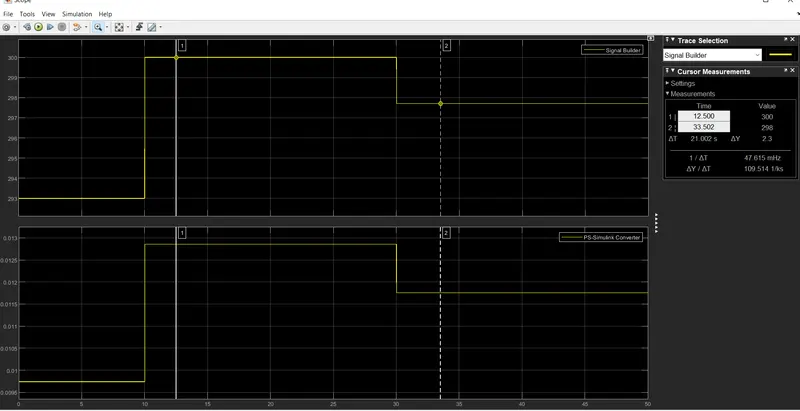
- Creating the Simulink Model for the Thermister Sensing the Temperature of the heater .
- Conditions for fan : On if the Temperature is above 27 degree celcius , otherwise off .
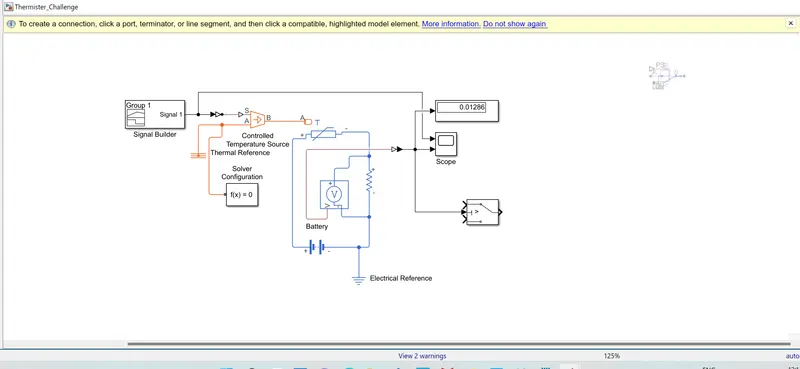
For this model required simulink and the simscape blocks are as ,
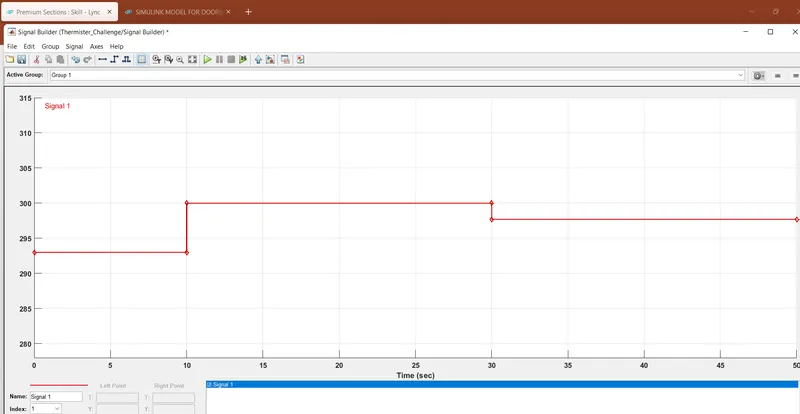
- Signal Builder
- Simulink - PS converter
- Temperature controlled source
- thermal reference
- solver configuration
- Thermister
- resistor
- Voltage sensor
- Battery
- PS - simulink convertor
- Scope