Week -2
Part1
Make a Simulink model of Doorbell using solenoid block.
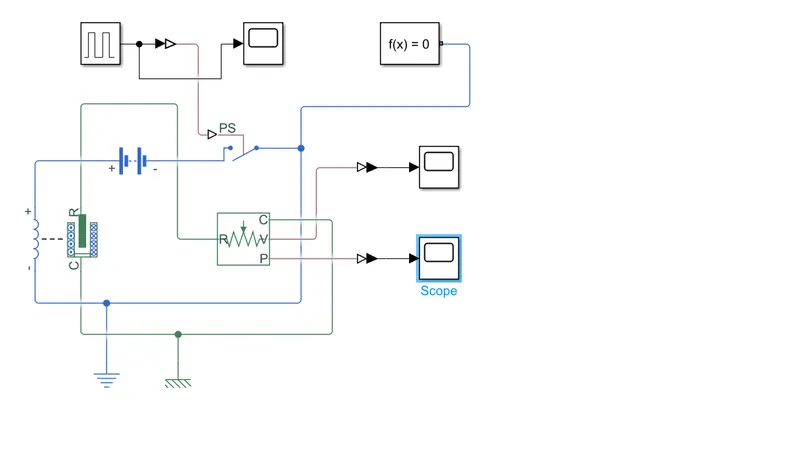
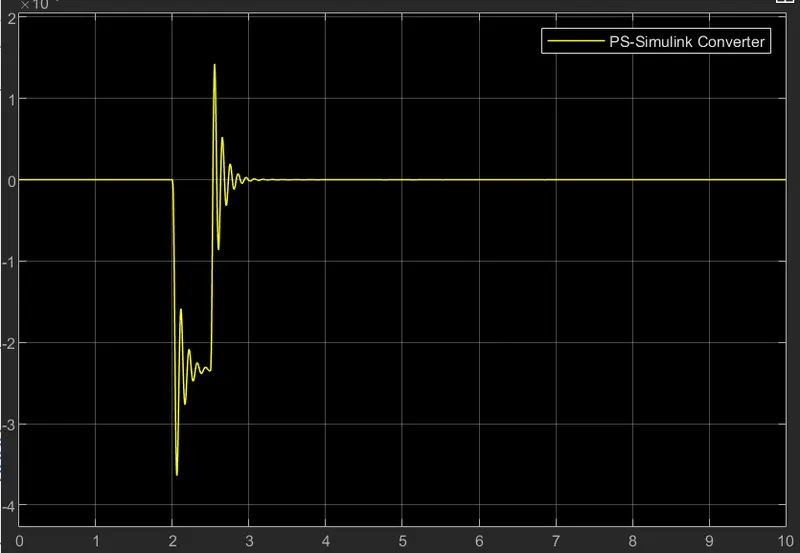
For time delay we have used pulse generator
To sense the movement of the plunger, we have used a translational motion sensor.
Simulink to physical system converter block is used to connect the Simulink block to physical system blocks
scope is used to see the resulting signal
each physical system connected by a Simulink block requires a solver configuration for simulation.
Part2
Use a thermistor to sense the temperature of a heater & turn on or turn off the fan
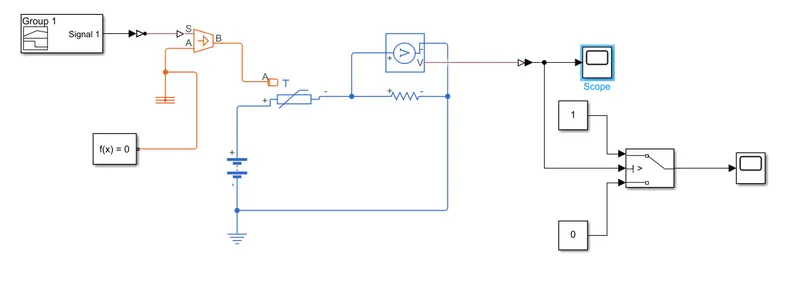
Signal builder is used to give desired input signal i.e
20 °C from 0 to 10 seconds, 27 °C from 10 to 30 seconds, 23 °C from 30 to 50 seconds.
the Controlled temp sensor is used to get the temp difference output at b with respect to A.
this difference is fed to the thermister which will sense the temp and according to the temp, it will switch the fan with the help of an electrical circuit and switch.
The output of the Voltage sensor
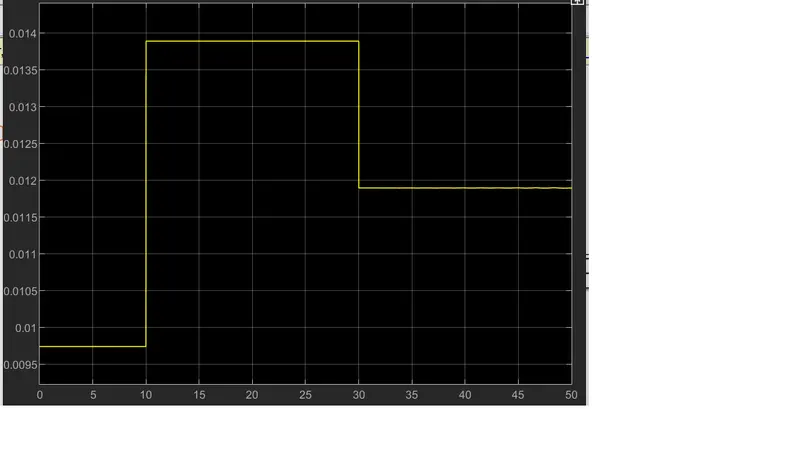
this indicates in Voltage:20 °C from 0 to 10 seconds, 27 °C from 10 to 30 seconds, 23 °C from 30 to 50 seconds
Switch Output
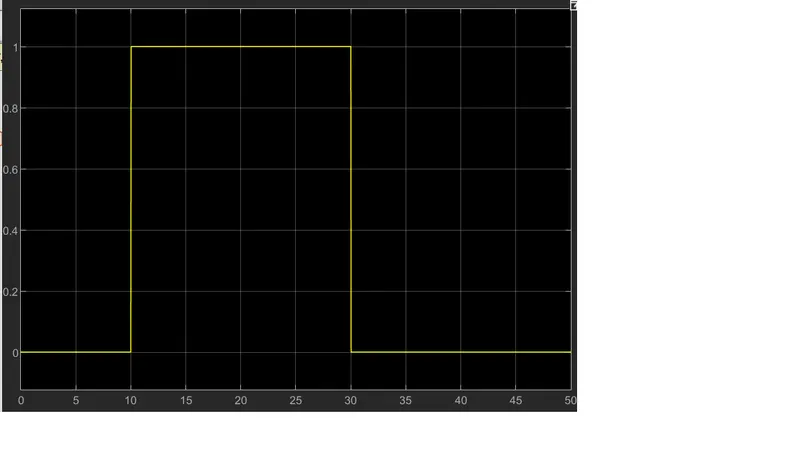
When Input >0.0119 then o/p=1 Fan is on
When Input <0.0119 then o/p=0 Fan is off