Week 12:Project-1-Meshing of Door Inner Panel Challenge
MESHING OF DOOR INNER PANEL
AIM
To mid-surface and mesh the given door inner panel component by using the given quality criteria and assaigning thickness to the areas.
OBJECTIVES
- Mid-Surfacing the given component using proper tools.
- Meshing the component by using the given quality criteria.
- Assaigning thickness to the components.
INTRODUCTION
MODEL
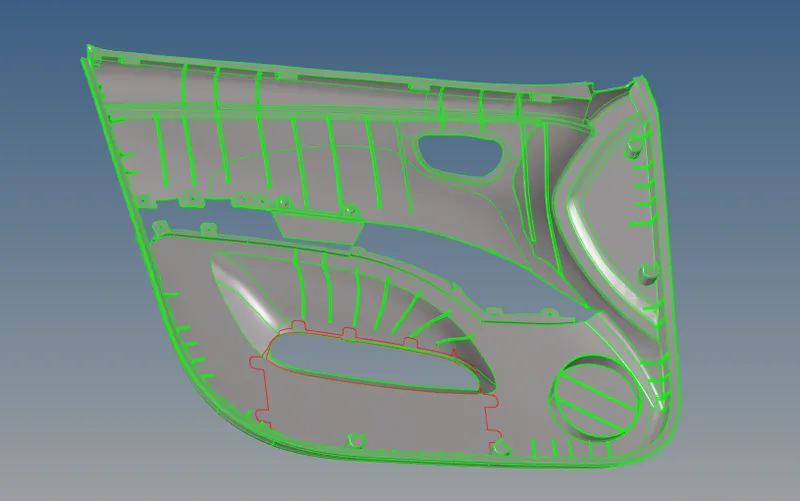 .
.
Doors inner pantlserve as an interface between the interior of the car and the inner workings of the door, and between vehicle occupants and the door.
They are expected to meet a variety of design specifications regarding safety, aesthetics, and functionality. In addition, they are expected to continue
the material theme of the dashboard and pillars while concealing intricate electrical and mechanical components for operating locks, windows, and other
features. The door panel has evolved from a simple two-part system of latch and simple winding mechanism to a more sophisticated enclosure. Doors
currently have an inner full-width panel consisting of electronic windows, central locking system, and speakers. These panels typically consist of a foamed
core covered with either textiles or plastics. Figure above shows a conventional car door panel.
PROCEDURE
Importing the hm model to the hypermesh and manuelyn looking for some geometrical errors .
move the components from the organize panel from tools in order to make a single component.
features and geometrical errors can be captured by using replace nodes,filler surface , toggle lines/edges....etc
MID-SURFACING THE COMPONENT
Mid-Surafcing of the whole geometry model can be obtained by using various methods as it have some variable thickness components .
The Base part of the model is mid-surfaced by using OFFSET method form the surface edit tools from geometry .
The path is , Geometry>>surface edit>>offset>>selecting the surface by face ( also duplicate it to the current component ) -
>>make a proper colour normal and give the offset value >>offset .
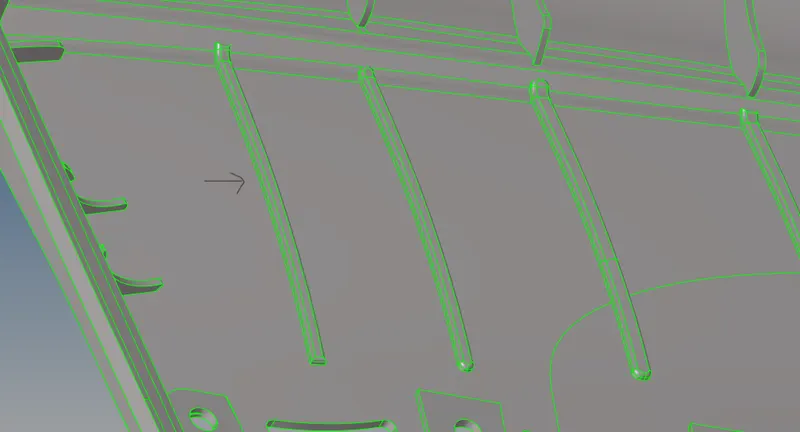
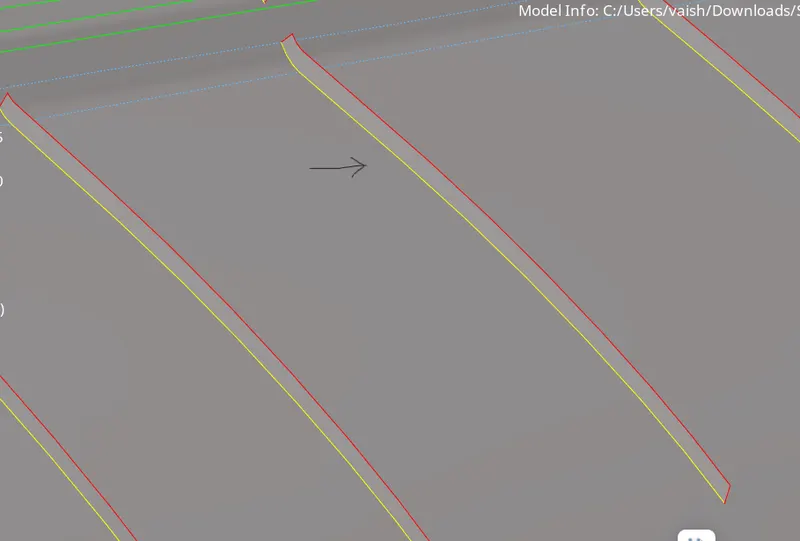
The RIBS of the model can be captured by obtaining mid-lines to the ribs and trim the midline to the surface and thus creating a surface using ruled option .
for mid line , geometry >> lines >> midlines >> select line list(selecting the lines) >> create .
for triming the lines , Geometry >> surface edit >> trim with lines >> select line >>select the surface >> create .
for creating surface b/w the lines , surfaces >> Ruled >> select lines in line from list >> create .
 >>>>
>>>> 
The FINS , Circular sections and all the parts having uniform thickness is captured by using offset method.
The path is , Geometry>>surface edit>>offset>>selecting the surface by face ( also duplicate it to the current component ) -
>>make a proper colour normal and give the offset value >>offset .
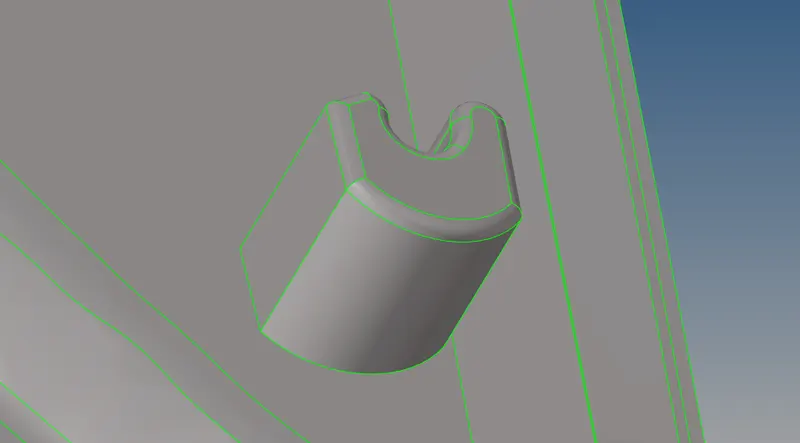
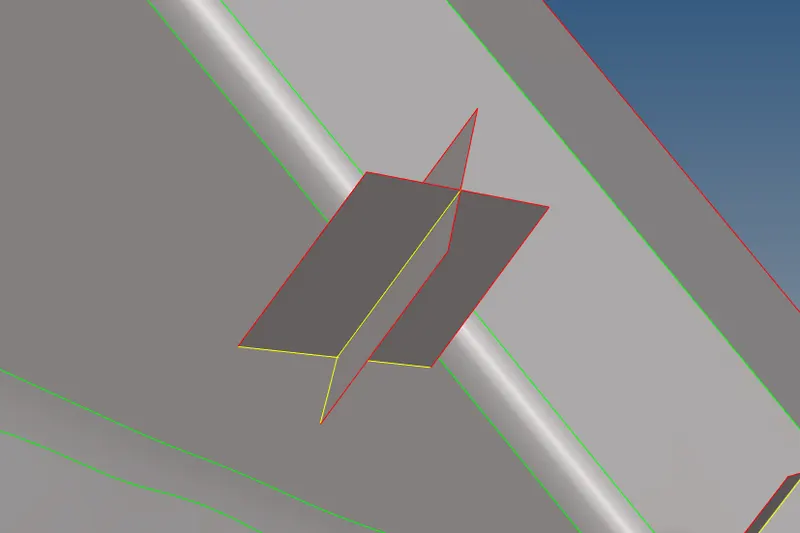
The DOG-HOUSES of the model is captured by creating cross lines at the top surface of houses and translating these lines to the base surface and there by -
creating cross surfaces between the translated lines ,trimming the surfaces and deleating the extended surfaces .
The path is ,
for creating lines , geometry >> lines >> linear nodes >> selecting the nodelist and placing random node and creating the lines between the nodes .
for translating lines , Tools >> translate >> select line >> set N1 N2 N3 >> duplicating the line to current component >> translate .
for creating surface b/w the lines , surfaces >> Ruled >> select lines in line from list >> create .
for triming the surfaces, geometry >> quick edit >> trim with surfs /plane >> select surfaces >> trim
for deleting the unwanted surfaces , delete>>surfaces>>select surfaces >> delete .
 >>>>>
>>>>>
The mid- surfaces which are not in touch with the base surface and other neighbouring surfaces are extended.
path , Geometry >> surface edit >> extend ( by using cross extension or surface to extend/target ) >>create .
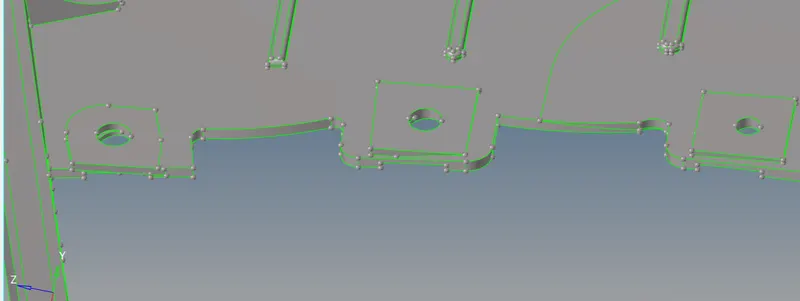
The part shown in the above can be obtained by creating surfaces in midsurface using ruled command and trimin the circle outerface
to the base part and creating the circle as per the required radius then deleting the unwanted surfaces .
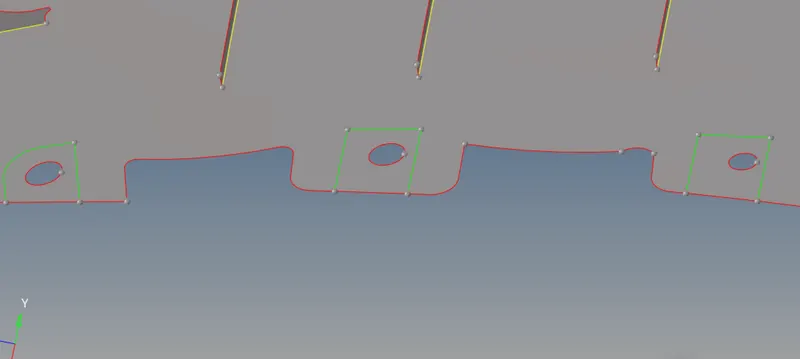
complete the midsurfacing of all the parts by using these commands .
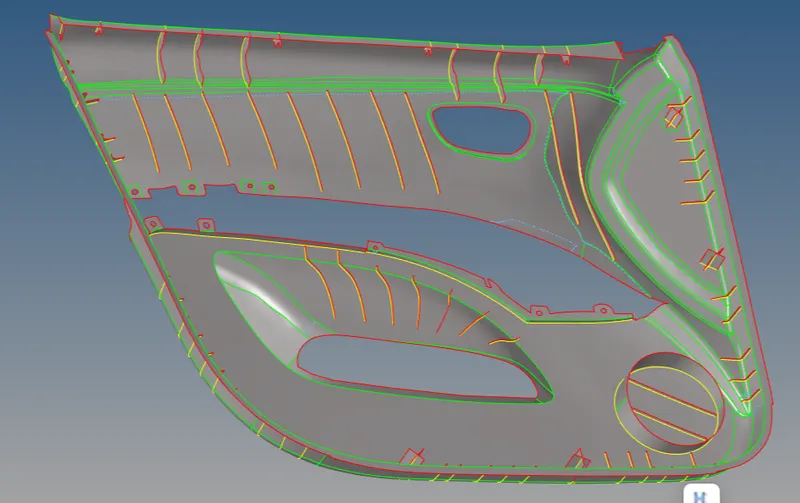
MESHING
Mesh the mid-surfaced model by setting the quality prameters and criteria as per the given objectives .
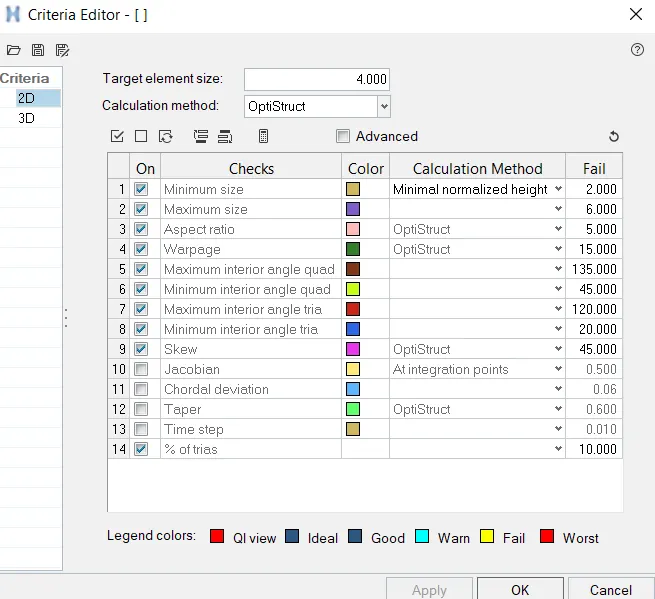
Meshing is carried out by using the path ,
2D >> Automesh >> select the surfaces to be meshed >> mesh type = mixed >> set the element size as per requirement >>mesh
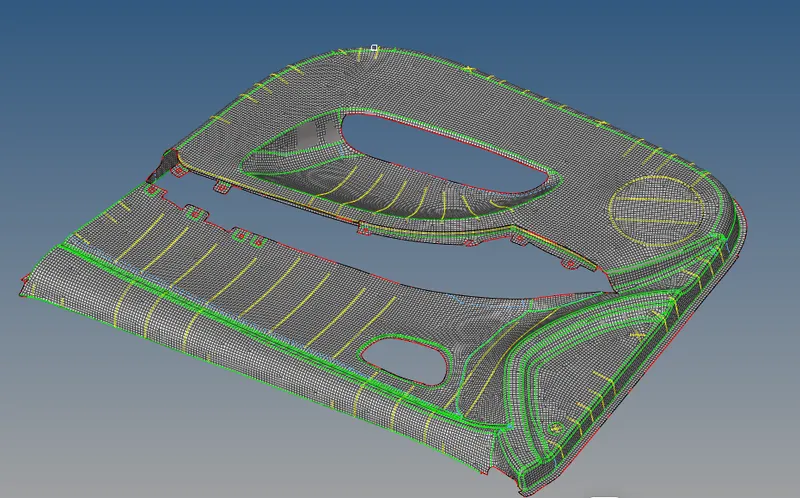
Improve the mesh flow and clear the elements which was failing for quality using rebuild mesh , quality index tools like element optimize , smooth
node optimise , the tria element , combine tria element , swap edge ....etc.
ASSAIGNING THICKNESS
Create components mentioning their thickness and move the parts along to the new component .
Taking avarage thickness for variable thickness parts.
CONCLUSION
Mid-Surfaced , Meshed and assaigned thickness for the given door inner panel model using hypermesh .