Week 12:Project-1-Meshing of Door Inner Panel Challenge
Aim:
To Extract the mid surface ,geometry clean up and create the mesh of given side door inner pannel.
Given Data:
Target Element Length = 4 Units
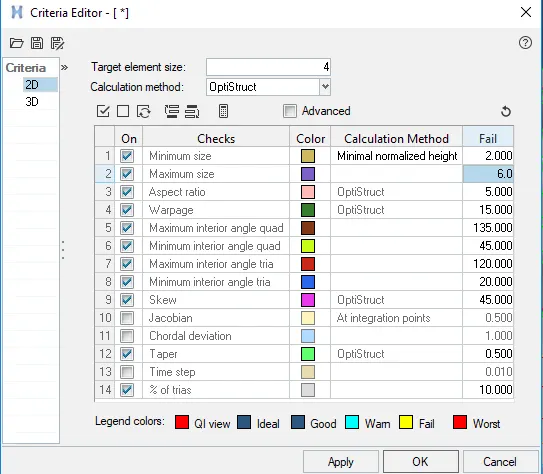
| S.N | Quality Criteria | Value |
| 1 | Aspect Ratio | 5 |
| 2 | Skewness | 45 |
| 3 | Warping | 15 |
| 4 | Taper | 0.5 |
| 5 | Min. Length | 2 Units |
| 6 | Max. Length | 6 Units |
| 7 | Min angle Quad | 45 |
| 8 | Max angle Quad | 135 |
| 9 | Min angle Tria | 20 |
| 10 | Max angle Tria | 120 |
| 10 | Tria % | 10 |
Given CAD:
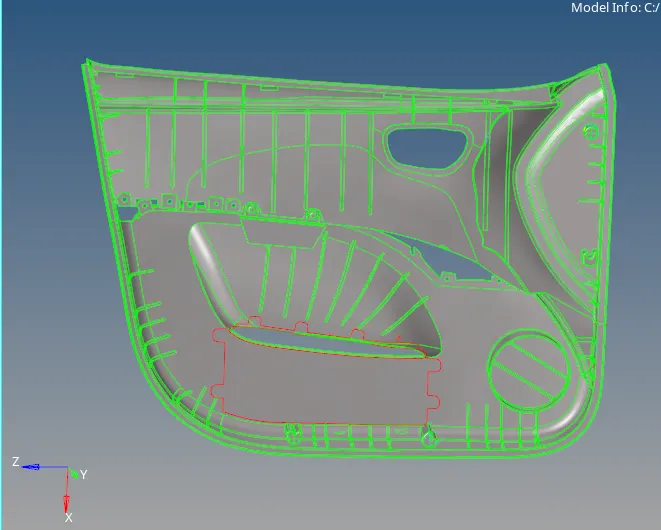
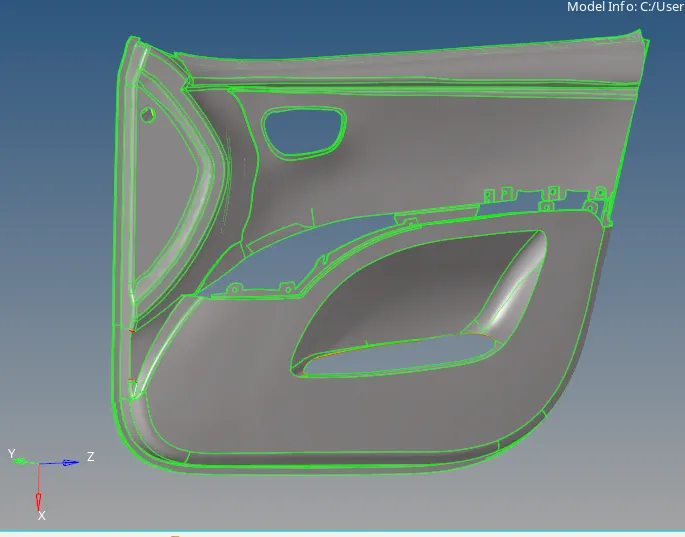
Procedure:
¬Intiallay import the CAD file to hypermesh.
¬Check the geometry failure and clean up the geometry.
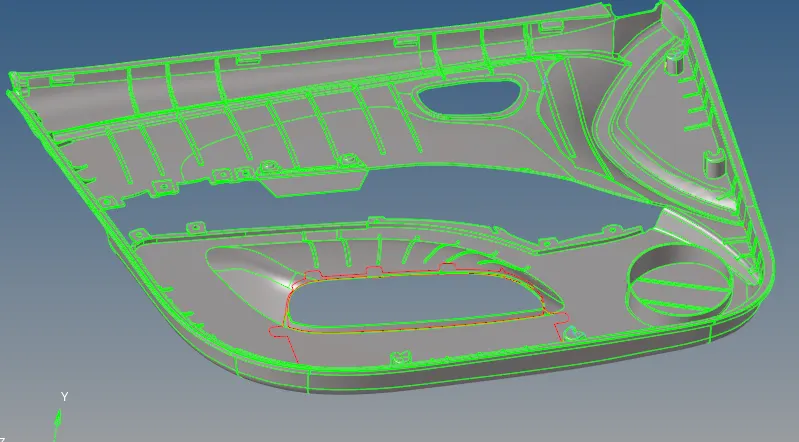
Extract Mid Surface:
¬Now going to extract the mid surface using manual method.
¬its plastic components various thickness are availabe .
¬ Now going to split into two components its large components .
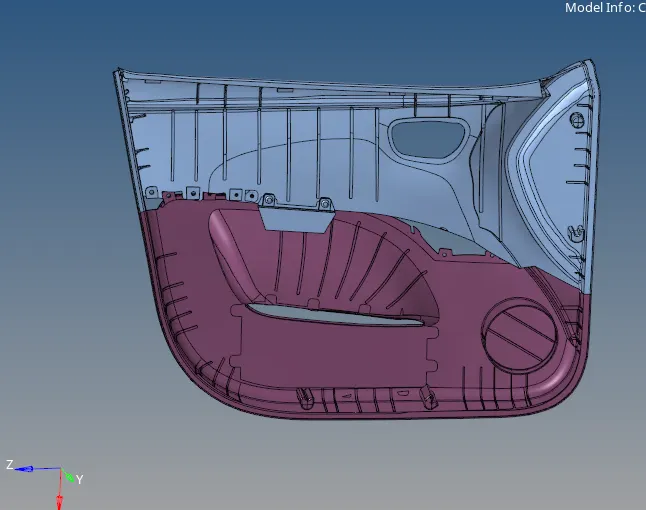
¬Split into two components name as components 1 and 2 respectively.
¬Now going to extract mid surface manually for components 1.
¬ Go to geo -surface edit - offset in below figure.

¬ Use offset option.
¬Select the components and goint to offset it .
¬Then duplicate the selected surface as given as current component.
¬Then choose the direction wherever you want and click ok.
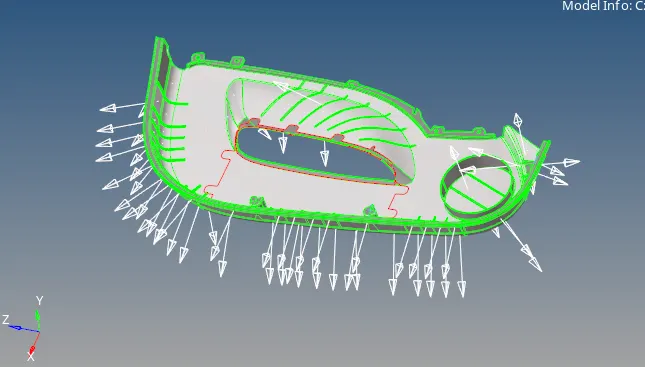
¬Similary doing the same process to get midsurface to components 2.
¬Now create mid surface for ribs.
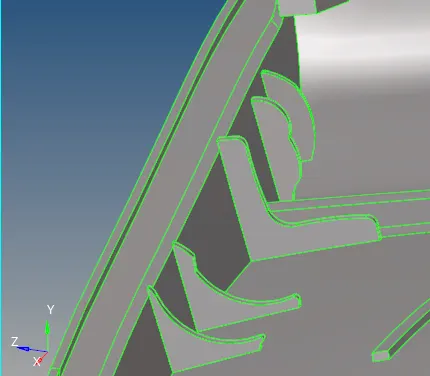
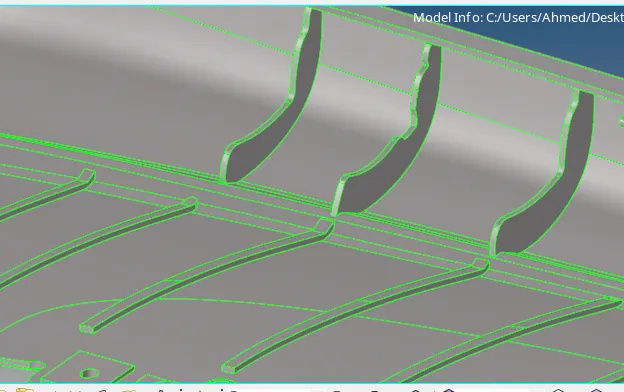
¬This type ribs are different thickness.
¬One easy way to get misurface for this ribs.
¬Go to Geometry - midsurafce - automidsurafce - click - drop down - and choose -final edit tool.

¬Then select surface pair option show two surfaces.
¬ Select the ribs two surfaces.
¬ Its create midsurface between the selected two surface.
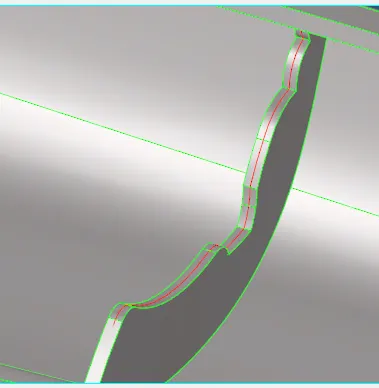
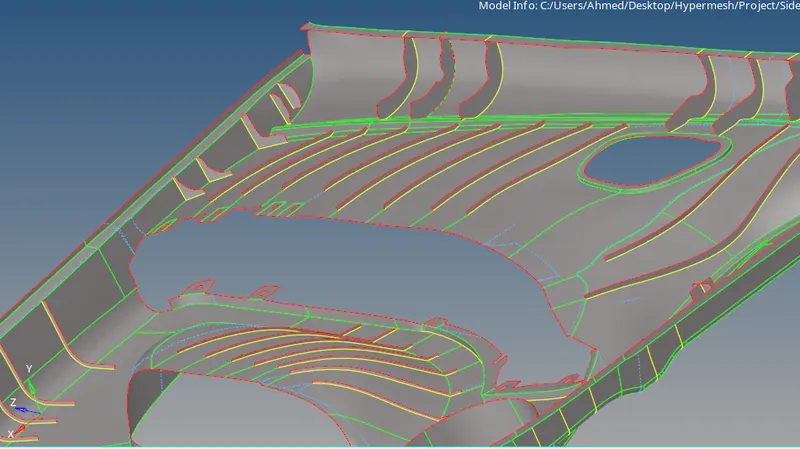
¬ All the ribs are create the midsurafce in various thickness.
¬Full mid surafec extracted.
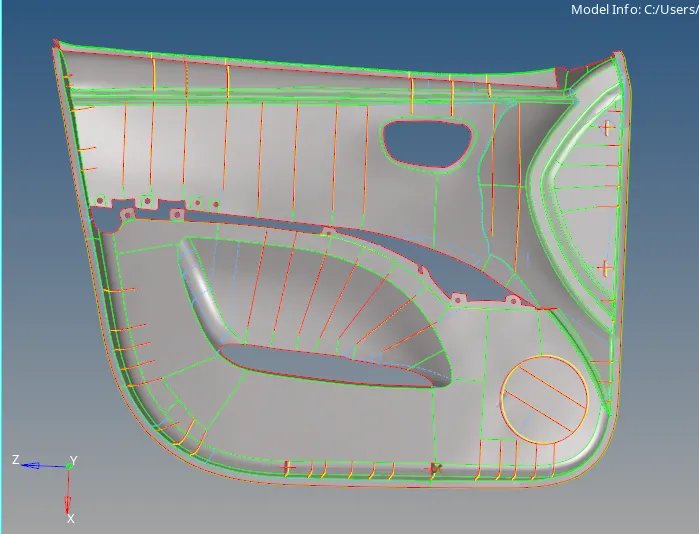
Meshing:
¬Before going to mesh the components assign the quality.
¬ Create the quality criteria file as given.
¬Start meshing the components in complex area.
¬Go to - 2D- Automesh - element size 4 , tick the alingn,size, skew link opposite edge.

¬Split area by area and mesh smoothly.
¬reduce the tria.
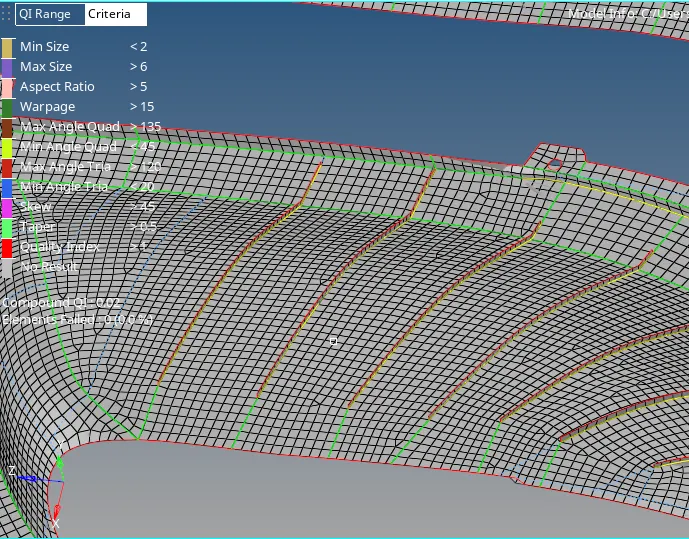
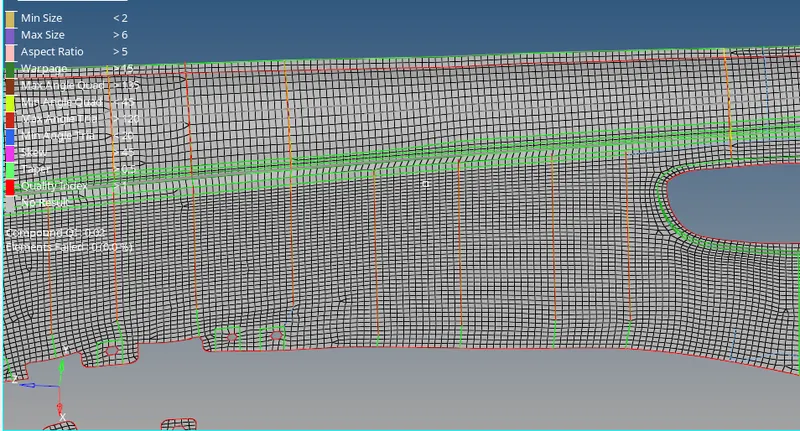
¬Go area by area and check the element issue also .
¬If check element errors while meshing its easy to clear the errors.
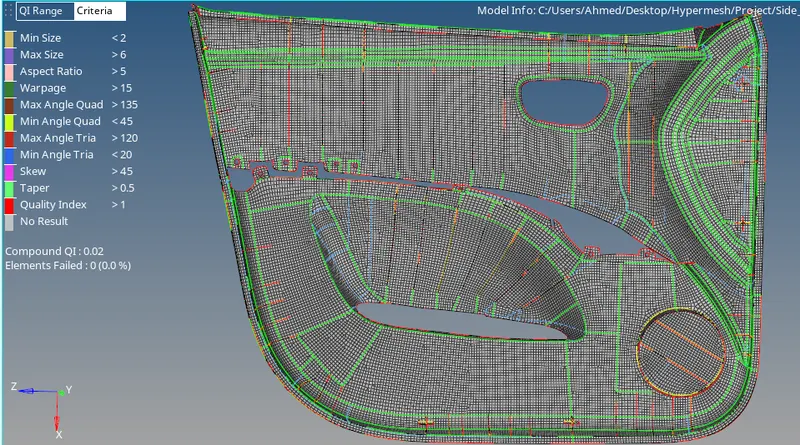
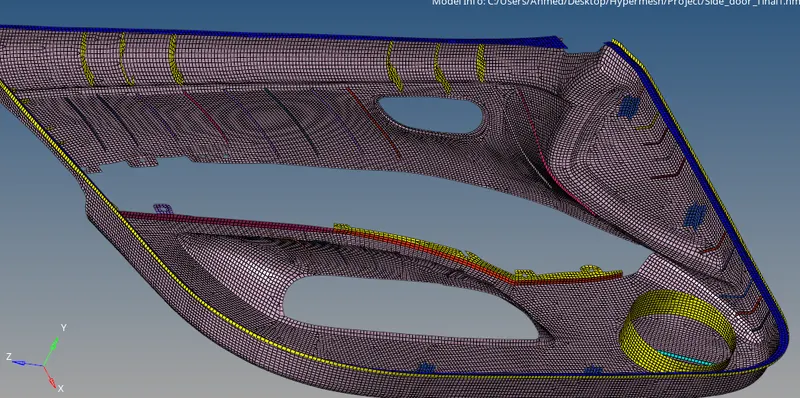
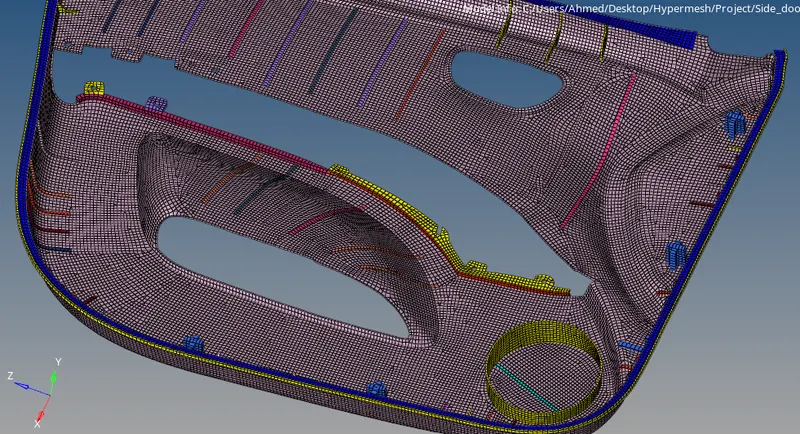
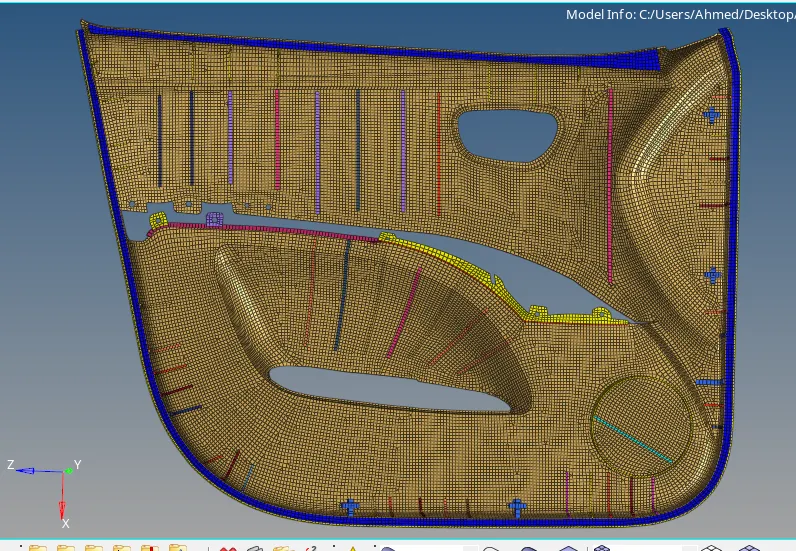
¬Completed the meshing given components.
¬Check the quality errors.
¬ If the errors available make suue to clear it.
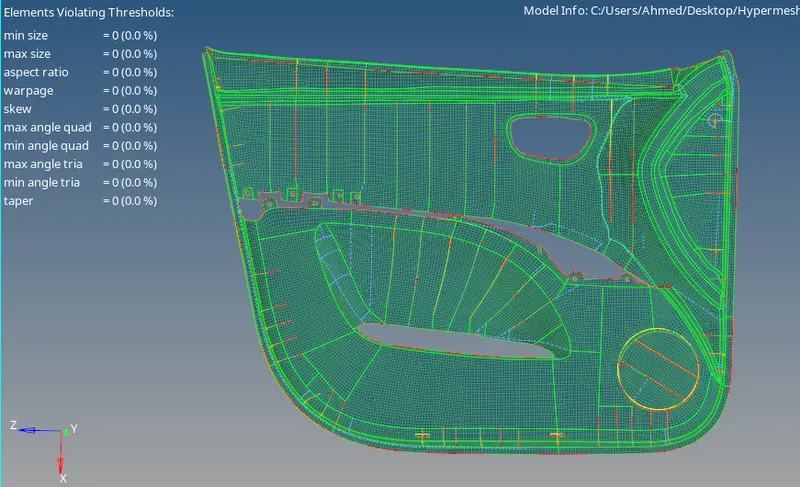
¬Cleared the all quality errors.
Assign the thickness:
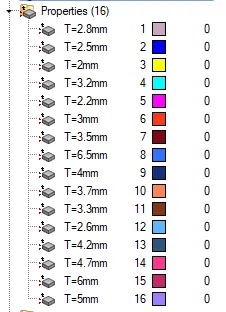
¬ There are ribs and surface are various thickness .
¬ Arrange the same thickness in same components.
¬ Tools - organize - element - move option helps to thickness components.
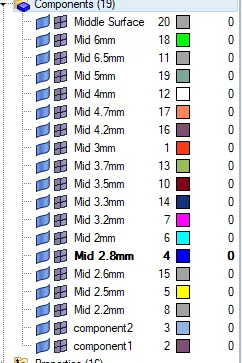
¬Create the property card for all the thickness and assign the respective components.
Conclusion:
¬Extract the midsurface, geometry clean up, mesh and clear quality issue.
¬Learn to Extract manual mid surface.
¬Learn to extract mid surface for ribs and various thickness surface.
¬Learn to clear the quality issue.
¬learn to create property and assign the thickness.