Week 12:Project-1-Meshing of Door Inner Panel Challenge
AIM: To Mesh the door inner panel (plastic component).
OBJECTIVE: To mesh the given component with the given criteria.
Target Element Length = 4 Units
| S.N | Quality Criteria | Value |
| 1 | Aspect Ratio | 5 |
| 2 | Skewness | 45 |
| 3 | Warping | 15 |
| 4 | Taper | 0.5 |
| 5 | Min. Length | 2 Units |
| 6 | Max. Length | 6 Units |
| 7 | Min angle Quad | 45 |
| 8 | Max angle Quad | 135 |
| 9 | Min angle Tria | 20 |
| 10 | Max angle Tria | 120 |
| 10 | Tria % | 10 |
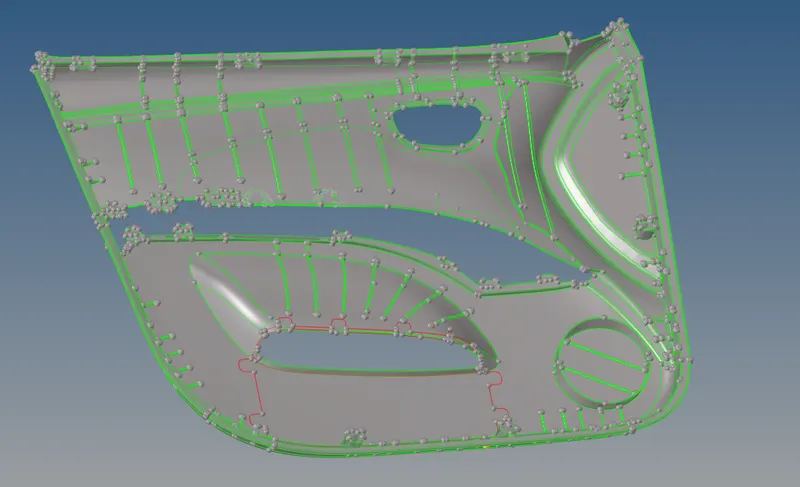
Given component.
PROCEDURE:
- Import and cleanup the geometry.
- Then, check the thickness of the geometry since the component is plastic so, it will be having varying thicknesses at the different parts. To check the thickness place the nodes on the surfaces and ckeck the thickness. To place nodes go to Tools>Project>to surface>select nodes (to place nodes click and hold left mouse button and place nodes and choose along vector as surface normal)>project.


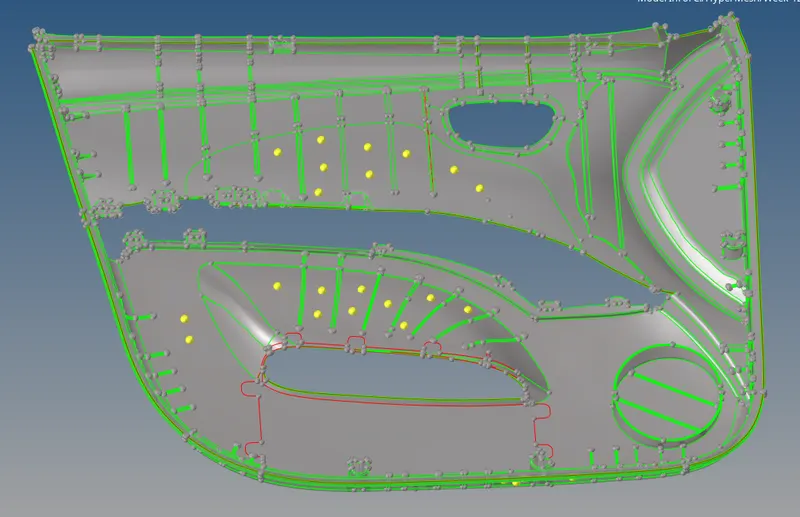
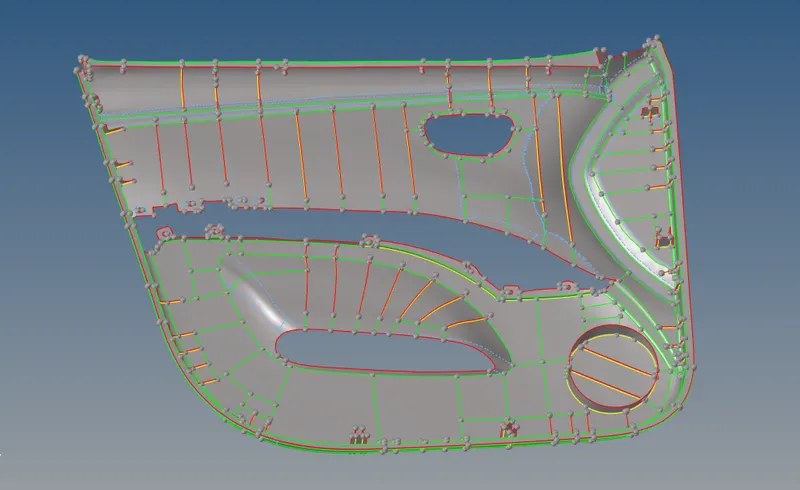
- Thickness of the given component seems almost same for the lower surface so, we can use skin offset option to extract the mid surface. To extract mid surface go to geo>midsurface>auto midsurface>extraction options (skin offset)>auto extraction>select surface and extract.



- For the remaining parts of the components which are having different thickness we can use surface pair option to extract the midsurface. for that go to geo>midsurface>final edit tool>surface pair>select surfaces >extract.


Extracted midsurface of the given component.
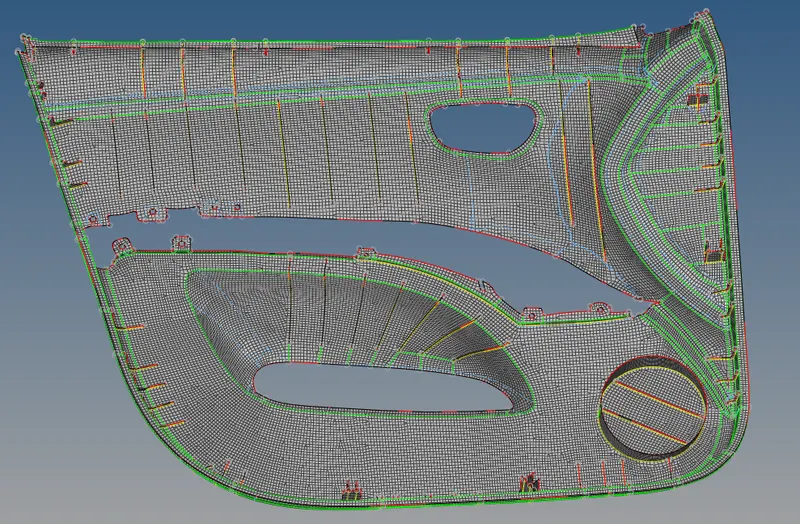
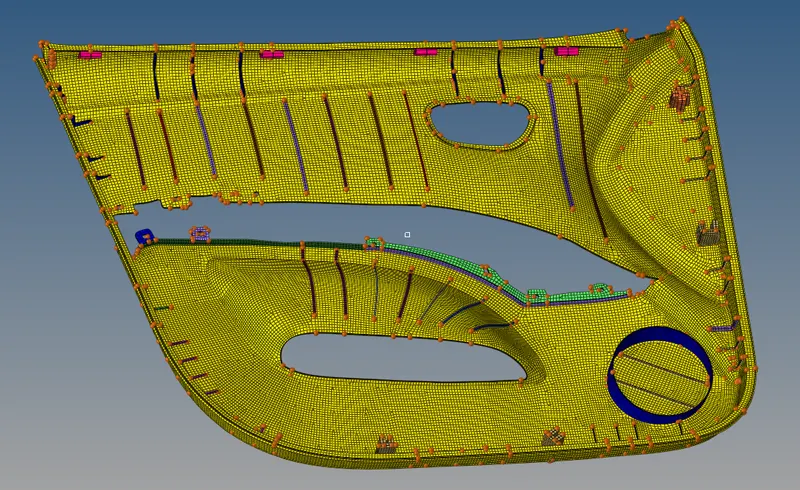
- Then make the changes like toggle edges, split surface etc..as required to mesh the component and proceed to mesh. To mesh the component go to 2D>automesh>select surface>mesh. Before meshing set the quality criteria file as per the given parameters.


Meshed component.
- After completing the meshing assign the thickness for particular ribs and other surfaces and parts of the component by measuring the particular parts thickness. To assign thickness create particular components and properties for particular parts of the component and in the property assign thickness.
Component after assigning thickness.
CONCLUSION:
Through this challenge I have learnt to mesh the plastic component having different thickness at different parts and learned some new commands like Final edit tool and etc.