Week 12 - Flex Bodies
AIM :-
To perform a study on Stress and Strain on Flex FLCA body by replacing the Rigid LCA body in the Front axle, keeping the input provided.
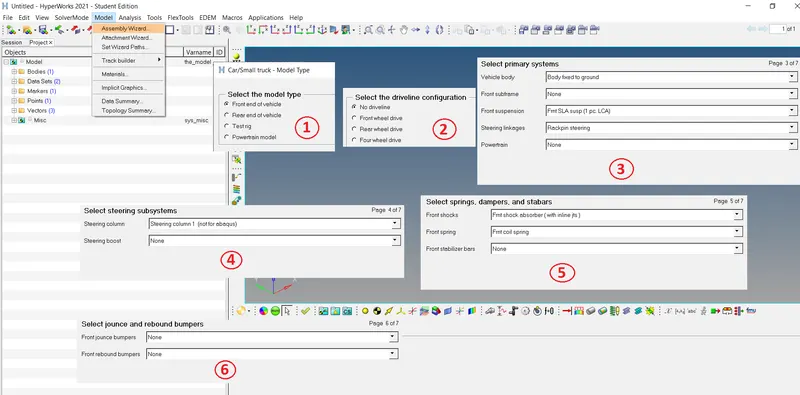
CREATION OF FRONT AXLE (INBUILT)
Step 1 :- Go to the option Model à Assembly Wizard pop will show and select according to the image shown below.
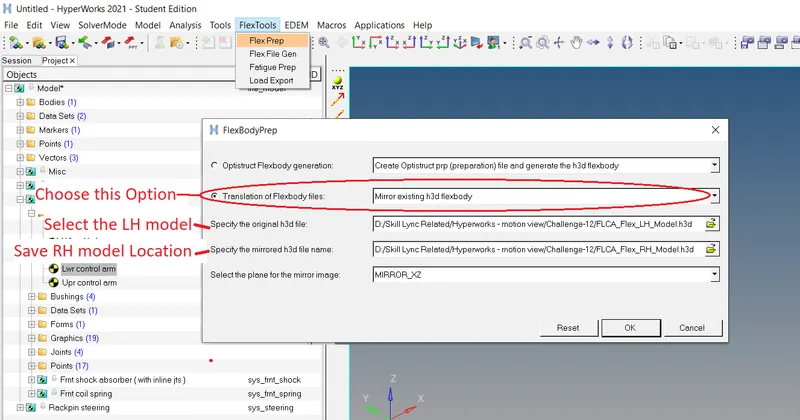
CREATION OF FLCA RH PART
Step 1:- Create the FLCA RH part using the existing LH file as shown in image below.
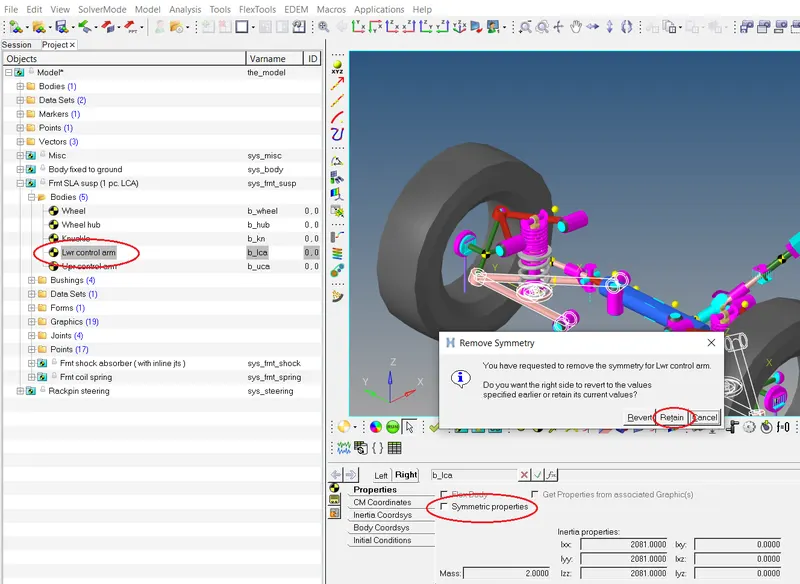
REPLACING THE FLCA WITH EXISTING FLCA
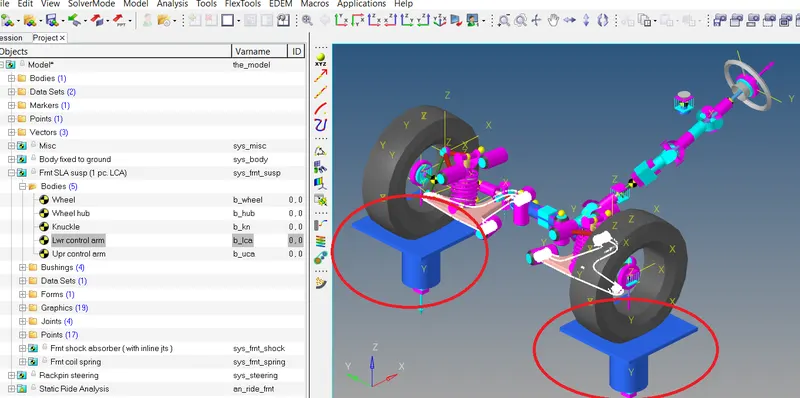
Step 1:- Select the Lower Arm Body and remove symmetric option and then select retain option as shown in image below
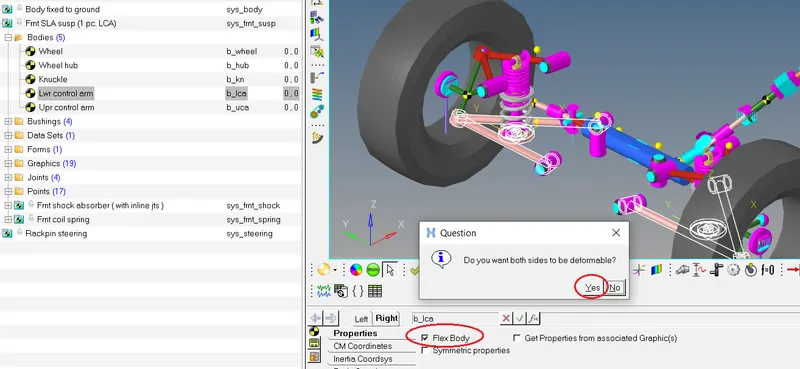
Step 2:- Go to Lower Arm body and select Flex body option and select yes as shown in image below
Step 3:- After Flex body selection, select the model for LH and follow the steps as shown in image below
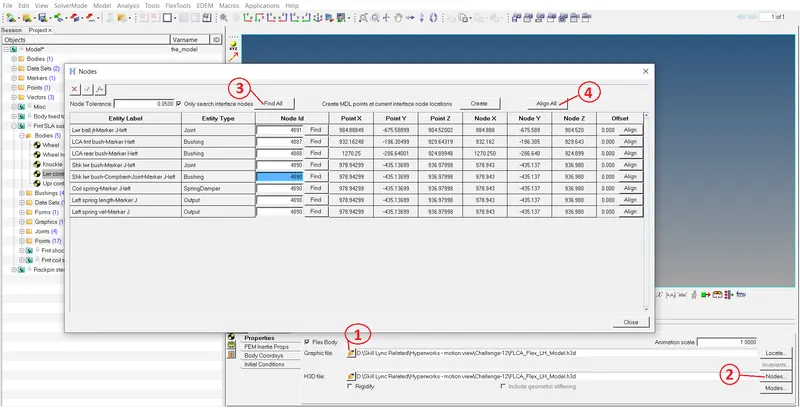
Step 4:- Do same for RH model as shown in image below
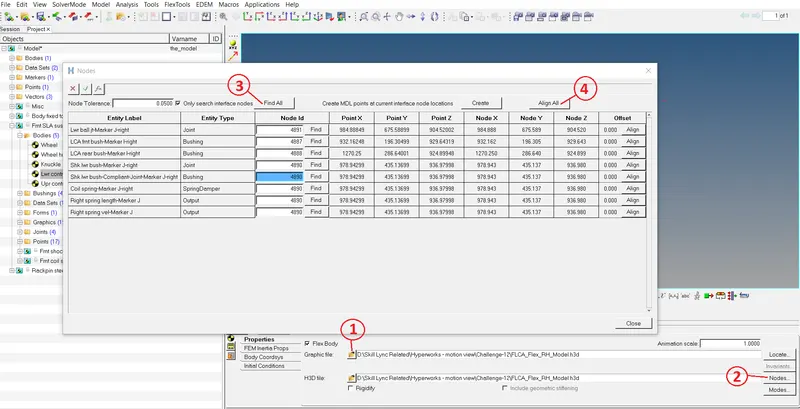
CREATION OF ANALYSIS SETUP
Step 1:- Select the Option Analysis and select Task Wizard option and select finish option as shown in image below
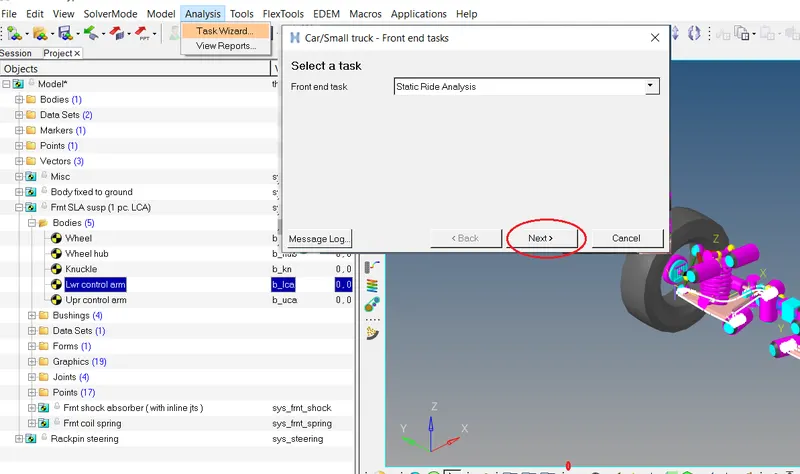
Step 2:- After finish option a pop shows the Parameters as shown in image below
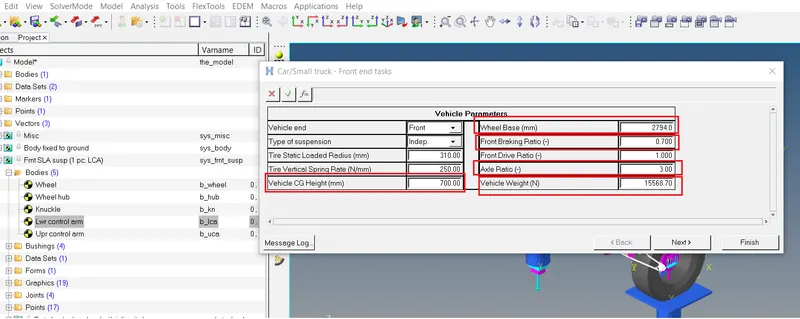
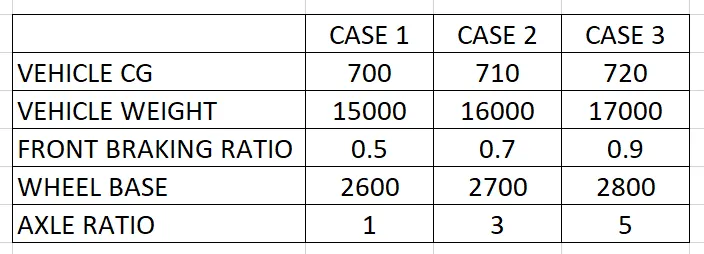
Step 3:- Consider the cases as shown in image below
RESULTS
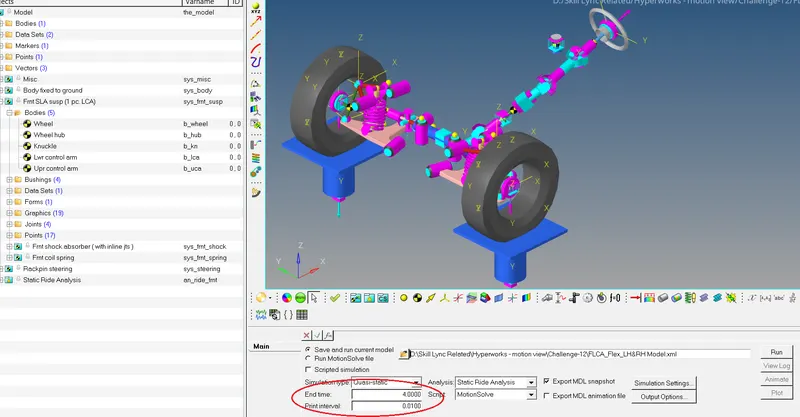
Step 1:- Select Run option and change the Simulation time to 4sec and print interval to 0.01 as shown in image below
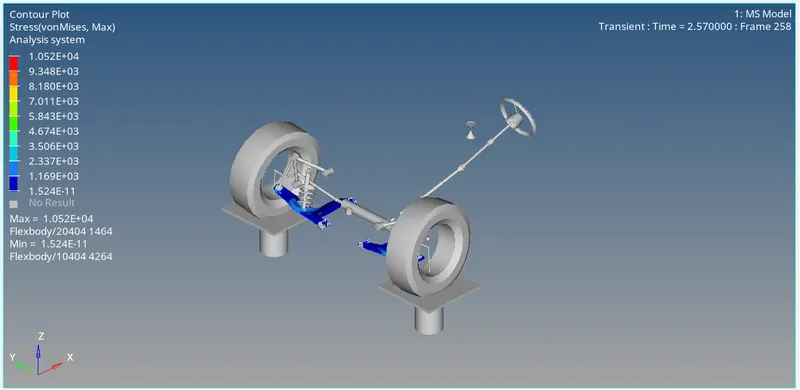
Plots and Reults shown below
CASE 1:-
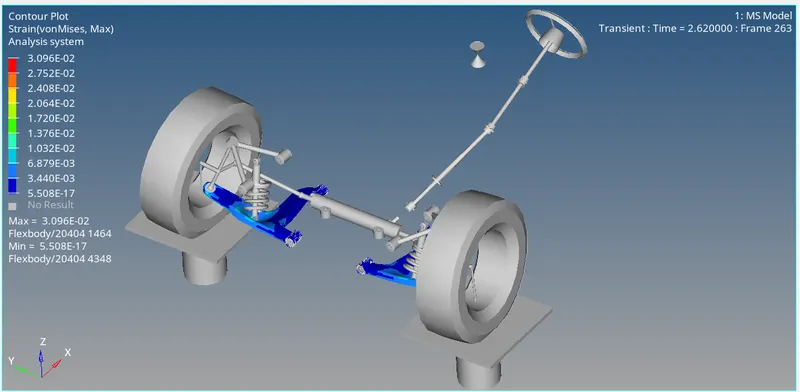
CASE 2:-
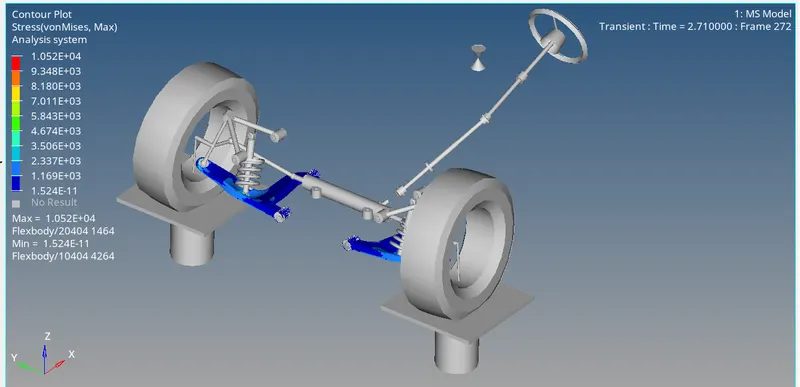
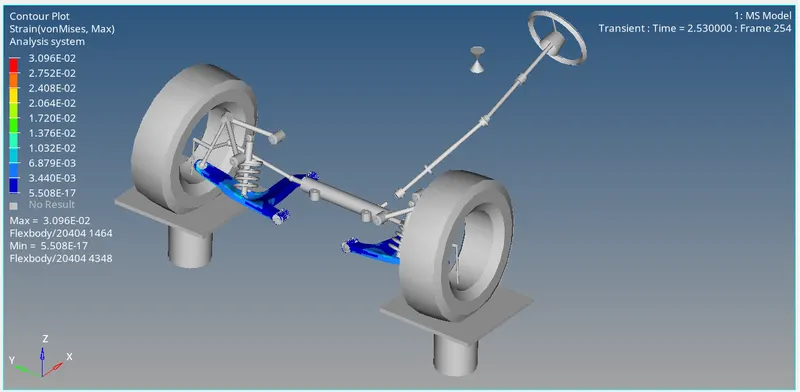
CASE 3:-
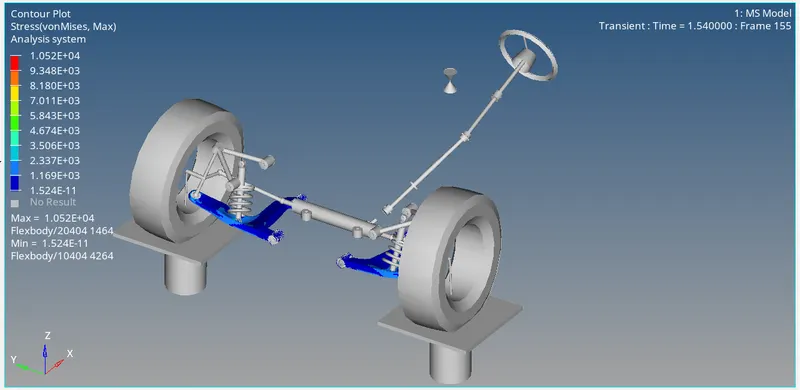
CONCLUSION :-
There is no much difference in Stress and Strain for all cases