Week 12-Creation of 1D Connectors Challenge
OBJECTIVE :
S.N Quality Criteria Value
10 Aspect Ratio 5
2. Skewness 45
3. Warping 15
4. Taper 0.5
5. Min. Length 2 Units
6. Max. Length 8 Units
7. Min angle Quad 45
8. Max angle Quad 135
9. Min angle Tria 30
10. Max angle Tria 110
11. Tria % 15
AIM : Create a connector as per given in quetions.
Import the model by using geometry option.
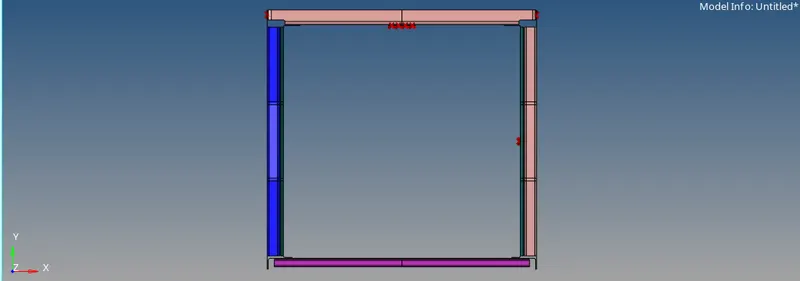
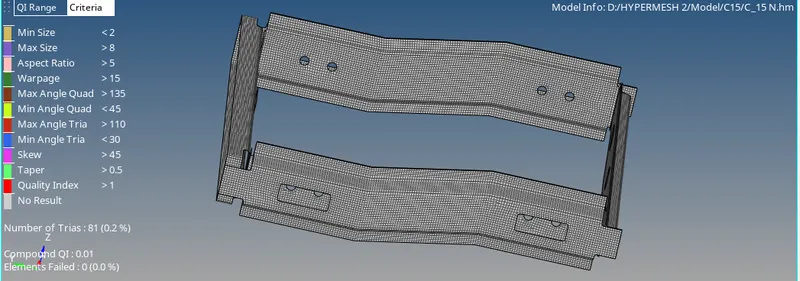
after importijnng if required do the geometry cleanup and mesh by using tool AUTOMESH to all component one by one and
there should be element failure. we can eliminate failure element by using tooL Quality cleanup.
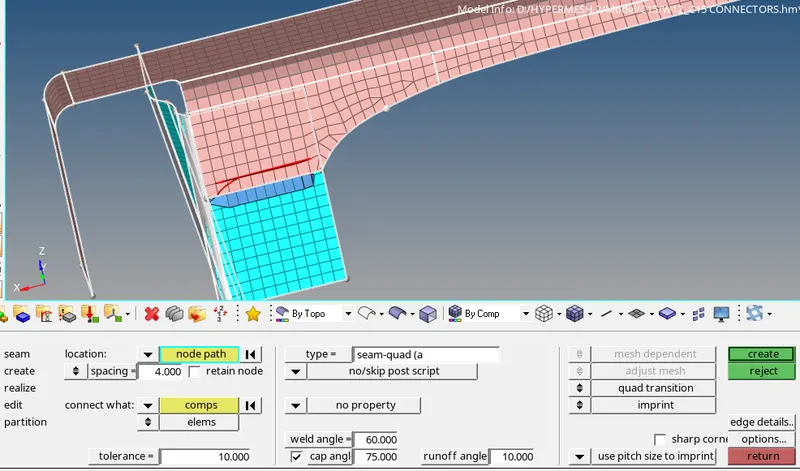
Case1. Right_Rail_2 & Front_truss_1:- Seam-Quad(angled+capped+L)
By using 1D cinnectors tool seam and type Seam-Quad(angled+capped+L) and select nodes and both components, Tolerence should be 10 and select no property.
and click on create.
If there are doesnt show the connector the go through view_Browser_Hypermesh_connectors,
and click all to show by using right click.
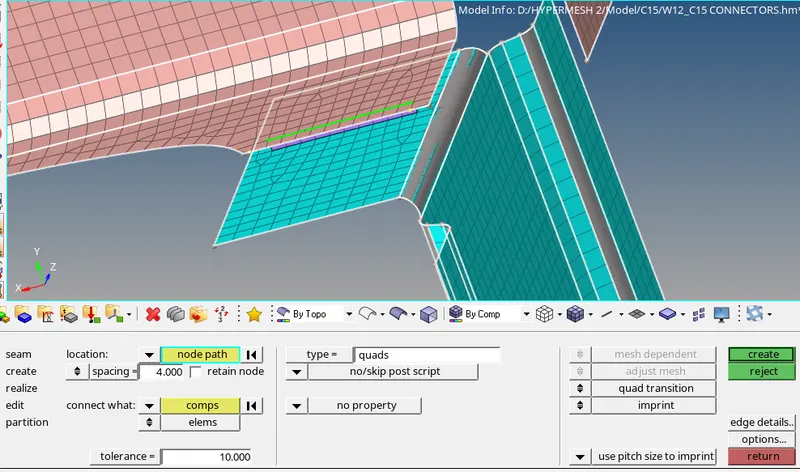
Case 2. Left_Rail_2 & Front_truss_1:- Quad elements
By using 1D cinnectors tool seam and type Quad and select nodes and both components, Tolerence should be 10 and select no property.
and click on create.
Case 3. Front_truss_2, Front_truss_1 & Right_Rail_1:- Spot weld with 2 Layers and 5 mm Diameter
By using 1D cinnectors tool spot and weld and select nodes and both components, Tolerence should be 10 and select no property.
2 Layers and 5 mm Diameter.
and click on create.
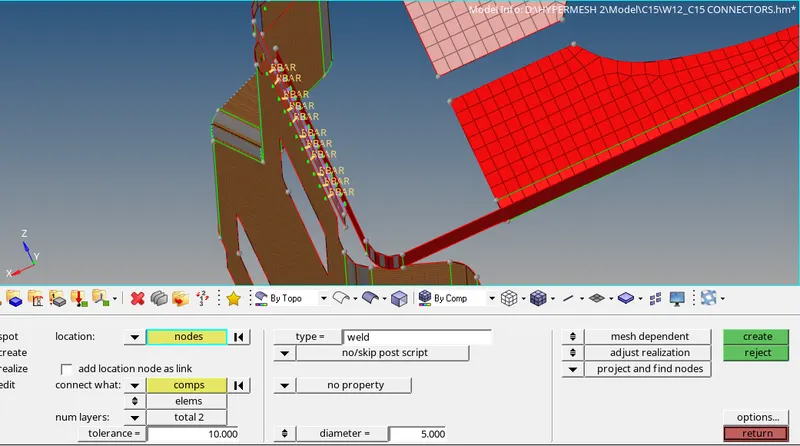
Case 4. Front_truss_2, Front_truss_1 & Left_Rail_1:- Hexa (Adhesive)
By using 1D cinnectors tool seam and type Hexa (Adhesive) and select nodes and both components, Tolerence should be 10 and select no property.
and click on create.
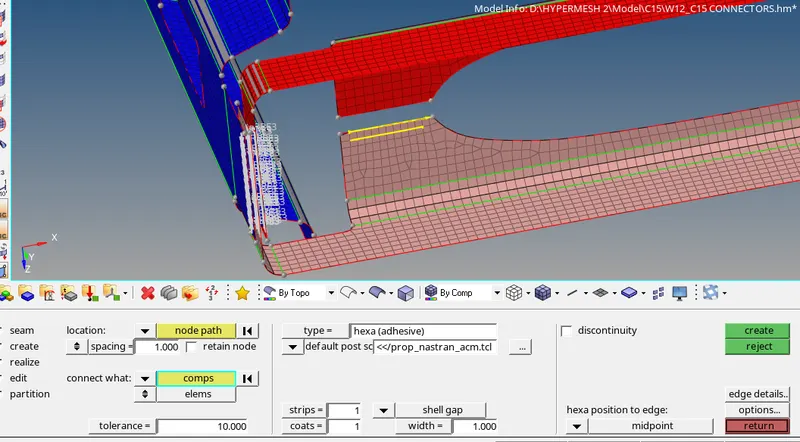
Case 5. Rear_truss_2 & Right_Rail_2:- Bolt Connector
By using 1D cinnectors tool bolt and type bolt general and select nodes and both components, Tolerence should be 10 and select no property.
if there hole does not exit then click on (create hole, if none)
and click on create.
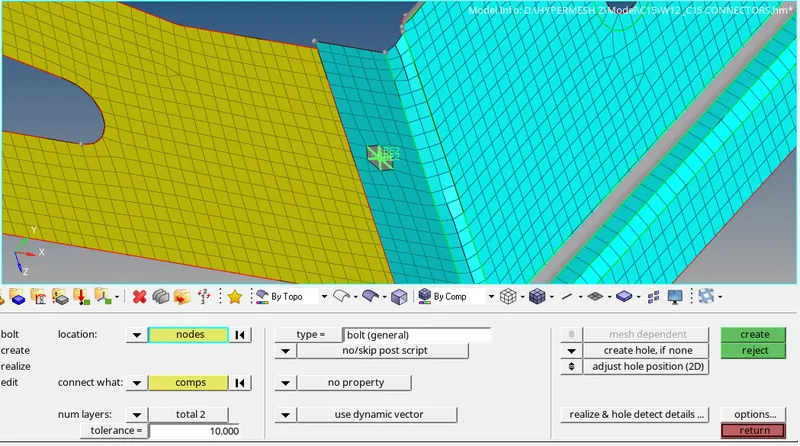
Case 6. Rear_truss_2 & Left_Rail_2:- Bolt Connector
By using 1D cinnectors tool bolt and type bolt general and select nodes and both components, Tolerence should be 10 and select no property.
if there hole does not exit then click on (create hole, if none)
and click on create.
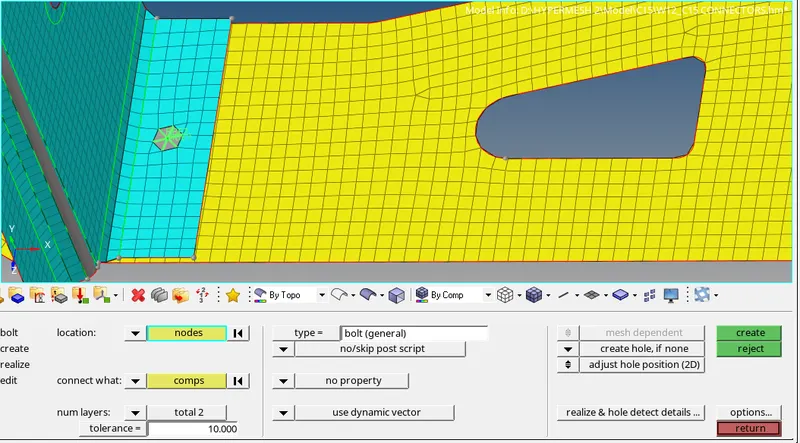
Case 7. Right_Rail_1 & Right_Rail_2:- Spot-weld with Rigid Elements
By using 1D cinnectors tool spot and type rigid and select nodes and both components, Tolerence should be 10 and select no property.
and click on create.
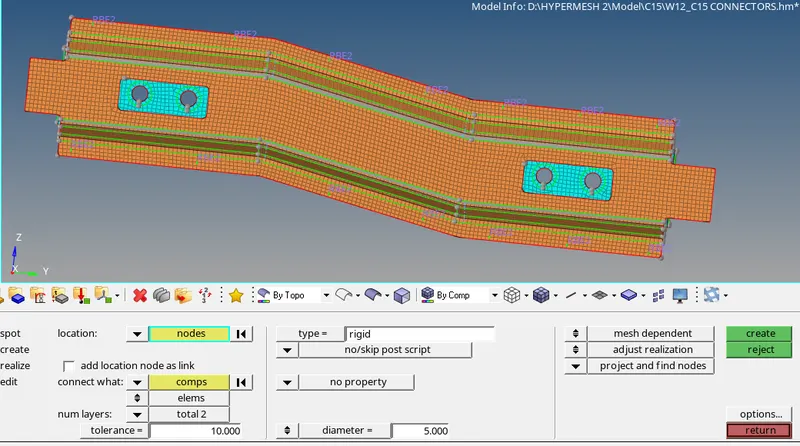
Case 8. Left_Rail_1 & Left_Rail_2:- Spot-weld with Spring Elements
By using 1D cinnectors tool spot and type spring and select nodes and both components, Tolerence should be 10 and select no property.
and click on create.
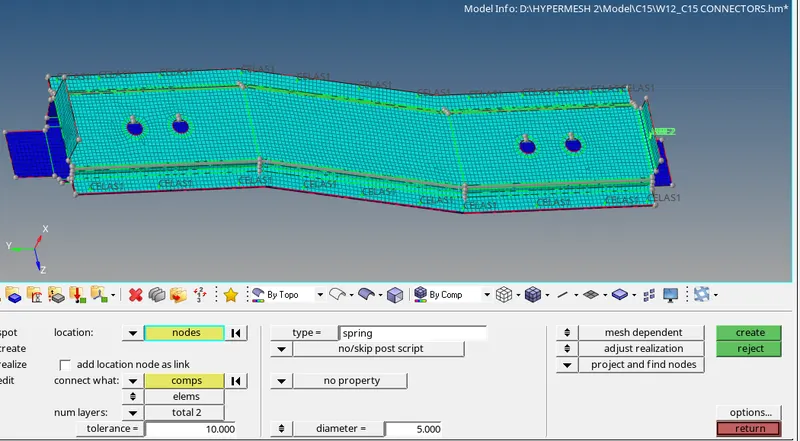
Rear trust_1 and Rear trust_2: Bold connectors
By using 1D cinnectors tool bolt and type bolt general and select nodes and both components, Tolerence should be 10 and select no property.
if there hole does not exit then click on (create hole, if none)
and click on create.
LEARNING AND CONCLUSION:
FROM the above we have learn how to do the diffenent types of connector with different components like Seam-Quad(angled+capped+L),Quad elements,Hexa (Adhesive),Bolt Connector, Rigid Elementsa and Spring Element.