Week 12 Challenge
CHALLENGE 12
Aim: The main aim of this challenge is to gain the knowledge about the design of the foundation of both isolated and combined footing along with it the concept of application of the loads to the structure with the help of STAAD foundation software. The concept of applying the load combination with the help of the software is also learnt. The procedure that is adopted to assign the foundation dimension and the soil properties to the footing is also learnt. And the concept of defining the design parameters that are required for the design of the foundation are also learnt with the use of the software.
Design of Foundation in STAAD Foundation
- Isolated Footing
Design isolated footing for a column 300 mm x 450 mm, carrying axial load of 1500 kN and Mu = 150 kNm using STAAD. Foundation. Assume that the moment is reversible. The safe bearing capacity of the soil is 200 kN/m2 at a depth of 1 metre from ground level. Use M 25 and Fe 415 for the footing. Also validate the design through hand calculation.
Ans:
- Open Staad foundation> Click on general mode> Foundation plan> Linear grid setup
- Go column position> enter value or click on origin(0,0,0)> Column dimensions> Pedestal and anchor belt> yes put as length= 1m,width=1m,height=1m
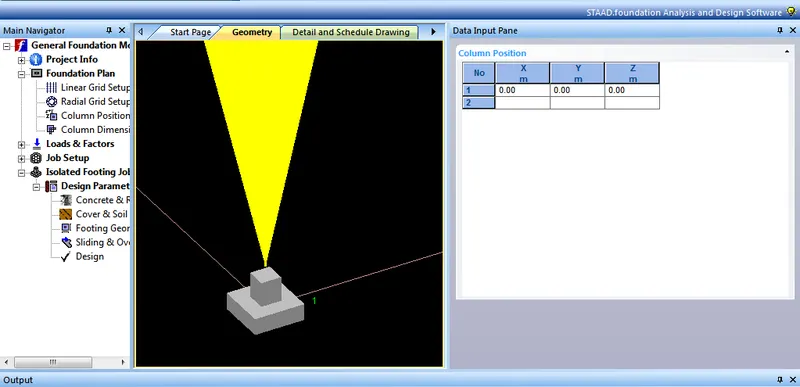
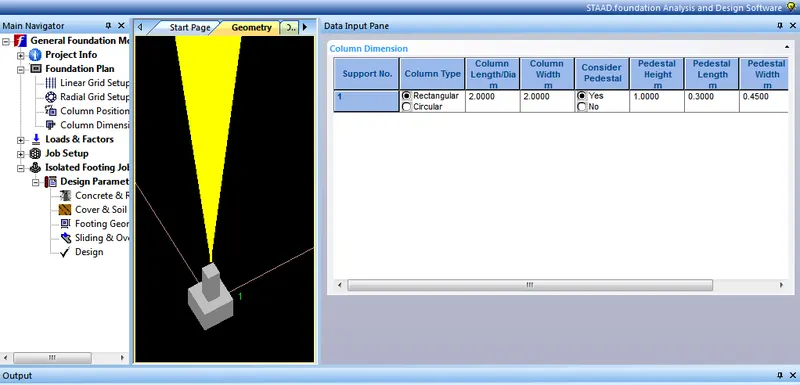

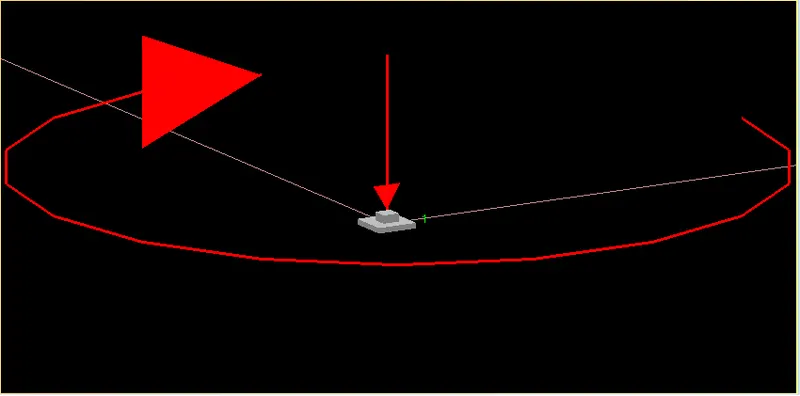
- Go to loads and factors> Create new load case> Add column reaction load> Assign to column
- Go to generate load combinations> Choose Indian> Generate it.
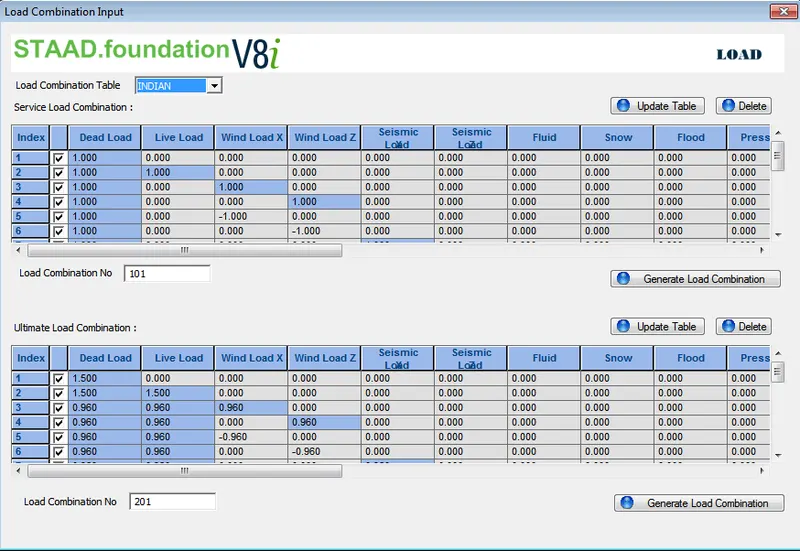
- Go soil properties> Choose Bearing Capacity factors> Create new job> Define all design parameters
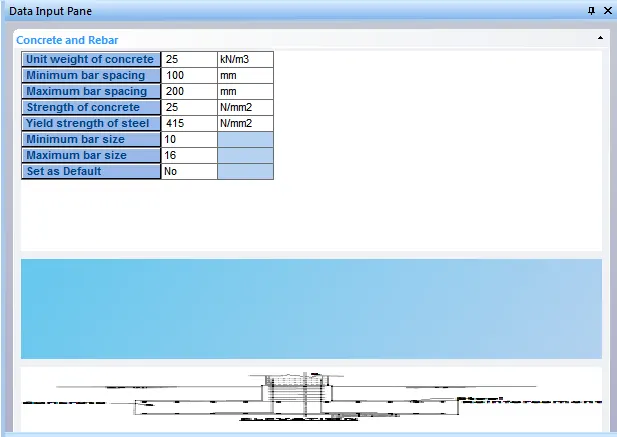
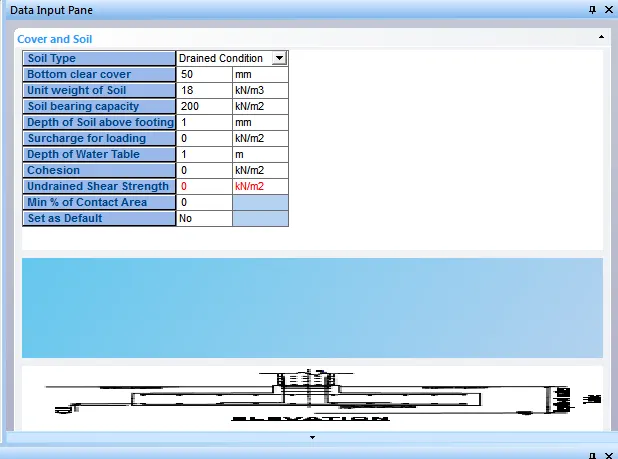
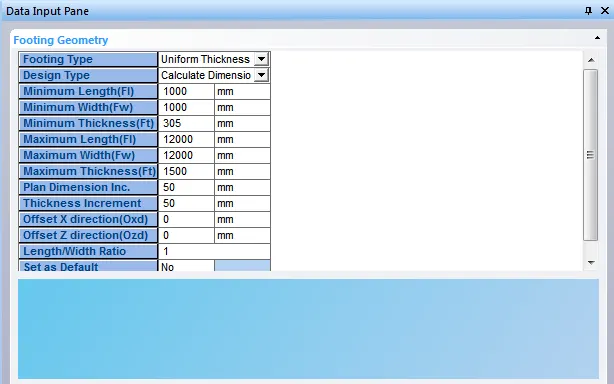
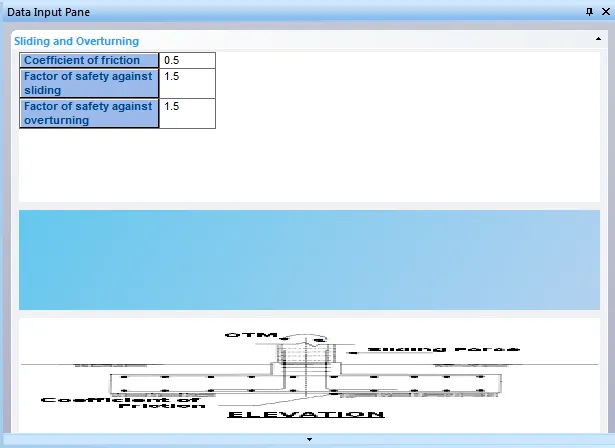
- Check design>footing is safe our values entered is correct.
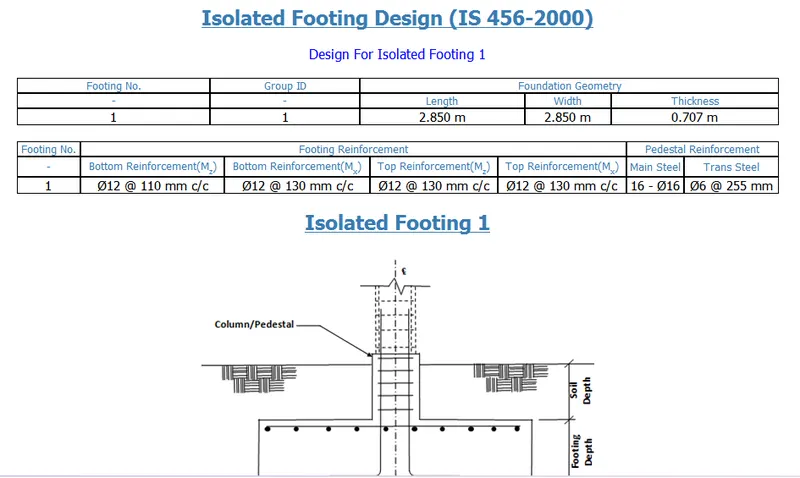
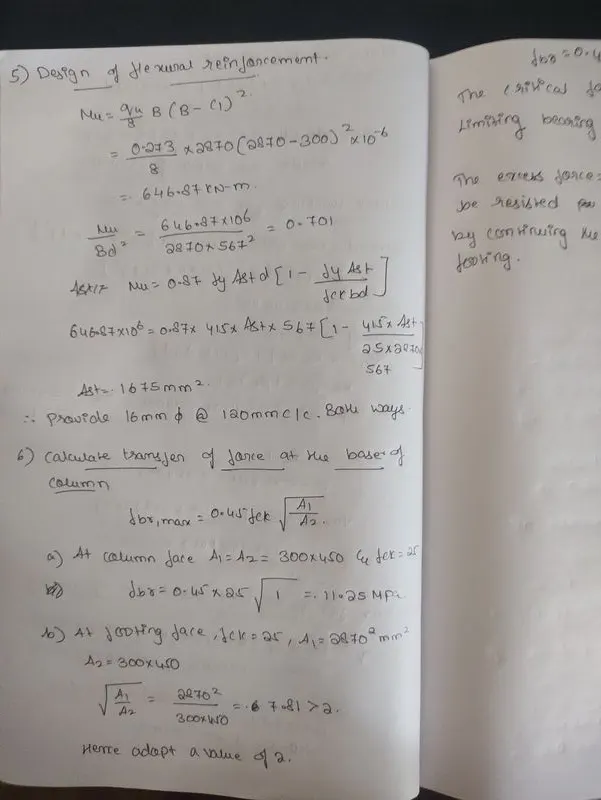
- VALIDATION BY HAND CALCULATION



- Combined Footing
Design a combined footing using STAAD. Foundation for two columns C1, 400 mm x 400 mm carrying a service load of 800 kN and C2, 300 mm x 500 mm carrying a service load of 1200 kN. The column C1 is flushed with the property line. The columns are at 3.0 m c/c distance. The safe bearing capacity of soil is 200 kN/m2 at a depth of 1.5 m below the ground level. Use M 20 and Fe 415 for columns and footing
Ans:
- Open Staad foundation> click on general mode> Foundation plan> Linear grid setup.
- Go to column position > Column dimension as per given> add pedestal and anchor bolt
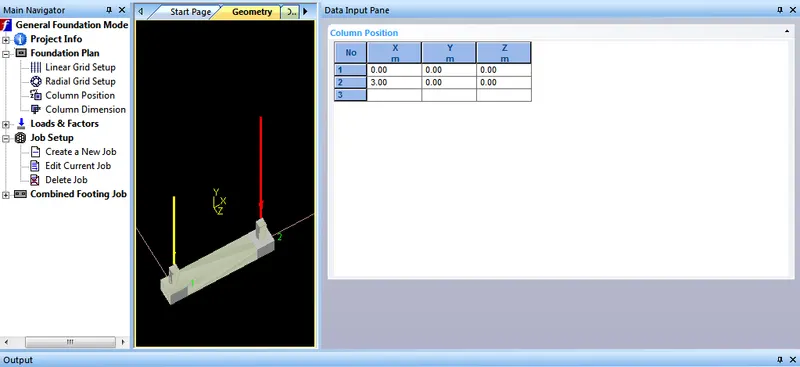
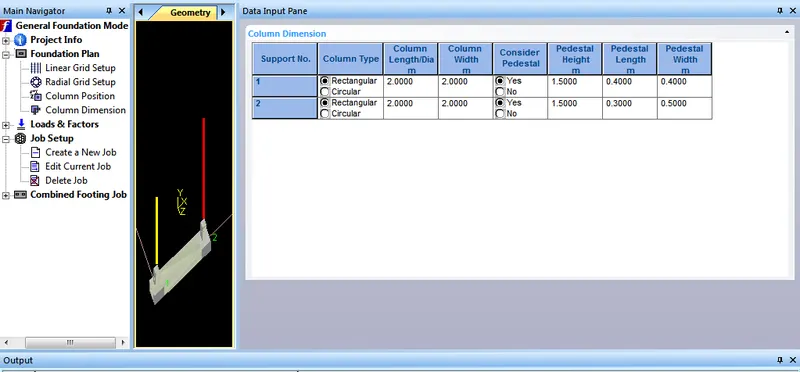
- Create new load case> Add column reaction > Assign load for columns

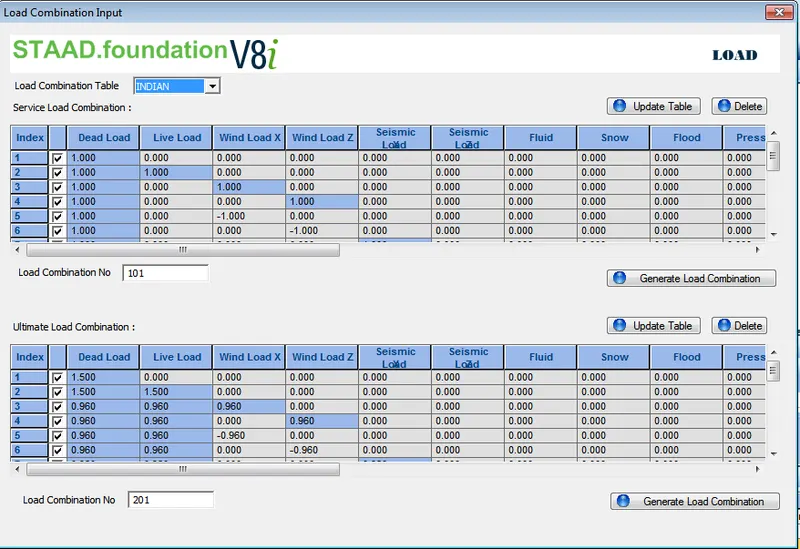
- Create new job> Combined Footing> Choose Indian> Select column edit current job> Click strip footing setup.
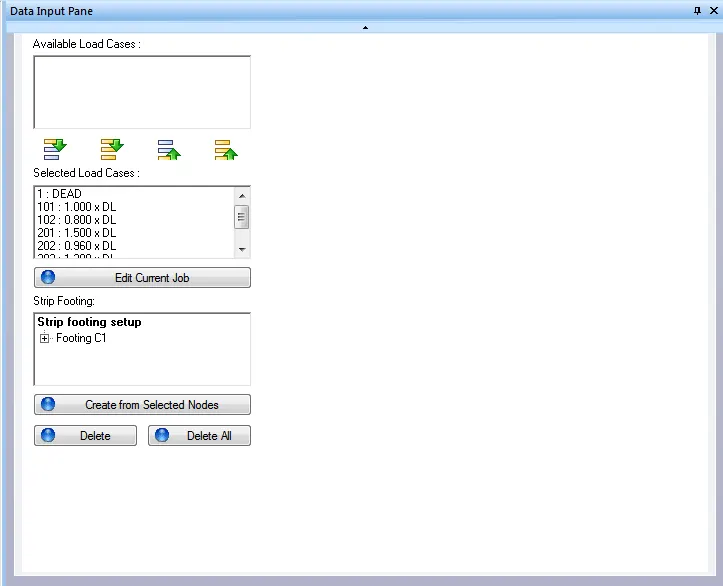
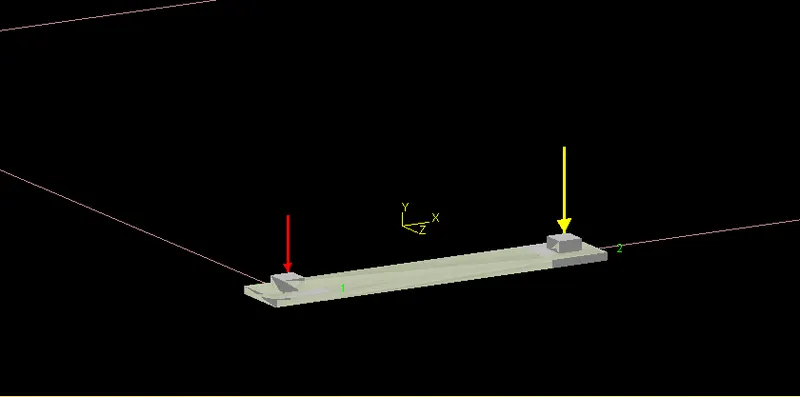
- Click create from selected nodes
- Go to design parameters> Add cover and reinforcement> add cover and soil > add footing geometry
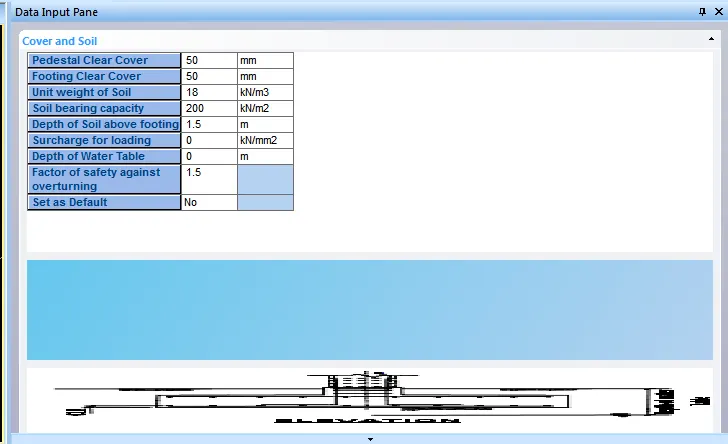
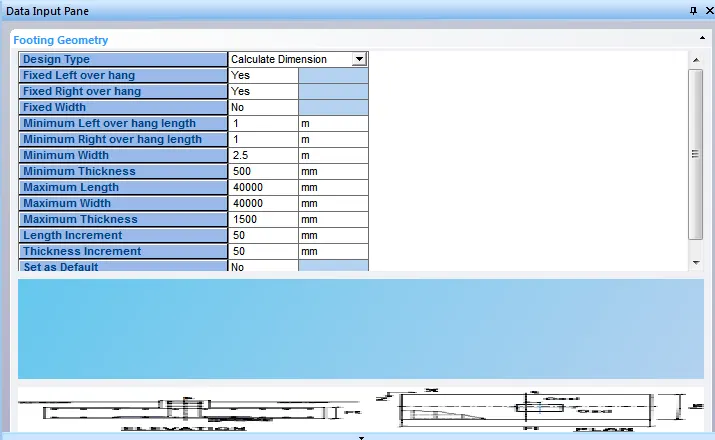
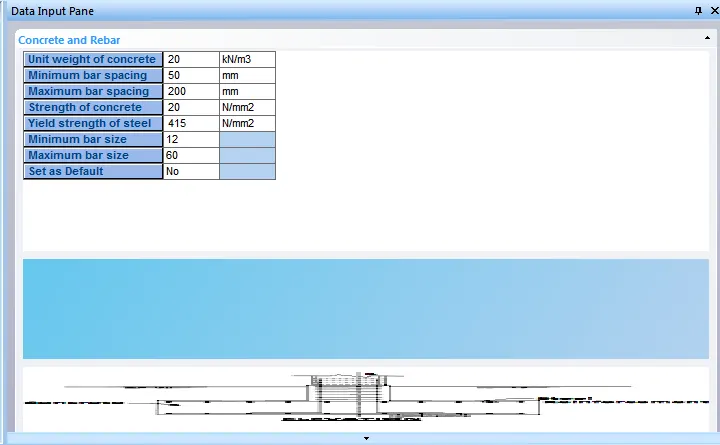
- Add sliding and overturning factors.
- Go to design> Click design save ok
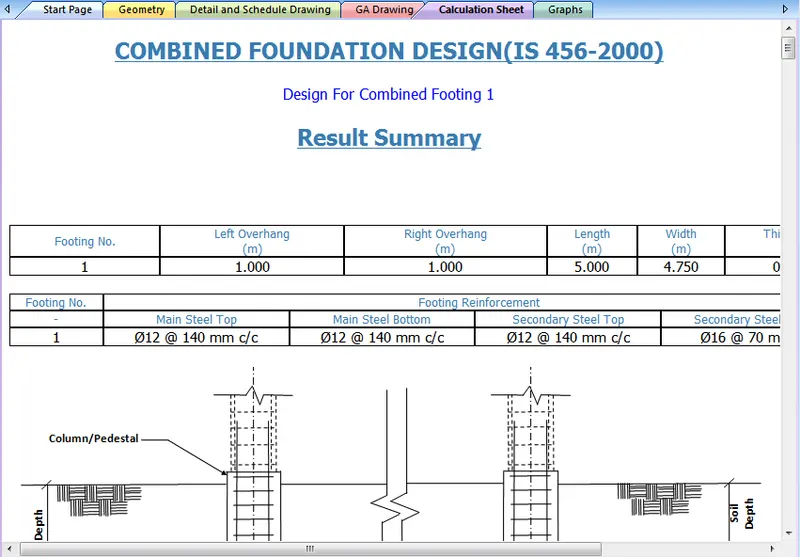
- Conclusion:
From the project carried out it can be concluded that the concept of the modelling of a foundation for both isolated and the combined footing and the application of the loads and defining of the load combination to the structure as per the given data with the use of the STAAD foundation software is learnt. The procedure that is followed while assigning the loads to a foundation is known. The method that as to be adopted for fixing up the errors and the warning are also learnt.
Vijayalakshmi S H