week-11 Joint creation and Demonstration
WEEK 11 CHALLENGE - JOINT CREATION AND DEMONSTRATION
AIM:
To create spherical, revolute, cylindrical, and translational joints between two rigid bodies and two deformable bodies Using the manual (*CONSTRAINED_JOINT keyword).
HINT:Use *CONSTRAINED_EXTRA_NODES and *CONSTRAINED_NODAL_RIGID_BODY to create joints between rigid and deformable bodies respectively.
PROCEDURE:
REVOLUTE JOINT:
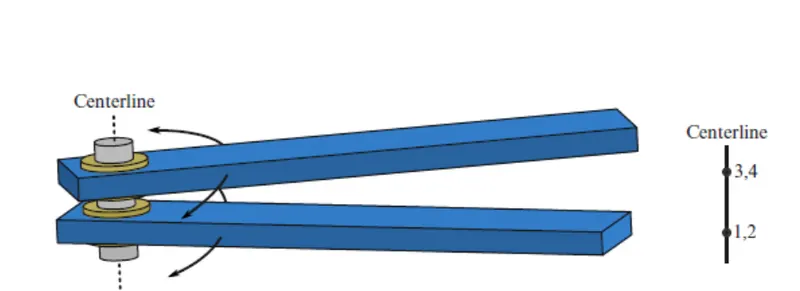
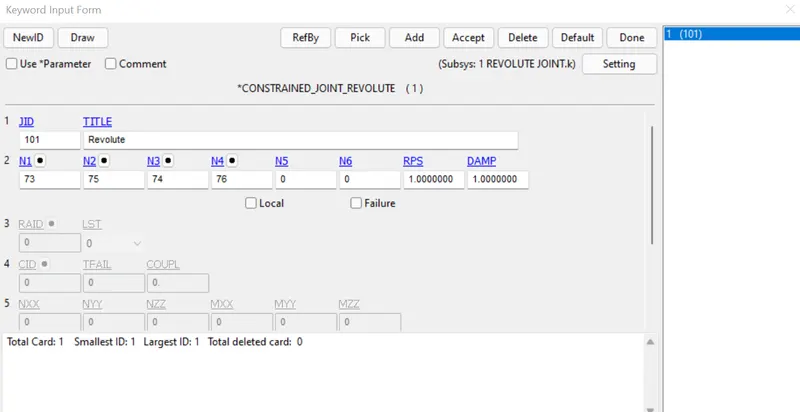
Revolute Joint. Nodes 1 and 2 are coincident; nodes 3 and 4 are coincident. Nodes 1 and 3 belong to rigid body A; nodes 2 and 4 belong to rigid body B. The relative motion of the two rigid bodies is restricted to rotations about the axis formed by the two pairs of coincident nodes. This axis is labeled the “centreline.”
JOINT BETWEEN RIGID BODY USING CONSTRAINED EXTRA NODES
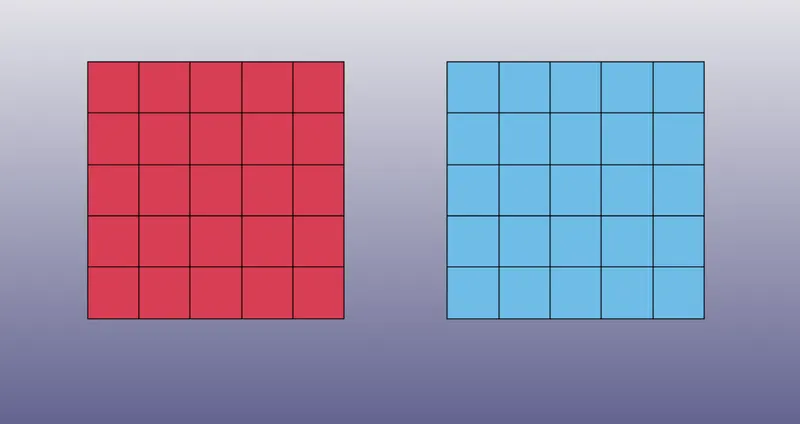
Create two different part of shell with same Element length:
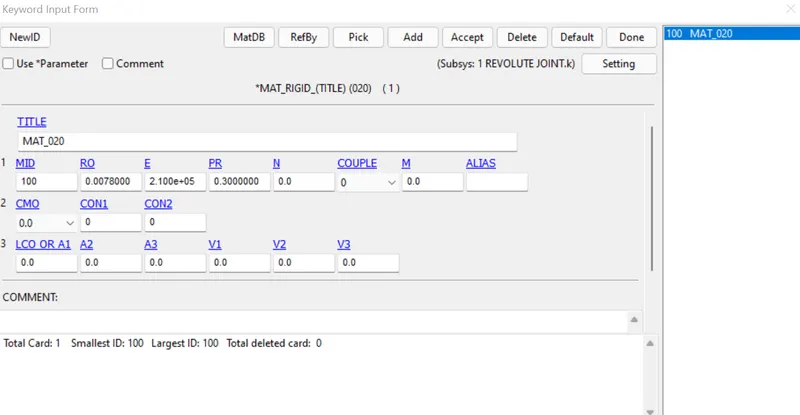
MATERIAL CARD:
Create MAT_RIGID and add the respective poisson's ratio,Density and Young's modulus
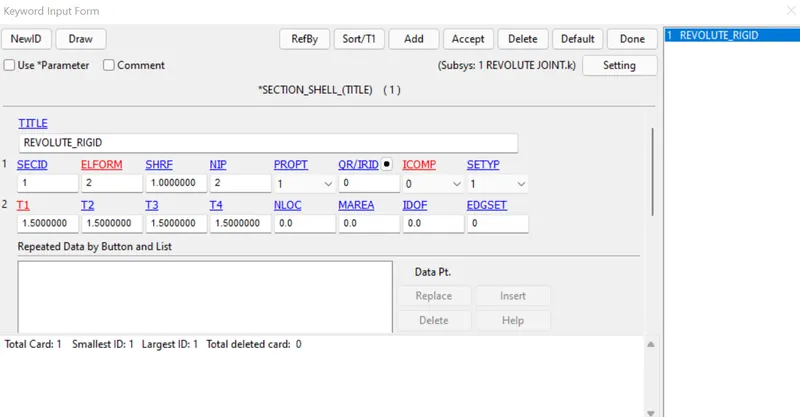
SECTION CARD:
Section Shell has been Created with thickness 1.5mm and Elform=2
A pair of four nodes by Element tools->Node Editing option and give distinct Node IDs for all four nodes.Node 73 & 75 are coincidence and Node 74 & 76 are coincidence.
Create a Nodeset for constrained Extra nodes.
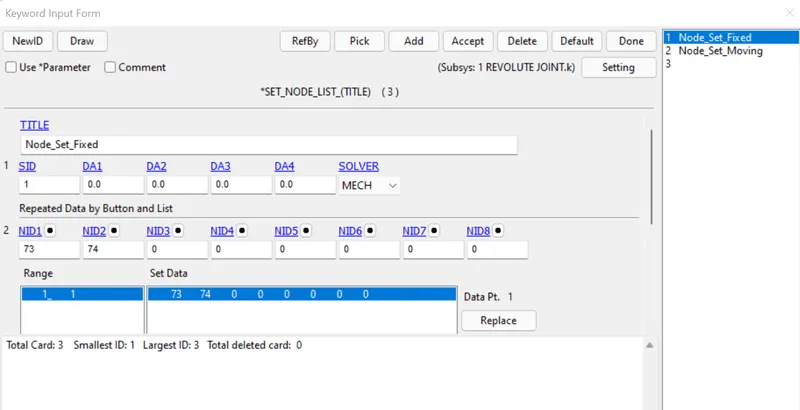
Assign Nodeset 1 to PID 1 and Nodeset 2 to PID 2
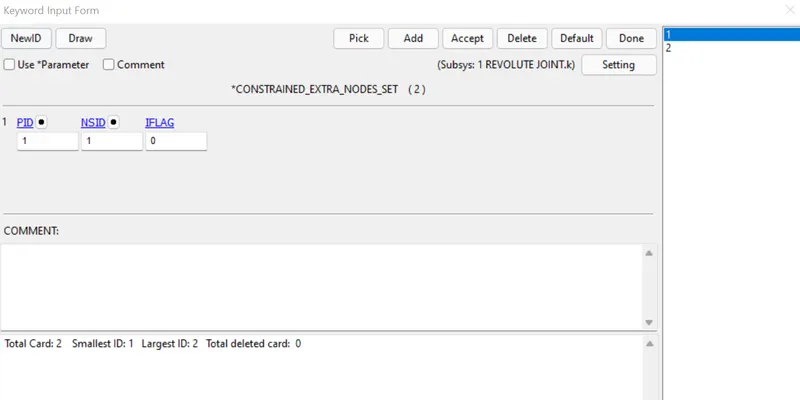
Create a Joint_Revolute Constrained card
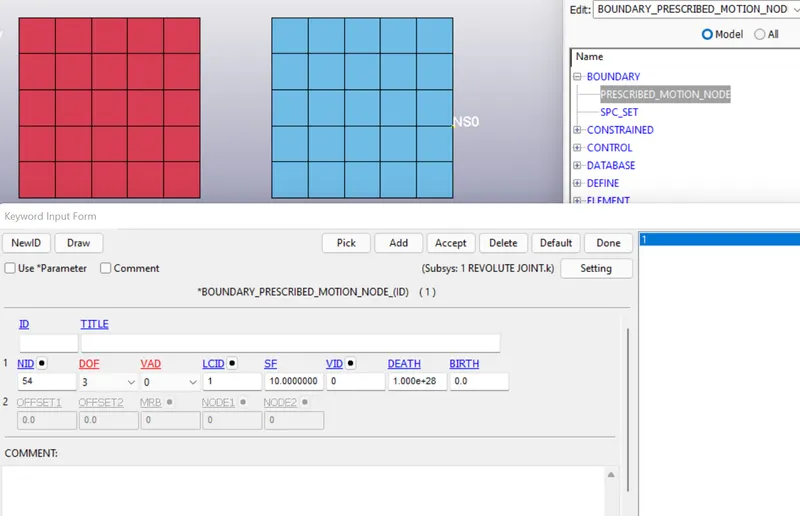
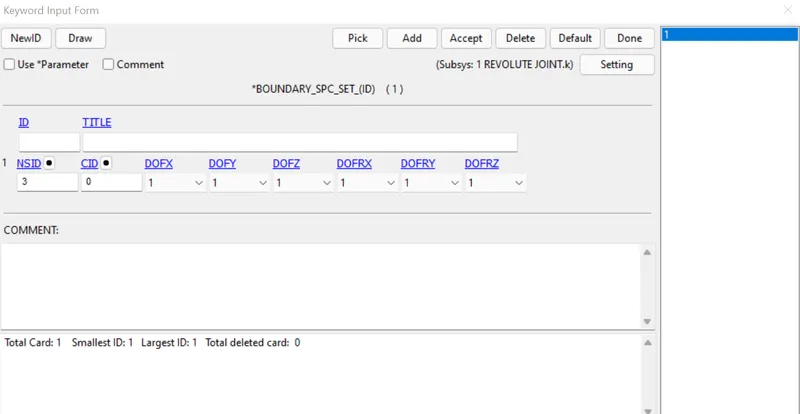
Boundary Card:
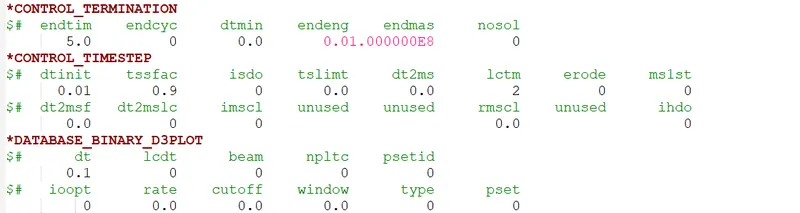
Control termination and Control timestep has been created with the define curve
Run the simulation in LS run.
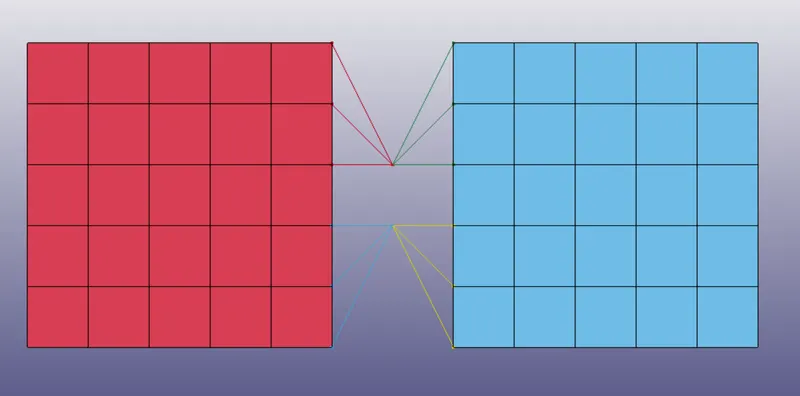
JOINT BETWEEN TWO DEFORMABLE BODY USING CONSTRAINED NODAL RIGID BODY
With the same Model of revolute joint change only the Material, Nodeset and Constrained card to join the two deformable body.
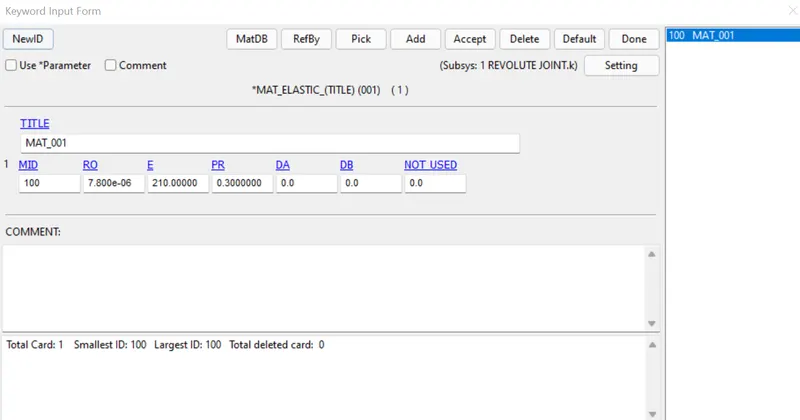
MATERIAL CARD:
Elastic material for deformable body
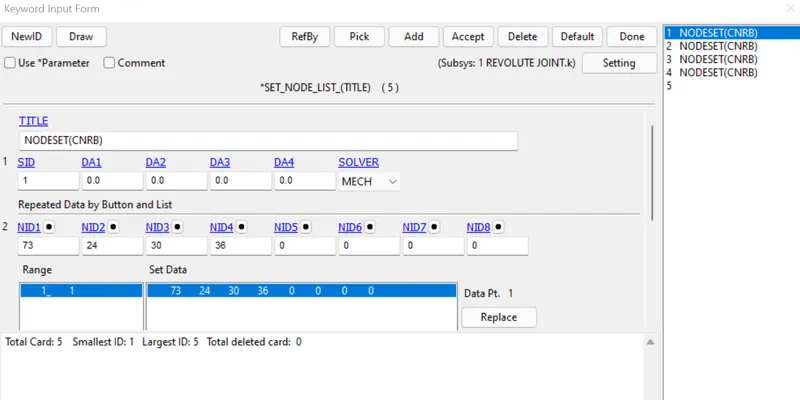
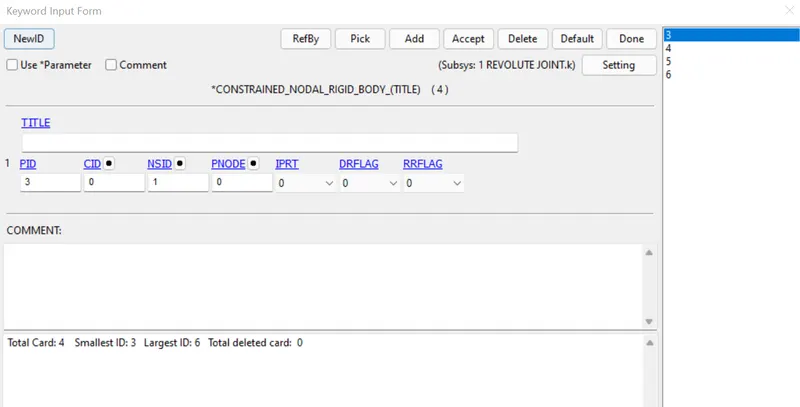
Nodeset has been created to assign for Constrained Nodal Rigid Body
CONSTRAINED CARD:
Assign the Nodesets to new PID's
After Joint has been created
Run the simulation in LS Run.
SPHERICAL JOINT:
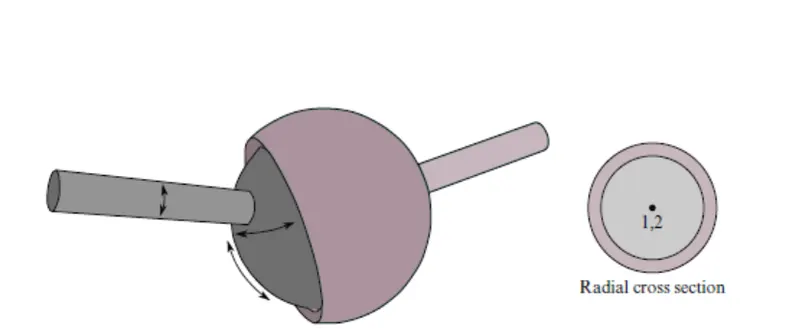
Spherical joint. The relative motion of the rigid bodies is constrained so that nodes which are initially coincident remain coincident. In the above figure the socket’s node is not interior to the socket—LS-DYNA does not require that a rigid body’s nodes be interior to the body
JOINT BETWEEN RIGID BODY USING CONSTRAINED EXTRA NODES
Create a two sphere with different part and delete half of the second sphere
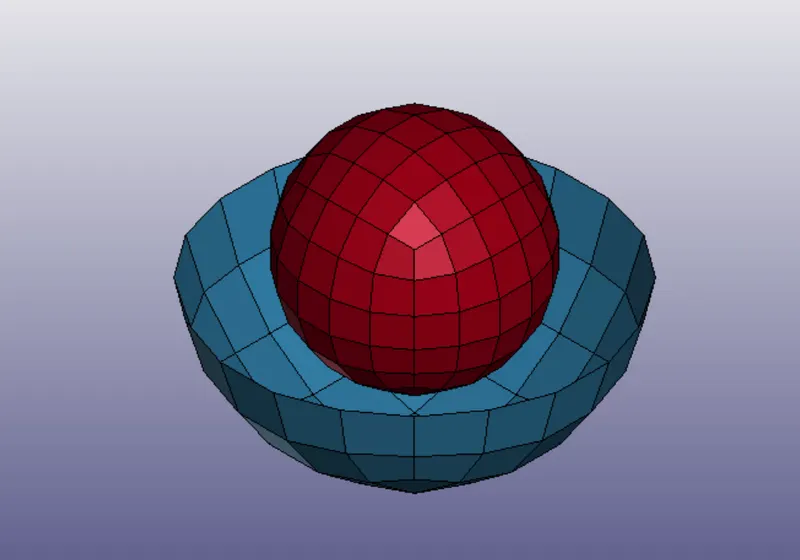
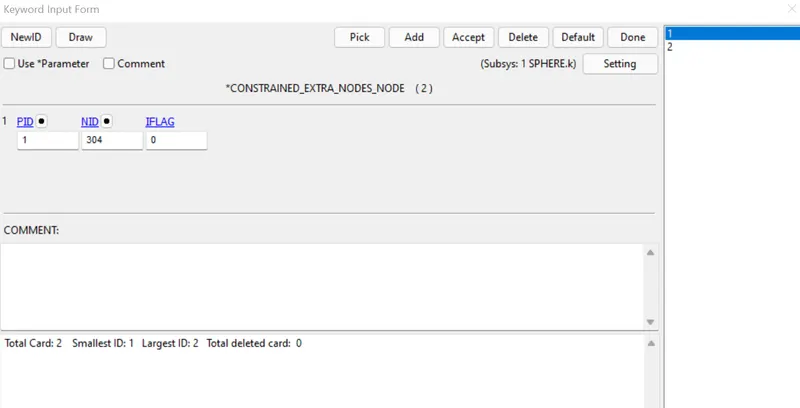
Using the same Material,Section,Control card like Revolute rigid body using constrained extra nodes we are going to add two extra node in center of the axis
Assign the two node to the the PID 1 and PID 2 in CONSTRAINED_EXTRA_NODES
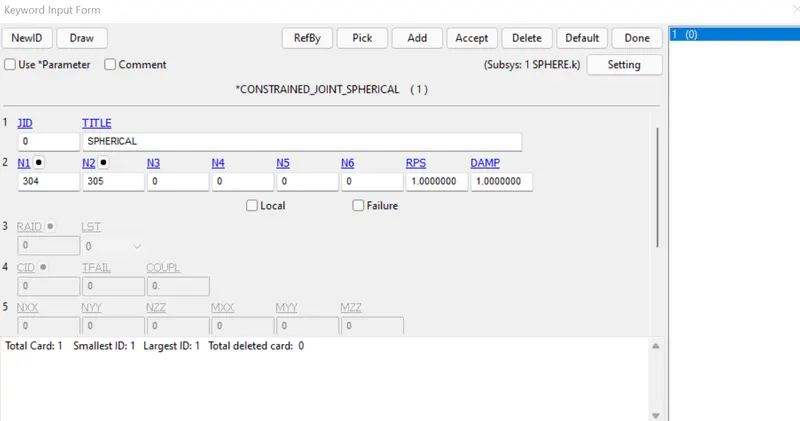
CONSTRAINED_JOINT_SPHERICAL:
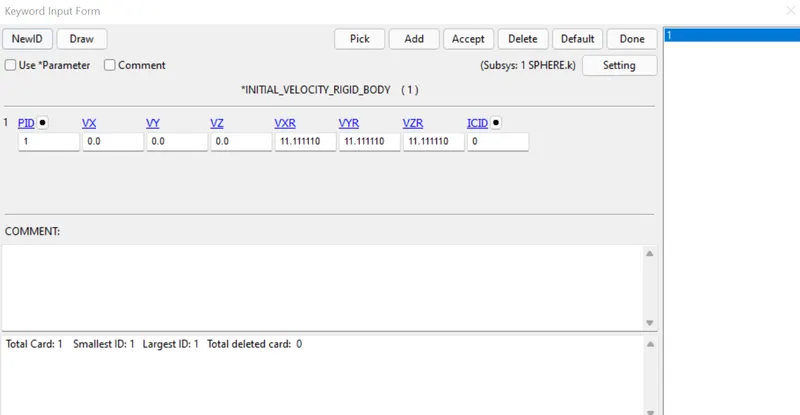
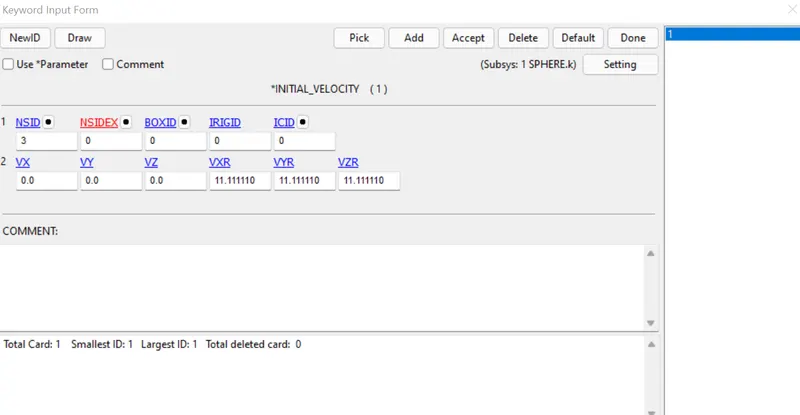
VELOCITY CARD:
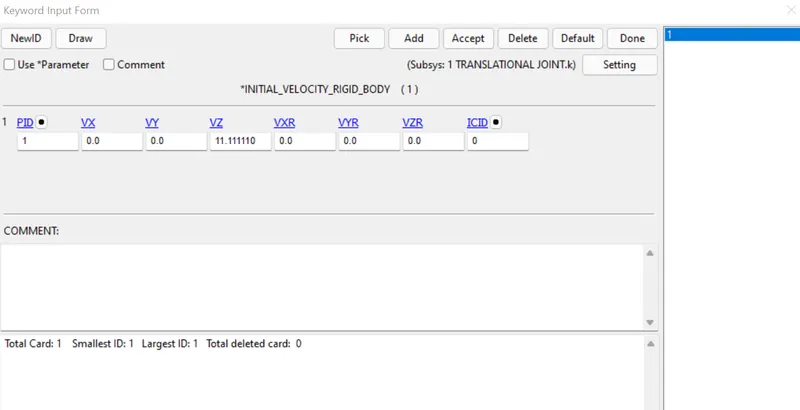
Assign the velocity of 11.1111mm/ms for the three axes of rotation
Run the simulation in LS run.
JOINT BETWEEN TWO DEFORMABLE BODY USING CONSTRAINED NODAL RIGID BODY
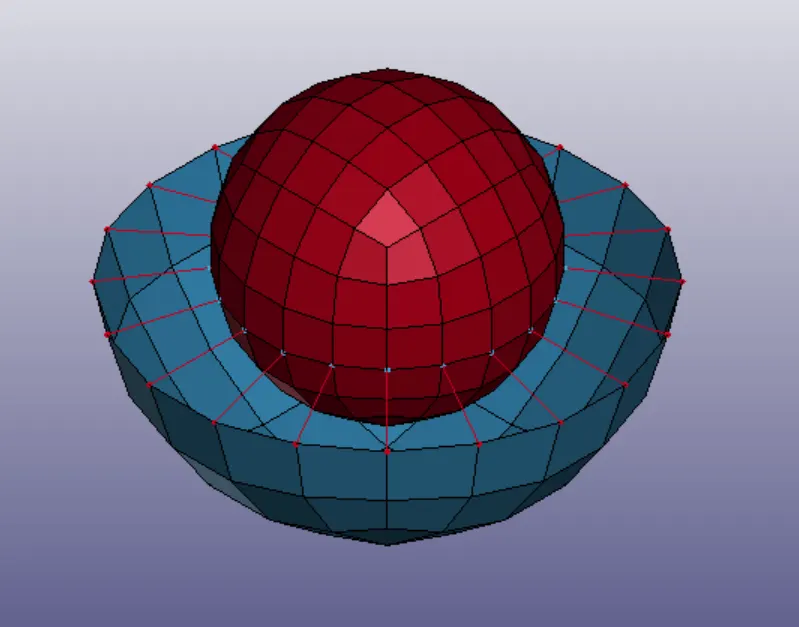
Using the same Material,Section,Control card like Revolute Deformable body using constrained nodal rigid body we are going to add two extra node in center of the axis
Create a Nodeset for the two Extra node connect with the two Part
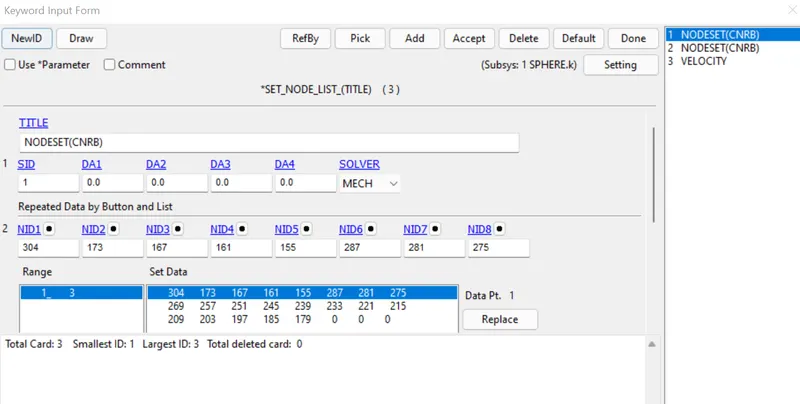
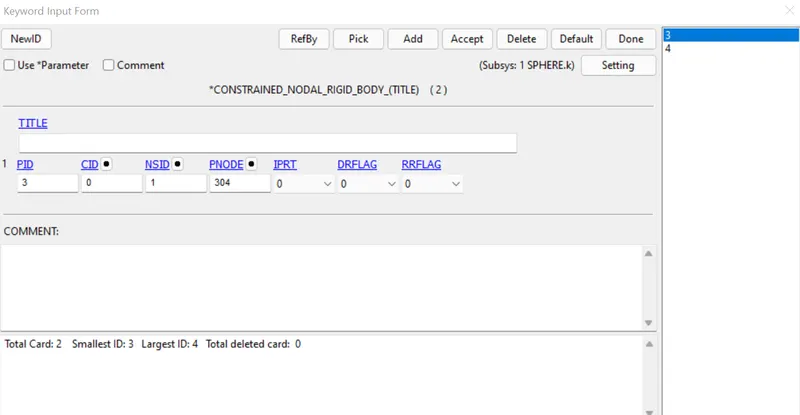
Assign the nodeset to the CONSTRAINED_NODAL_RIGID_BODY and velocity are created using the Nodeset.
CONSTRAINED_NODAL_RIGID_BODY:
VELOCITY CARD:
After joint has been created
Run the simulation in LS Run.
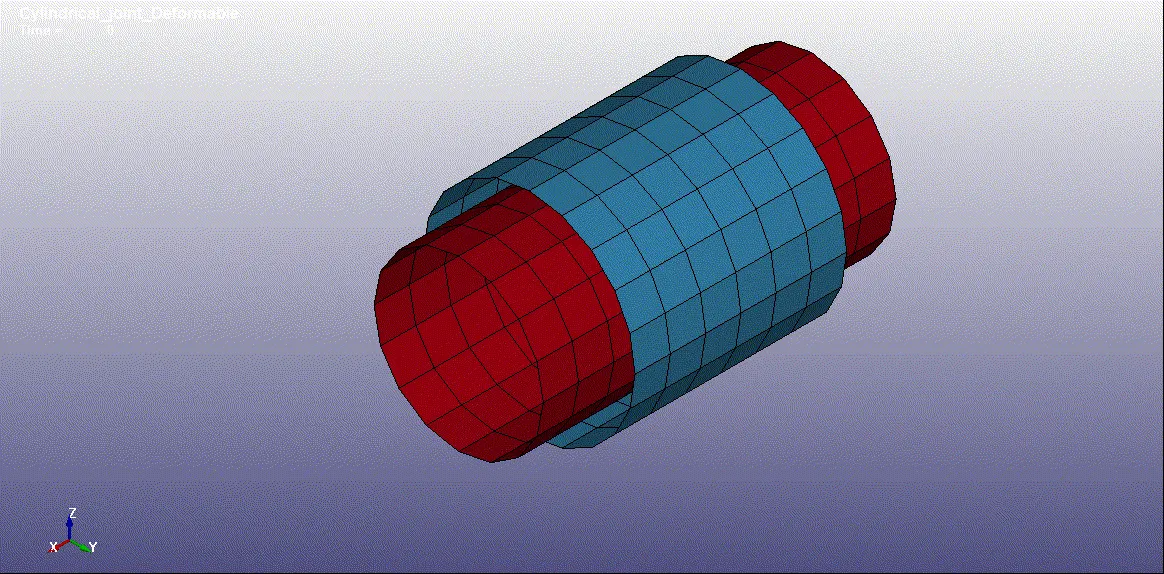
CYLINDRICAL JOINT:
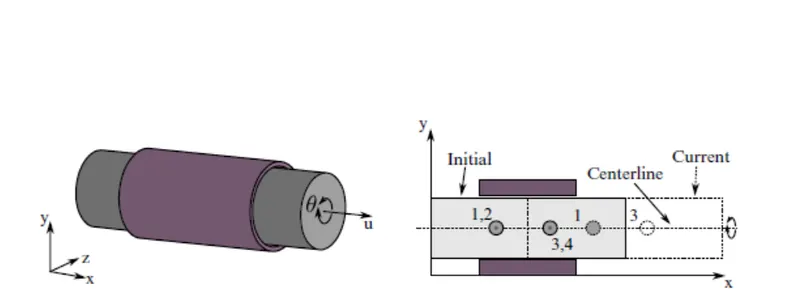
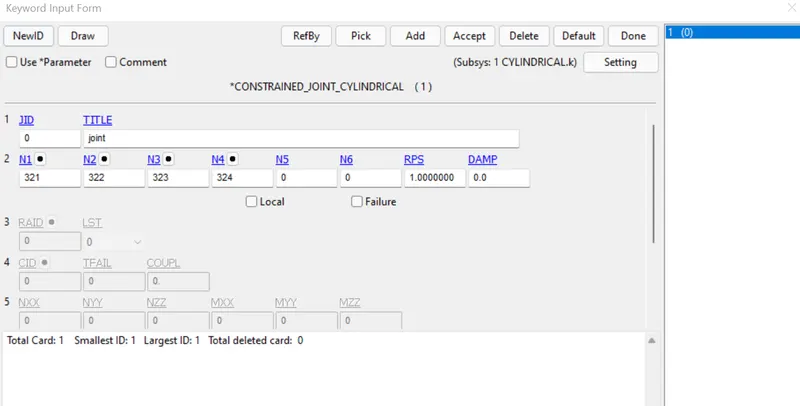
Cylindrical Joint. This joint is derived from the rotational joint by relaxing the constraints along the centreline. This joint admits relative rotation and translation along the centreline.
JOINT BETWEEN RIGID BODY USING CONSTRAINED EXTRA NODES
Create a cylinder shell element with two different part and with different size.
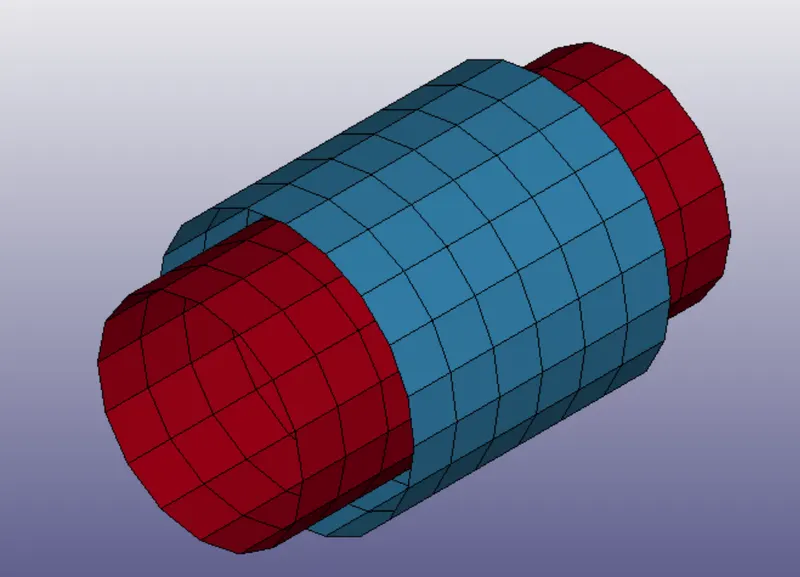
Using the same Material,Section,Control card like Revolute rigid body using constrained extra nodes, add four node 321,322,323,324.
Here 321& 322 are coincidence and 323& 324 are coincidence.
Create a Nodeset to assign for Constrained extra Node.
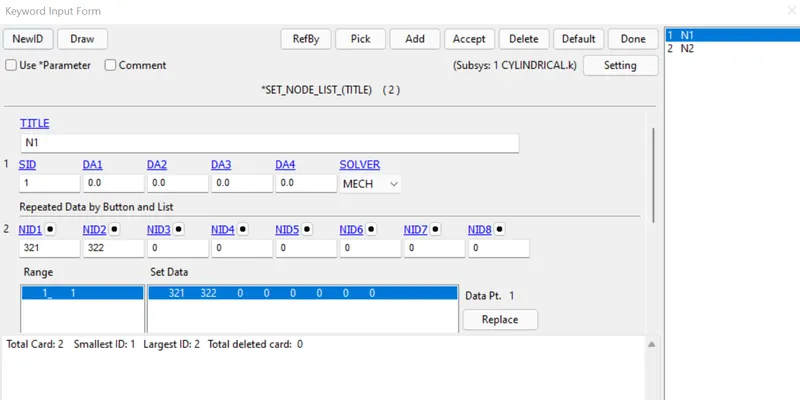
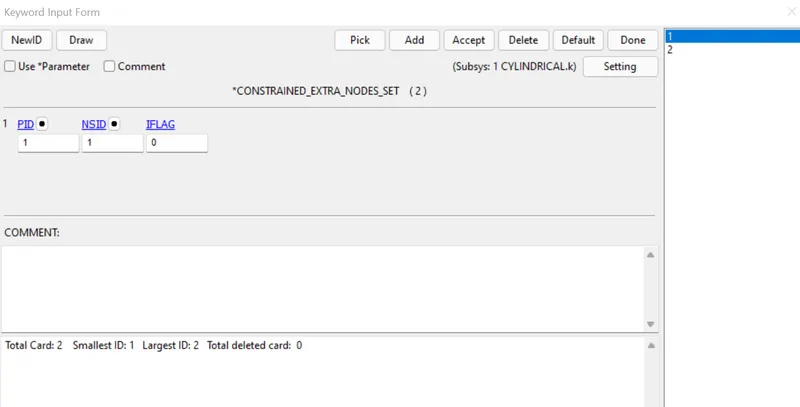
CONSTRAINED CARD:
VELOCITY CARD:
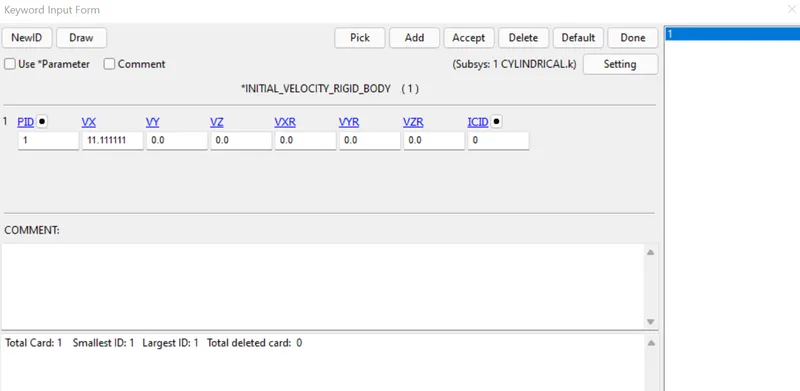
Run the simulation in LS run.
JOINT BETWEEN TWO DEFORMABLE BODY USING CONSTRAINED NODAL RIGID BODY
Using the same Material,Section,Control card like Revolute Deformable body using constrained nodal rigid body we are going to add four extra node like rigid body using constrained extra nodes.
Create a Nodeset to assign for Constrained Nodal rigid body
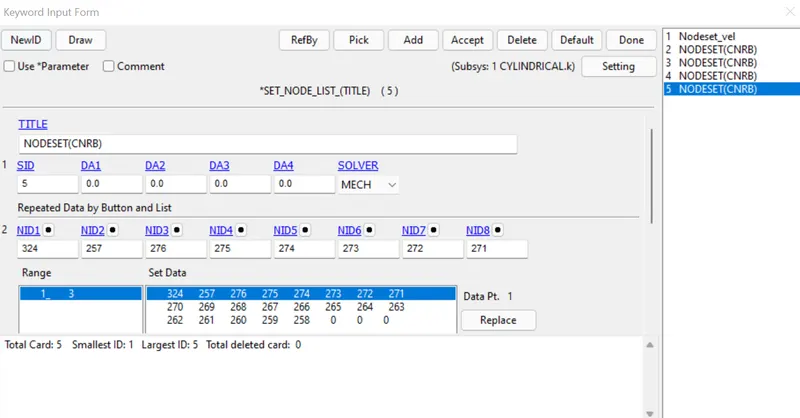
CONSTRAINED CARD:
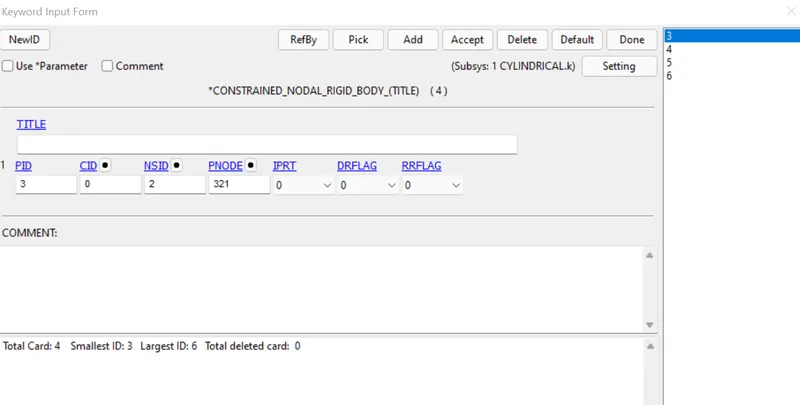
After creating Contrained Card the Joint looks like
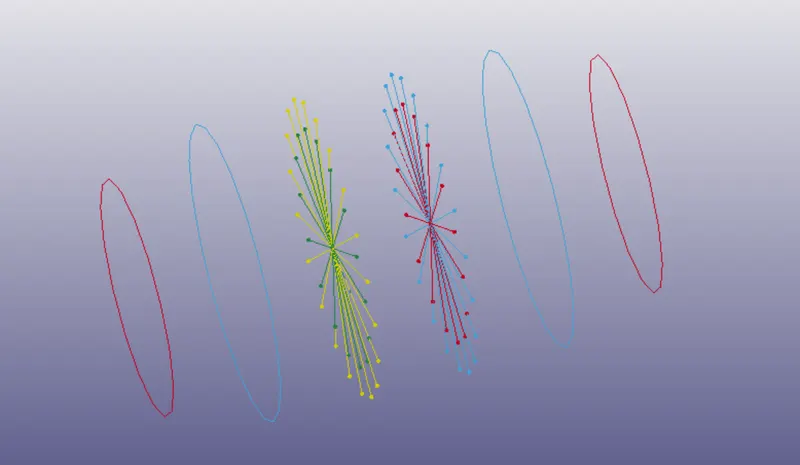
Run the simulation with the same Velocity and Control card like rigid body using constrained extra nodes in LS Run.
TRANSLATIONAL JOINT
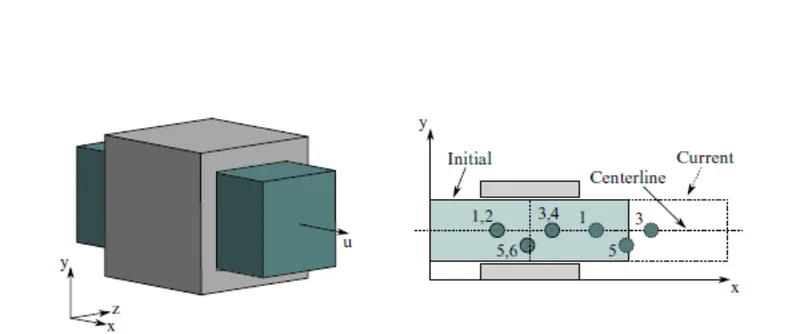
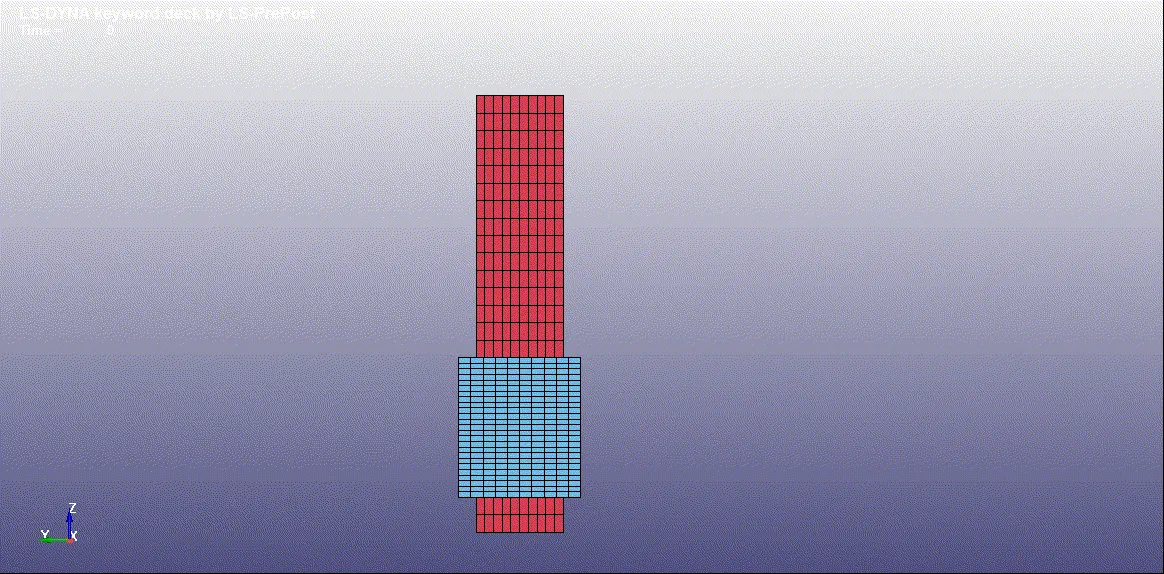
Translational joint. This is a cylindrical joint with a third pair of off-centreline nodes which restrict rotation. Aside from translation along the centreline, the two rigid bodies are stuck together
JOINT BETWEEN RIGID BODY USING CONSTRAINED EXTRA NODES
Create a Box shell element by using option under Element and Mesh->Shape Mesher->Entity->Box shell with two different part and with different size.
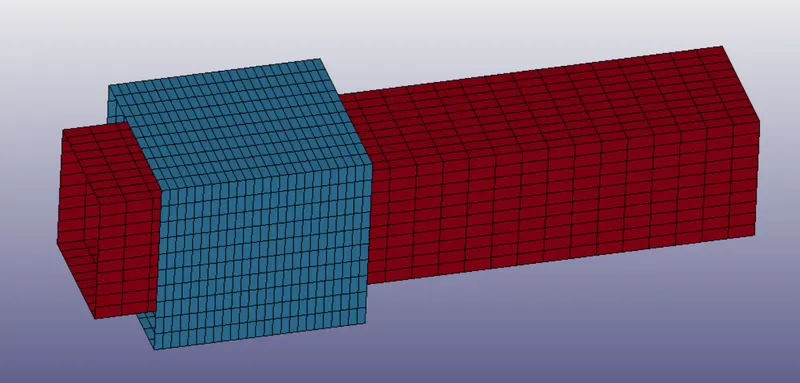
Using the same Material,Section,Control card like cylindrical joint rigid body using constrained extra nodes, add six node 2663,2664,2665,2666,2667,2668.
Create a Nodeset to assign for Constrained extra Node.
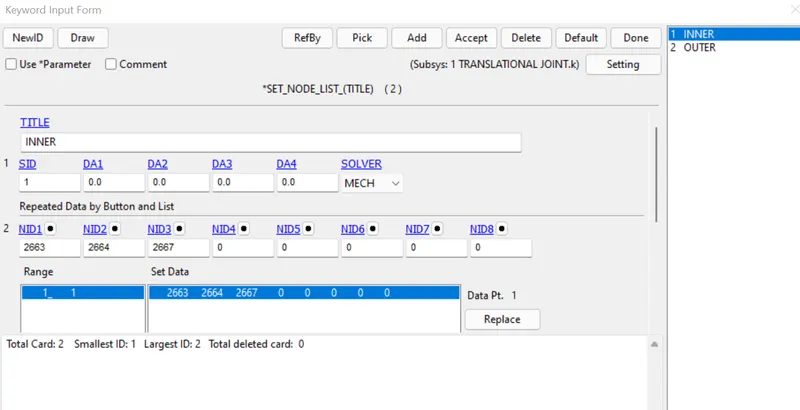
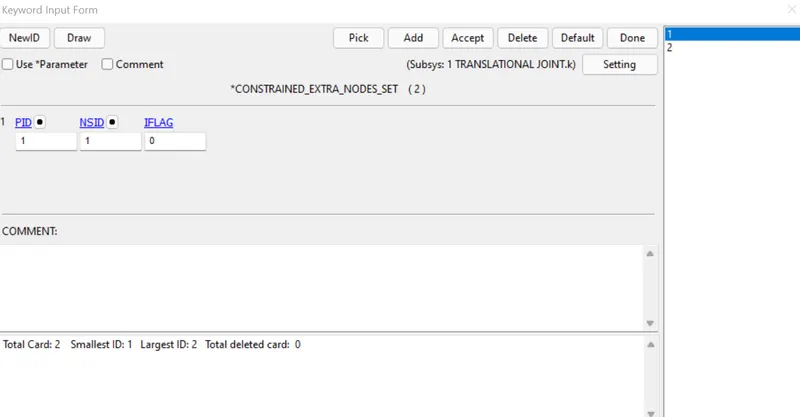
CONSTRAINED CARD:
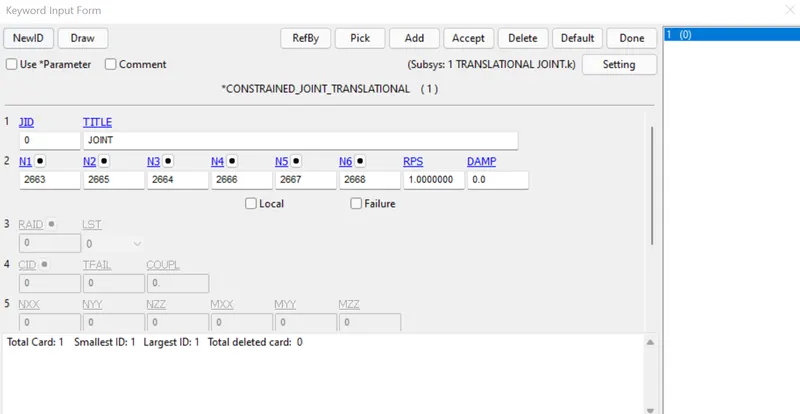
VELOCITY CARD:
Run the simulation in LS run.
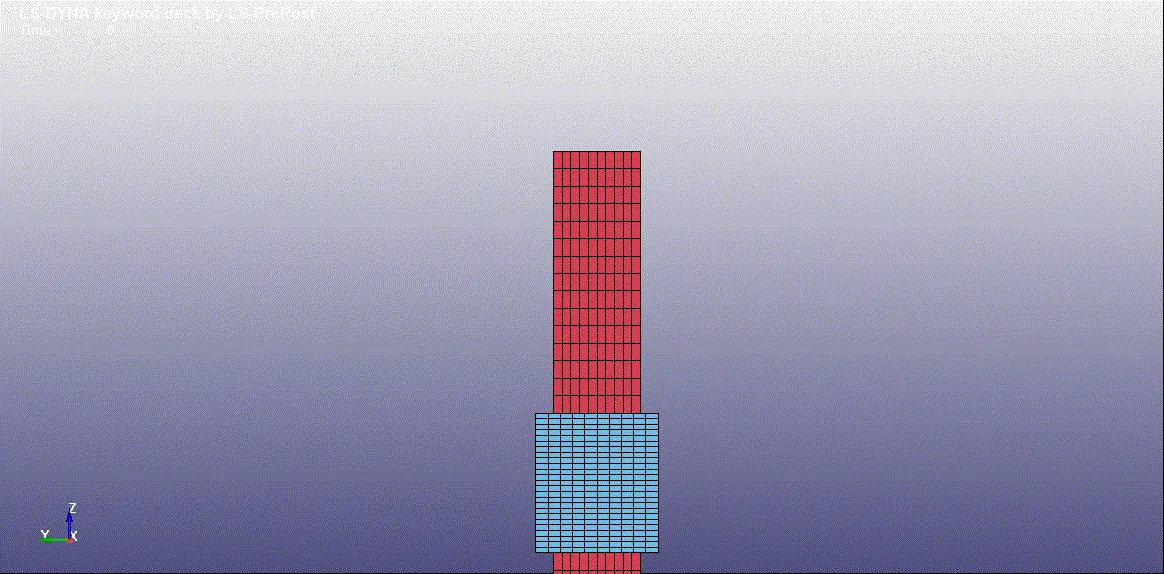
JOINT BETWEEN TWO DEFORMABLE BODY USING CONSTRAINED NODAL RIGID BODY
Using the same Material,Section,Control card like Cylindrical Deformable body using constrained nodal rigid body we are going to add Six extra node like rigid body using constrained extra nodes.
Create a Nodeset to assign for Constrained Nodal rigid body
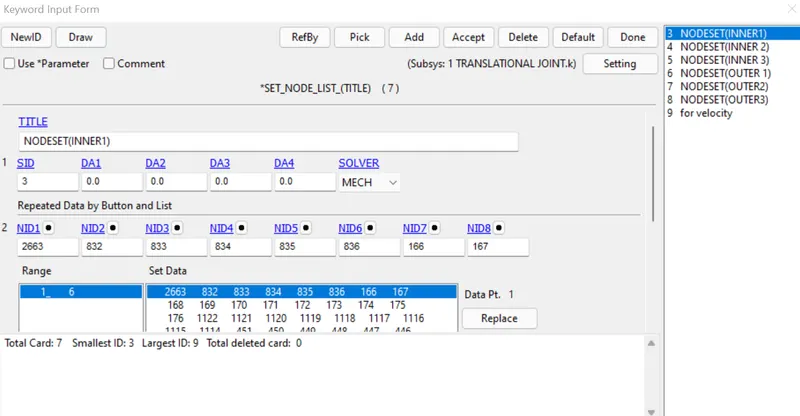
CONSTRAINED CARD:
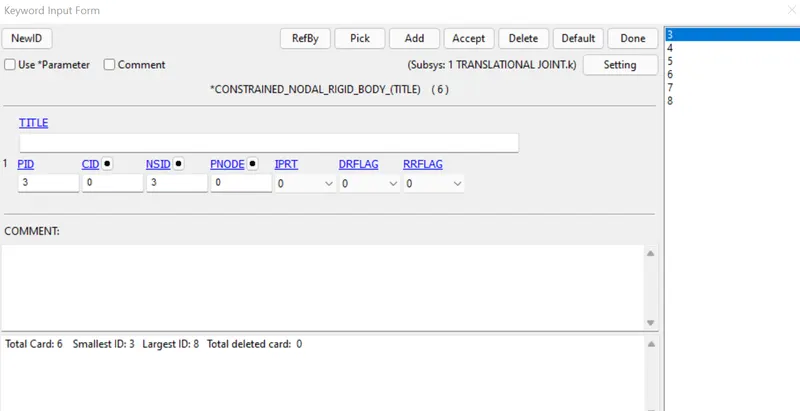
After creating Contrained Card the Joint looks like
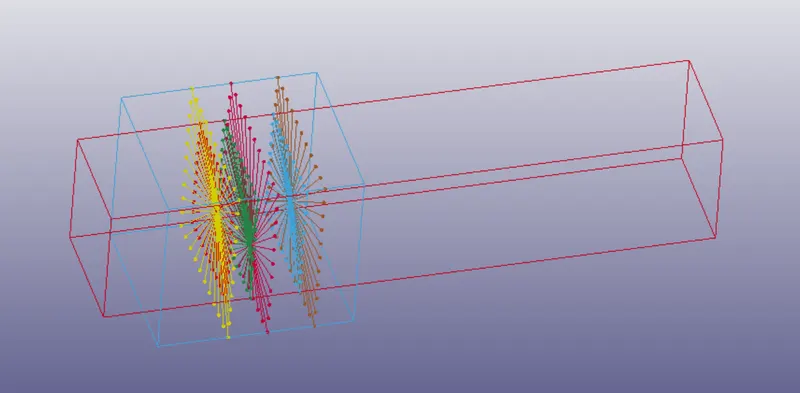
Run the simulation with the same Velocity and Control card like rigid body using constrained extra nodes in LS Run.
OUTPUT:
REVOLUTE JOINT:
JOINT BETWEEN RIGID BODY USING CONSTRAINED EXTRA NODES
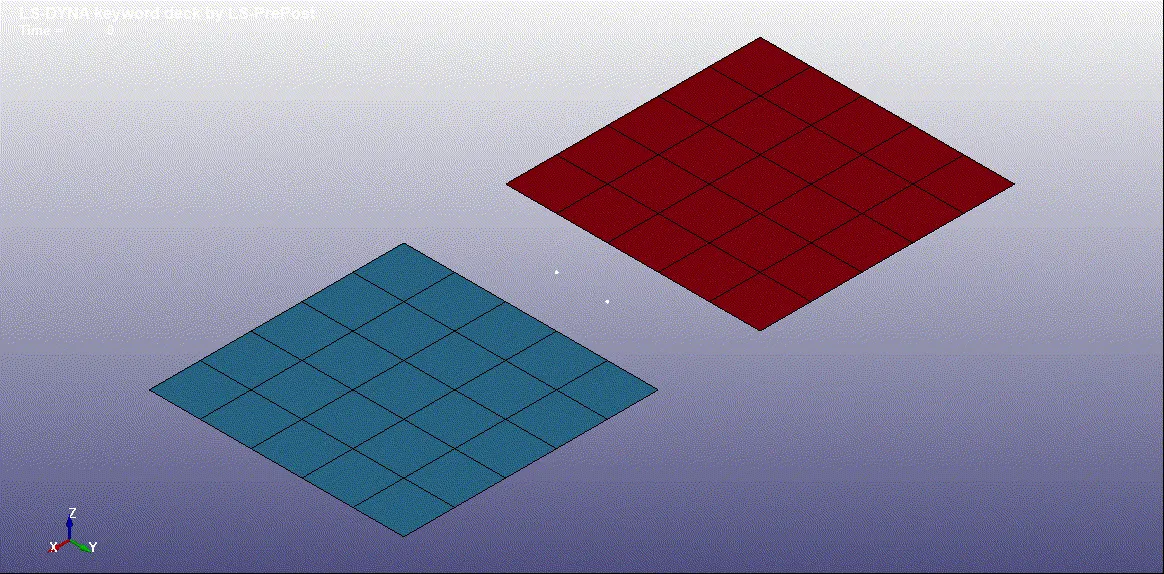
JOINT BETWEEN TWO DEFORMABLE BODY USING CONSTRAINED NODAL RIGID BODY
SPHERICAL JOINT:
JOINT BETWEEN RIGID BODY USING CONSTRAINED EXTRA NODES
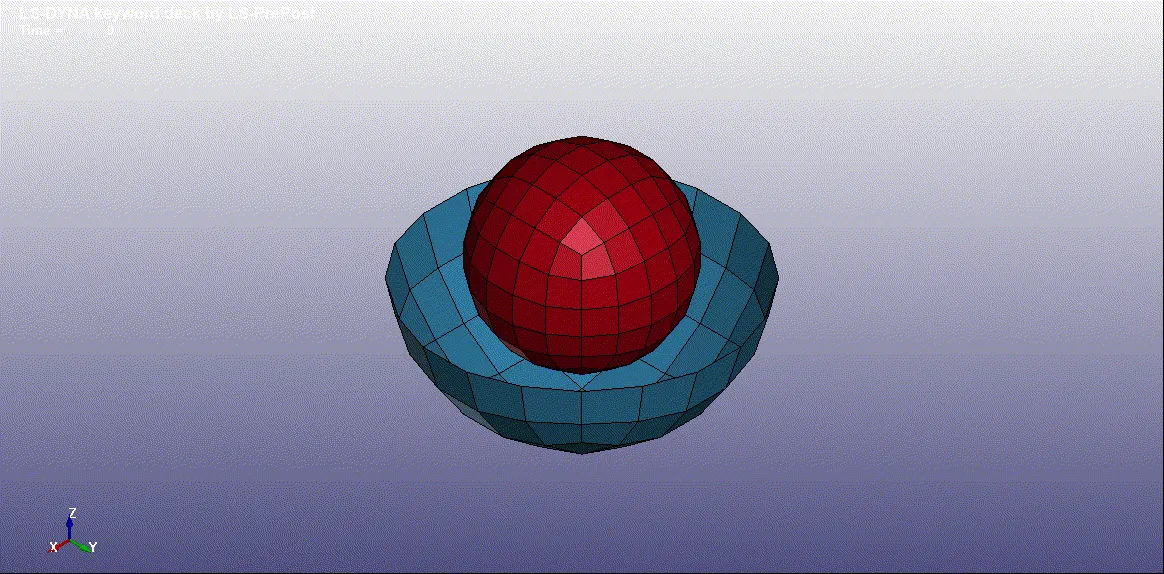
JOINT BETWEEN TWO DEFORMABLE BODY USING CONSTRAINED NODAL RIGID BODY
CYLINDRICAL JOINT:
JOINT BETWEEN RIGID BODY USING CONSTRAINED EXTRA NODES
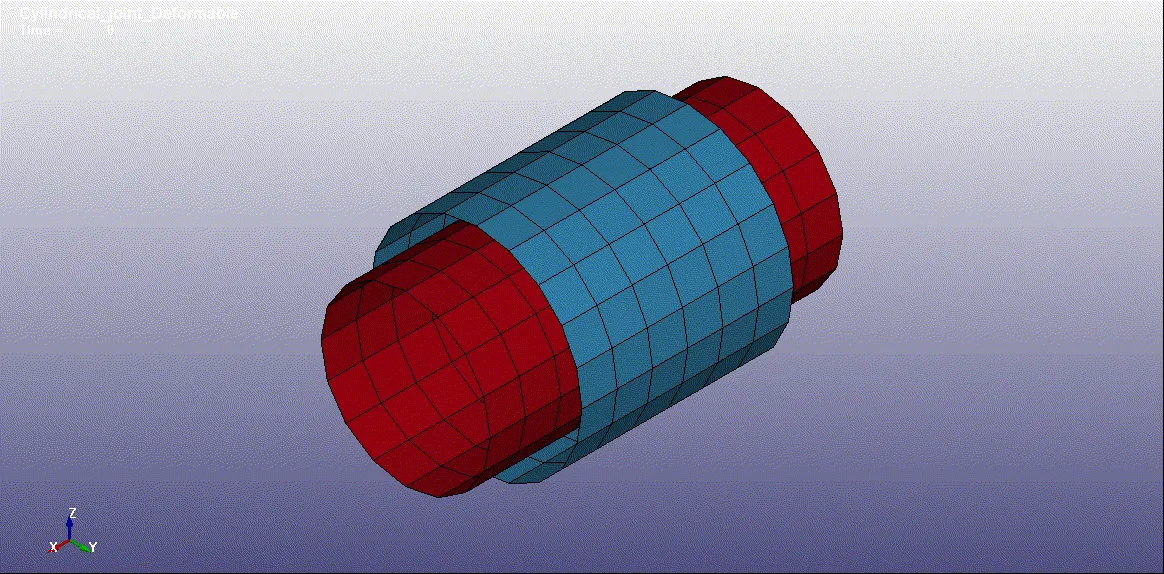
JOINT BETWEEN TWO DEFORMABLE BODY USING CONSTRAINED NODAL RIGID BODY
TRANSLATIONAL JOINT:
JOINT BETWEEN RIGID BODY USING CONSTRAINED EXTRA NODES
JOINT BETWEEN TWO DEFORMABLE BODY USING CONSTRAINED NODAL RIGID BODY
CONCLUSION:
All the joints like Spherical,Revolute,Cylindrical,Translational between rigid and deformable bodies are Demonstrated with help of LS-Dyna Manual.