Week-11 Challenge: Braking
1. For a defined driving cycle, calculate the energy required for braking:
solution:
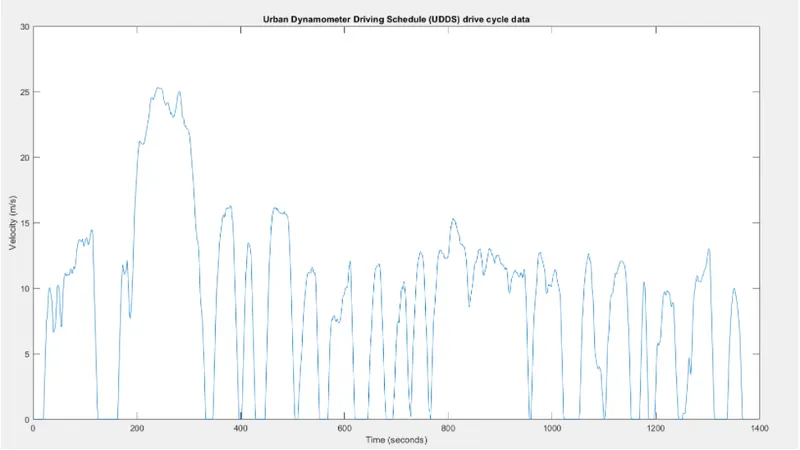
We select UDDS drive cycle to calculate the braking energy required:
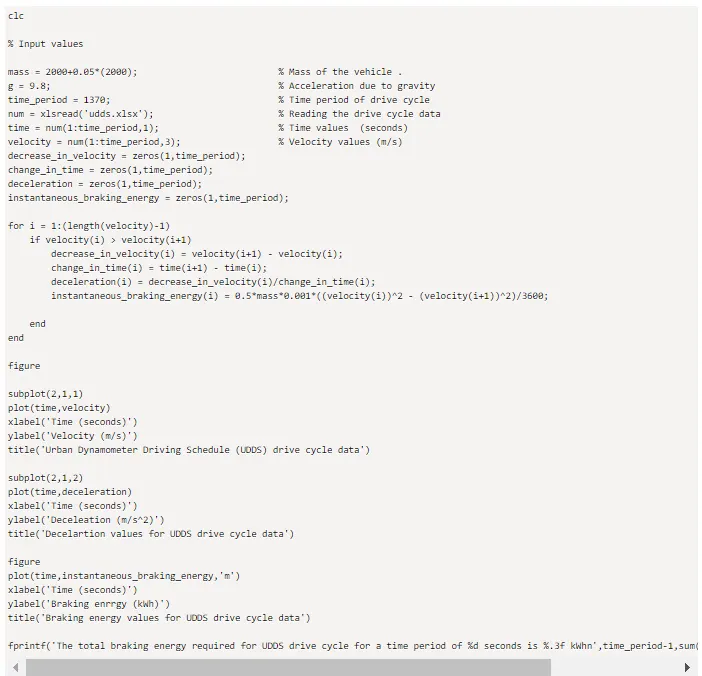
The MATLAB program for the calculation of braking energy is shown below,
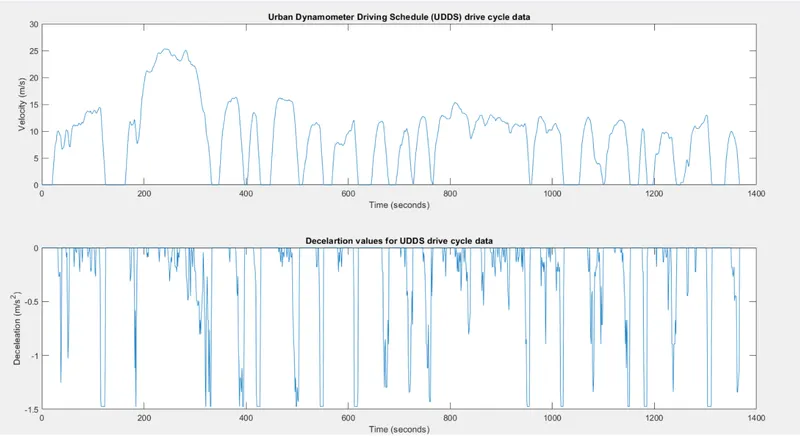
We obtain the braking energy of the dirve cycle as the plot shown below:
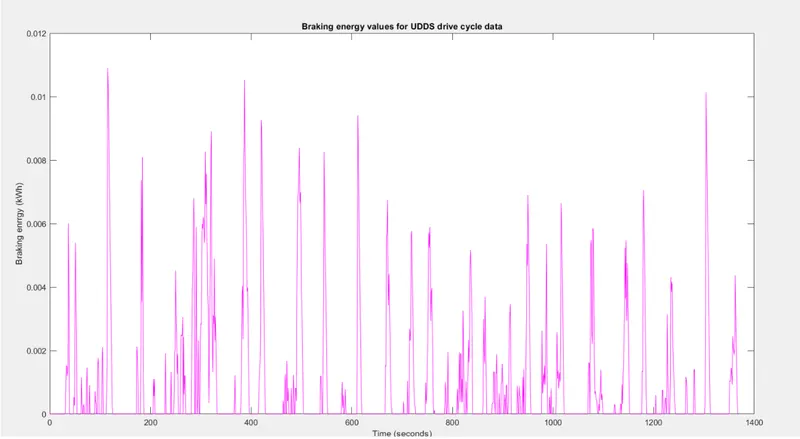
and the total braking energy over the drive cycle is: 1.224 kWh.

2. Why electric motor can’t develop braking torque at high speed similar to starting? How electric and mechanical brakes are coordinated?
solution:
Below is the torque and power vrsus speed graph of an electric motor, also note that the same graph is found for both positive and negative speeds of the motor.
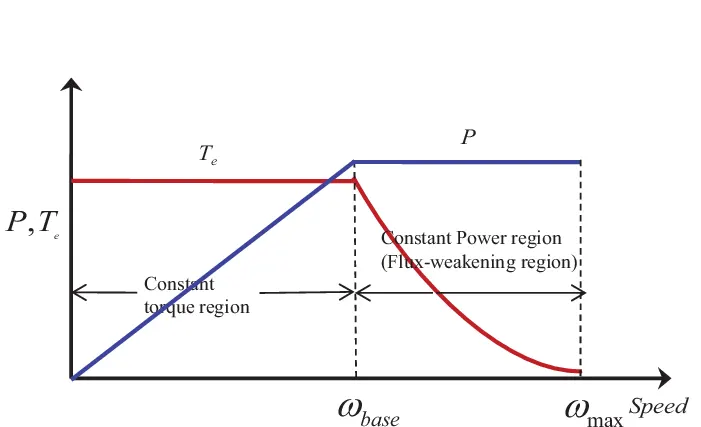
One shouls note here that, when the speed in low for the induction motor the torue is high thus the stating torqu is high,
although as the speed of the motor increases, after a critical speed the torqu of the motor starts to decrease, hence the torque at a higher speed is lower.
Hence, at the starting the motor provide higher accelaration, but a high speed, that is for braking purpose, the motor is unable to provide same amount of torque for deceleration.
There are two type of brake coordination schemes:
1. Series: one braking at a time.
2. Parallel: both type of braking simultaneously
Then there is a special scheme used by some vehicle which is known as: Electric Driven Intelligent Brake
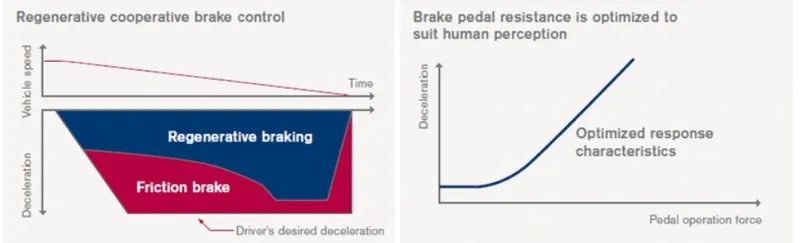
This system smartly manages the requirements of the deceleration and regenerative braking at the same time, depending upon the priority and circumstances at all instances.
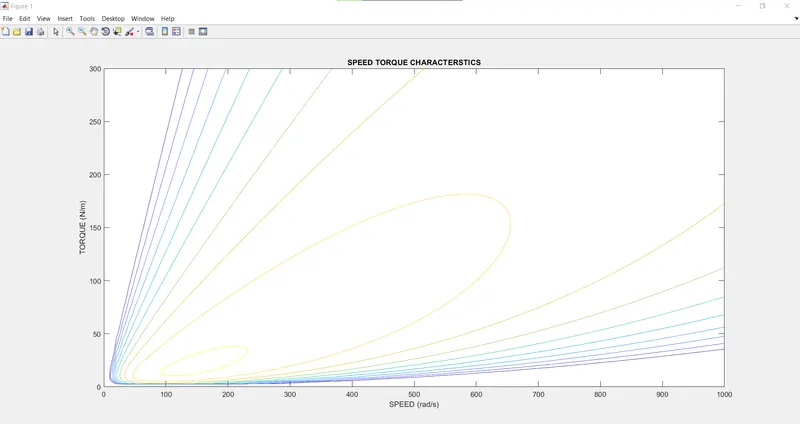
3. Make a MATLAB program which plots contour of given motor speed, torque and efficiency values. Attach the code as a .m file attach a screenshot of all the plots:
The MATLAB script for the required program is shown below:
w = linspace(0,1000);
T = linspace(0,300);
kc = 0.18;
ki = 0.006;
kw = 0.000015;
[X,Y] = meshgrid(w,T);
copper_loss = (Y.^2)*kc;
iron_loss = X*ki;
windage_loss = (X.^3)*kw;
cons = 20;

o_p = X.*Y;
input_power = (copper_loss)+(windage_loss)+(o_p)+cons;
Eff = (o_p)./(input_power);
n = linspace(0.7,0.95,10);
box off
grid off
contour(X,Y,Eff,n)
title('SPEED TORQUE CHARACTERSTICS')
xlabel('SPEED (rad/s)')
ylabel('TORQUE (N/m)')
hence we obtain the the required contour plot: