Week 11 Challenge
AIM : APPLICATION OF TEMPERATURE LOAD FOR RC BRIDGE CONSTUCTED IN DELHI AND ANALYSIS USING STAADPRO
INTRODUCTION :
- The bridge span with 9m span and having 2 no of piers havintg height of 10m
- The bridge span loaded on the box girder and trapexoidal beams
- Width of deck slab is 7m
MANUAL CALCULATION :
GIVEN :
- Max temperature in location as per IRC6 isothern at location : 47.5 degree
- Min temperature in location as per IRC6 isothern at location: -2.5 degree
EFFECTIVE TEMP. DIFFERENCE :
- (47.5)-(-2.5)
- 35 DEGREE
STRESS DUE TO TEMP. :
- α X δt X E
- 11.7X10^-6 X 35 X 5000`root`40
- 12.94 Kn/m2
MAX PERMISSIBLE STRESS :
- (2/3) x 0.7 xROOT 40
- 2.95kN/m2
THE STRESS ARE RESTRICTED TO 3KN/M2
POSITIVE TEMP. DIFFERENCE :
- TEMP. AT TOP = 47.5 DEGREE
- TEMP. AT BOTTOM= (2.1/7.8) 47.5
- 12.78C
THE TEMP. VARIATION APPLIED AS LOADING IN STAADPRO
PROCEDURE :
STEP 1: MODEL MAKING :
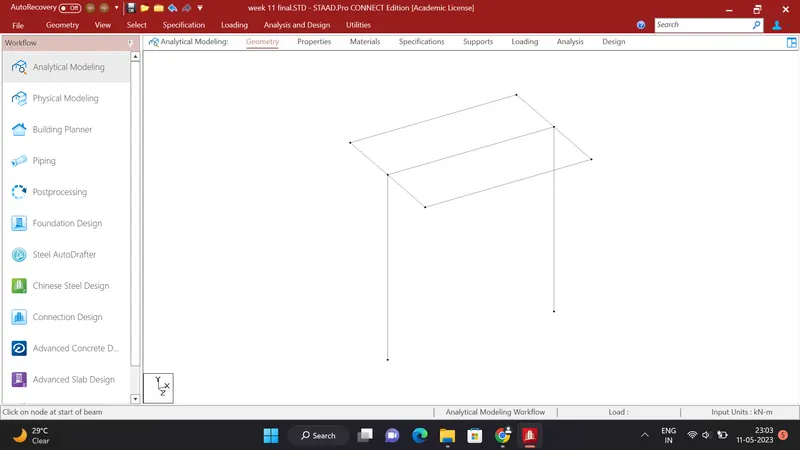
- Open staadpro create a new file with define its location
- Add a node at 0 and copy it using translational repeat in x direction at 9m span distance
- Add a beam between this node and copy both nodes in Y direction at a 10m distance and add a beam between this nodes
- copy above beam in z direction at a distance of 3.5m and -3.5m and joint using beam
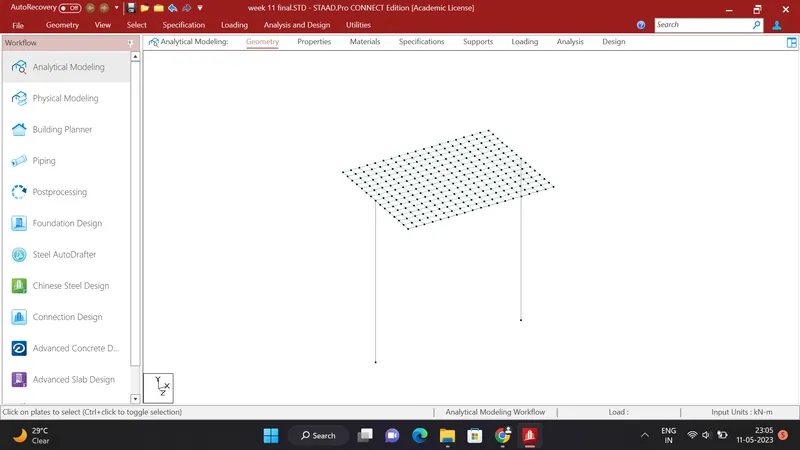
- To add a plate select a corner node and copy it in z direction at a distance of 0.5m and same procedure in X direction
- Add plate between this nodes and select created plate and copy in z direction 13 steps at adistance 0.5m
- Select all the plate and copy in X direction 17 steps at a 0.5m direction
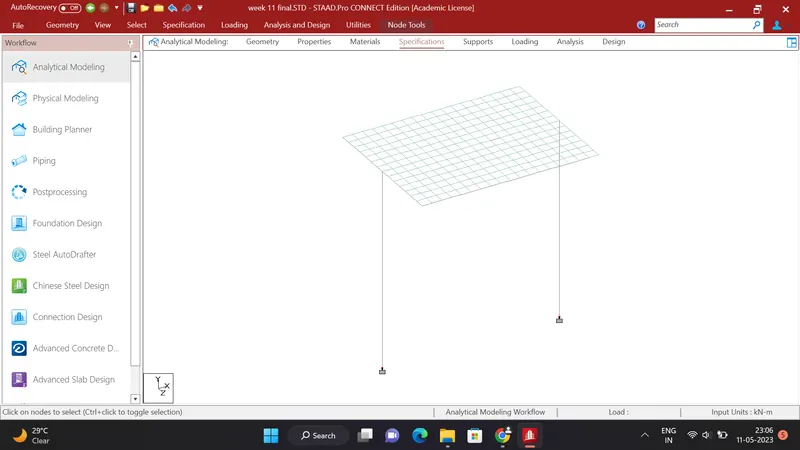
- Click on specification and add a fixed support
- Select bottom nodes and assign the support to this nodes
STEP2 : PROPERTIES :
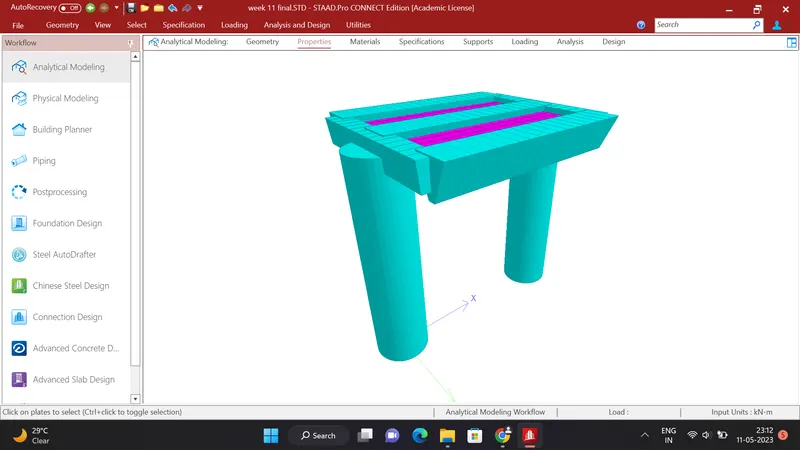
- Click on the properties and define a property of circular concrete beam of 2.5 m
- Select the piers and assign this property to the piers
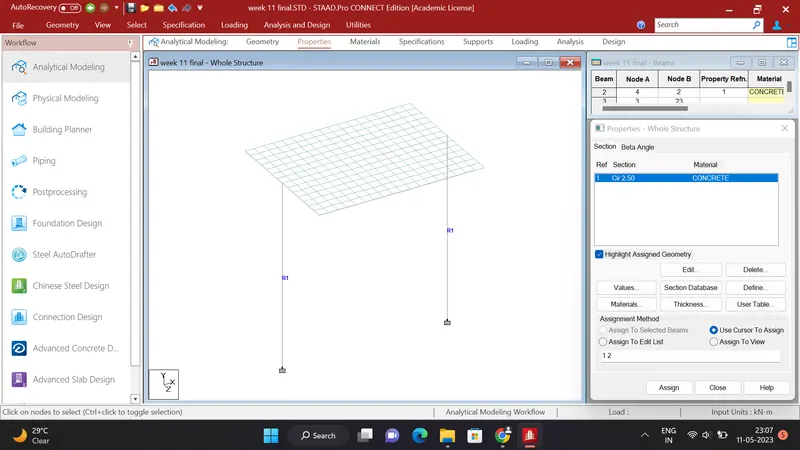
- Add a new property for box girders as per question and assign this property to the girders
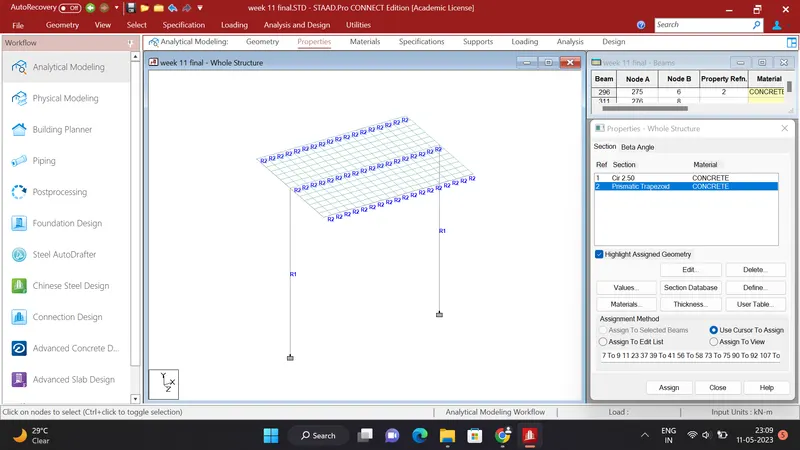
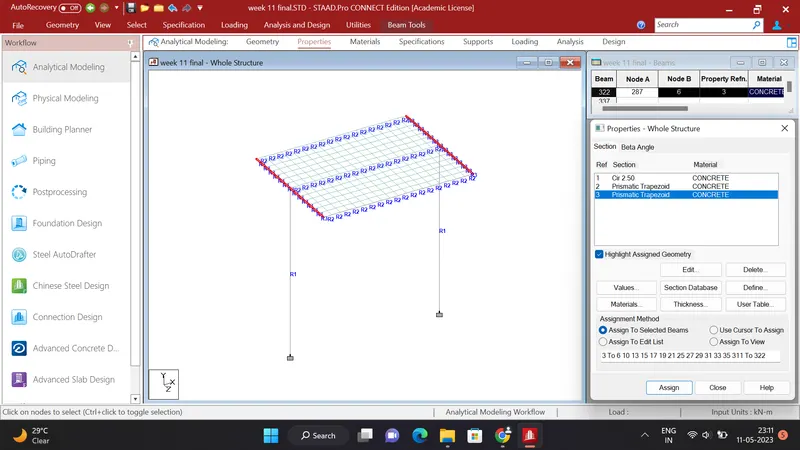
- Add a new property of concrte for the pier cap as per question and select the corner cross beams and assign the property to the pier cap
- Add a new property of plate thickness of 0.55m as per question and select all the plates and assign the property to the deck slab
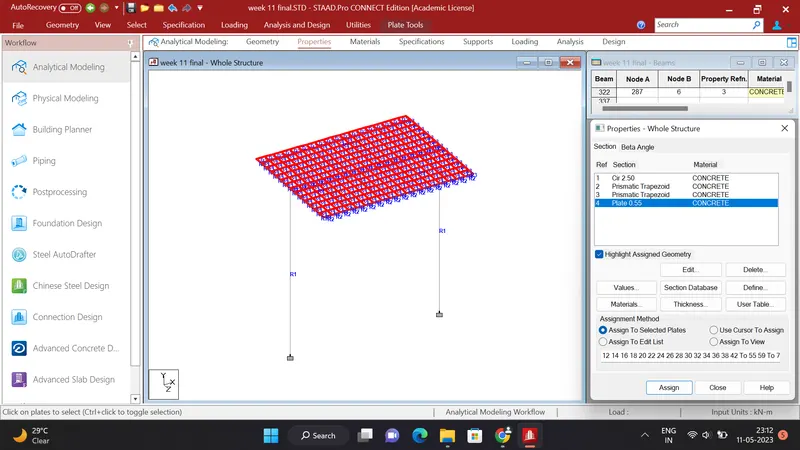
- Now all the properties are applied to the structure
STEP 3 : LOADING
- Add a load case named as temperature load
- Define a load as per below
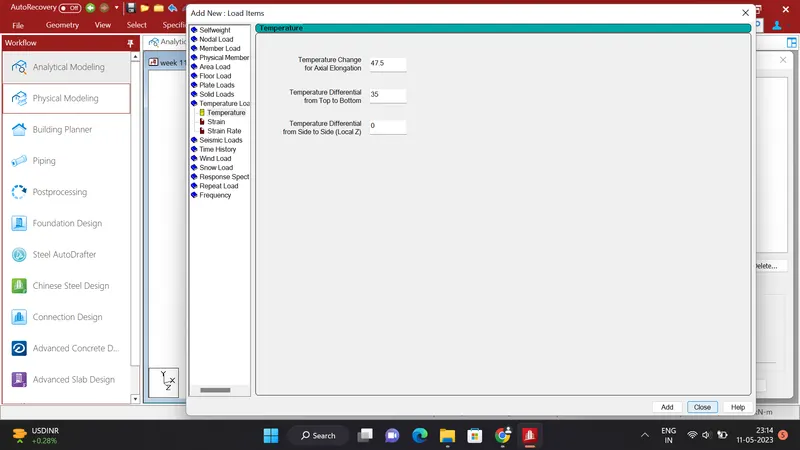
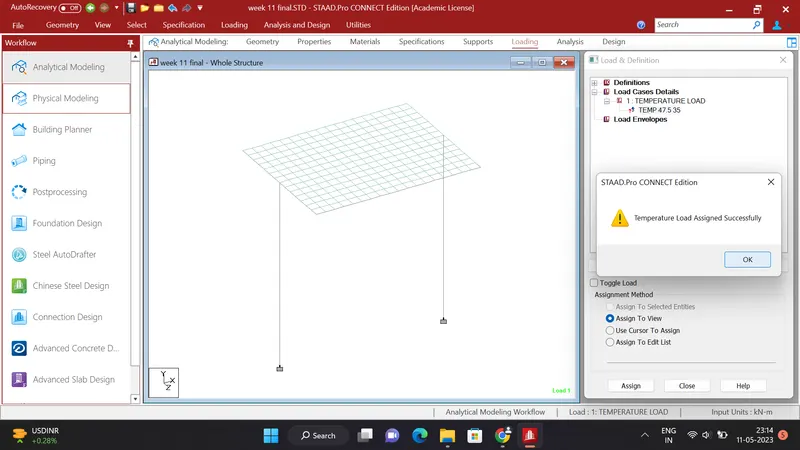
- After adding a laod assige the load to the view
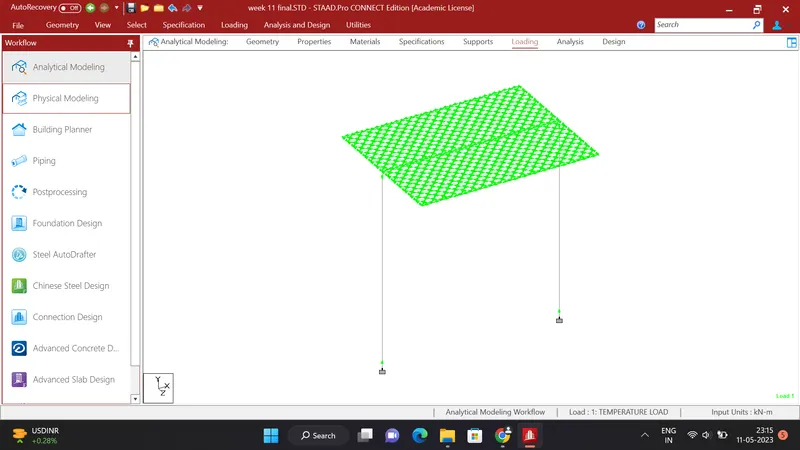
- then the temperature load will apllied successfully
STEP 4 : ANALYSIS
- Click on Analysis and Design and add a command perform analysis
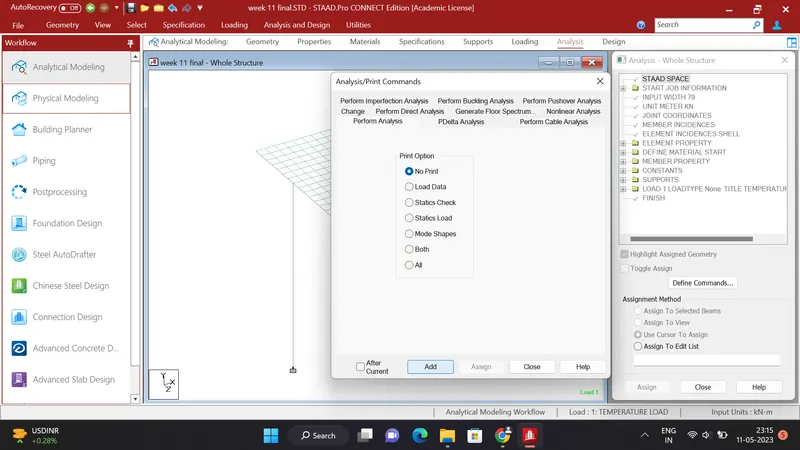
- Click on run analysis the file will run
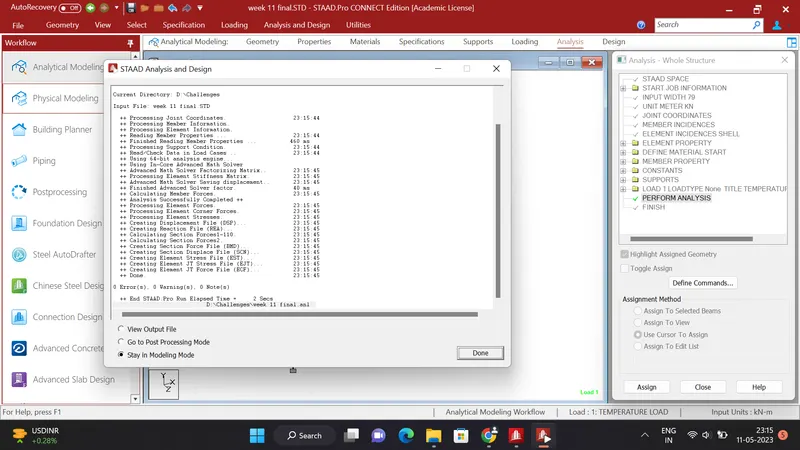
- Click on Go to Post Processing Mode
- Then you will see result
STEP 5 ; RESULTS
- DEFLECTION :
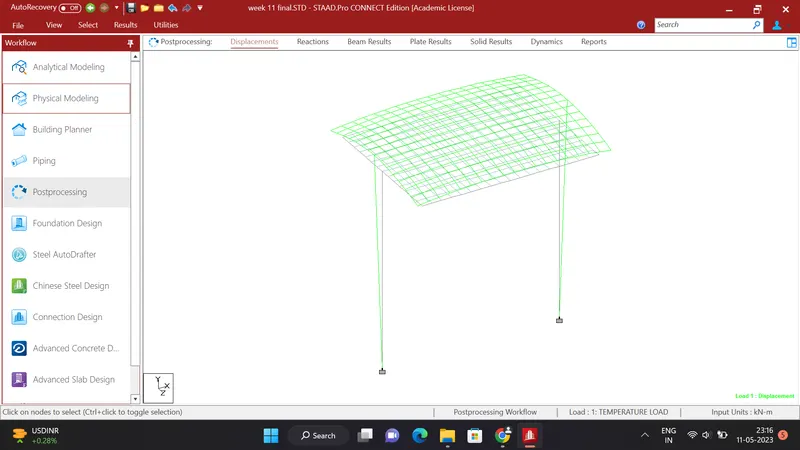
- BENDING MOMENT
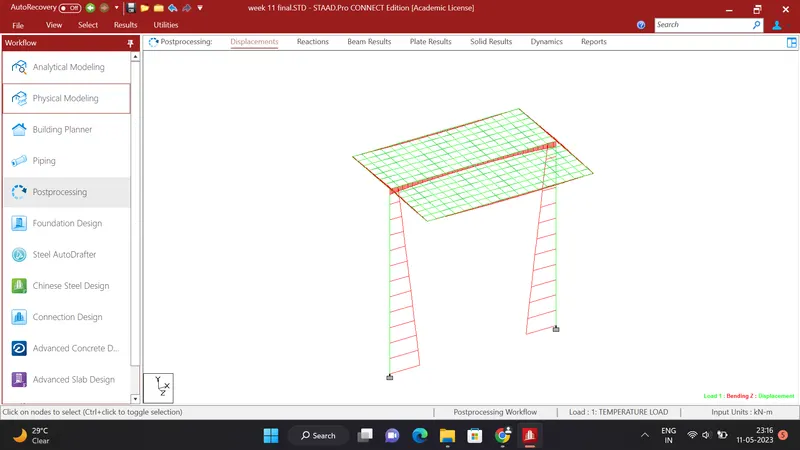
- PIER RESULTS :
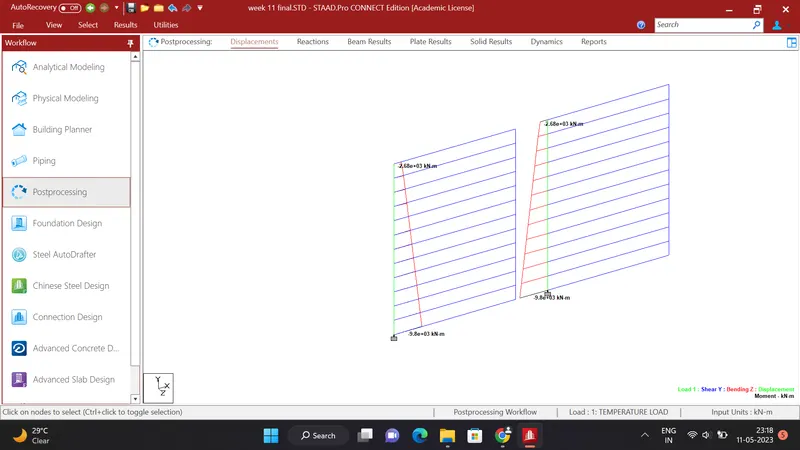
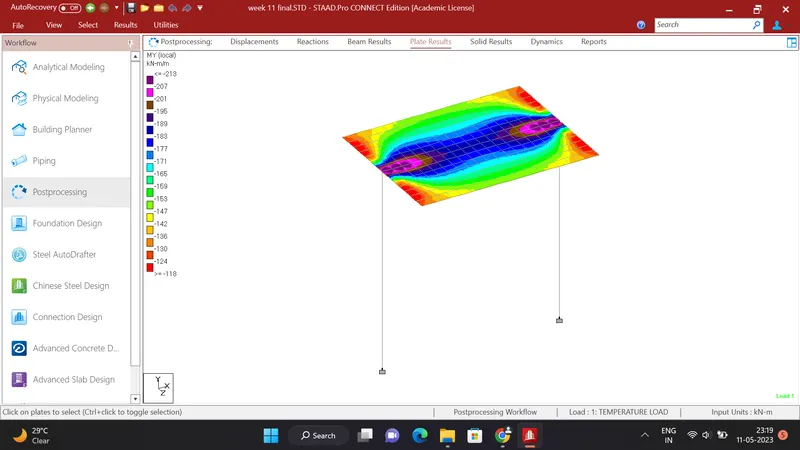
- PLATE RESULTS MY LOCAL
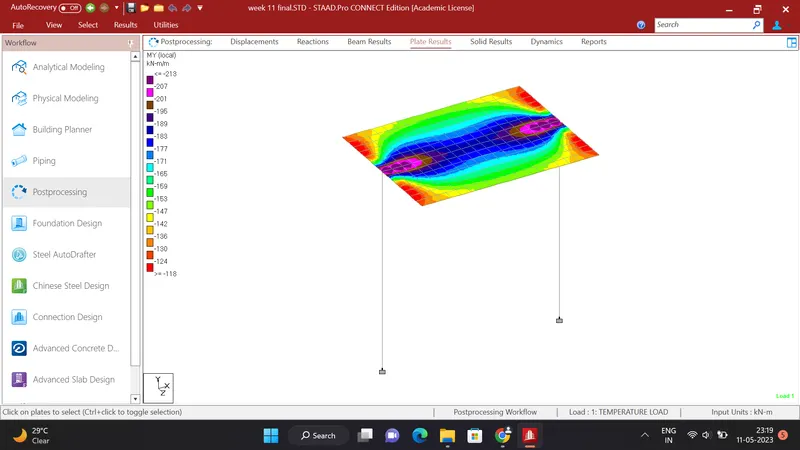
- PLATE RESULTS MX LOCAL