Week 11 Car Crash simulation
Car Crash simulation
AIM:
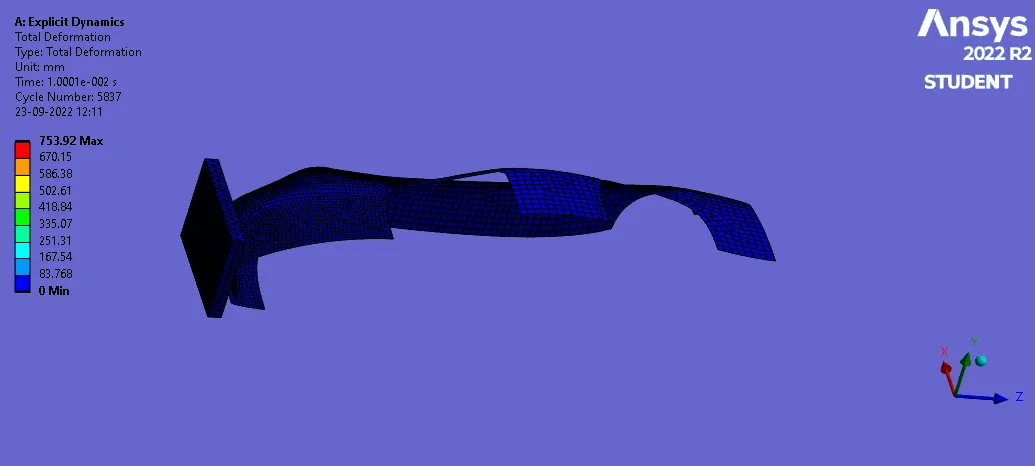
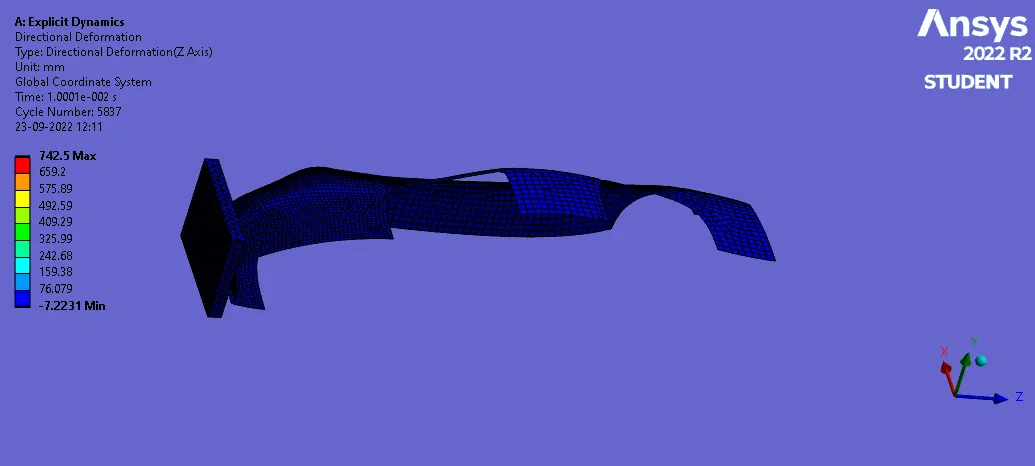
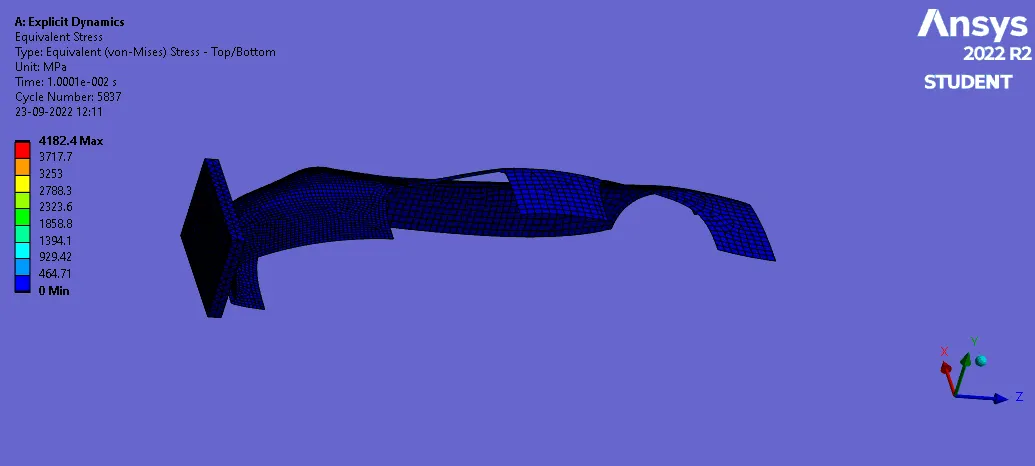
For this challenge, you will have to perform a parametric study using 3 different values of thickness for the car body. You need to apply the same conditions as mentioned in the video that corresponds to this challenge.Analyse the total deformation and Equivalent stresses acting on the model.
PROCESS:
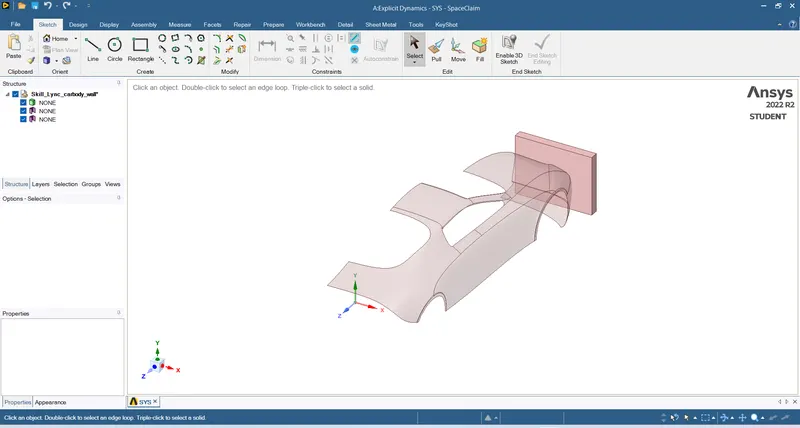
- Download the model & import into Explicit workbench
- Check the geometry
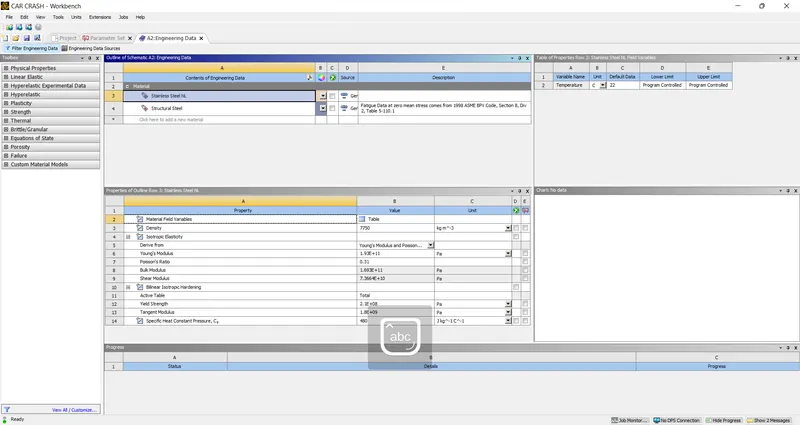
- Add the material in Engineering data
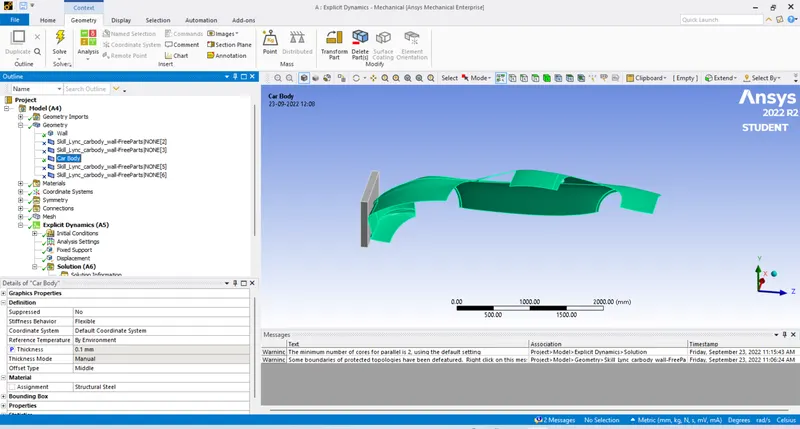
- Update & open the Model
- Click on the geometry rename Wall & car ,Supress rest
- Enable parameter for the thickness & provide it as 0.1 for case 1
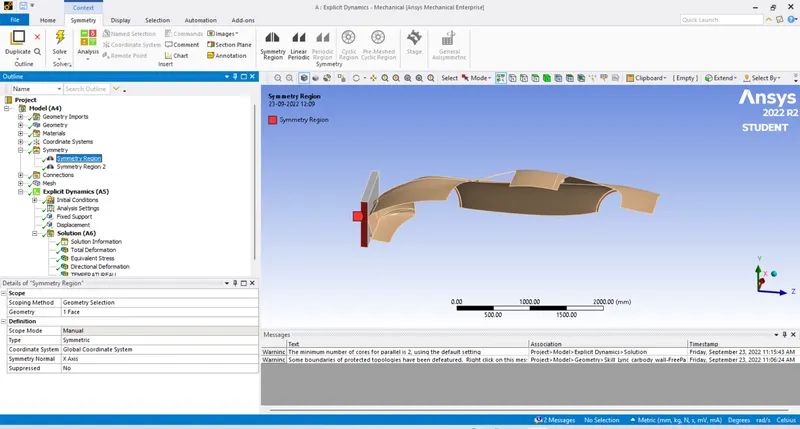
- Form symmetric for Wall & car
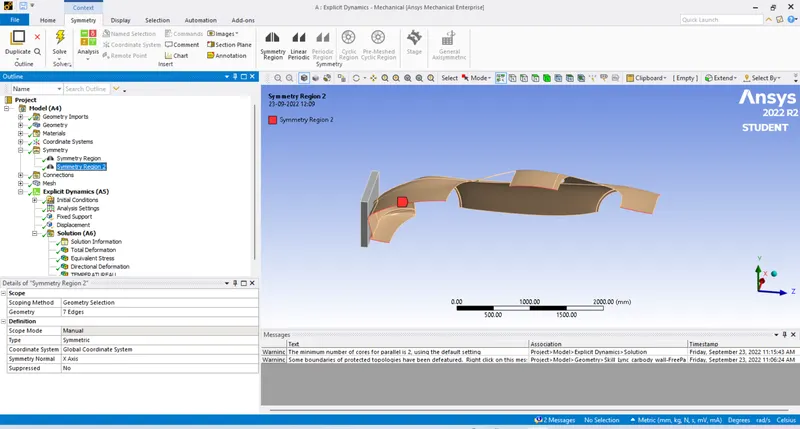
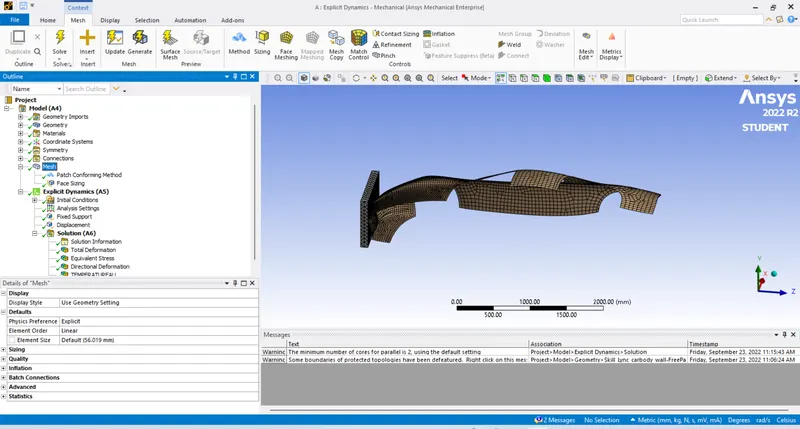
- Give a sizing in front of car which forms a better mesh
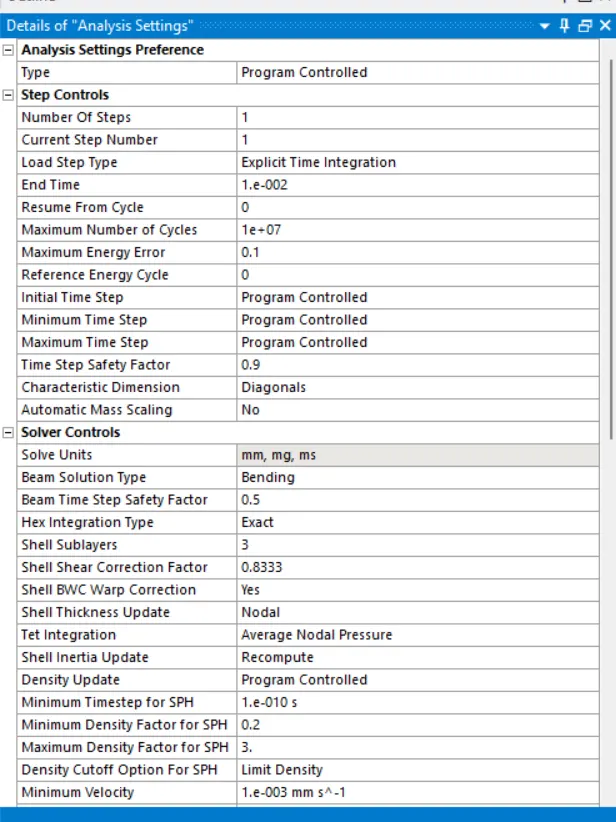
- Follow the analysis settings
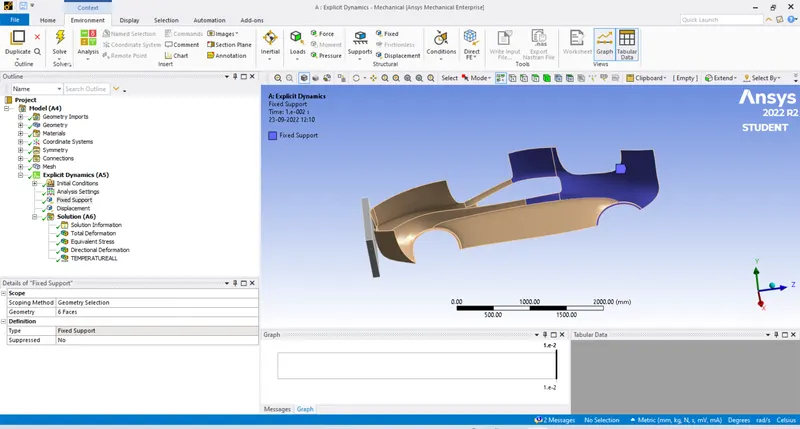
- Fix the back of the car as there will be less impact of distortion
- Move the wall with displacement
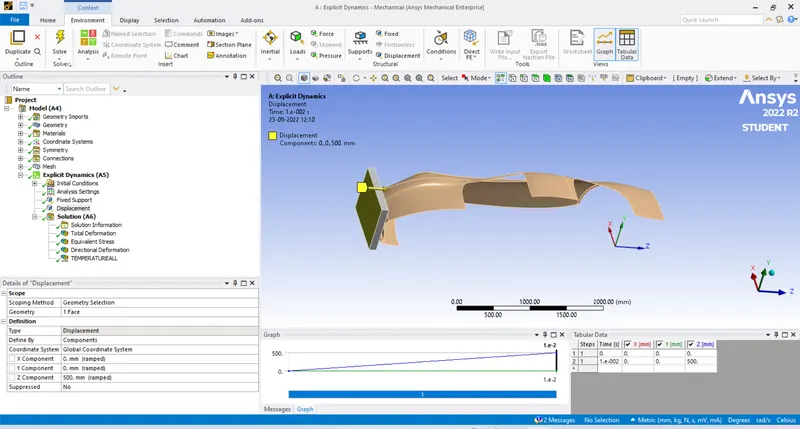
- Insert the required solution and go for solve
Solution:
- TOTAL DEFORMATION
- DIRECTIONAL DEFORMATION
- EQUIVALENT STRESS
- TEMPERATURE
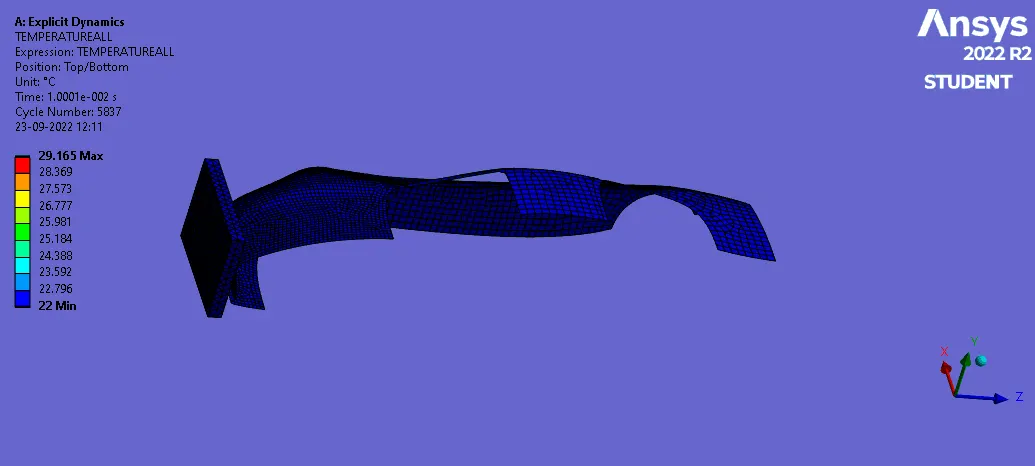
CASE 2 & 3:
Parameters is opened in the work bench
Add the thickness & Update for the result
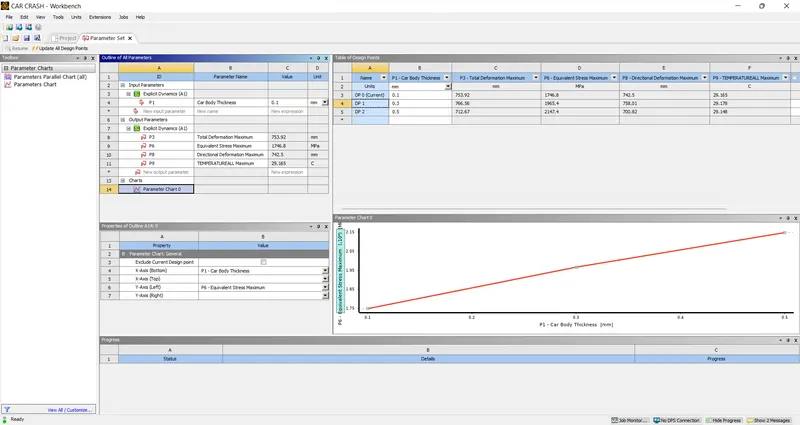
- GRAPH OF CAR BODY THICKNESS vs STRESS
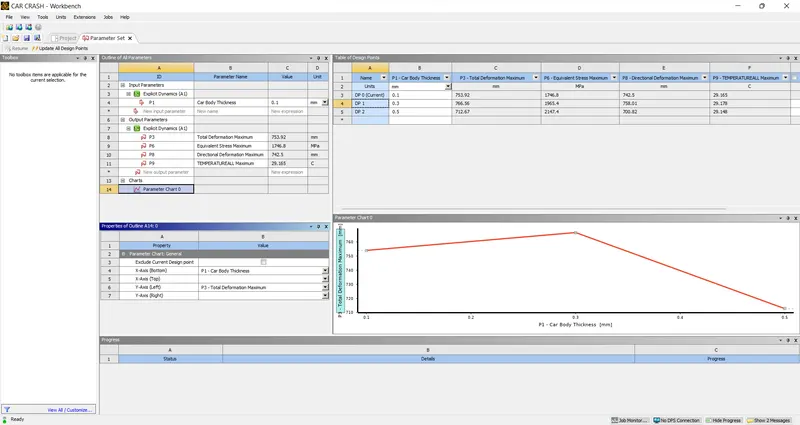
- GRAPH OF CAR BODY THICKNESS vs TOTAL DEFORMATION
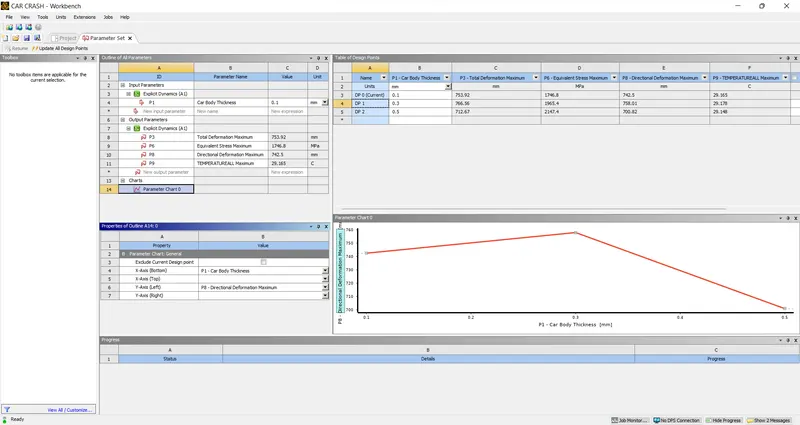
- GRAPH OF CAR BODY THICKNESS vs DIRECTIONAL DEFORMATION
- GRAPH OF CAR BODY THICKNESS vs TEMPERATURE
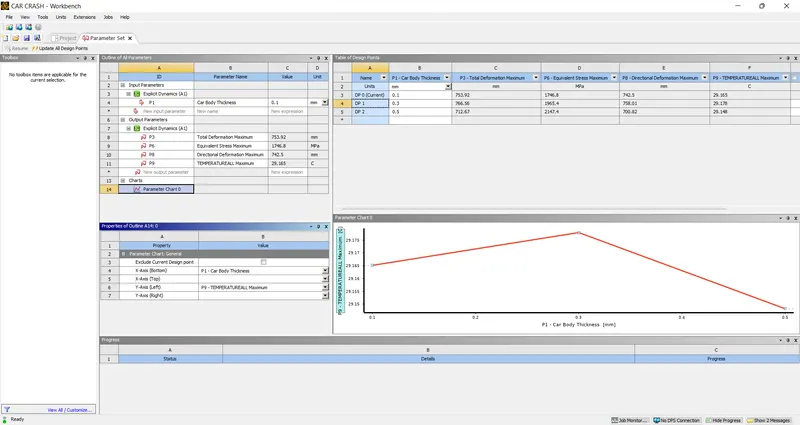
CONCLUSION:WITH INCREASE IN THICKNESS
- THE STRESS INCREASES
- TOTAL & DIRECTIONAL DEFORMATION INCREASES AND THEN DECREASES
- TEMPERATURE INCREASES AND THEN DECREASES