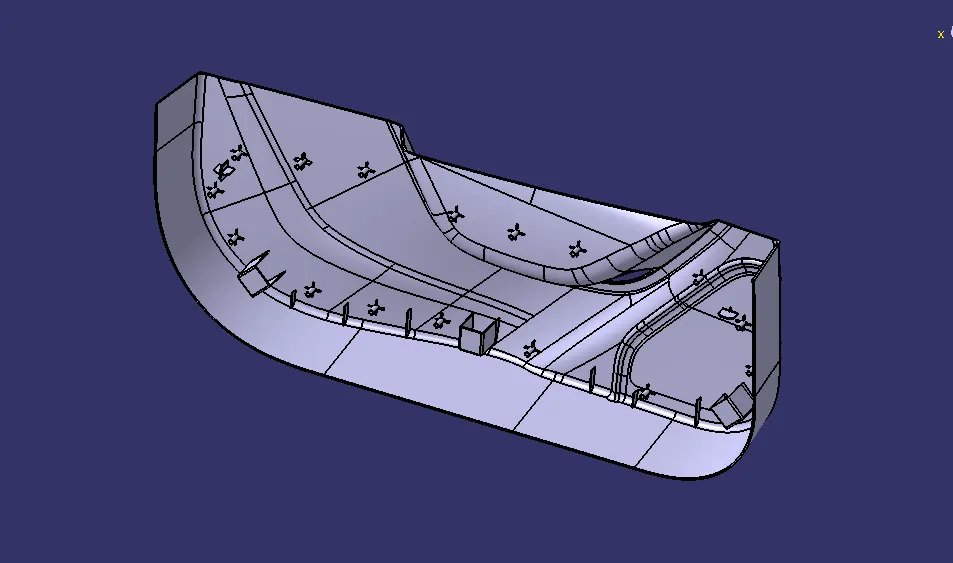
Week 10 - Challenge 3 - Door Trim Lower with Engineering Features
Aim
To create Door Trim Lower Plastic component through the given Class-A surface
to create the plastic trim the steps can be followed
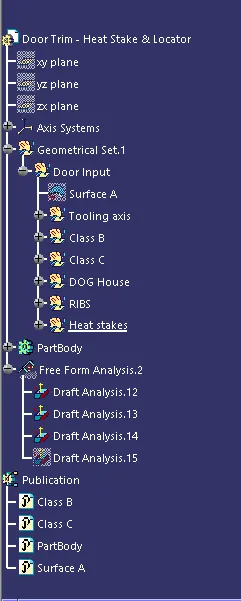
1)Tooling axis 2)Class B 3)Class C 4)partbody
Tooling Axis
the tooling axis is the basic point for any model creation based on the tooling axis reference the other classes has been created
class B
for class b surface first the offset command used to offset the surface A to create the final surface after offseting the part will have the dimmensional gaps on the offseted surface so the gaps has to be closed by creating the parts by using the shape design commands in this model for B surface the commands of Offset,Sketch,Blend,Trim,Split,Extract,extrapol and other commands ae used for the surface B after creating the B surface has trimed with Surface A to get the final B surface
Class C
For creating the class c the most of the steps used in Surface B are used to create the c Surface but in c surface the sweep commands are used to create the surface which has trimed with the both surfaces to create the C surface
Partbody
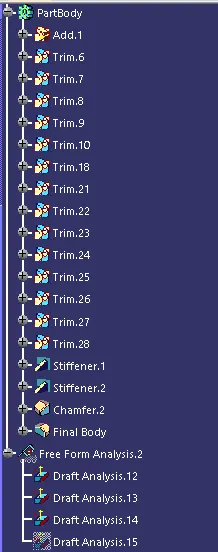
Ster creation of the Both B and C surface the part will be made as solid part by using the closed surface command for creating the Dog hose, Heat stakes and Locator for the model for the dog house locator creation we can use the extrude command and after thar we can create the closed body or we can create the partbody by using pad command both commands are used in this model
Dog House
the dog house has created by using the sketch workbench for modelling the sketch which used for dog house creation by using angle for the exact loaction at the closed surface after creating the dog house it can be paste in the same body by using paste special for translate the part by creating the points for movement after that the draft command are used to draft the angle of the boolean operations boolean operation of trim are used to trim the surface with the partbody
Heat stake and locator
for heat stake and locator the same method which used to create the dog house are used by creating the sketch in sketcher workbench after the the sketch has paded with the surafe after that the locator has drafted and then the union trim operation and remove operation is used to trim the locator with partbody after that the draft analysis command used to draft the final part in this model the drafted angle of 2 degree used to draft the part and the dog house and locators also drafted after drating the model the pulication tool used to create the surfaces as publication for easy access
Tree structure
Class A
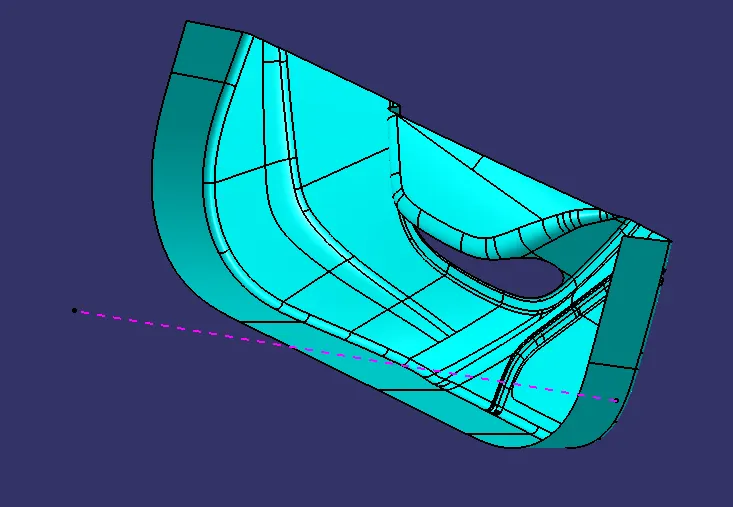
Class B
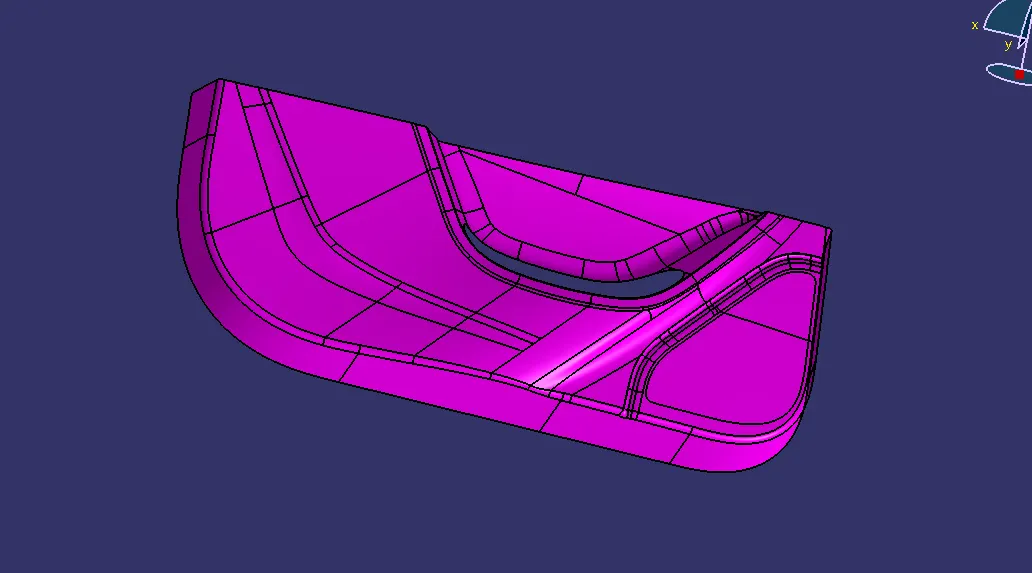
Class C
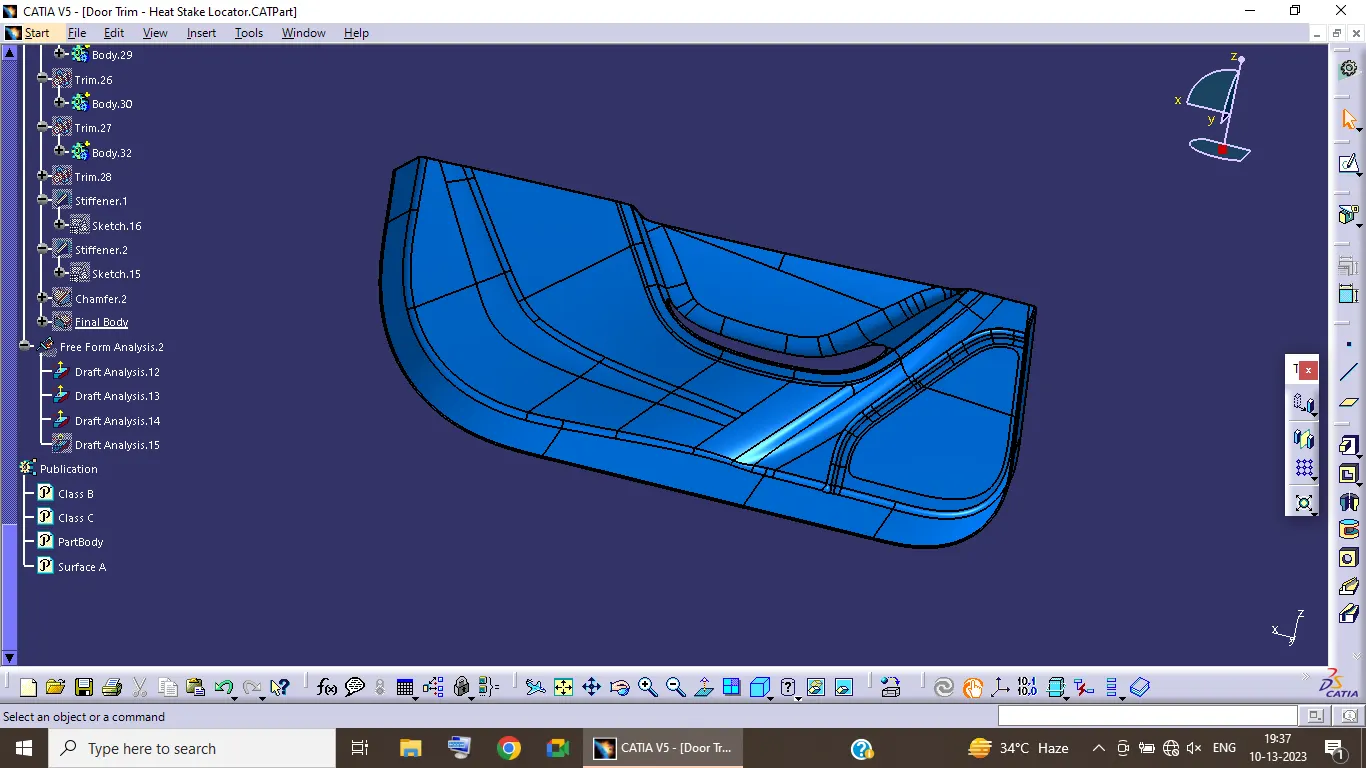
Final Body