Week 10 - Challenge 1- Attachment Feature Creation (Ribs & Screw Boss)
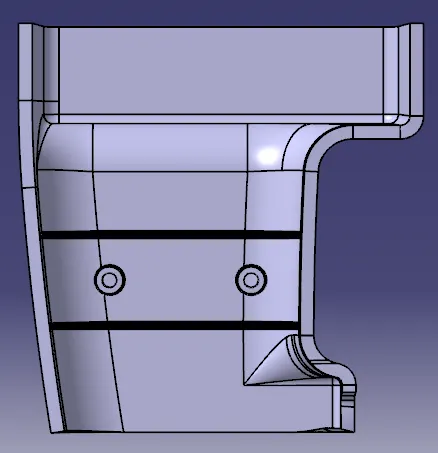
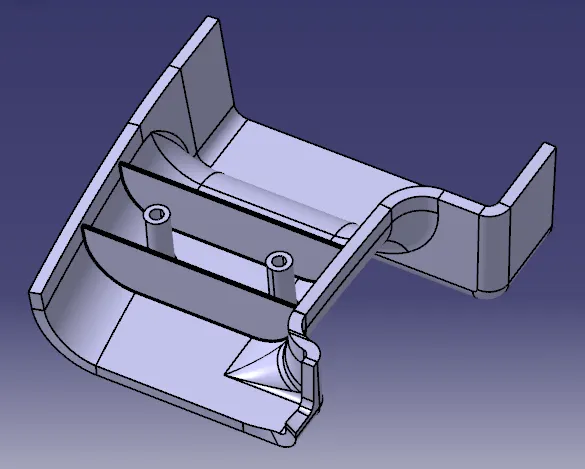
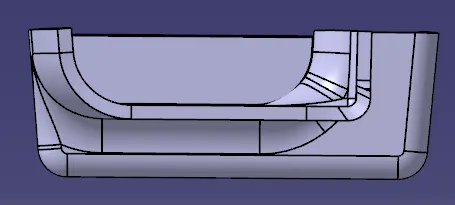
Report :
1) Received Class A surface.
2) Created tooling axis using extract method.
3) Created offset with 3mm distance.
5) Created B surface.
6) Filled gaps that are formed after missing few surfaces from Class A using Multi-Section method.
7) Created C curface using both Draft direction and Reference surface option as per requirement.
8) Joined Class A and Class C.
9) Found Intersection of the above Join and Class B.
10) Trimmed it along with the Intersection.
11) Closed Body is formed.
12) One surface is extracted and lines are sketched.
13) They are extruded to required length.
14) The edges are extrapolated on both sides.
15) The extrapolated surface is trimmed with respect to the Class B.
16) Then Thicken method is used to obtain Ribs.
17) They are added to the Part Body.
18) Draft is given to the Ribs. The edges are filleted.
19) The circle diameter is found at the bottom for both Ribs.
20) The process of Ribs is done.
21) Again the previously extracted surface is selected.
22) Concentric circles for the Screw boss are drawn.
23) They are padded to required height.
24) These Screw bosses are directly formed on the Part body.
25) Draft and edge fillets are given.
26) The process of Screw Boss is done.