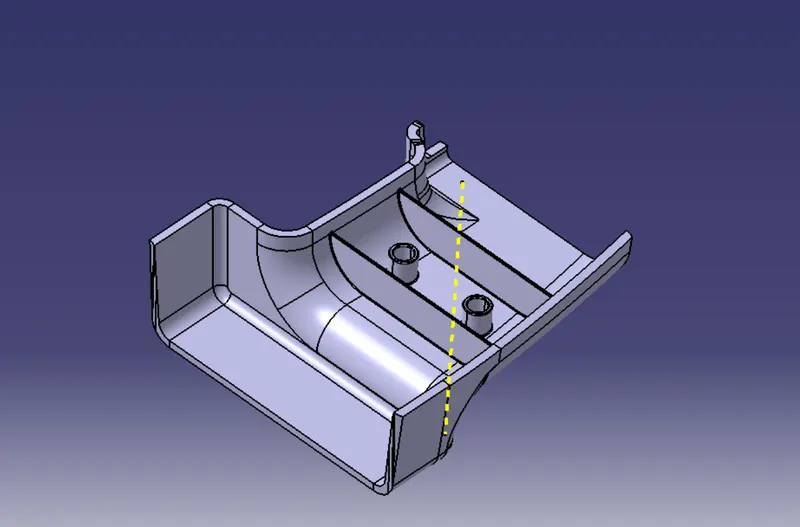
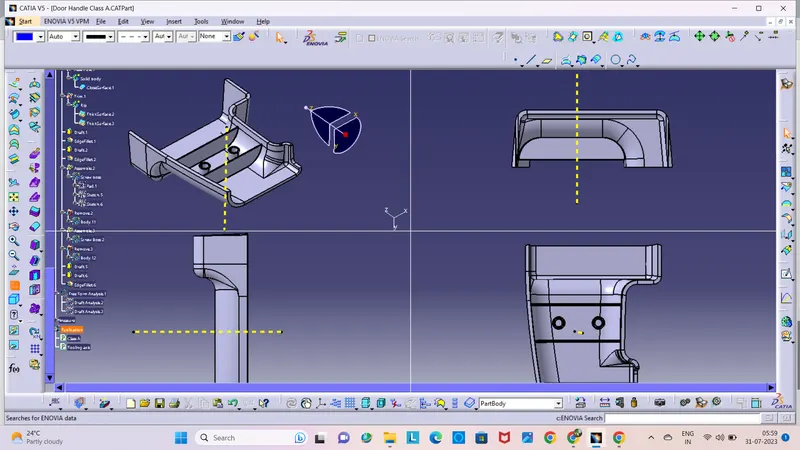
Week 10 - Challenge 1- Attachment Feature Creation (Ribs & Screw Boss)
RIBS & SCREW BOSS:
AIM:
To create a solid part door handle with ribs and screw bosses.
Procedure:
- To create surface class B & C from given surface class A with help of tooling axis.
- Create a solid part door handle and consiter design role to check it through draft analysis.
- Then create a ribs and screw bosses in the solid part door handle that was created.
- To check the screw bosses and ribs created by draft analysis.
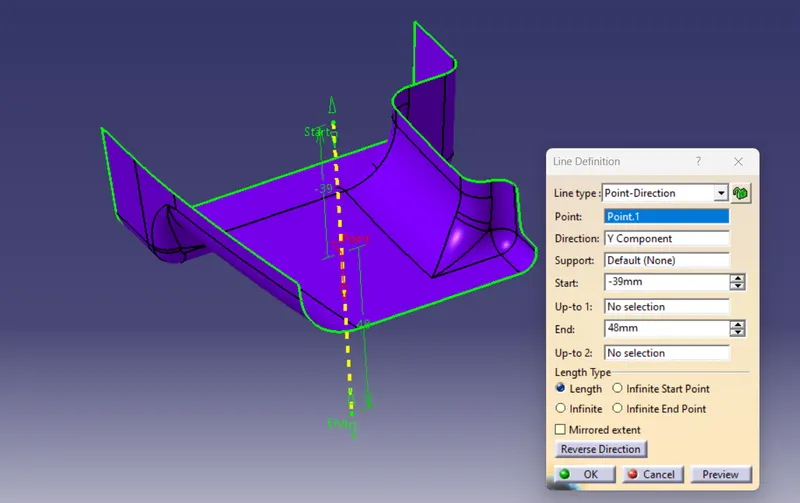
CREATING TOOLING AXIS:
- The class A surface is Extracted.
- Then the center point is created using the point, on the base surface at 0mm.
- Create a line at the created point, then the tooling axis is created.
- This tooling axis is point and direction tooling axis.
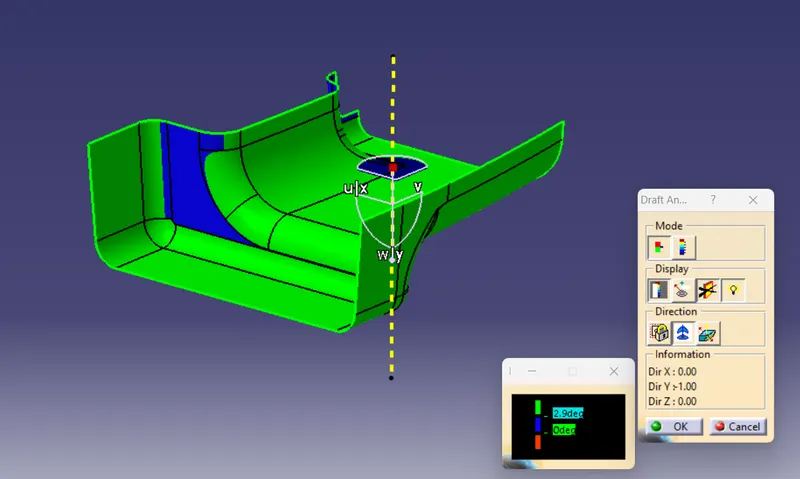
DRAFT ANALYSIS OF CLASS A:
Before going to drat analysis go to customized view parameter >under mesh >check material and then click ok.
Now for draft analyses go to insert » analysis » feature draft analysis.
Use the compasss to define the draft direction.
In the colour scale change the draft angle to 3 degree.
The component changes to green in indication of passing draft angle.
Use running point to check the angle on the component.
CLASS B SURFACE:
Extract the surfaces from the class A using multiple extract and untrim them.
Use Extrapolate to make sure that all the untrims are properly intersected to trim and offset the surfaces to 2.5 mm to create the thickness.
Fill the patches which are not offested by the using the commands like extract,boundary and multi-section surface.
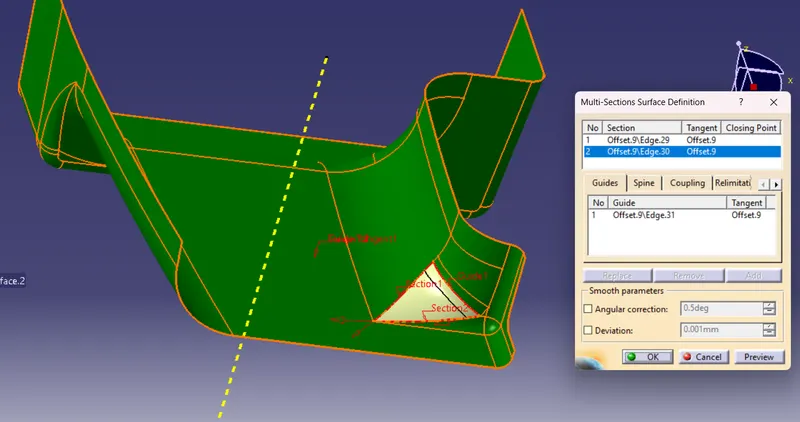
Then join the patches to the offseted surface using the command.So will get the complete class B.
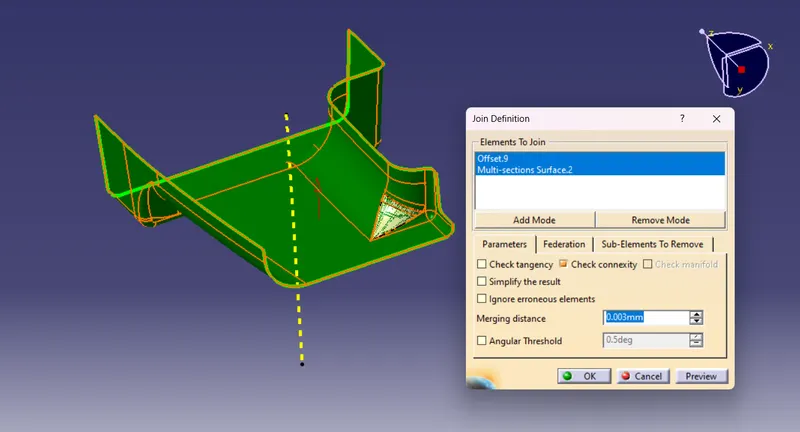
CLASS C SURFACE:
Extract the boundary from the class A surface using boundary command.
Using disassemble tool to divide the boundary as the boundary contains domains.
Use the Sweep command and choose Profile Type Line with Draft Direction as Subtype Guide Curve and Draft Direction Draft Angle as 3 degrees Preview.
After getting sweep then trim the output with class B surface to get final output.
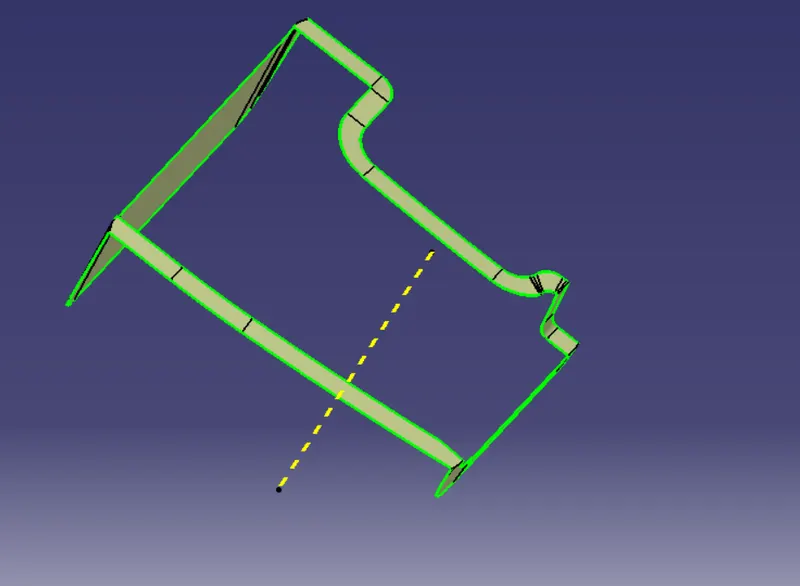
TRIMMED SURFACE:
Class A & B surfaces created using the trim command are joined to the required Class C surface. Finally got a trimmed surface.
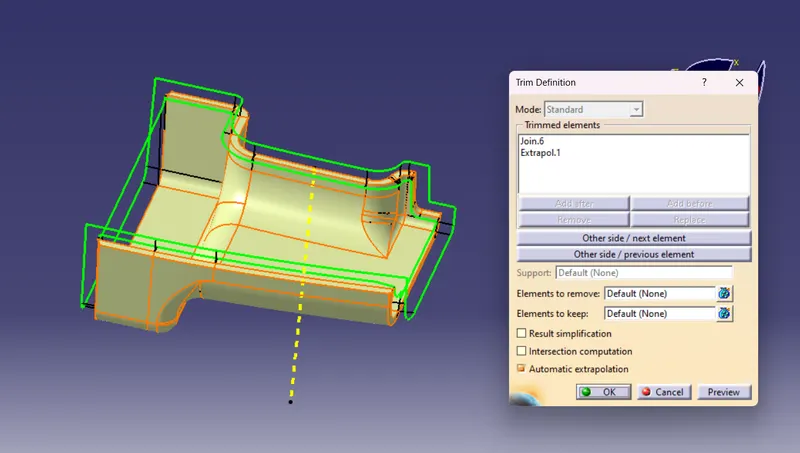
DOOR HANDLE SOLID PART:
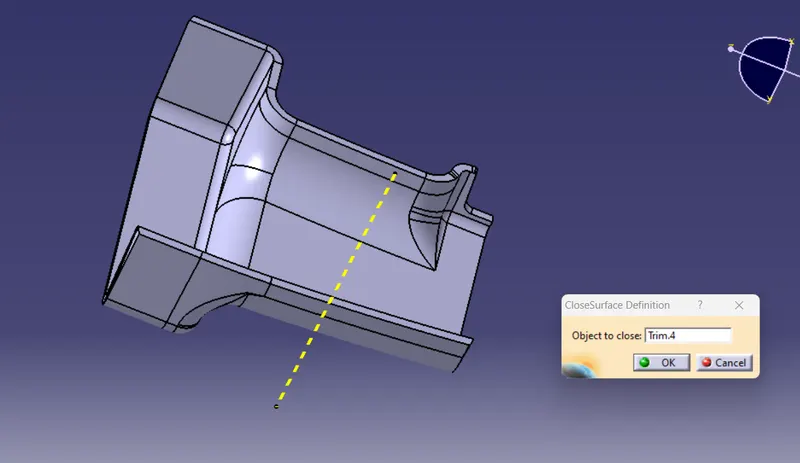
A solid part is created using the closed surface command on a trimmed surface.
RIB CREATION:
Rib creation increases the strength of plastic materials, They are commonly used to provide additional support and strength to a part.
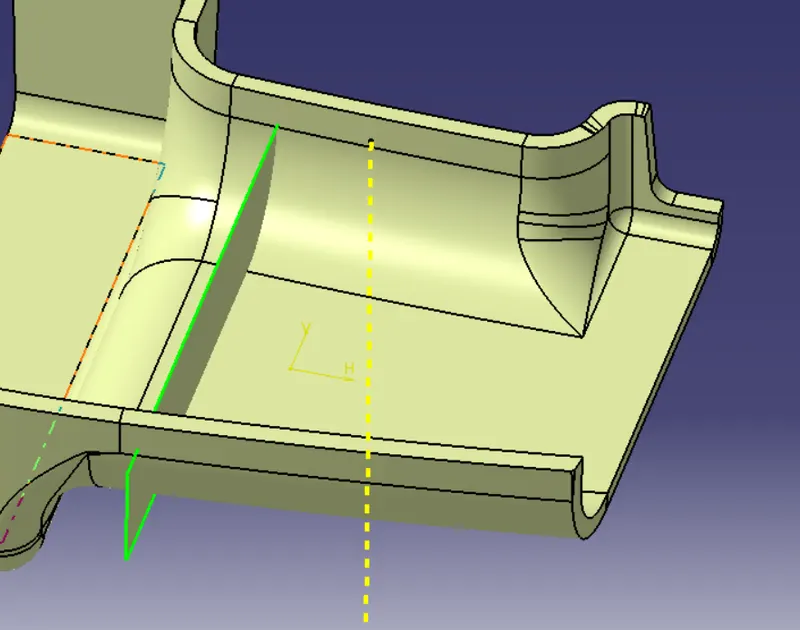
First, the base surface where the rib has to be created is extracted using the Extract command. A positioned sketch is created and the profile for the rib is drawn.
Design rules for creating ribs:
Next, the profile is extruded, to find the height,h = Wall thickness * 5
= 2.5*5 = 12.5 mm
Therefore, the height is 12.5 mm
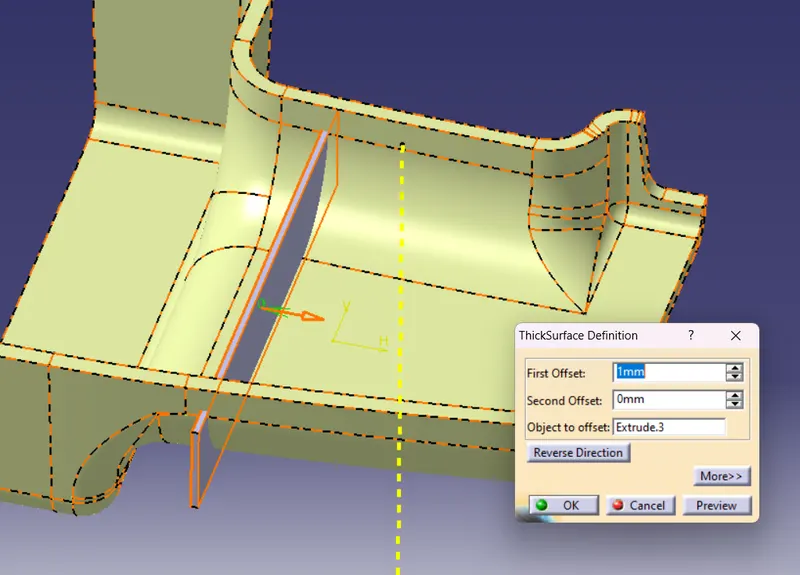
The extruded surface is thickened,
Thickness,w = 0.4*t
=0.4* 2.5 =1mm
Therefore, the thickness of the rib is 1 mm
- Next trim to the solid body.
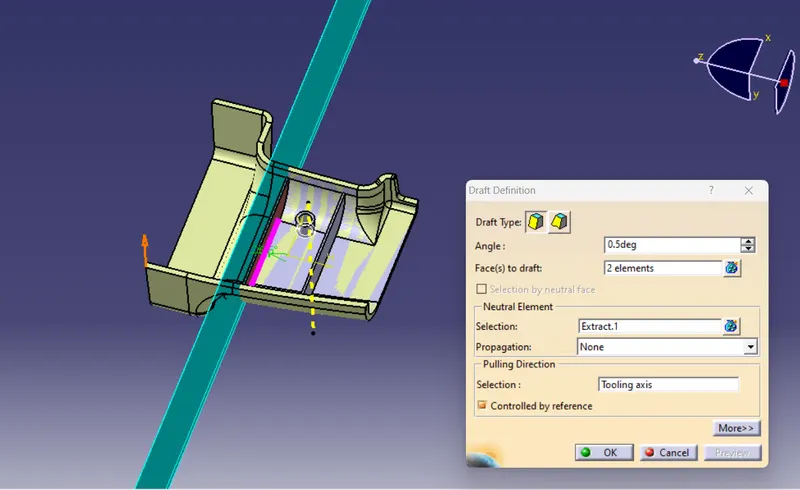
- Then draft angle is given to the thickened surface,
Draft angle = 0.5 degree
- And finally fillet is given to the edges is minimum of 0.25 mm
so the rib root thickness is 2.686mm so +30%* wallthickness
=0.3*2.5 =0.7+2.5=3.25 mm
So rib root thickness is satisfified as 2.686 mm < 3.25 mm
Now apply the same design parameters for creating the rib-2
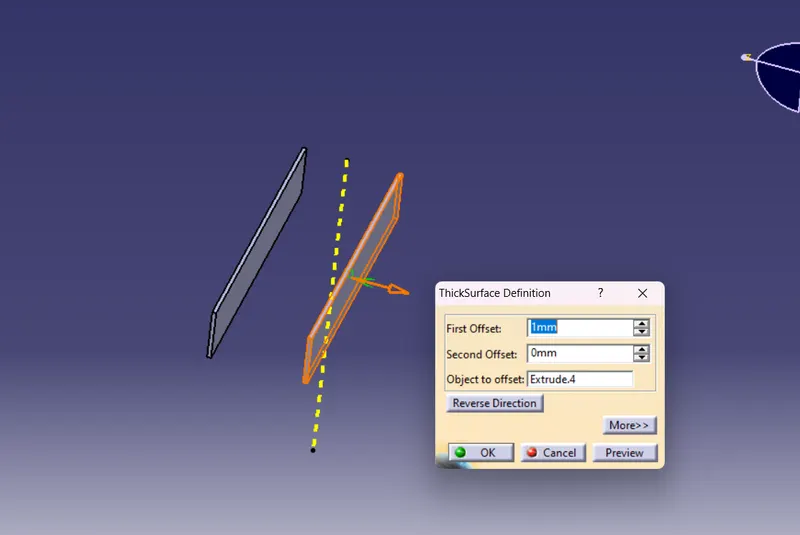
After all apply the draft analysis and the ribs can claer the draft at 0.49 degrees
SCREW BOSSES:
Screw bosses are generally used to connect the attached part to the other part and keep it stable.
Design rules for creating screw bosses:
I created the circular sketch in sketcher workbench using position sketch and I padded the sketch to 12.5mm.
Then i input the design rules:
- The outside diameter
- W= 0.5*T = 0.5*2.5
= 1.25mm
So screw boss thickness is satisfified as 1.233 mm <1.25 mm
- Draft 0.5 Degree on both inside and outside walls of the screw boss.
- Height to diameter ratio – 3:1 => 7.5=2.5
- Radius(fillet) – 0.25mm(min)
- Uses a draft angle command on screw bosses in and out side of 0.5 degrees.
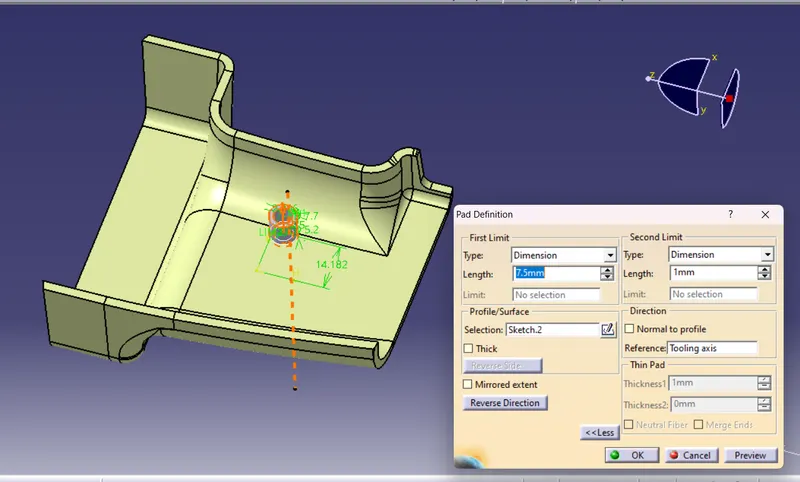
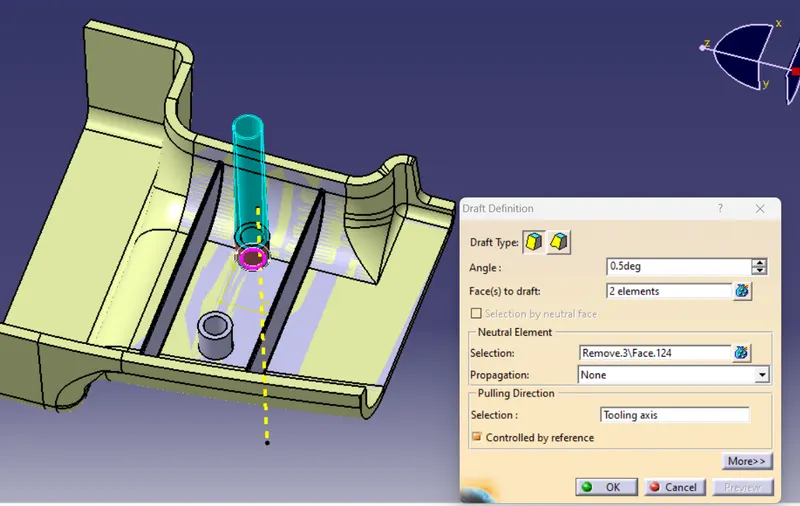
After all apply the draft analysis and the ribs can claer the draft at 0.49 degrees.
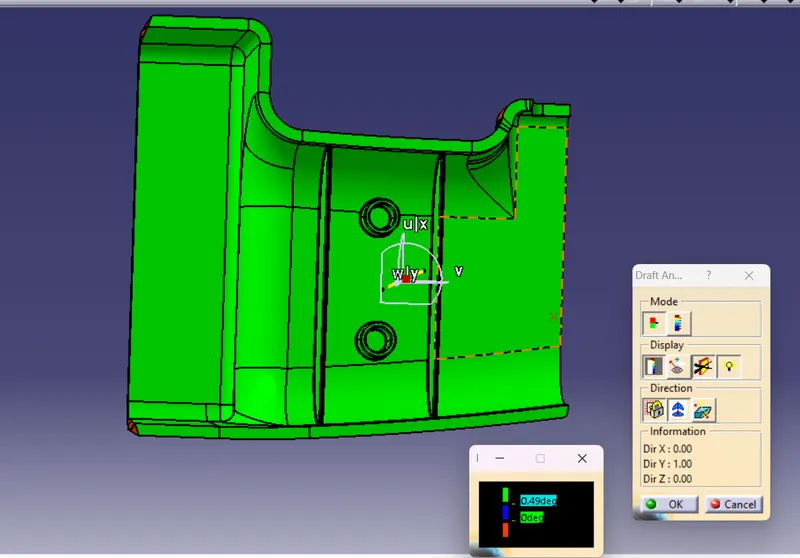
Finally the door handle solid model with ribs and screw bosses is obtained.