Week 10 - Challenge 1- Attachment Feature Creation (Ribs & Screw Boss)
Door Handle Surface-B & Surface-C creation along with draft analysis, ribs & bosses.
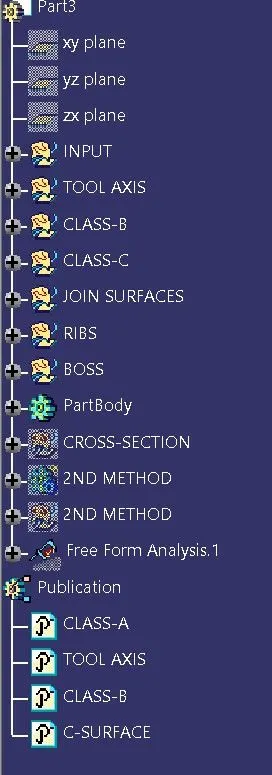
Steps to create the Model:
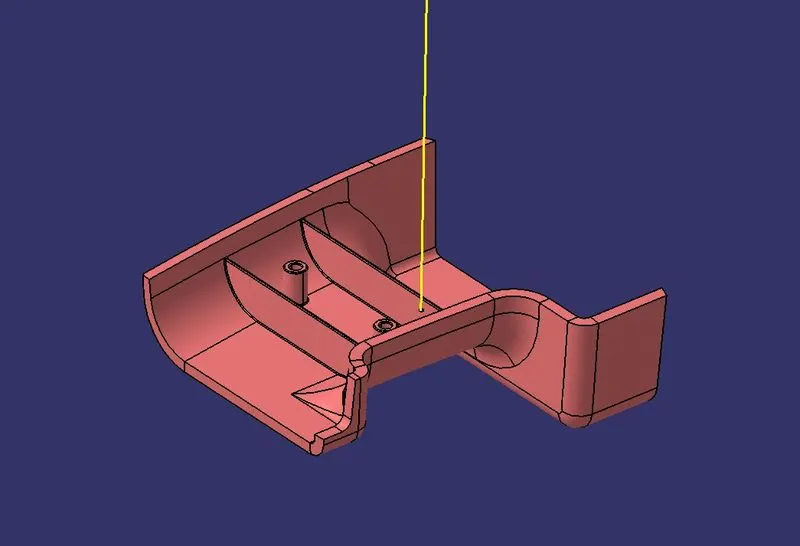
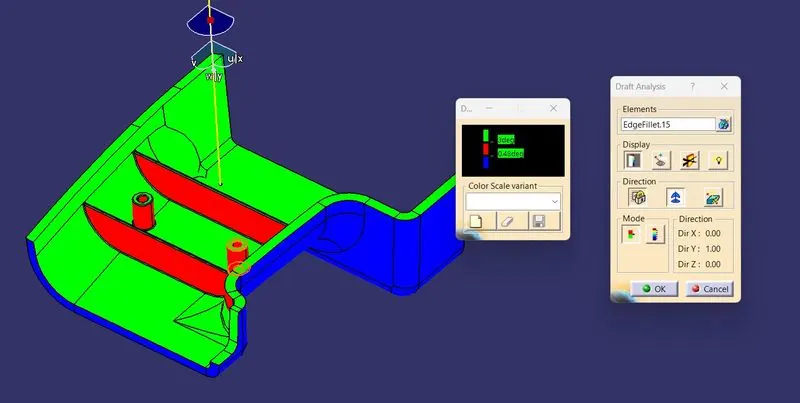
- Create a point at (0,0,0) & a dummy tooling axis as shown in fig with yellow line. Use draft analysis to check the coreectness of tooling axis, if the surface are above or equal to 3deg draft then proceed further.
- Offset all planar surfaces opp. to Class-A. Extrapolate & Trim them one by one and combine them as one. Give necessary fillet at all corners. You can get values of fillet by extracting fillets of Class-A , untrimming it & using measure to get value of fillet. Don't forget to add/subtract material thickness as required.
- Create boundary of Class-A in 4 different steps. The C-Surfaces which is parallel to tooling axis use sweep as draft to create C-Surface , select tooling axis as draft direction. For other faces use sweep perpendicular to surface.
- Extrapolate & trim the C-Surfaces , trim Class-A with Class-C Surface. Finally extrapolate Class-B Surface & trim them to get close volume.
- Use close surface command to get solid body. Use draft analysis to check the final result.
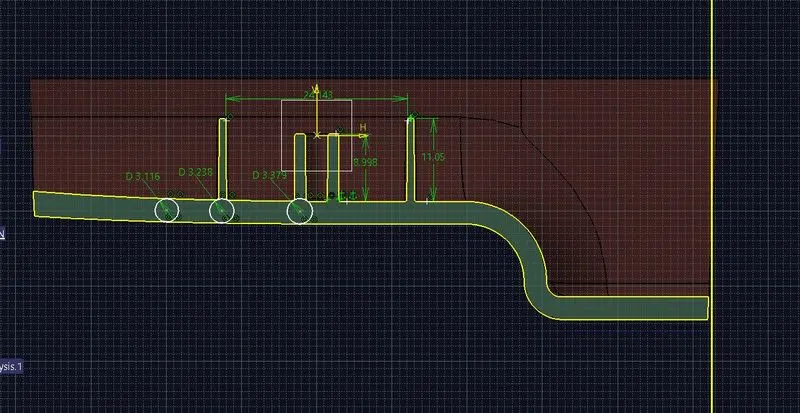
- Create a plane such that it is 3 x (thickness of wall) away from the wall. Draw sketches for rib. Use extrude with thicken command (give thickness=0.4x(wall thickness)) protude the sketch beyond the part. Give draft 0.5deg to all side walls, fillet of 0.25mm & union trim it with main body.
- Similarlly make one more rib at 2x(height) spacing away from 1st rib.
8. Create the boss for required location using following design consideration:
Draft =0.5deg
Inner Dia = 3mm
Outer Dia = 0.6*wall thickness*2 + Inner Dia
Height = 3x(thickness of wall)
fillet=0.25mm
9. Use union trim to combine the boss to main body.
10. Create one more boss with spacing> 2x(wall thickness)
11. Create a plane cutting all B set features & use intersection with plane to get outline of part. Check all design considerations. Make necessary adjustment if required.