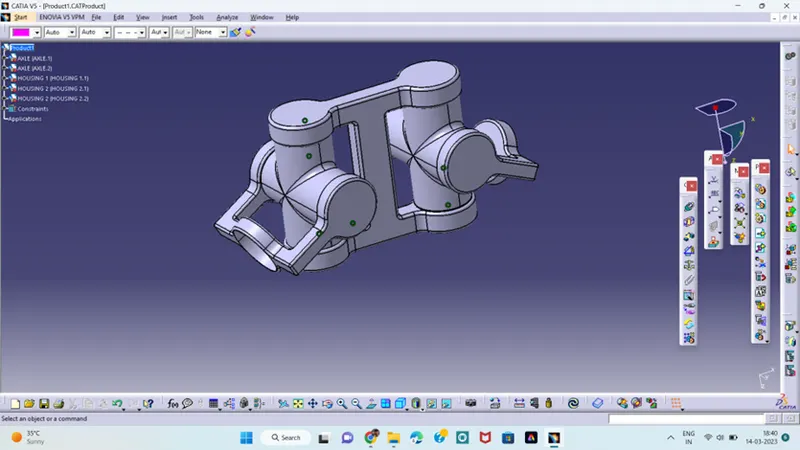
Week 10- Assembly Workbench
CHALLENGE
ASSEMBLY OF CV JOINT AND QUICK RETURN MECHANISM
AIM:
To create assemblies product of cv joint and quick return mechanism as per given in 2D diagrams and first we have to create individual part files and also create drafting of the created models.
MODEL 1:
QUICK RETURN MECHANISM:
SLIDER LINK:
- Create a new part file in the part workbench.
- Create a point based on the coordinate system.
- Draw the sketch of slider link and make it as iso – constrained element.
- Define in part body and then pad it at 4mm with the thickness of 2 mm and saved in a files.
LINK FIXING BLOCK;
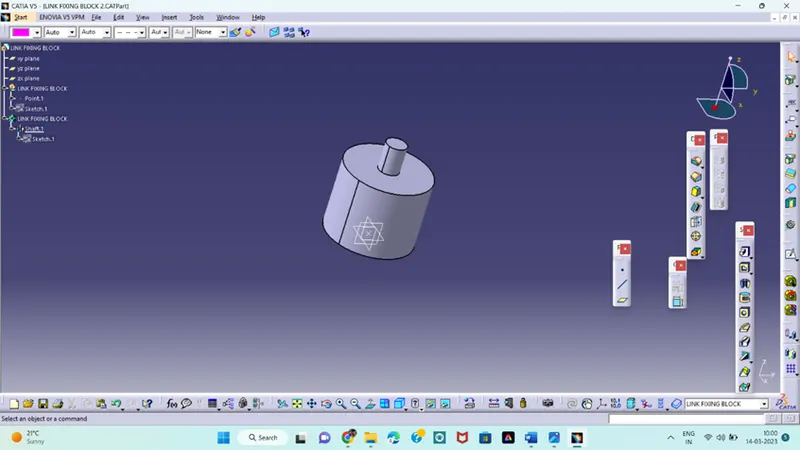
- Same follow the steps above with appropriate geometry.
- Draw it with a profile command with the given dimensions.
- Define in part body and use shaft command and saved in our files.
SLIDER SUPPORT BLOCK;
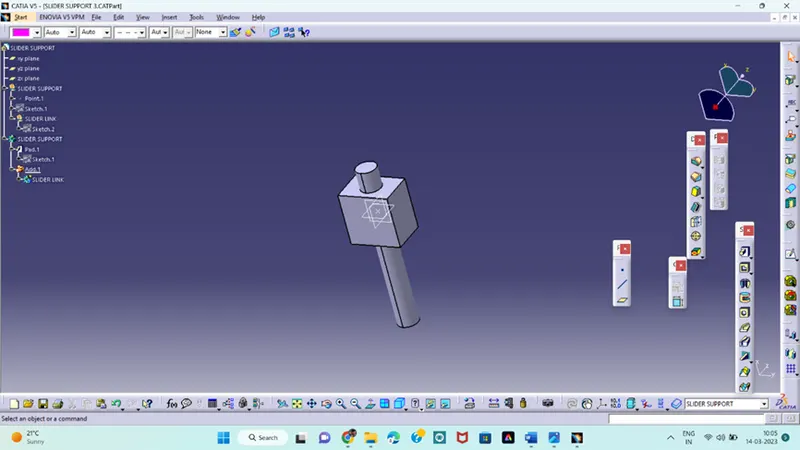
- Draw the sketch with proper dimensions.
- In this we create a separate geometrical sets for different sketches.
- Create a part body for a different sketches and pad it with given dimensions.
- Use Boolean operation for this model.
SLIDER COMPONENT;
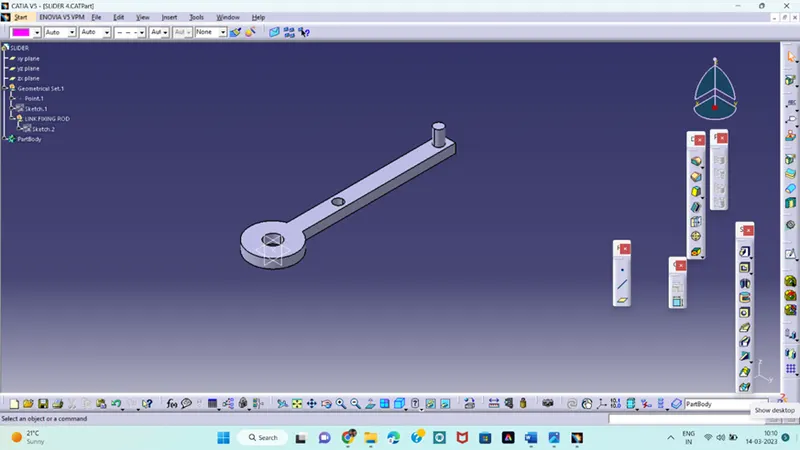
- in this also create a different sketches in a separate geometrical sets.
- Draw the sketch with proper dimensions and make it as iso – constrained .
- Define in part work bench and pad it with a given dimension.
- Use Boolean operation for this also and save it in a file.
SIDER PIN:
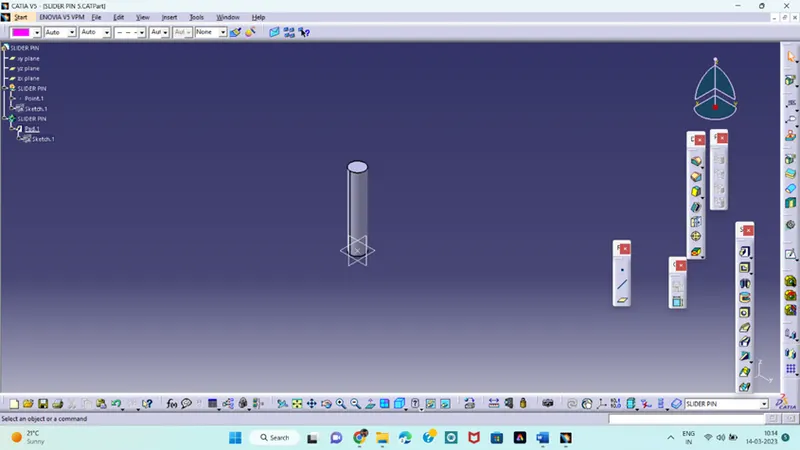
- This sketch is simple
- Draw it and pad it with a given dimension and save the file
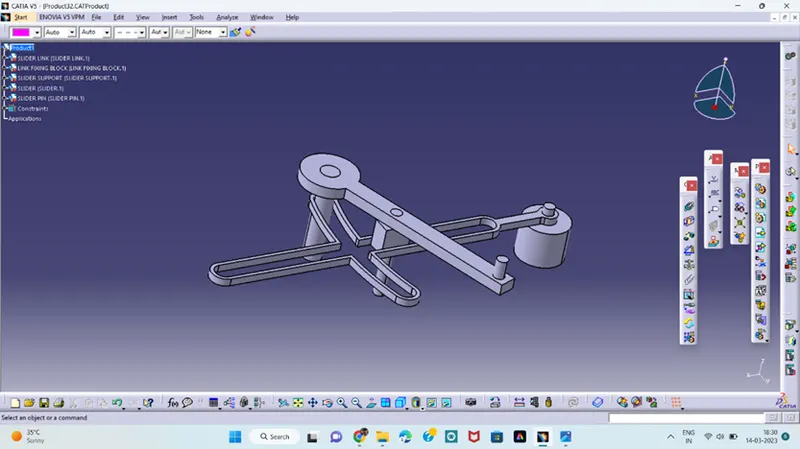
ASSEMBLE OF QUICK RETURN MECHANISM;
- Create a new product file in the assembly workbench.
- Extract all the part file which we created using existing file
- In this we have to use only few commands which we need for the assembly like constrained elements, manipulate, fixing
- Make them all the part file in a single component using assembly workbench.
MODEL 2:
CV JOINT:
AXLE:
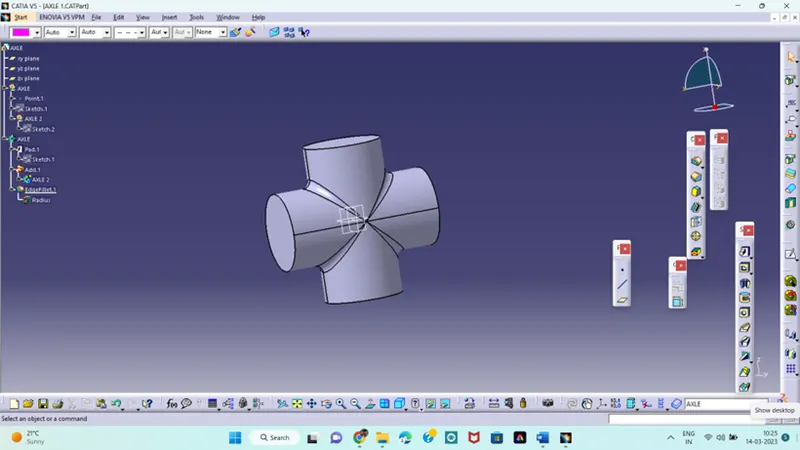
- In this also we follow the same steps and draw the sketches using different planes.
- Create body for different sketches and pad it.
- Use the Boolean operation for this component and save the file.
- Create another one axle.
HOUSING 1:
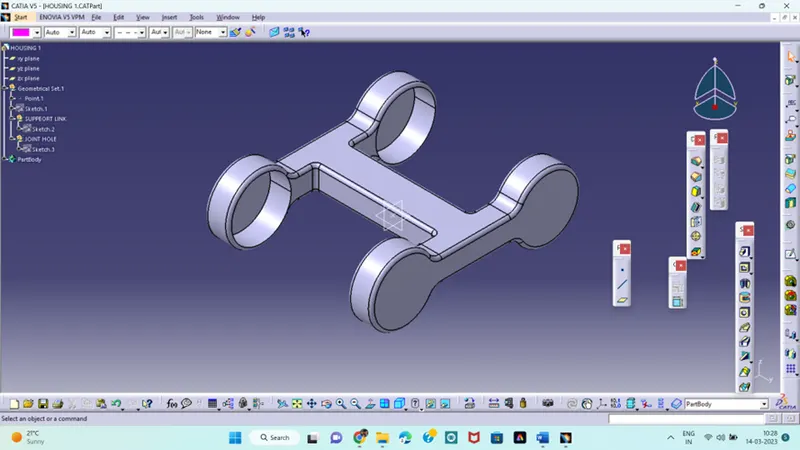
- This component is little complexity for creation.
- Create a new geometrical set for a different sketch and also create different part bodies.
- Draw the sketches using different planes and use mirror option for simple work.
- Create another circle and use pocket command with given dimensions.
HOUSING 2:
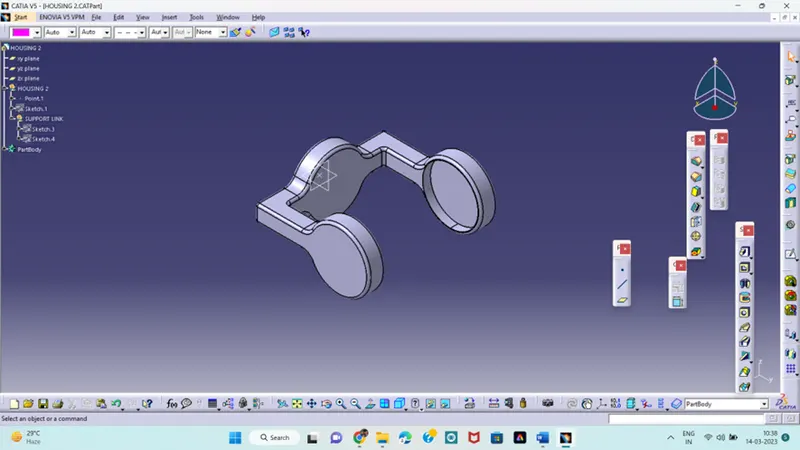
- This component also more complexity
- Create a separate sketches and pad it.
- Draw the circles and define in part body and use the pocket command as per the given dimensions.
- Create another one and save it in a file.
ASSEMBLY OF CV JOINT:
- Create a new product file in the assembly workbench.
- Extract all the part file which we created using existing file
- In this we have to use only few commands which we need for the assembly like constrained elements, manipulate, fixing
- Make them all the part file in a single component using assembly workbench.