Week 8 - Challenge 3 - Coin Holder Design
CHALLENGE 3
COIN HOLDER DESIGN
AIM: To Create the Coin Holder Plastic component through the given Class-A surface. To begin with, the tooling axis for the given Class-A Surface should be created meeting the requirements of the draft angle and at the end perform the Draft analysis on the model.
Note: Take the Thickness of the component to be 2.5mm
A Surface
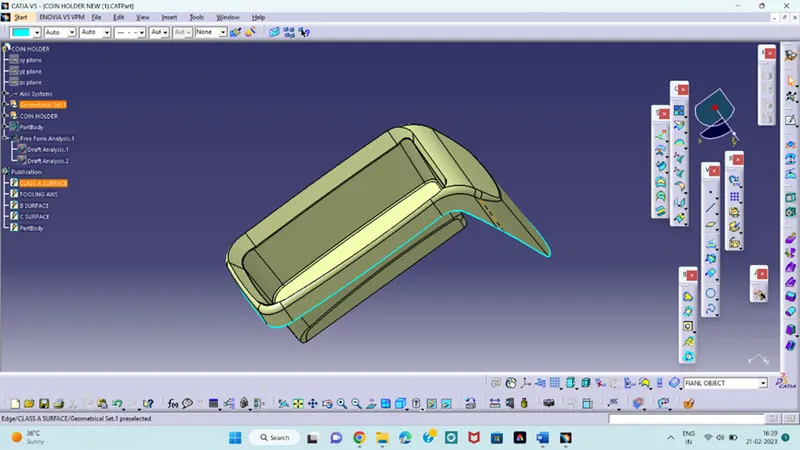
Next check the object any gaps in that with boundary commands and next check the sides in which direction is suitable is to create the tooling axis.
Tooling Axis: The direction in which the Core and Cavity opens in the tooling direction.
Create the intersection in YZ direction and draw the two lines and create an bisecting line between them
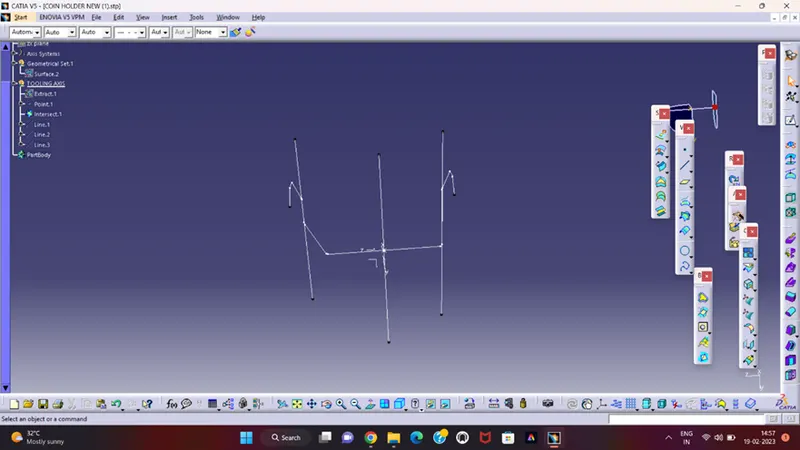
Next is to create intersection in XY direction and create two lines and draw the bisecting line between them.
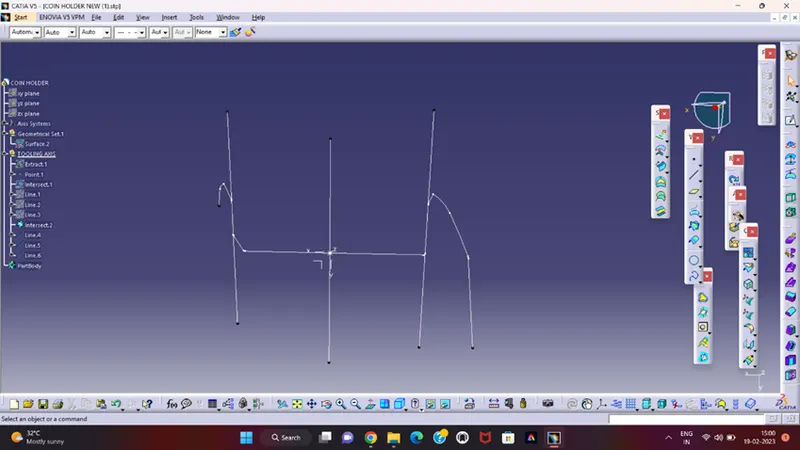
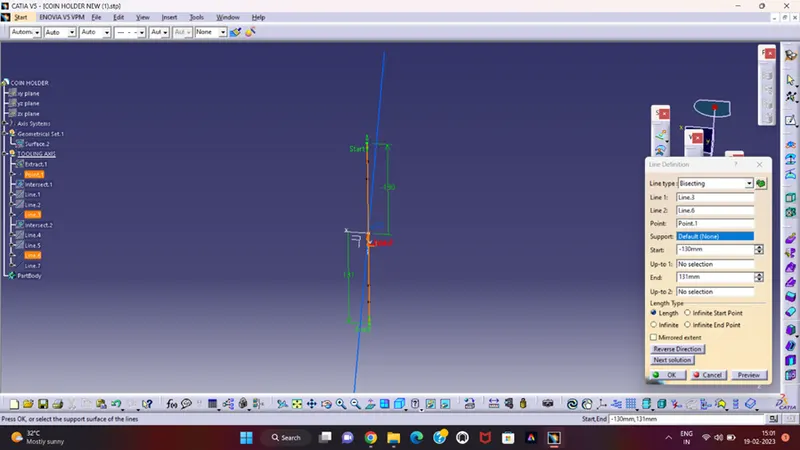
With two bisecting lines create a new line with bisect each other and this is the Tooling axis for coin holder design object.
Drafting analysis:
The draft analysis technique is used to analyse the whether our part model created in CAD manufacturing based on the draft condition applied.
From the tooling axis we need to analyse the object is to draft
From the insert analysis option is there and click that option and place the compass at the exact tooling axis and check the object is safe for the draft angle
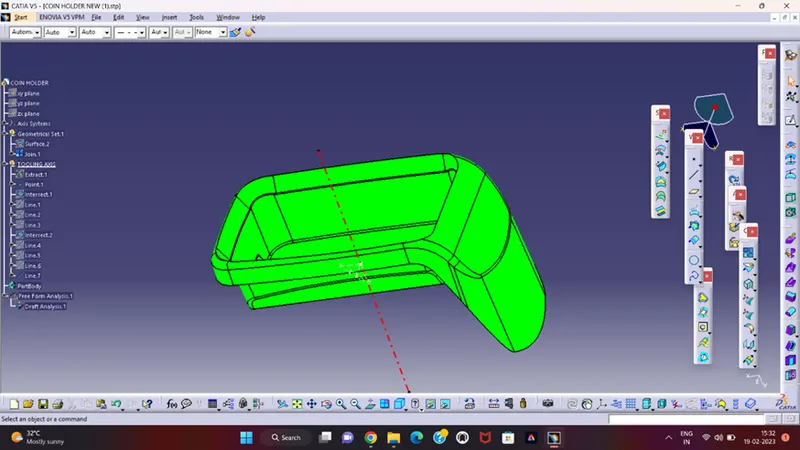
It is the final stage in draft analysis and next step is to create the B surface and C surface from the A surface and create the COIN HOLDER object
NOTE:
- Tree Structure
- Proper Tree Structure
- Geometrical sets have a proper name based on the sketches present inside of it
- All the sketches created under the Geometrical set
- Using the Close Surface feature to make a solid body from the surface.
- Publications:
- Tooling Axis
- Class A, B, and C surface
- Final Coin holder part body