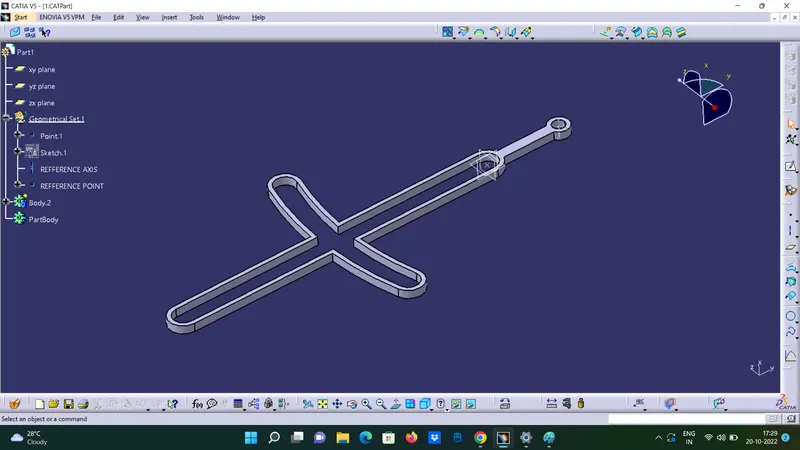
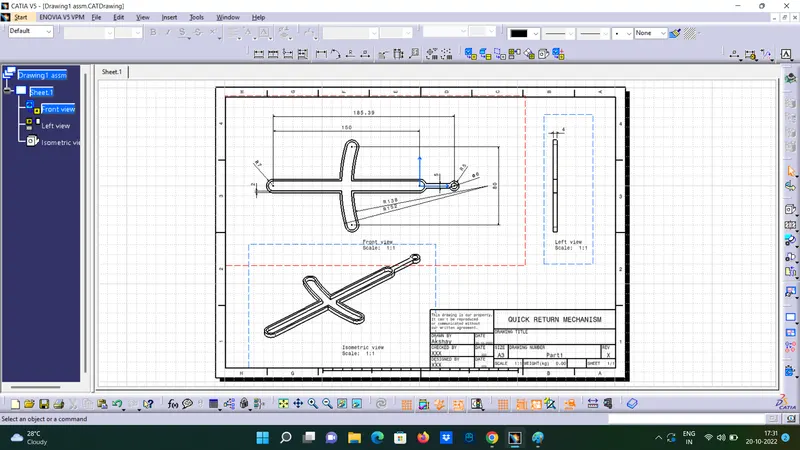
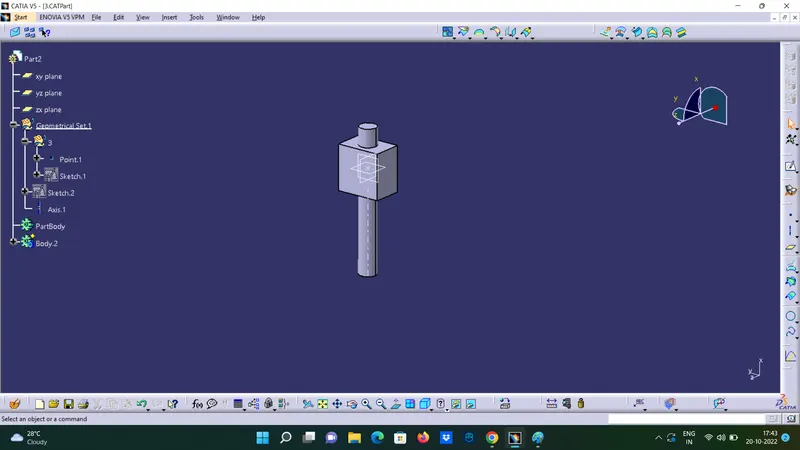
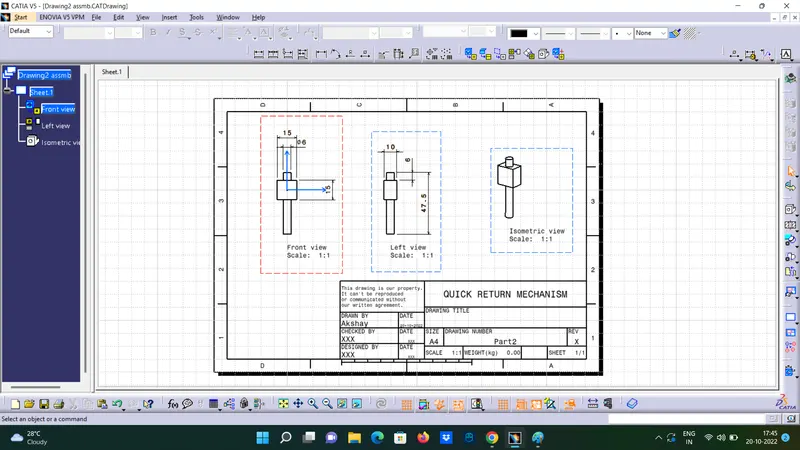
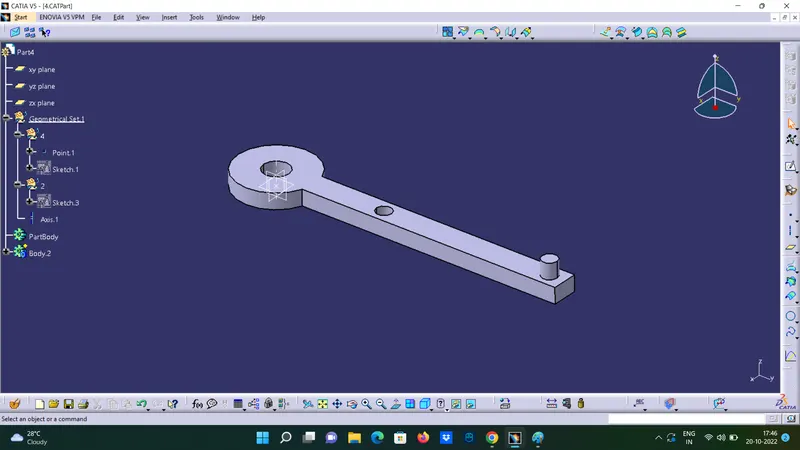
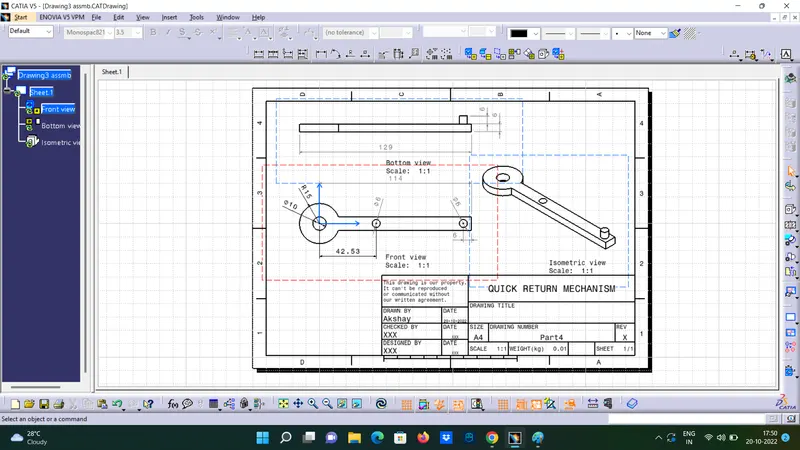
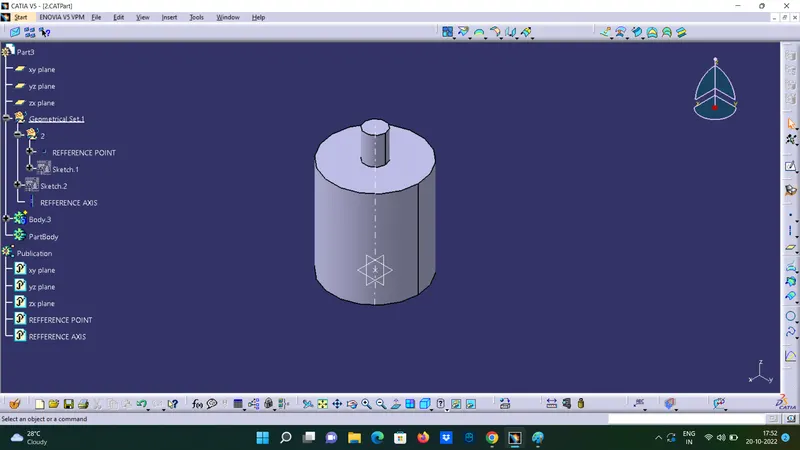
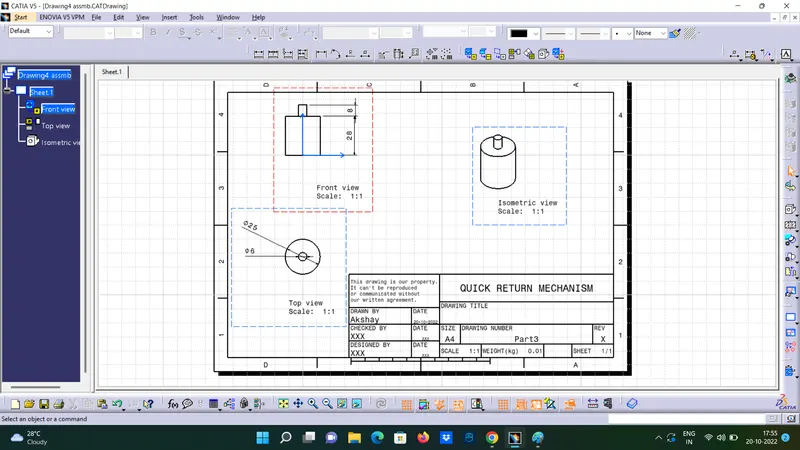
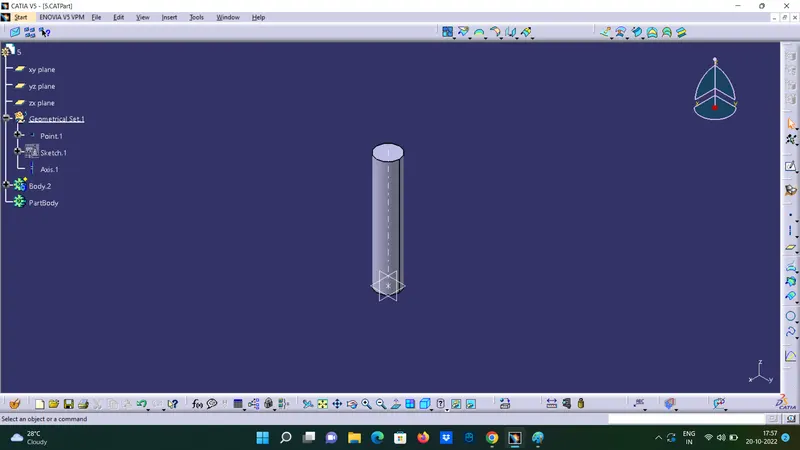
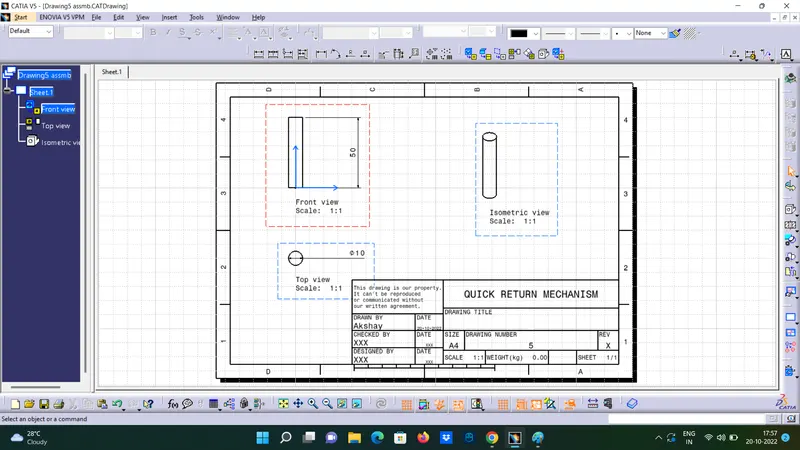
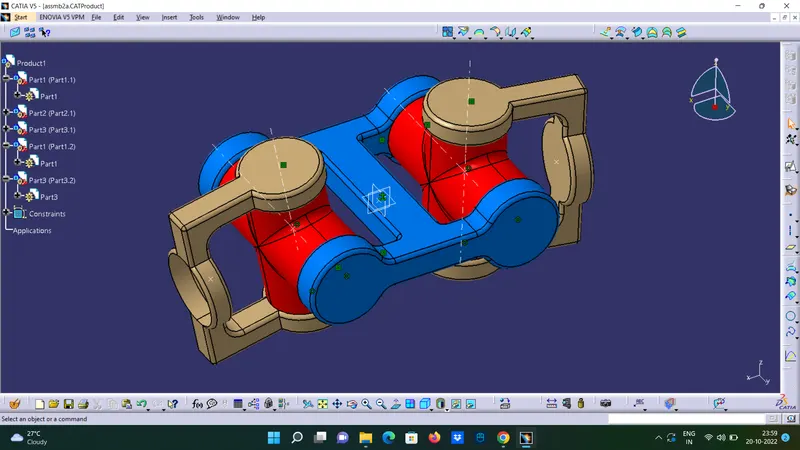
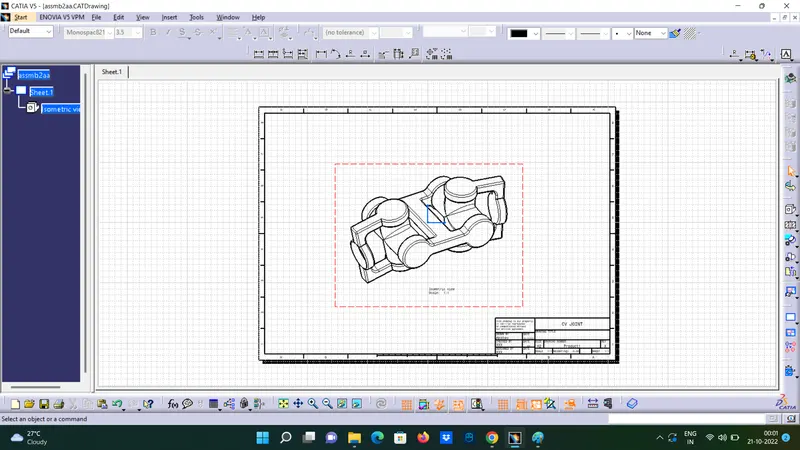
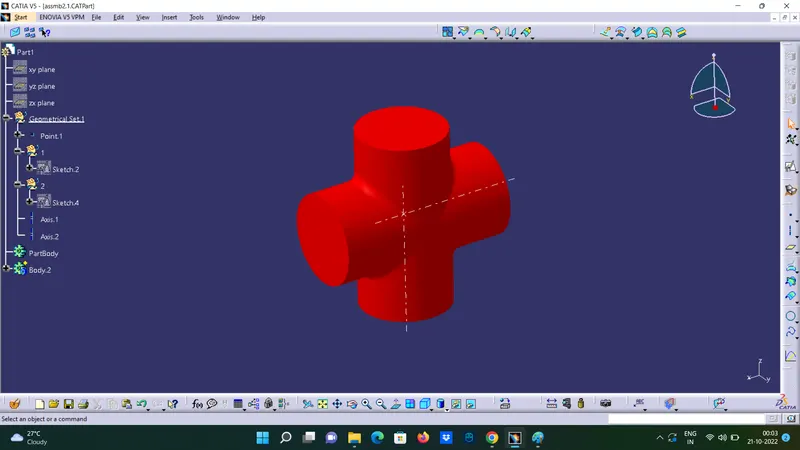
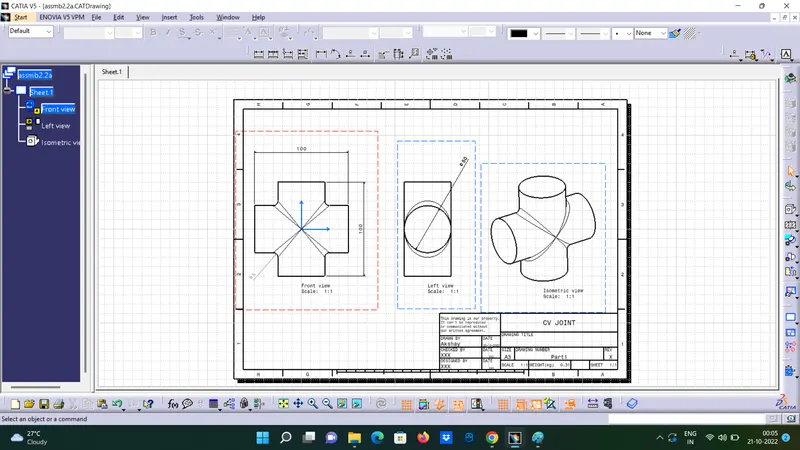
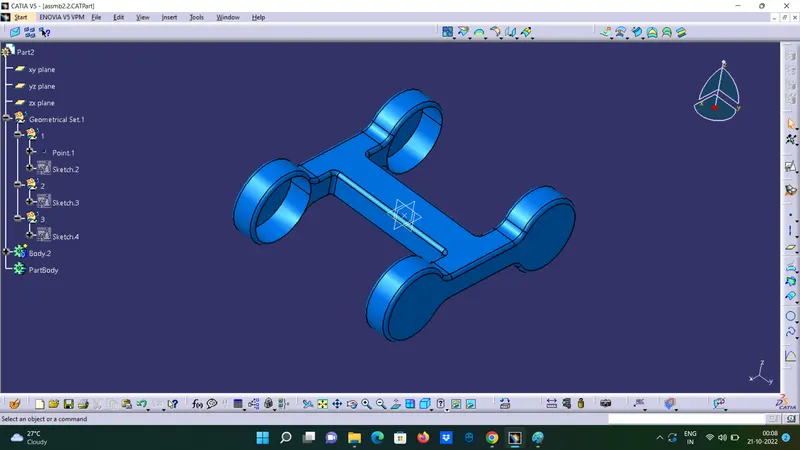
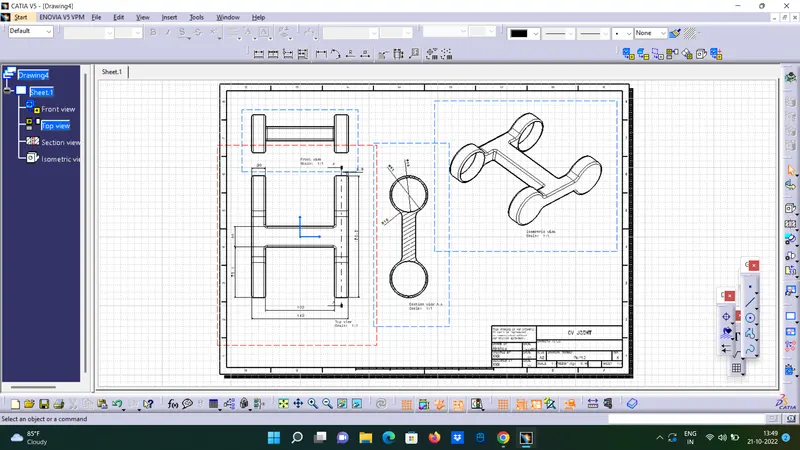
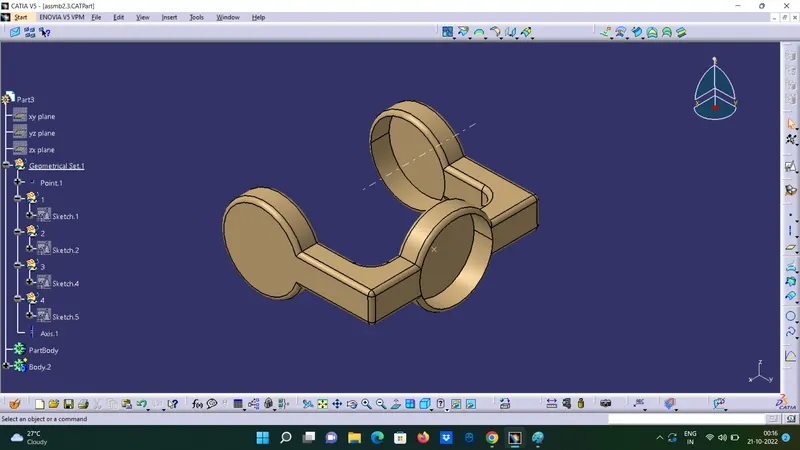
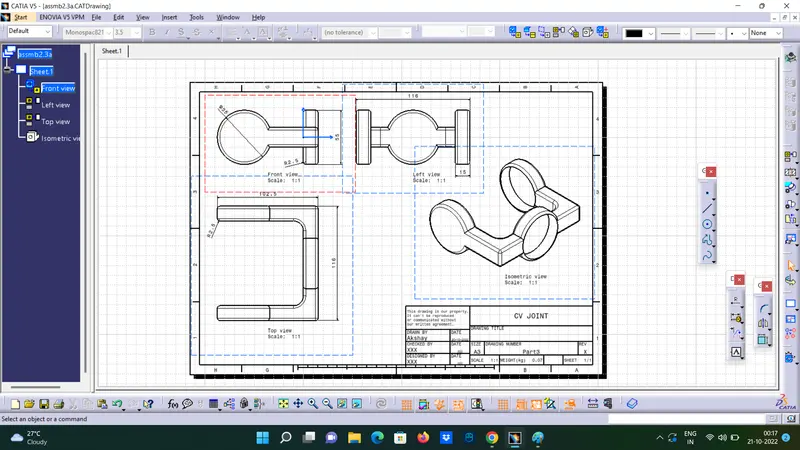
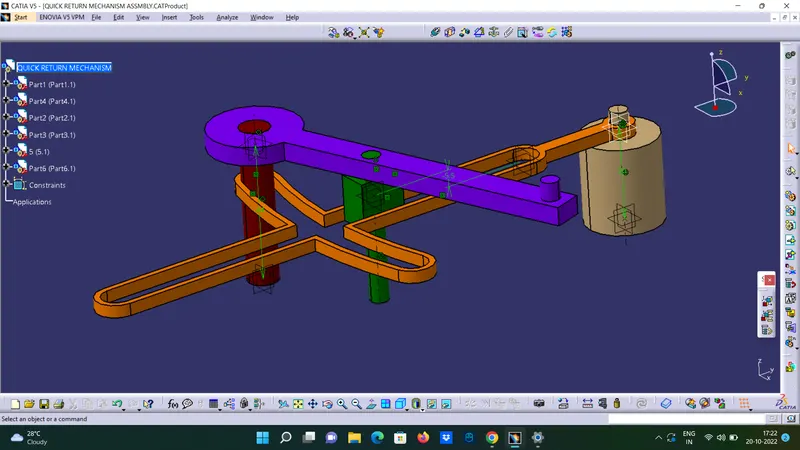
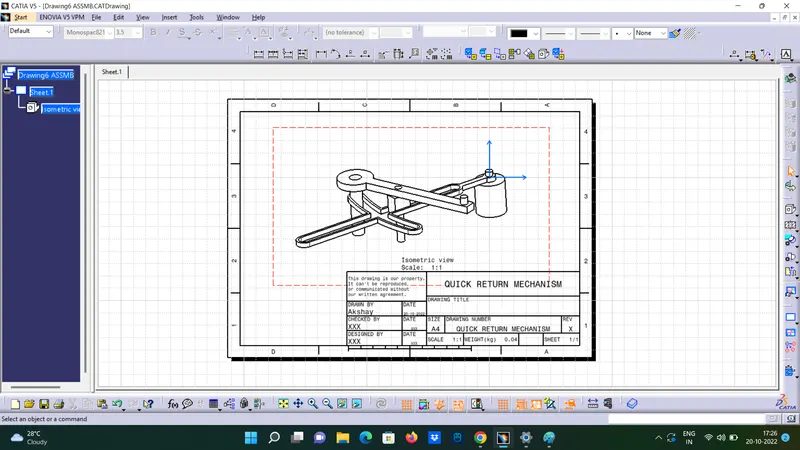
Assembly Workbench Drawing 1: Part 1 Part 2 Part 3 Part 4 Part 4 DRAWING 2:
Akshay Bhaskar V
updated on 21 Oct 2022
Project Details
Leave a comment
Thanks for choosing to leave a comment. Please keep in mind that all the comments are moderated as per our comment policy, and your email will not be published for privacy reasons. Please leave a personal & meaningful conversation.
Other comments...
Read more Projects by Akshay Bhaskar V (18)
Underbody Coating
UNDERBODY COATING Underbody Coating is a sprayable coating, which protects the under surface of the vehicle from corrosion. Underbody coating provides long term protection from corrosion to car's underbody. It also protects parts like internal body panels, frame rails and other inner cavities that are not physically…
02 Jan 2023 07:35 AM IST
Benchmarking
Benchmarking AIM: To prepare a report explaning what is benchmarking,compare atleast 4 CARS and Provide a proper conclusion for the report ,suggesting a suitable vehicle among the comparison made. What is bench marking? …
26 Dec 2022 07:04 AM IST
Week 11 - Final project
Final project Door Trim Panel Aim : To create a CAD model of a side door trim panel from given class A surface . Objective: a) Creation of side door trim panle from given class A surface . Apply thickness to it and use attachment features . b) Creation of flanges and heat stakes from given master sections . c)…
08 Dec 2022 04:08 PM IST
Week 10- Assembly Workbench
Assembly Workbench Drawing 1: Part 1 Part 2 Part 3 Part 4 Part 4 DRAWING 2:
21 Oct 2022 12:48 PM IST
Week 9 - Project - A pillar Design with Master Section
A pillar Design with Master Section Picture of the 3D CAD Picture of the sketches with Sketch solving status’s geometry tab Picture of the Detailed tree structure.
15 Oct 2022 03:25 PM IST
Week 9 - Project 1 - Door Trim Lower with Engineering Features
Project 1 - Door Trim Lower with Engineering Features TOOLING AXIS: To create the tooling axis, I extracted a surface from class A and created a point in the middle of the surface by using the point command and created a line at that point through the x-axis. Now, I performed a draft analysis check from that…
09 Oct 2022 06:41 PM IST
Week 9 - Attachment Feature Creation - Challenge 2
Attachment Feature Creation - Challenge 2 Tooling Axis: The Tooling Direction is basically the direction that the mold pulls a part. The mold is built in two separate pieces, basically. You have a Cavity side and you have the Core side. The Core pulls apart from the Cavity and that's the Dye line or the Tooling…
05 Oct 2022 06:19 PM IST
Week 9 - Attachment Feature Creation (Ribs & Screw Boss) - Challenge 1
Attachment Feature Creation (Ribs & Screw Boss) Tooling Axis creation: It is defined as the direction in which the mould/core and cavity open. Selection of the direction of the tooling axis depends on the ease at which components can be easily ejected. By analysing the component the most…
03 Oct 2022 04:39 PM IST
Week 8 - Challenge 6 - Core & Cavity Design
Core & Cavity Design Tooling axis creation: The Tooling Direction is basically the direction that the mold pulls a part. The mold is built in two separate pieces, basically. You have a Cavity side and you have the Core side. The Core pulls apart from the Cavity and that's the Dye line or the…
03 Oct 2022 09:12 AM IST
Week 8 - Challenge 4 - Bumper
Challenge 4 - Bumper Tooling Direction : The Tooling Direction is basically the direction that the mold pulls apart. The ejection of the part from mold depends on the draft. A zero draft can result in difficult or no ejection due to shrinkage. It is recommended to add a minimum of 0.5 to 1 degree of…
01 Oct 2022 12:19 PM IST
Week 8 - Challenge 3 - Coin Holder Design
Coin Holder Design TOOLING AXIS CREATION: Generally tooling axis is created using bisecting line method. But in the components where it has a bin, then the tooling axis is considered as a line normal to the base surface of bin. Same is done with this component. A line normal to base surface is created…
25 Sep 2022 03:26 PM IST
Week 8 - Challenge 2 - Switch Bezel Design
Challenge 2 - Switch Bezel Design Creation of Tooling direction Considering the Ejection from the cavity of the mould after manufacturing the interior trim (switch bezel) must have the nominal 3-degree draft angle. Hence the tooling direction is created by considering the above factor and bisecting…
23 Sep 2022 09:28 AM IST
Week 8 - Challenge 1 - Base Bracket Design
Base Bracket Design DRAFT ANALYSIS: To perform draft analysis, click on Insert >>Analysis >> Feature Draft Analysis Once the draft analysis toolbar is opened, go to the display block and select the 'Analysis under the running point' command to check the angle for different sides (ribs and inclined plane angles) on…
22 Sep 2022 12:12 PM IST
Project 2 - Rankine cycle Simulator
Aim: Creation of Rankine cycle simulator from given input and reading the data from standard thermodynamic library of steam table. Objective: To create a Rankine Cycle simulator in MATLAB. To calculate the state point using function XSteam. To plot the T-S and H-S curve for given input in Rankine Cycle. To get output in…
10 Aug 2022 03:32 PM IST
Project 1 - Parsing NASA thermodynamic data
Aim: To write a code in MATLAB to parse the NASA thermodynamic data file and calculate thermodynamic properties of various gas species. Objectives: Write a function that extracts the 14 co-efficient and calculates the enthalpy, entropy and specific heats for all the species in the data file. You…
05 Aug 2022 06:44 PM IST
Week 4.1 - Genetic Algorithm
Aim: To write the code to calculate the global maxima of the stalagmite function and to explain the syntax for genetic algoritham(ga) in MATLAB. Objectives: To write a code in MATLAB to optimize the stalagmite function and find global maxima of the function. To explain the concept of genetic algoritham and the syntax for…
28 Jul 2022 06:24 PM IST
Week 3 - Solving second order ODEs
Program: %Solving second order ODEs clear all close all clc %inputs b=0.05; g=9.8; l=1; m=0.1; %initial condition theta_0=[0;3]; %time points t_span=linspace(0,20,500); %solve ode [t,result]=ode45(@(t, theta) ode_fun(t,theta,b,g ,l,m),t_span,theta_0) %plottimg figure(1) plot(t,result(:,1)) hold on plot(t,result(:,2))…
17 Jul 2022 04:39 PM IST
Week 2- 2R Robotic Arm Challenge
Programme: %Forward kinematics of a 2r robotic arm close all clear all clc %inputs l1=1; l2=1.5; theta1=linspace(0,90,4) theta2=linspace(0,90,4) ct=1; for i=1:length(theta1) THETA1=theta1(i); for j=1:length(theta2) THETA2=theta2(j); x0=0; y0=0; x1=l1*cosd(THETA1); y1=l1*sind(THETA1); x2=x1+l2*cosd(THETA2); y2=y1+l2*sind(THETA2);…
13 Jul 2022 03:44 PM IST