Week 1- Mixing Tee
Aim:-
- Set up steady-state simulations to compare the mixing effectiveness when the hot inlet temperature is 36 ˚C, and the cold inlet is 19 ˚C.
- Try both the k-epsilon and k-omega SST models for the first case to get proper judgment about each method; later, use the most suitable model for further simulations.
- Simulate each case for the given velocity and momentum ratio.
- Compare results from the 2 cases about cell count, average outlet temperature, and the number of iterations for convergence.
- Plot the velocity and temperature contour plots on the cut plane along and across the pipe.
- Also, plot the velocity and temperature line plots along and across the length of the pipe.
- Perform Mesh independent study for any one case.
- Moreover, discuss the effect of length and momentum ratio on results.
- Lastly, for each simulation, show the convergence plot.
- Objective –
- To clean the geometry and mesh it in pre-processing.
- To solve the model with best solver in Ansys solver.
- To generate contour and line plots and analyse it in postprocessor.
- Understand and define the problem statement for each case.
- Open Ansys workbench and set up a fluent simulation setup, and rename it accordingly.
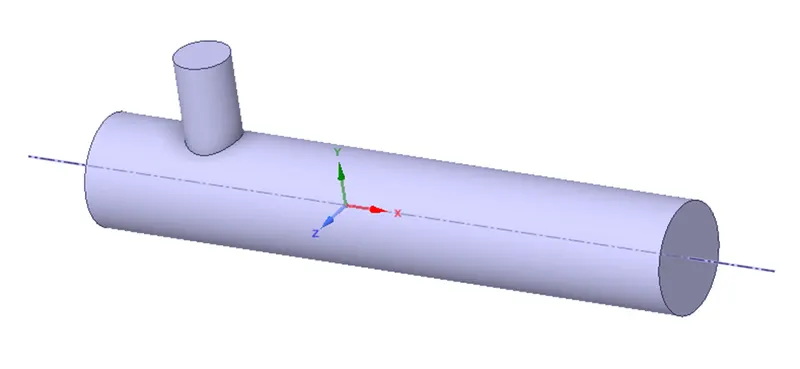
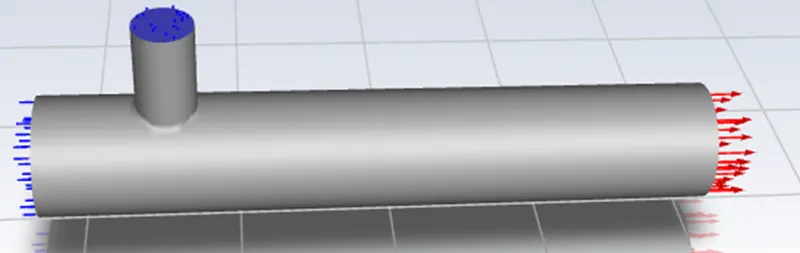
- From fluent setup, open space claims, and Load the geometry. Extract the working fluid region from the loaded geometry to compute simulation in that particular region. And then close space claim.
- Next, in mesh setup, provide boundary names for each surface and generate mesh to the fluid flow volume. Close mesh setup and update the mesh.
- Later, in the setup section, provide all the required parameters according to the simulation, such as simulation type, input velocity and temperature, materials (working fluid), and other user-defined parameters.
- In setup parameters, understand the concept of k-epsilon and k-omega SST and find out which is convenient for the current simulation.
- Afterward, simulate our problem setup for the number of iteration required to converge our results.
- Then, close and update the setup. Open the results section to see all the simulated results.
- Juxtapose generated results from each case for their cell count, average outlet temperature, and the number of iteration for convergence.
- Display contour plot on the cut plane to visualize velocity and temperature distribution along and across the mixing tee’s length.
- For a more detailed examination, plot velocity and temperature line chart along the mixing tee’s length.
- Validate the test by performing a mesh independence study on any one case.
- Study the effect of length and momentum ratio on the results of each case.
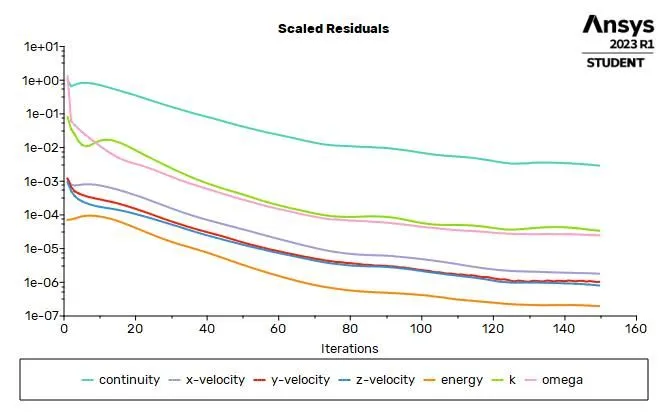
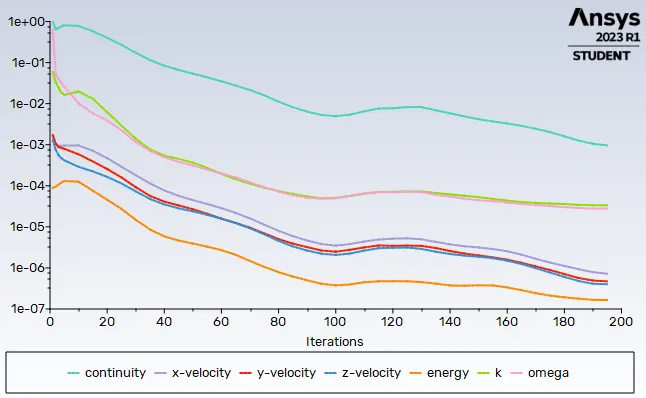
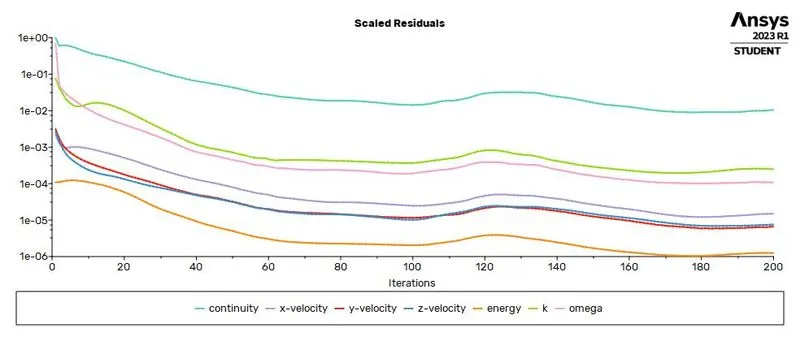
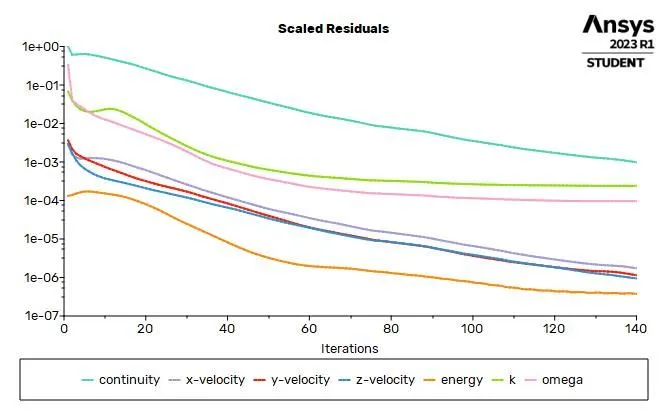
- Plot the convergence graph to verify that all the results are fully converged after running numerous iterations.
- Introduction –
Computational fluid dynamics is a branch of fluid mechanics, which uses mathematics, physics and computational software to visualize how fluid flows and affects its medium and its neighbours. In CFD mostly computers are used to predict the fluid flow phenomena based on some governing equations like conservation of momentum – Navier stokes equation, conservation of energy etc. In this study we are going to simulating effect of fluid using Ansys fluent software. Ansys fluent is a very important tool in CAE domain, which is allows you to perform all the three major steps of any simulation pre-processing, solving and post-processing. Ansys fluent facilitates for modelling flow, turbulence, heat transfer and chemical reactions. With Ansys we can accomplice more in less time and with less training.
Mixing tee is a device which uses specifically engineered internal geometry to mix two fluid streams into one steam, efficiently. In this study we are going to find effectiveness of mixing tee. Hot air and cold air are going to be mixed in mixing tee. They will have different velocities. We will use two different mixing tee distinguished with length and analyse the effect of length on mixing.
Problem Setup
Part-1 Understand k-omega SST by considering
| Short mixing Tee | ||
| Case-1 | hot Inlet velocity - 3m/s | Momentum ratio - 2 |
| Case-2 | hot Inlet velocity - 3m/s | Momentum ratio - 4 |
Part-2 Understand k-omega SST by considering
| Long mixing Tee | ||
| Case-1 | hot Inlet velocity - 3m/s | Momentum ratio - 2 |
| Case-2 | hot Inlet velocity - 3m/s | Momentum ratio - 4 |
4. Procedure -
Case-1
Geometry
Open new project, by clicking on Fluid flow (Fluent) in Ansys workbench.
- New Space Claim
- Prepare
- Volume Extract
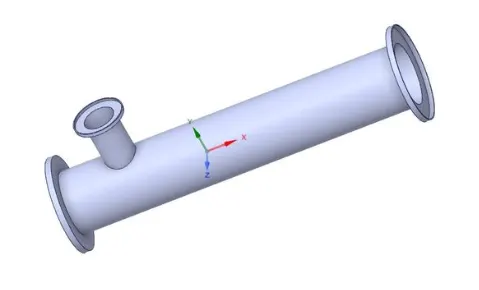
- Select Edges (Hide solode part)
- Suppress for physic close this mode save auto maticaly
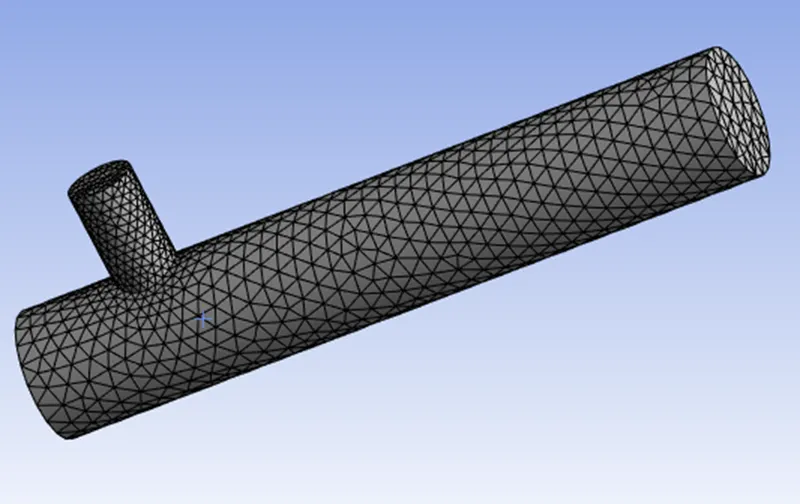
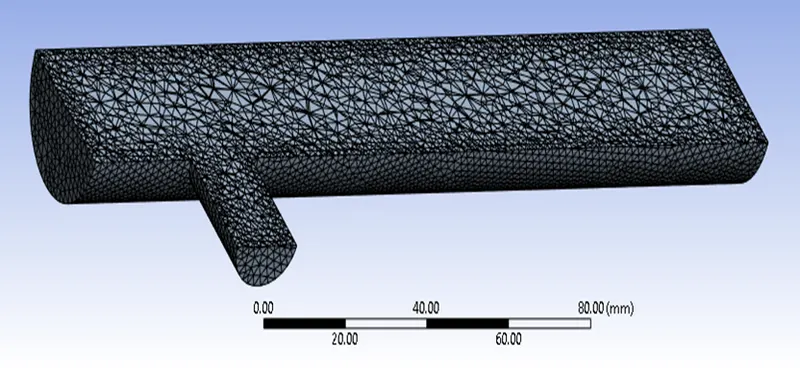
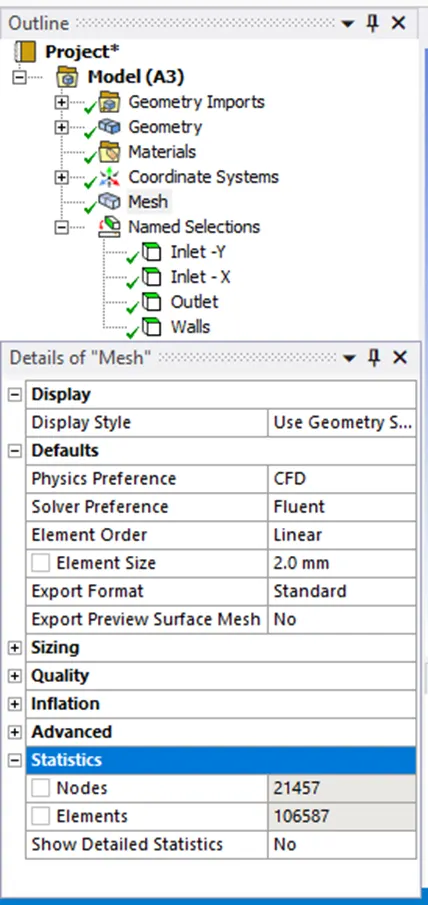
In our earlier simulation, we can notice because of the coarse meh structure near-wall its showing distorted contour near-wall surface. So if we add inflation layers near-wall surface we can minimize this effect. Now click on mesh option and choose generate mesh. It will generate mesh according to some predefined criteria. Element size can be selected but it is going to affect simulation time. Section plane can be created to see inner portion of geometry.
Set-up
- Physics -> Energy -> Viscous
- Model -> K-omega (2eq)-> SST-> Options-> Production Limter
- Materials -> [Solide-> Alumimium], [Fluid-> Air]
- Zones -> [Cellzones volume] [Boundaries]
- Boundaries ->
Part-1 Short mixing Tee
Case -1 Momentum ratio - 2 [Temp->X- in= 36 ˚C, Y- in= 19 ˚C] [Velocity->X- in= 3 m/s, Y- in= 6 ˚m/s]
Case -2 Momentum ratio - 4 [Temp->X- in= 36 ˚C, Y- in= 19 ˚C] [Velocity->X- in= 3 m/s, Y- in= 12 ˚m/s] Part-2 Short mixing TeeCase -1 Momentum ratio - 2 [Temp->X- in= 36 ˚C, Y- in= 19 ˚C] [Velocity->X- in= 3 m/s, Y- in= 6 ˚m/s]
Case -2 Momentum ratio - 4 [Temp->X- in= 36 ˚C, Y- in= 19 ˚C] [Velocity->X- in= 3 m/s, Y- in= 12 ˚m/s] - Soluction (Report For Temperature and Standaed deviation)
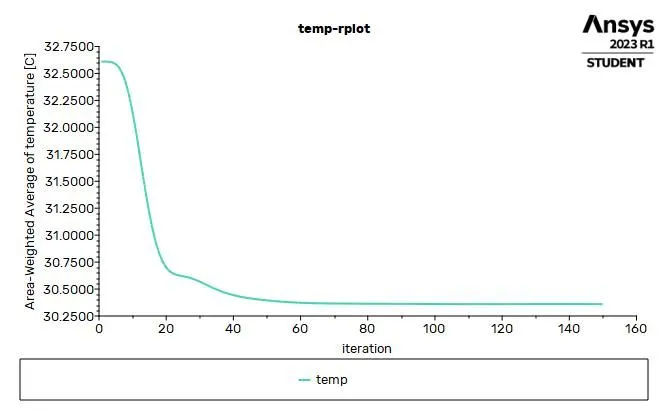
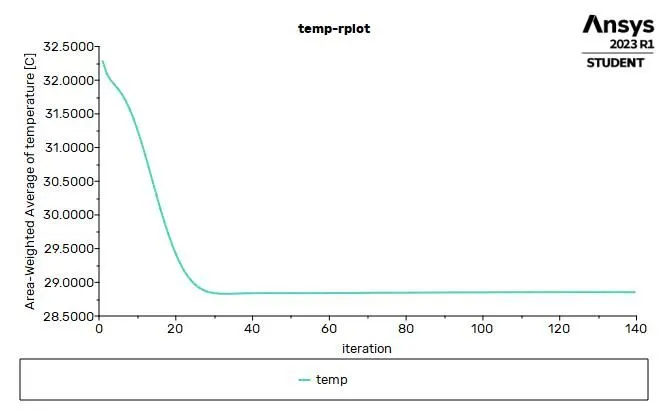
- Definitions -> New ->Surface report ->Area- Weihgted Aveage
- Frequency
- Initialize
Results
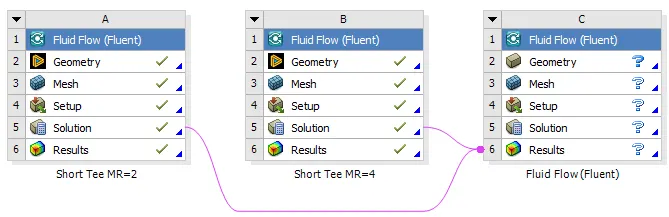
Part-1 Short mixing Tee
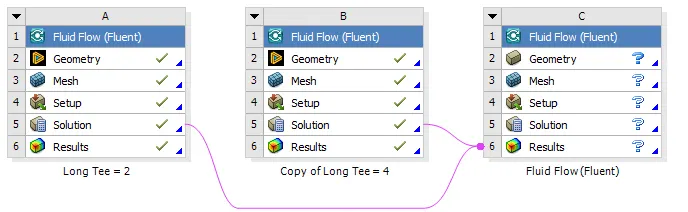
Part-2 Short mixing Tee
This time, we are going to use the same setting for the next simulation and solve the problem by the k-omega SST method.
compare all Part 1 and 2 for each case
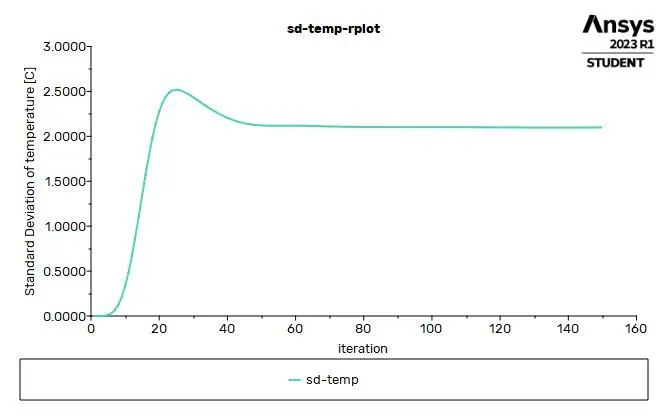
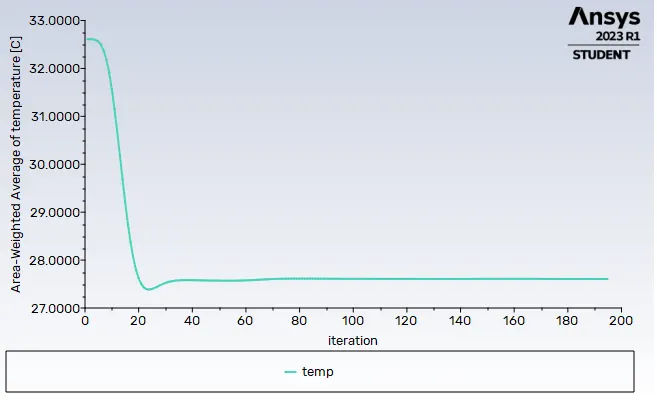
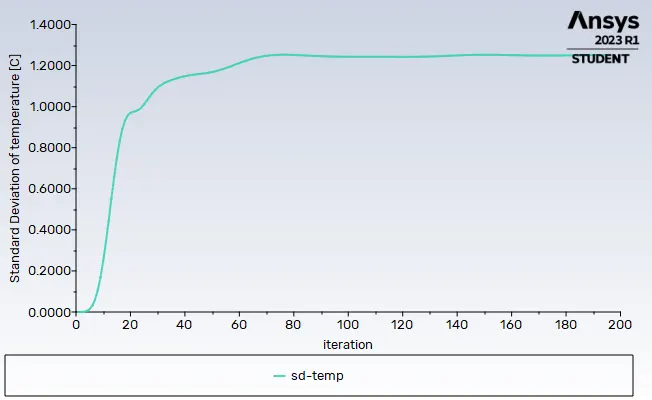
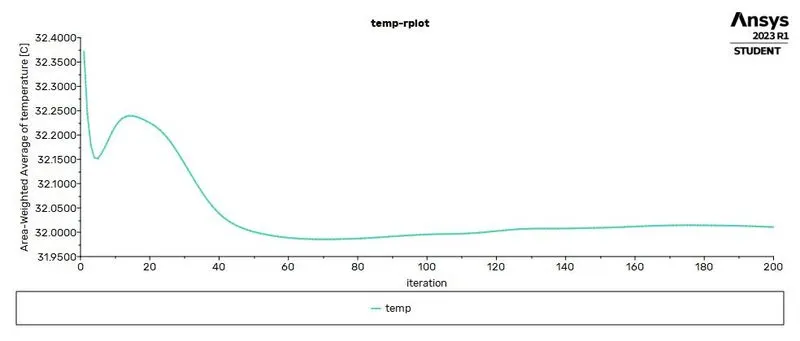
For Residuals, Temperature and Standaed deviation
| Part1. Short mixing Tee | |||
|
Case |
Residuals | Temperature | Standaed deviation |
|
1. MR= 2 |
 |
 |
 |
|
2. MR= 2 |
 |
 |
 |
| Part-2. Short mixing Tee | |||
|
Case |
Residuals | Temperature | Standaed deviation |
|
1. MR= 2 |
 |
 |
 |
|
2. MR= 2 |
 |
 |
 |
Part1. Short mixing Tee
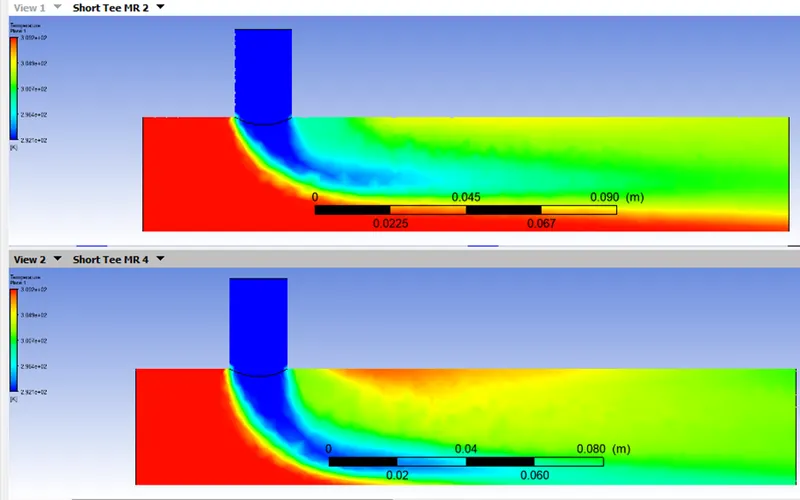
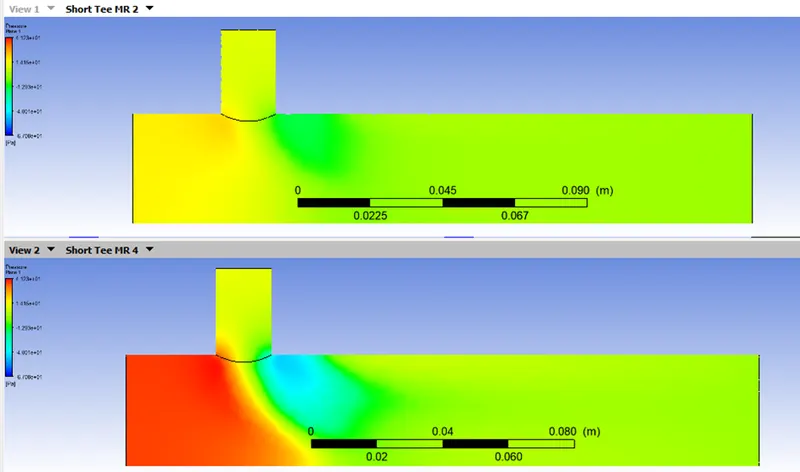
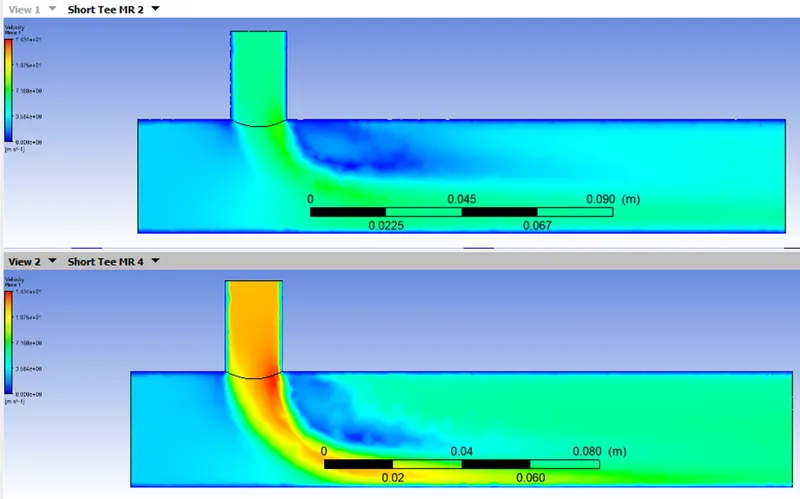
Contour compare all
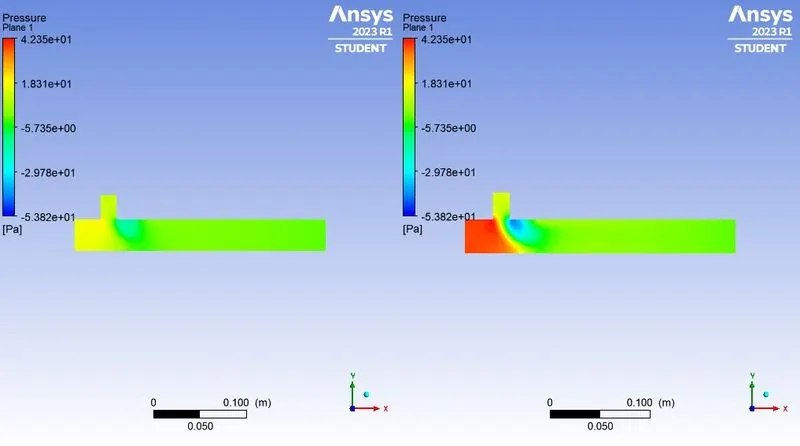
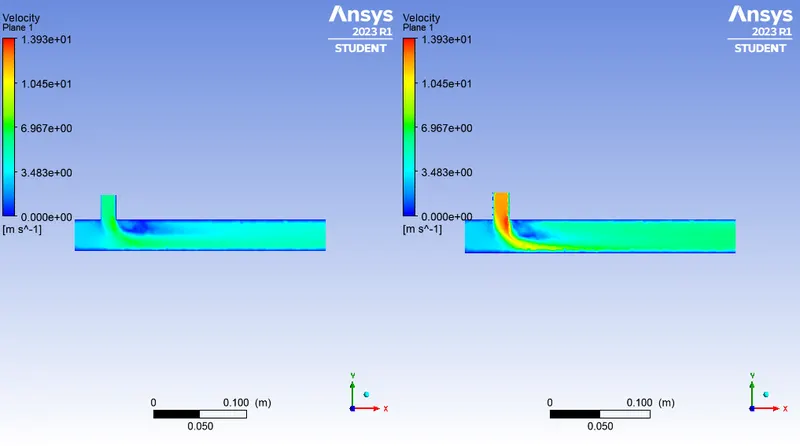
For temperature, Pressure and velocity
| Part-1. Short mixing Tee | |||
|
Compare Case 1 and 2 |
Temperature, | Pressure | Velocity |
 |
 |
 |
|
Effectiveness of mixing
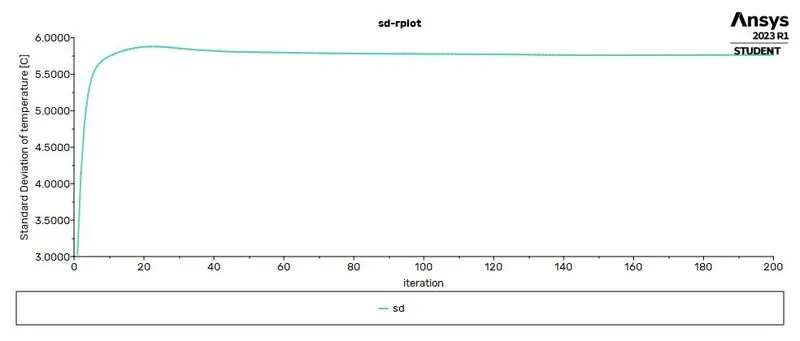
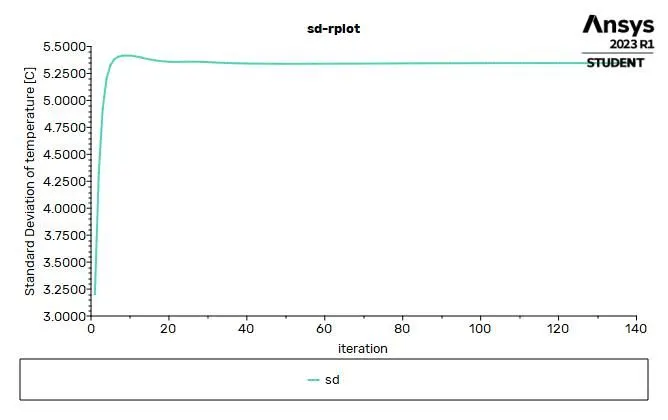
In order to measure the effectiveness of the mixing, we can calculate the standard deviation of the temperature at the outlet of the mixing tee. A high standard deviation means the mixing is bad, on the contrary, a low standard deviation means we are getting better mixing. Below, the line chart exhibits the standard deviation of the temperature at the outlet of the mixing tee for each case we have studied. Now we can see in both short and long pipe the standard deviation is constantly lower after 100th iterations which have a higher velocity of 12m/s at the cold air inlet. Therefore, we are getting the best mixing when the flow is high and the effectiveness of mixing is almost less dependent on the length of the mixing tee.
Part-2. Long mixing Tee
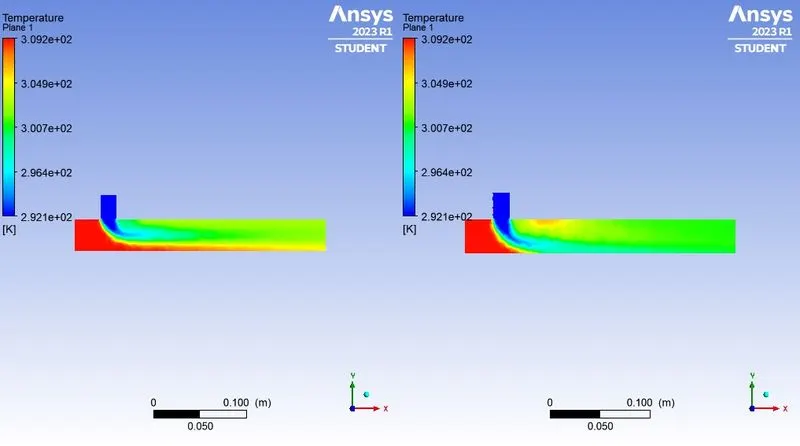
Contour compare all
For temperature, Pressure and velocity
| Part-2. Long mixing Tee | |||
|
Compare Case 1 and 2 |
Temperature, | Pressure | Velocity |
 |
 |
 |
|
Conclusion
Ansys fluent is high performance CFD software recognized for accuracy, robustness etc. it is not confined to only aerospace and mechanical domain, it has various application like to simulation of calculation of air flow on air craft wing, combustion in furnace, bubble columns in oil refineries, combustion in IC engine etc. In this study we performed simulation on simple geometry of mixing tee and got insights of various feature of fluent. we can conclude by analysing graph that If momentum ratio is increased, outlet temperature will decrease and there is no effect of velocity even though length is increased.