Week 1 : Exploring the GUI of GT-POWER
Exploring the GUI of GT-POWER
Aim : To give a brief idea about GT Power.
Objective: Explore the GUI of GT SUITE and list down modules available with brief description.
Theory:
1. GUI of GT-SUITE:
GT-SUITE is a single software package for modeling and simulation of systems in automotive and transportation engineering and beyond. It is based on a multi-physics platform, but offers higher level,added-value toolboxes specifically tailored to a continually broadening set of applications.
• Engine performance modeling.
• Acoustics of intakes and exhausts.
• Exhaust aftertreatment.
• Vehicle dynamics.
• Hybrid and electric vehicles, fuel cells.
• Cooling systems and vehicle thermal management
• Underhood cooling module analysis (3-D solution with COOL3D)
• Lubrication circuits and bearings.
• Fuel injection systems.
• Hydraulics and pneumatics.
GT-SUITE Applicaitons:
1. GT-ISE(Integrated Simulation Environment) :
GT-ISE is the interface where models are built, simulation settings are declared, and simulations (both single and batch) are launched. It is a 2-D environment where various objects are brought into a project map and connected together linking the entire model as a whole.
2. COOL3D:
COOL3D is a tool that can be used to build 3D models of underhood thermal management flow systems that can be discretized and made into model files for use with GT-SUITE. It provides the ability to build the model in a 3D environment so that the full details of the model can be included.
3. GEM 3D:
GEM3D is a tool that can be used to build 3D models of flow, thermal, and mechanical systems that can be discretized and made into model files for use with GT-SUITE. It provides the ability to build the model in a 3D environment so that the full details of the model can be included.
4. GT-SpaceClaim :
GT-SpaceClaim is a tool that can be used to import CAD geometry of various formats, extract volumes and export them for discretization in GEM3D. Building and exporting 3D models of flow systems is also possible.
5. GT-POST:
GT-POST is a powerful data analysis tool used to plot, view, and manipulate data generated either by a GT-SUITE simulation or by an external source. It offers a more efficient data analysis solution than standard spreadsheet software. By employing data pointers, the results viewed in GT-POST are updated automatically and immediately when a model is changed and a simulation is rerun.
2. Locate following settings:
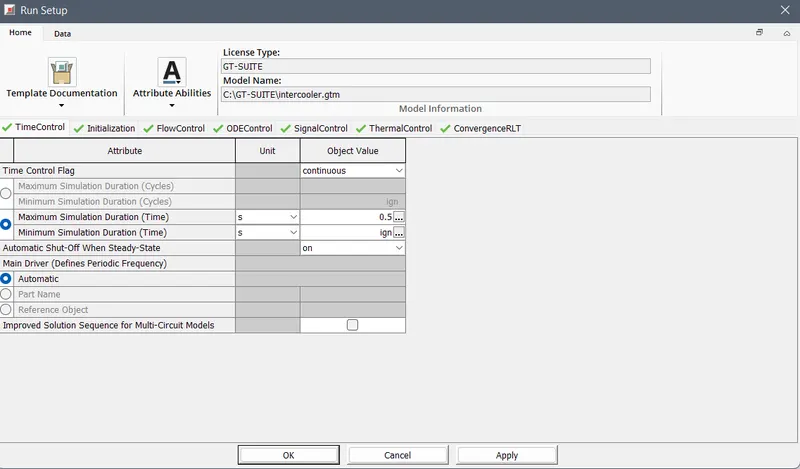
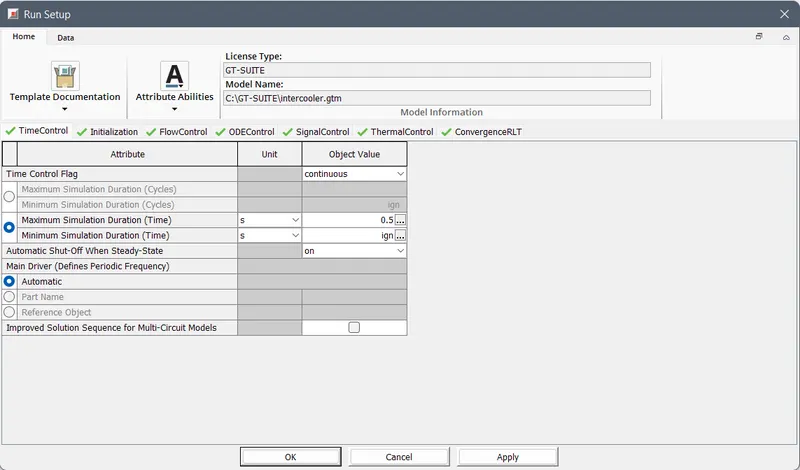
a. Time control flag:
Time control flag are of two type continous and periodic used according to case setup. For Engine application Time control flag is periodic and for other applications continous option. In max. simulation Duration we define time for which setup will run to get converged solution.
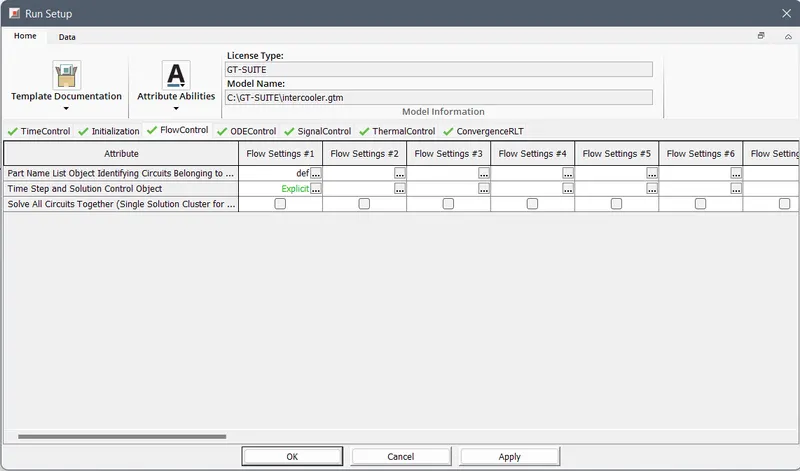
b. Time step and solution control:
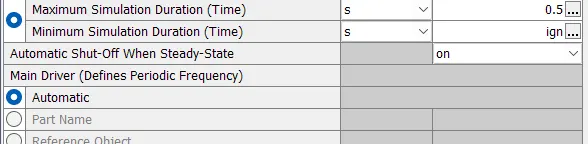
Time step define duration of simulation result to converge. we can control time step and solution with option automatic shut off when steady state with option when solution converge it will automatically stop run setup.
If there are no flow circuits in the model, this attribute may be set to “ign”
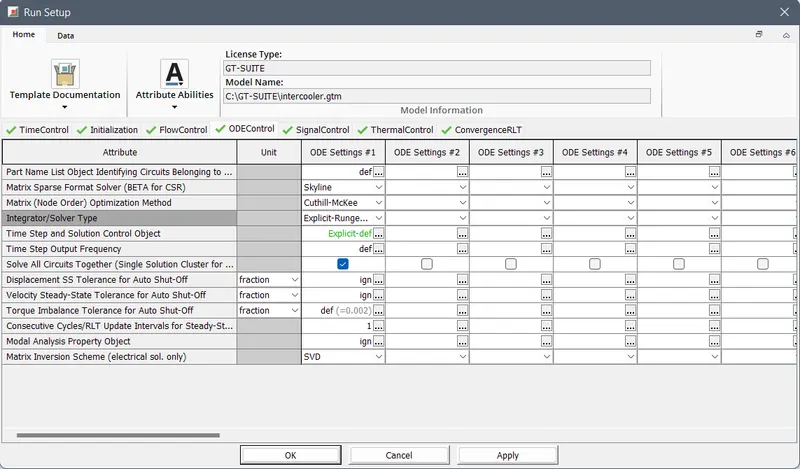
c. Integrator / Solver type:
Integrator/solver type used in the time-marching of all ODEs.
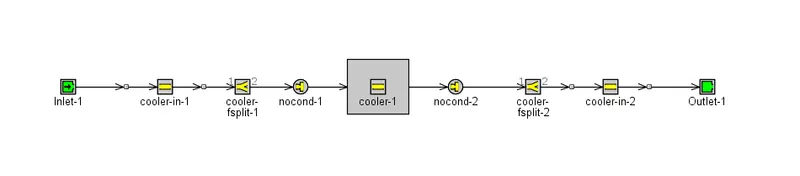
3. Intercooler tutorial:
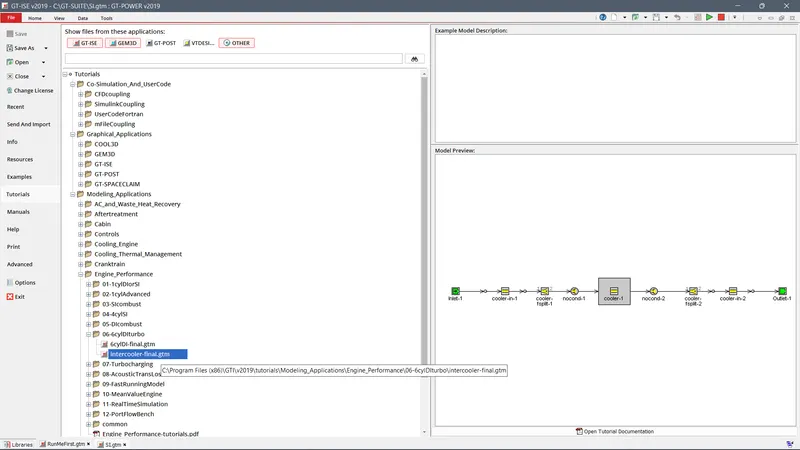
Open the intercooler setup:
File -> Tutorials -> Modelling Applications -> Engine Performance -> 06-6cylDIturbo and double click on the intercooler-final.gtm
Model:
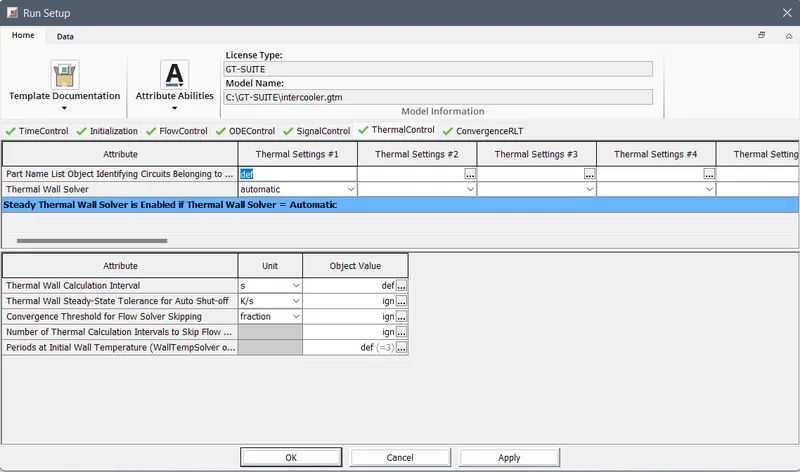
Run Setup:
Time control:
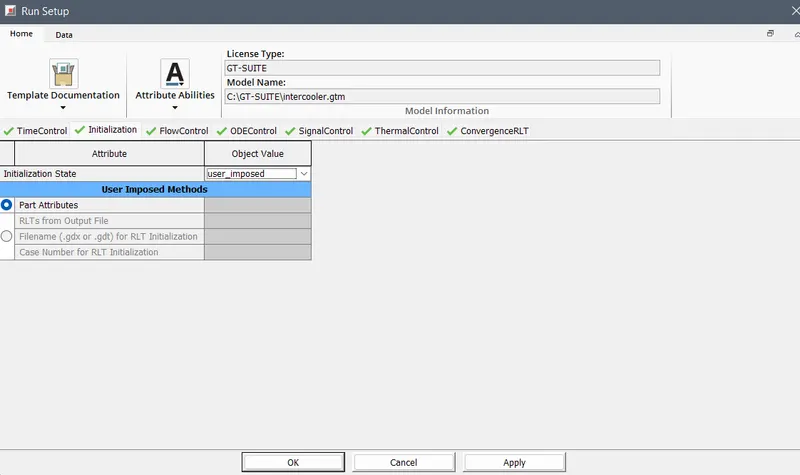
Initialization:
Flow control:
Thermal control:
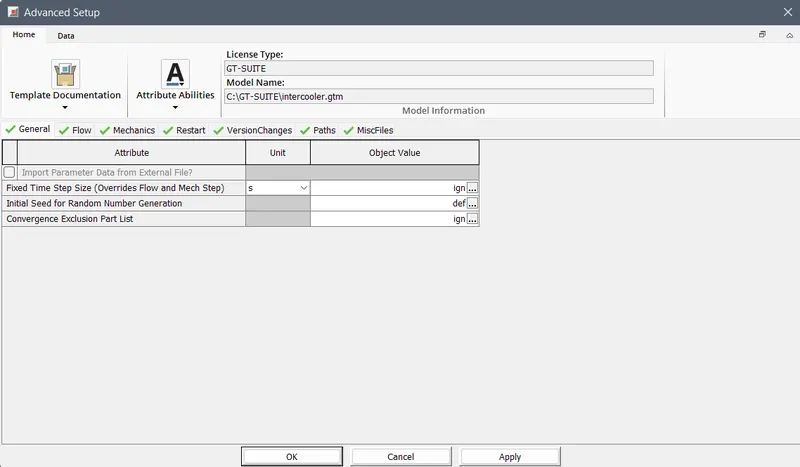
Advanced setup:
General:
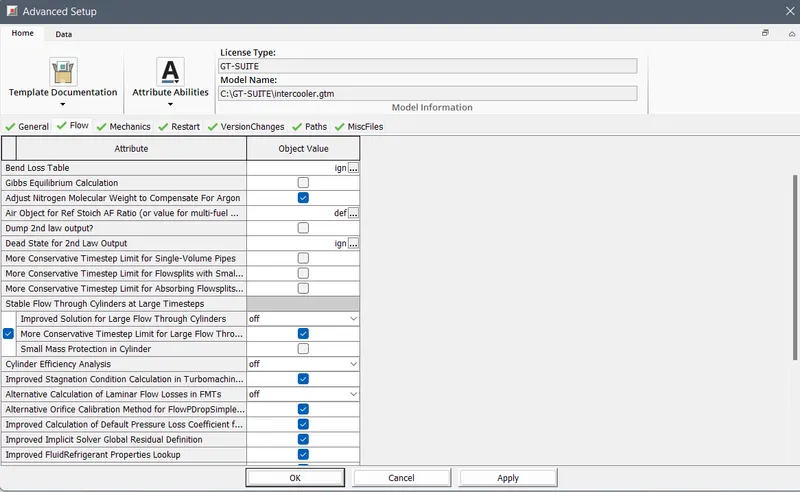
Flow:
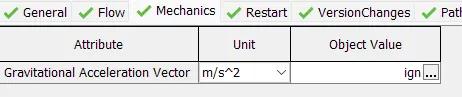
Mechanics:
Misc files:

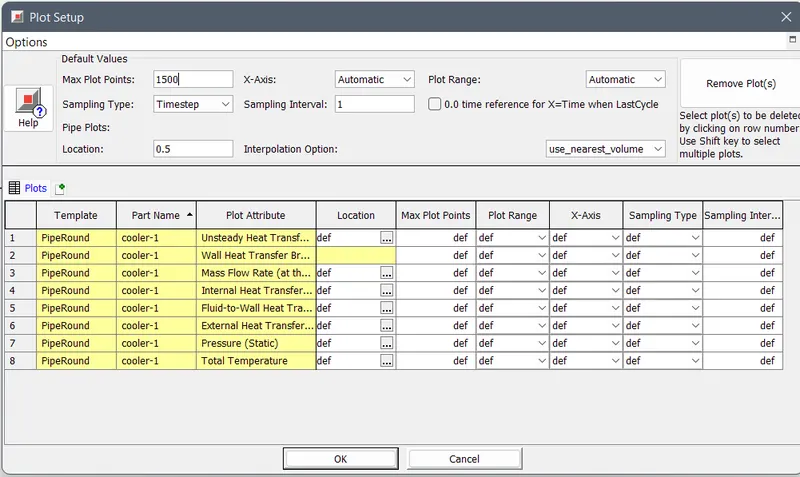
Plot Setup:
The selected plot selected in cooler will be available here.
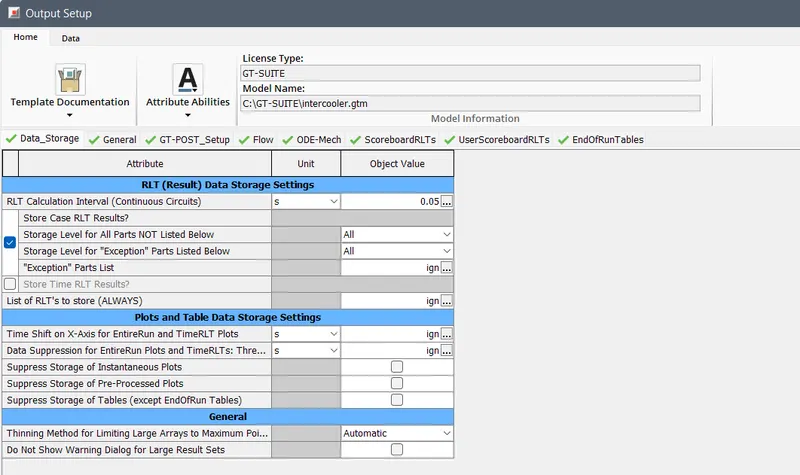
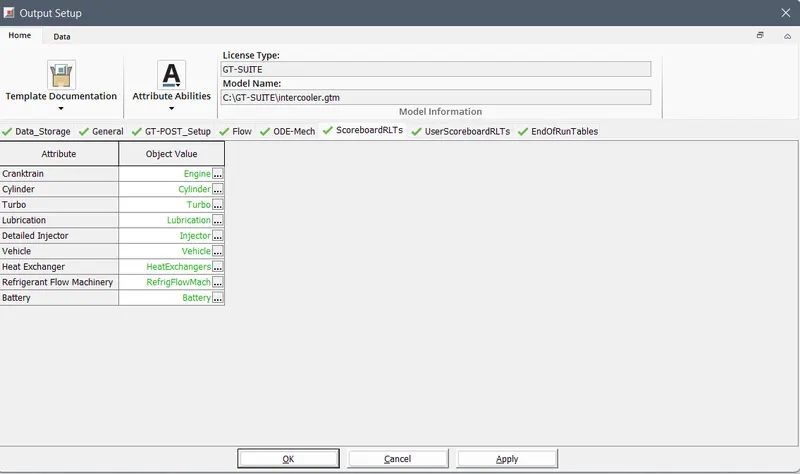
Output Setup:
Data storage:
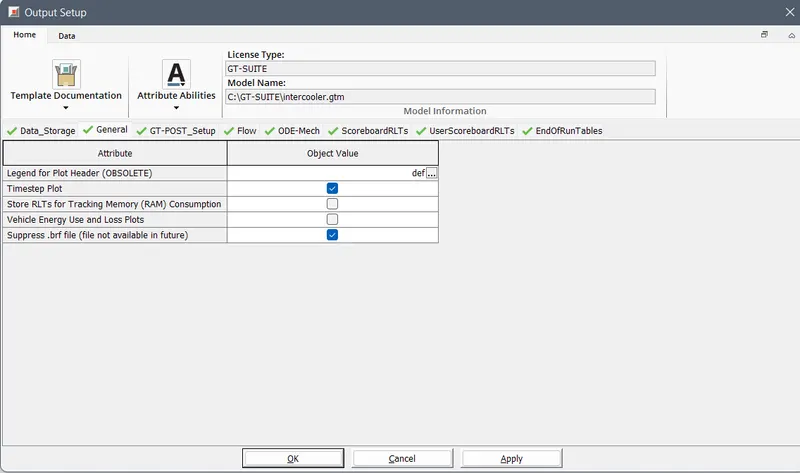
General:
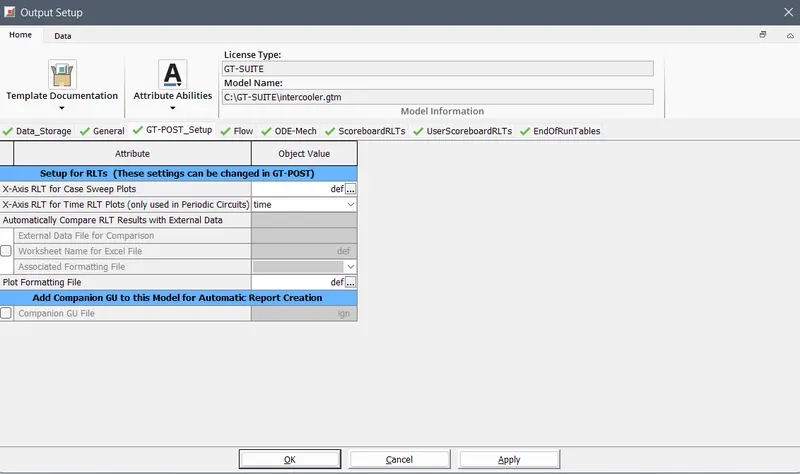
GT- Post setup:
Scoreboard:
4.
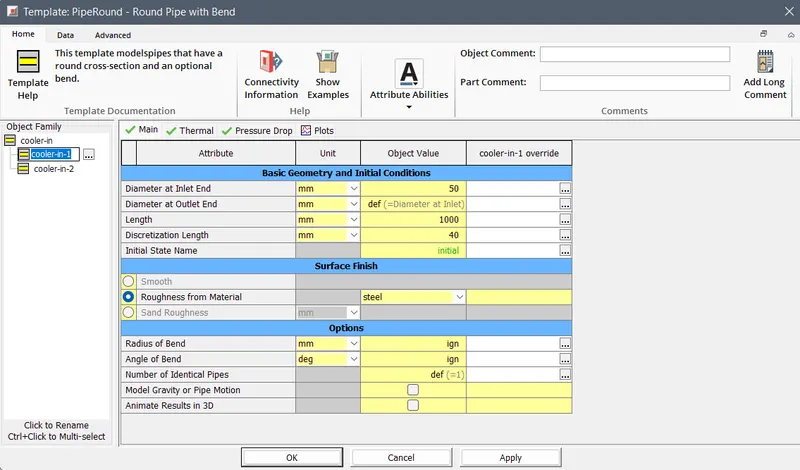
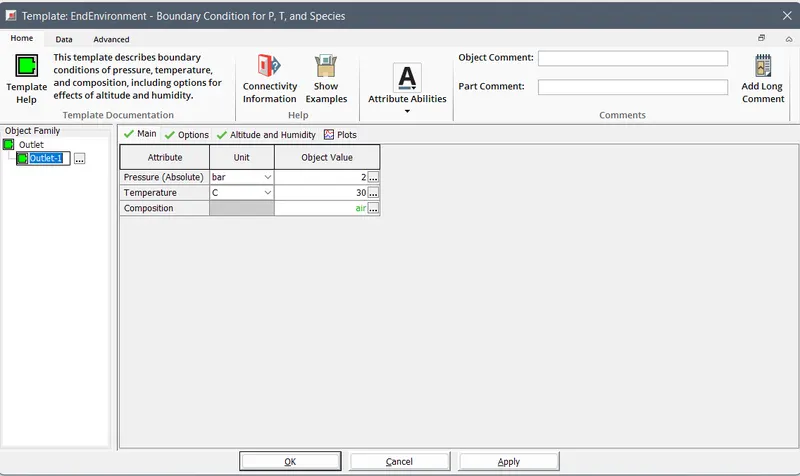
Apply the given condition across the components:
Inlet:
Outlet:
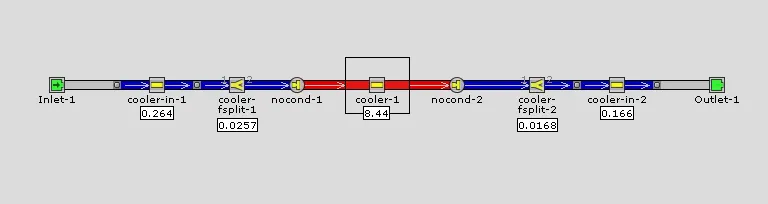
Pressure drop across each component:
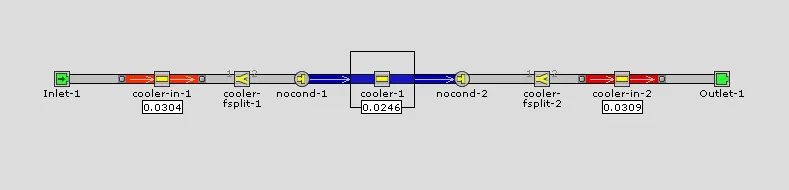
Average heat transfer at CAC
Net heat transfer rate:
Case RLT: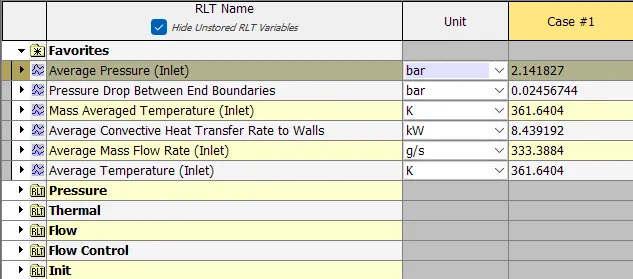
Conclusion:
GUI of the GT-Suite was explored and the different settings were studied. Intercooler is available in the GT-Suite library was simulated and the results were extracted.
Pressure drop and Average heat transfer are extracted.