Week 1 : Exploring the GUI of GT-POWER
PROJECT REPORT
AIM:
To explore GUI of GT SUITE and do the following tasks
- List down modules available with description
- Locate the given settings
- Explore intercooler tutorial and explore the given settings
- Perform an example with given data in intercooler tutorial
Application of GT SUITE
- On highway vehicle.
- Off-highway vehicle.
- Marine and rail.
- Industrial machinery.
- Power generation.
Multi physics platform
The foundation of GT–Suite is a versatile multi physics platform for constructing models of general system based on many underlying fundamental libraries.
- Flow library (any fluid, gas or liquid or mixture).
- Acoustics library (both linear and nonlinear).
- Thermal library (all types of heat transfer).
- Mechanical library (kinematics, multi – body dynamics, frequency domain).
- Electric and electromagnetic library (circuit, electromechanical devices).
- Chemistry library (chemical kinetics)
- Controls library (signal processing)
- Built in 3D CFD and 3D FE (thermal and structural)
- Locating the given setting
- Time control flag
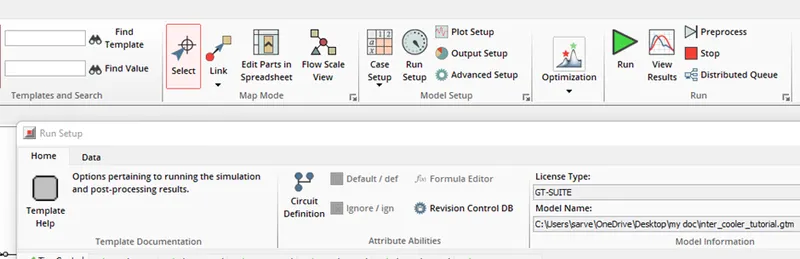
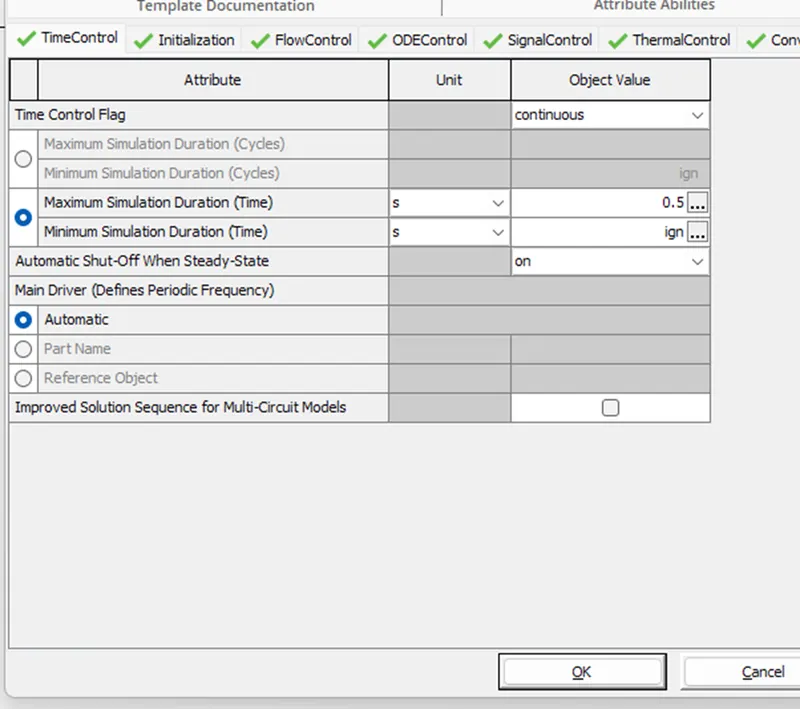
To locate this setting, we have to go in the option of ‘ RUN SETUP ’ on the home page There we can see the first tab of time control
In this tab we can set the no. of iterations we need to run the simulation, and other related settings
- Time setup and solution control
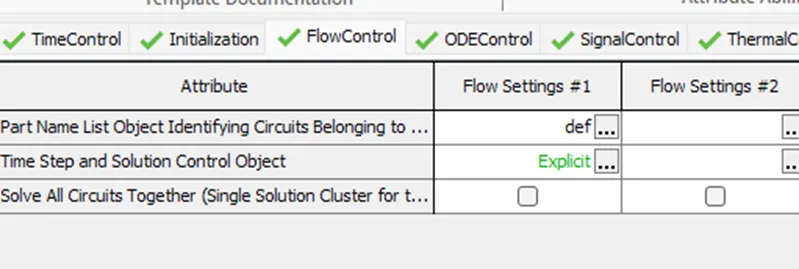
In the same window that is from Run setup à Change the tab to flow control we will find the option of time setup and solution control.
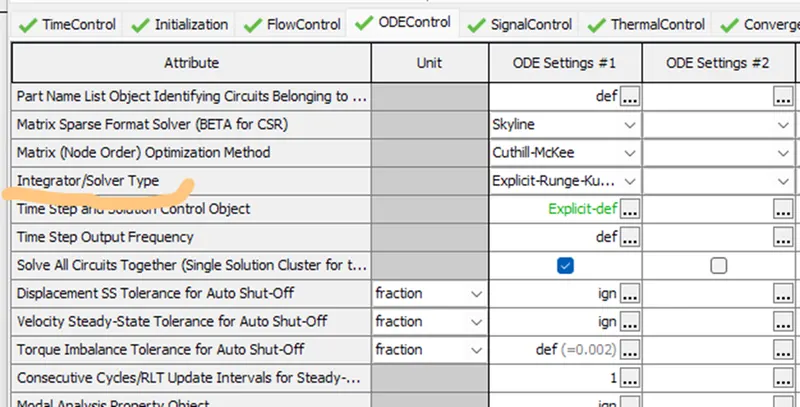
- Integrator / solver type:
In the same run control we need to change the tab to ODE control and we can find the option foe solver type as shown below
- Explore intercooler tutorial and note down the inputs
This is how an intercooler setup looks like
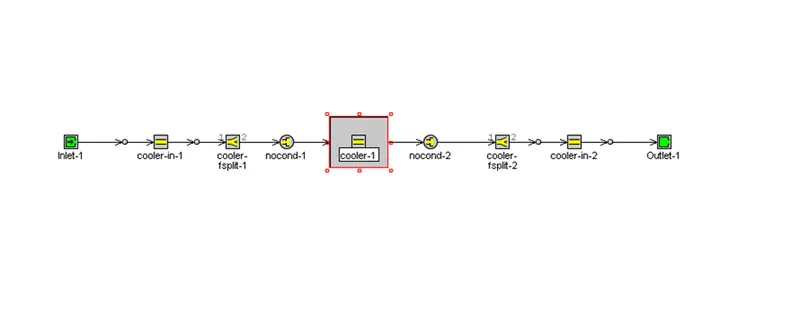
- Run setup input
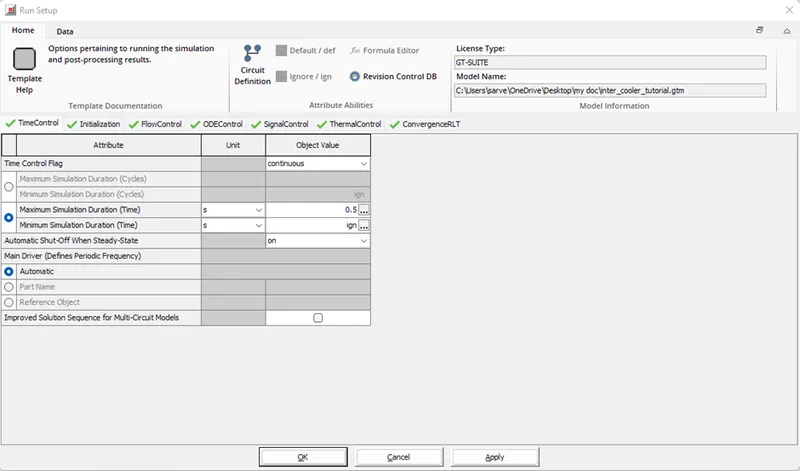
The different attributes had different setting as default, those are as follow:
Run setup:
- Time control :
- Maximum Simulation duration (time) - 0.5s
- Minimum simulation duration (time) - ign
- Automatic shut off when steady state - on
- Main Driver ( Defines periodic frequency) - Automatic
- Initialization:
- Initialization state - User imposed
- User Imposed methods - Part Attributes
- Flow Control:
- Part Name List Object Identifying Circuits Belonging to Column - Default
- Time Step and Solution Control Object- Explicit
- Solve All Circuits Together (Single Solution Cluster for the Column)
- ODE Control:
- Part Name List Object Identifying Circuits Belonging to Column - Default
- Matrix Sparse Format Solver (BETA for CSR) - Skyline
- Matrix (Node Order) Optimization Method - Cuthill-Mckee
- Integrator/Solver Type - Explicit Runge Kutta
- Time Step and Solution Control Object - Explicit Default
- Time Step Output Frequency -= Default
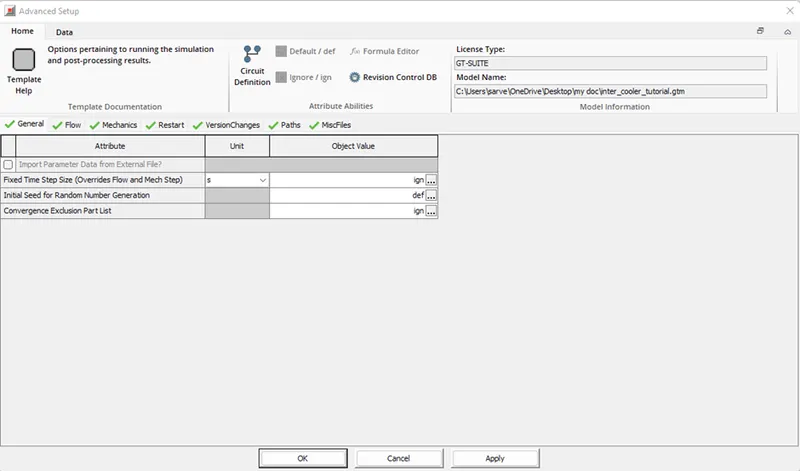
- Advance Setup:
This is how the first attribute of advance setup looks like
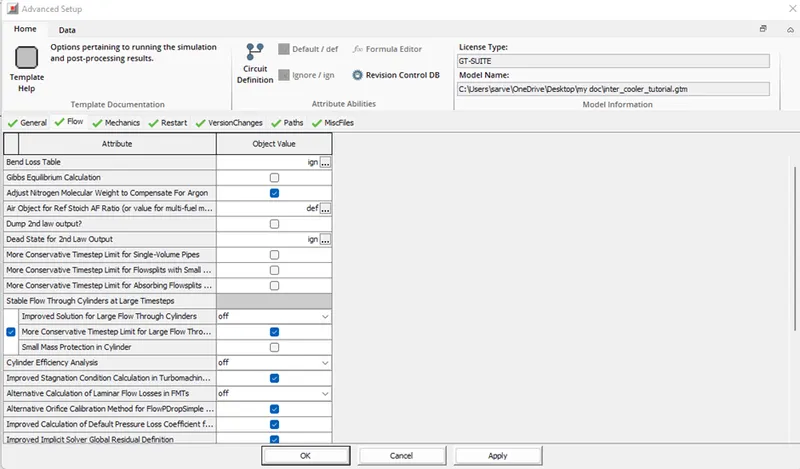
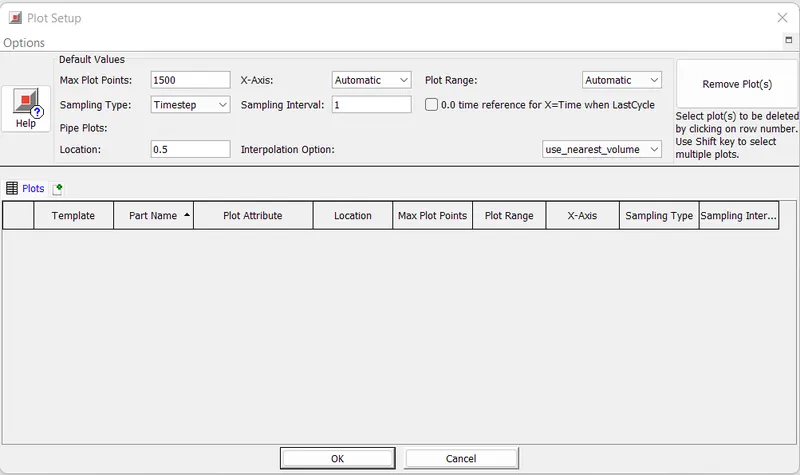
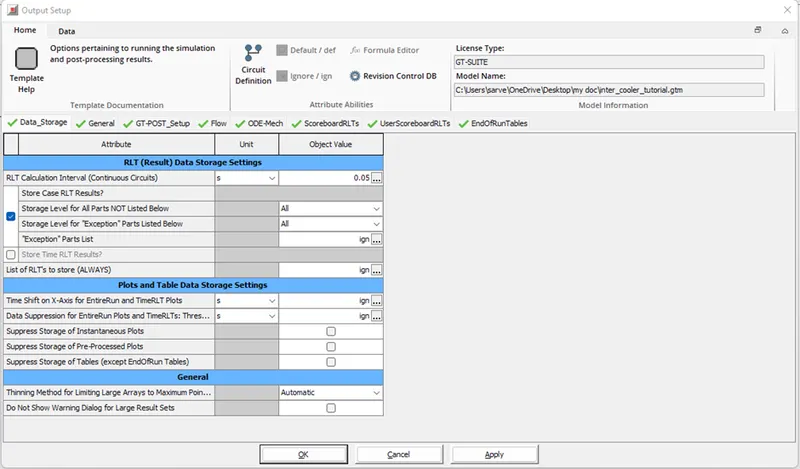
Following are the different Settings in the different attribute of advance setting
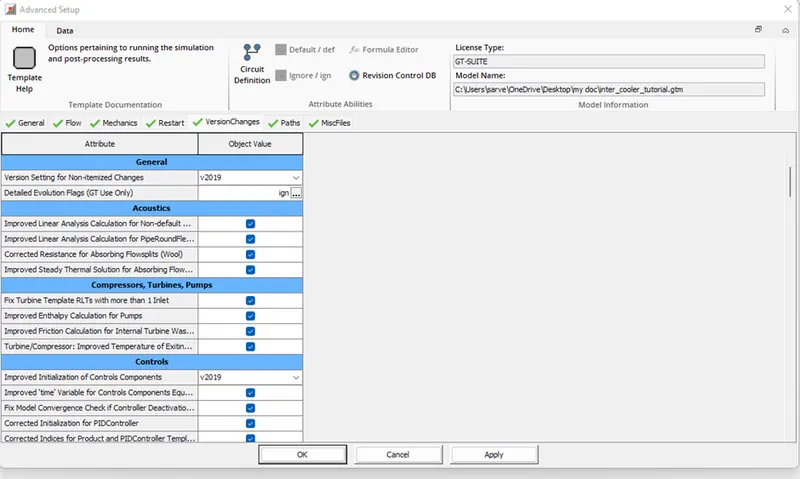
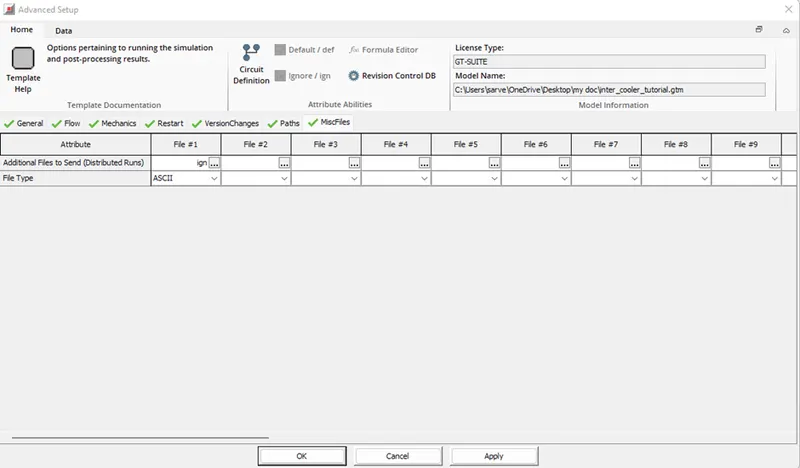
- Plot setup
- Output setup:
- Problem solving:
Given Data:
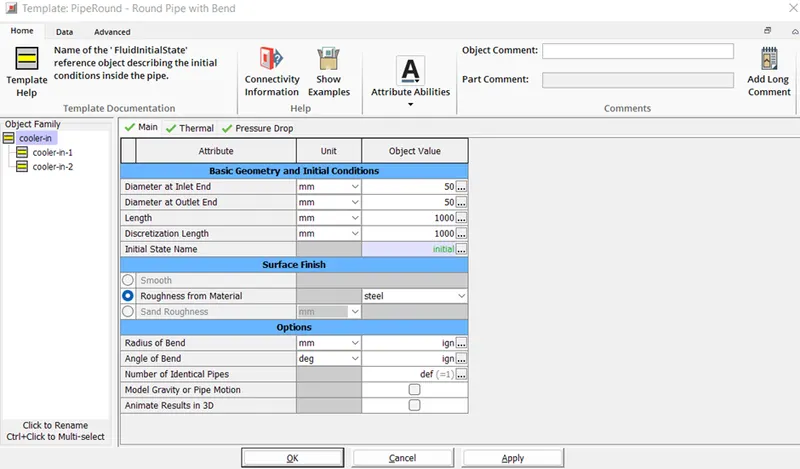
- Diameter of cooler inlet and outlet pipe= 50 mm
- Length of the CAC= 1000 mm
- Inlet mass flow rate = 1200 kg/ h at 100 degC
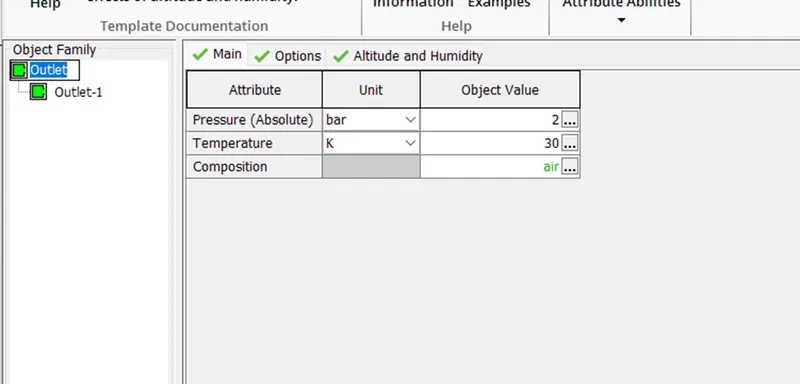
- Outlet pressure 2 bar at 30 deg C
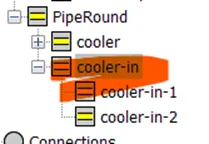
To Change the diameter and length of pipe we have to go at cooler-in in the Flow drop down and change the dimensions
Mass flow rate
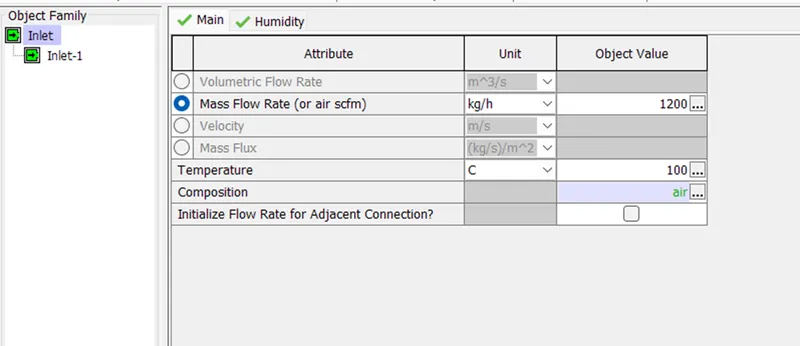
NOTE: LOOK FOR THE UNITS
OUTLET TEMPRATURE
RUN:
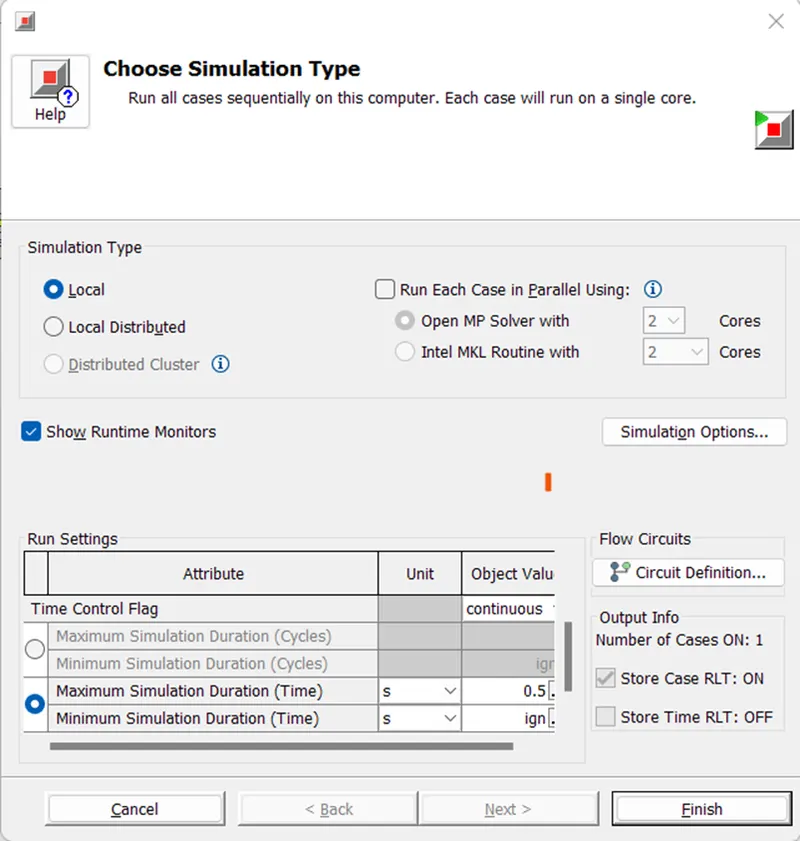
Run the simulation after giving all the values properly and open GT-Post
OUTPUT:
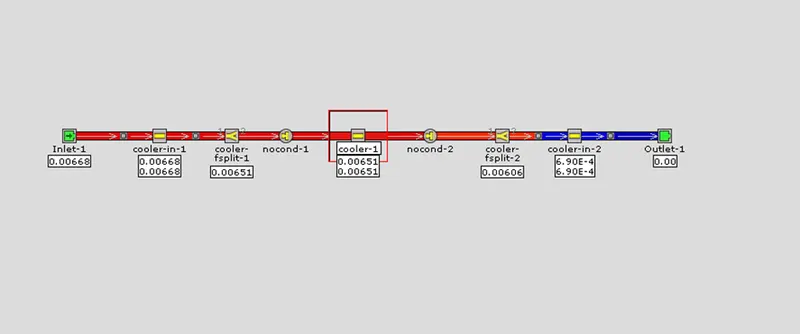
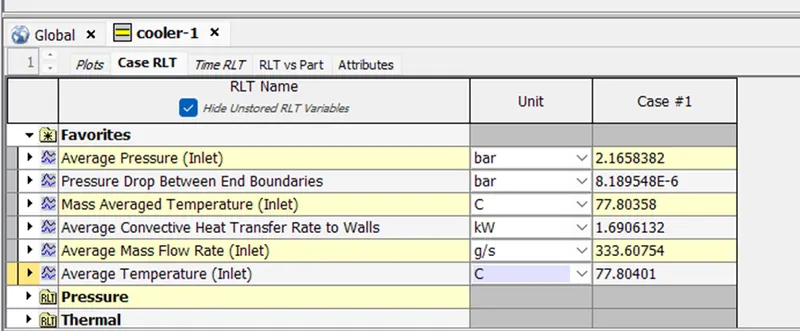
Conclusion:
This is project, the GUI of the GT-Suite was explored and the different setting were student. In the end, the tutorial case for the intercooler available in the GT-Suite library was simulation and results were extracted.