Week 1 Challenge
Q1).
1. Write the steps involved to upload a .std file through web mail?
2. Name the different materials that can be designed using STAAD Pro.
3. Is it possible to capture images in STAAD Pro? If yes how?
4. Name the three ways by which you can create a model.
5. Write the steps followed to assign properties in a model.
Answers:
1. Write the steps involved to upload a .std file through web mail?
Goto your mail
Compose your mail
To upload your file click attach
Browse your file
2. Name the different materials that can be designed using STAAD Pro.
The Materials that can be designed using STAAD Pro are
- Aluminum
- Concrete
- Steel
- Stainless Steel
3. Is it possible to capture images in STAAD Pro? If yes how?
Yes we can take image in Staad pro by using the command Utilities
4. Name the three ways by which you can create a model.
There are Three ways by which can we create a model
- Analitical model
- Physical model
- Building model
5. Write the steps followed to assign properties in a model.
- Open property in Geomentry
- Go to Define material
- Select the Rectangle
- Give the Dimensions
- Material type is Concrete
- Assign the property to the matrial
Q2).
1. Name any six design parameter involved in RCC design.
2. What are the different cursor types available in STAAD Pro?
3. How will you generate different views for a model? State the steps involved.
4. Explain the procedure to define a “Simply Supported” condition in STAAD Pro
5. Name any five topics that you will include while creating DBR.
6. Describe the term “Multi material design” of STAAD Pro.
Answers:
1. Name any six design parameter involved in RCC design.
The six Deign parameter involved in RCC design are
1. Clear cover
2. FC compressie strength of concrete
3. FY Tensile Strength of steel
4. Max main Dia of bar
5. Code of practice
6. End conrete design
2. What are the different cursor types available in STAAD Pro?
The cursor availlable are
1.Node cursor
2.Bema cursor
3.Plate cursor
4.Surface cursor
5.Solid Cursor
6.Plate and Solid cursor
7.Geomatric cursor
8.Physical membrane
3. How will you generate different views for a model? State the steps involved.
Go to view option in the ribbon there we can get option like
- Top view
- Isometric view
- Front view
- Left view
- Right View
- Botttom view
- Back view
4. Explain the procedure to define a “Simply Supported” condition in STAAD Pro
- Go to the support command in the tool palet command
- Click on create support command
- There we can get option like fixed support , pin support , Fixed but
- Enforced but support
- Cable support
- Inclined support
5. Name any five topics that you will include while creating DBR.
DBR Design basis report
- To take up a project from the scrach to the end this is need
- To specify the data and compile data recived and analysis and design of structural element
- It contains the assumption and specification to develop the project
- It will help to avoid the scope and the creep that can derail the projec schedule and lead to budget overness
- Contains the general Column drawing
- Contains the projec planning
6. Describe the term “Multi material design” of STAAD Pro.
It is used for 3D model generation, analysis and multi -material design .
The STAAD .Pro supports several steel , concrete and timber material in a seprate member and this seprate member will cordinate and the formed in to a structure
Q3).
1. Name the structure systems in STAAD Pro? Explain each system?
2. Explain the coordinate system adopted in STAAD Pro software.
3. Elaborate DBR and its uses.
4. Explain the different types of analysis options in STAAD pro.
5. Explain the difference between Fixed and Fixed But condition.
Answers:
1. Name the structure systems in STAAD Pro? Explain each system?
They are four structural system in Staad pro:
- space
- plane
- frame
- truss
2. Explain the coordinate system adopted in STAAD Pro software.
They are two coordinate syytem in Staad pro
1.Global Axis : Gloabal Axis is fixed in the coordiate system
2.Local axis : local axis is variable
This is used for the orientation of the beam with the load varible
3. Elaborate DBR and its uses.
- DBR Design basis report
- To take up a project from the scrach to the end this is need
- To specify the data and compile data recived and analysis and design of structural element
- It contains the assumption and specification to develop the project
- It will help to avoid the scope and the creep that can derail the projec schedule and lead to budget overness
- Contains the general Column drawing
4. Explain the different types of analysis options in STAAD pro.
- PERFORM ANALYSIS
- P DELTA ANALYSIS
- PUSH OVER ANALYSIS
- NON LINEAR ANALYSIS
- BUCKLING ANALYSIS
5. Explain the difference between Fixed and Fixed But condition.
- In fixed condition the node or the end condition are fixed are restrained with the FX , FY, FZ and the moment are also restrained
- In Fixed But condition the node are Fx and MZ are released as it is horizontal rolled suppor
Practical
Q1). Create a STAAD Model with the following Specification
a. A beam of span 16m
b. Support : Fixed on one end and Roller support(Horizontal) on the other end
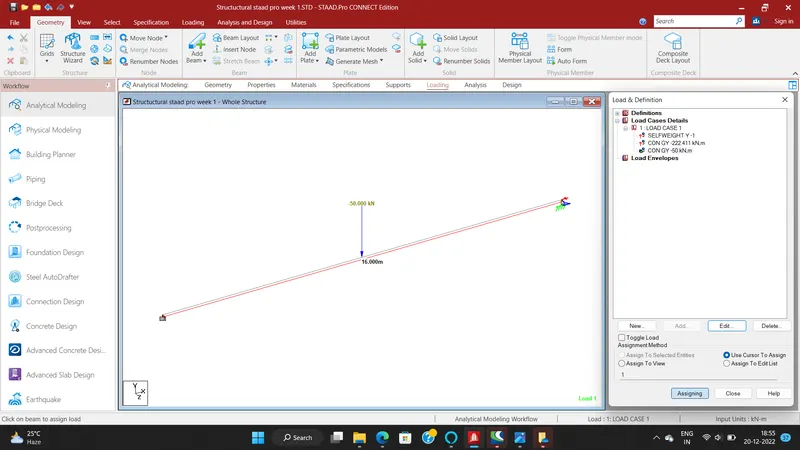
c. A point load of 50 kN at the mid-point
d. Draw SFD and BMD using software
AIM:
Create a STAAD Model with the following Specification
a. A beam of span 16m
b. Support : Fixed on one end and Roller support(Horizontal) on the other end
c. A point load of 50 kN at the mid-point
d. Draw SFD and BMD using software
INTRODUCTION:
- Staad abbrivation is Structural Analysis and Design.
- Staad pro is one of the popular software for analysing and designing structures like buildings towers,bridges etc.
- Staad pro is software which is widely popular with civil engineers.
- It is compactable with steel concrete and timber design codes.
- Staad pro developed in 1997 in california and later bentley systems.
- It is used for 3D model generation, analysis and multi -material design .
- The STAAD .Pro supports several steel , concrete and timber material in a seprate member and this seprate member will cordinate and the formed in to a structure
- There are Three ways by which can we create a model
- Analitical model
- Physical model
- Building model
- The Materials that can be designed using STAAD Pro are
- Aluminum
- Concrete
- Steel
- Stainless Steel
PROCEDURE:
a. A beam of span 16m
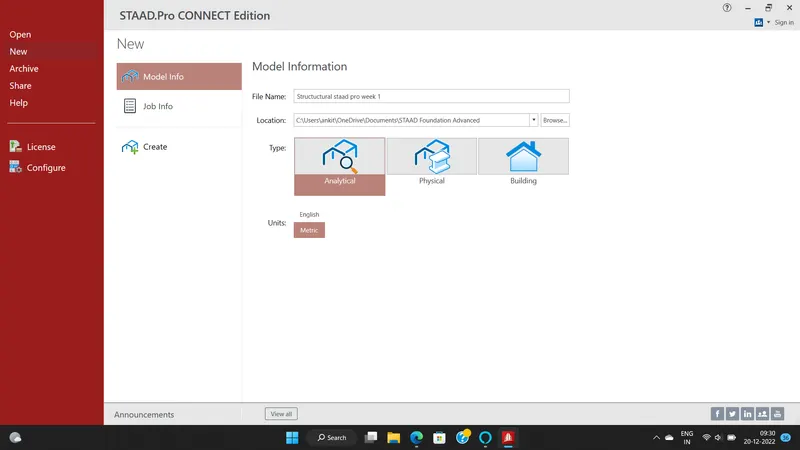
- To open the staad pro software.
- To create new file.
- To take analytical type and metric units.
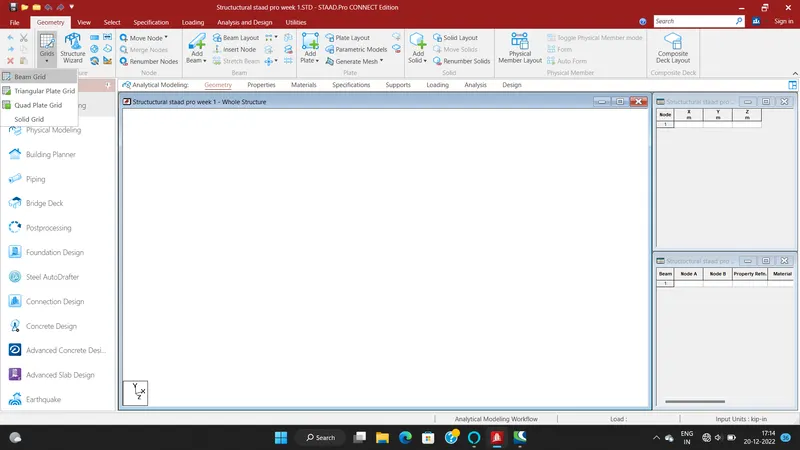
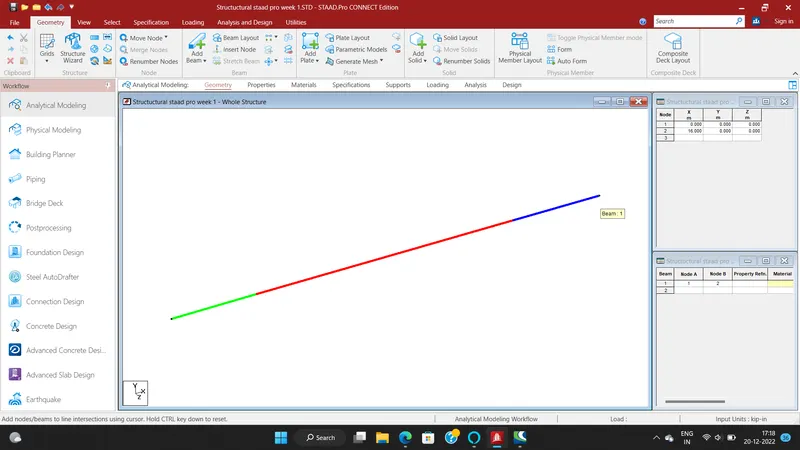
- Go to beam tab and enter to take 16m beam.
- To apply material is concrete.
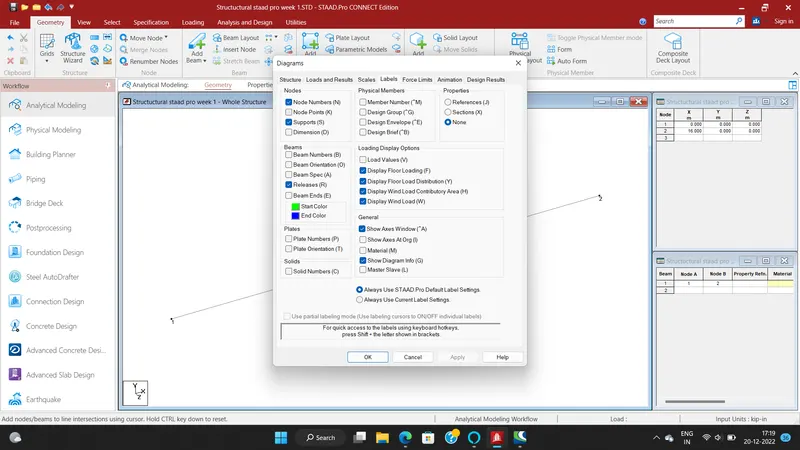
- To show the below images to unterstand clearly.
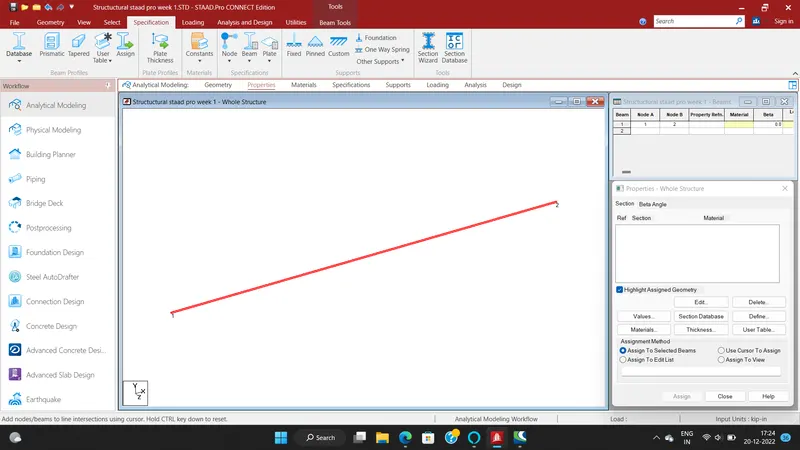
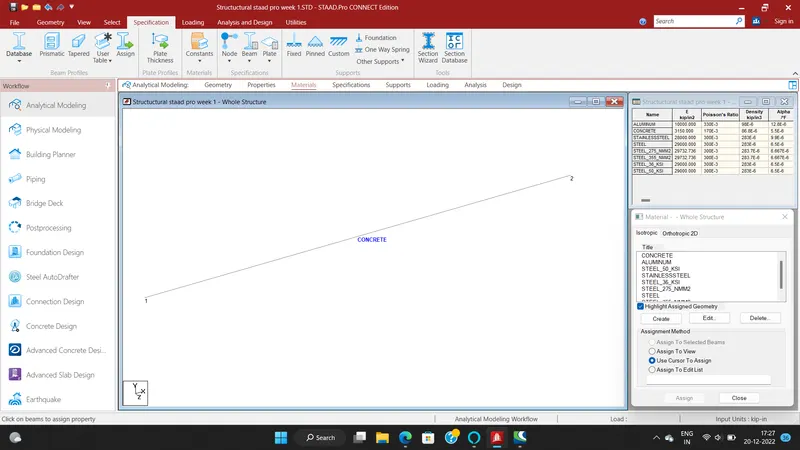
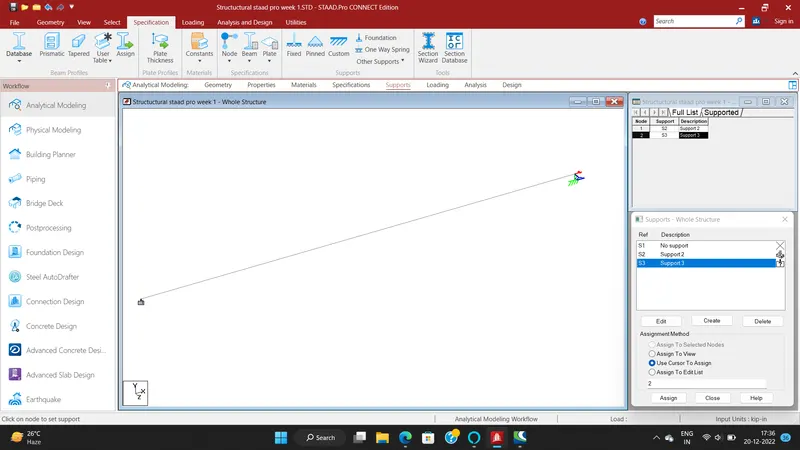
b. Support : Fixed on one end and Roller support(Horizontal) on the other end
- Go to supports and to take fixed and roller supports.
- Create supports option and take supports.
- To assign to the supports to beam.
- To show the below images to unterstand clearly.
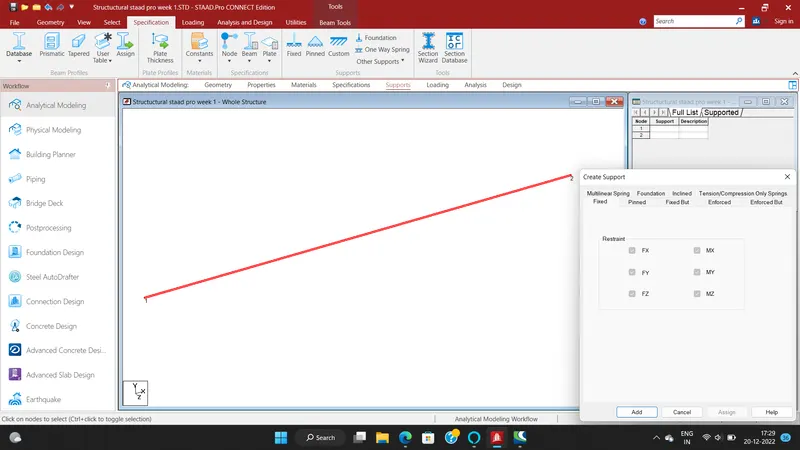
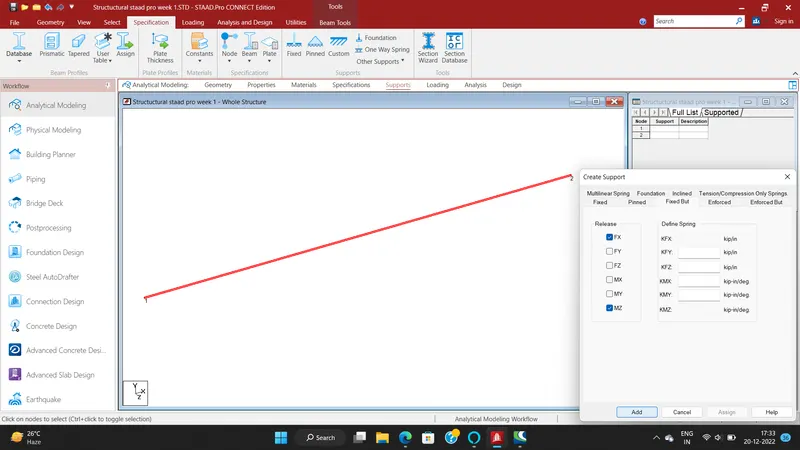
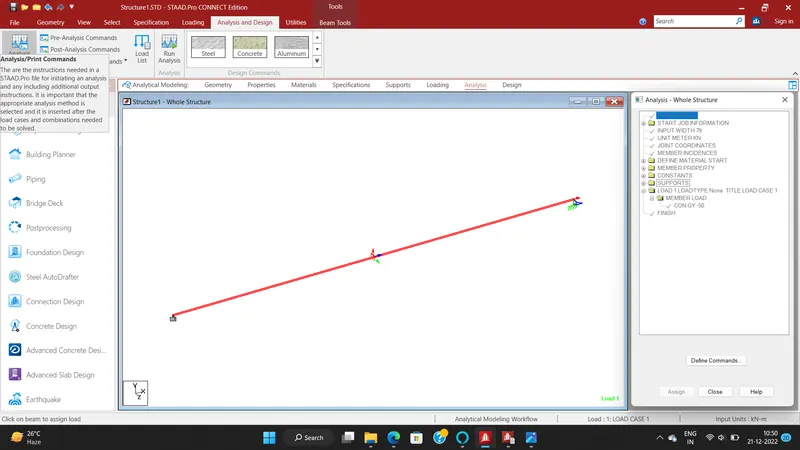
c. A point load of 50 kN at the mid-point
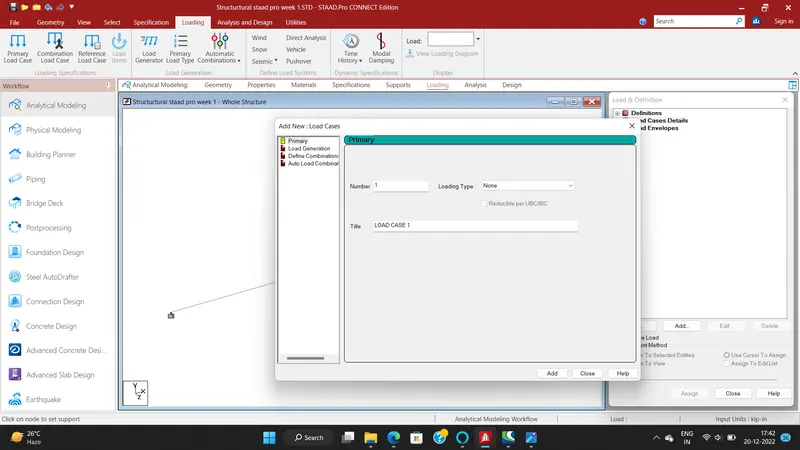
- To apply loads
- To go to loading option
- Enter load case details
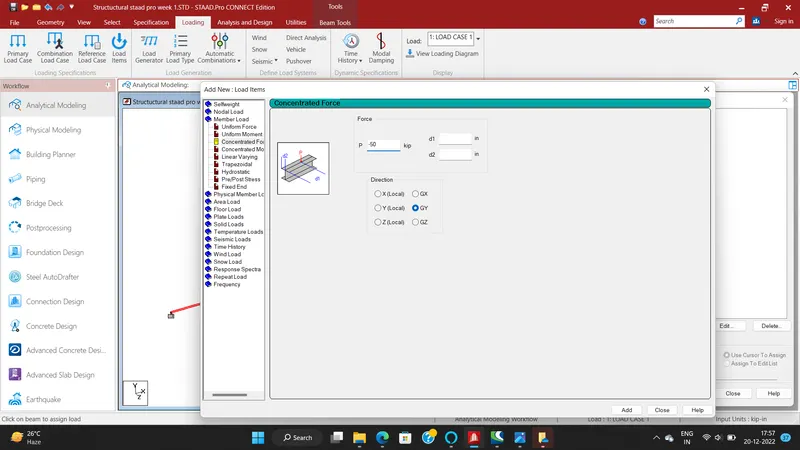
- Enter edit option and create loads.
- Go to member load and to take concentrated load enter.
- To take -50 kn because the load act downwords.
- To click add option.
- To assign the loads in to beam.
- To show the below images to unterstand clearly.
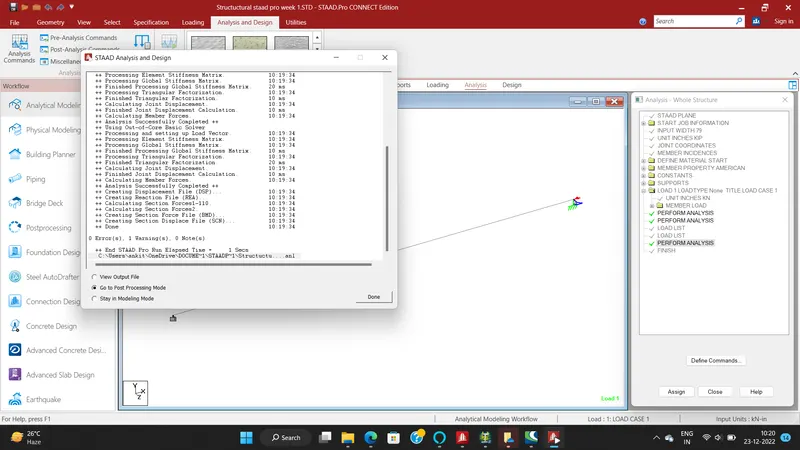
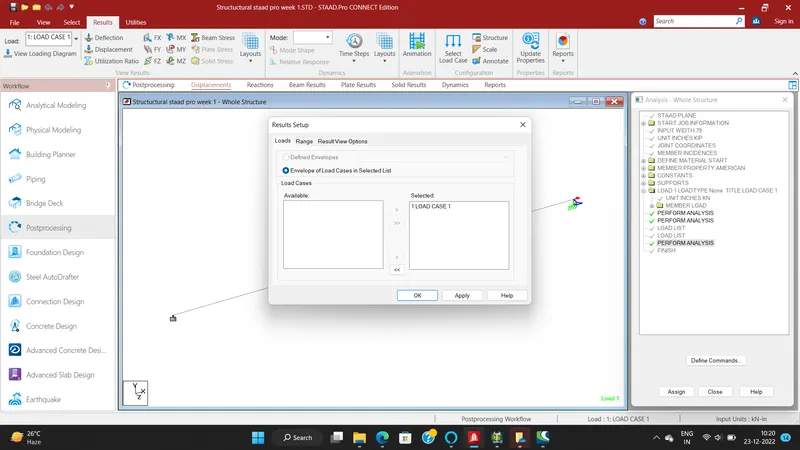
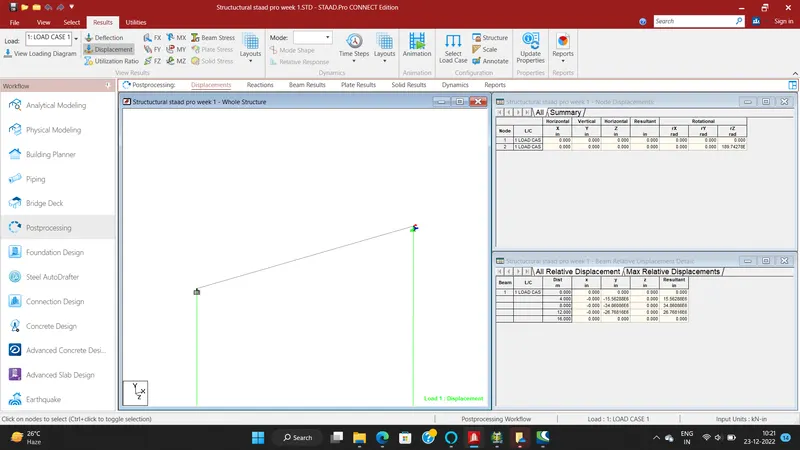
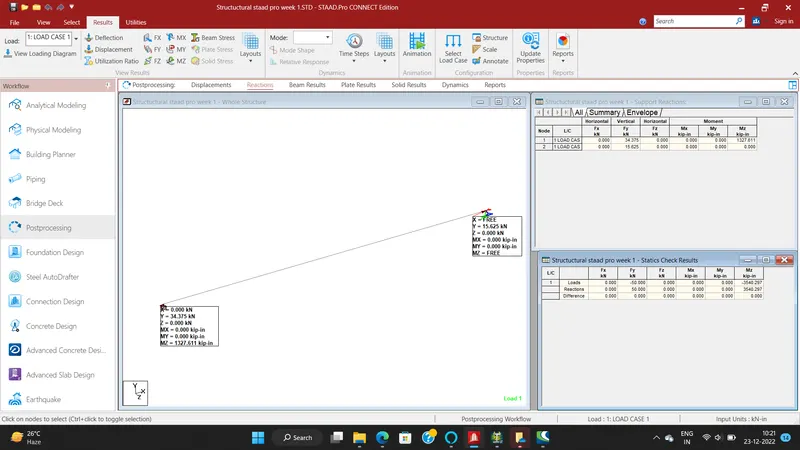
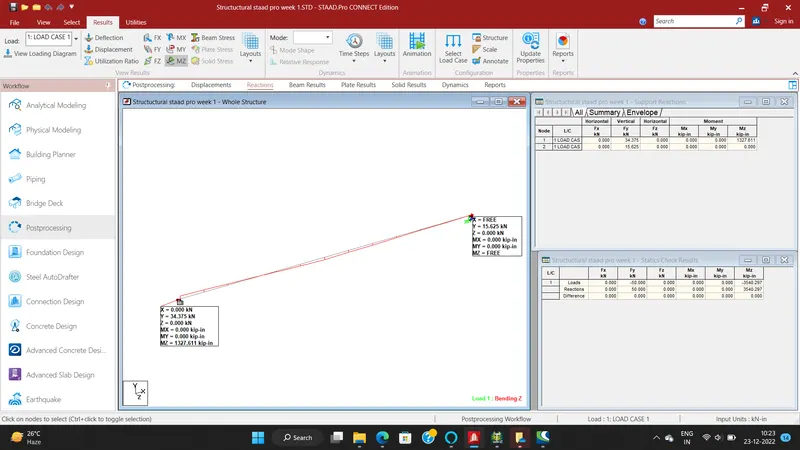
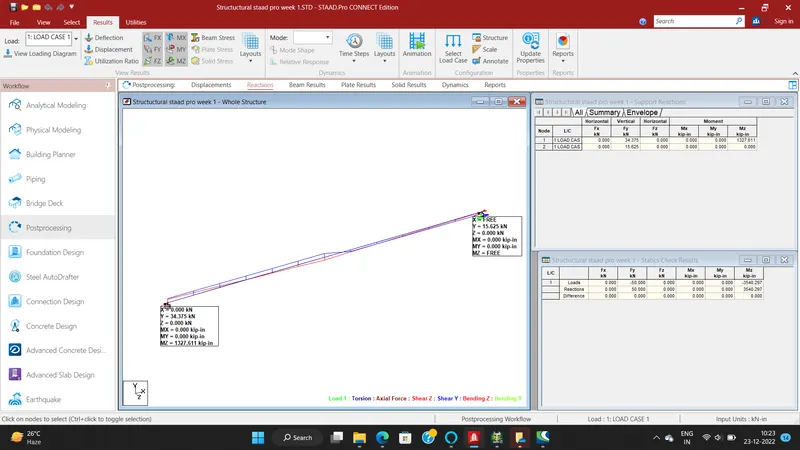
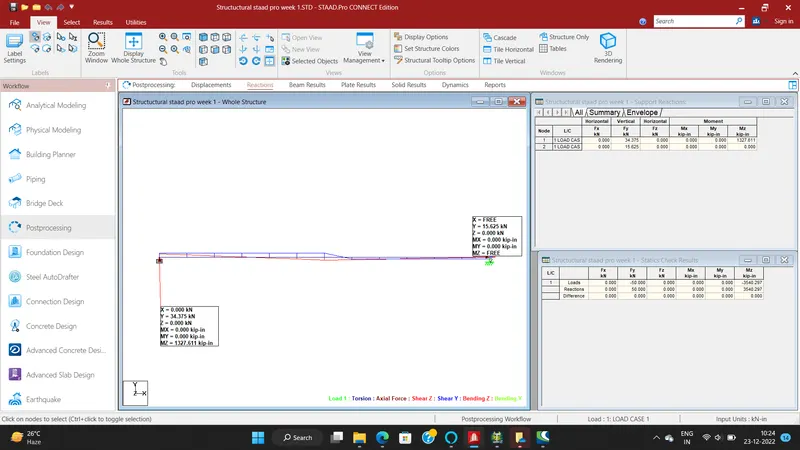
d. Draw SFD and BMD using software
- To go to analysis command option.
- To take perform analysis and click add.
- To click run analysis.
- To show the below images to unterstand clearly.
RESULT:
To Apply supports,Loads and Analysis SFD and BMD diagrams are completed by using the staad pro software.