Menu

IIT Certification Programs

Workshops

Projects

Blogs

Careers

Student Reviews


More

Academic Training

Informative Articles

Find Jobs

We are Hiring!


All Courses

Choose a category

Loading...

All Courses

All Courses

logo

Vasavi_External Exam_Tekla

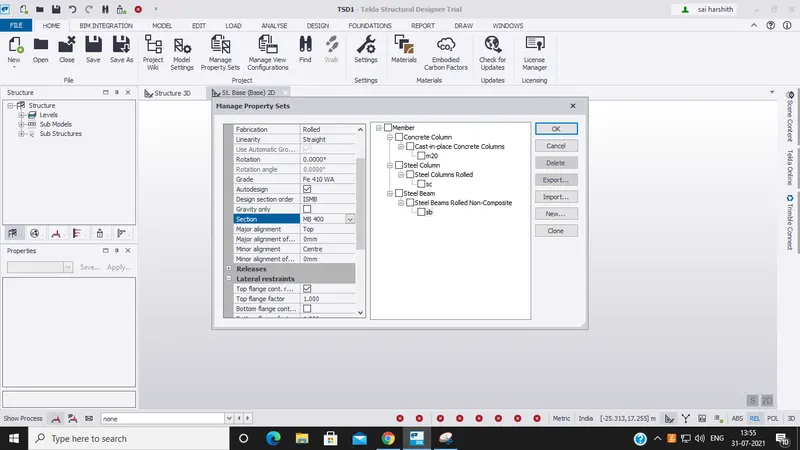
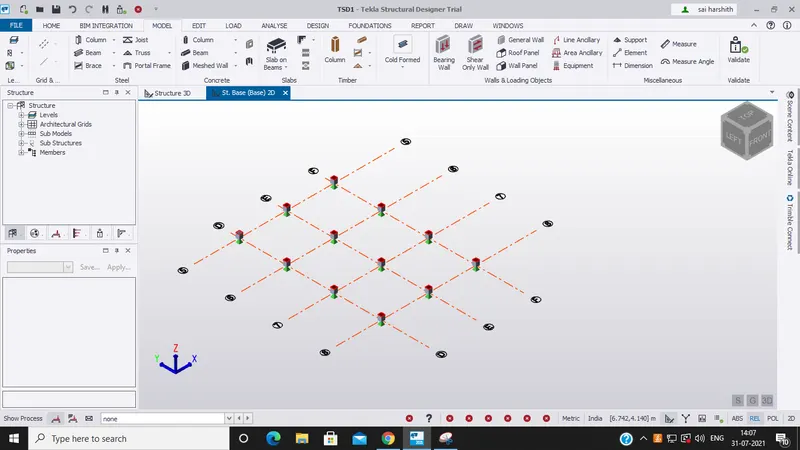
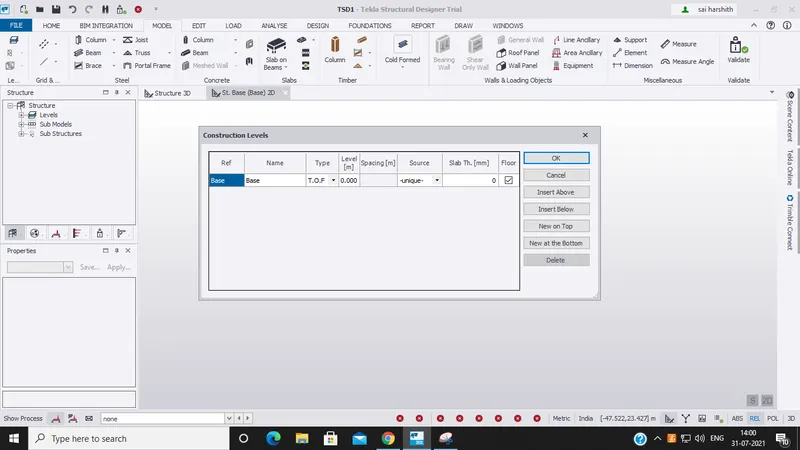
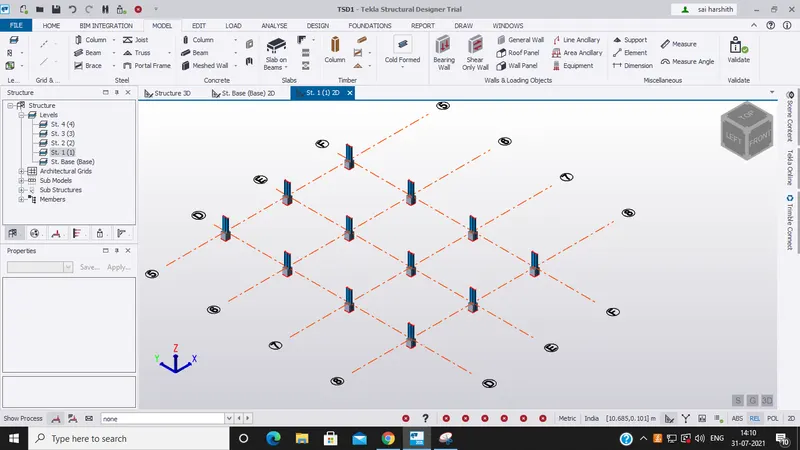
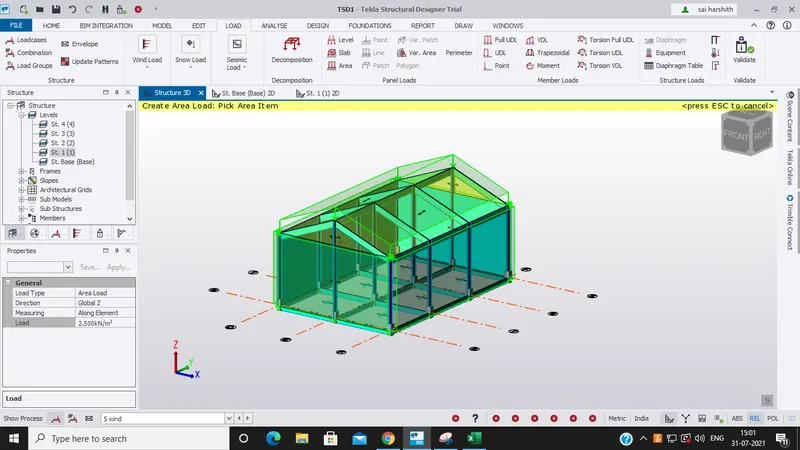
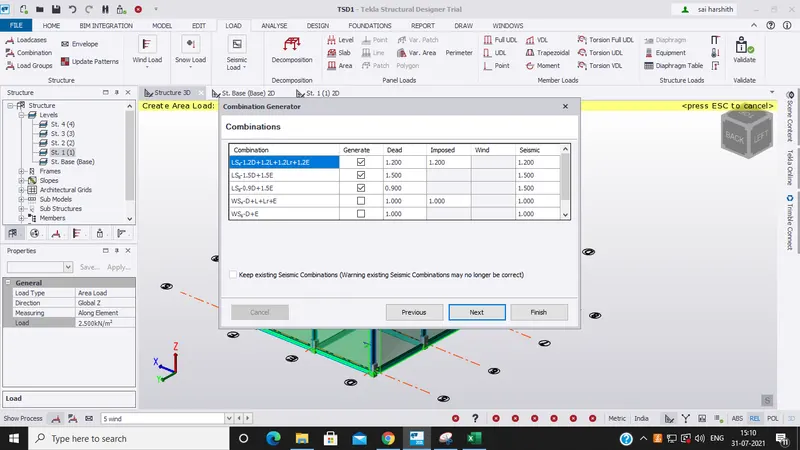
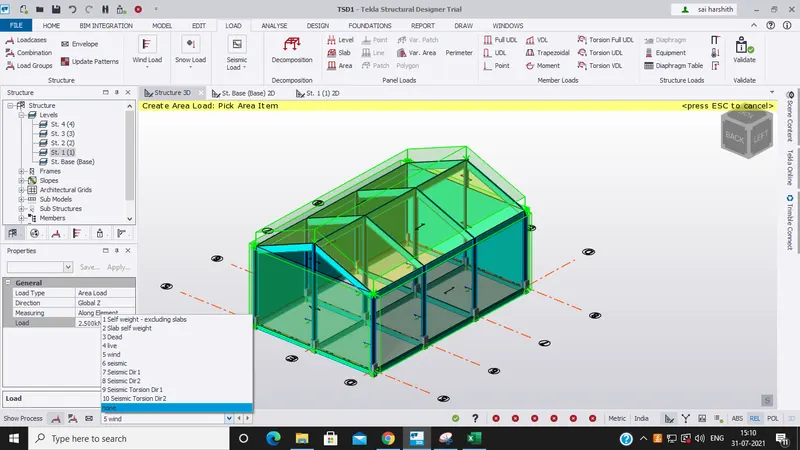
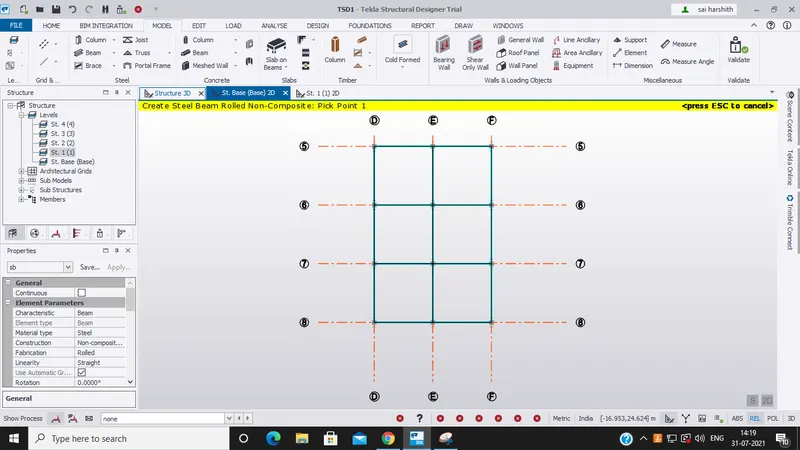
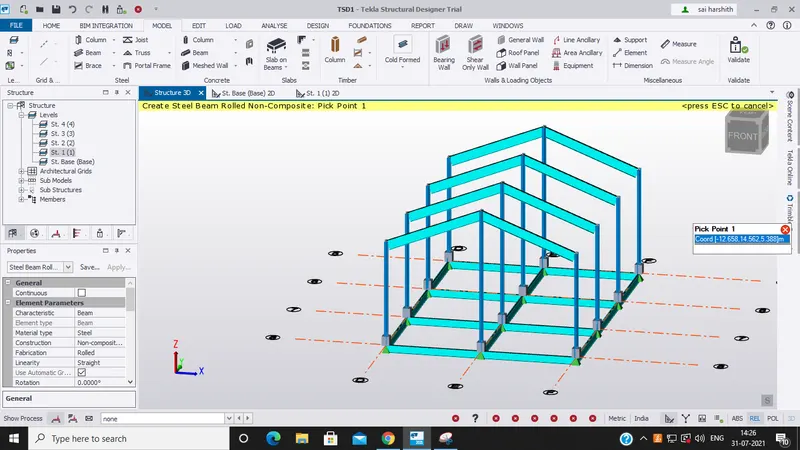
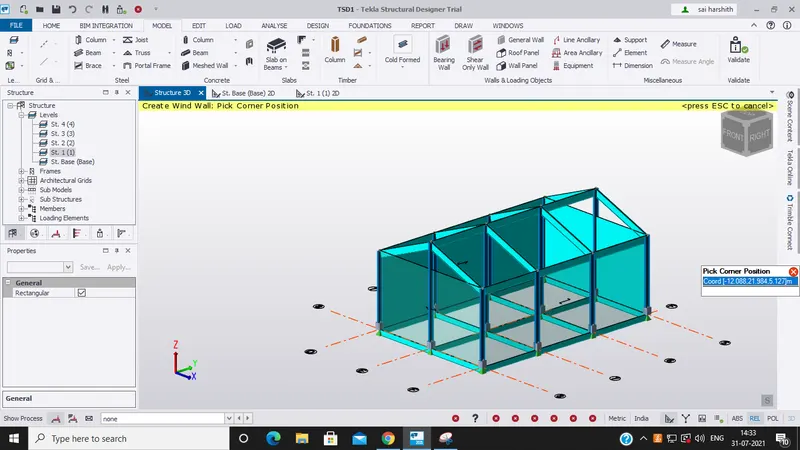
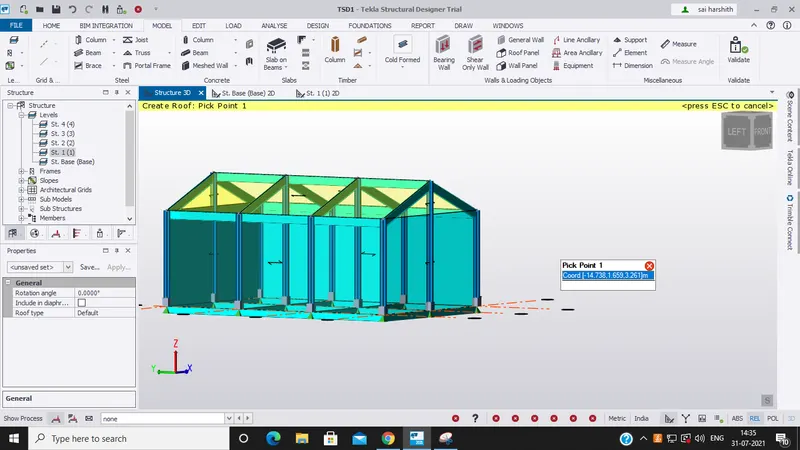
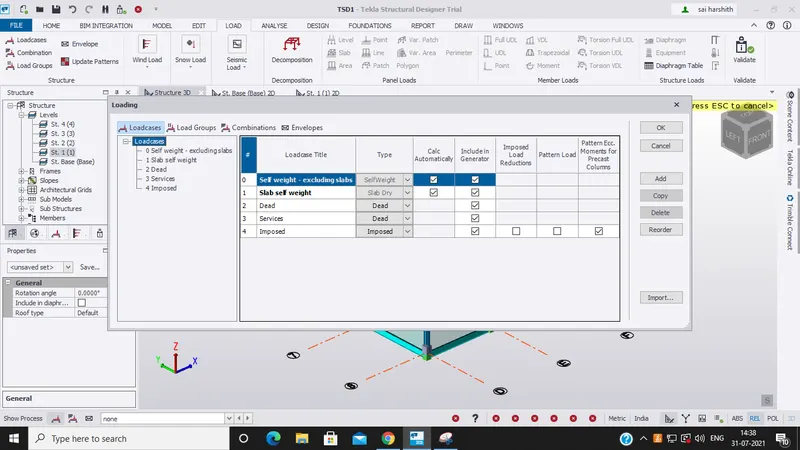
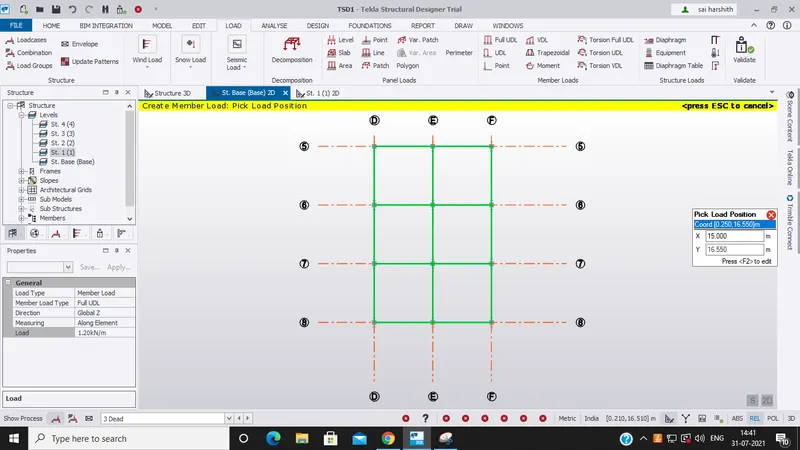
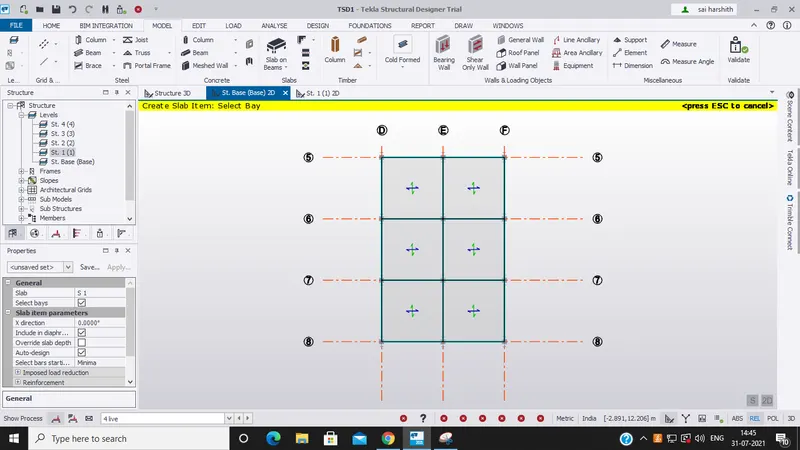
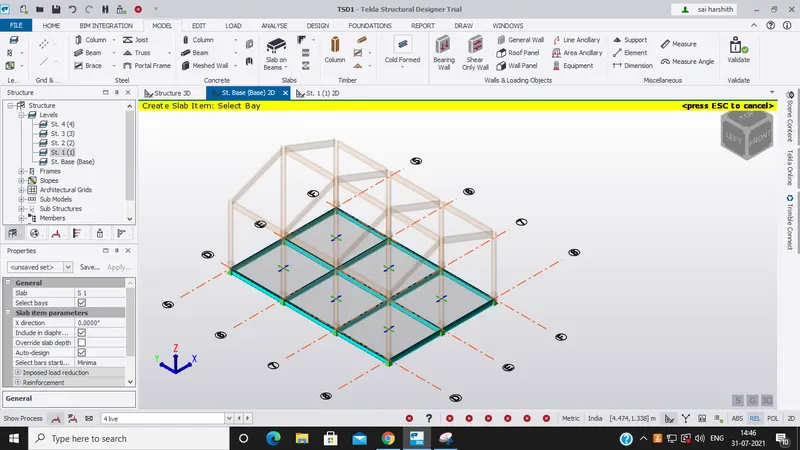
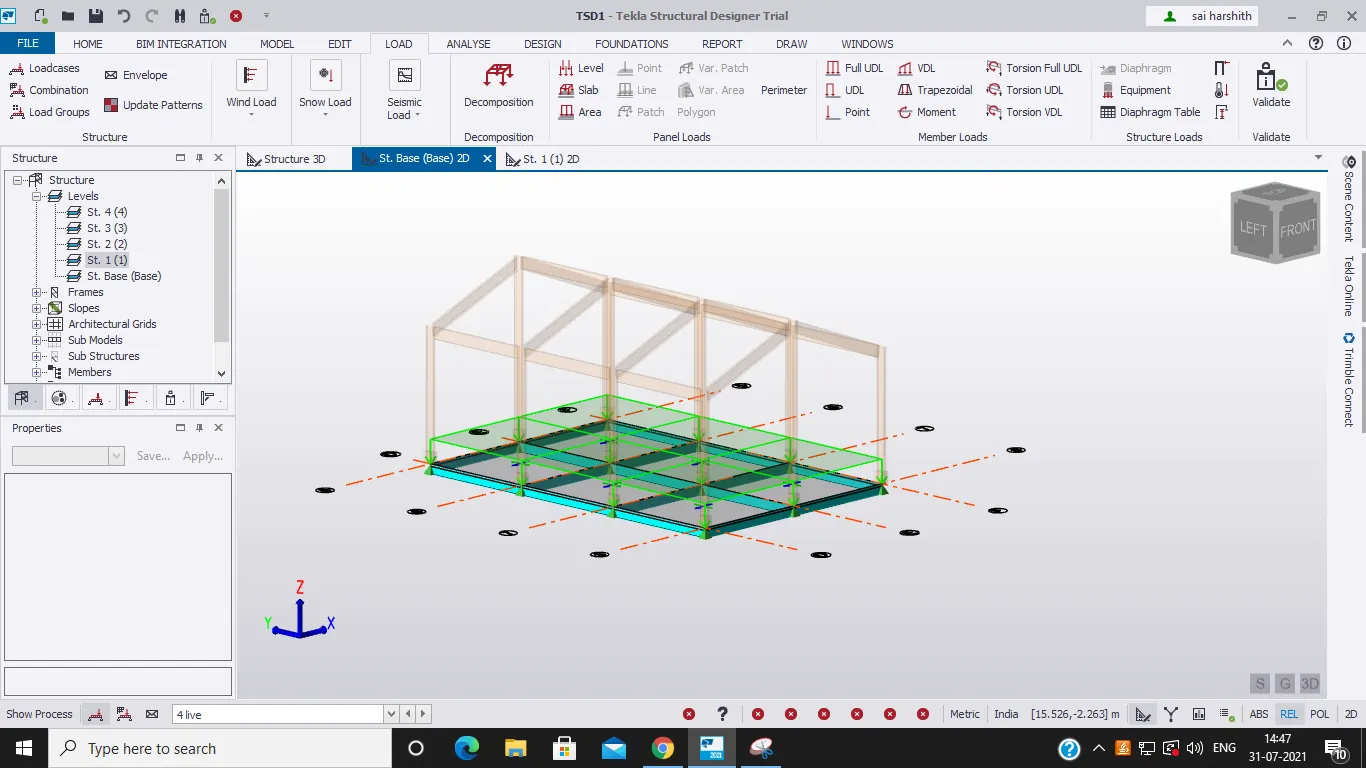
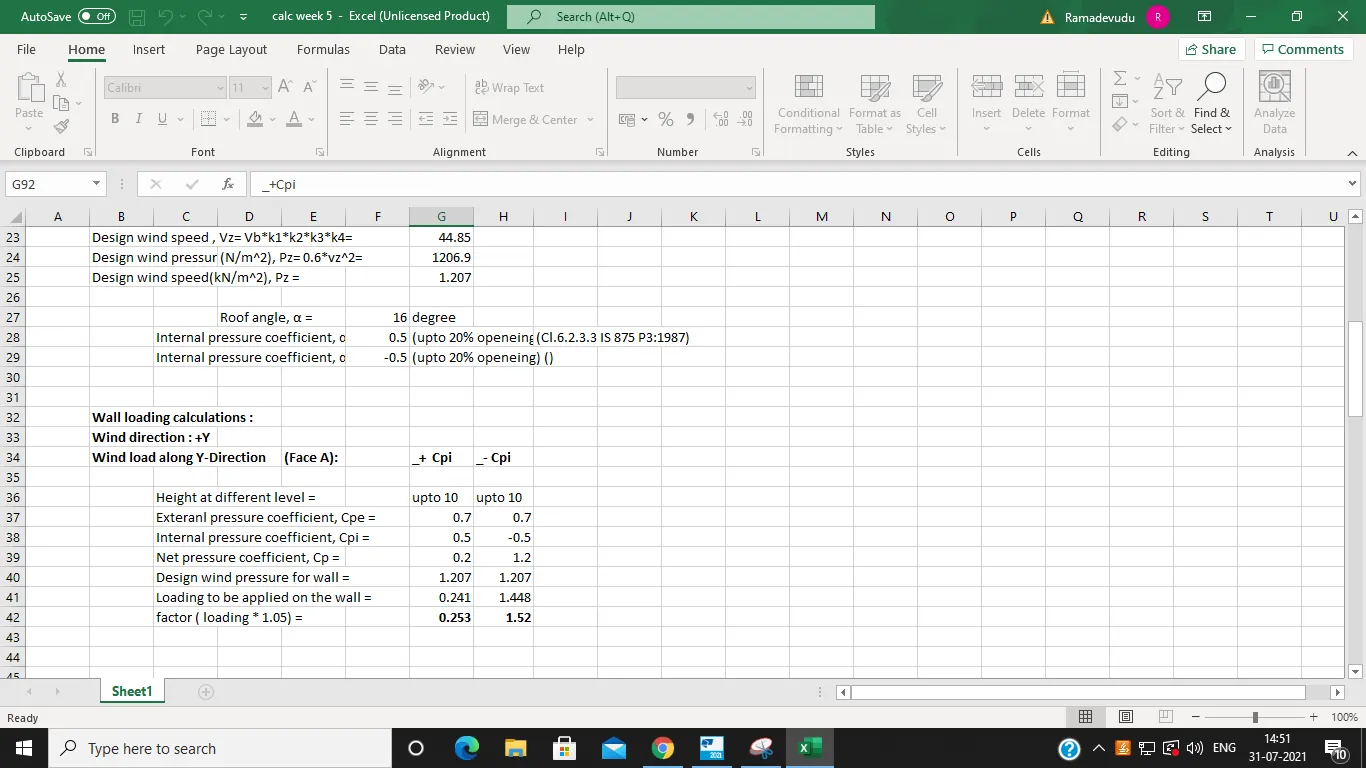
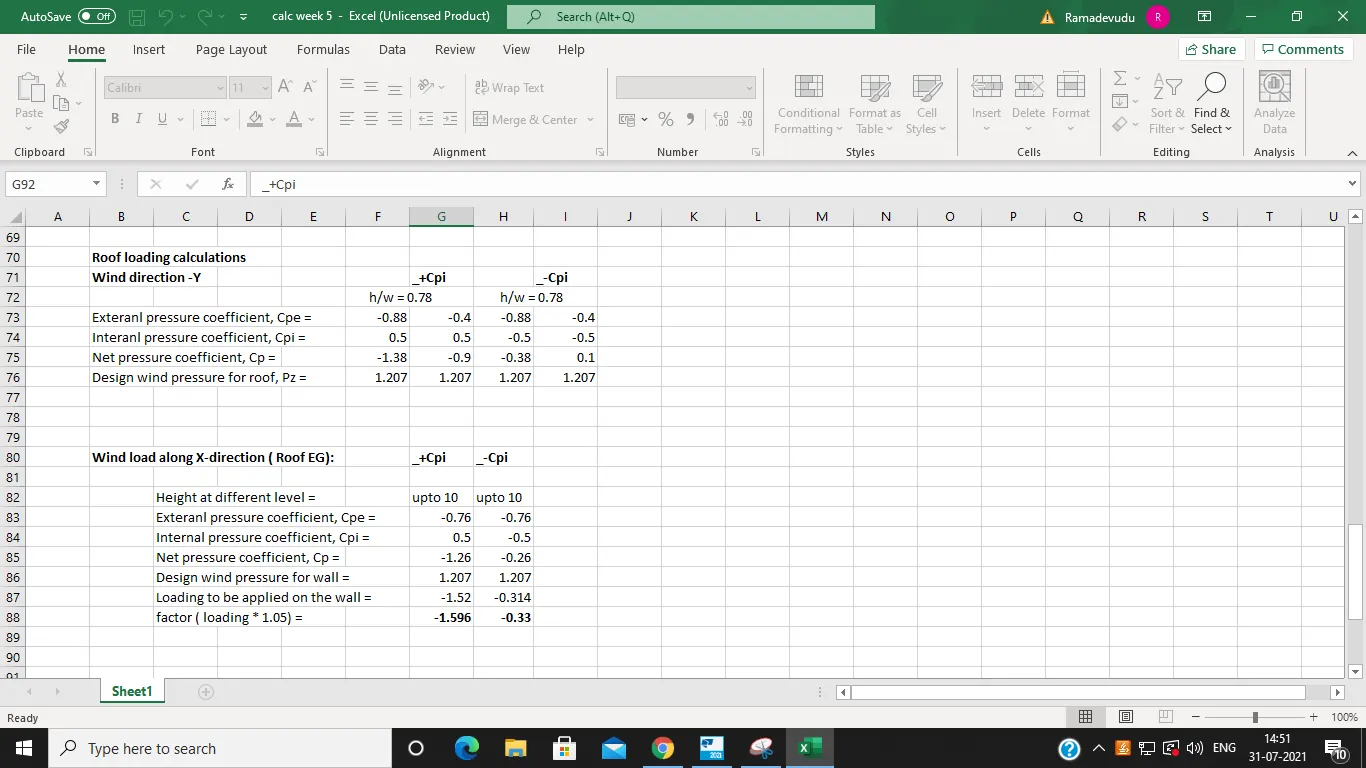
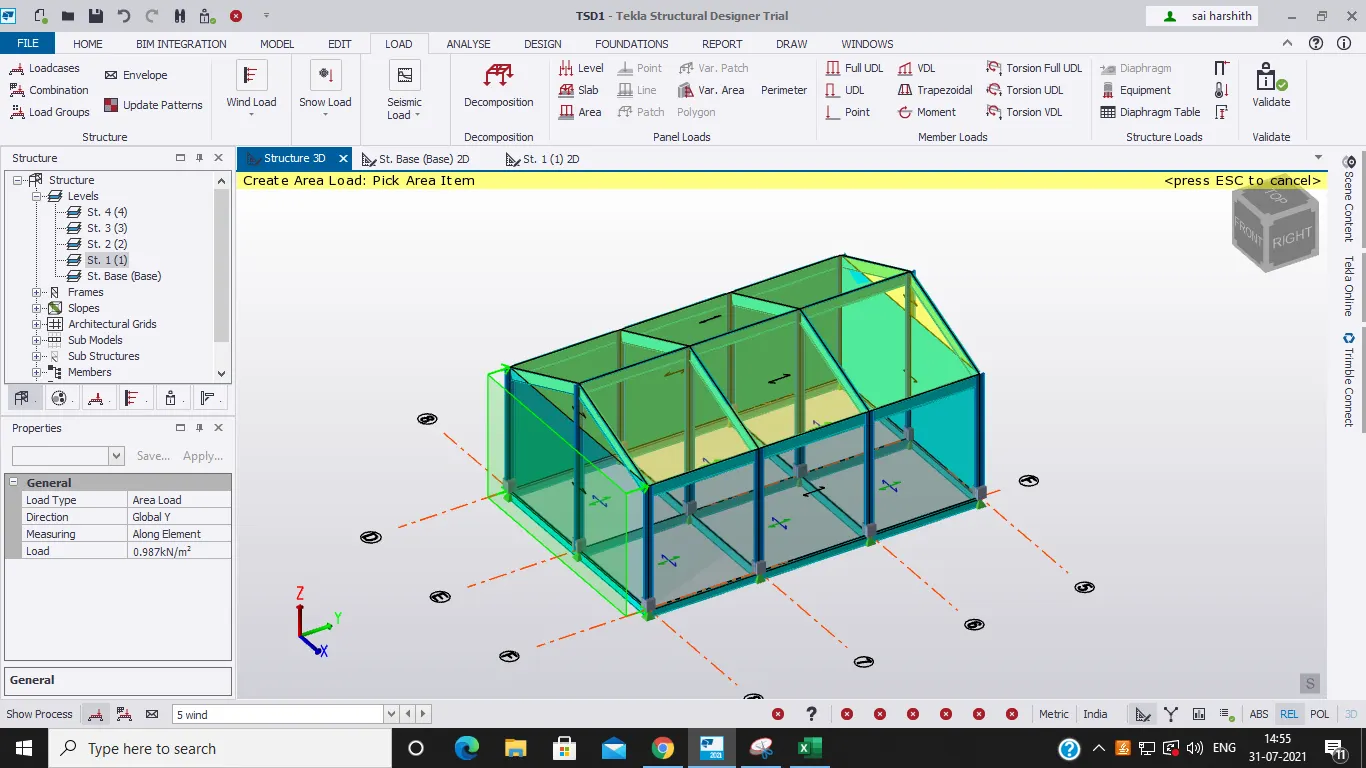
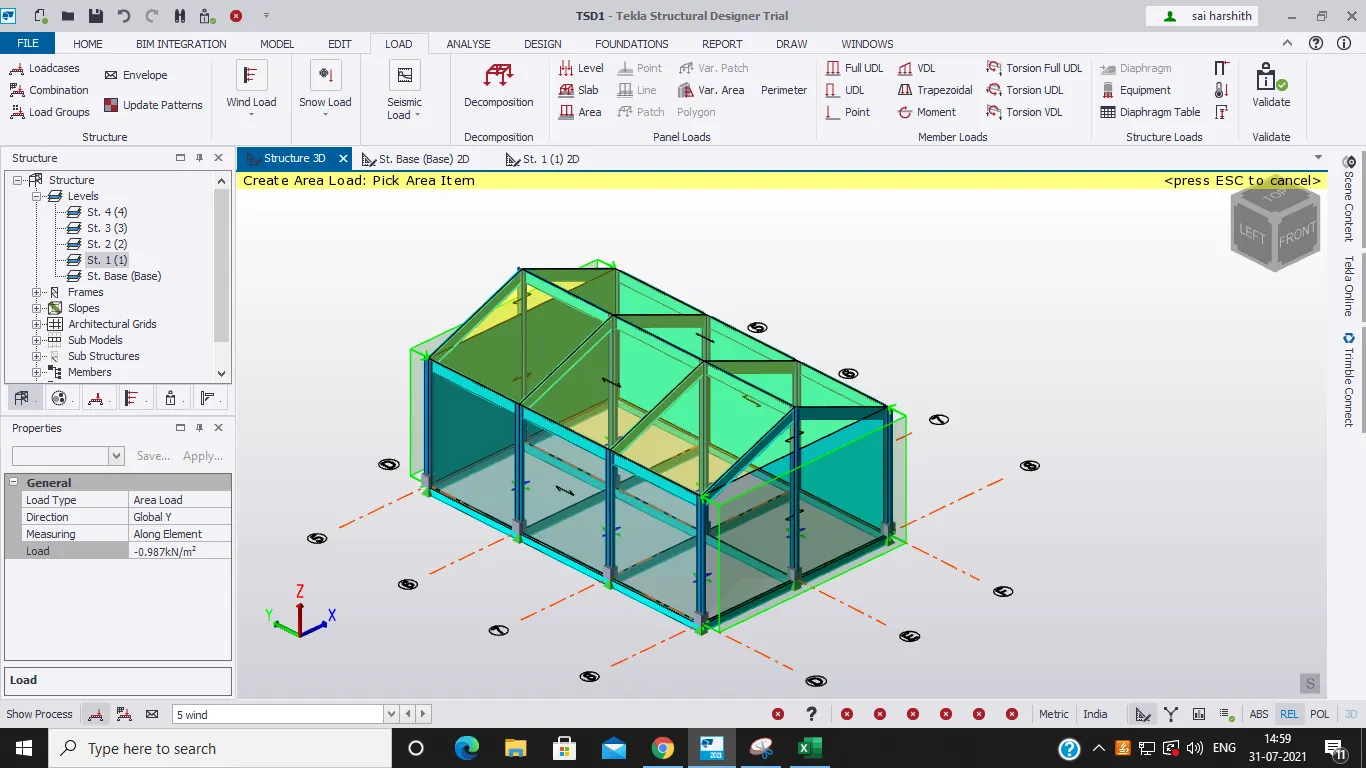
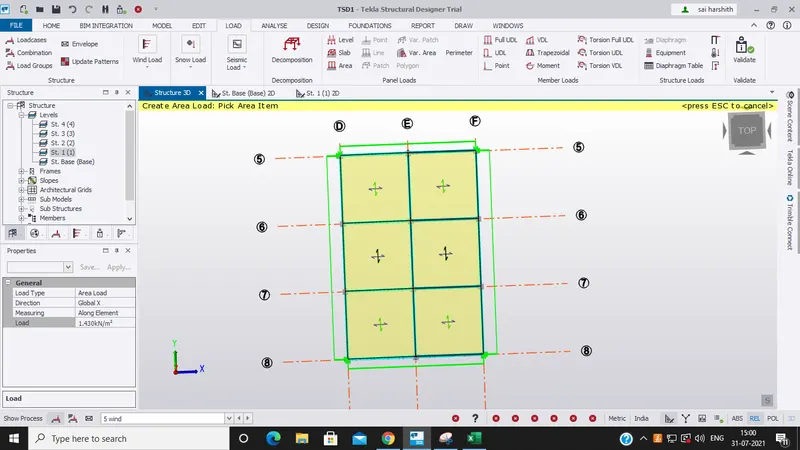
1ans) AIM: To Analyze and Design a Boiler shed structure as per IS code in Tekla Structural Designer. Kindly refer to the enclosed plan and elevation given below for modelling. Tools used: . file . wind panels .wall panels .loads .frames beams .loadcases .construction levels .dead load .live load .wind load.…

Project Details

Loading...

Leave a comment

Thanks for choosing to leave a comment. Please keep in mind that all the comments are moderated as per our comment policy, and your email will not be published for privacy reasons. Please leave a personal & meaningful conversation.

Please  login to add a comment

Other comments...

No comments yet!
Be the first to add a comment

Read more Projects by BOYAPALLY SAI PRANEETH (25)

Project 2

Objective:

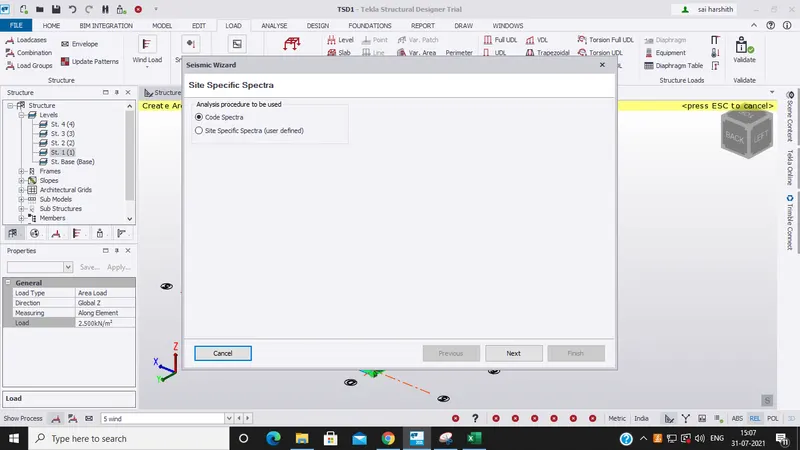
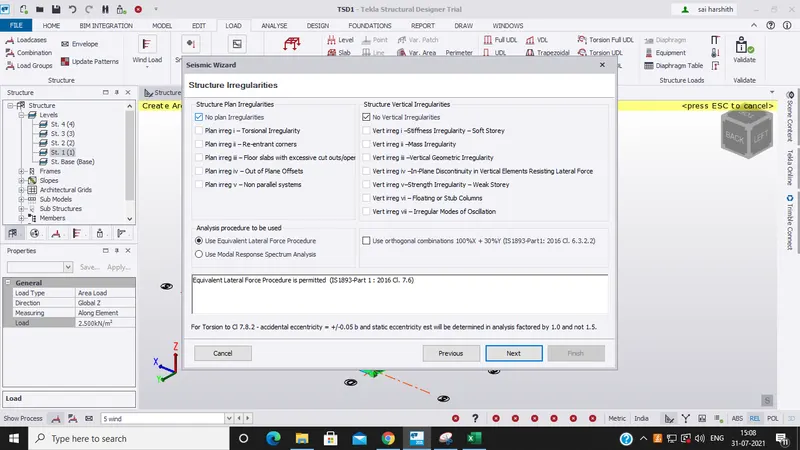
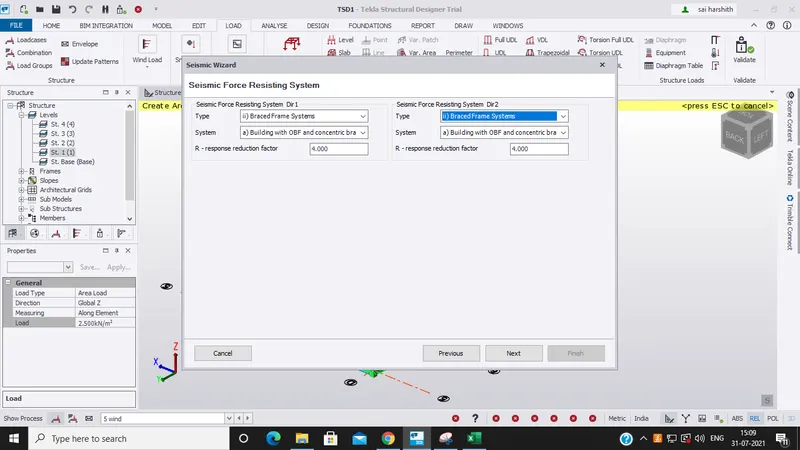
ANSWER : AIM : To develop a model as per the given plan and analyze and design the structure. TOOLS USED : Paint. Manage property sets. Construction levels. Grids. Columns. Beams. REports. Model report. Show report. Interactive design. Slabs on beams. Frames. Roof panels. Wall panels. Loads. Loadcases. Seismic wizard.…

calendar

27 Aug 2021 06:11 AM IST

    Read more

    Vasavi_External Exam_Tekla

    Objective:

    1ans) AIM: To Analyze and Design a Boiler shed structure as per IS code in Tekla Structural Designer. Kindly refer to the enclosed plan and elevation given below for modelling. Tools used: . file . wind panels .wall panels .loads .frames beams .loadcases .construction levels .dead load .live load .wind load.…

    calendar

    31 Jul 2021 10:13 AM IST

    • BIM
    • CAE
    • CFD
    • CSS
    • FEA
    • HEV
    • MBD
    Read more

    Week 12 Challenge

    Objective:

    ANS 1) AIM : To generate report for the steel building design from challenge 1-6. TOOLS USED : Report. Model report. Show report. PROCEDURE : Open the structure and analyze it. Now click on report tab. Select model report option. New dialog box appears. Now select the particular category and we can obtain the reports for…

    calendar

    29 Jul 2021 02:31 PM IST

      Read more

      Week 11 Challenge

      Objective:

      ANS 1) AIM : To design the slab and roof foundations of the model and to outline the thought process for designing of the elements. TOOLS USED : Design. Settings. Check panel. Catalogue. Pile cap column. Result. PROCEDURE : First open the file in which the structure was constructed. Next after designing the columns and…

      calendar

      29 Jul 2021 02:24 PM IST

        Read more

        Week 10 Challenge

        Objective:

        ANS 1) AIM : To design RC column and beams based on the analysis. TOOLS USED : Review. Check member. Static. PROCEDURE : First we have to open the file in which we have completed the structure. Next we have to validate the model in search on any errors if present. Later we have to analyze and create a report. Next open…

        calendar

        29 Jul 2021 02:16 PM IST

          Read more

          Week 9 Challenge

          Objective:

          AIM : To generate seismic loading based IS codal provisions and zone II. Any other data you can assume and input accordingly. TOOLS USED : Load. Loadcases. Seismic wizard. Seismic load. PROCEDURE : Open the file where we have the structure on which we have to apply the seismic load. Now click on loads tab and select loadcases.…

          calendar

          29 Jul 2021 02:08 PM IST

            Read more

            Week 8 Challenge

            Objective:

            ANS 1) AIM : To calculate the dead load based on the design and apply it on the structure. TOOLS USED : MS Excel. Loads. Loadcases. Dead load. Area. PROCEDURE : First open MS Excel and start the calculations of the dead load values which should be applied on the structure. Next go to loadcases and create a new loadcase…

            calendar

            29 Jul 2021 01:58 PM IST

            Read more

            Week 7 Challenge

            Objective:

            ANS 1)   AIM : To setup model for RC building design and based on following parameters for cover.   TOOLS USED : Tekla software. File. Settings. Structural Defaults.   PROCEDURE : First open a new tekla file for starting the structure. Now select file menu. Select settings option under that. Settings dialog…

            calendar

            21 Jun 2021 04:56 AM IST

              Read more

              Project 1

              Objective:

              ANS ) AIM : To analyze a building to 10T crane load. Create a structure as per the given plan in the attachments provided. TOOLS USED : Grids. Levels. File. Model. Manage property sets. Column. Beams. Frames. Loads. Loadcases. Wall panels. Roof panels. Analyze. PROCEDURE : First open a new file to start the structure as…

              calendar

              20 Jun 2021 05:35 AM IST

                Read more

                Week 6 Challenge

                Objective:

                ANS 1) BENDING MOMENT :  The bending moment can be defined as the bending effect which is caused due to any internal or external force. It is only of the important concept to be studied and bending moment plays an important role in the strength of the structure. In our software Tekla we have such advantages to…

                calendar

                14 Jun 2021 03:50 AM IST

                  Read more

                  Week 5 Challenge

                  Objective:

                  ANS 1 : AIM:   Generate manual wind loading in the design report based IS code as per the following input TOOLS USED : Excel. IS codes. Calculator. PROCEDURE : First we have to open MS Excel (optional) to enter the values used for calculations. Next we have to obtain the required standard values from the IS codes.…

                  calendar

                  10 Jun 2021 04:54 PM IST

                    Read more

                    Week 4 Challenge

                    Objective:

                    1ans: AIM : To Calculate dead load in design report based on IS code and apply dead load on the model. TOOLS USED : Load Load cases Dead load Imposed load Area Full UDL Line CALCULATIONS : DEAD LOAD : Slab load                             …

                    calendar

                    10 Jun 2021 02:38 PM IST

                      Read more

                      Week 3 Challenge

                      Objective:

                      ANS 1) AIM :  To create beam properties for First floor and model the beams. TOOLS USED : Home  manage property sets new members steel beams model grid lines PROCEDURE : First open the previous week file. Then go to manage property sets under home. The click on new and select members and then steel beams. Off…

                      calendar

                      09 Jun 2021 12:01 PM IST

                        Read more

                        REVIT_Naviswork_Project- 4

                        Objective:

                        1) Use the Architecture/ Structure Project file developed by you in Week 6 to 8. Export the Revit architecture and structure model to Navisworks Cache file following the export settings discussed in class ans) Aim: To use the Architecture/ Structure Project file developed by you in Week 6 to 8. Export the Revit architecture…

                        calendar

                        29 Dec 2020 05:41 PM IST

                          Read more

                          REVIT_Dynamo Project- 3

                          Objective:

                          1) Using Dynamo create a set of sinusoidal points and create a curve and create a surface out of the curve. ans) Aim: To create a set of sinusoidal points and create a curve and create a surface out of the curve by using Dynamo Tools Used: code block list line by star and end pint product add sine number slider…

                          calendar

                          29 Dec 2020 05:37 PM IST

                            Read more

                            REVIT_ Scheduling & Estimation_Week 9

                            Objective:

                            1) Use the shortcut keys in Revit discussed in class to complete the following tasks and list them below            a. Using 3D model create a section box            b. To create similar doors and windows in a floor plan layout          …

                            calendar

                            29 Dec 2020 09:38 AM IST

                              Read more

                              REVIT_Analysing the building & Report preparation_Week 8

                              Objective:

                              1) What are the HVAC systems? Why are they essential in the modeling buildings ans) HVAC stands for heating, ventilation, and air conditioning. This provides heating and cooling to kind of buildings. These systems use fresh air from the outdoors to provide high indoor air quality. The Vin HVAC, or ventilation, is the process…

                              calendar

                              29 Dec 2020 09:32 AM IST

                                Read more

                                REVIT_ Plan, 3D View & Structural Drawings_Project 2

                                Objective:

                                QUESTION 1)  Select the type of structure you want to build from one of the three below         a. Multi Unit Residential Apartment         b. Office Buildings         c. School ANS 1)      From the above given options the type of structure…

                                calendar

                                29 Dec 2020 09:31 AM IST

                                  Read more

                                  REVIT_Usage of Collabrate tool_Week 6

                                  Objective:

                                  1) Open an architectural template. Using the Manage tab set project base point and project shared coordinates for the project ans) Aim: To open an architectural template. Using the Manage tab set project base point and project shared coordinates for the project Tools Used: manage architecture  grid collaborate…

                                  calendar

                                  28 Dec 2020 02:38 PM IST

                                    Read more

                                    REVIT_Revision w.r.t to code_Week 5

                                    Objective:

                                    1) Why are building codes or standards essential for the modeling/ efficiency of drawings in Revit? ans) A model building code organization is a set of building codes that are developed and maintained by a standards organization. Building codes give us certain rules to be followed in planning by specifying certain limits…

                                    calendar

                                    28 Dec 2020 02:27 PM IST

                                      Read more

                                      REVIT_3D Rendering of a House plan_Project 1

                                      Objective:

                                        1) Based on the project saved from Week 3, proceed from the First Floor Level. Model a Ceiling from the architecture tab above the walls at the first-floor level ans) Aim: To proceed from the First Floor Level.Model a Ceiling from the architecture tab above the walls at the first-floor level. Tools used: architecture…

                                      calendar

                                      28 Dec 2020 02:21 PM IST

                                        Read more

                                        REVIT_Usage of Elements & Properties_Week 3

                                        Objective:

                                        1) Use the project file created from Week 2. Use it for this assignment. Based on your layout from week 2, using the floor tool under the architecture tab and select the floor with appropriate material and thickness using the property browser create a layout in the Ground floor level. Align the floor plan with grids created…

                                        calendar

                                        26 Dec 2020 08:01 PM IST

                                          Read more

                                          II. Answer in detail

                                          Objective:

                                          Create a G+4 Residential building as per NBC standards and make it a central model file. The model should contain:AIM: To create a G+4 Residential building as per NBC standards and make it a central model file. Your model should containTOOLS REQUIRED:1. Collaborate2. SavePROCEDURE:1)Click on collaborate tab.2) Select ok.3)…

                                          calendar

                                          18 Dec 2020 02:53 PM IST

                                            Read more

                                            Week 2 Challenge

                                            Objective:

                                            1ans) BIM stands for Building Information Modeling. It is used for the planning, design, construction, and management of building and infrastructure projects. BIM software is used to model and optimize projects by planning, designing, building, and operating BIM models. BIM provides the opportunity for construction…

                                            calendar

                                            07 Nov 2020 11:54 AM IST

                                              Read more

                                              Week 1 Challenge

                                              Objective:

                                              1ans) Aim: To create a new project and name the project. Procedure:  1.open autodesk revit. 2.left side there will be open and new options visible. 3.click on new and select template.click okay. Result: new project is successfully created using revit. 2ans) Aim: To save a new project file.and also to close and open…

                                              calendar

                                              06 Nov 2020 07:05 AM IST

                                                Read more
                                                Showing 1 of 25 projects