Usage of Navigation tool , Timeliner and Clash Detection test using Naviswork
1) Use the Architecture/ Structure Project file developed by you in Week 6 to 8. Export the Revit architecture and structure model to Navisworks Cache file following the export settings discussed in class
AIM:
To export the revit architecture and structure model to navisworks cache file.
INTRODUCTION:
Used primarily in construction industries to complement 3D design packages Navisworks allows users to open and combine 3D models, navigate around them in real-time and review the model using a set of tools including comments, redlining, viewpoint,and measurements.
It is mainly avilable in three types:
navisworks stimulate-it review and communicate project details through 3D analysis and simulation.
• navisworks manage-Review integrated models and data with stakeholders and perform clash detection for better control over project outcomes.
• navisworks freedom-it is the free viewer for NWD and DWFfile formats. Navisworks doesn't create models but it combines them and allows them to be viewed and navigated, measured and analyzed, all together in one environment.
The main objective/goal of naviswork is for:
• project review
• project viewing
• simulation and analysis
• coordination
PROCEDURE:
• in order to export the file in NWD format, go to google and download naviswork expoeter and set up.
• go to revit softwear and open architectural file.
• in file menu, click on export and select NWD format.
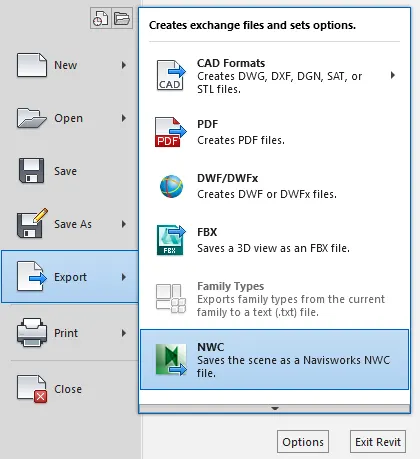
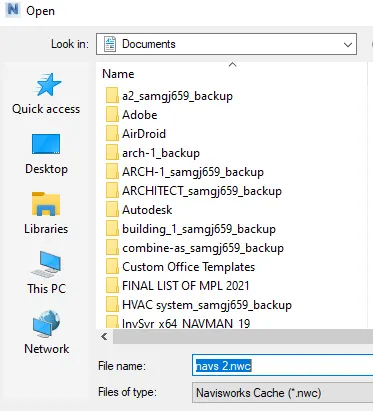
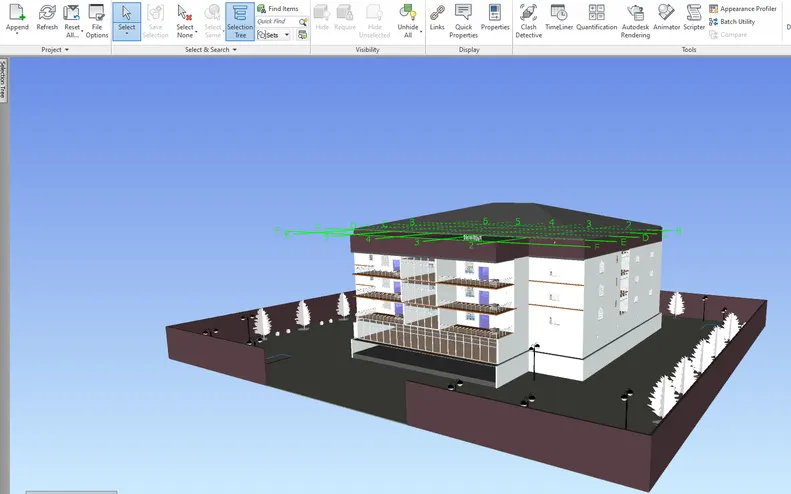
• once the file get exported, go to naviswork manage and open the file.
RESULT:
the architectural revit file is converted to NWD format.
2) Use Navigate Tool to walk around the model and walk through the rooms created and record your moving as animation in your Navisworks file
AIM:
To use navigation tool to walk around the model rooms and record the walking.
INTRODUCTION:
Used primarily in construction industries to complement 3D design packages Navisworks allows users to open and combine 3D models, navigate around them in real-time and review the model using a set of tools including comments, redlining, viewpoint, and measurements.
It is mainly avilable in three types:
• navisworks stimulate-it review and communicate project details through 3D analysis and simulation.
• navisworks manage-Review integrated models and data with stakeholders and perform clash detection for better control over projectoutcomes.
• navisworks freedom-it is the free viewer for NWD and DWFfile formats. Navisworks doesn't create models but it combines them and allows them to be viewed and navigated, measured and analyzed, all together in one environment.
The main objective/goal of naviswork is for:
• project review
• project viewing
• simulation and analysis
• coordination
walk around comes under project review and viewing, where in you can navigate through the model and save views where review need to be made, it can done by adding comments also.
PROCEDURE:
• once the architectural file is opened in naviswok manage go to viewport toolbar.
• select the walk command and start from any room as per the conveince.
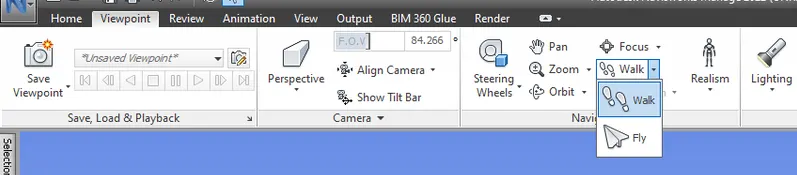
• use cursor or arrows in keyword to move around.
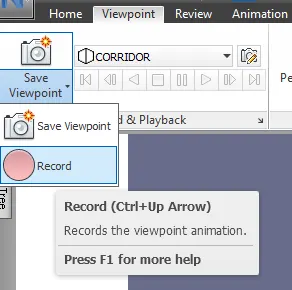
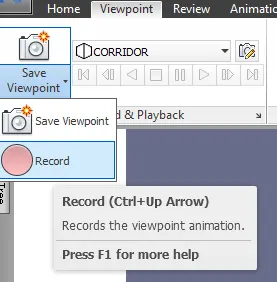
• in order to record, click on save viewport and select the record option.
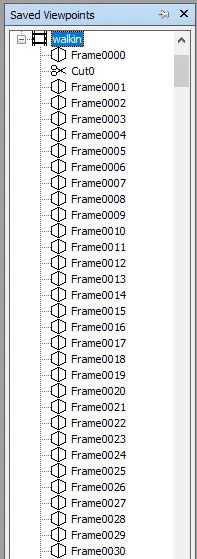
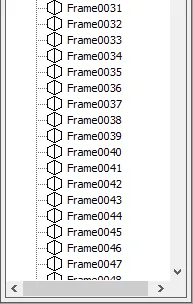
• once the recording of walk is done,each frame will be saved in save viewport command.
RESULT:
• The walk command is sucessfully used to navigate around the rooms of the model and recorded.
3) Use Navigate tool to use Realism feature to walk through the model and record your moving as animation in Navisworks file
AIM:
To use realism feature to walk through the model and record the moving.
INTRODUCTION:
Used primarily in construction industries to complement 3D design packages Navisworks allows users to open and combine 3D models,navigate around them in real-time and review the model using a set of tools including comments, redlining, viewpoint, and measurements.
It is mainly avilable in three types:
• navisworks stimulate-it review and communicate project details through 3D analysis and simulation.
• navisworks manage-Review integrated models and data with stakeholders and perform clash detection for better control over project outcomes.
• navisworks freedom-it is the free viewer for NWD and DWFfile formats. Navisworks doesn't create models but it combines them and allows them to be viewed and navigated, measured and analyzed, all together in one environment.
The main objective/goal of naviswork is for:
• project review
• project viewing
• simulation and analysis
• coordination
walk around comes under project review and viewing where in you can navigate through the model and save views where review need to be made, it can done by adding comments also.
Realism means adding a real person option to enhance the walk through views how it appears if a real person walk.
PROCEDURE:
• go to view port and click on realism,select third person.

• once the person added walk around the model and rooms required using cursor.
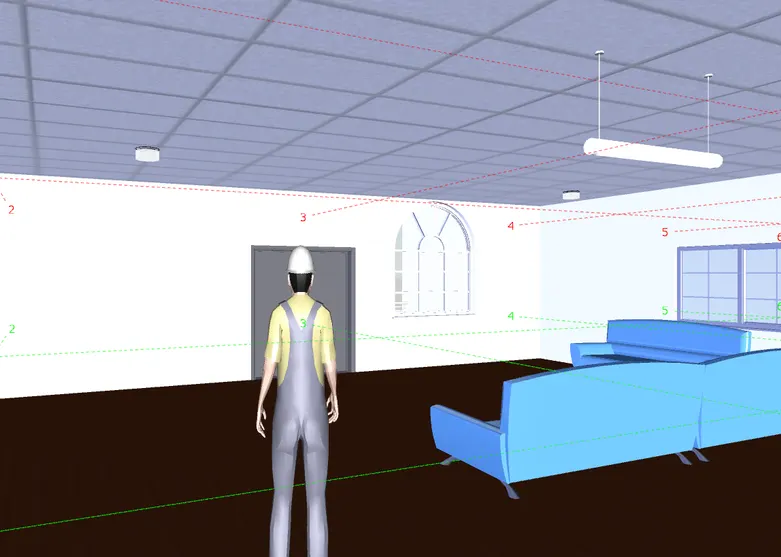
• record the walk through and save.
RESULT:
• The realism is added and walk through video is recorded.
4) Embed both architecture and structure *.nwc file to your Navisworks file. Create a clash detection test between the two models
a. Run the Clash Detection Test
b. Study the clashes between the two models
c. List which of the clashes could be approved
d. List which of the clashes could be neglected ( will be taken care later)
e. List which of the clashes can be resolved
f. Save the results after color coding the clashes to the Navisworks file
g. In case of resolution annotate the clash and save the view to defined views in Navisworks
AIM:
To embed both architectural and structural file and reform clash detection test between the models.
INTRODUCTION:
Used primarily in construction industries to complement 3D design packages Navisworks allows users to open and combine 3D models,navigate around them in real-time and review the model using a set of tools including comments, redlining, viewpoint, and measurements.
It is mainly avilable in three types:
• navisworks stimulate-it review and communicate project details through 3D analysis and simulation.
• navisworks manage-Review integrated models and data with stakeholders and perform clash detection for better control over project outcomes.
• navisworks freedom-it is the free viewer for NWD and DWFfile formats. Navisworks doesn't create models but it combines them and allows them to be viewed and navigated, measured and analyzed, all together in one environment.
The main objective/goal of naviswork is for:
• project review
• project viewing
• simulation and analysis
• coordination
clash detection is one of the most powerful tools in the Navisworks Manage version of the software-allows for clash detection, which involves finding when different objects hit or touch each other in the design.
The Clash Detective tool enables you to search through total project model, identifying cross-discipline interferences earlier in the design process.
PROCEDURE:
• open the NWD file of architecture and click on the append to add structural NWD file.
• once the file are set click on the clash detection and select run test.

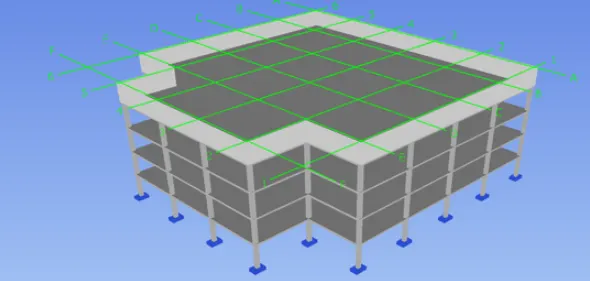
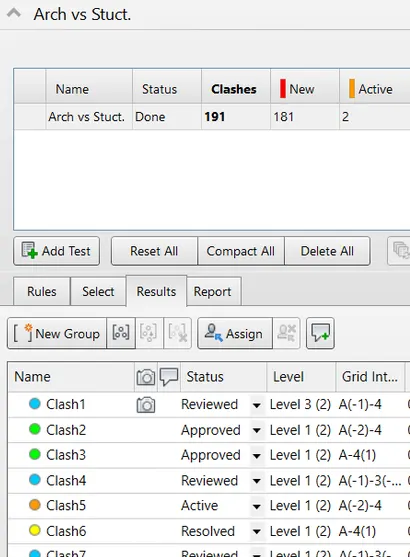
the results are saved after color coding the clashes to the Navisworks file

RESULT:
The structural and architectural files are embed and clash detective is performed and resolved. as the the test,clashes are in basement level with the structural floor element, architectural floor element and staricase.
The naviswork clash analysis is carried out successfully.
5) Using the Timeliner feature in Navisworks prepare a schedule for the project developed in week 6 to 8 by adding reasonable assumptions for task start date and end date and simulate the task completion as a visual simulation. Record it and save the timeline simulation to Navisworks file
AIM:
To embed both architectural and structural file and reform clash detection test between the models.
INTRODUCTION:
Used primarily in construction industries to complement 3D design packages Navisworks allows users to open and combine 3D models,navigate around them in real-time and review the model using a set of tools including comments, redlining, viewpoint, and measurements.
It is mainly avilable in three types:
• navisworks stimulate-it review and communicate project details through 3D analysis and simulation.
• navisworks manage-Review integrated models and data with stakeholders and perform clash detection for better control over project outcomes.
• navisworks freedom-it is the free viewer for NWD and DWFfile formats. Navisworks doesn't create models but it combines them and allows them to be viewed and navigated, measured and analyzed, all together in one environment.
The main objective/goal of naviswork is for:
• project review
• project viewing
• simulation and analysis
• coordination
The TimeLiner tool enables you to link your model to an external construction schedule for visual time and cost based planning.
PROCEDURE:
• once the structural file is inserted, click on timelinear.
• add the task name, for example footing.
• add the dates as per assumption.
• select the footing category from selection tree and click on attach to add the selected things.
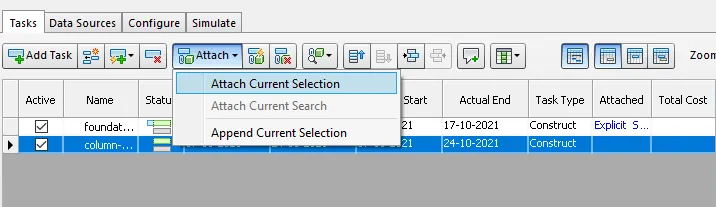
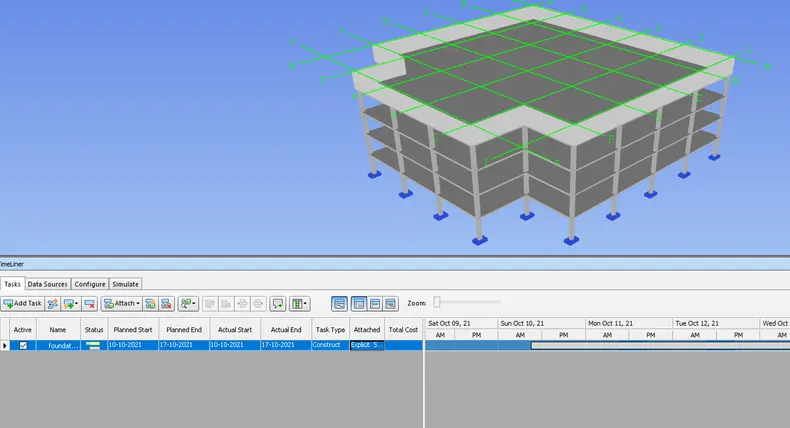
• repeat the same for remaning columns framestrcuture and roof.

• once everything is assigned it automatically generate a timeline video for construction
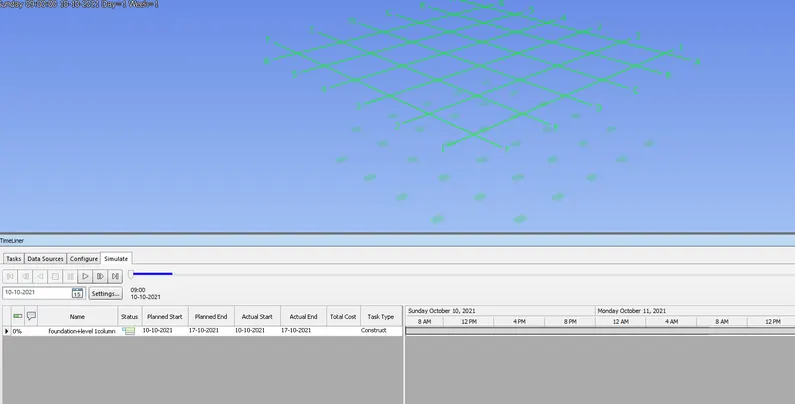
• click on simulate to see the video and save the video by exporting it adds better presentation way for clients.
• also export the schedule to word format.
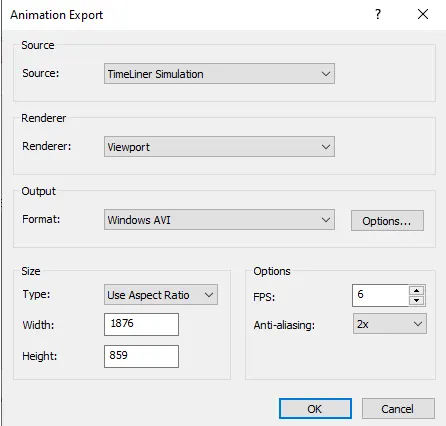
RESULT:
The timeliner tool is used for preparing the schedule of project and project progress video as per schedule is recorded and saved.