Menu

Executive Programs

Workshops

Projects

Blogs

Careers

Student Reviews


More

Academic Training

Informative Articles

Find Jobs

We are Hiring!


All Courses

Choose a category

Loading...

All Courses

All Courses

logo

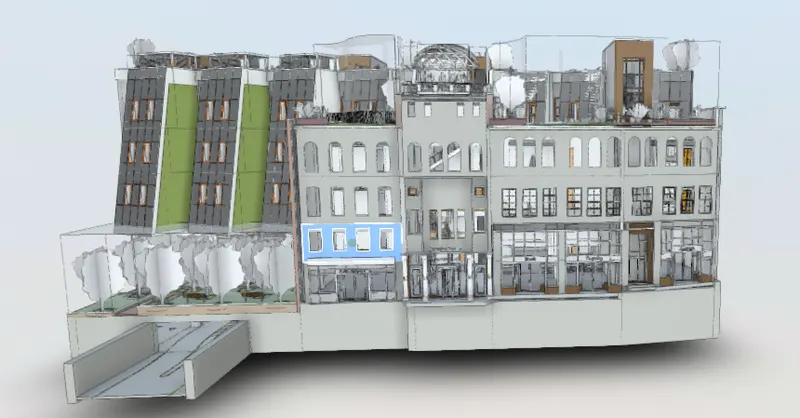
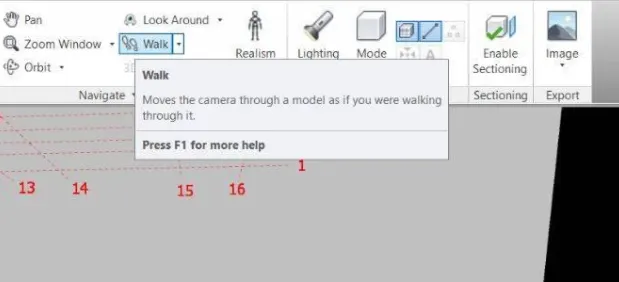
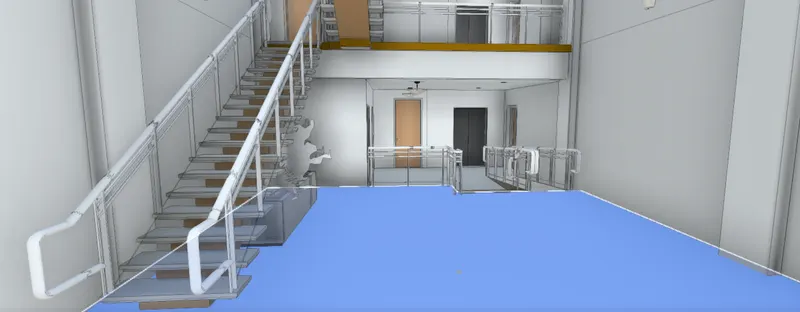
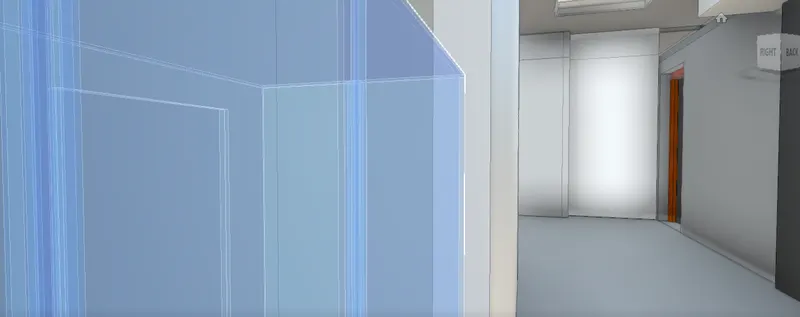
Usage of Navigation tool , Timeliner and Clash Detection test using Naviswork

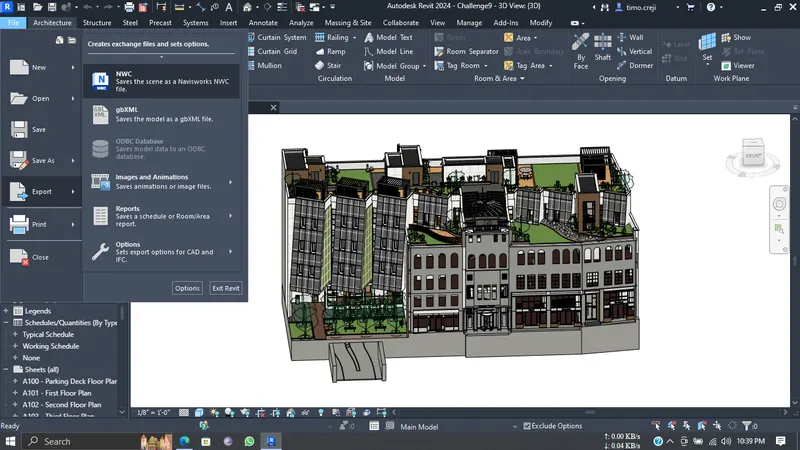
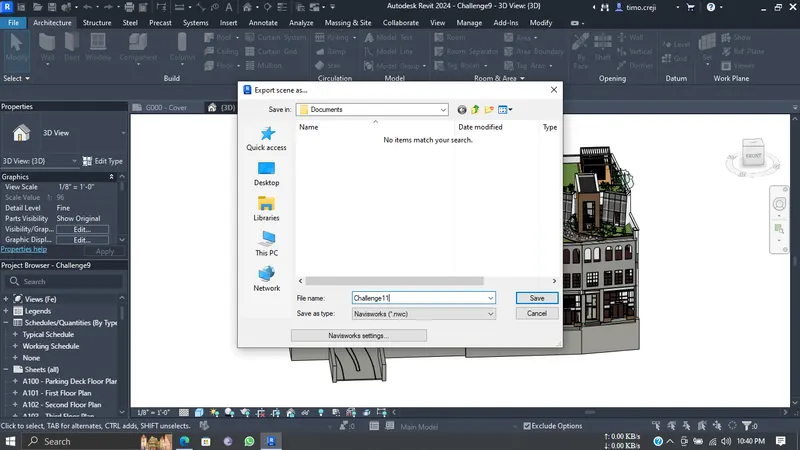
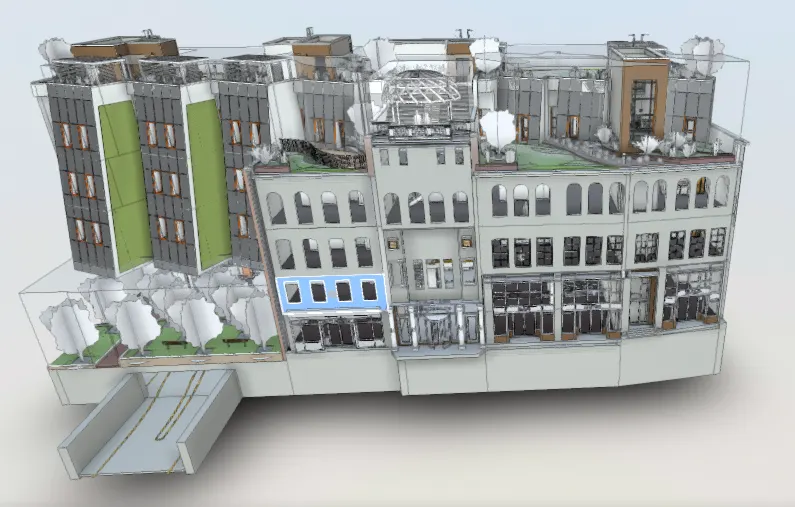
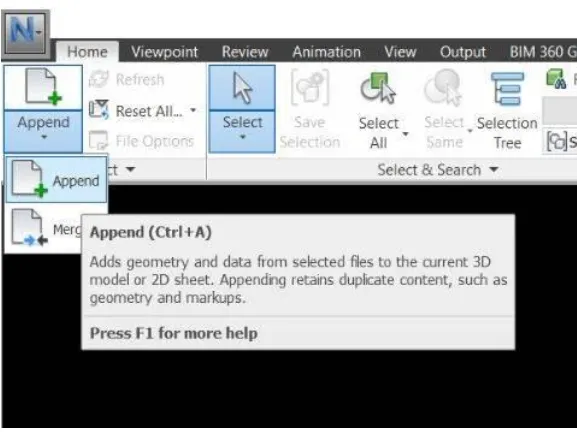
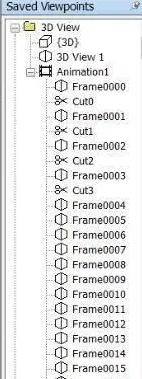
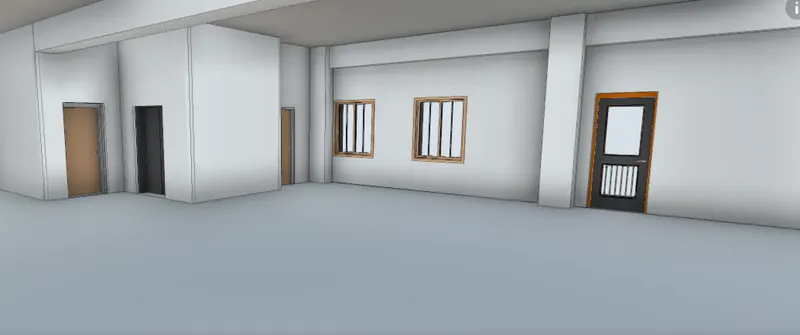
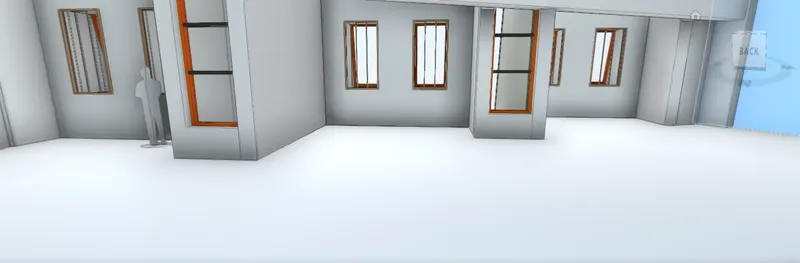
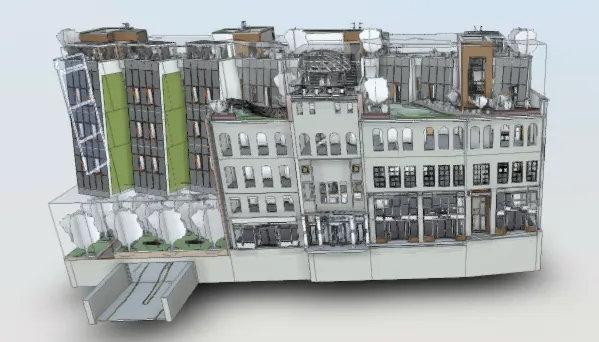
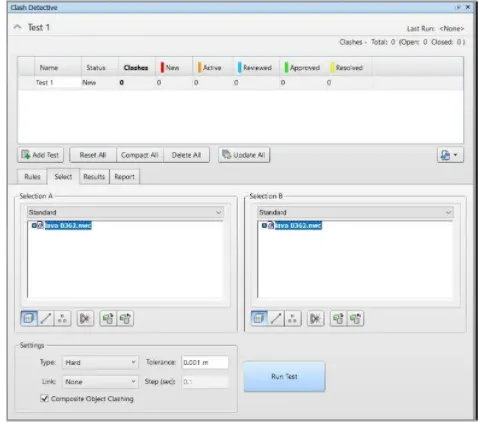
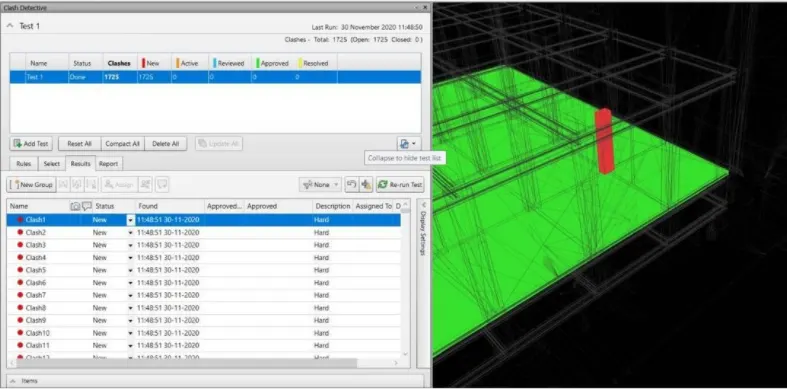
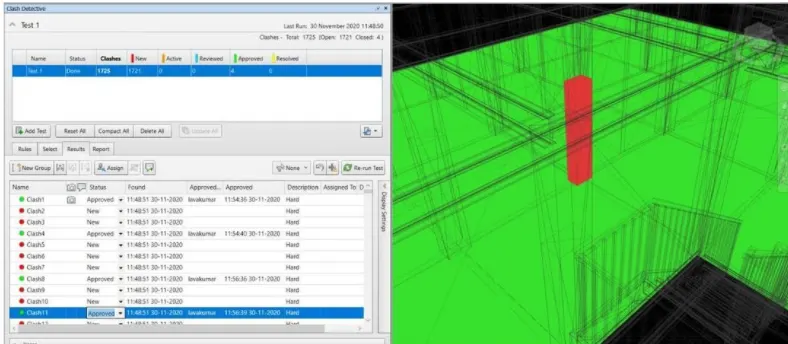
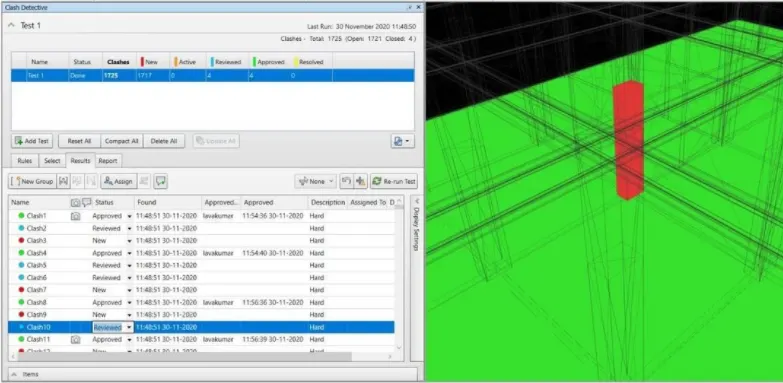
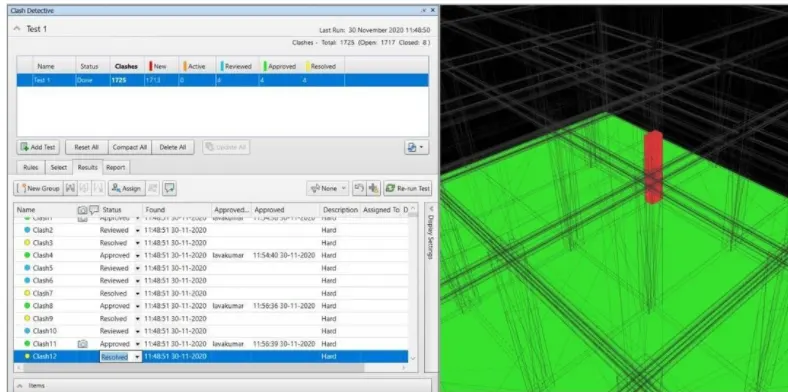
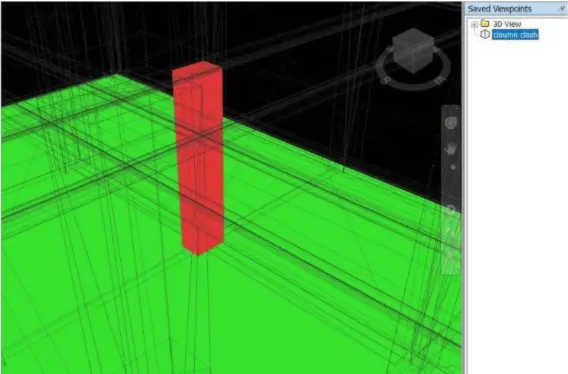
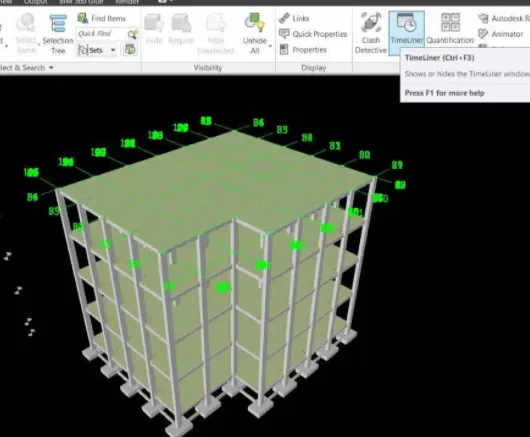
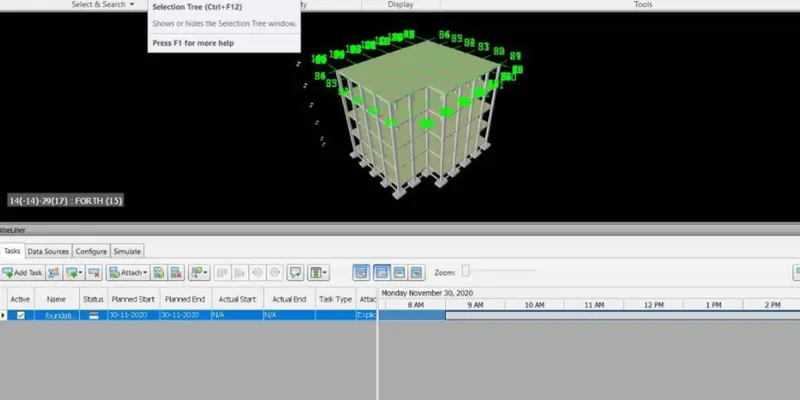
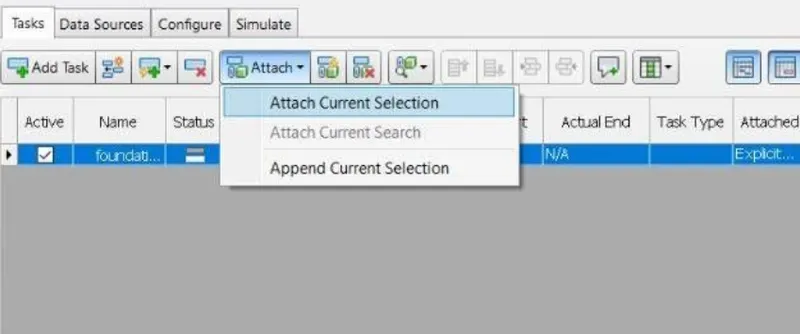
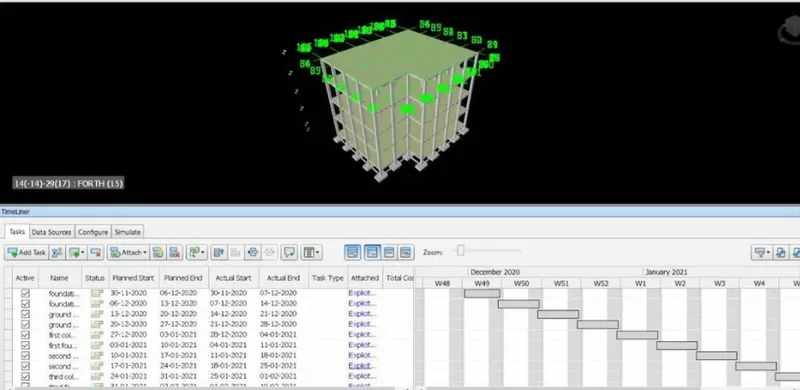
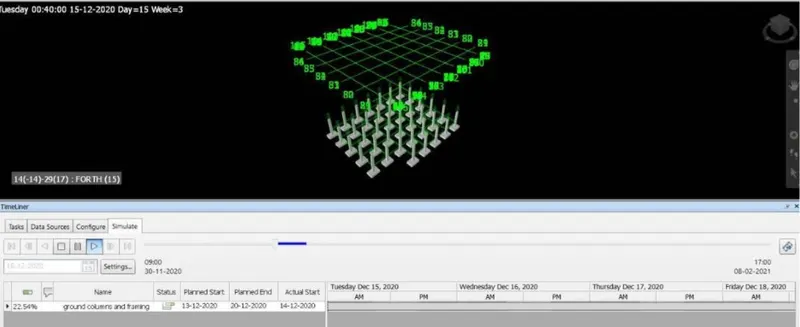
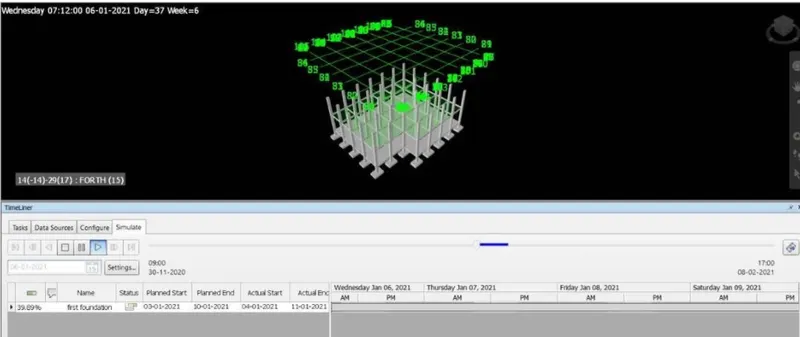
A)  AIM: To use the architecture/structural project file developed from week 6-8, Export the Revit file to Navisworks cache file. TOOLS/COMMANDS USED : Architectural file. file. Open Export. NWC. Navisworks. View.  3D view.  PROCEDURE : 1.the Revit file which is to be exported to the Navisworks file…

    Project Details

    Loading...

    Leave a comment

    Thanks for choosing to leave a comment. Please keep in mind that all the comments are moderated as per our comment policy, and your email will not be published for privacy reasons. Please leave a personal & meaningful conversation.

    Please  login to add a comment

    Other comments...

    No comments yet!
    Be the first to add a comment

    Read more Projects by Timo C Reji (34)

    Project 2_Design & Analysis of a Hostel building at Guwahati, Assam

    Objective:

    AIM:- To Create and Analyse the given building in ETABS 2018, the structural model has to be prepared in accordance with IS 1893 and as per IS 13920. To design the pile cap and pile reinforcement details,Tie  beam  connecting the pile caps, to sketch the column reinforcements, to produce the framing plan and beam detailing…

    calendar

    26 Dec 2023 08:08 PM IST

    • DESIGN
    • ETABS
    Read more

    Foundation Design using SAFE

    Objective:

    1. Aim:  To Model the isolated footing provided in week 11 challenge on SAFE and to analyze and design it to verify the size, depth and steel provided as per calculations.  Introduction: CSI SAFE (Slab Analysis by the Finite Element Method) is the best tool for designing concrete slabs and foundations.…

    calendar

    23 Dec 2023 04:38 PM IST

    Read more

    Design of Shallow Foundation (Isolated Footings)

    Objective:

    ANSWER:- Aim:- To design the square footing using the given details. Introduction:- Footings which are provided under each column independently are called as Isolated footings. They are usually square, rectangular or circular in section. Footing is laid on PCC. Before laying PCC, termite control liquid is sprayed on top…

    calendar

    21 Dec 2023 04:29 PM IST

      Read more

      Structural Modelling using Etabs 2018

      Objective:

      AIM : To create a model of g+7 building given in the arhitectural drawing as per the provisions of IS 1893 and IS 13920 followed by response spectrum analysis. PROCEDURE: > Plan is plotted according to the dimensions given in the architectural plan using grids and storeys.   > Now the material properties are added such…

      calendar

      05 Dec 2023 04:20 PM IST

        Read more

        Analysis & Design of RCC shear walls in the model using ETABS

        Objective:

        Aim: To run the analysis and design the RCC shear walls shown in the etabs model. Step 1: 1) Open the ETABS file. 2) After the analysis click Concrete frame design. Step 2: 1) Need to check there is any failures occurs 2) Click Shear wall design tool 3) select Display info and choose PM failure  Step 3: 1) Click any wall…

        calendar

        02 Dec 2023 08:01 AM IST

        Read more

        Reinforcement detailing of Columns from ETABS output

        Objective:

         Answer:    The Maximum Asc for the column 3A to be considered as per the ETABS design is; The highest of the Longitudinal reinforcement of the column from the Base to Terrace; That is the highest of 7027,6926,4800,4213,3525 = 7027mm2 is Provided for the Column.   The reinforcement detailing for the…

        calendar

        29 Nov 2023 04:27 PM IST

        Read more

        Reinforcement Detailing of Beams from ETABS output

        Objective:

        Aim:- To design the beams in detail from the Etabs 2018.             To provide details of longitudinal and shear reinforcement for the given two continuous beams.             To calculate the value of maximum shear force in any one of the spans in the continuous…

        calendar

        27 Nov 2023 05:30 PM IST

          Read more

          Project 1_Comparative study of different storey buildings for Seismic forces

          Objective:

          AIM: TO MODEL AND ANALYZE MULTIPLE BUILDINGS WITH DIFFERENT FLOOR LEVELS AND DESIGN PARAMETERS USING ETABS SOFTWARE AND COMPARE THE RESULTS TO UNDERSTAND THEIR OVERALL SEISMIC BEHAVIOUR.  INTRODUCTION: The structural configuration of the building plays a major role in determining the overall response during an earthquake.…

          calendar

          25 Nov 2023 05:26 PM IST

          Read more

          Modelling of 25 storey building with the specified properties using ETABS

          Objective:

          Aim: to model and analyse a 25 storey building with given specifications and to cross check the parameters as per IS 1893 provisions. Procedure: Open the ETABS software. Click the file menu and choose to create a new model option. After choosing a new model a dialogue box will appear as model intialization.  Choose…

          calendar

          21 Nov 2023 06:13 PM IST

          Read more

          Conceptual design of a building with columns and shear walls

          Objective:

          1.ans   STRCTURE (a) > For this structure is considered as it is asymmetric in nature. > Here cannot to be considered as a horizontal irregularities and the shear wall shape like L. > There is some uncertainty concerning certain features of the seismic response of non-rectangular walls. > It occurs lack…

          calendar

          15 Nov 2023 05:01 PM IST

            Read more

            Concept on positioning of Columns

            Objective:

            1. ans :- 1.Symmertry Having a look over the aspects of symmetry of the framing plan, it is observed that the distribution of mass,Stiffness is across the plan;it is observed that the distribution of mass, stiffness is across the plan.It is considered for one of the good Symmetrical aspects.This tends to reduce the horizontal…

            calendar

            10 Nov 2023 03:12 AM IST

              Read more

              Understanding the concepts on Degrees of Freedom

              Objective:

              ANS: Aim: To compute the values of seismic parameters based on the given structural data            Note  Ln, Mn, Tn values are calculated for each of the 5 modes The base shear force for each of the 5 modes is obtained. Effective modal mass and the modal mass participating ratio for…

              calendar

              03 Nov 2023 02:45 PM IST

                Read more

                Structural dynamics

                Objective:

                 1. AIM:- To Differentiate Between Static analysis and Dynamic analysis Static Analysis:-  In Static analysis we analysis static load means “a force that has constant size, position and direction on or within a structure. Study of static load help determine the maximum allowable load to be applied to the structure. In…

                calendar

                29 Oct 2023 04:47 PM IST

                  Read more

                  Identification of Cracks

                  Objective:

                  1.a) > This crack will be formed due to the flexural failure of a beam. The flexural strength, known as modulus of rupture, bend strength, or fracture strength, is a material property, defined as the stress in a material just before it yields in a flexure test. > The flexural strength…

                  calendar

                  27 Oct 2023 04:40 PM IST

                    Read more

                    Usage of Navigation tool , Timeliner and Clash Detection test using Naviswork

                    Objective:

                    A)  AIM: To use the architecture/structural project file developed from week 6-8, Export the Revit file to Navisworks cache file. TOOLS/COMMANDS USED : Architectural file. file. Open Export. NWC. Navisworks. View.  3D view.  PROCEDURE : 1.the Revit file which is to be exported to the Navisworks file…

                    calendar

                    17 Aug 2023 07:17 PM IST

                      Read more

                      Creating Conceptual mass in REVIT and Creation of Sinusoidal curve and a Parametric stadium using Dynamo

                      Objective:

                      Introduction: Dynamo is an open source visual programming language for Revit, written by designers and construction professionals. Its a programminglanguage that allows you to type lines of code;  while also creating an algorithm that consist of nodes.   Using dynamo work can be carried out with enhanced…

                      calendar

                      09 Aug 2023 06:33 PM IST

                      Read more

                      Creating Architectural and Structural model with 3D rendering using REVIT

                      Objective:

                      1). Ans : From the above the options of type of structure to build a building, i want to pick a multi-unit residential Apartment. 2).    Ans : The geographical and location details for my project modelling, based on assumptions of multi-unit residential Apartment. Selected identify the modelling requirements…

                      calendar

                      02 Apr 2023 04:16 PM IST

                        Read more

                        3D Creation of Celing, Roof, Architectural plan, Structural plan, Sectional view, Elevation view and Camera specific view for a house plan using REVIT

                        Objective:

                        1) AIM : To model a Ceiling from the architecture tab above the walls at the first-floor level. INTRODUCTION : The creation of Ceilings within Revit is a very similar process to that of Floors and Roofs- ie you can let Revit do most of the work and “guess” where you want the boundaries to be,Or you…

                        calendar

                        08 Nov 2022 08:01 AM IST

                          Read more

                          Project 2_Creating a 3D rendered model for a Residential Building in AutoCad

                          Objective:

                          AIM :- Creating a 3D rendered model for a Residential Building in AutoCad. INTRODUCTION :- COMMANDS USED FOR DRAWING THE 3D RENDERED VIEW OF BUILDING ARE AS FOLLOWS. Extrude :-This AutoCAD 3D Extrude command allows the user to create a 3D object by extruding a 2D face along a line or path.  Location: Draw > Modeling…

                          calendar

                          16 Oct 2022 06:13 PM IST

                            Read more

                            Creating 3D Isometric view of various structural elements in AutoCAD

                            Objective:

                            CHALLENGE:-1 Q1.  AIM:- To create a 3D isometric view of the given building with plan and elevation.    INTRODUCTION:-  An isometric drawing is a 3D representation of an object, room, building or design on a 2D surface. One of the defining characteristics…

                            calendar

                            09 Oct 2022 02:39 PM IST

                              Read more

                              Creating various 3D Models like Furniture, Footing, Girder, Column drop with panel and Gable Wall in AutoCad

                              Objective:

                              1. AIM : To create a 3D Furniture elements using the various commands in Auto CAD. INTRODUCTION BY 3D VIEW The process of creating a mathematical representation of any surface of an object in three dimensions by using special software. A 3D model can even be represented as a two dimensional image by using the 3D …

                              calendar

                              04 Oct 2022 09:53 AM IST

                                Read more

                                Creation of Multiple viewports, Scaling the drawing and setting in Template in AutoCad

                                Objective:

                                1) Create a layout of the Plan and Section A of the project in Challenges 7, using the template Tutorial- mArch.dwt in a scale as given in the Figure. Use the MV command to create the viewport of the size as shown in Figure. Also, use ATTEDIT command to edit the information in the title block. Use A1 size for the…

                                calendar

                                28 Sep 2022 04:15 PM IST

                                  Read more

                                  Creating Kitchen layout, Hatching of Architectural elements and sectional view of an Industrial Building in AutoCad

                                  Objective:

                                  1) Create the layouts of the Kitchen and provide hatches pattern as shown. Also, use blocks wherever required. Provide appropriate dimensions in the plan. Assume the size of doors, appliances and others as per the standards. Aim: To Create the Kitchen Layout and to  Also, use proper dimension techniques…

                                  calendar

                                  24 Sep 2022 11:04 AM IST

                                    Read more

                                    Creating Bar Bending schedule, Different Door types, and Creation of standard drawing templates using AutoCad

                                    Objective:

                                    1. AIM: To Create Custom1_titleblock and Custom2_titleblock using Attributes and block command from Autocad software. Step 1 ( custom1_tittleblock) In the command prompt type L to draw the lines.  In ribbon tab > Annotate > Mtline ( to draft the text ). go to properties tab to change the colour.   In the…

                                    calendar

                                    21 Sep 2022 08:16 AM IST

                                      Read more

                                      Project 1 _Creating an Architectural plan for the provided plot size and develop relevant basic structural drawings

                                      Objective:

                                      Aim: To draw 1. Architectural drawing of a residential building: > Plan of a residential building.        > Elevation of a residential building. > Section of a residential building. 2. Structural drawing: > Column plan layout of the building. > Footing plan layout of the building.…

                                      calendar

                                      24 Aug 2022 06:47 PM IST

                                        Read more

                                        Creating a Layout, Section and Elevation with dimensions using AutoCad

                                        Objective:

                                        Aim:- To draw the floor plans and sections using the proper dimension techniques and dimension styles to document the project. Introduction:- Plan and Sections are different types of drawings used by architects to graphically represent a building design and construction. A plan drawing is a drawing on a horizontal…

                                        calendar

                                        13 Aug 2022 08:11 AM IST

                                          Read more

                                          Creating a Wardrobe detailed drawing, Floor Plan, Kitchen Layout and Column Detail using AutoCad

                                          Objective:

                                          1. AIM: To Draw the elevation and details of a wardrobe as shown in the Figure below. After sketching and to provide the dimensions and text with the use of layers. PROCEDURE:• Using unit command Units are set to mm.• Using limit command limits and lim-max are also set.• In the command line type rec of dimensions…

                                          calendar

                                          09 Jul 2022 04:25 PM IST

                                            Read more

                                            Creation of Column Schedule and Drawing Template using AutoCad

                                            Objective:

                                            Aim: To create a column schedule as shown in the figure with the help of lines text i.e Dtext command or Single Line text. Introduction : 1. Column (C1) is provided with 4 bars of 20 mm dia. and 6 bars of 12 mm dia.2. Column Cla and Column C3 are provided with 12 bars of 16 mm dia bars. 3. Column C2 is provided with 8…

                                            calendar

                                            21 Jun 2022 05:11 PM IST

                                              Read more

                                              Creating a Residence Layout, Seating plan, Toilet and Utility room plan using AutoCad

                                              Objective:

                                              AIM: To draw the given residential plan with the details given. INTRODUCTION:Residential Layout is ideal for students and practitioners of urban design, planning, engineering, architecture and landscape seeking a comprehensive guide to the theory and practice of designing and laying out residential areas Following are…

                                              calendar

                                              12 Jun 2022 03:31 PM IST

                                                Read more

                                                Drafting of various geometries using Chamfer, Fillet tool in AutoCad

                                                Objective:

                                                AIM: To draw the given geometry in autocad using Chamfer and Fillet tool. INTRODUCTION Fillet Tool :- A fillet can be created between two objects of the same or different object types: 2D polylines, arcs, circles, ellipses, elliptical arcs, lines, rays, splines, and xlines. If the two selected objects are on the same layer,…

                                                calendar

                                                13 May 2022 05:38 PM IST

                                                  Read more

                                                  Creating a Floor plan, Footing detail and Isometric view using AutoCad

                                                  Objective:

                                                  Aim : To Create a Floor plan, Footing detail and Isometric view using AutoCad. Introduction : Following Tools were used in this project :- 1. Line Tool 2. Rectangle Tool 3. Offset Tool 5. Isoplane Left/Right 6. Draft Setting. 7. Direct Distance Entry Some Definition are as below : Rectangle Tool : The rectangle command…

                                                  calendar

                                                  15 Apr 2022 07:09 PM IST

                                                    Read more

                                                    Creation of geometries by Coordinate system methods using AutoCad

                                                    Objective:

                                                     Aim :- To create the geometries from P1 to P10 using line tool and all the coordinates system methods. Introduction :-Line Tool : The line in AutoCAD is drawn by specifying the starting and ending point through the cursor.To invoke a line tool1. Command : L or Line2. From Ribbon : Line Cordinate System : There are…

                                                    calendar

                                                    13 Apr 2022 06:28 PM IST

                                                      Read more

                                                      Sketch a G+1 residential plan according to Vaastu Shastra and Calculation of Loads as per IS code

                                                      Objective:

                                                      Introduction : Following drawing shown below are the G+1 Residential floor plan according to the Vastu Shastra.        Lets The dimention of the room is given below. Assume that size ofMaster Bedroom : 9m X 7mBath : 5m X 7mKitchen : 7m X 7mLiving Room : 9m X 8mDining Room : 7m X 4mBalcony : 2m X 4mMandir : 3m X 5mStorage…

                                                      calendar

                                                      02 Apr 2022 06:05 PM IST

                                                        Read more

                                                        Project on Concrete Mix Design for various grades of Concrete

                                                        Objective:

                                                        Ans : Design Mix M35 concrete with Fly AshI. Stipulations for proportioning:a) Grade designation : M35b) Type of cement: OPC 43 grade conforming to IS 8112.c) Type of mineral admixture: Fly ash conforming to IS 3812 (Part 1).d) Maximum nominal size of aggregate : 20 mme) Minimum cement content: 340 kg/m^3 (From Table 5…

                                                        calendar

                                                        28 Mar 2022 05:58 PM IST

                                                          Read more
                                                          Showing 1 of 34 projects