Usage of Navigation tool , Timeliner and Clash Detection test using Naviswork
CHALLENGE 11
AIM
To export model, create timeline schedule, create walkthrough, and create realism in Navis work software using Revit.
PROCEDURE
EXPORT A MODEL TO NAVISWORK FILE
- To export Revit file to Navis work need to download Navis work utility tool on Autodesk website after downloading execute run as a command, it will be installed.
- To open a existing Revit file go to file menu and select export option and click NWC option and click save it in a certain folder, make sure it can be nwc file in saving options.
- To open a saved nwc file and click open. It can show the revit model with naviswork sheet.
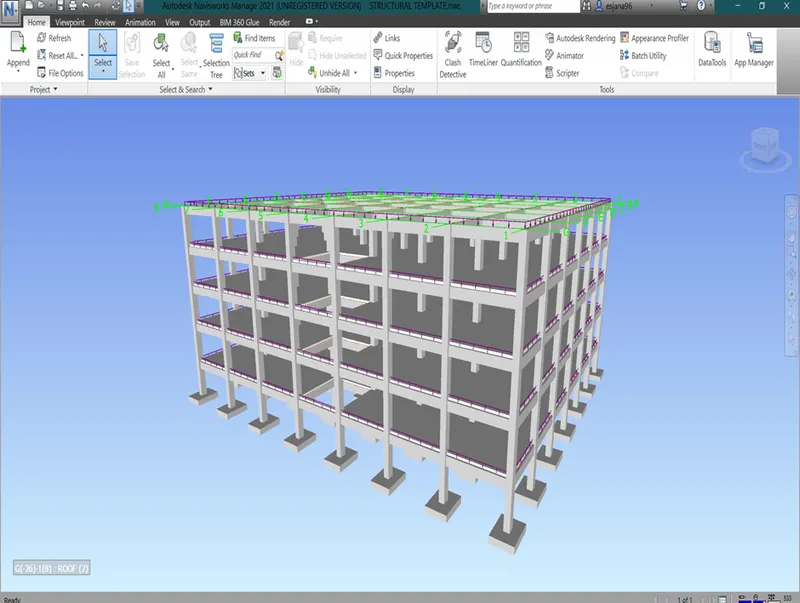
WALKTHROUGH USING NAVISWORK
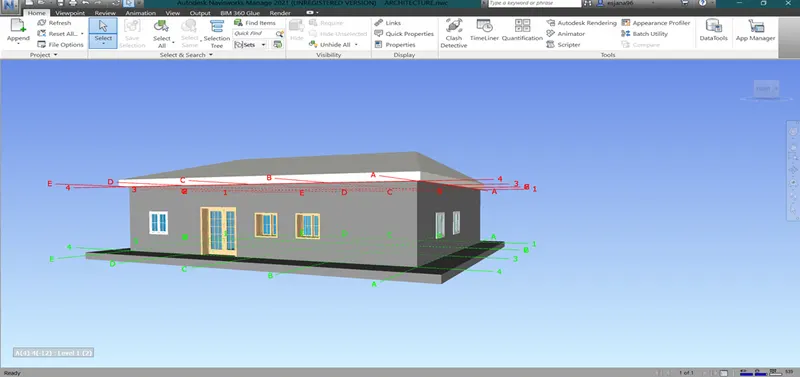
- To make walkthrough in naviswork 1st need to create viewpoint.
- After creating a view point drag mouse pivot in to place where it can be seen.
- After the creation of viewpoint click walk option and specify record option to record and slowly drag the mouse to move. It make walkthrough.
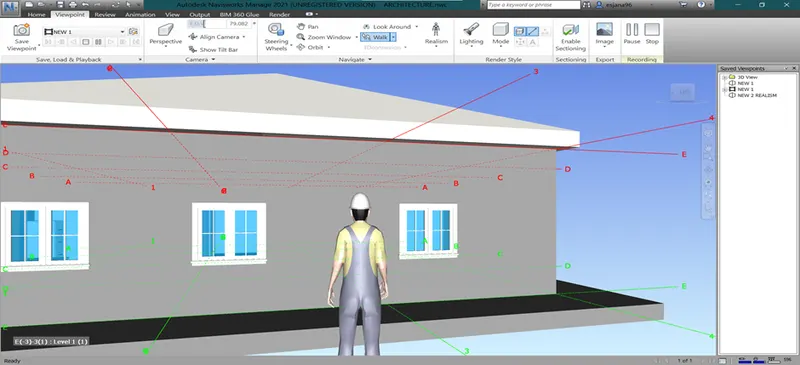
REALISM IN NAVISWORK
- To make realism in naviswork same procedure to be followed on walkthrough option. And realism select third man view.
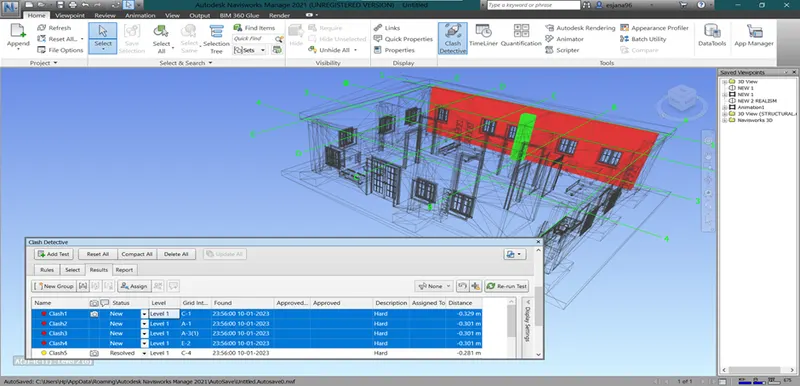
CLASH DETECTION TEST
- To make clash detection test, 1st make architecture file and using append option to import the structural file.
- After import both file click clash detective option and click add test to specify the file and scroll down to run result.
- To review the clash by clicking it, it will display on the model.
- To update model status by clicking it on them.
SCHEDULE FOR WORK
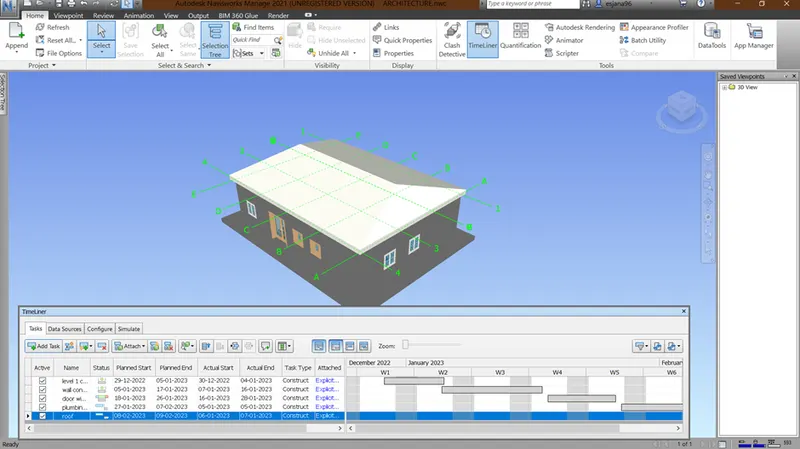
- To make work schedule in Naviswork use time liner option.
- To click add task to create a list of task as per selection tree.
- Specify the planned start, end and actual start and end date.
- Specify task type, using attach option to select the task in the selection tree to assign.
- To make video of time liner, click simulate option and run it.
- To save time liner video using save option and specify the format.
RESULT
The above image shows export and import file, creation of walkthrough and creation of realism and clash test, time liner in Naviswork software.