Usage of Collaborate tool in REVIT
Q.1) Open an architectural template. Using the Manage tab set project base point and project shared coordinates for the project.
AIM:-
To open an architectural template and using the manage tab we have to set the project base point and project shared coordinates for the project
INTRODUCTION :-
Revit is a commercial building information modeling (BIM) software by the company Autodesk.It’s generally used by architects, structural engineers, mechanical, electrical, and plumbing (MEP) engineers, designers, and contractors. Autodesk Revit allows users to create, edit, and review 3D models in exceptional detail.
PROCEDURE :-
The first step involves is to open the revit software in your desktop
After opening of the software go to the new option which is available on the left of the front page.
After clicking on the new option there open a new dialogue box then select the template which is required
Here I have selected architectural template and then click ok.
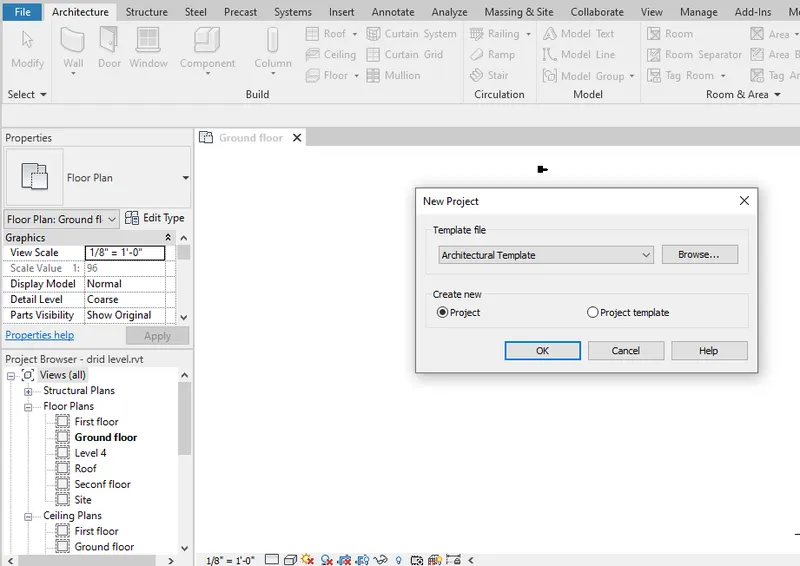
Then the next step involves is to create the grids , so as to show the project base point and the project shared coordinates
Go to the architecture tab and select the grids option and then draw them.
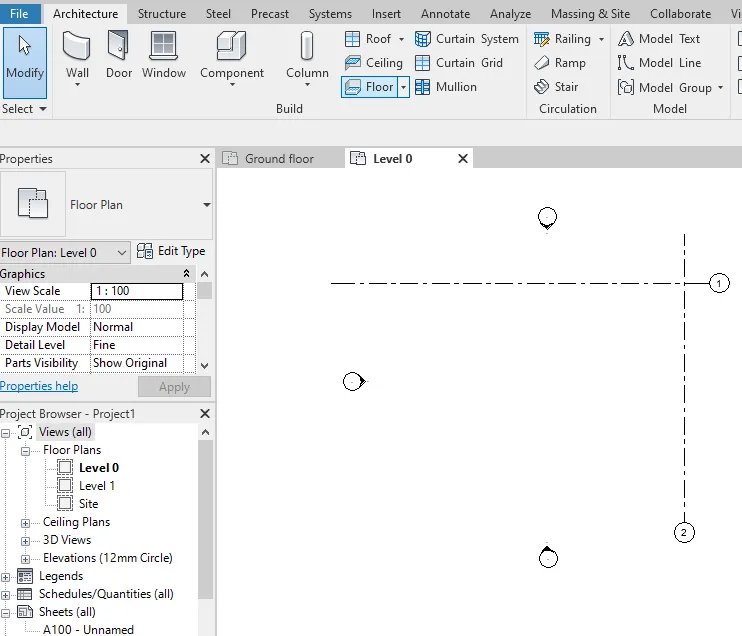
After drawing the grids
Then go to the manage tab and then select the co-ordinate option that is given there
After clicking on the coordinate option there opens a list and select the specify co-ordinate at point
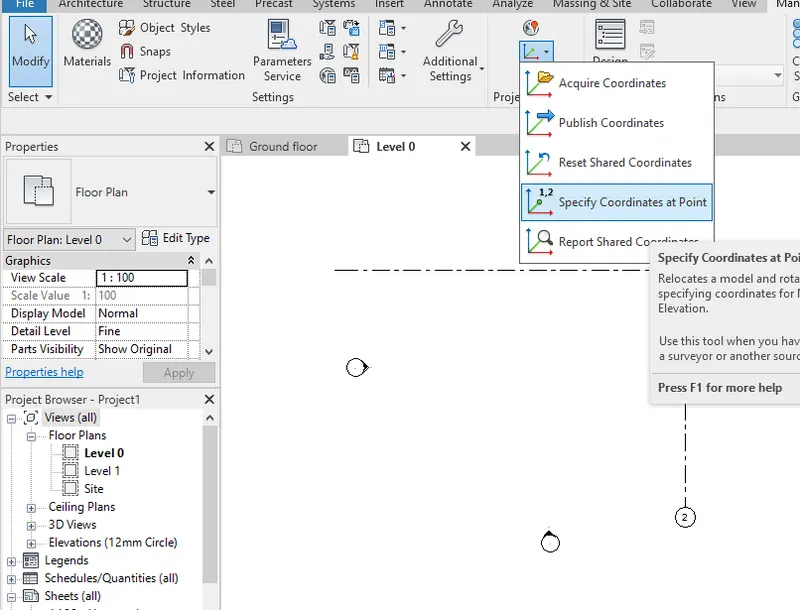
Hence the project shared coordinate has been placed in the project and hence to cross check it go to the visibility and graphic option by typing VG and then go to the site option.
After going to the site option click on the project base point option and mark it on .
Then click on the apply and ok option.
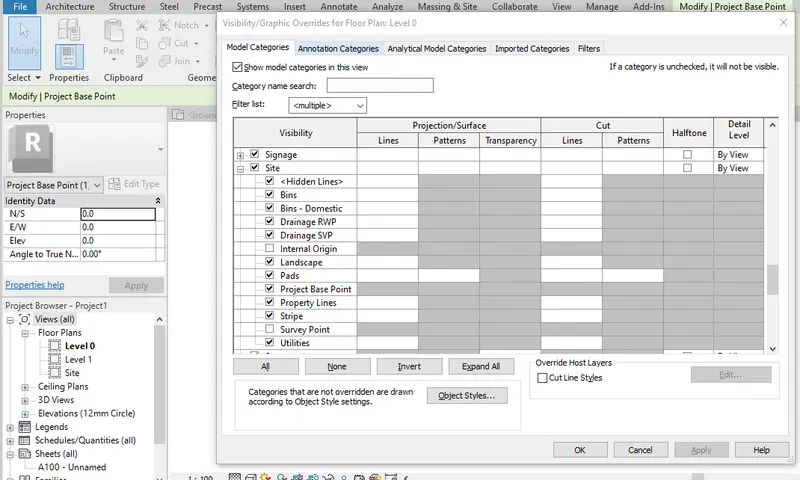
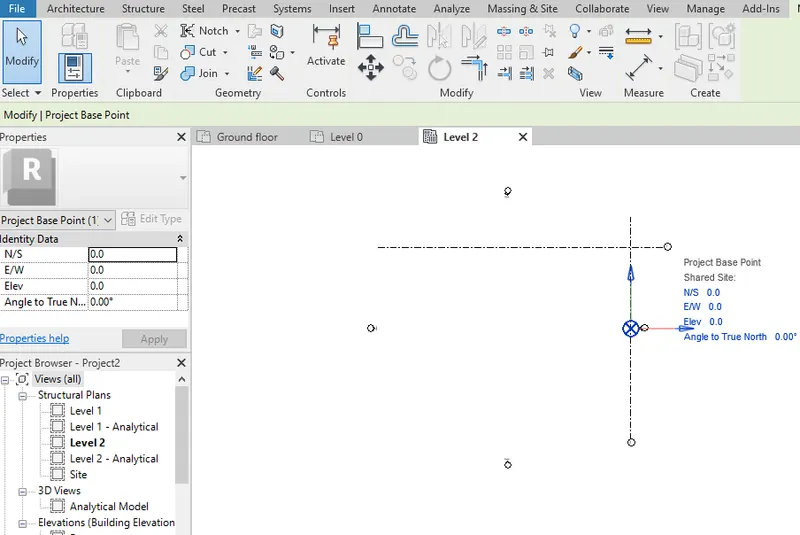
To show the details of the project base point, click on the co-ordinate system so that you can view the different positions and coordinates
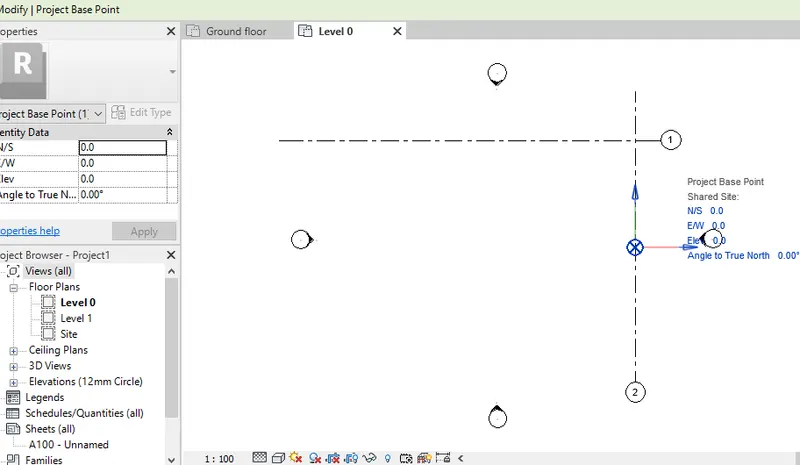
RESULT :-
Hence the project base point and project shared coordinates are being set for the project using the manage tab in an architectural template.
Q.2) Open another new file but with a structural template. Using the manage tab set project parameters the same as the architectural model. Copy the parameters from the architectural model to the structural template or enter the parameters manually into the structural model.
AIM :-
To open another file with structural template and also set the parameters has same as the architectural model
INTRODUCTION:-
Revit is a commercial building information modeling (BIM) software by the company Autodesk.It’s generally used by architects, structural engineers, mechanical, electrical, and plumbing (MEP) engineers, designers, and contractors. Autodesk Revit allows users to create, edit, and review 3D models in exceptional detail.
PROCEDURE :-
The first step involves is to open the revit software in your desktop
After opening of the software go to the new option which is available on the left of the front page.
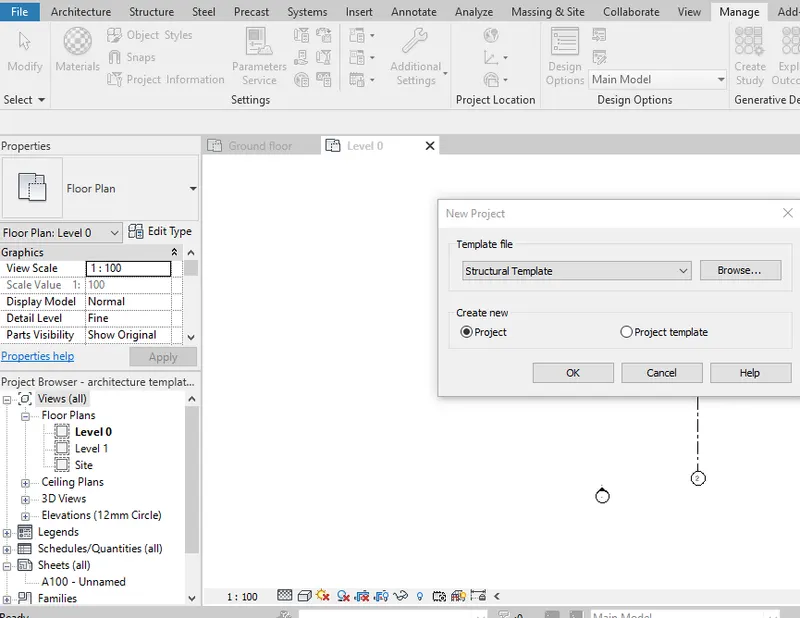
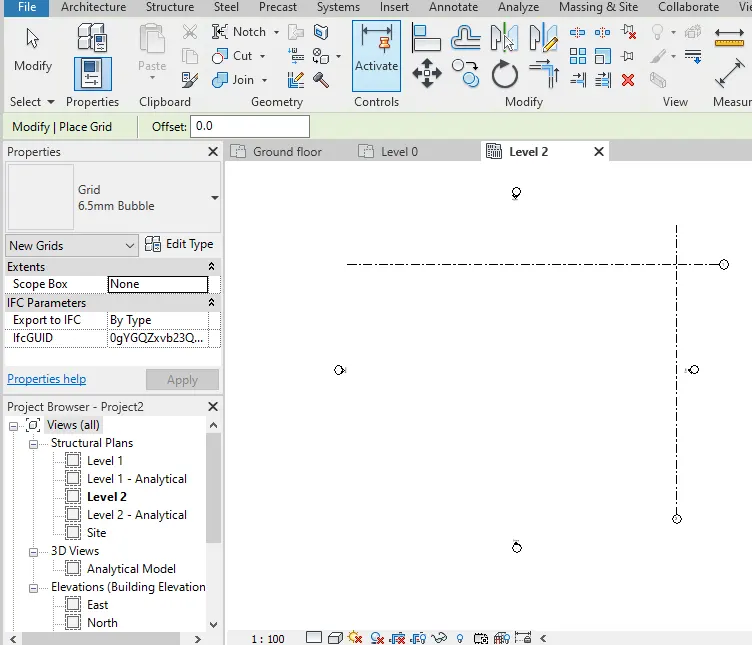
Draw the grids as we have drawn in the architectural template with the same method
After that go to the manage toolbar and then select the co-ordinate option available there in the project location
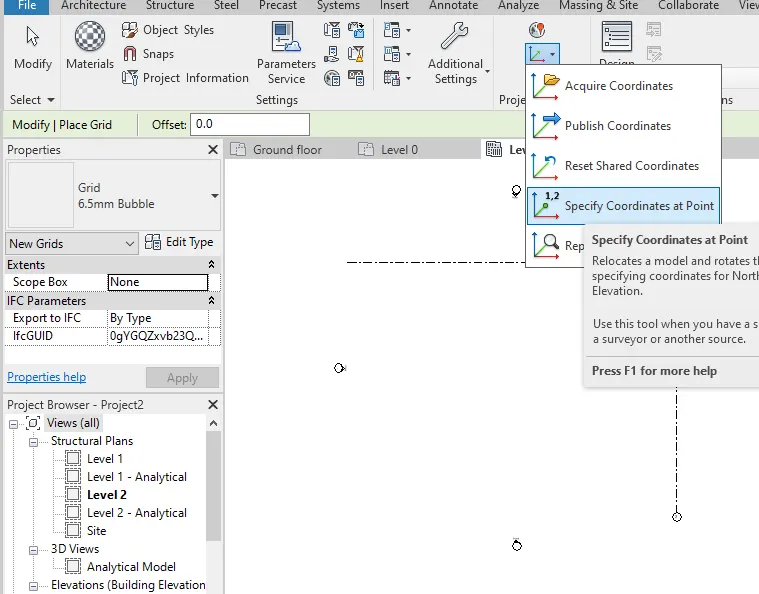
And the project baseline and project share coordinates have in assign to the project so to cross check them go to the VG option
And then go to the site option, after that click on the project base point option and click apply and ok.
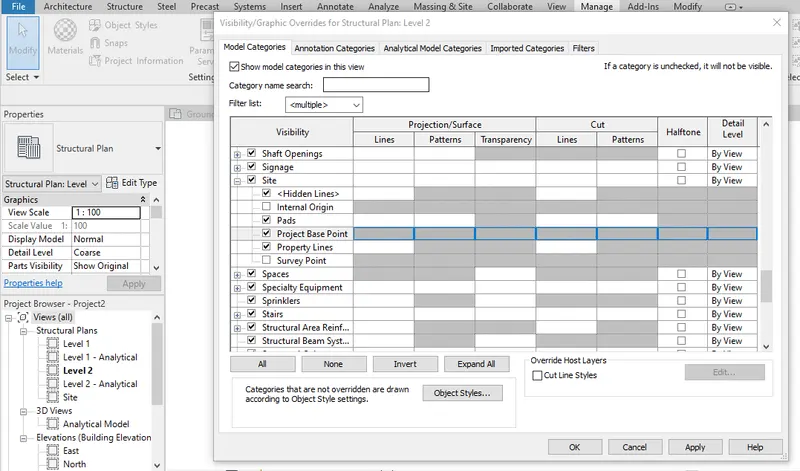
Click on the project base point or coordinate to see the details of the coordinates and also edited just click on the co-ordinate and enter the value as per your requirement
Q.3) Re-open the architectural model. Using the tools under the Collaborate tab make the architectural model a central model (enabling simultaneous working on the model)
AIM:-
To reopen the architectural model and also to use the tools under the collaborate tab to make a architecture model of Central model
INTRODUCTION :-
Revit is a commercial building information modeling (BIM) software by the company Autodesk.It’s generally used by architects, structural engineers, mechanical, electrical, and plumbing (MEP) engineers, designers, and contractors. Autodesk Revit allows users to create, edit, and review 3D models in exceptional detail
PROCEDURE :-
Open the architectural model which you have saved earlier.
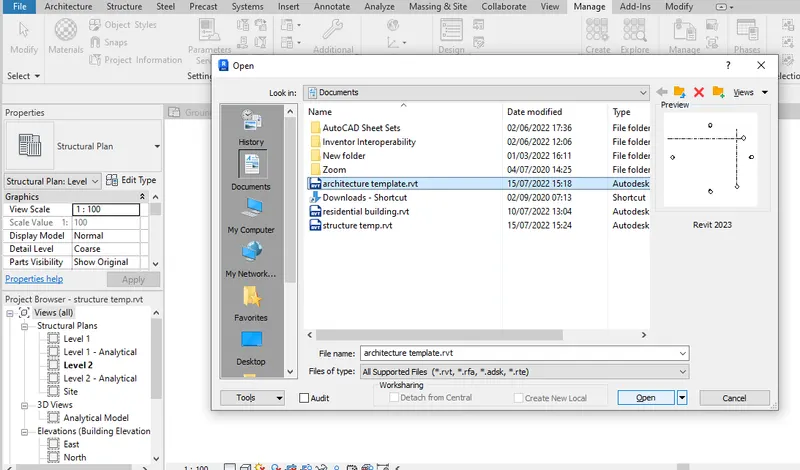
After opening the model go to the collaborate tab where you we can see a collaborate option available
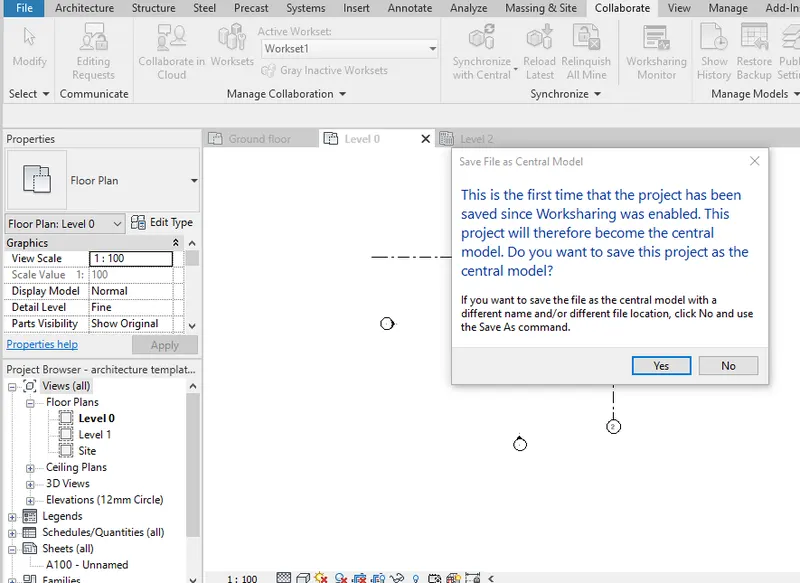
Click on the collaborate option to collaborate the project
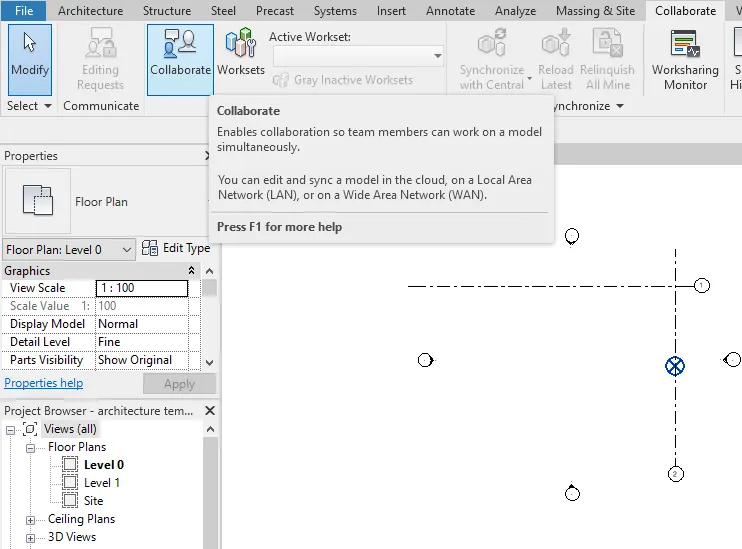
After that the working process will be start and hence the project will be centralised and also it will be created as a central model
Not to save the file click on the save option which is available above and also number as2 to save the model.
Q.4) Create the Grids Longitudinal and Transverse pattern for the project similar to the task done in Week 2
AIM:-
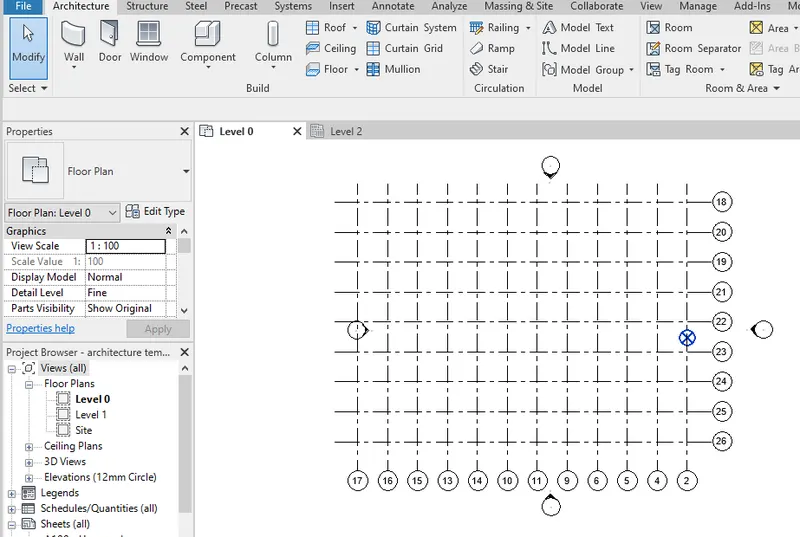
To create the grids longitudinal and transfers pattern for the project
INTRODUCTION :-
Revit is a commercial building information modeling (BIM) software by the company Autodesk.It’s generally used by architects, structural engineers, mechanical, electrical, and plumbing (MEP) engineers, designers, and contractors. Autodesk Revit allows users to create, edit, and review 3D models in exceptional detail
PROCEDURE :-
Open the Revit software
Then go to the architectural tab and click on the grid option available there.
Q.5) Synchronize the changes from the local copy to the central file of the architectural model.
AIM:-
To synchronise the changes from the local copy of the central file of the architectural model
INTRODUCTION :-
Revit is a commercial building information modeling (BIM) software by the company Autodesk.It’s generally used by architects, structural engineers, mechanical, electrical, and plumbing (MEP) engineers, designers, and contractors. Autodesk Revit allows users to create, edit, and review 3D models in exceptional detail.
PROCEDURE :-
Go to the homepage and open the architectural file which you have created and saved earlier.
After opening the file go to the collaborate tab and their occurs an option of synchronise with Central
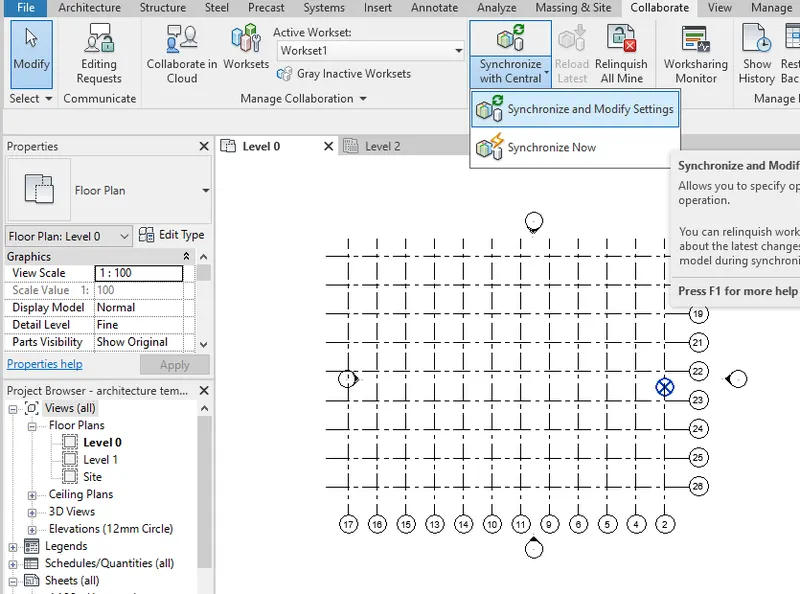
Click on the synchronize with Central option and there will occurs two more options and click on the synchronise and modify settings.
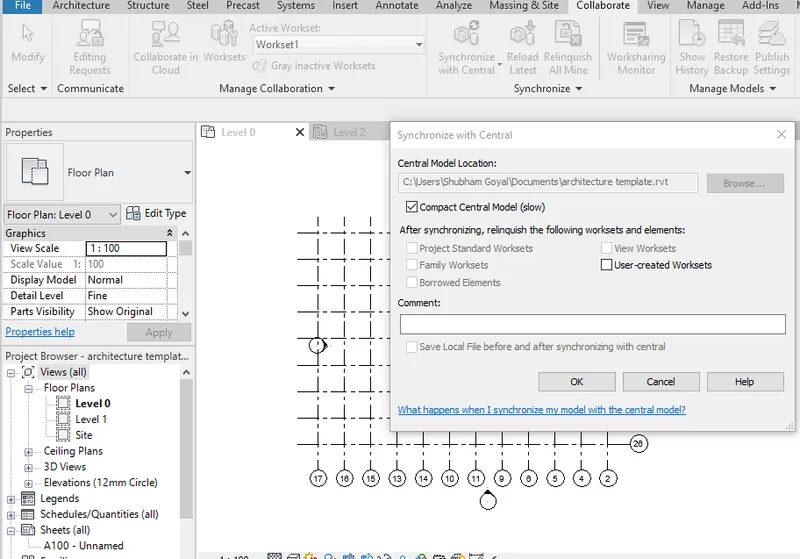
After picking on that they are opens a dialogue box in which just check the compact Central model and click ok to proceed.
Q.6) Open the structural model and use the collaborate tools to save the model as a central file.
AIM :-
To open the structural model and use the collaborate tab to save the model as a central file.
INTRODUCTION :-
Revit is a commercial building information modeling (BIM) software by the company Autodesk.It’s generally used by architects, structural engineers, mechanical, electrical, and plumbing (MEP) engineers, designers, and contractors. Autodesk Revit allows users to create, edit, and review 3D models in exceptional detail
PROCEDURE :-
Open the structural model which you have created earlier and saved as a file
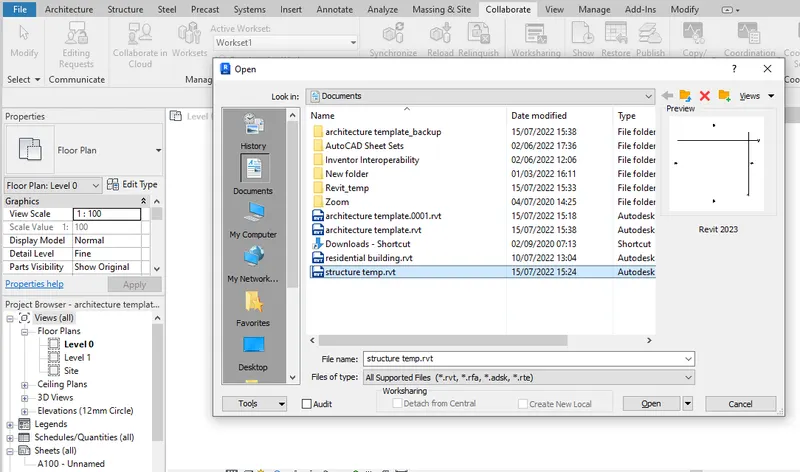
After opening of the structural model go to the collaborate tab and click on the collaborate option.
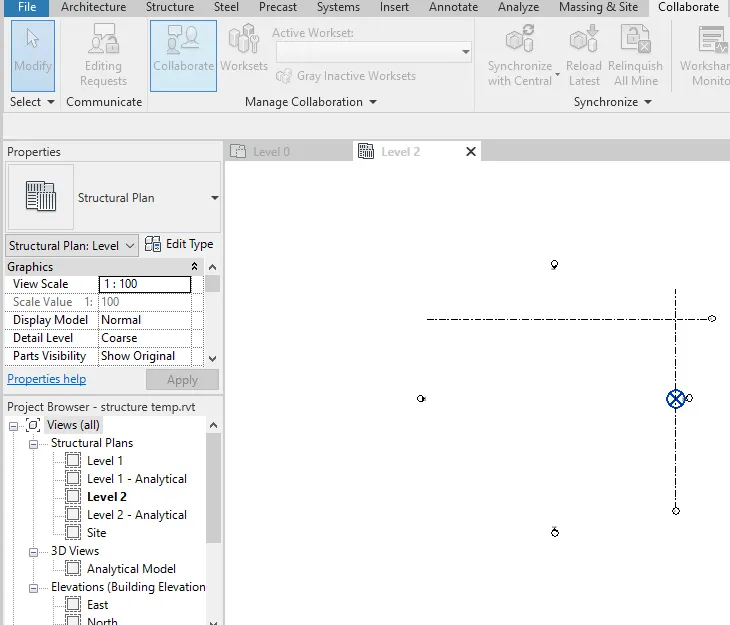
Q.7) Under the Collaborate tab, select the grids and levels from the architectural model, and using Copy Monitor try to copy the grids to the structural model. See what happens when the copy monitored grid is moved around in the structural mode.
AIM:-
To link the architectural model with the structural model and also use the copy monitor to copy the grid to the structural model.
INTRODUCTION :-
Revit is a commercial building information modeling (BIM) software by the company Autodesk.It’s generally used by architects, structural engineers, mechanical, electrical, and plumbing (MEP) engineers, designers, and contractors. Autodesk Revit allows users to create, edit, and review 3D models in exceptional detail.
PROCEDURE :-
Open the structural model file which we have created earlier.
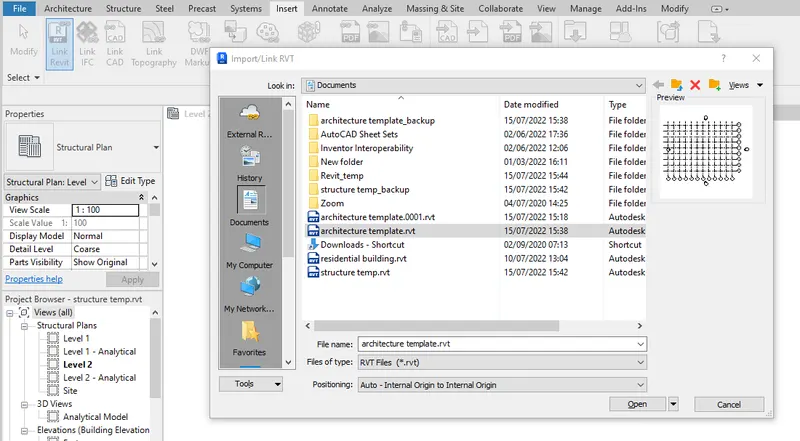
Therefore you can see that the file has been linked to the structural model which we have created.
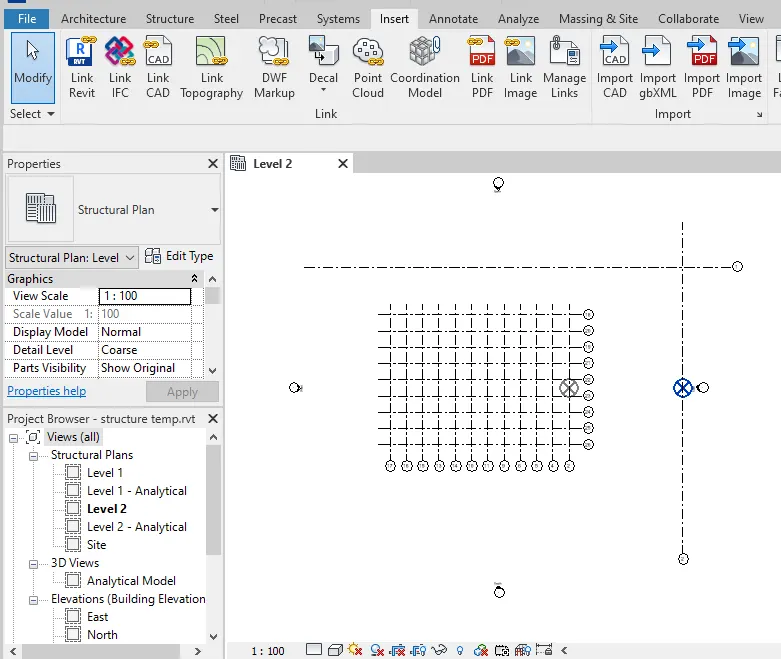
Then go to the insert tab and click on the link revit option.
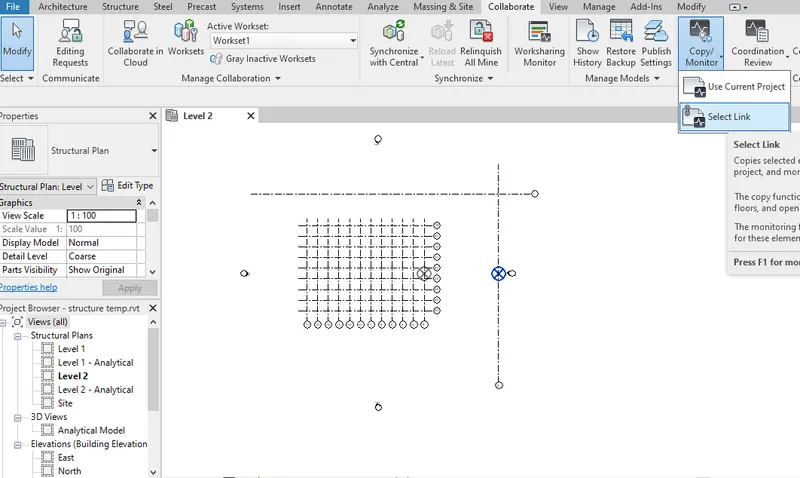
After that the Ribbon bar changes and then click on the copy option
Then go to the model and select that model which you want to copy.
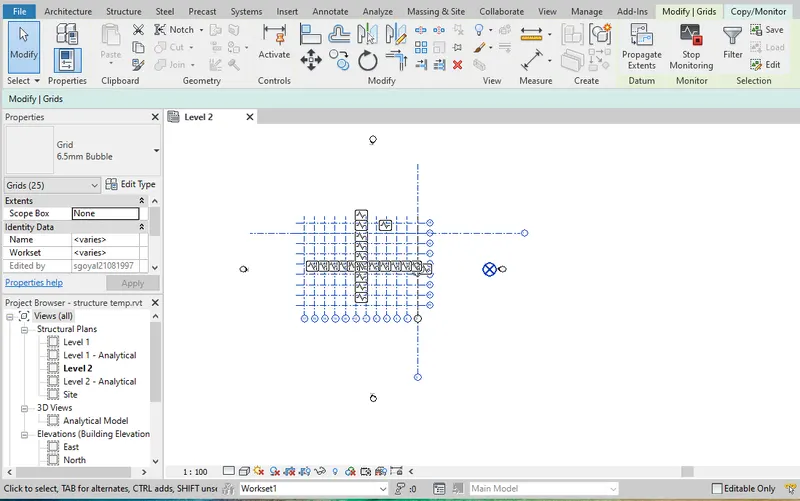
Then click on the multiple and finish option
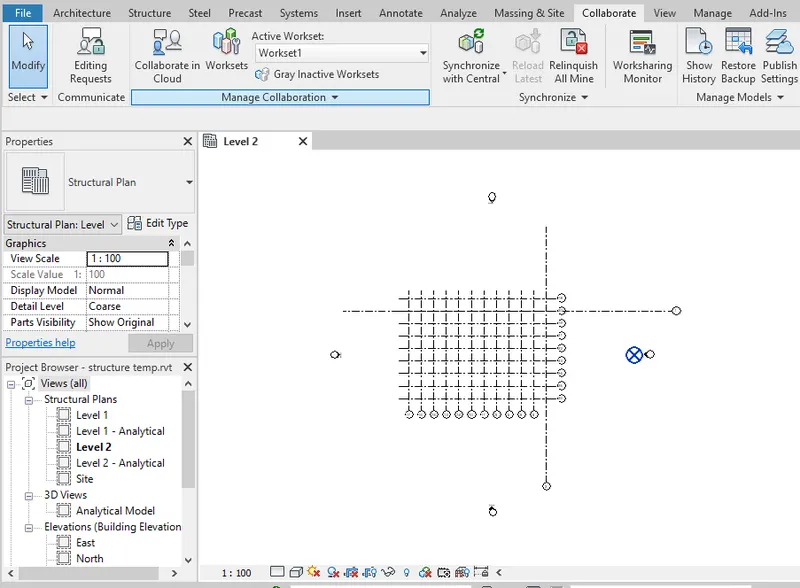
Q.8) Create another new file with a construction template. Save the new file as a central model. This file will include both architectural and structural model. Under the manage tab, Click manage links to link both architectural and structural files. Save the file and close all the files.
AIM :-
To create a file with a construction template and also to save it as a central model including the both architectural and structure model attached.
INTRODUCTION :-
Revit is a commercial building information modeling (BIM) software by the company Autodesk.It’s generally used by architects, structural engineers, mechanical, electrical, and plumbing (MEP) engineers, designers, and contractors. Autodesk Revit allows users to create, edit, and review 3D models in exceptional detail.
PROCEDURE :-
Open the software and click on the new option to create a new template.
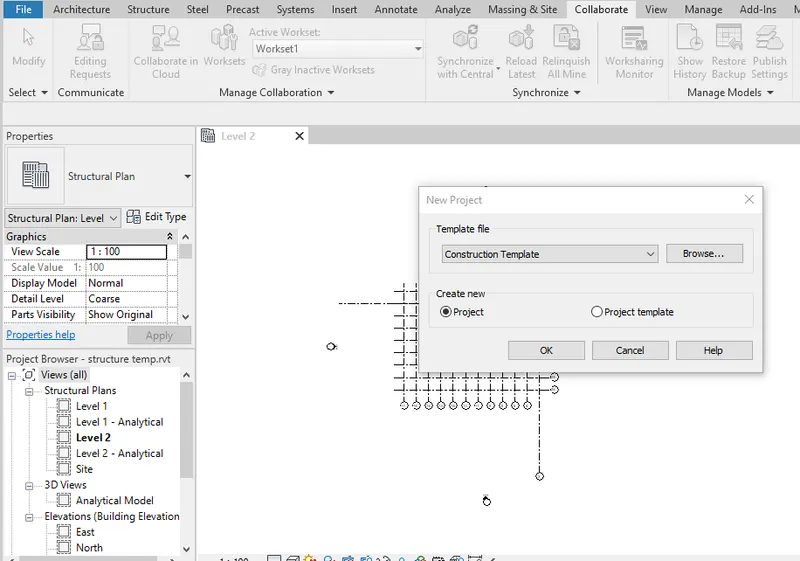
After that the construction template will be opened and then go to the collaborate tab and select the collaborate option.
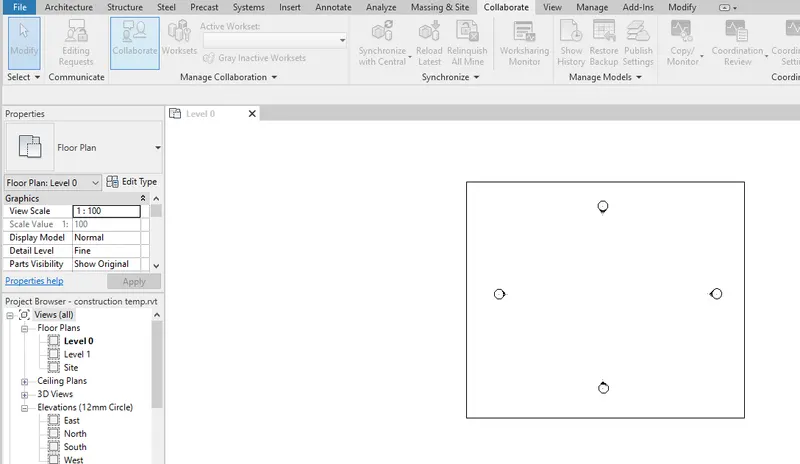
After clicking on the collaborate option there open the dialogue box in which you have to select the within your network option and then click ok to proceed now.
After taking on the link revit option there open the dialogue box to link the model file to your project then select the file you want to link
Here as per in given question we have to select the architectural template as well as the structural template.
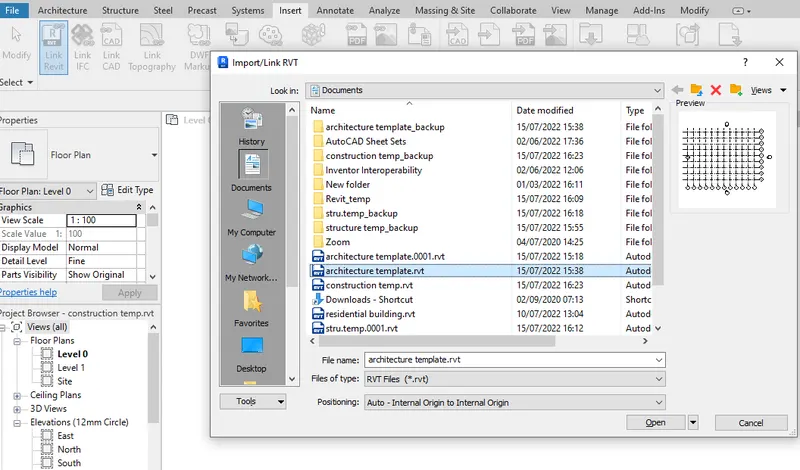
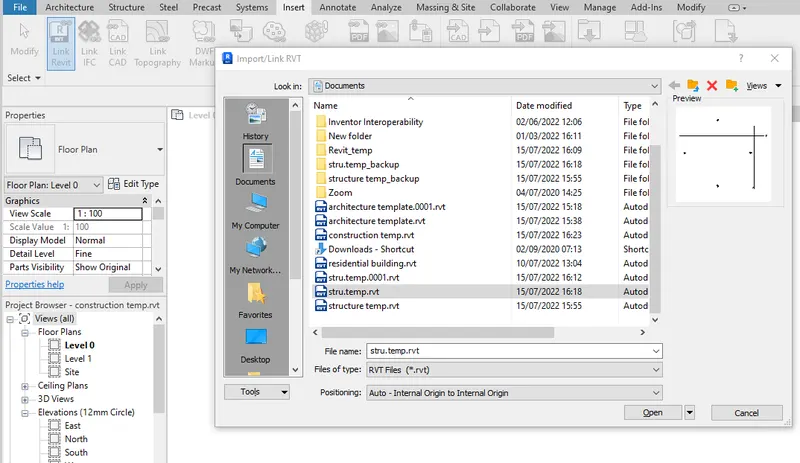
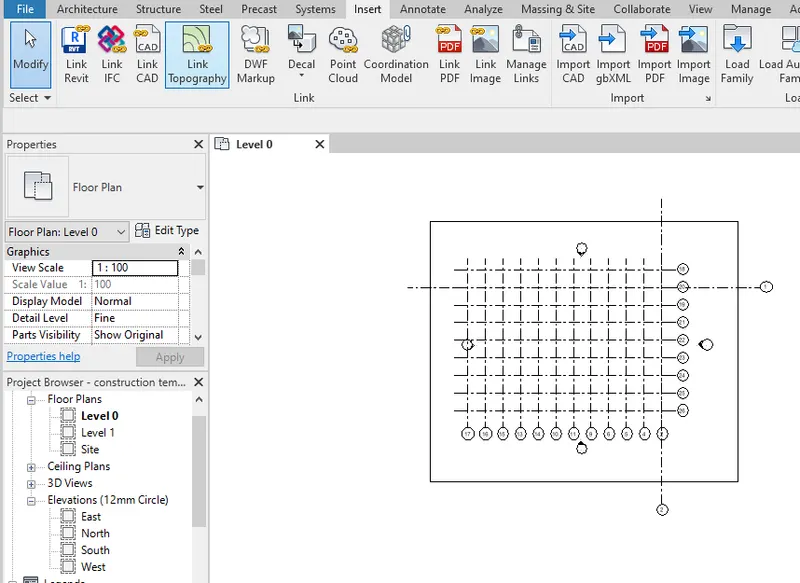
And the file has been linked after clicking ok on it and to check it go to the VG setting and then go to the revit links option
There you can see the linked models to the file.
Q.9) Are the grids from structural and architectural model matching in the construction template created? If yes the model is set up for project 2. If not work on the shared parameters and linking options under Manage links
AIM :-
To check the grids of the architectural and structural model matching the construction template or not
INTRODUCTION :-
Revit is a commercial building information modeling (BIM) software by the company Autodesk.It’s generally used by architects, structural engineers, mechanical, electrical, and plumbing (MEP) engineers, designers, and contractors. Autodesk Revit allows users to create, edit, and review 3D models in exceptional detail
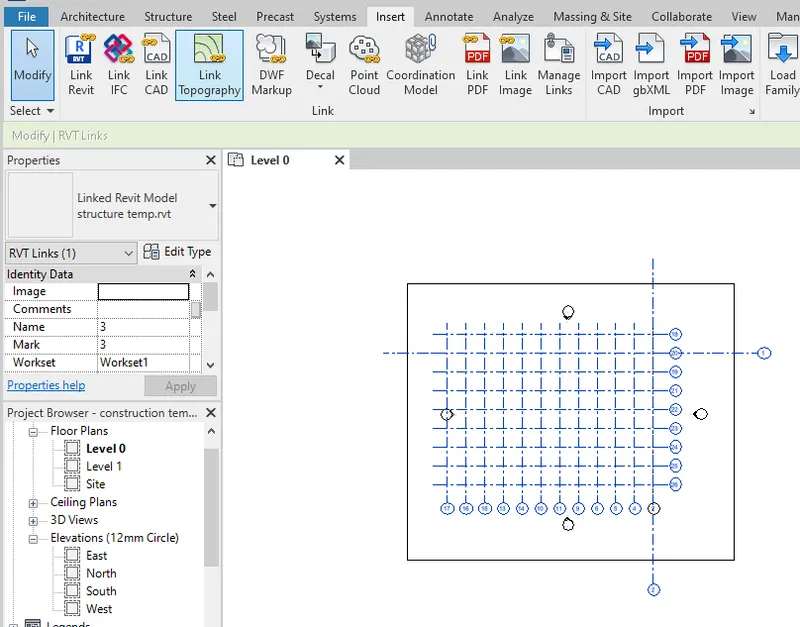
Q.10) List a flow chart of a project tree set up in terms of Construction model, Architecture & Structure model, in this exercise and understand how many people can work on the same project using Revit simultaneously.
ANS.10.
| ARCHITECTURAL MODEL | STRUCTURAL MODEL |
|
In architectural model the modellings of wall is done. The modelling of Windows are also done in architectural model Modelling of Doors are also included in architectural model The assigning of material is done. Modelling of architectural floorings Modelling of architectural roofings and ceilings Enables us to provide the Geographic conditions Modelling of staircase are done Architectural model in overall contributes to the aesthetic beauty of the building |
In structural model modelling of columns are done The modelling of beans are done in structural model Modelling of footing is also done in structural model Modelling of structural floors are done Modelling of labs are also included in structural model Modelling of tress systems are also done Modelling connections are also provided in structural model The structure model in general develops the entire framework of a structure |