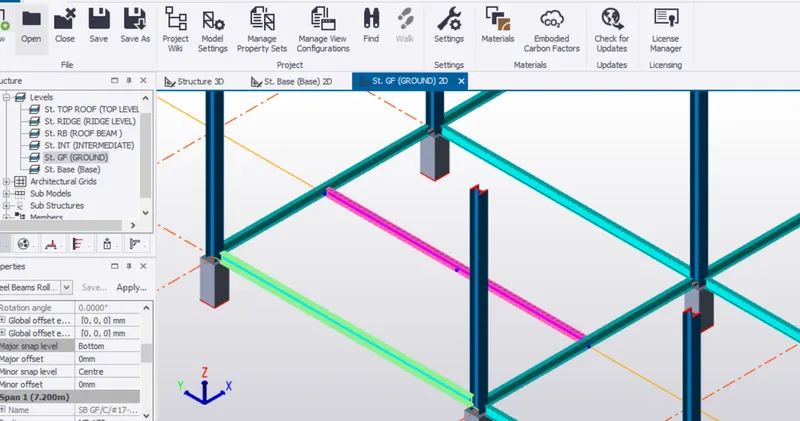
To model columns for industrial steel structure using TSD
Q1:) Create column properties for different types of pedestal members and model in the grids created as per the assignment 1
Aim: To create a layout with grids and column pedestal
Procedure:
Step:1) Open TSD and set units to metric
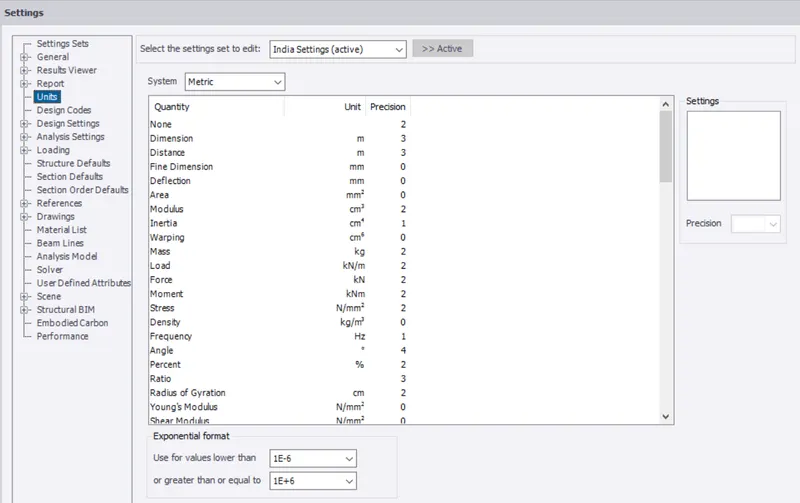
Step:2) Create grid lines according to the layout
Model >Grid lines
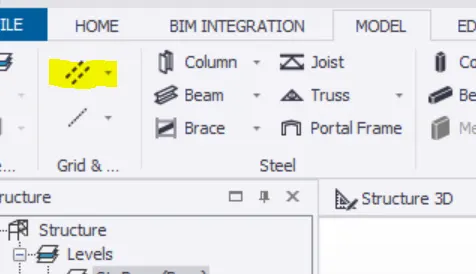
Draw the grid lines in X & Y direction
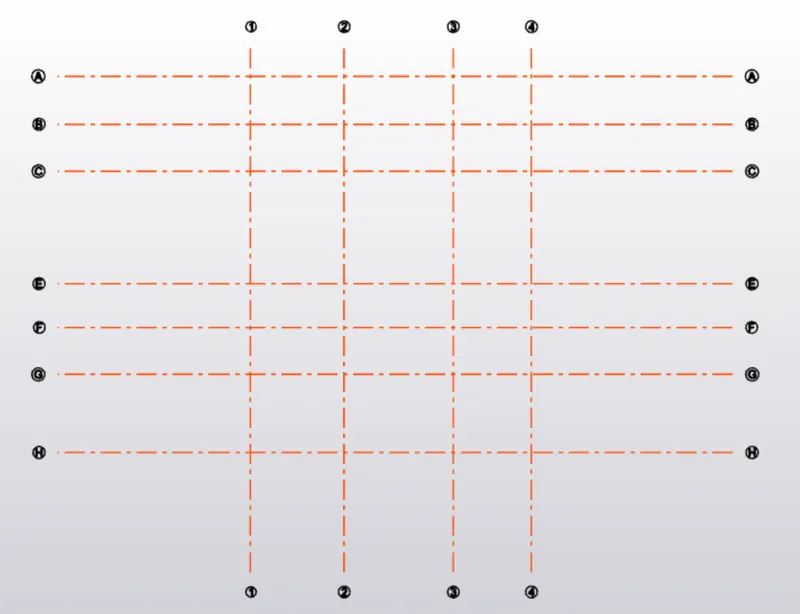
Step:3) Create grid lines according to the layout
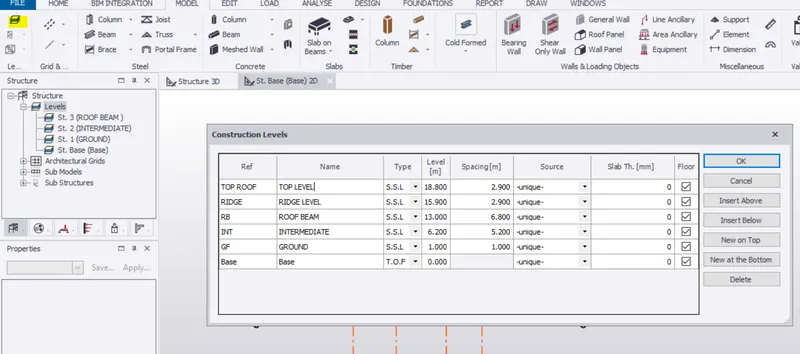
Step:4) Create columns for pedestal
Create column properties -Home > Manage property sets
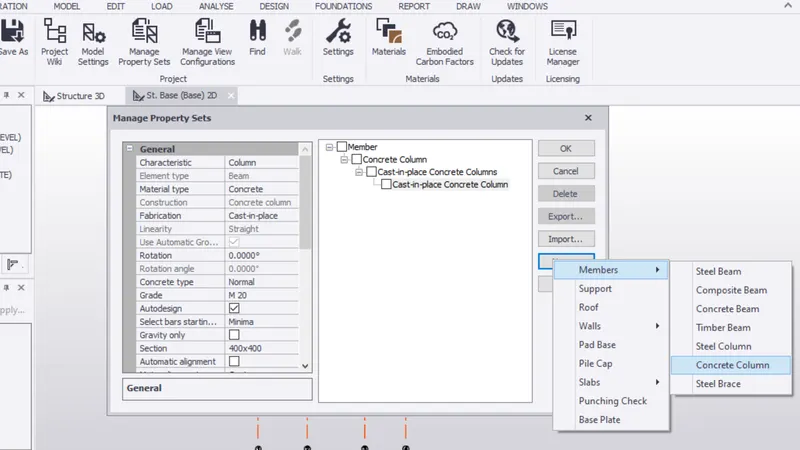
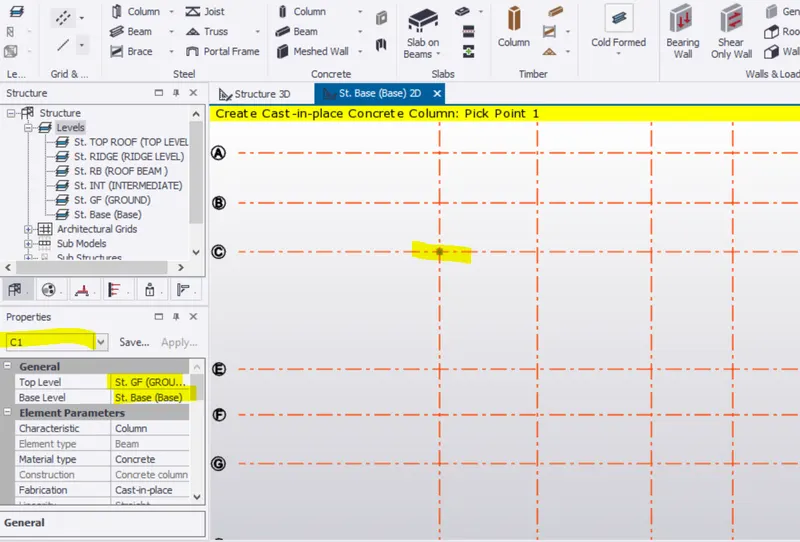
Select the columnn type and add at grid intersections
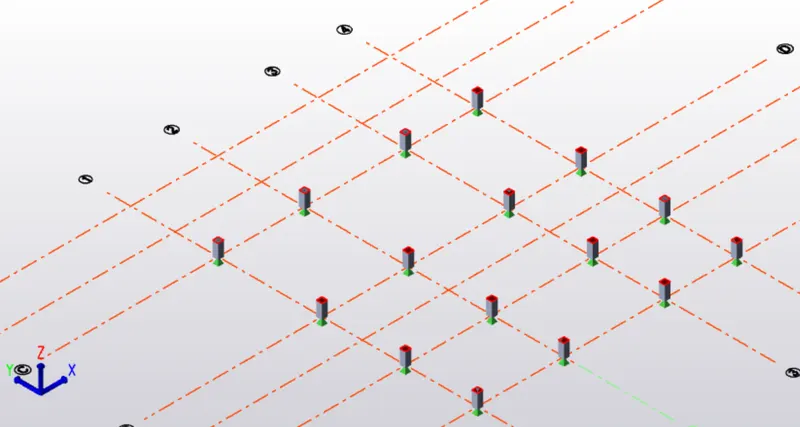
Result:
The pedestals where created from GF to intermediate
Q2:)Create column properties for steel columns and model columns in the grid created as per assignment 1.
Aim: To create steel columns on concrete columns
Procedure:
Step:1)To create steel column properties
Home > Manage property set >New > Members > Steel column
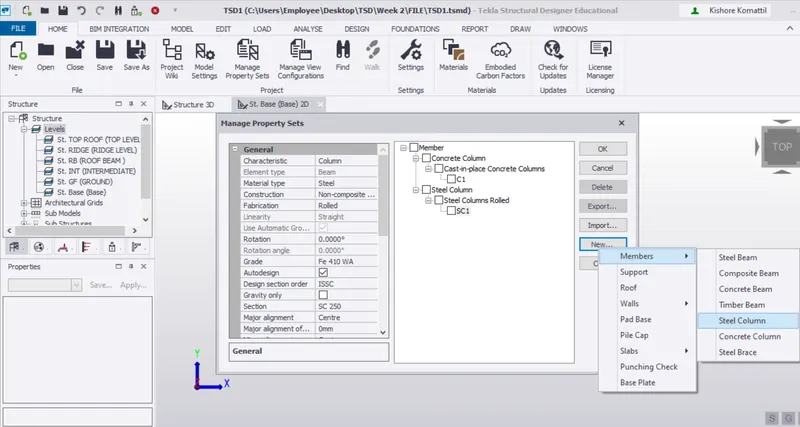
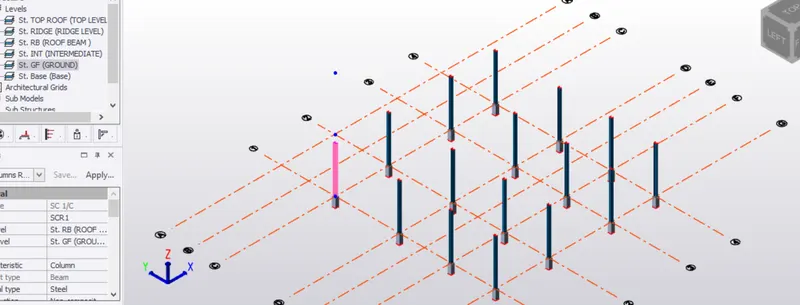
Step:2)Place column at appropriate positions ( Over RCC pedestals)
Model > Steel column
Q3:)Create beam properties and model primary and secondary beams on the ground floor
Aim: To create beam
Procedure:
Step:1)
Home > Manage property sets > New > Members >Steel beam
MB1 - Main beam
SB1 - Secondary beam
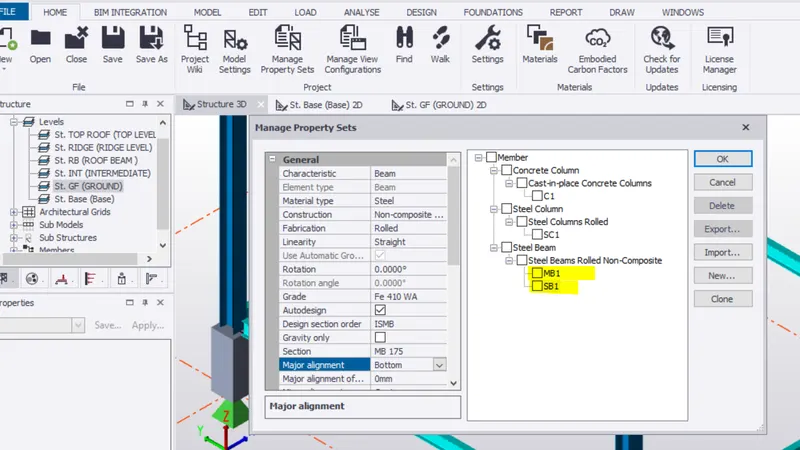
Step:2)
Take Ground level > provide Steel beam (Main & Secondary )
Main beam along grid lines
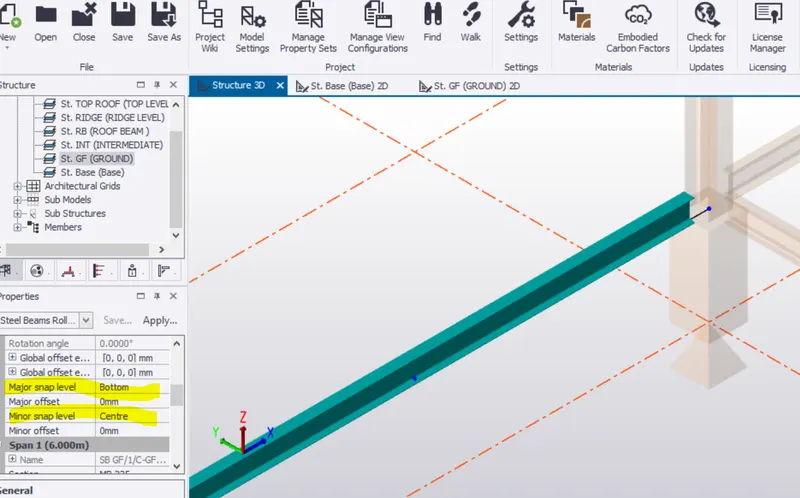
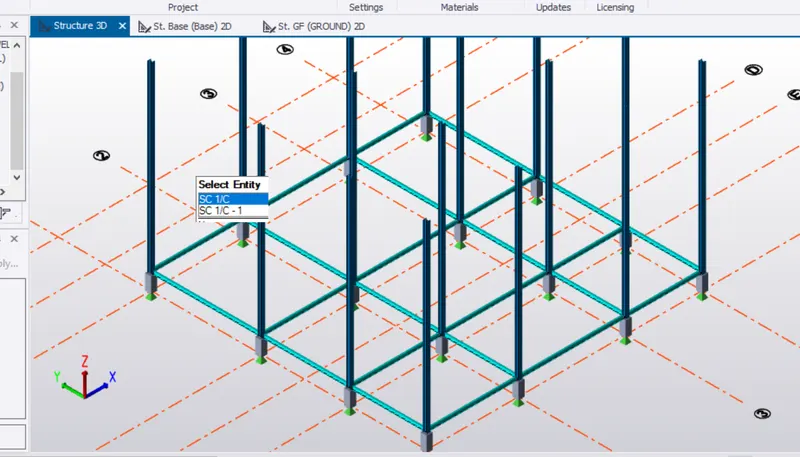
Step:3)Create construction lines for secondary beams
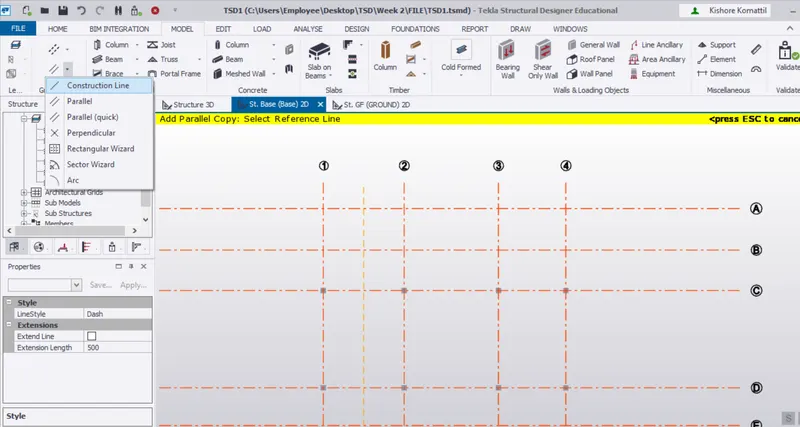
Secondary beam draw for stair