To Model a RC residential structure using TSD
1. Setup model for RC building design and based on following parameters for cover
|
MEMBERS |
IN CONTACT WITH GROUND |
ABOVE GROUND |
|
Column |
50mm |
40mm |
|
Beam |
30mm |
25mm |
|
Slab |
30mm |
25mm |
|
Pilecap |
75mm |
|
|
Foundation |
50mm |
|
AIM :
To Setup model for RC building design and based on following parameters for cover
INTRODUCTION :
R.C.C. Structure design :a combination of concrete and steel reinforcement that are joined into one piece and work together in a structure. The term “reinforced concrete” is frequently used as a collective name for reinforced-concrete structural members and products.Reinforced concrete (RC) frame structures are built from concrete that contains steel bars, called reinforcement bars, or rebar. This combination works very well, as concrete is very strong in compression, easy to produce at site, and inexpensive and steel is very strong in tension.
PROCEDURE :
- Lets open the tekla software and create a new one
- Go the setting option and open the structural default
- First select the SSL and edit the nominal cover option
- Enter the given valuse on above question
- Beam - 30, Column - 50, Walls - 25, Slabs - 30, Pad bases - 50, Pile caps - 75
- Next change the default type TOF
- Enter the given valuse on above question
- Beam - 25, Column - 40, Walls - 25, Slabs - 25, Pad bases - 50, Pile caps - 75
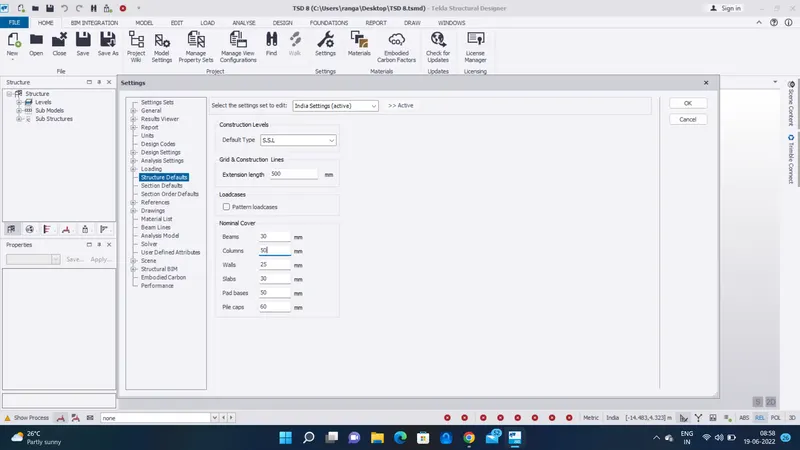
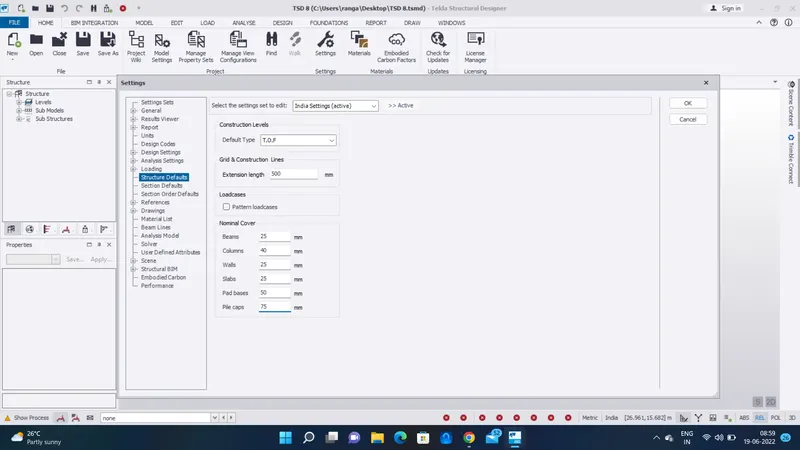
RESULT :
As per the question Setup model for RC building design and based on following parameters for cover has been doned
2. Model grids as per the attachment 2,2.1 and 2.2
AIM :
To Model grids as per the given attachment 2,2.1 and 2.2
INTRODUCTION :
Each square is 1 square inch. To draw this grid, put your ruler at the top of the paper, and make a small mark at every inch. Place the ruler at the bottom of the paper and do the same thing. Then use the ruler to make a straight line connecting each dot at the bottom with its partner at the top.
PROCEDURE :
- Next we want to create the grid on the same previous created file
- Taken the given 2d plan file attachment
- Taken the dimension value on that Architech plan
- Next go to the model tab and select the grid
- select the grids and draw on the screen
- And use the quick parallel option to make other grids with correct dimensions
- And use the perpendicular option to place the grid in perpendicularlly
- The created grids are given below
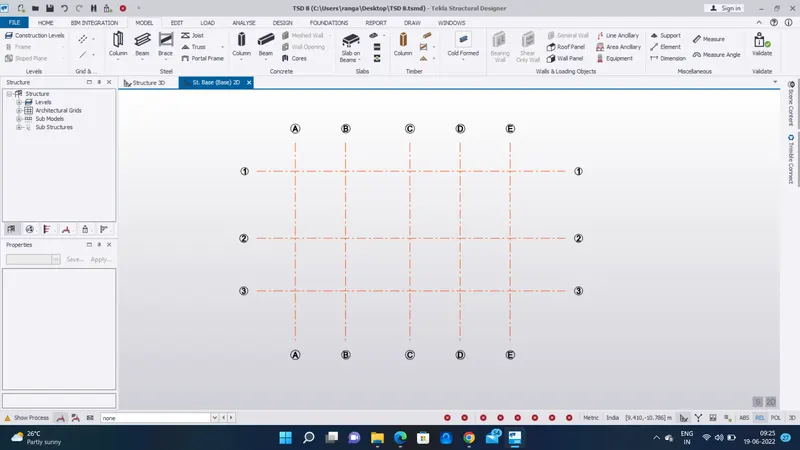
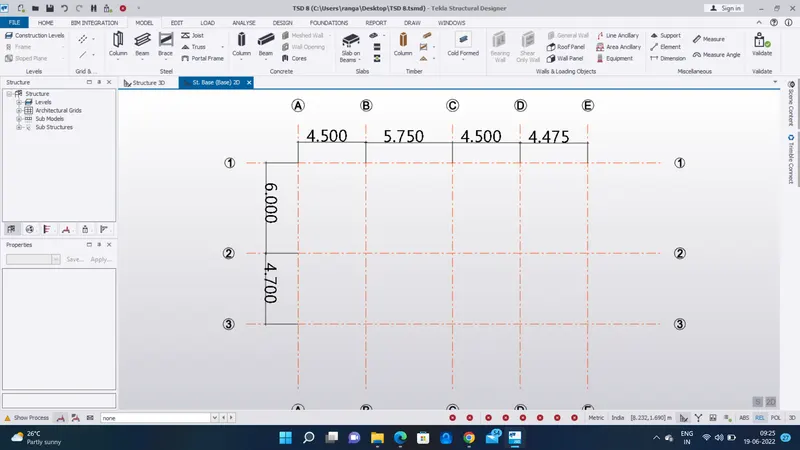
RESULT :
As per the question Model grids sucessfully arranged by using given attachment 2,2.1 and 2.2
3. Study the layout and write a summary for general arrangement of the structure
AIM :
To Study the layout and write a summary for general arrangement of the structure
INTRODUCTION :
The general arrangement (GA) or structural layout is a document that clearly specifies the disposition of the structural elements in a building such as the columns, beams, panelling of the floor slabs etc, on which the design of the structure is based.A GA Drawing stands for General Arrangement Drawing; it is used to communicate the important overall relationship between the main elements of the tank and key dimensions. This drawing acts as a gateway between the designer, in this case, Fuelchief and the customer
PROCEDURE :
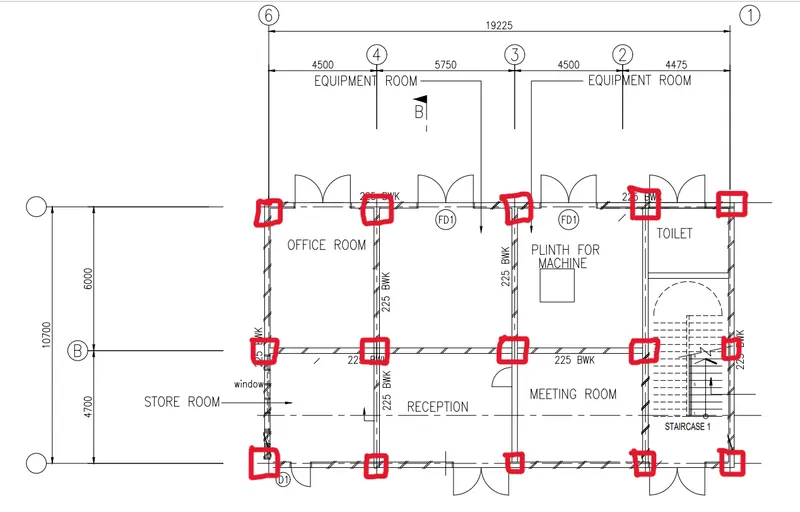
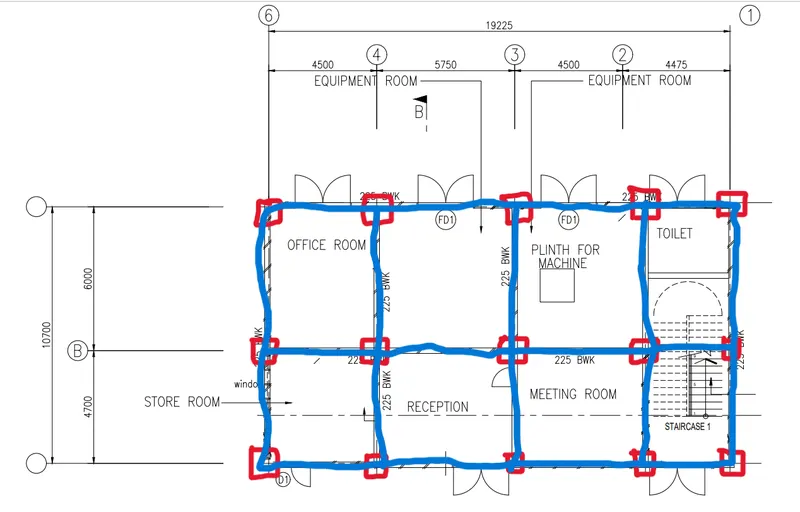
- Next step, First we want to understand the architech plan
- We want to imagine the column and beam placed
- just sketch the beam and column roughly
- Here red box shown column placement
- And blue lines shown the beam placements
RESULT :
As per the question Study the layout and write a summary for general arrangement of the structure has been completed
4. Model RC columns, beams and slabs as per your general arrangement
AIM :
To Model RC columns, beams and slabs as per your general arrangement
INTRODUCTION :
- A vertical arrangement of items printed or written on a page columns of numbers. b : one of two or more vertical sections of a printed page separated by a rule or blank space The news article takes up three columns. c : an accumulation arranged vertically : stack columns of paint cans.
- A beam is a long thick bar of wood, metal, or concrete, especially one used to support the roof of a building. The ceilings are supported by oak beams. Synonyms: rafter, support, timber, spar More Synonyms of beam.
- A concrete slab is a flat, horizontal surface made of a wet cement mix and crushed stones that hardens or cures into concrete.
PROCEDURE :
STEP :1
- Go to the model tab
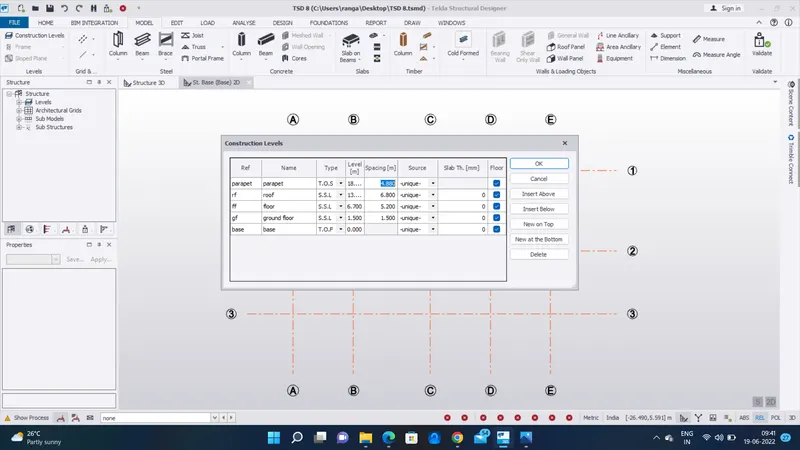
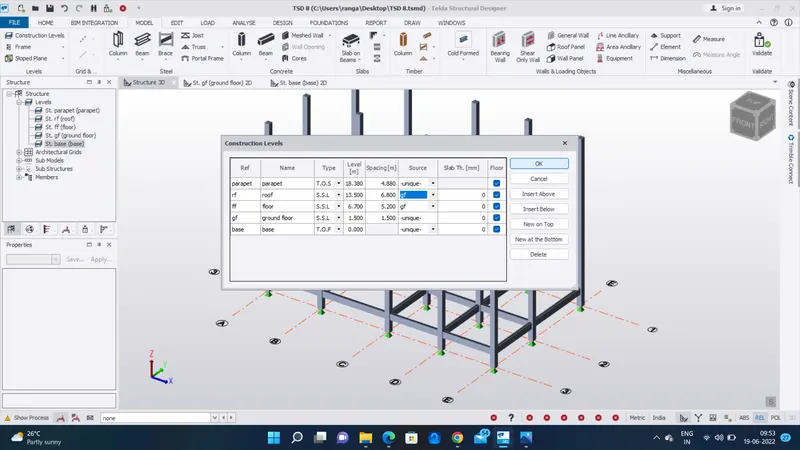
- Go to the construction level option
- make the floors above and below as base, gf, ff, rf, parapet
- And given the dimension as per the architech plan provided
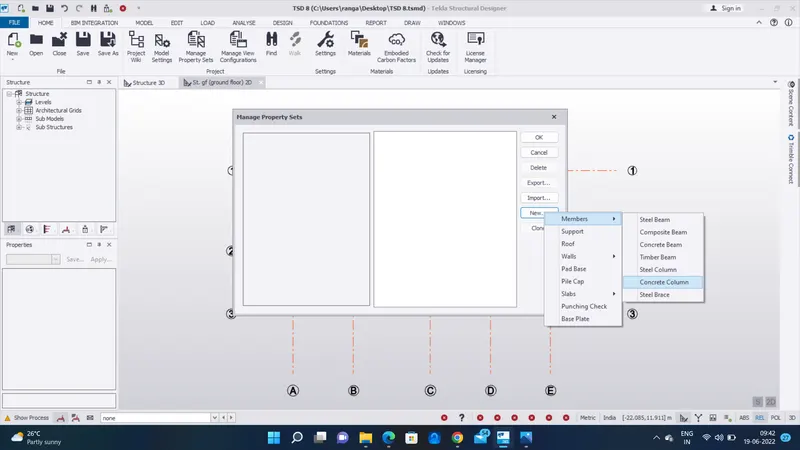
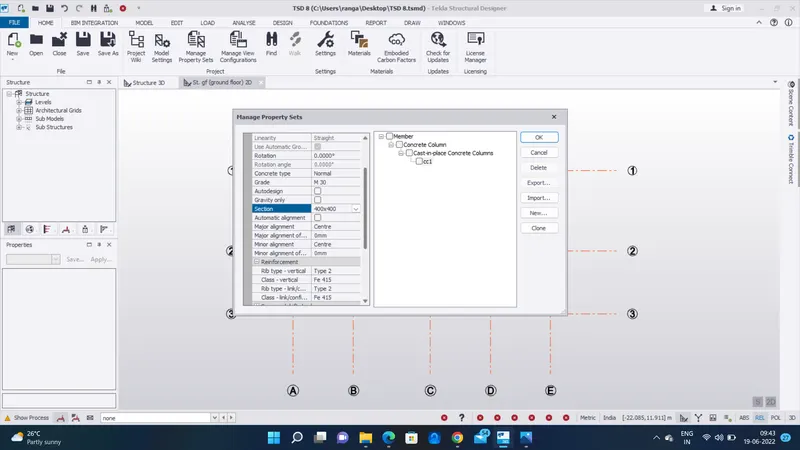
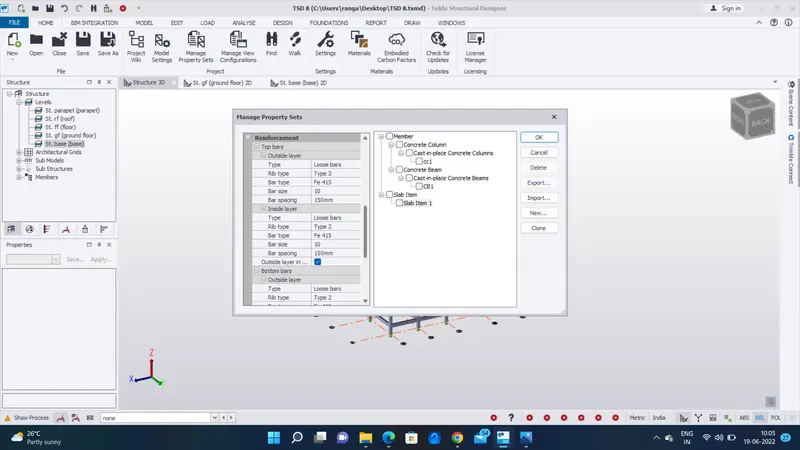
- Next go to the home tab and select the manage propertie sets
- And make a new concrete column and rename it CC1
STEP :2
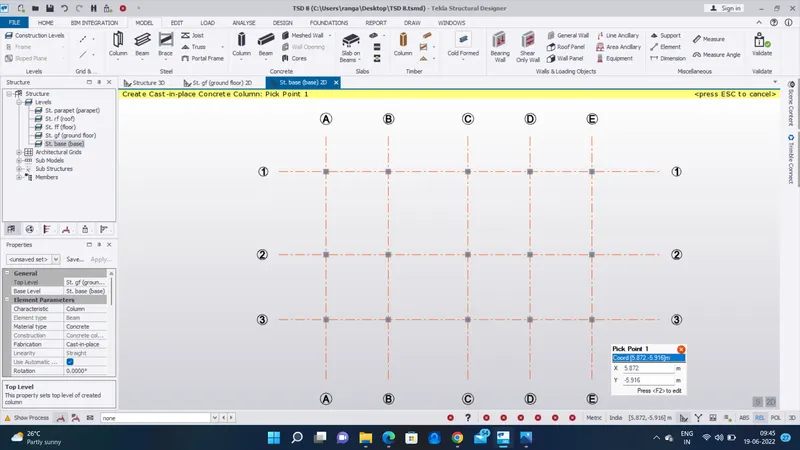
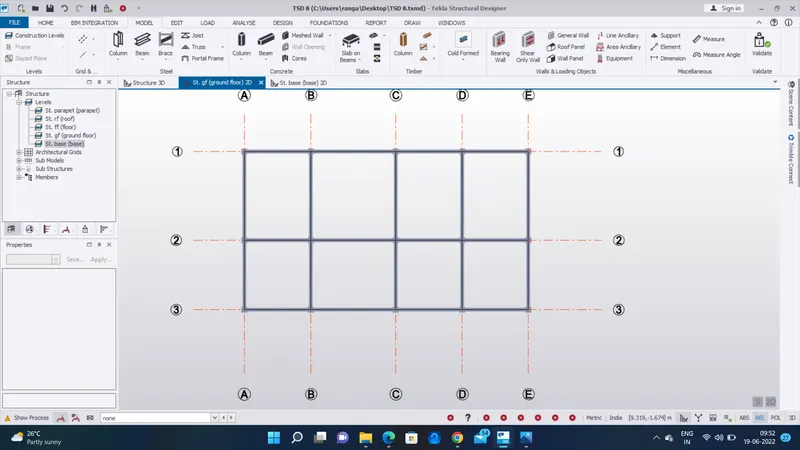
- First go to the base floor
- select the CC1 on properties template
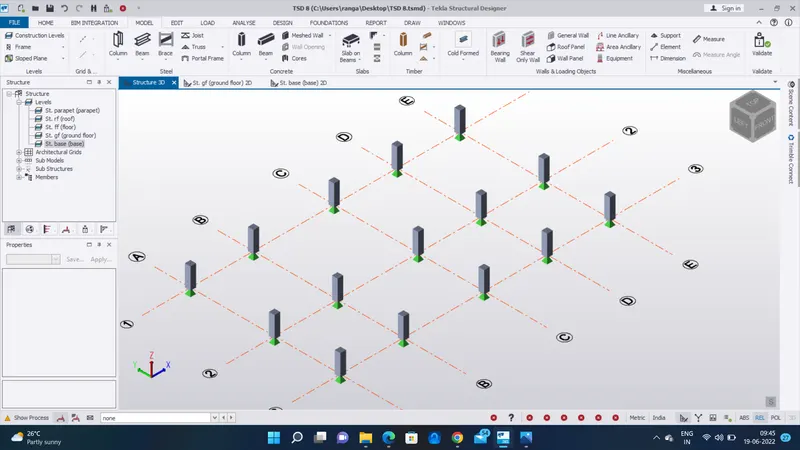
- In properties template set the base level to top level - base to ground floor
- Place the concrete column on the grids
- Next we want create a concrete beam
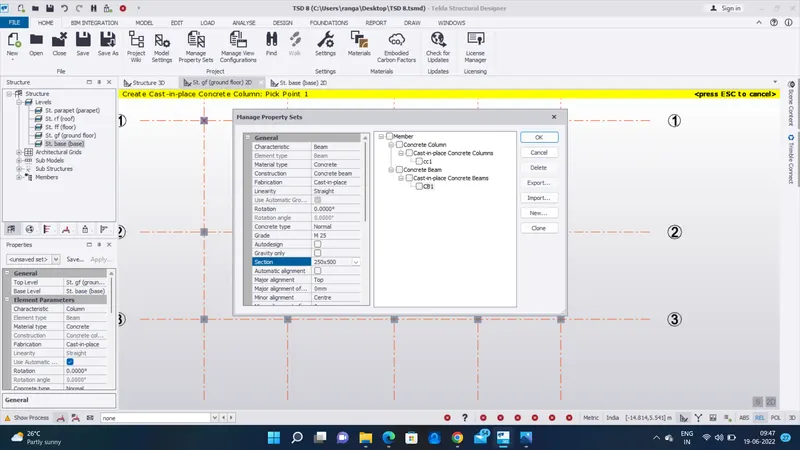
- So go to home tab and select the manage properties sets
- Go to the ground floor
- Select the CB1 on properties template
- Place the concrete Beams on all Centre to centre column
STEP :3
- Here we want to change floor level and roof level unique (unique to gf)
- Its is completly copy the ground floor design to (ff and rf)
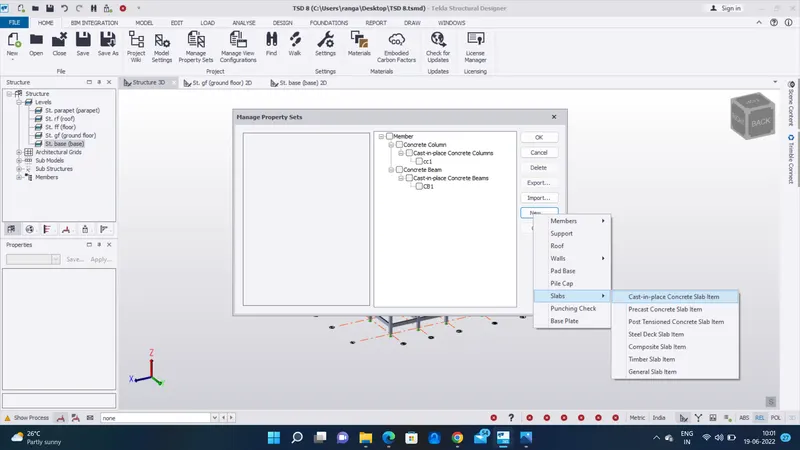
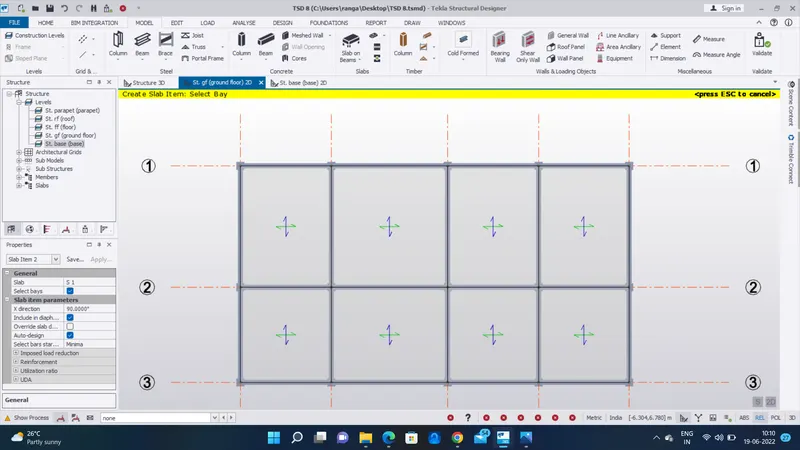
- Next we want to set the slab on the beam
- So go to the manage properties set and select the new slab item and rename it (slab item 1)
- And modify the general setting
- Here we want to make two new slab
- one is one way slab and another one is two way slab
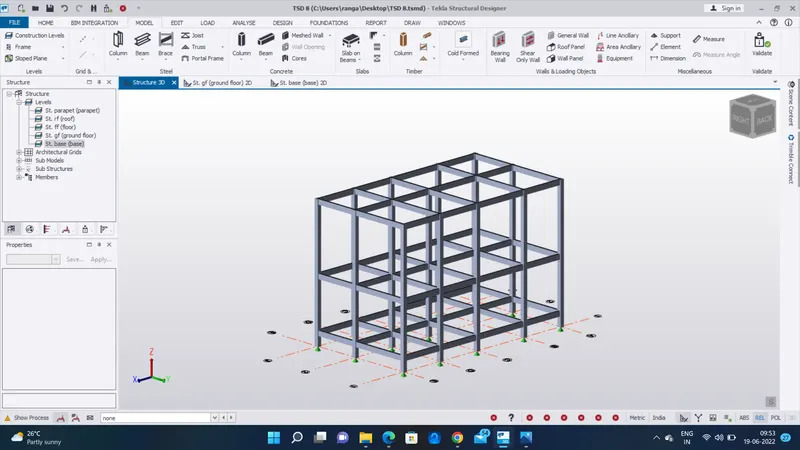
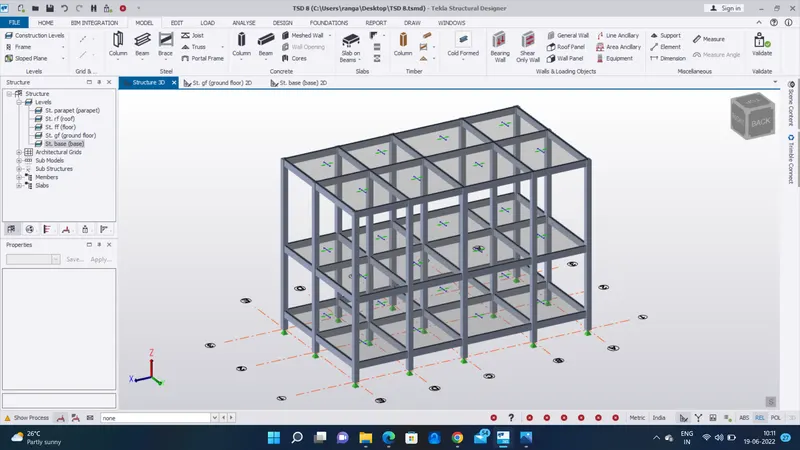
- Place the slab on ground floor and its automatically placed on the other floors
- here select the all slabs are two way slabs
- Finally all the slabs are placed image as given below
RESULT :
As per the question Model RC columns, beams and slabs are arranged sucessfully