To Design slab and foundation for an RC residential building using TSD
Aim:- to design slab panels of the RC model
Procedure:-
- open the tekla RC model with all the structural elements added and analysed
- now select all the slab elements
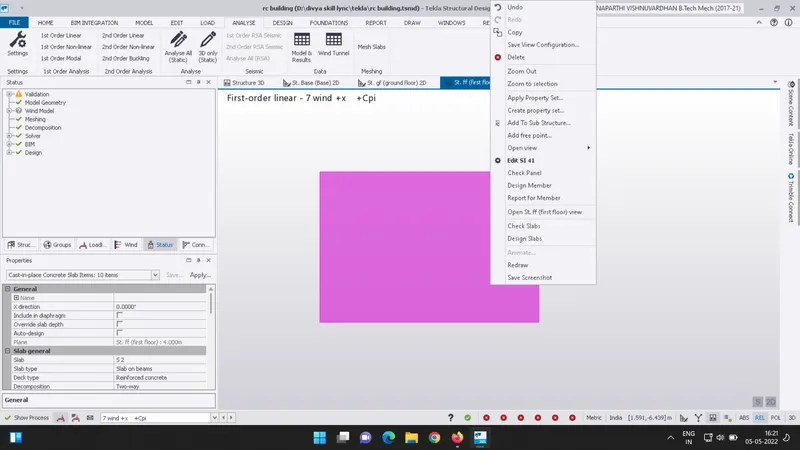
- right click on the slab panel to view the design options
- now select on the check panel option
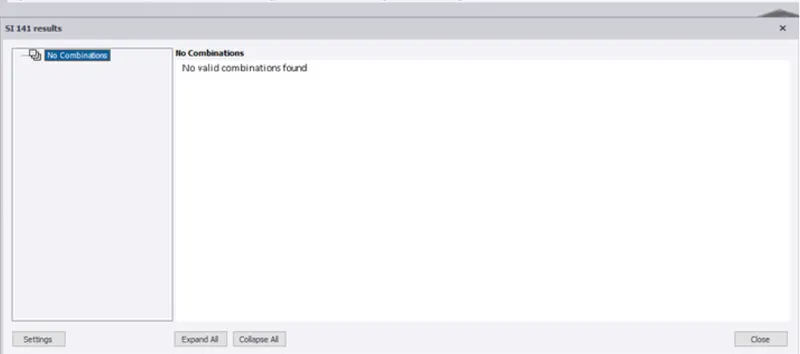
- if it shows that no valid loadcombinations are found then we need to generate the load combinations
- to generate the load combinations go to loads menu from the toolbar
- click on the load combinations
- then a dialogue box appears now click on generate and select all load combinations
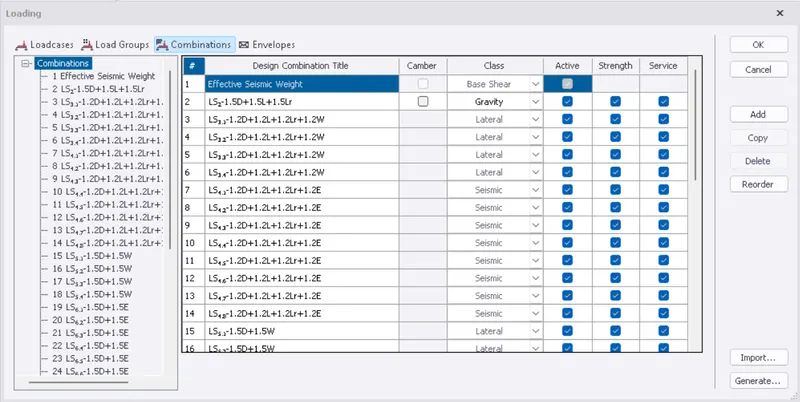
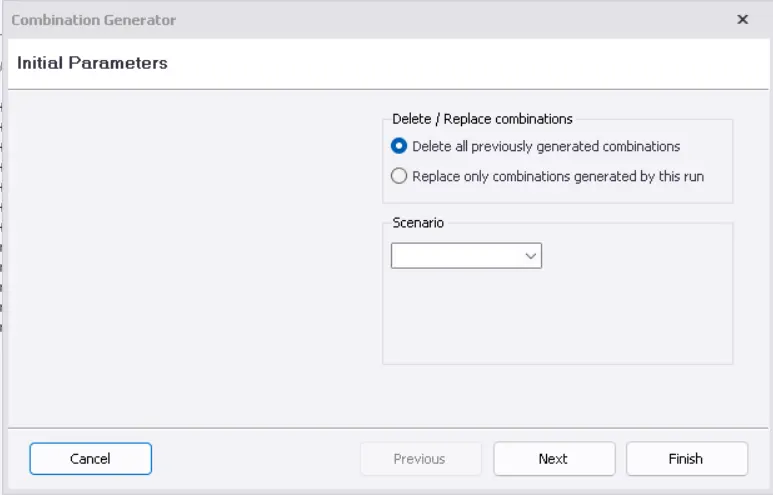
- after generating load combinations run the analysis
- go to analyze tab and click on 1st order linear analysis
- Analyisis of the model is done
- after the analysis is done select all the slab panels
- give a right click on the panel and select check panel option
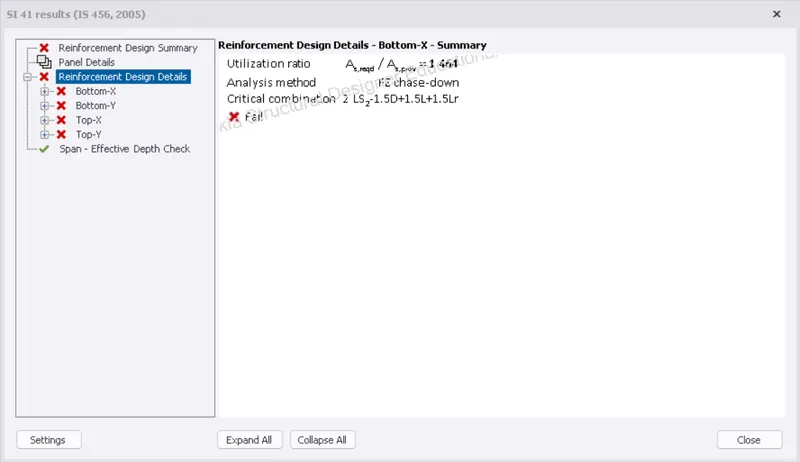
- from the above it can be inferred that the reinforcement details are not given to the slab panel
- now go to properties and add the reinforcement details to the slab element
- here i have changed the rebar size of the slab panel
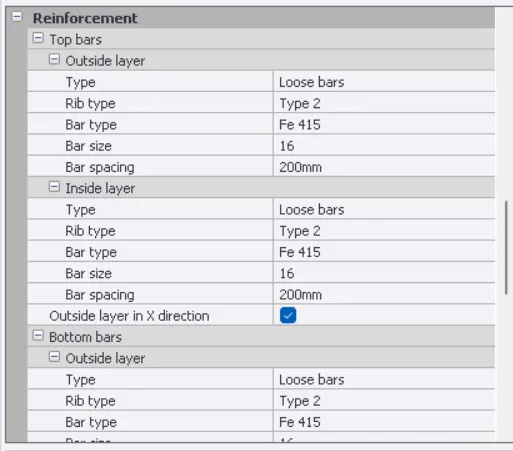
- and agian click on the check panel to verify the design tests
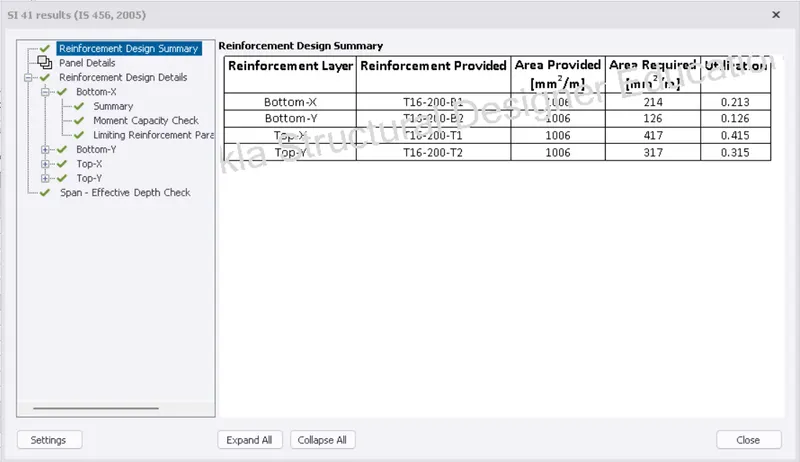
- similarly repeat the design checks for all other slab panels
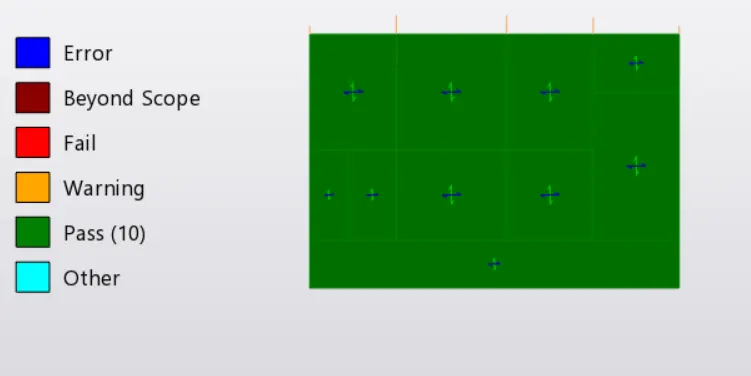
RESULTS:- the design of slab panels is done and we can see that all the slab panels have passed through the design checks
Aim:- To design the foundation for the RC model
Procedure:-
- firtsly go to base view
- then click on foundations tab from the toolbar
- then select on the catlog panel
- a dialogue box appears edit the properties of the pile foundation
- click on ok
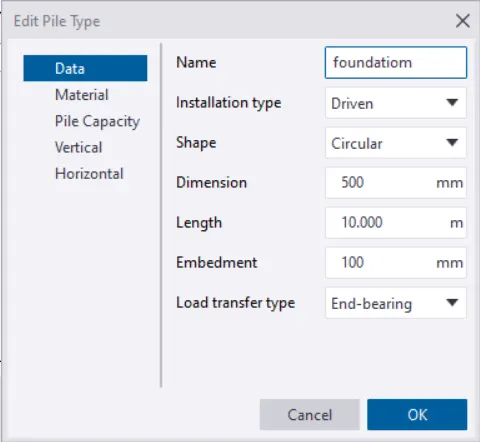
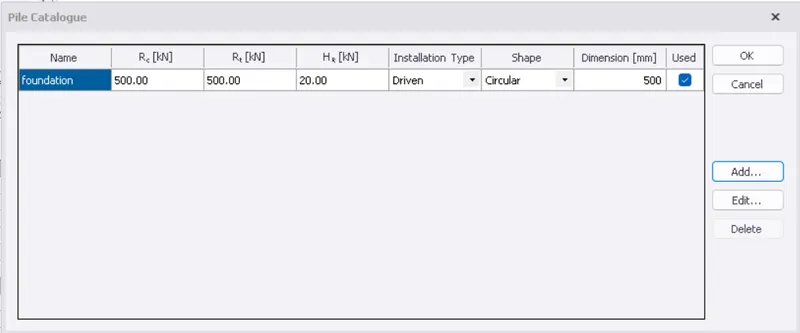
- now go to base view
- click on foundations tab from the toolbar
- then select the type of the pile to be assigned
- then click at the corner of the supports and drag down to draw the pile caps
- similarly draw the pile caps for all other supports
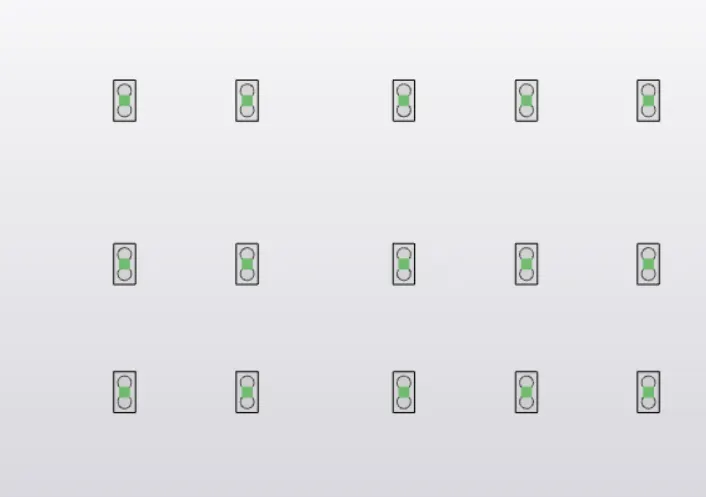
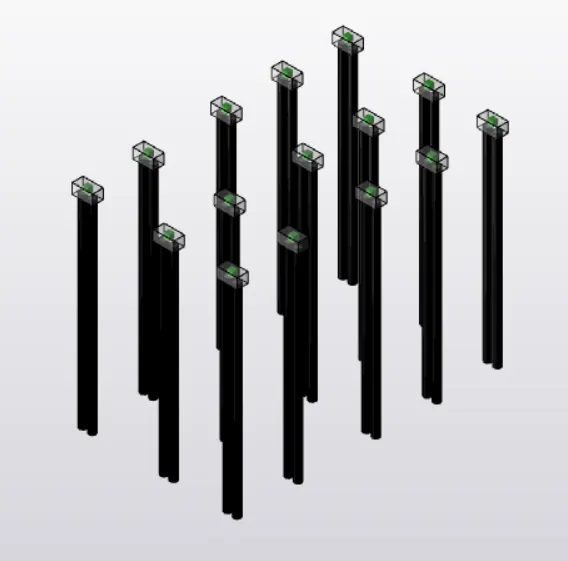
- then to design the foundation member select the member and give a right click
- then click on the check member option to view the design details and design checks
- if the member doesnot pass through the design checks change the necessary data and verify for the design checks
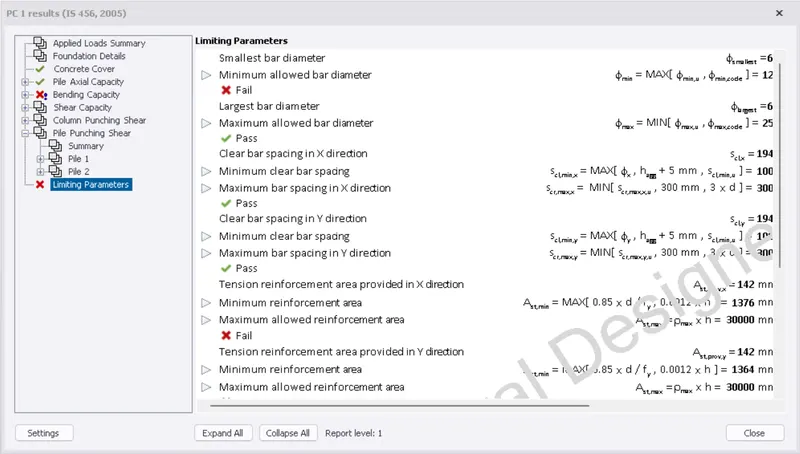
- the above dialogue box shows that the member is not passing through the design checks
- change the reinforcement details and verify the member once again
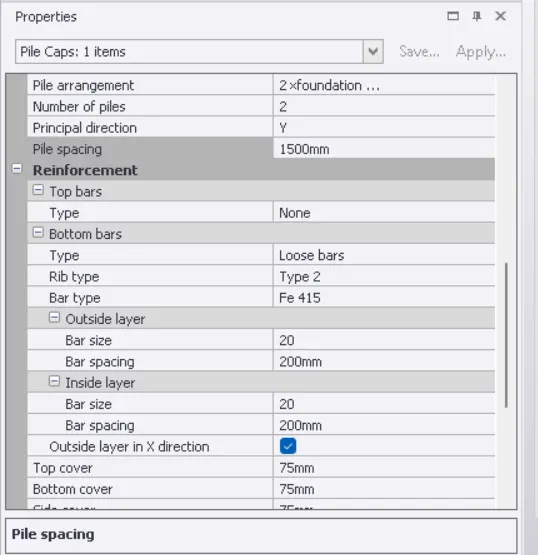
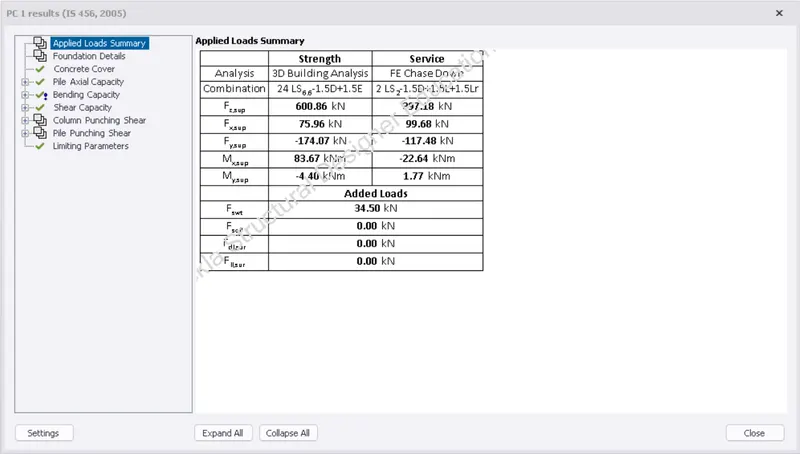
- similarly design the other pile cap foundations and verify for its desoign checks
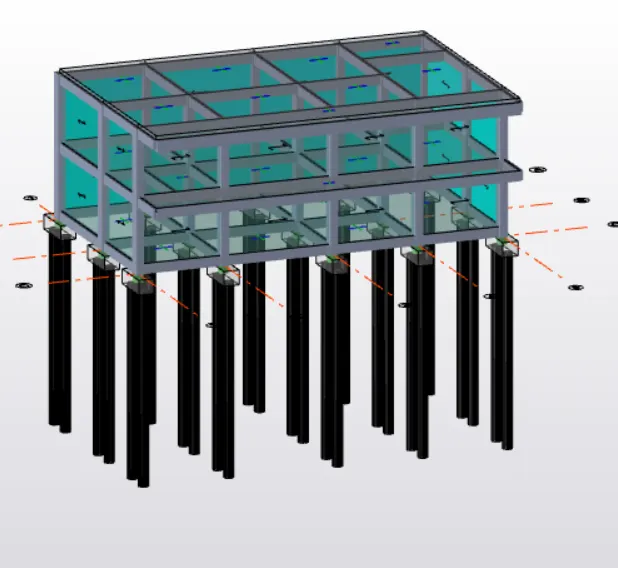
RESULTS:- the foundation design of a RC model is done and verified for the design checks