To Design RC column and beam for RC residential structure using TSD
AIM :- Based on the analysis design RC column and beam.
INTRODUCTION :- Tekla is a software product family that consists of programs for analysis and design, detailing and project communication.
PROCEDURE :-
1. Open the TEKLA model and run the analysis
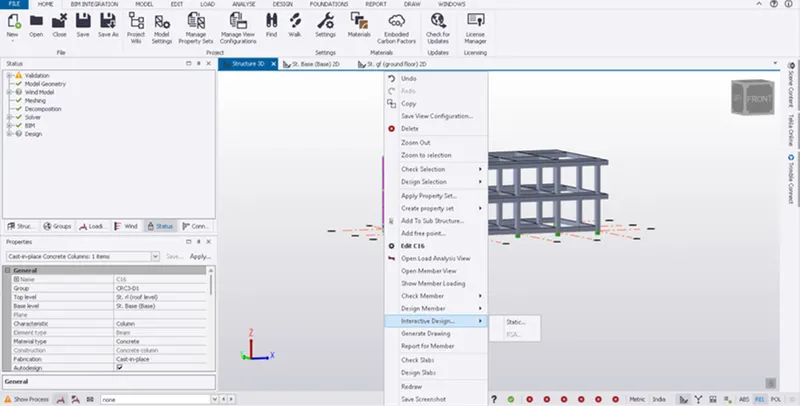
2. Now select any of the column member and right click on it
3. Then select the interactive design from the given option
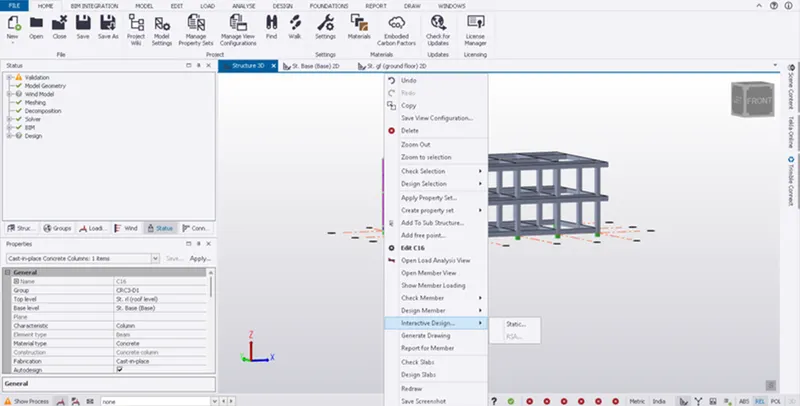
4. Check whether the member is passing through all the design checks
COLUMN NO: 16
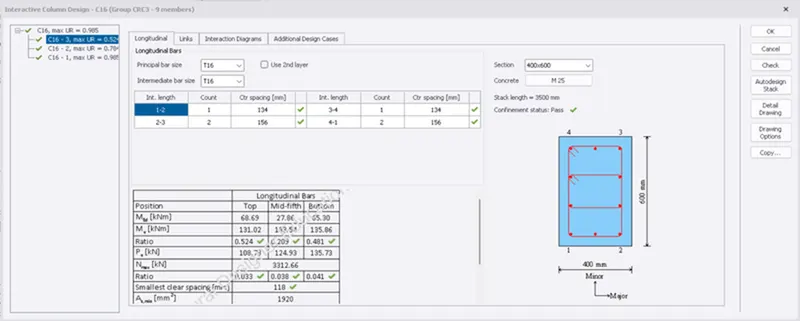
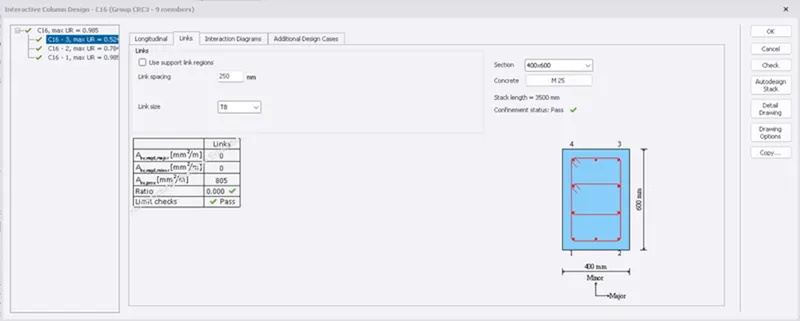
5. Here we can see that the column is safe in design and consider the reinforcement details
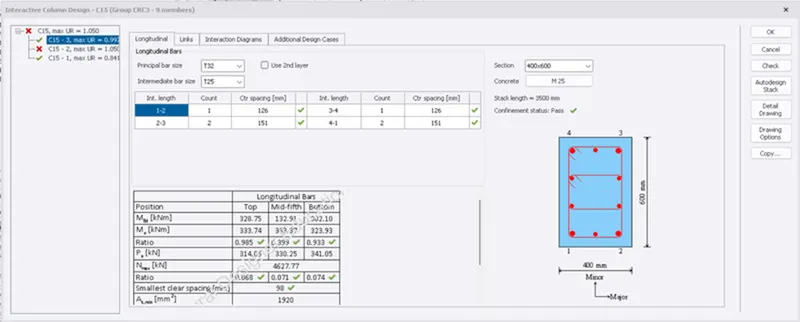
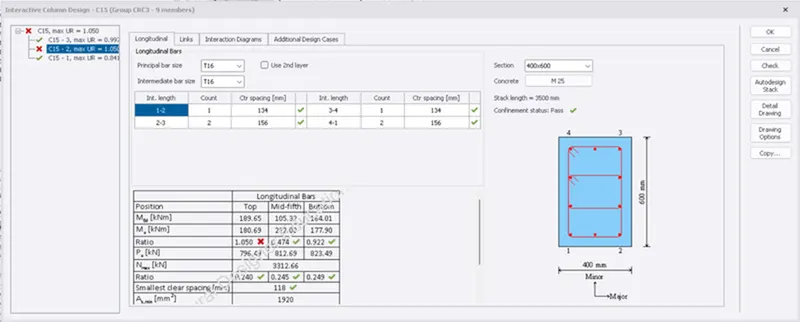
COLUMN NO :15
6. Here we can see that the ratio of longitudinal bars is greater than 1
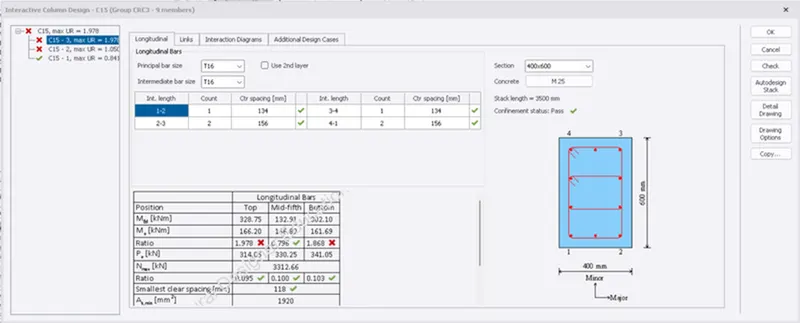
7. Edit the rebar details to obtain the ratio of longitudinal bars as 1
8. Try to change the rebar details of the top reinforcement and bottom reinforcement
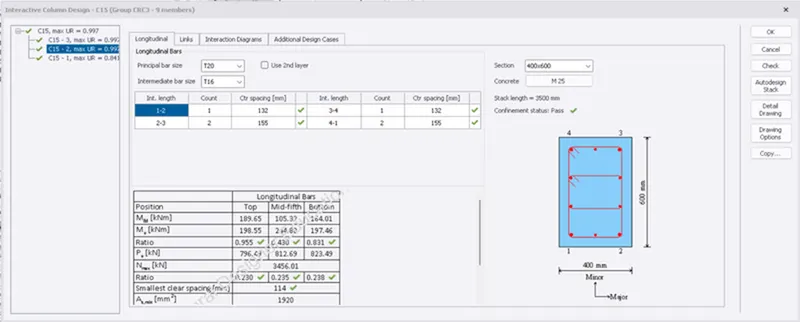
9. Verify for the design checks.
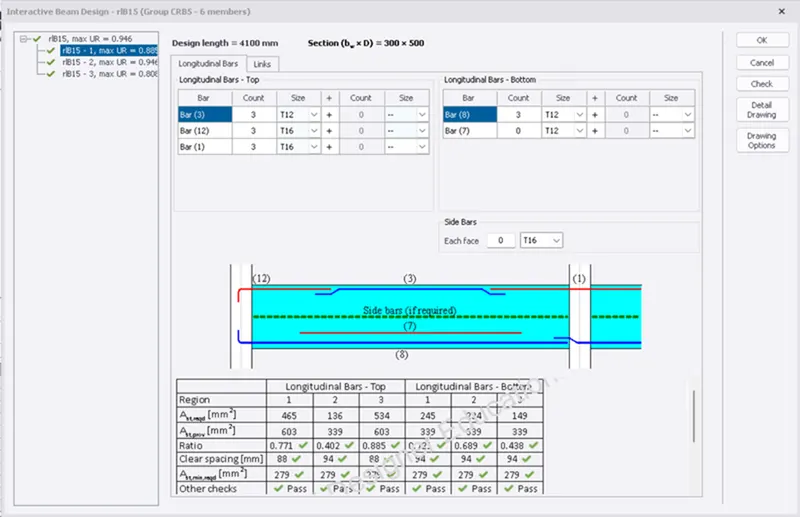
BEAM NO: 15
BEAM NO: 11
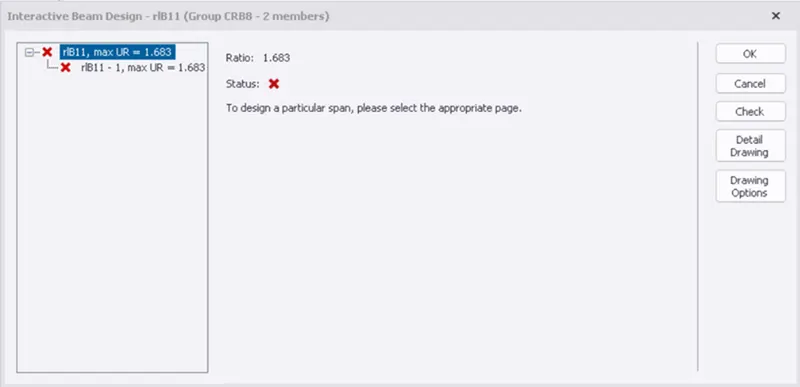
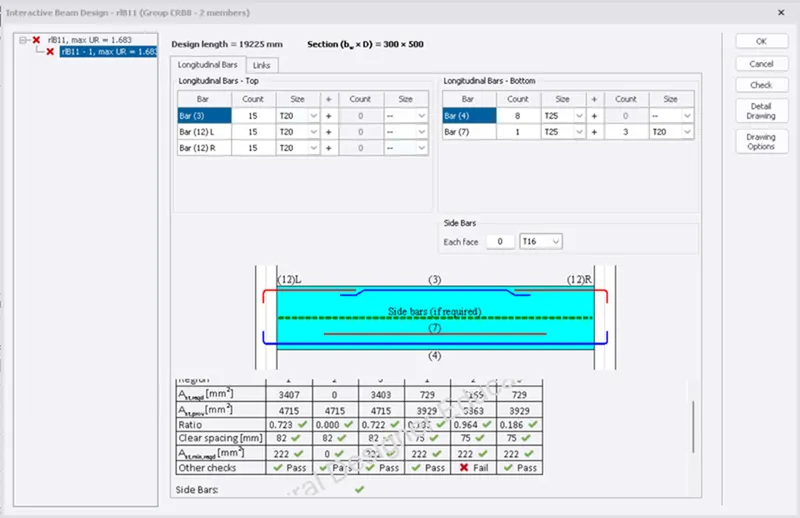
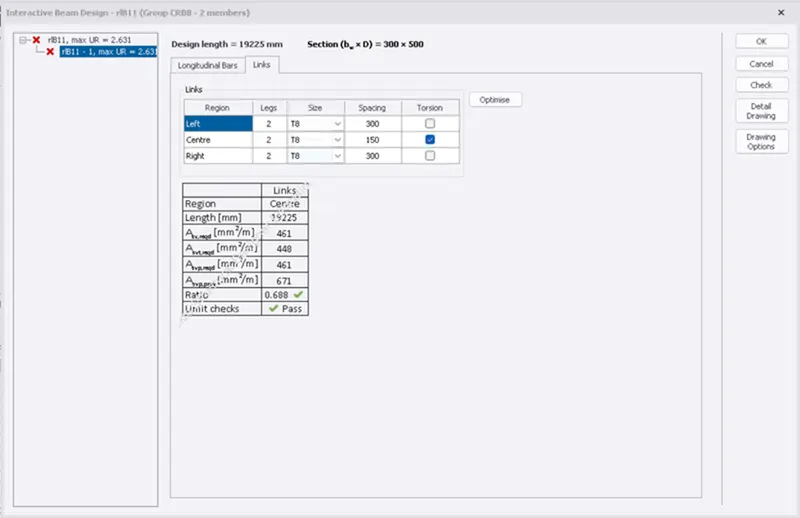
10. The above beam is not satisfied with the deflection check
11. To verify the beam for deflection increase the depth of the beam section
RESULTS:-
The beam design is checked and necessary corrections have been done