To Design RC column and beam for RC residential structure using TSD
- AIM : To design the RC column and beams after the analysis
- PROCEDURE :
- OPen the tekla file
- Now right click the member to be designed and then select interactive design and static
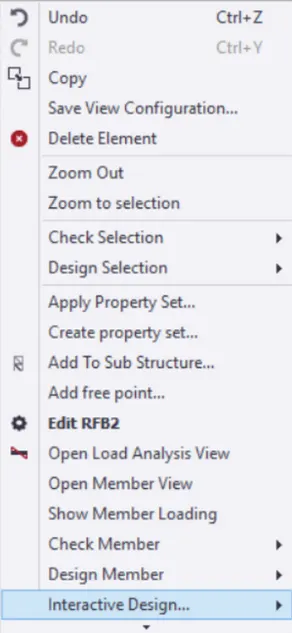
- Design of Column
- Select Static from interactive design after that dialogue box appears
- This dialogue box shows the bar detailing and whether the m emeber has passed or not
- If there is any failure in any column ,which can seen as a red mark in the left side,it can be corrected by increasing the size of member
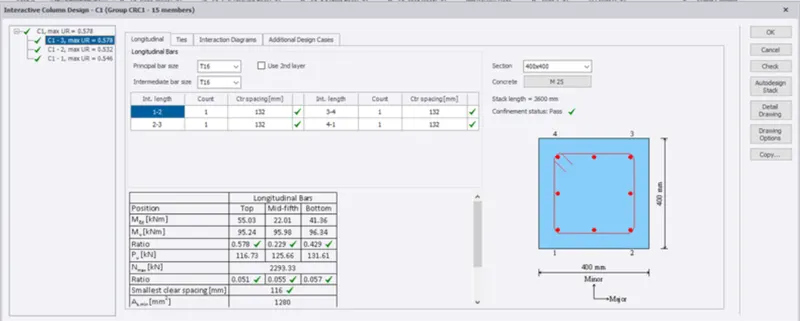
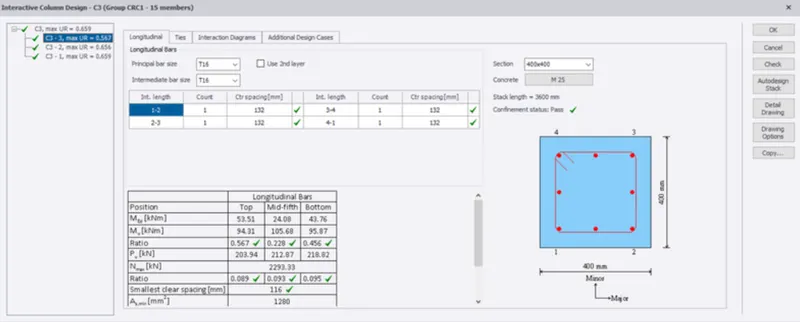
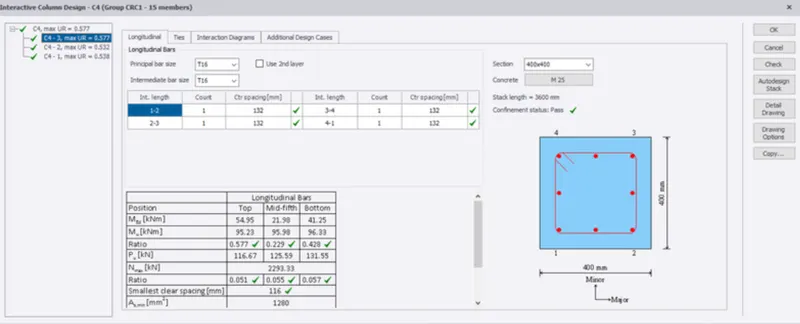
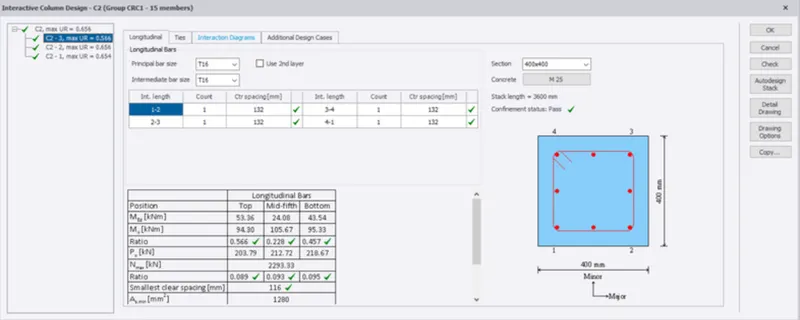
- Now repeat the same procedure for all the column
- Design of Beams
- Similar to the column ,right on any one beam,Select interactive design and the Select Static
- If there is no irregulaties in that bar ,It will be shown as green
- If any beam has a red cross mark,Which indicates the failure then it can be corrected by either increasiung the number of bars or by increasing the diameter of the bar
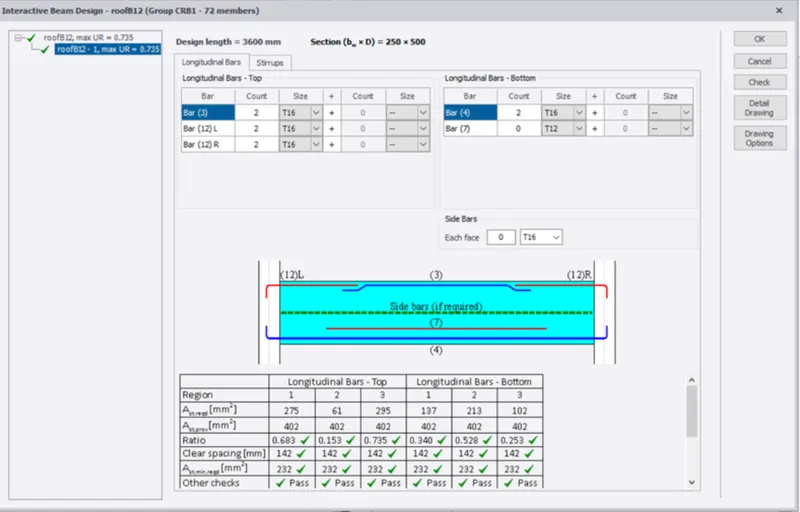
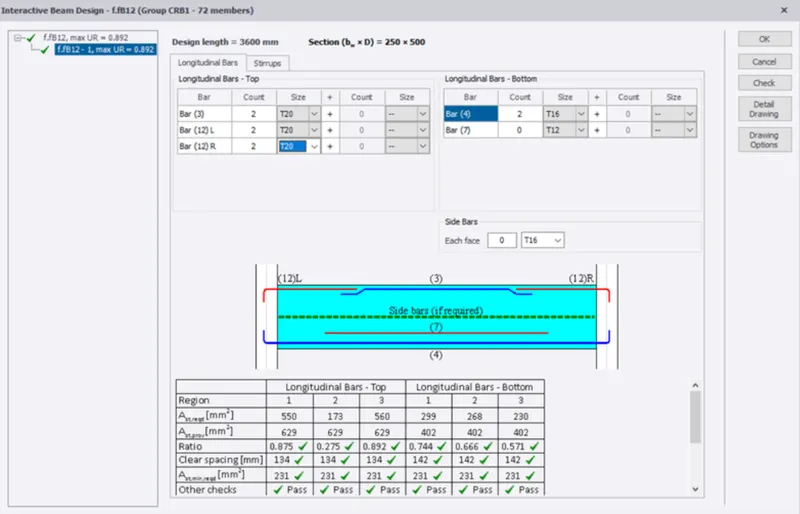
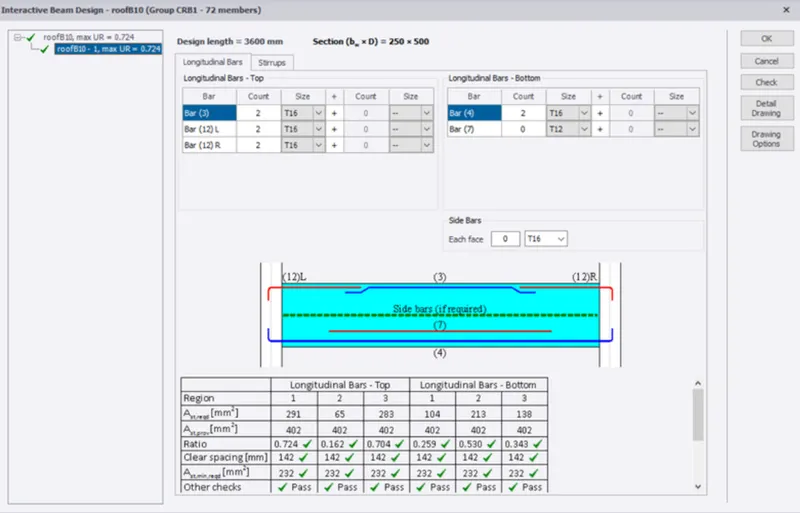
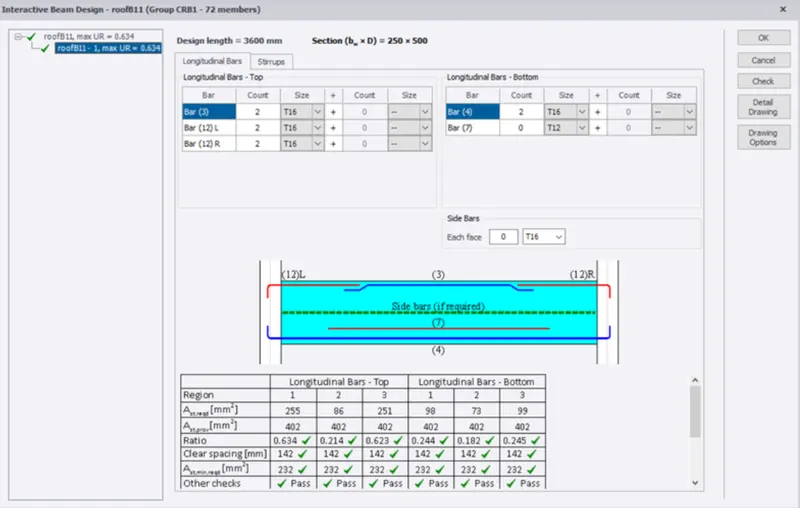
- Repeawt the same procedure for all the beams
- Afer designing all the member we have to select status and we can see all the members have passed ,hence the analysis is correct