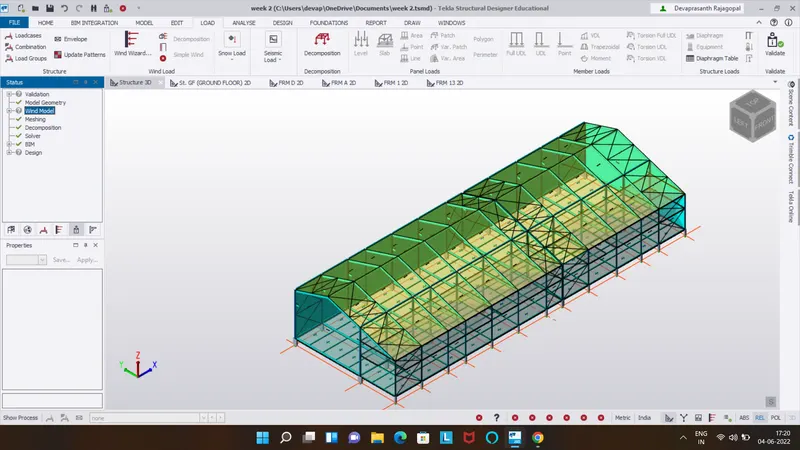
To calculate wind load for industrial steel structures and to apply it by using TSD
1.
Aim:
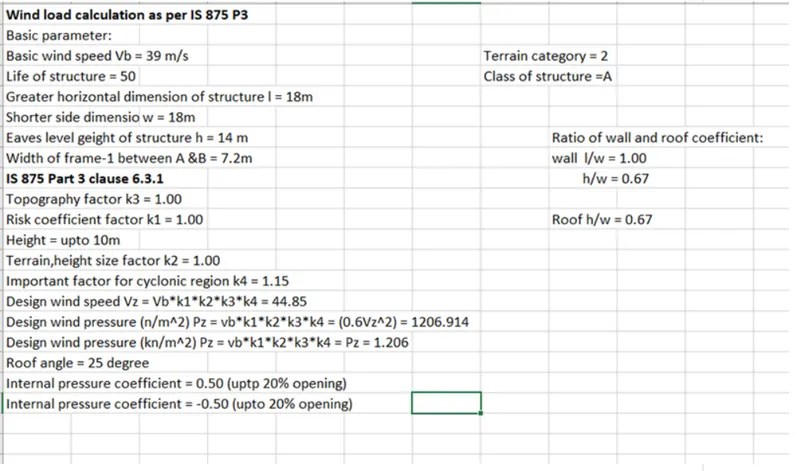
Generate manual wind loading in the design report based IS code as per the following input
Basic wind speed = 39 m/s
Terrain category = 2
Procedure :
First calculate load combination
Result:
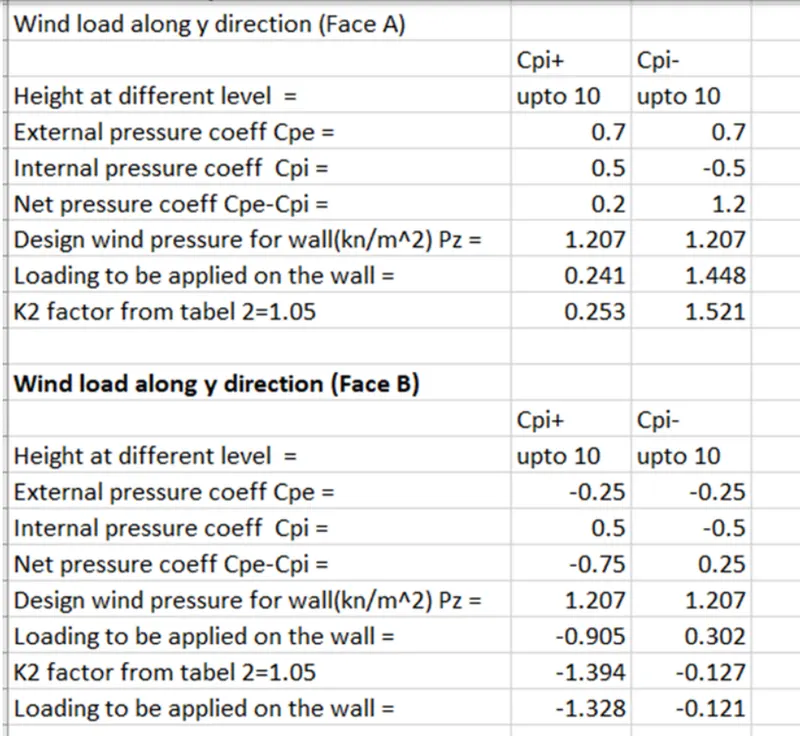
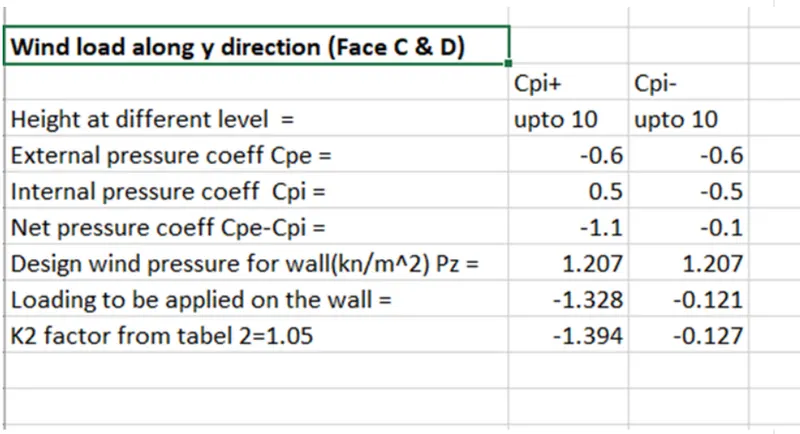
Calculations are done for the wall panel
2.
Aim:
Based on the above calculation apply the loading on the model
Procedure:
Open tekla structural software and open week 4 file
Select load tab, in that select loadcases and add new load cases
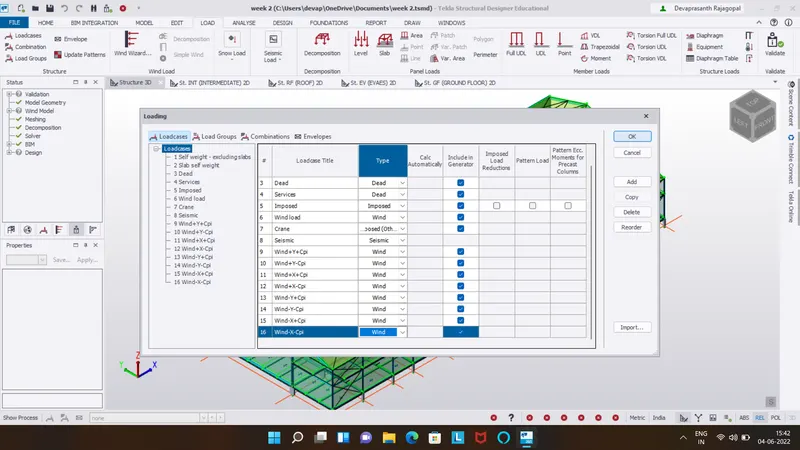
Now as per value apply the load
Frame = Wind+y+cpi = 0.253 kn/m^2
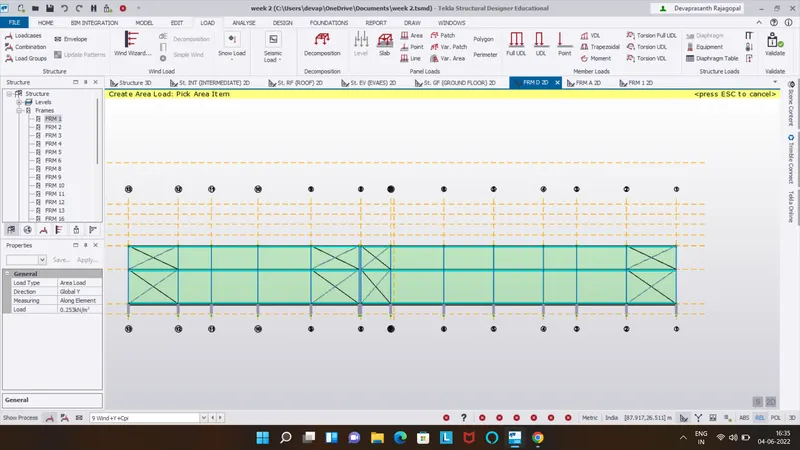
Apply load on Frame = Wind +y+cpi = -0.951 kn/m^2
Negative value means wind acting away from the wind panel
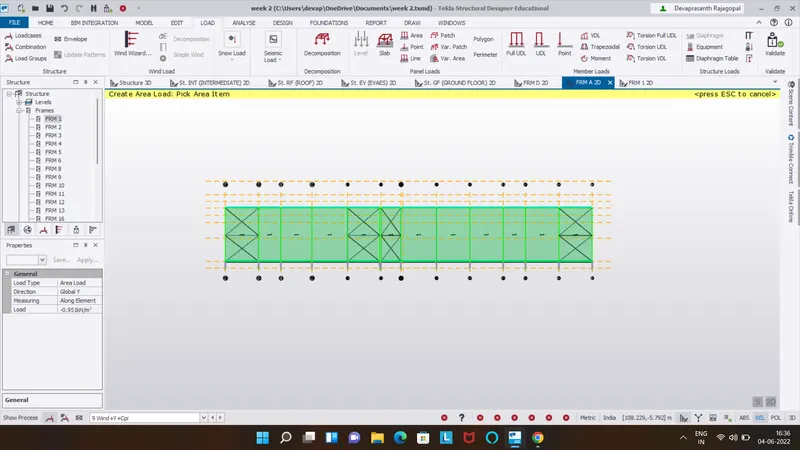
Apply load on face = wind+y-cpi = 1.52 kn/m^2
Apply load on face = wind+y-cpi =0.317 kn/m^2
Apply load on face =wind+y+cpi = -1.394 kn/m^2
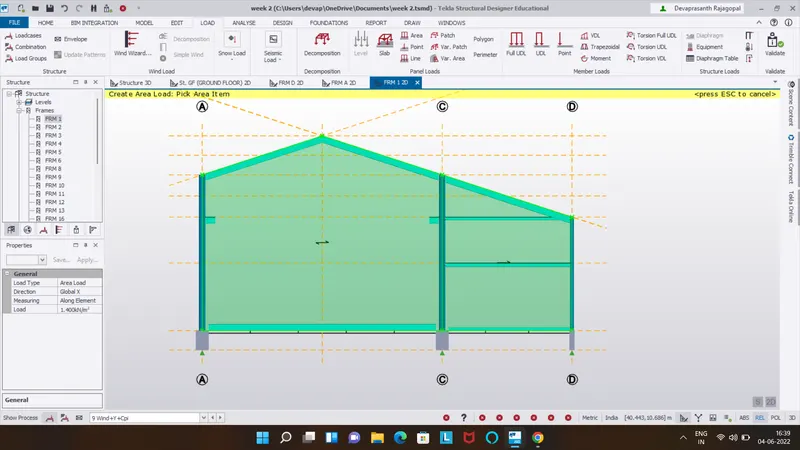
Apply load on face =wind+y-cpi = -0.127 kn/m^2
Now we will apply load of -y
All loading will be similar just the direction of wind is changed
Frame = wind-y+cpi = -0.253 kn/m^2
Apply load on Frame = wind-y+cpi = 0.951 kn/m^2
Apply load on Frame = wind-y-cpi = -1.521 kn/m^2
Apply load on Frame = wind-y-cpi = -0.317 kn/m^2
Apply load on frame = wind-y+cpi = 1.394kn/m^2 on global X axis
Apply load on frame =wind-y-cpi = 0.127 kn/m^2 on global X axis
Apply load on face = wind+y-cpi = 0.317kn/m^2
Now apply wind load on roofs and take roof angle as 25 degree
From IS 875 part 3 table 3 clause 6.2.3.2
Now apply roof load on
Frame =wind+y+cpi = -1.204 kn/m^2
Apply load on frame = wind+y-cpi = 0.063kn/m^2
Roof
Apply load on frame =wind+y-cpi = 0 kn/m^2
Apply load on frame =wind-y+cpi = 1.204kn/m^2
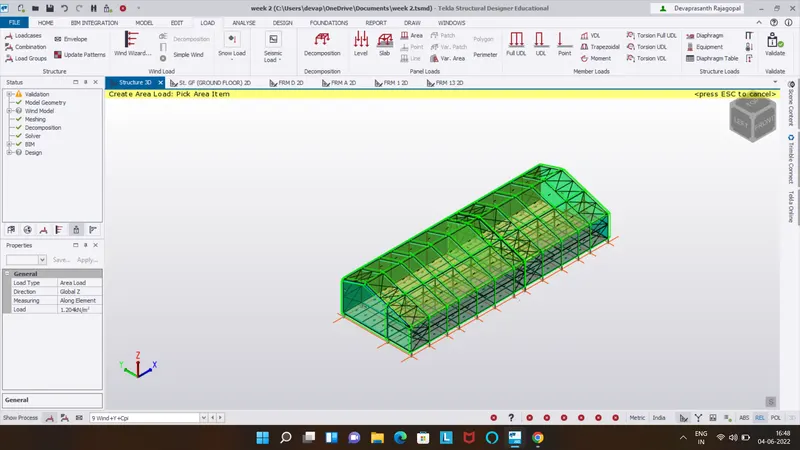
Apply load on frame =wind-y-cpi= =0.063 kn/m^2 on roof
Apply load on frame of roof = wind -y+cpi = 1.267 kn/m^2
Apply 0 kn/m^2 on roof of frame
Apply 0 kn/m 2 on roof of frame
Result:
3
Aim:
On a separate model generate wind loading using wind wizard
Procedure:
Open the file
Open load cases in load tab
Delete all load cases and set only default load cases
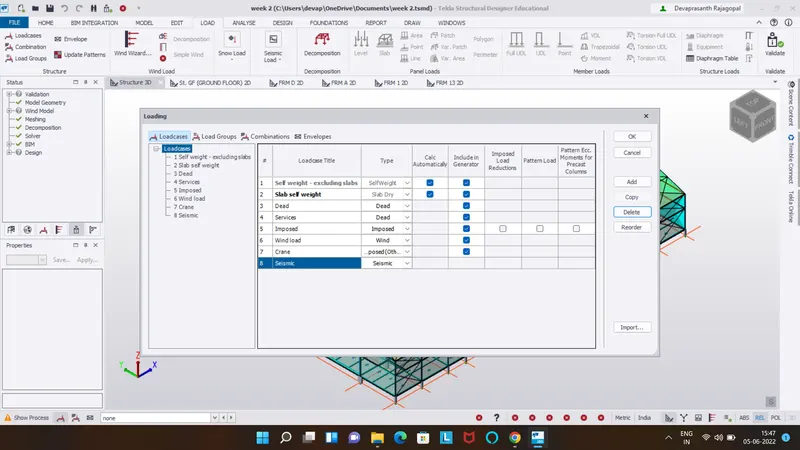
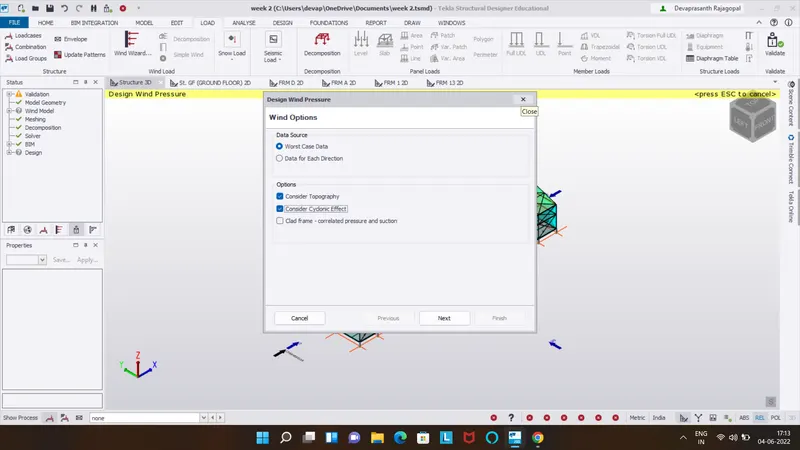
On load panel select wind wizard and select the cyclonic effect
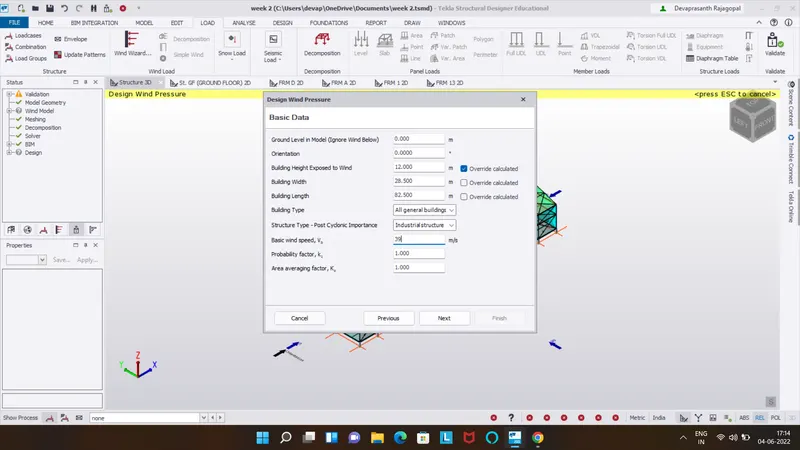
Check all the details of the building like wind speed,height of building affected by wind and also k1 and k2 factor
Select terrain category as open terrain scattered obstructions
Fetch distance is 10
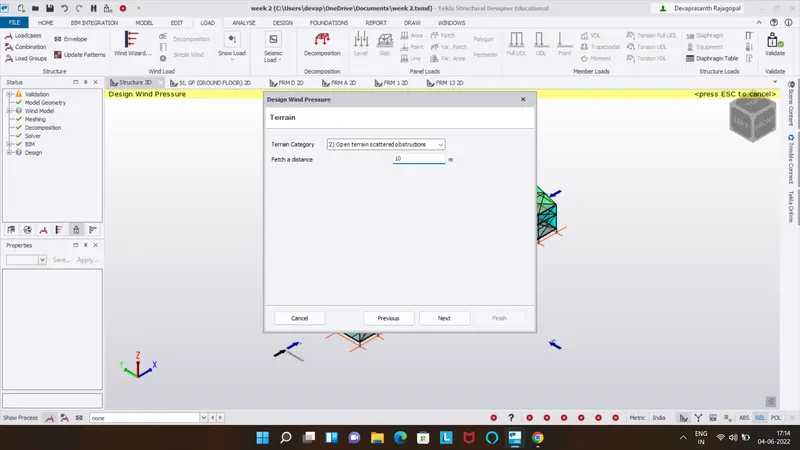
Click next then select topography and then next
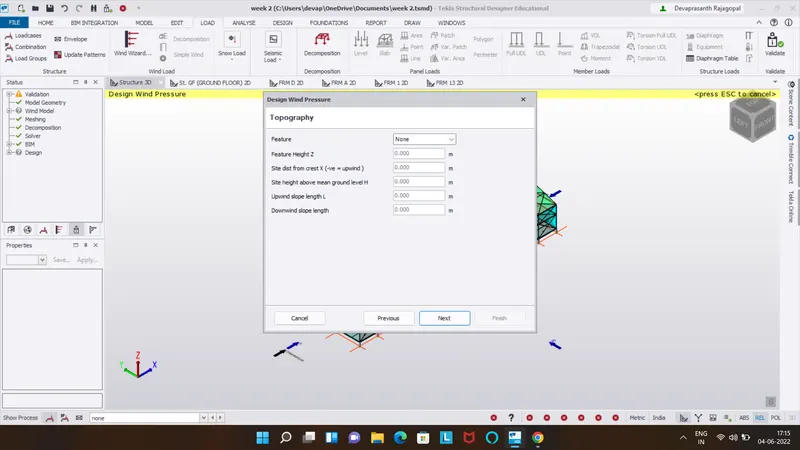
After that,it shows resultant wind pressure
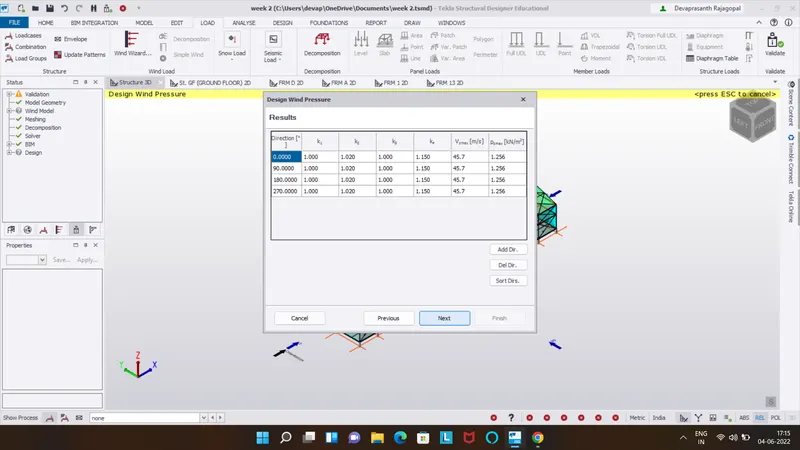
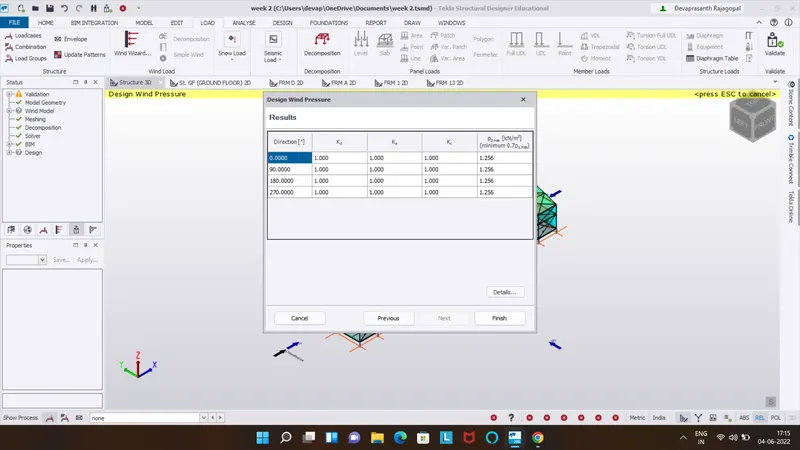
Click on Finish
Now click on wind load cases
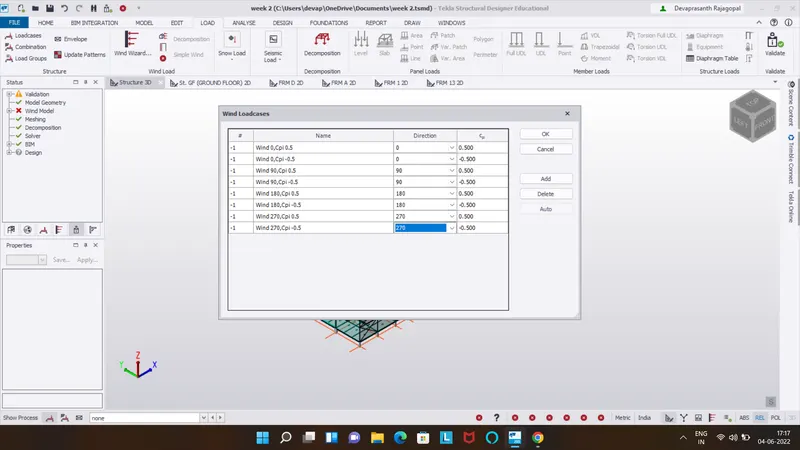
Result:
Now all the loads are applied.and click on validation to check for errors.