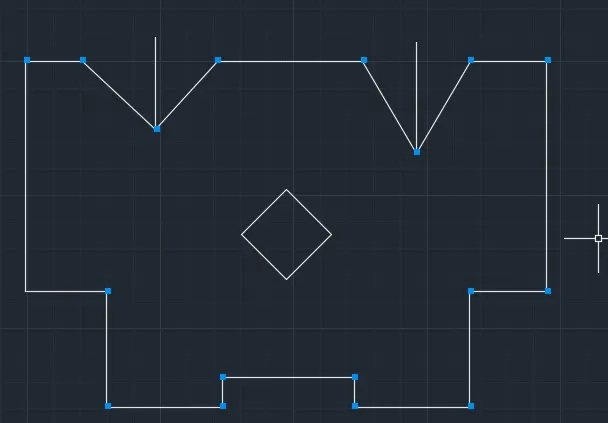
Drafting of various geometries using Chamfer, Fillet tool in AutoCad
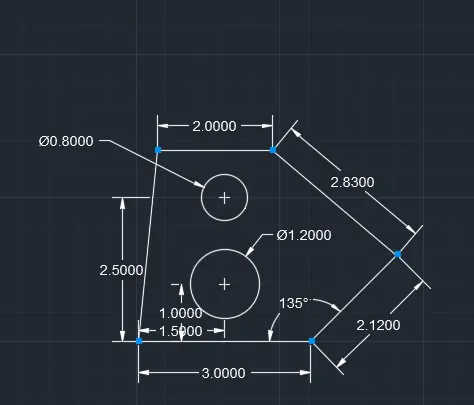
1.
Aim:
To draw a geometries using autocadd
Procedure:
Step 1
line specific first point 0
line specific next point 3.00
line specific next point @2.12<135
line specific next point @2.83<90
line specific next point 2.00
line specific next point closed
Step 2
line specific first point 1.50
line specific next point 1.00
circle specific radius of diameter 1.20
circle specific radius of diameter 0.80
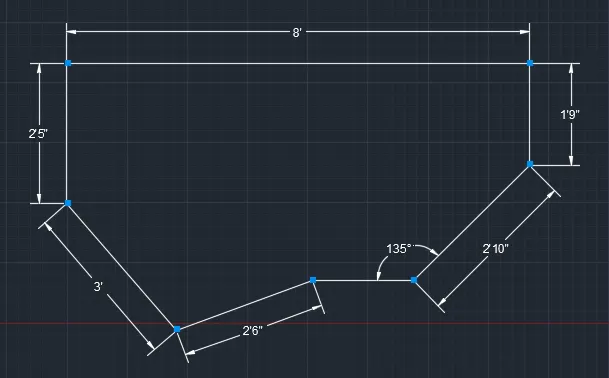
2.
Aim:
To draw a geometeries using autocadd
Procedure:
Step 1
line specific first point 8'
line specific next point 1'9"
line specific next point @2'10"<135
line specific next point 2'10"
line specific next point 22'6"<90
line specific next point 3'
line specific next point 2'5"
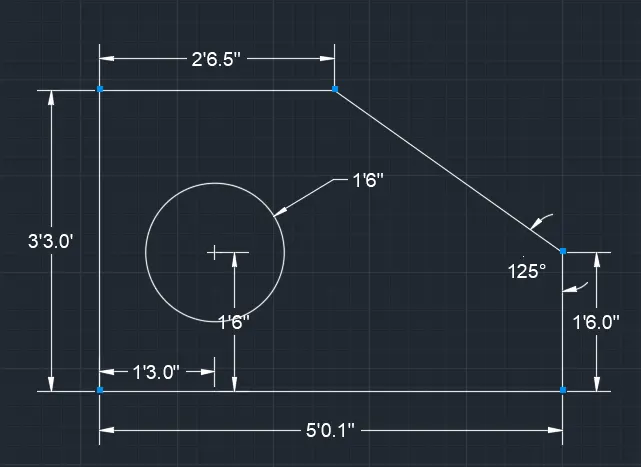
3.
Aim:
To draw a geometries using autocadd
Procedure:
Step 1
line specific first point 5'0.1"
line specific next point 1'6.0"
line specific angle 125
line specific next point 2'6.5"
line specific next point 3'3.0"
Step 2
line specific first point 1'3.0"
line specific next point 1'6.0"
Circle specific radius of diameter 1'6.0"
4.
Aim:
To draw a geometeries using autocadd
Procedure:
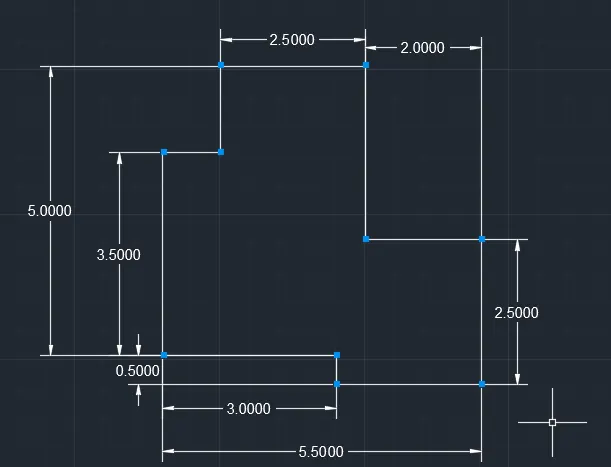
Step 1
line specific first point 2.50
line specific next point 2.50
line specific next point 2.00
line specific next point 3.00
line specific next point 2.50
line specific next point 2.00
line specific next point 1.00
line specific next point 3.50
line specific next point 3.00
line specific next point 0.50
5.
Aim:
To draw a geometries using autocadd
Procedure:
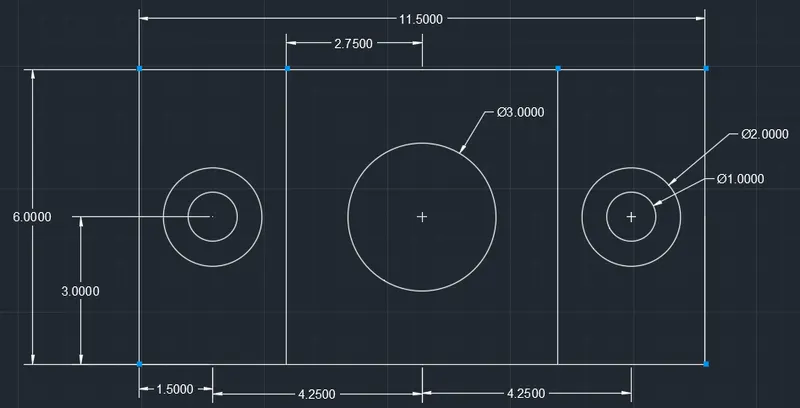
Step 1
line specific first point 0
line specific next point 11.50
line specific next point 6.00
line specific next point 11.50
line specific next point 6.00
Step 2
offset specific of through 3.00
offset specific of through 5.5
Step 3
line specific first point 1.50
line specific next point 3.00
circle specific radius of diameter 1.00
circle specific radius of diameter 2.00
Step 4
line specific first point 5.75
line specific next point 6.00
circle specific radius of diameter 3.00
6.
Aim:
To draw a geometeries using autocadd
procedure:
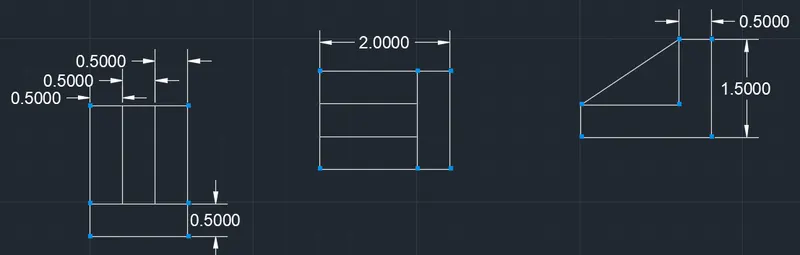
Step 1
line specific first point 1.5
line specific next point 2.0
line specific next point 0.5
line specific next point 1.5
line specific next point 1.0
line specific next point 0.5
7.
Aim:
To draw a geometeries using autocadd
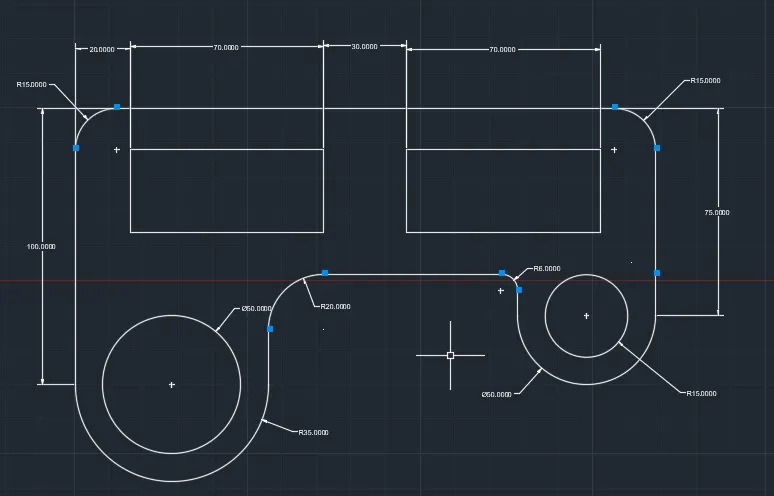
Procedure:
Step 1
line specific first point 0
line specific next point 210
line specific next point 60
line specific next point 15
line specific next point 100
Step 2
line specific first point 25
circle specific radius of R25
circle specific radius of diameter 30
line specific next point 35
circle specific radius of R35
circle specific radius of diameter 50
Step 3
fillet of radius R15
fillet of radius R15
fillet of radius R6
fillet of radius R20
Step 4
line specific first point 20
rectangular specific dimension 70 x 30
line specific next point 30
rectangular specific dimension 70 x 30
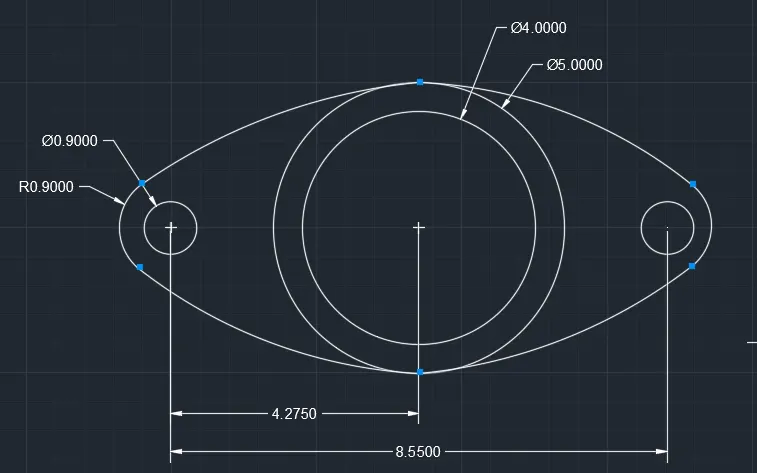
8.
Aim:
To draw a geometeries using autocadd
Procedure:
Step 1
line specific first point 8.55
line specific next point 4.275
circle specific radius of diameter 5.00
circle specific radius of diameter 4.00
Step 2
circle specific radius of diameter 0.90
Step 3
Arc at center,start,angle of radius 0.90
Arc at center,start,radius of radius 0.90
9.
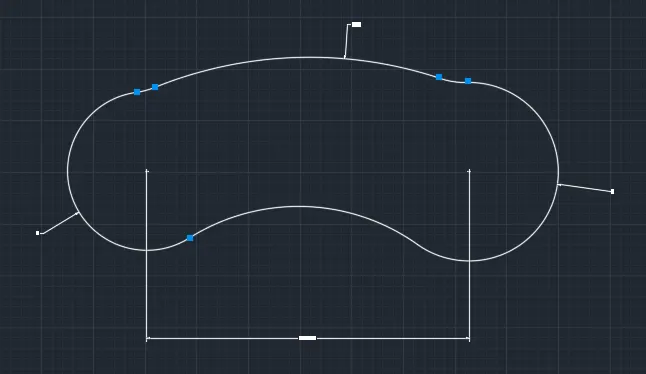
Aim:
To draw a geometeries using autocadd
Procedure:
Step 1
line specific first point 0
line specific net point 32'6"
Step 2
circle specific radius of R9'
circle specific radius of R8'
Step 3
Arc specific start,center,radius of radius 20'10"
Arc specific start,center,radius of radius 41'8"
10.
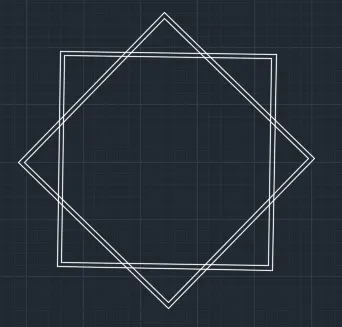
Aim:
To draw a geometeries using autocadd
Procedure:
Step 1
polygon specific of edge 4(digonal shape)
offset of through 0.2
Step 2
polygon specific of edge 4(rectangular shape)
offset of through 0.2
11.
Aim:
To draw a geometries using autocadd
Procedure:
Step 1
line specific first point 0
line specific next point 10'2"
line specific next point 10'2"
line specific next point 9'
line specific next point 3'
line specific next point 4'6"
line specific next point 4'6"
line specific next point 1'2"
line specific next point 5'2'
line specific next point 1'2"
line specific next point 4'6'
line specific next point 4'6"
line specific next point 3'
line specific next point 6'9"
Step 2
line specific first point 5'1"
line specific next point 2'8"
angle at 45
line specific next point 3'7"
line specific next point 5'1"
angle at 30
Step 3
line specific first point 6'9"
line specific next point 10'2"
polygon specific at edge 4;3'
angle at 90