Structural Modelling using Etabs 2018
STRUCTURAL MODELING USING ETABS
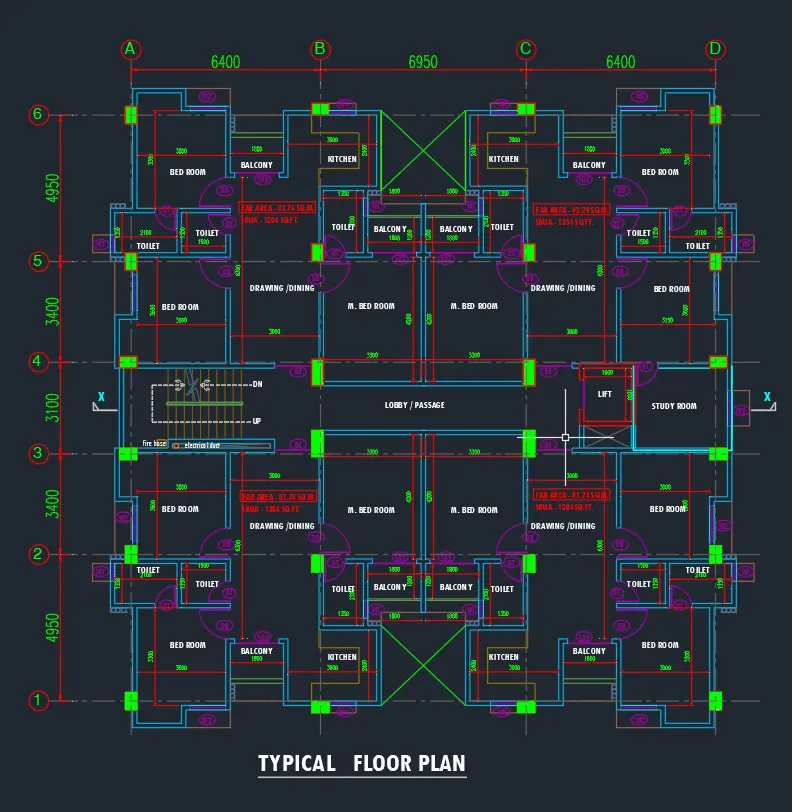
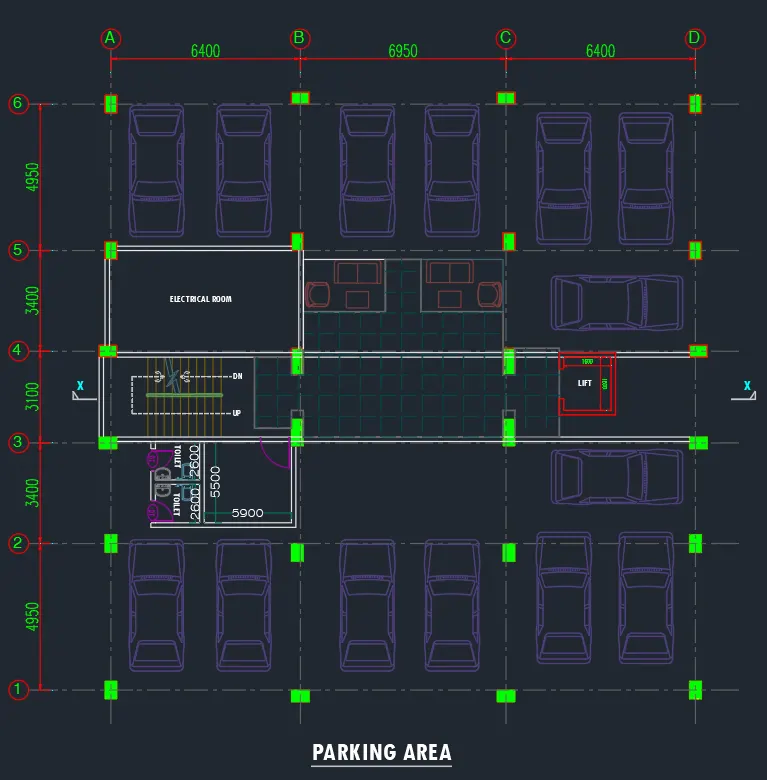
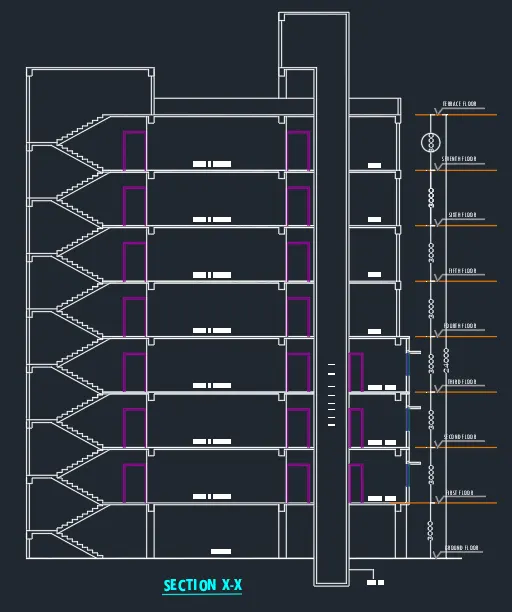
TASK: The architectural drawings for a G+7 residential building in zone 5 has been provided. The floor plan is the same for all 7-floor levels. Possible column positions have also been provided. Conceptualize a framing plan layout and then model the building in Etabs. The following architectural drawings have been provided:
- Typical floor plan – The location and thickness of the brick walls and the use of the
- space (for estimating live load) can be obtained from this plan
- A building section through the staircase and lift core is provided
- Parking layout on the ground floor – the column/shear wall arrangement must not
- obstruct entry/exit of vehicles.
The following loadings are to be taken into account:
- Brickwall made of AAC blocks
- Finishes – floor tiles of 75 mm thickness
- Live loads as per IS 875 part 2
- The water tank of 20 KL above the staircase at Mumty level
- Lift Machine room at mumty level above lift core
The structural model must comply with provisions of IS 1893 and IS 13920.
Run a modal response spectrum analysis and check analysis results of the ETABS model for inter-story drift requirements, vertical & planar irregularities, minimum shear wall requirements, maximum axial load ratio for column and shear walls, an effective moment of inertia for beams and columns, etc.
Please note that the column positions shown in the architectural typical floor plan are only to provide an initial starting point for modeling. Participants will have to change its size, introduce shear walls, and add new vertical elements after running the analysis. You will have to run the analysis multiple times until a structural model is obtained that meets structural code requirements without compromising architectural functions. Also, there is no one ‘correct’ structural system for this challenge. There can be multiple possible solutions to this problem.
AIM:
- To conceptualize a framing plan layout and then model the given G+7 building situated in zone 5 in Etabs.
- To develop the structural model that complies with provisions of IS 1893 and IS 13920.
- To run the modal response spectrum analysis and to check analysis results of the ETABS model.
INTRODUCTION:
- ETABS is an engineering software product that caters to multi-story building design and analysis.
- Modeling tools and templates, code-based load prescriptions, analysis methods, and solution techniques, all coordinate with the grid-like geometry unique to this class of structure.
- Basic or advanced systems under static or dynamic conditions may be evaluated using ETABS.
- Fundamentals to ETABS modeling is the generalization that multi-story buildings typically consist of identical or similar floor plans that repeat in the vertical direction.
- Once modeling is complete ETABS automatically generates and assigns code-based loading conditions for gravity, the seismic, wind, and thermal forces.
- Users may specify an unlimited number of load cases and combinations.
- Outputs and display formats are also practical and intuitive. Moment, shear, and axial force diagrams, presented in 2D and 3Dviews corresponding data sets, maybe organized into customizable reports.
- Here, in this challenge, we are going to model an entire G+7 building with the floor plan using ETABS software.
PROCEDURE:
Initially open the given AutoCAD file and locate the positions of columns beams and possible location of shear
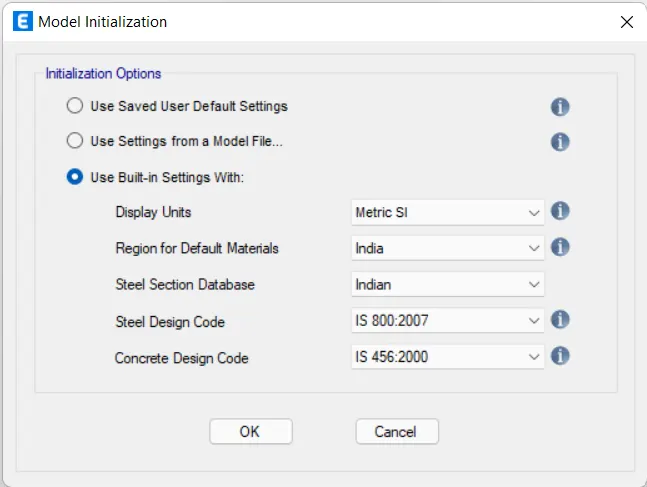
first, open the ETABS software
Select use built-in setting with the option in the model initialization tab
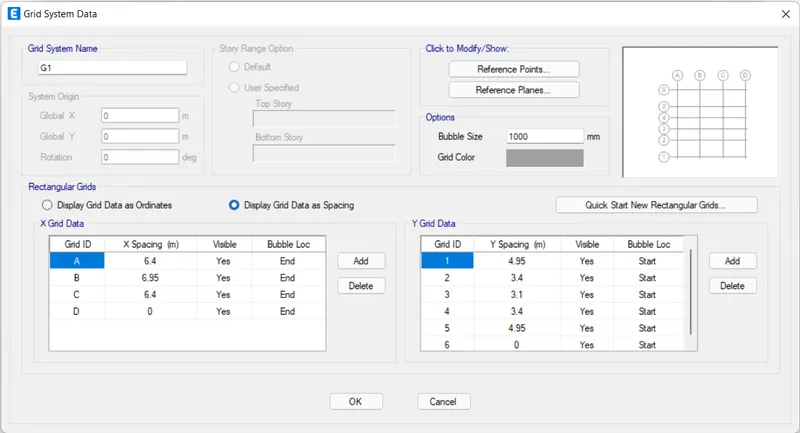
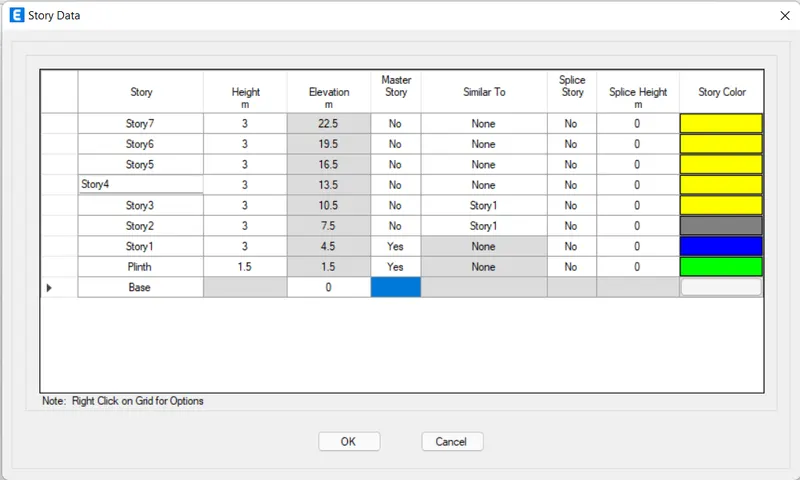
Provide the grids and story information as required and given.
Add the stories up to 7 stories in the story data.
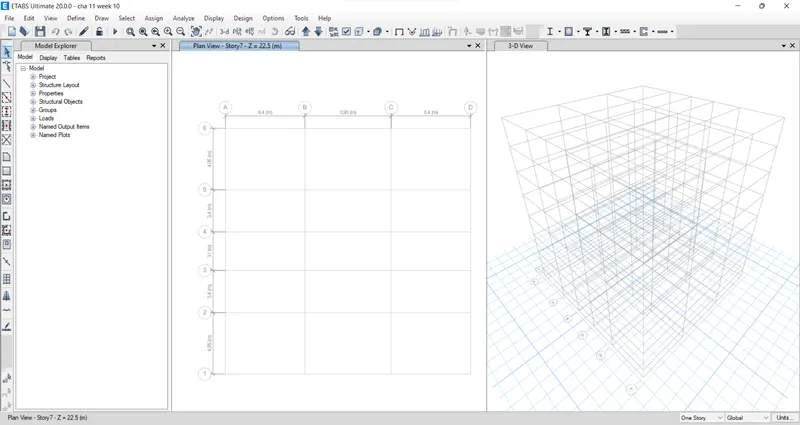
The plan views and 3D view are visible on the ETABS screen
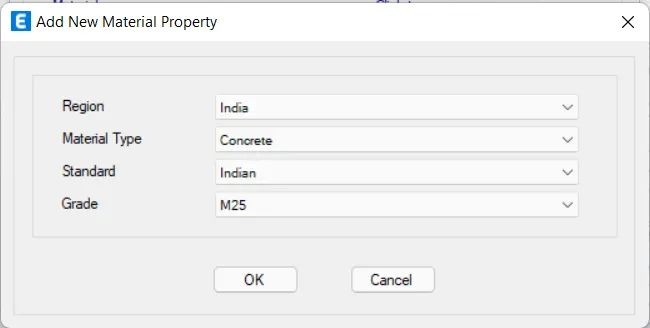
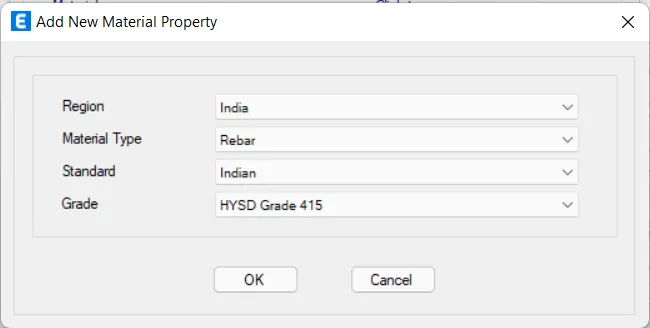
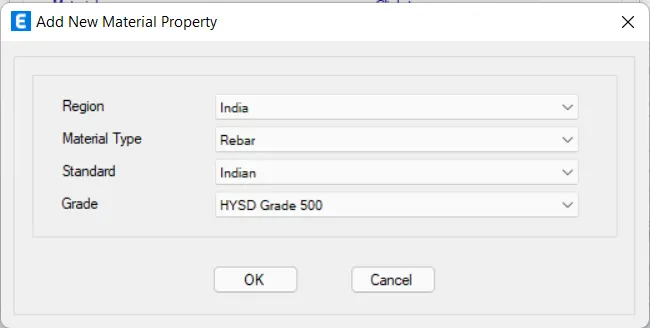
Next, we need to define the material property for concrete and reinforcement. For this go to the define tab then material properties then add new material. M25 grade concrete, HYSD 415 grade steel, HYSD grade 500 steel materials were added.
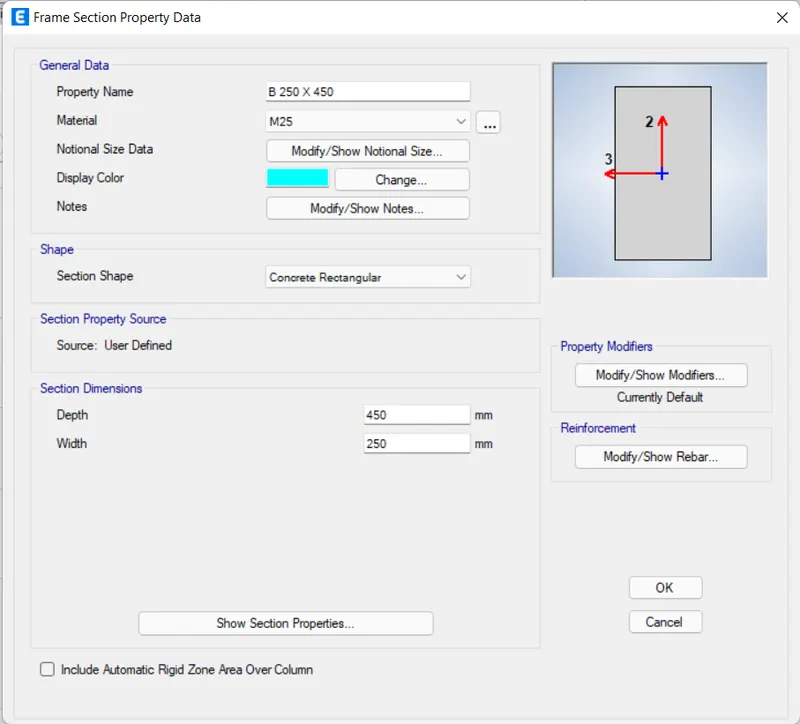
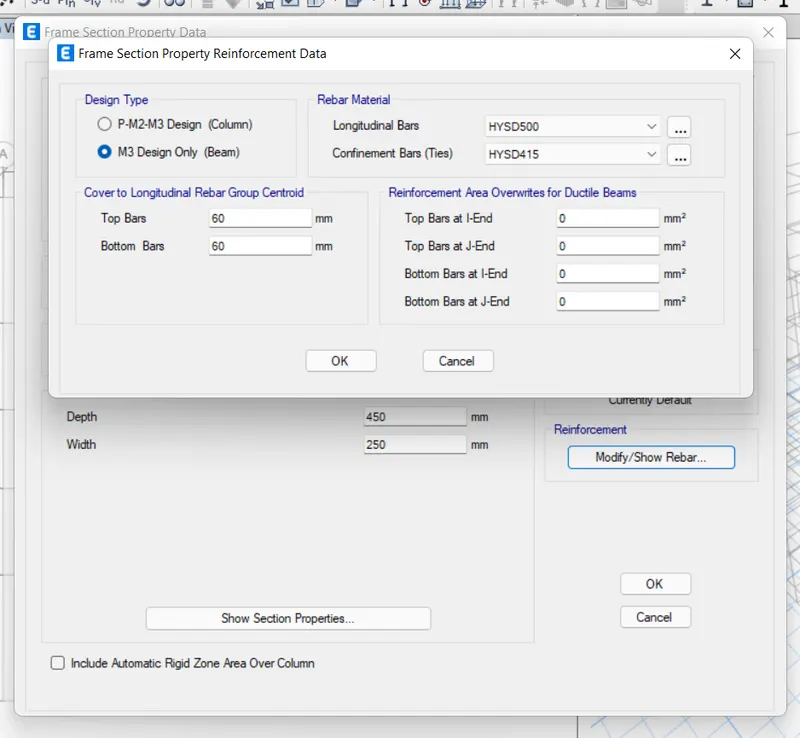
Then define the section property for column beam and wall for this go to define tab then section property then frame section then beam 250 x 450 mm, beam 300 x 500, and column 400 x 600 mm.
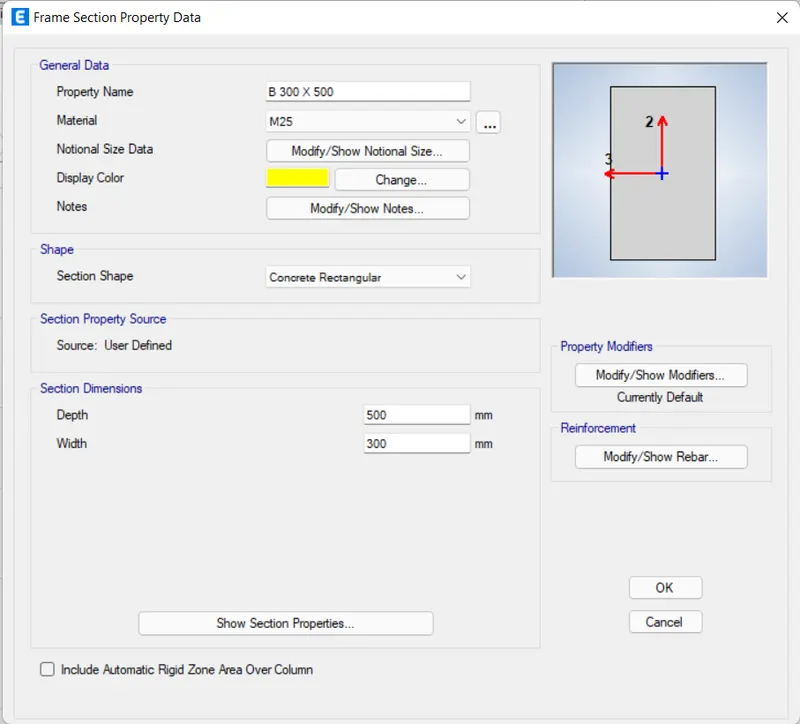
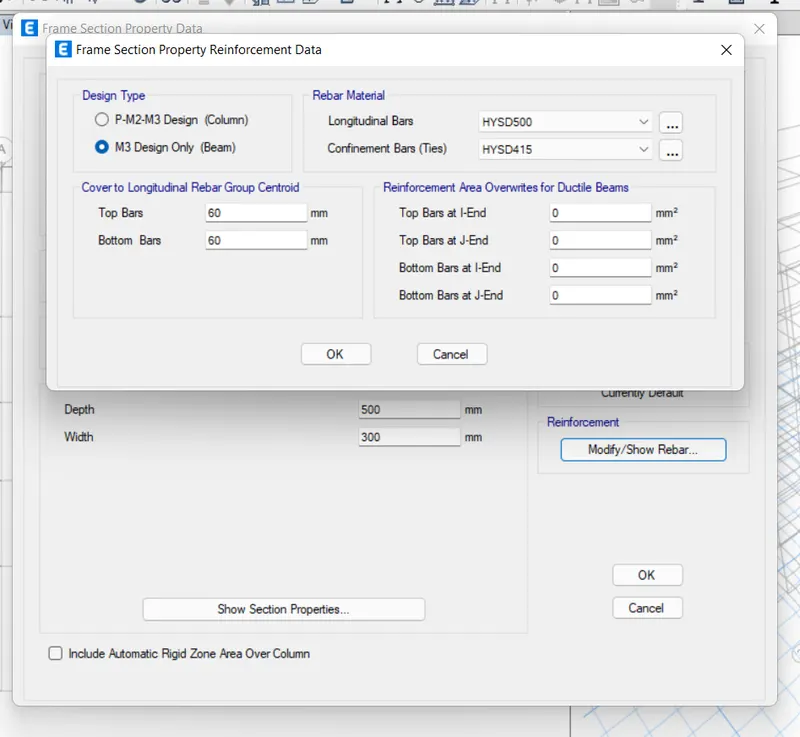
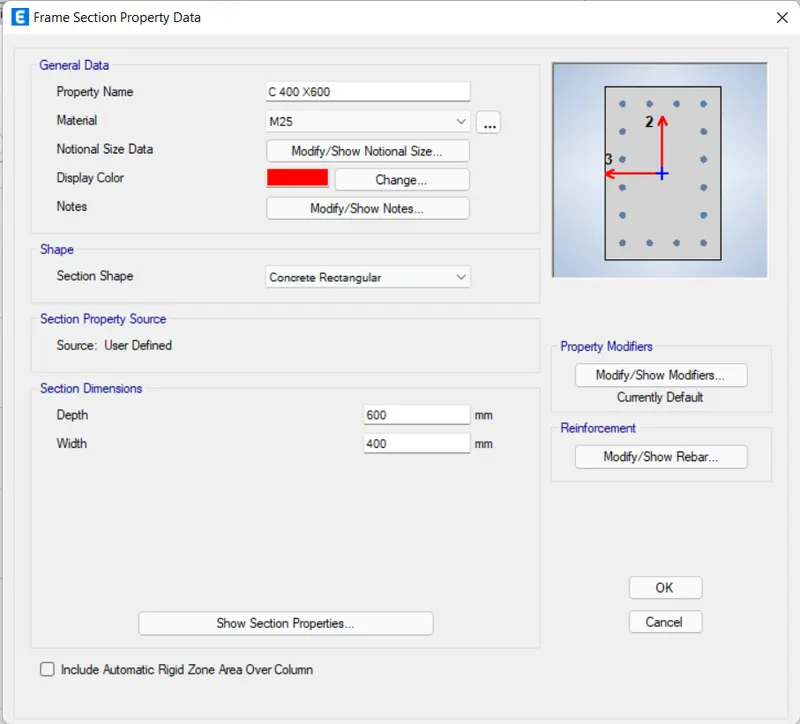
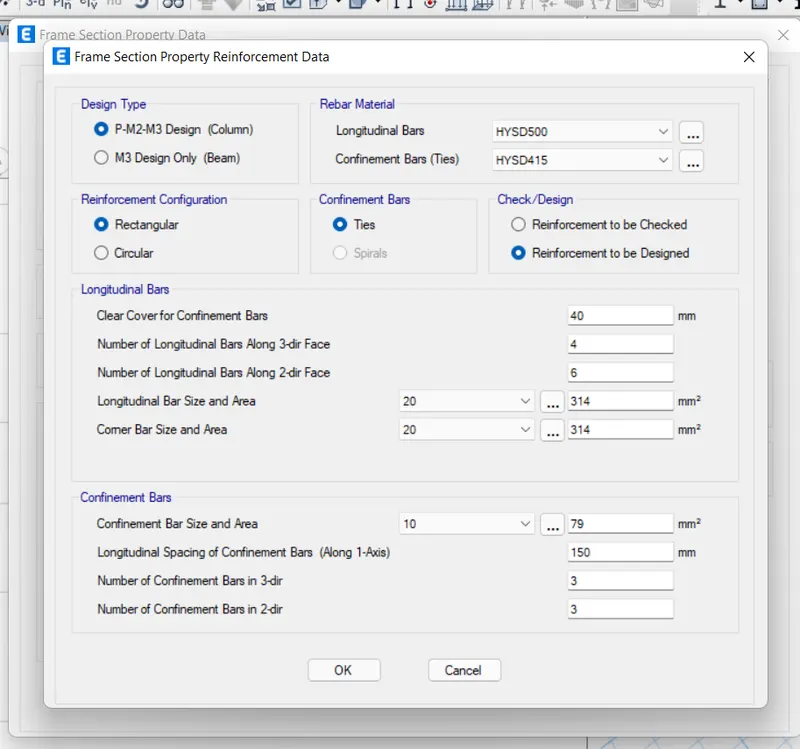
Then define the Slab property for slab for this go to define tab then section property then slab section. in the slab properties tab select Add new property. and add slab 125mm.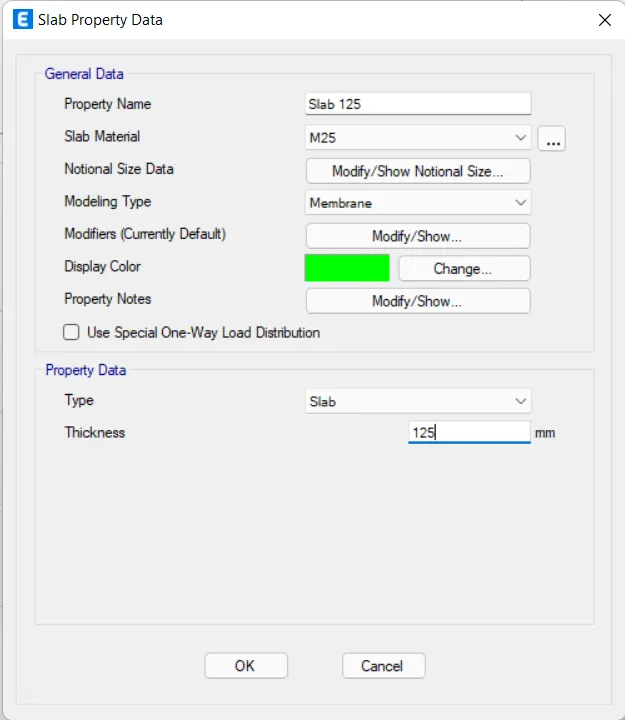
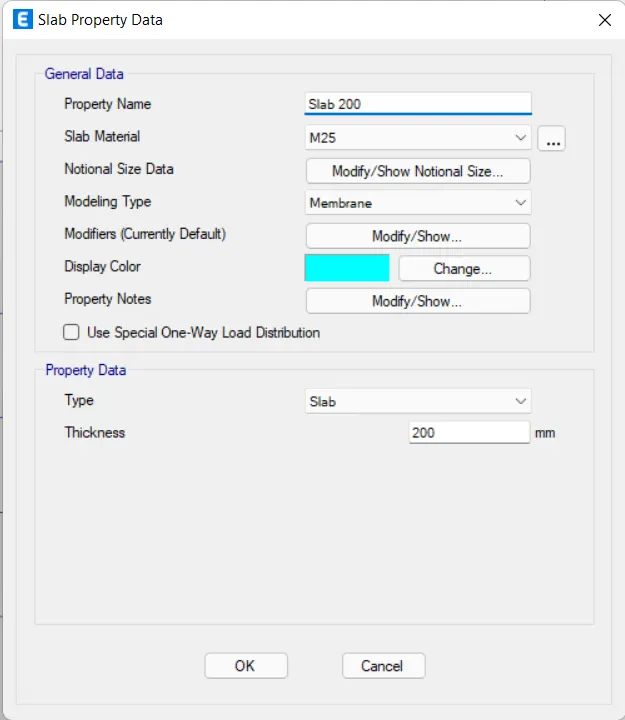
Add 200mm thickness of slab properties for staircase
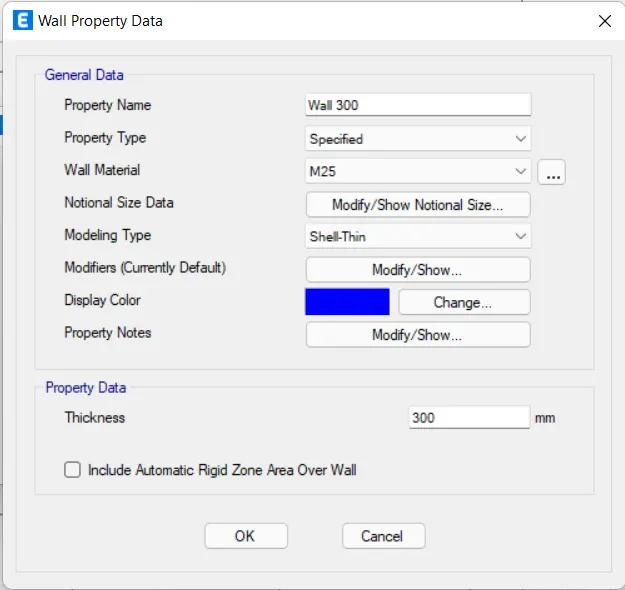
After this define the wall property for the wall for this go to the define tab then section property then wall section. in the wall properties tab select Add new property.
We need to add column using the quick draw column option.
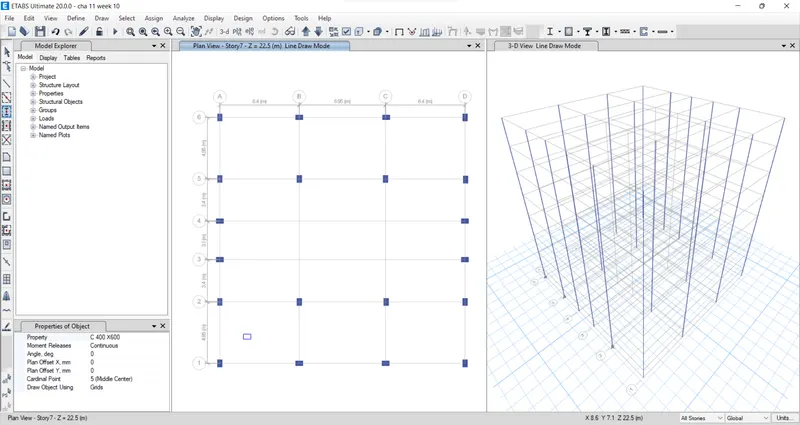
We need to add beam using the quick draw option.
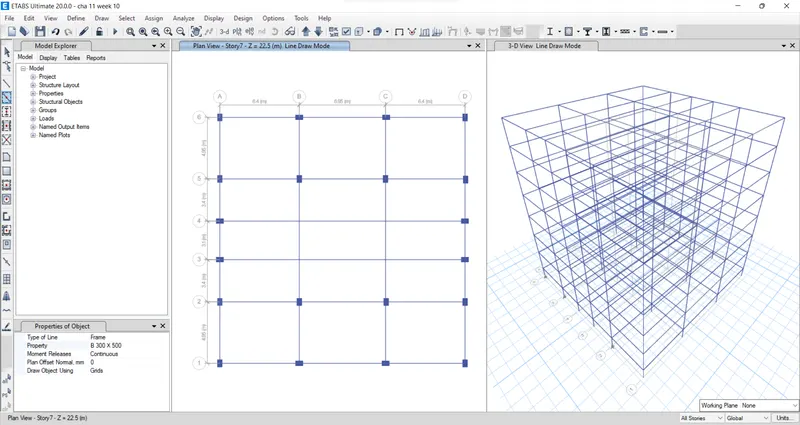
Next we need to add secondary beams using the quick draw beams option.
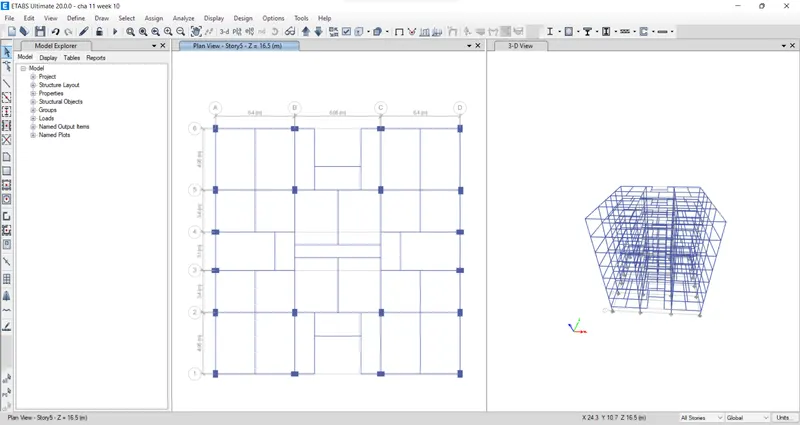
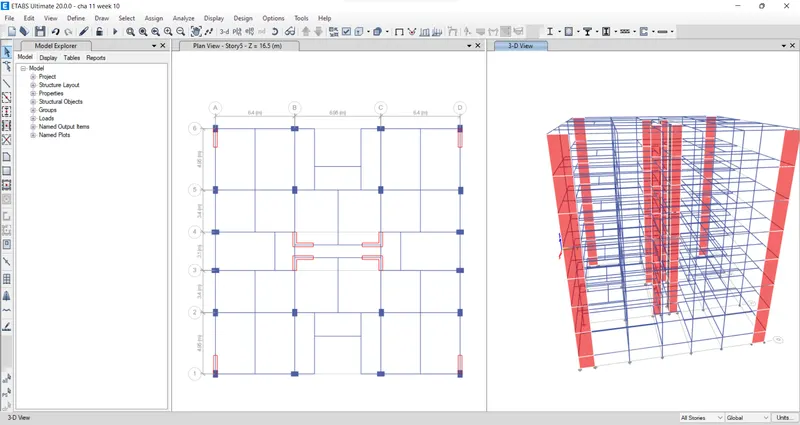
Add the shear walls in required locations in the residential building.
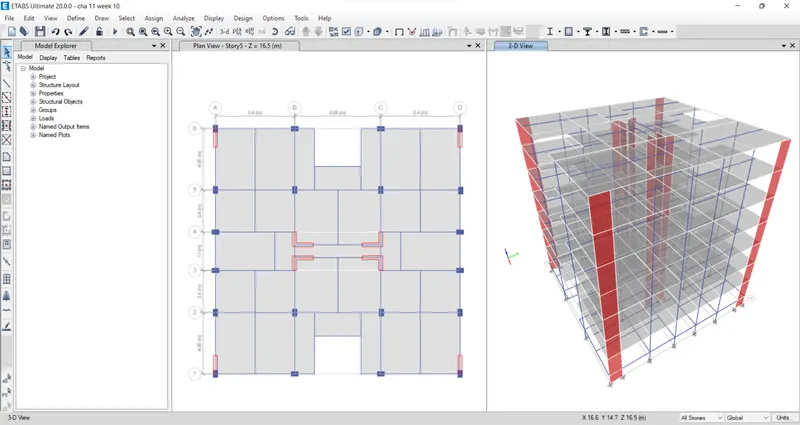
Add the slab using the quick draw floor/wall option.
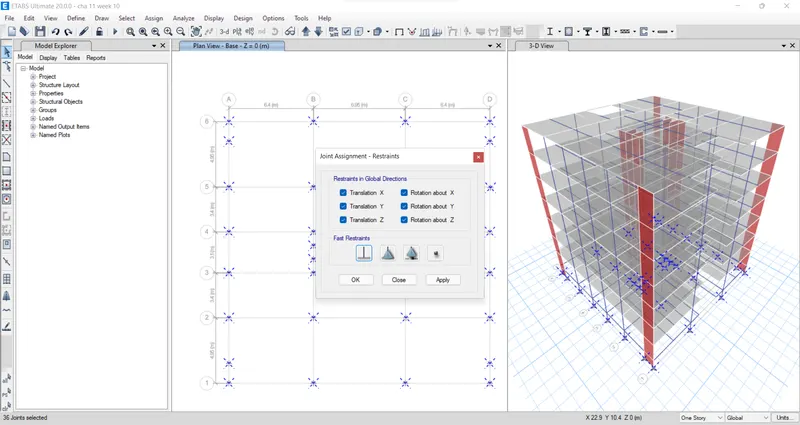
Then go to the base plan, Select all the base points. after that Go to assign, then joints, then click restraints. Then choose Fixed Joint and click apply, ok.
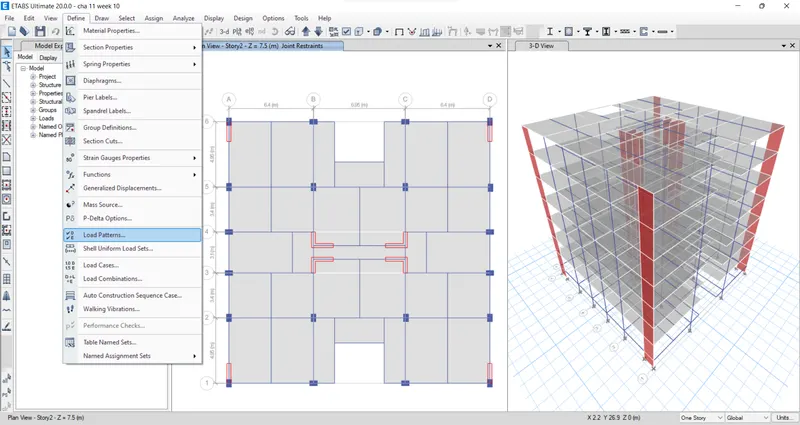
Next, we need to define load patterns for that go to define option, choose load patterns.
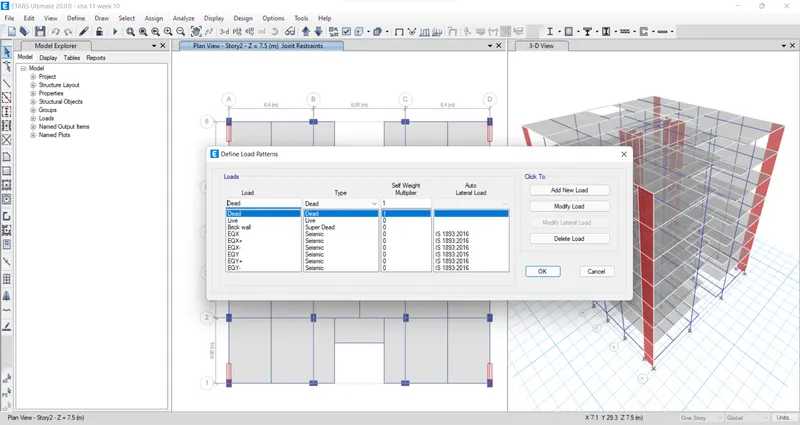
Now add dead load, live load, brick wall load, and earthquake load.
Select all beams. then from frame loads, we need to select distributed load.
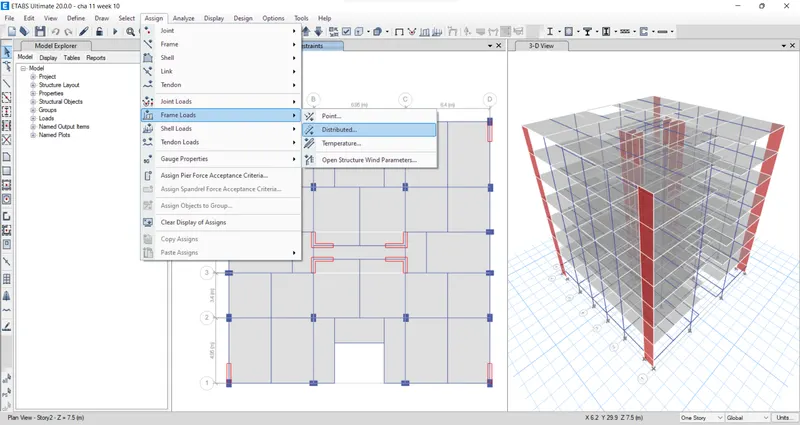
Select load pattern as Brickwall and take the uniform load as 3.5 kN/m. then apply ok.
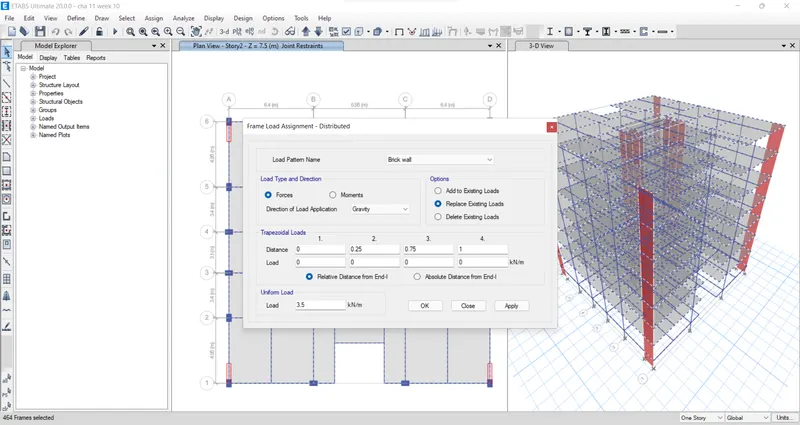
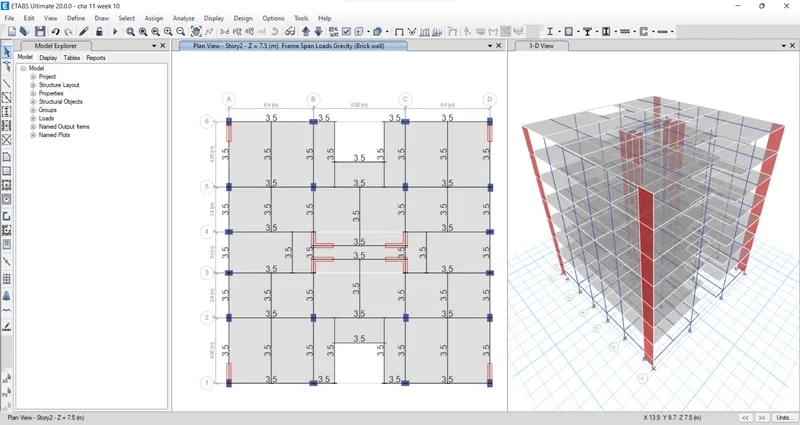
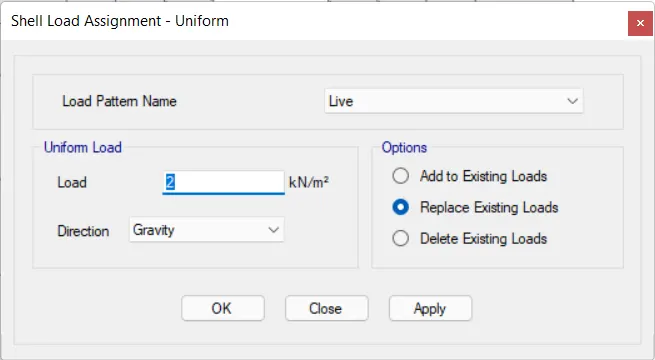
Next, we have to click on the assign option and then select shell load from the shell load we select the uniform option.
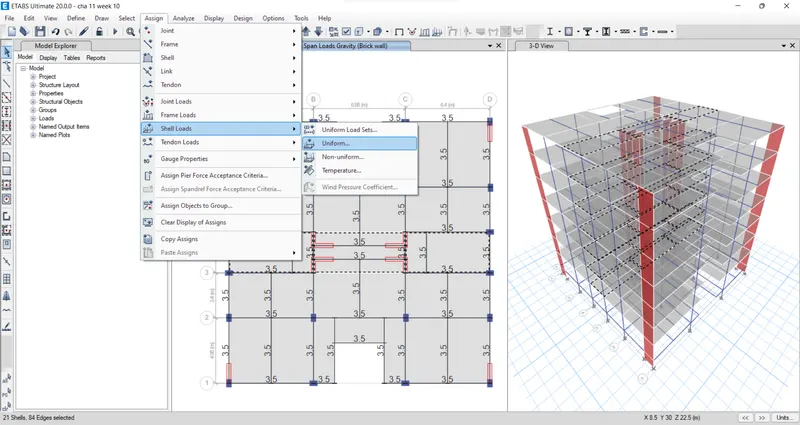
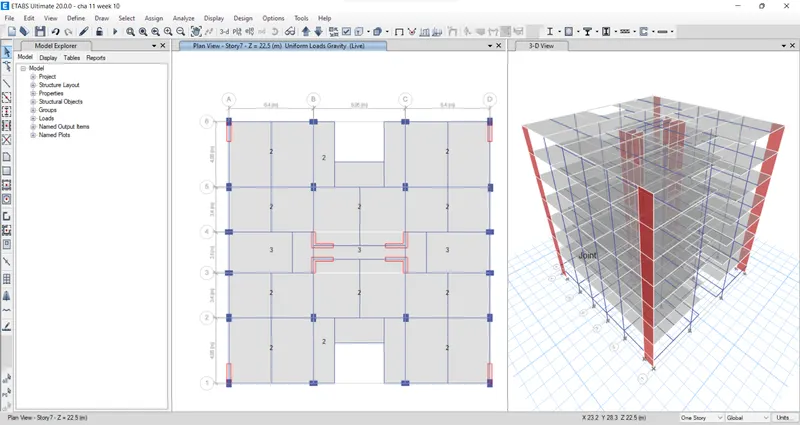
Apply the 3 kN/m^2 live load for the staircase portion, verandah, and lift core area.
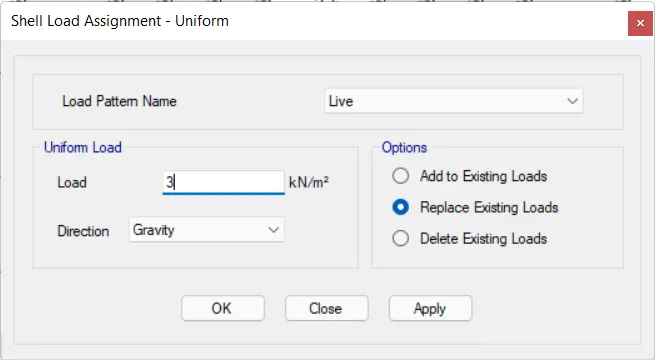
Apply the 2 kN/m^2 live load for the remaining portions in the residential building.
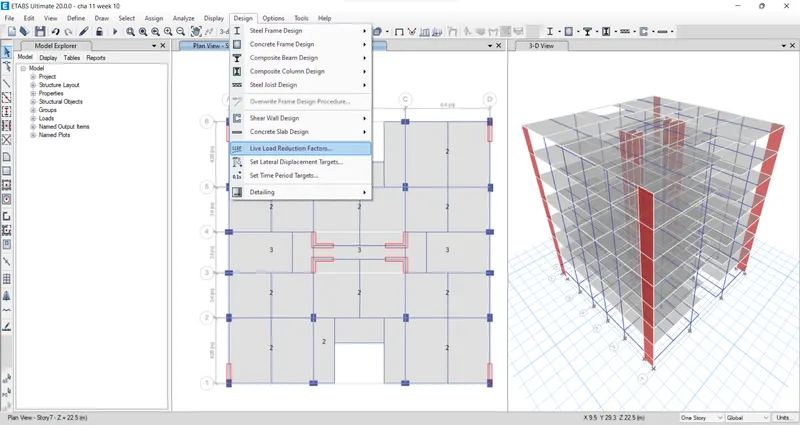
Select load reduction factor from the design option.
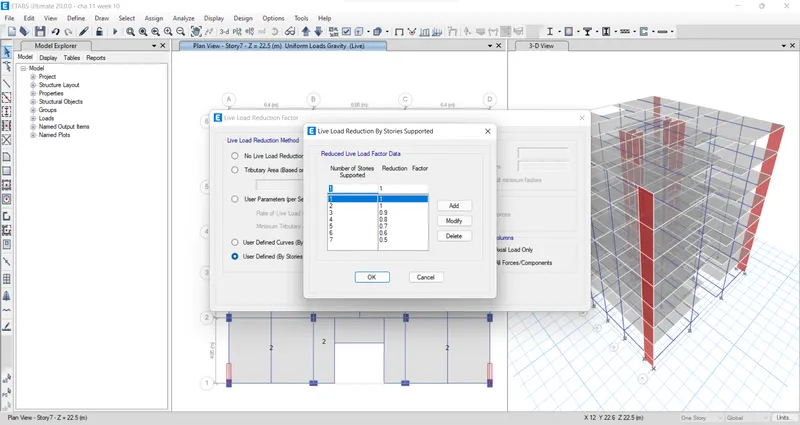
Now add the reduction factor by decreasing 10% from the first floor to the 7th floor.
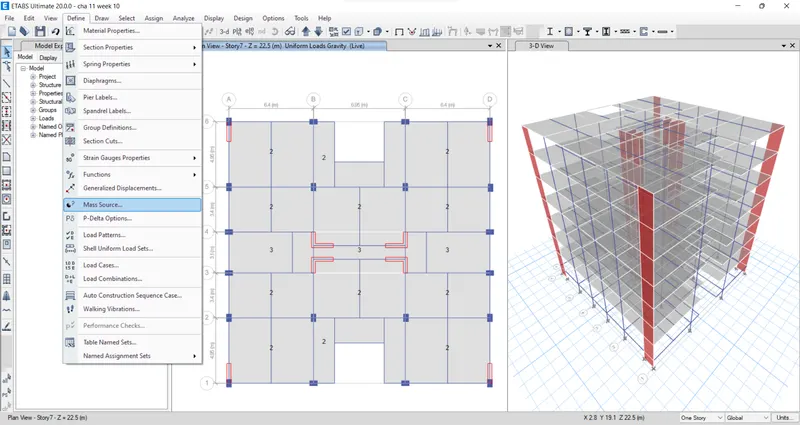
From the define option select the mass source
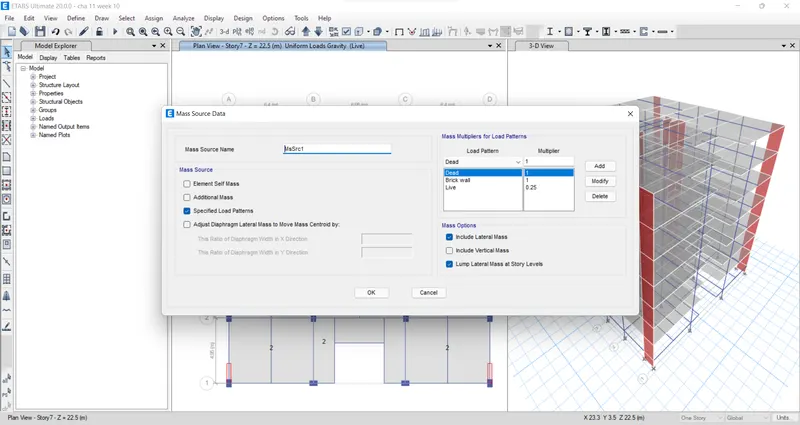
Add the load pattern in the main source data
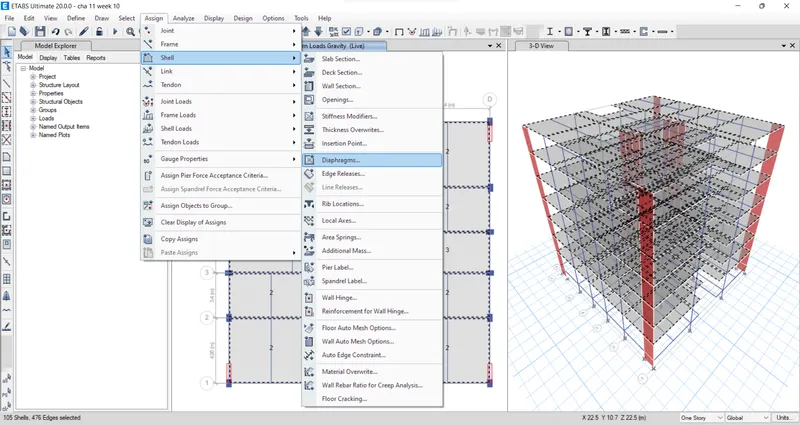
Use the select option to choose all the floors. From the Shell option select the diaphragms
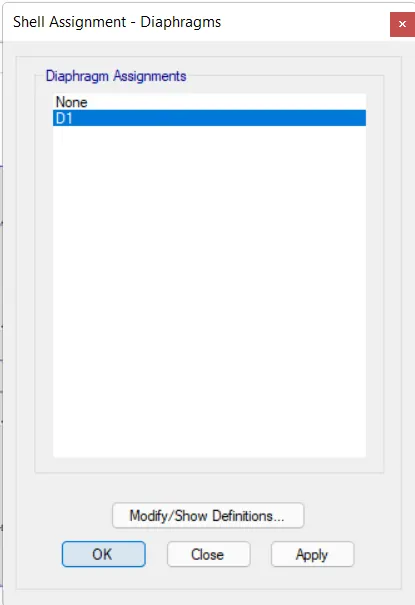
in the new tab which will appear after selecting diaphragms, select the D1 and click on the apply button, and close.
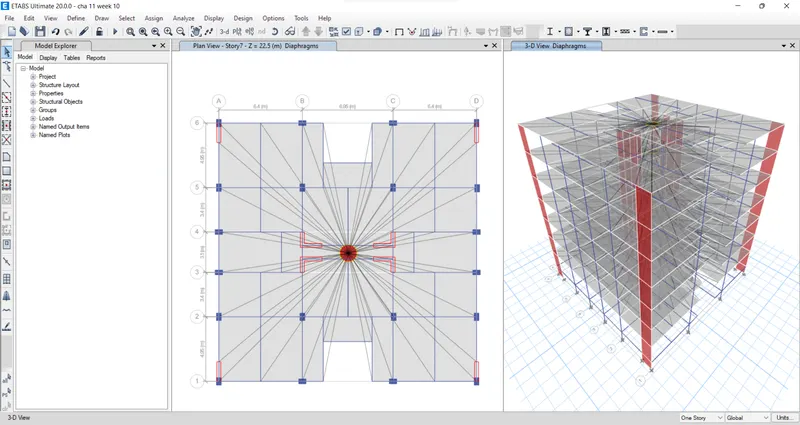
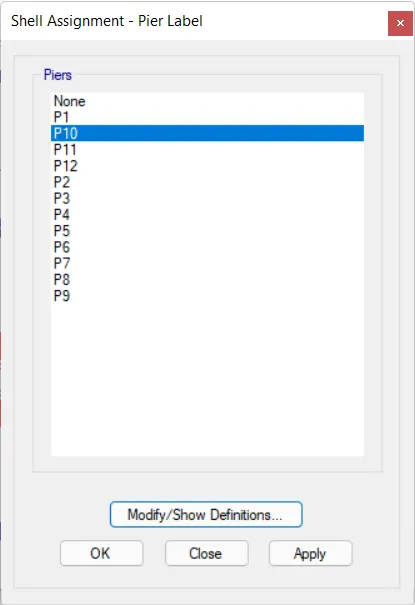
Next, select the pier label from the shell option.
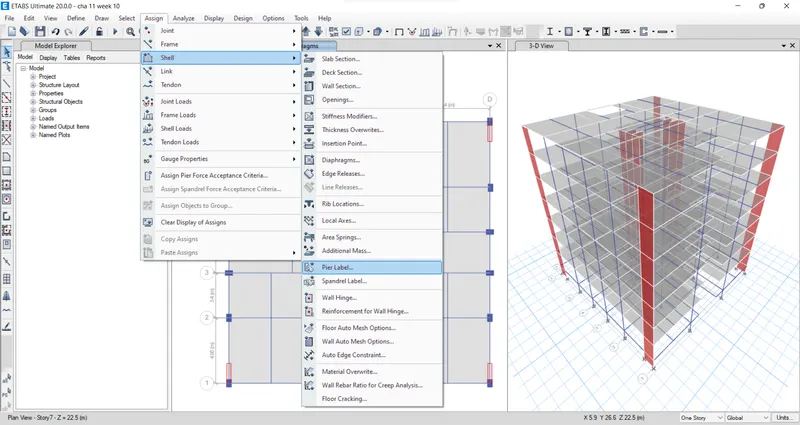
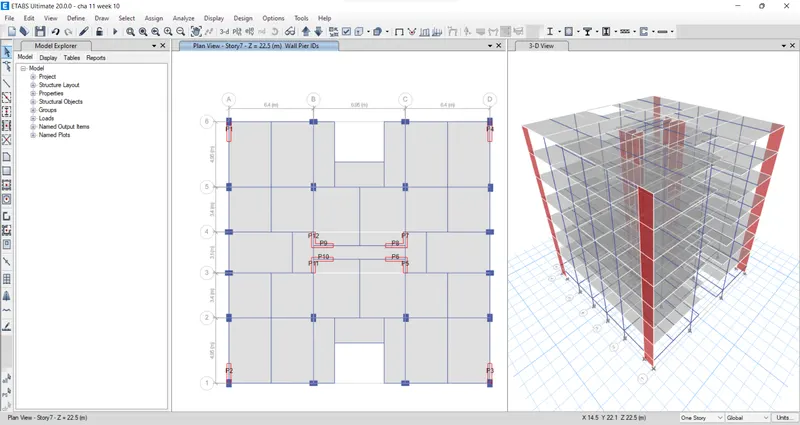
Before going to this shear wall design we have to assign the name for the shear walls(P1, P2, P3, P4, P5, etc.)
Next from the define option, we select the load combination.
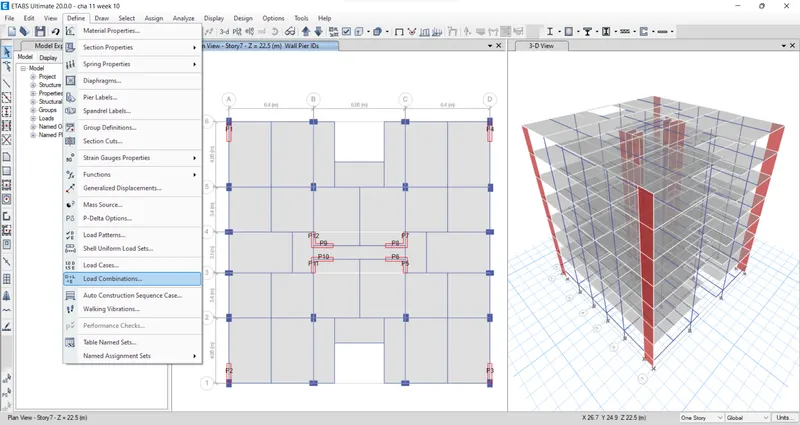
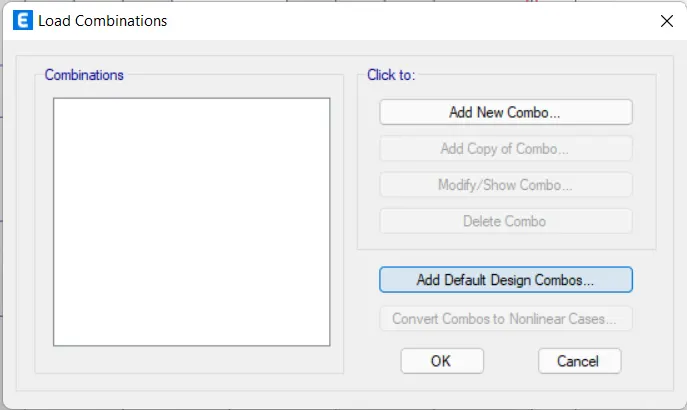
Select the load combination, then select add default design combos option.
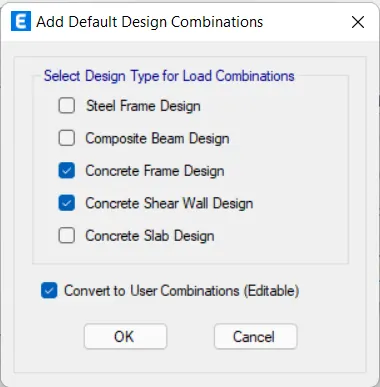
Select concrete frame design and concrete shear wall design then click OK.
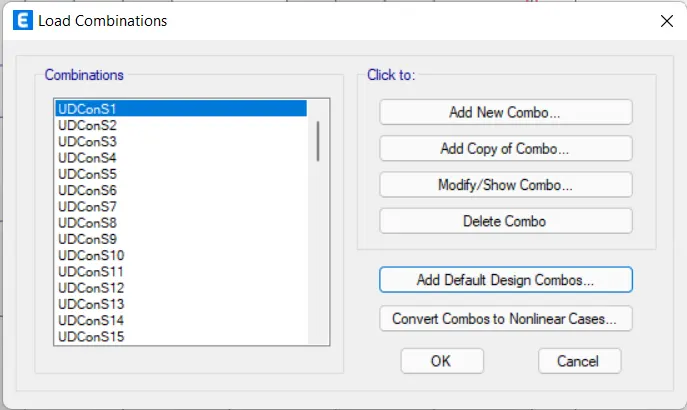
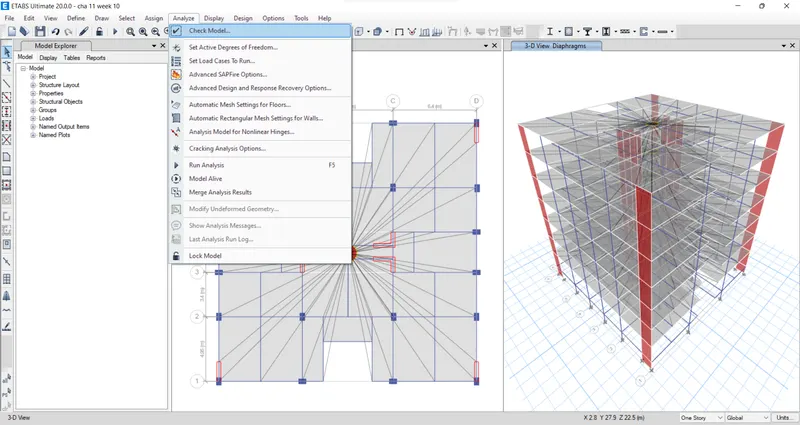
Now check the model by clicking the check model option.
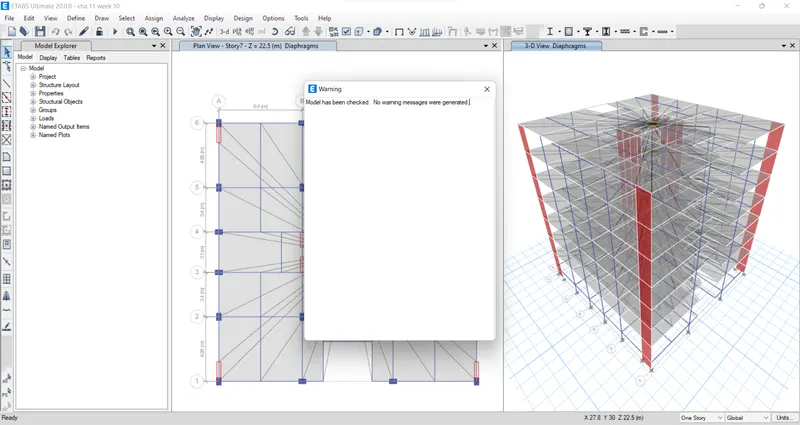
After the model is checked then the warning tab will be visible and it tells that there is no warning message.
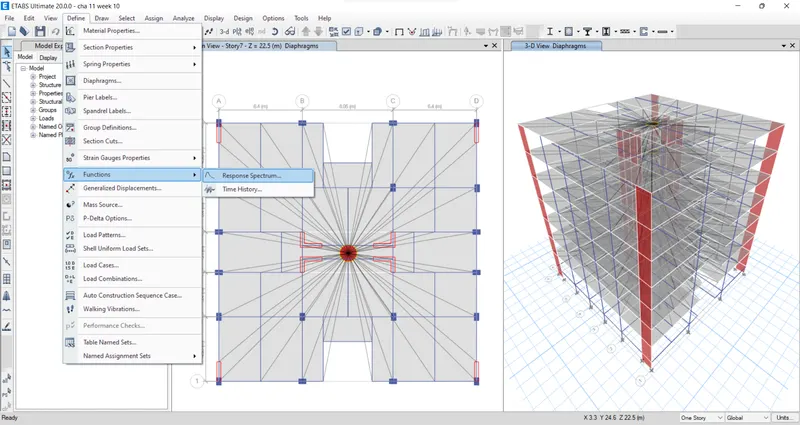
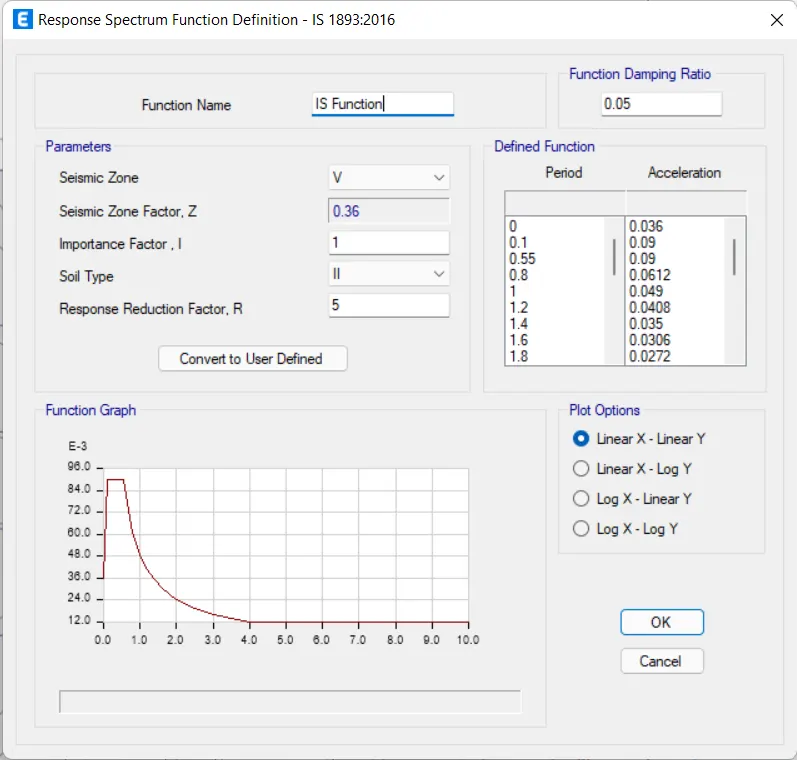
Now from the define option choose function then select the response spectrum.
Choose IS-1893:2016 from the choose function type and click on the modify/show spectrum option.
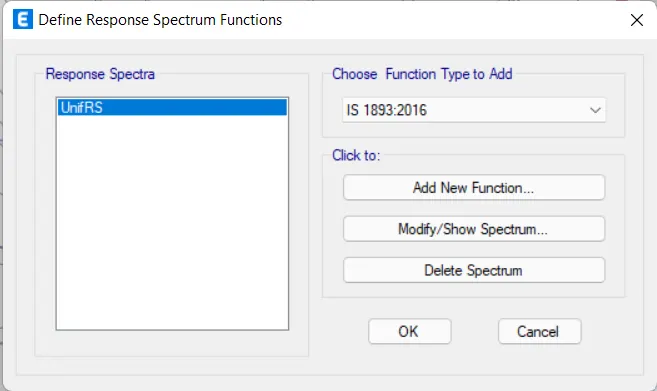
Give the function name as "IS function" and the remaining details will be automatically set by the software itself we don't need to change any of the details in that response spectrum function tab.
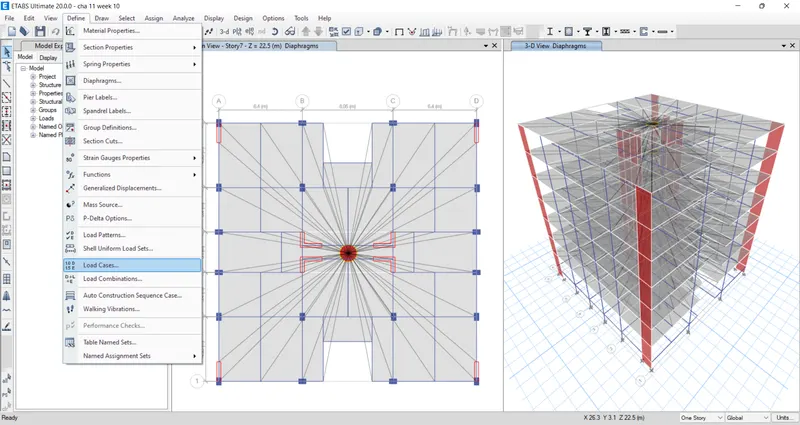
From the define option select load cases.
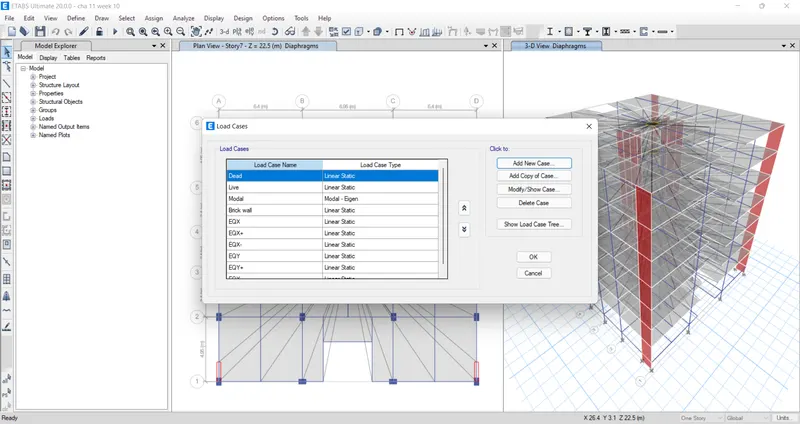
Add new load case.
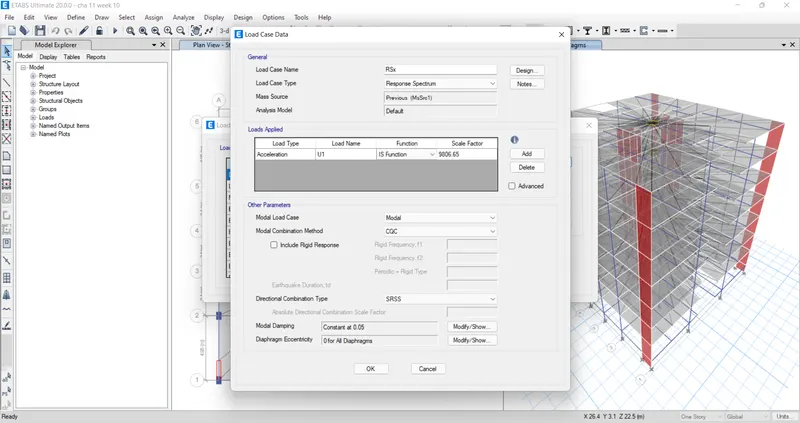
Enter the details of the load case in the load case data.
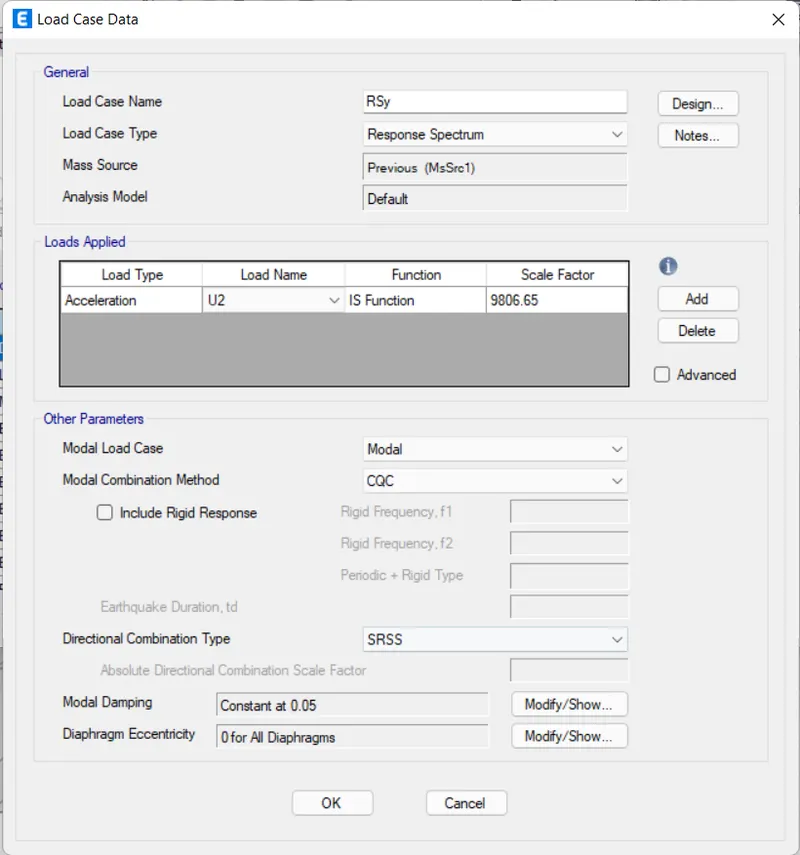
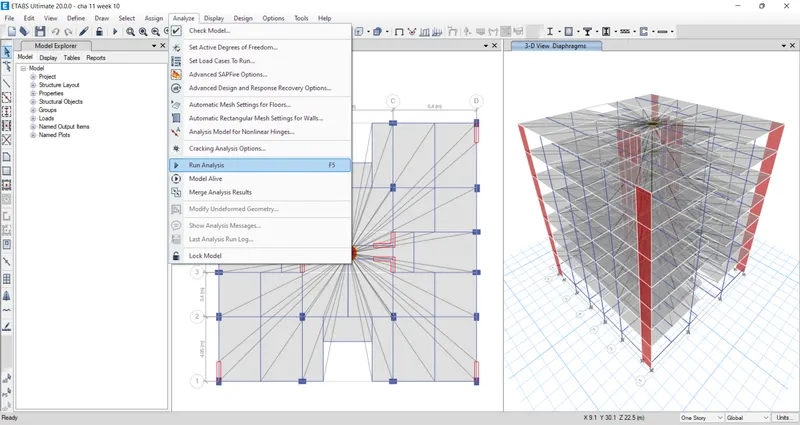
After this do the Run analysis.
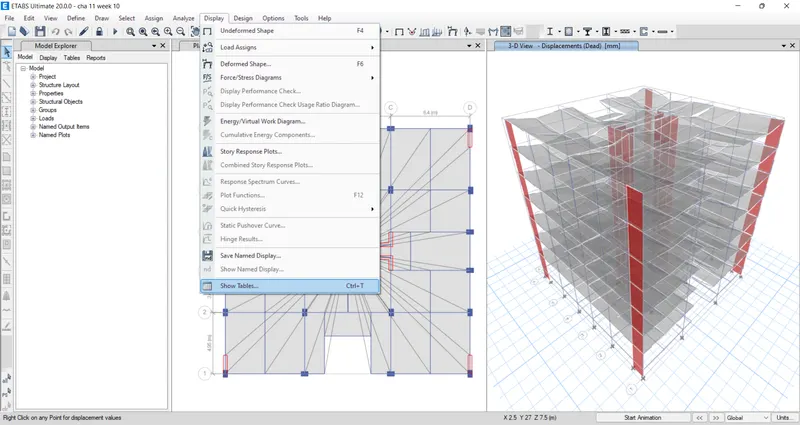
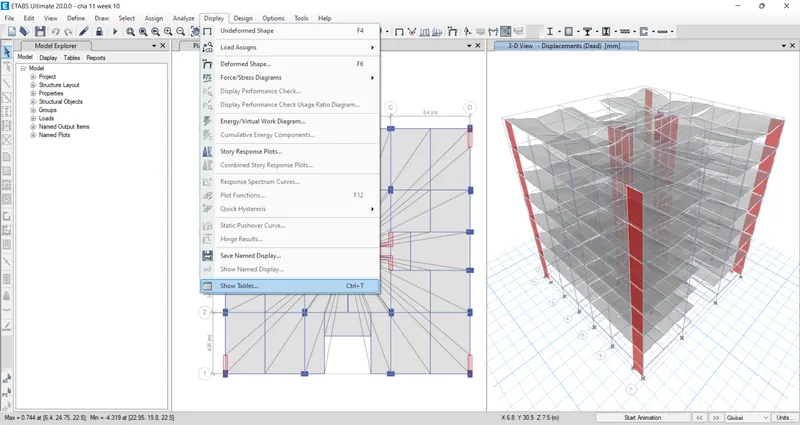
From the display option, select the show tables.
Select the base reaction, from the structural output.
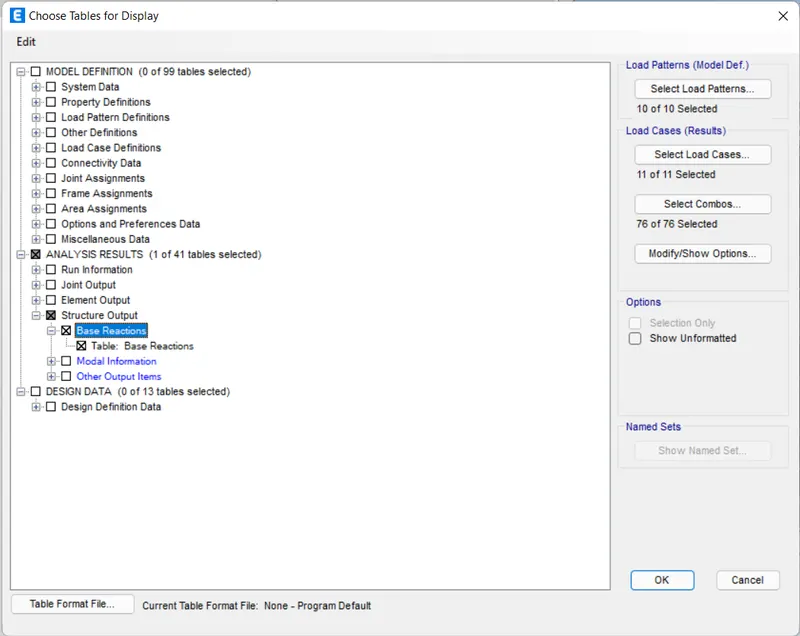
The base reaction table will be visible.
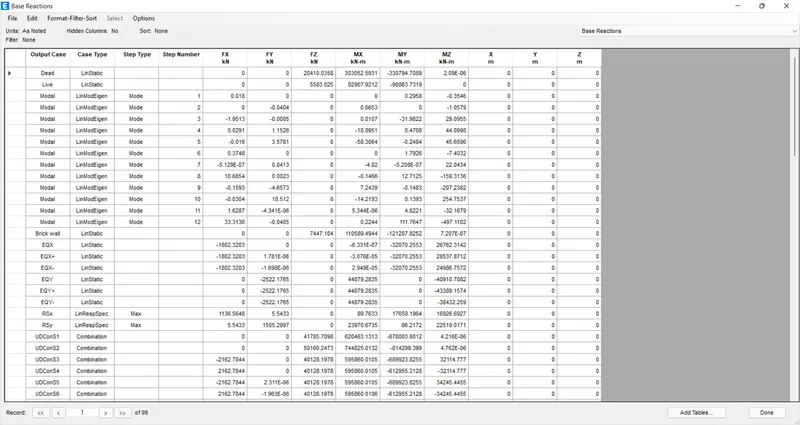
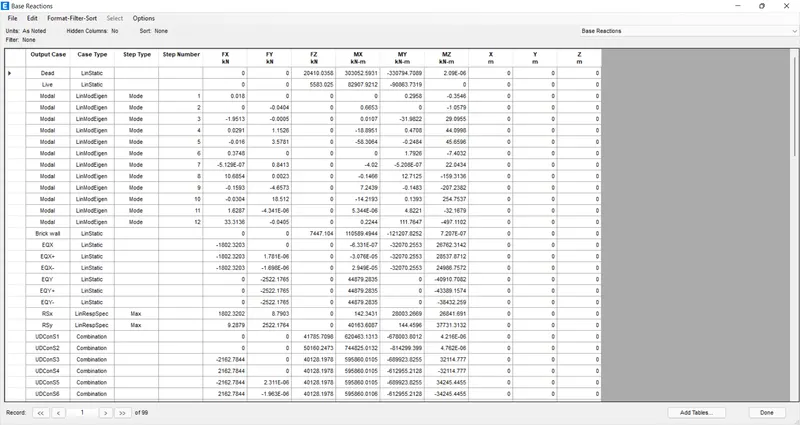
Here we have to check that EQ should be closer to the Rs to get closer to each other we should calculate that. [(EQ/RS) *scale factor of response spectrum.]
after we enter these values for the response spectrum as scale factors at X & Y directions in load case data, then the EQ is closer to the RS from the base reaction table
From the display option, select the show tables.
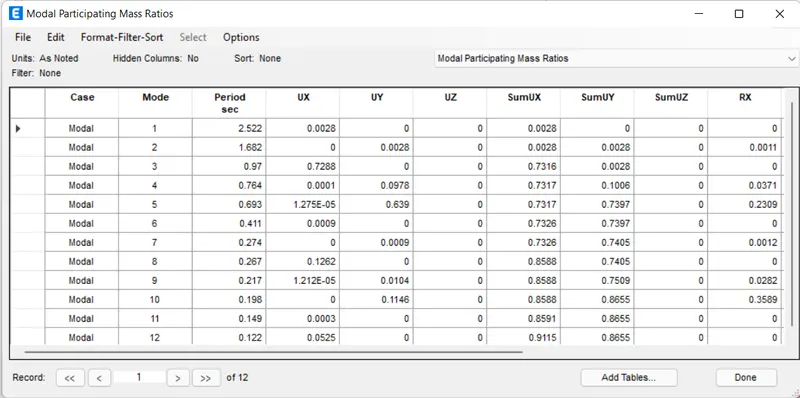
Select the Modal Participating Mass Ratios, from the Modal Information.
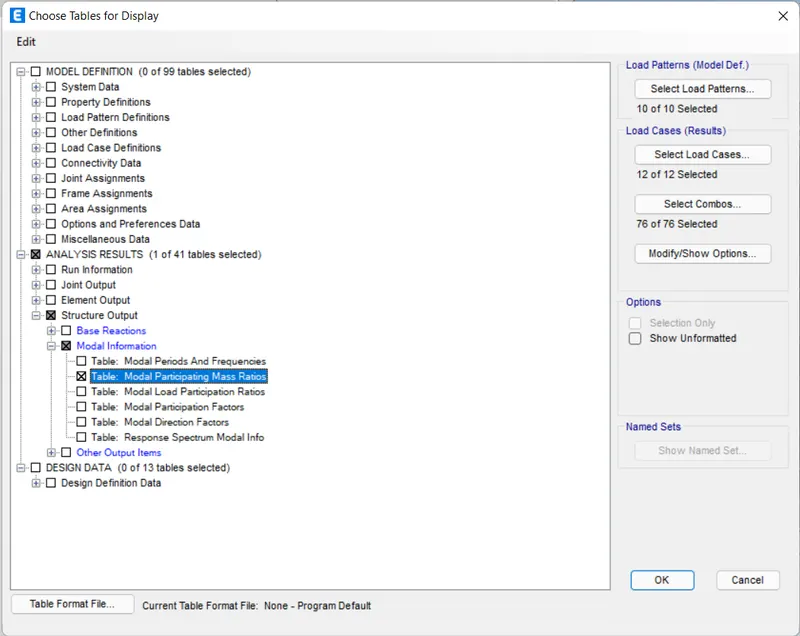
The Modal Participating Mass Ratios table will be visible
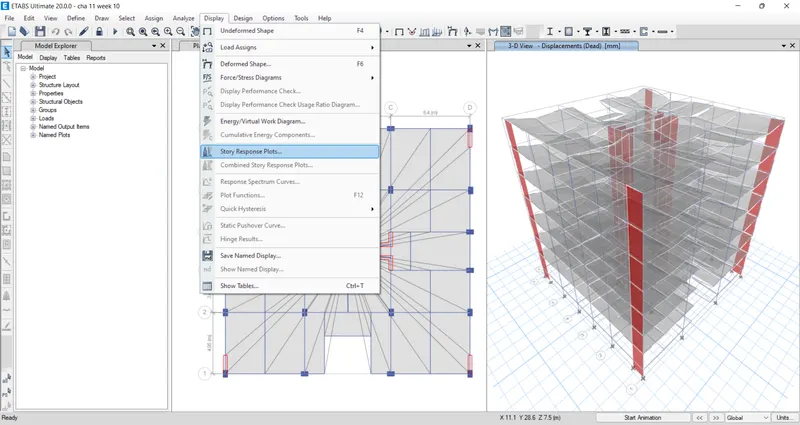
From the display option, select the story response plots.
The story response for Max story drift at X & Y direction should not be more than 4%
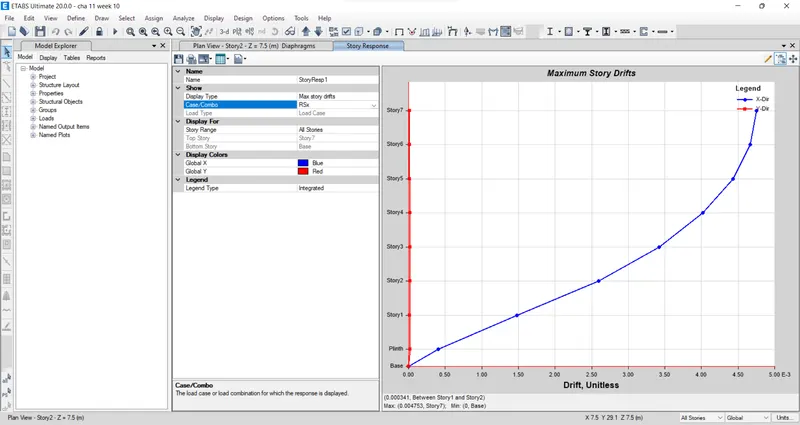
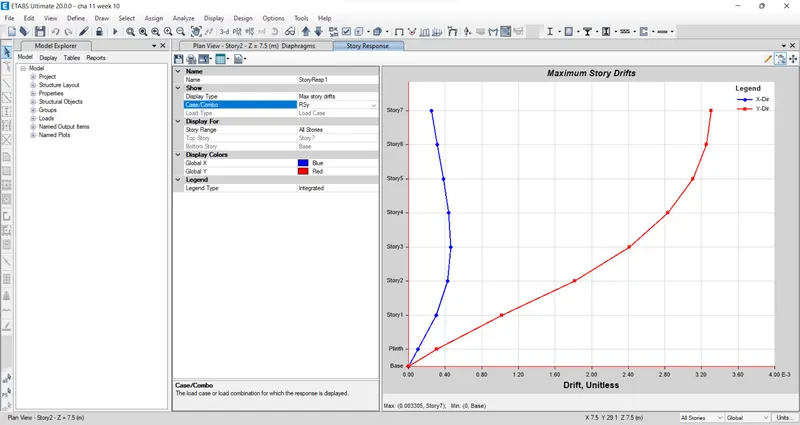
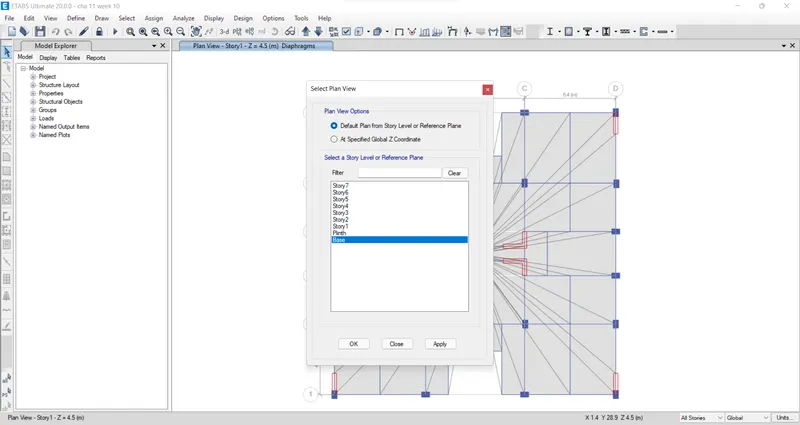
open the select plan view tab and select the base floor
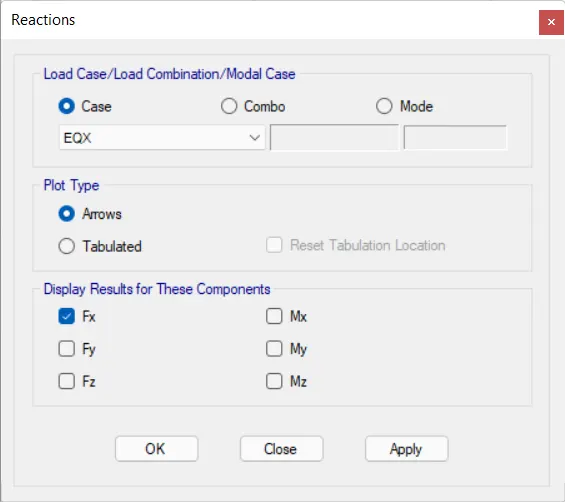
open the reaction tab then select the earthquake load towards X direction(EQX) in the load case then click OK
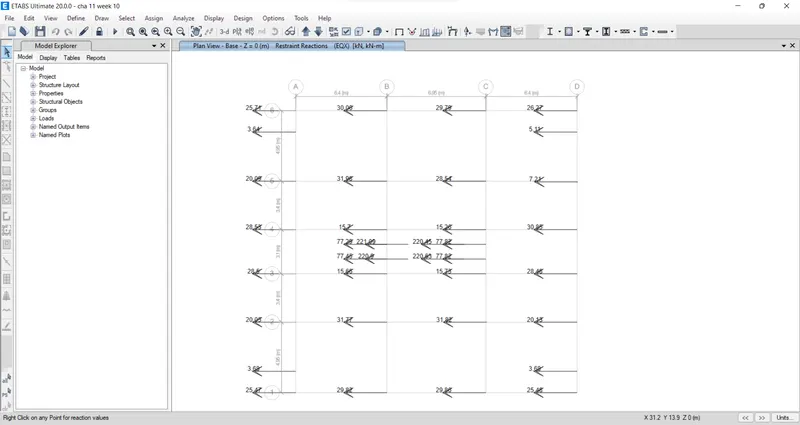
Now the base shear reaction will appear. When we divide the base shear taken up by the shear wall divided by the total base shear of the building will get the percentage of the shear force is taken up by the shear wall and if that is less than 80%, then the more shear walls we need to add to the structure.
RESULT:
The structural modal of the G+7 building has been developed that complies with IS 1896 and IS 13920. After framing the layout, analysis has been carried out. Necessary checks have been carried out and also verified the values with the code. The results of each drawing drawn in ETABS and AutoCAD are attached.