Structural Modelling using Etabs 2018
OBJECTIVE:
1. To model an apartment with all seismic considerations based on architectiral input
2. To Know how to check the seismic performance of an apartment using Etab
AIM: Using Etabs for structural modeling
PROCEDURE:
1. Open a new Etabs file for analysis and designing
2. After Creating a new file, first Specify the appropriate codes required for this design
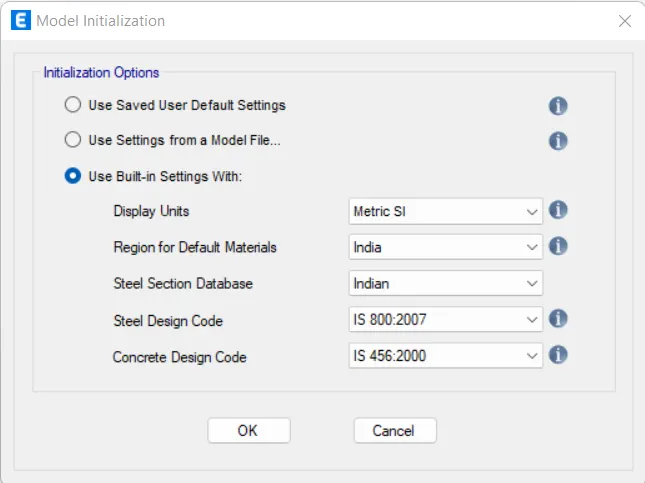
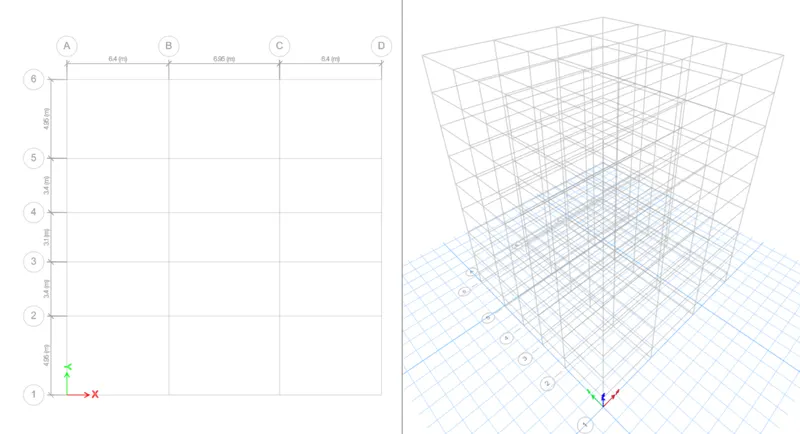
3. After deciding the relevant codes we have to set the grids and the story for the model
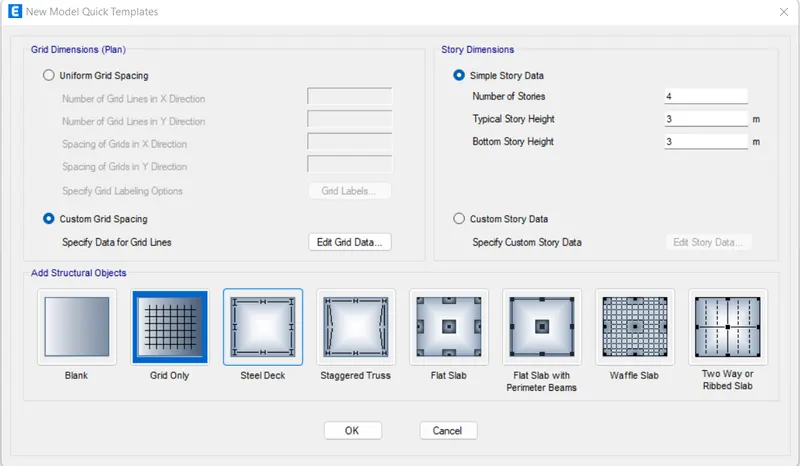
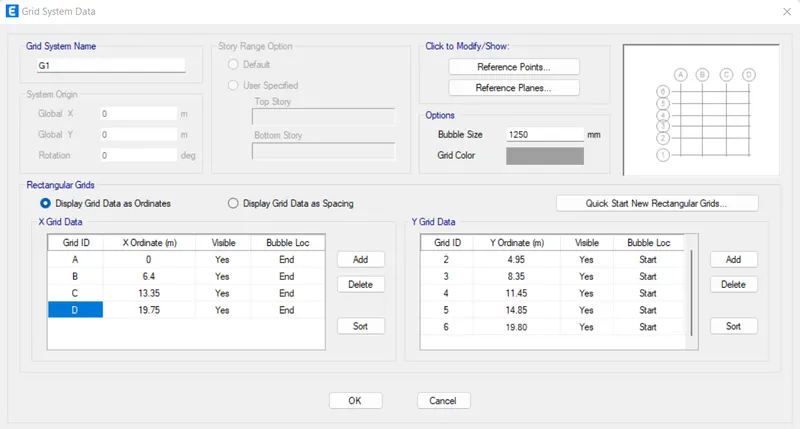
4. Now that the grid has been arranged according to the given data next we have to set the story data also
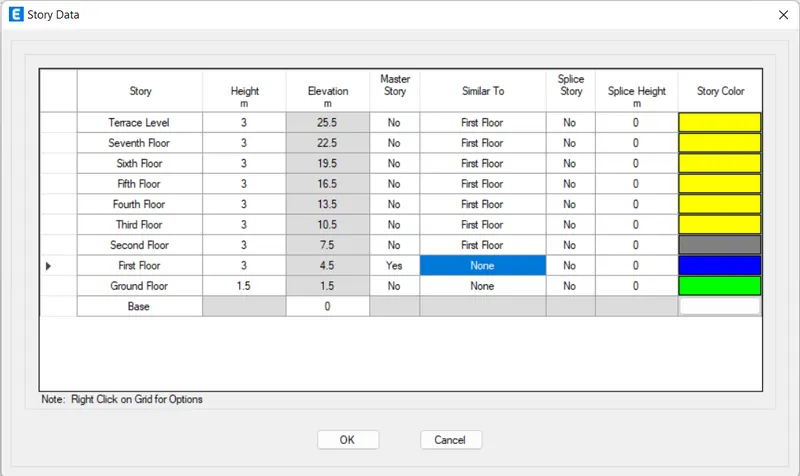
5. The story and the grid setup is complete.
6. So now the next step is to define material property
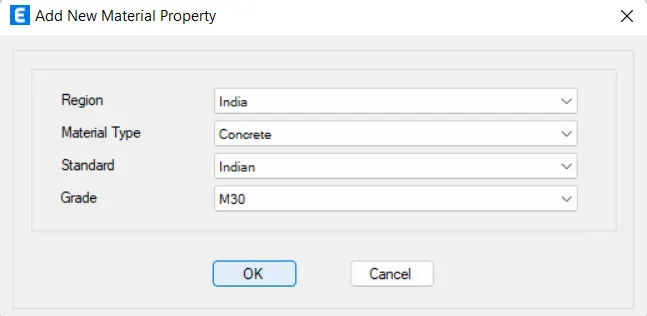
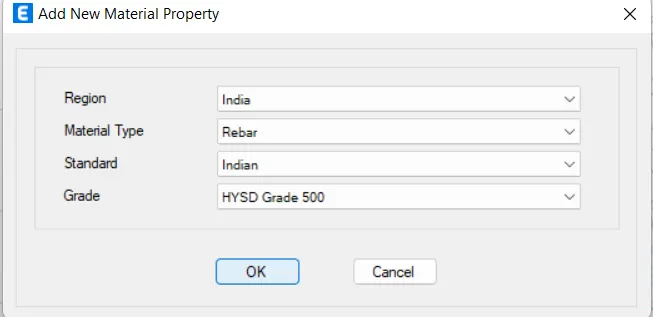
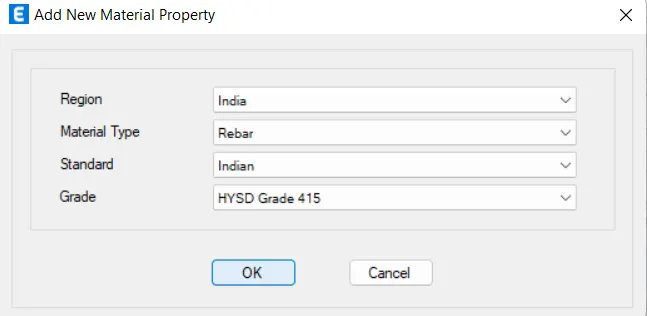
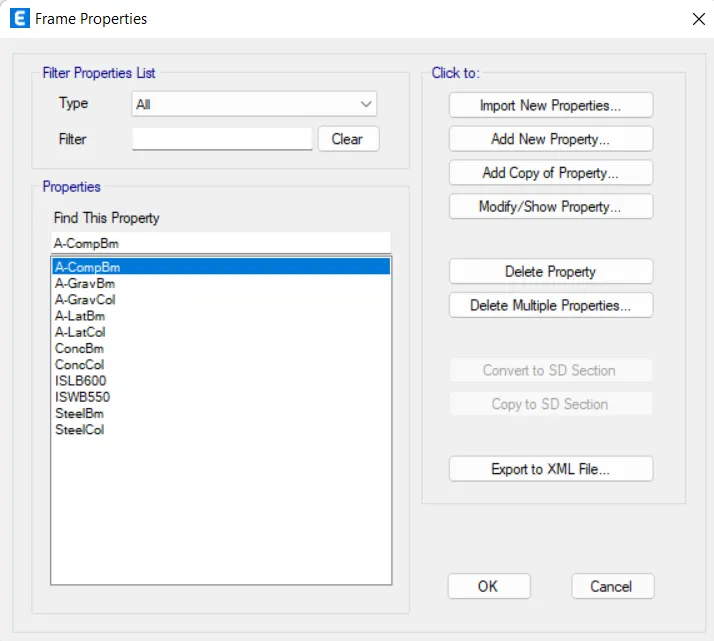
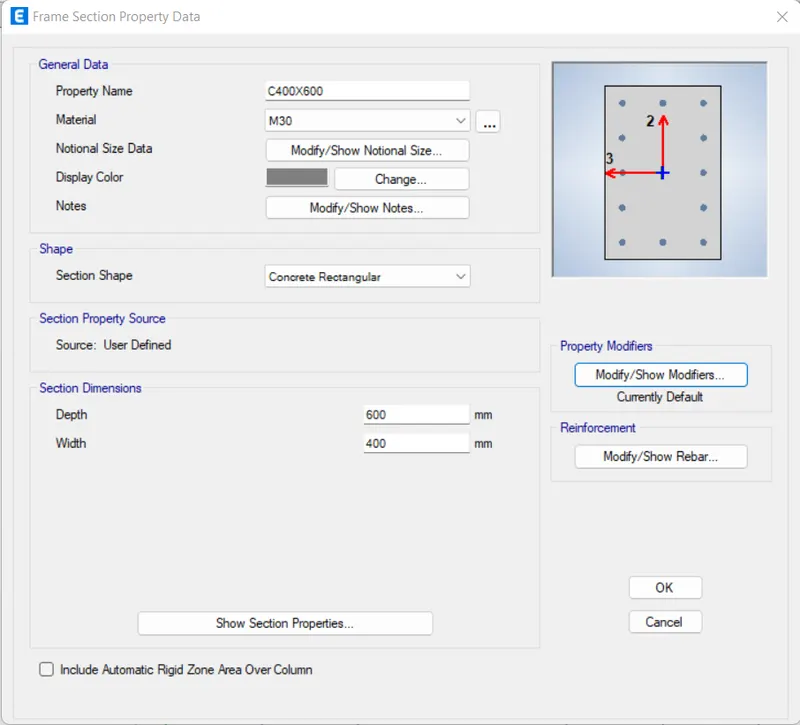
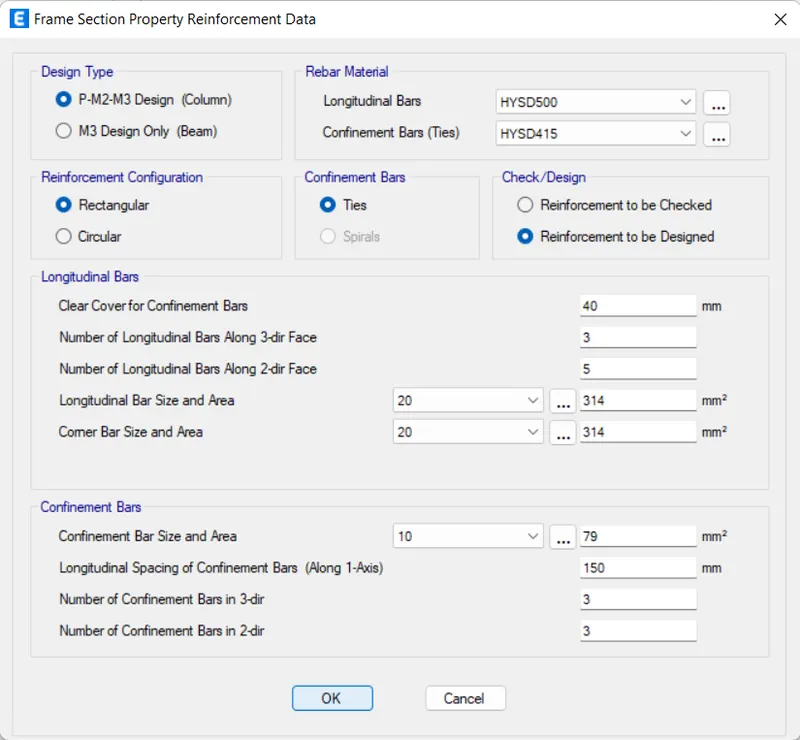
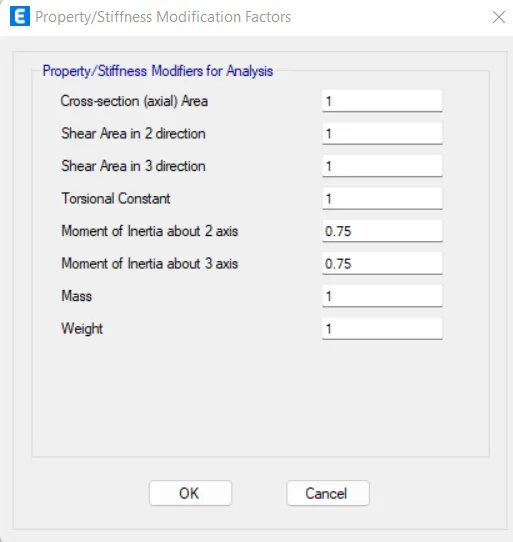
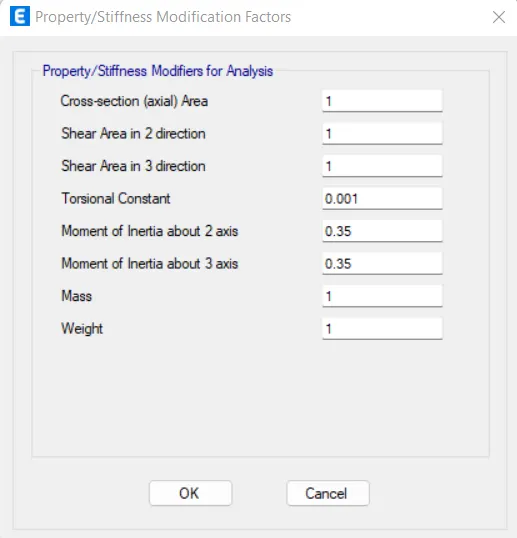
7. Next step is to define the frame property we need to define the beam, column, Slab, and Shear wall for this model
Column: 400x600mm
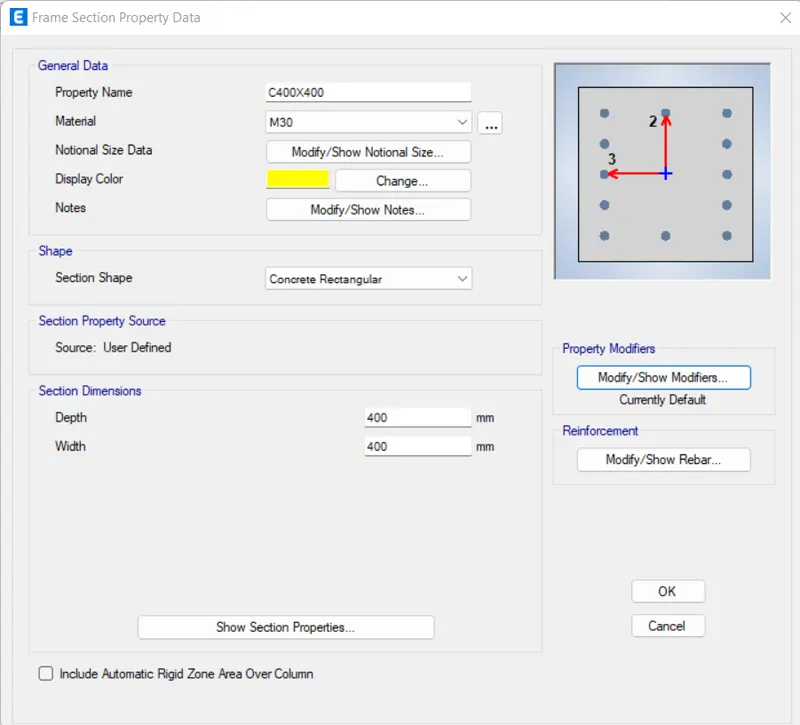
Column: 400x400mm
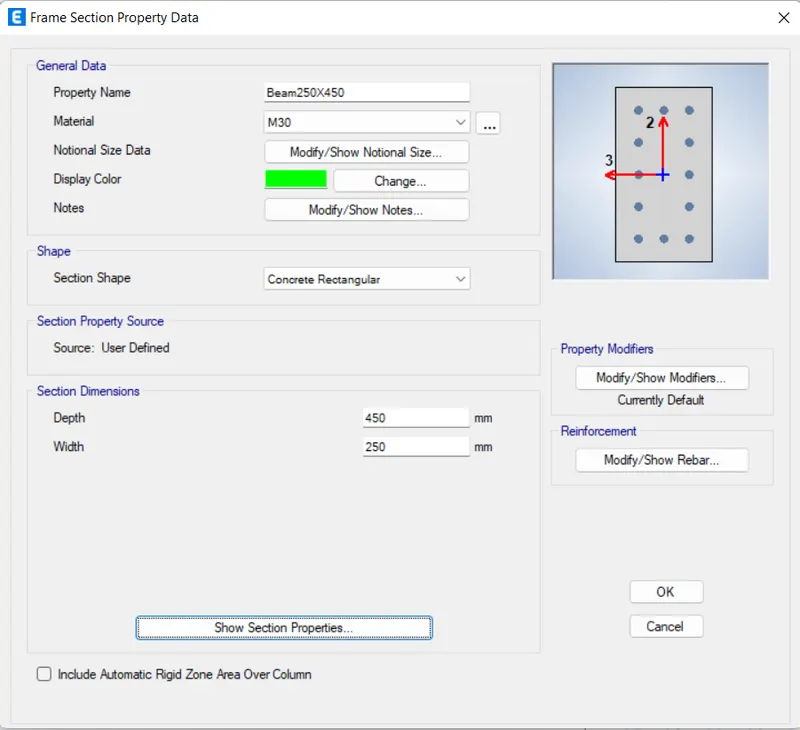
Beam: 250x450mm
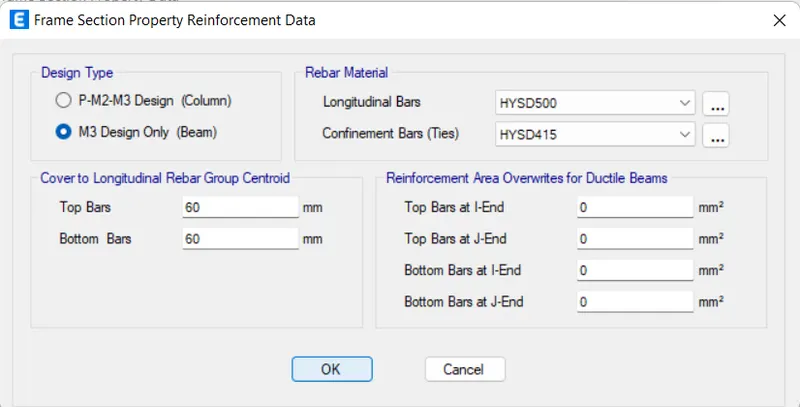
Beam: 300x500
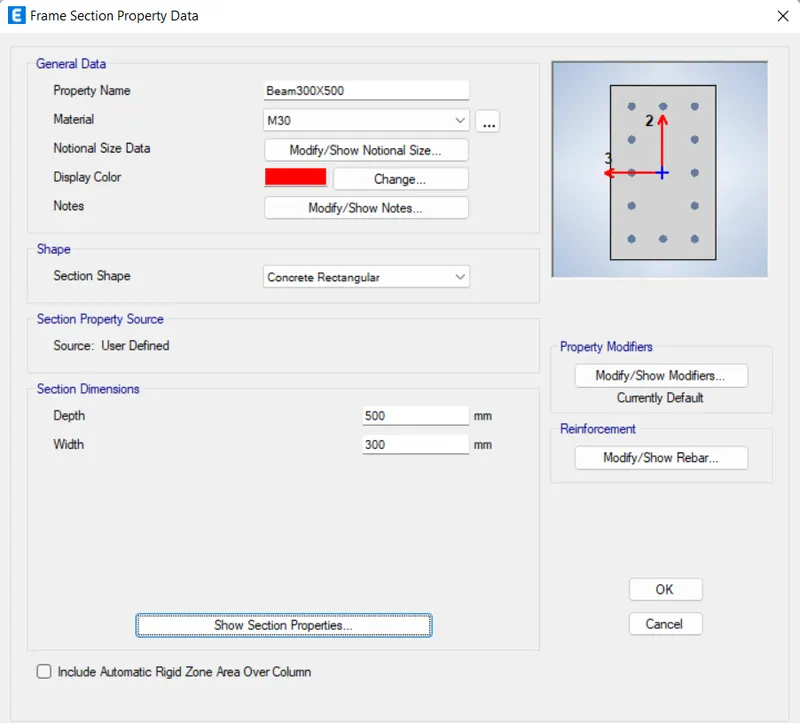
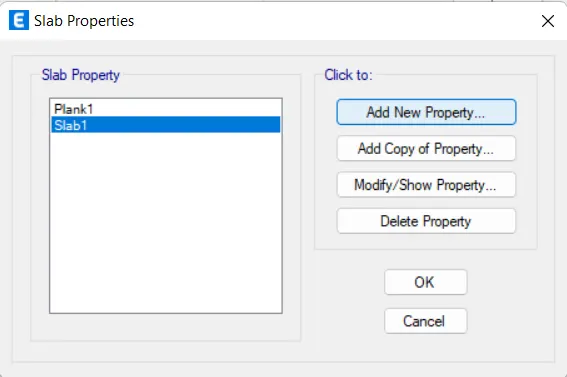
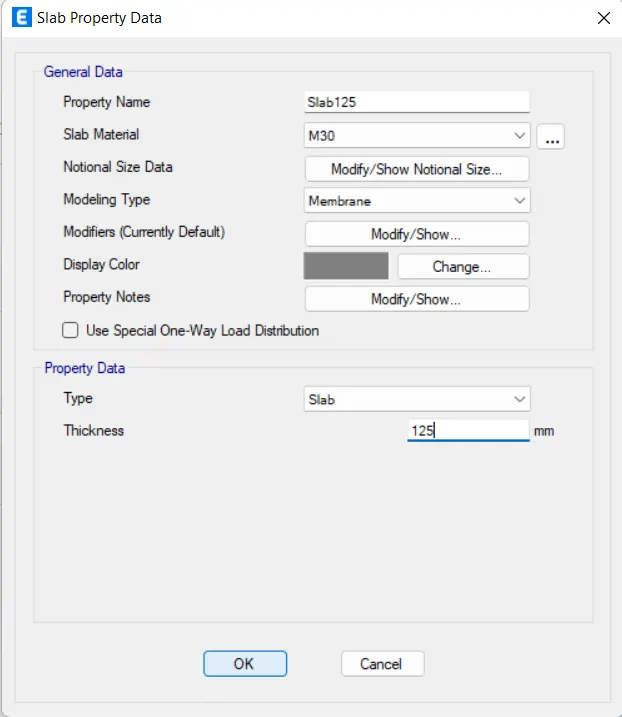
Slab: 125mm
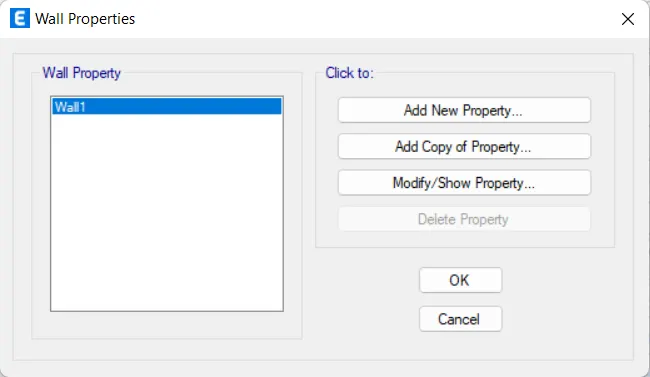
Shear Wall : 250mm
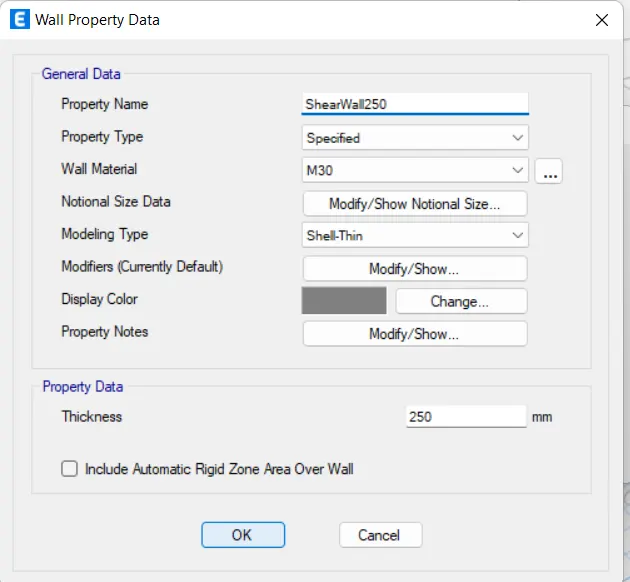
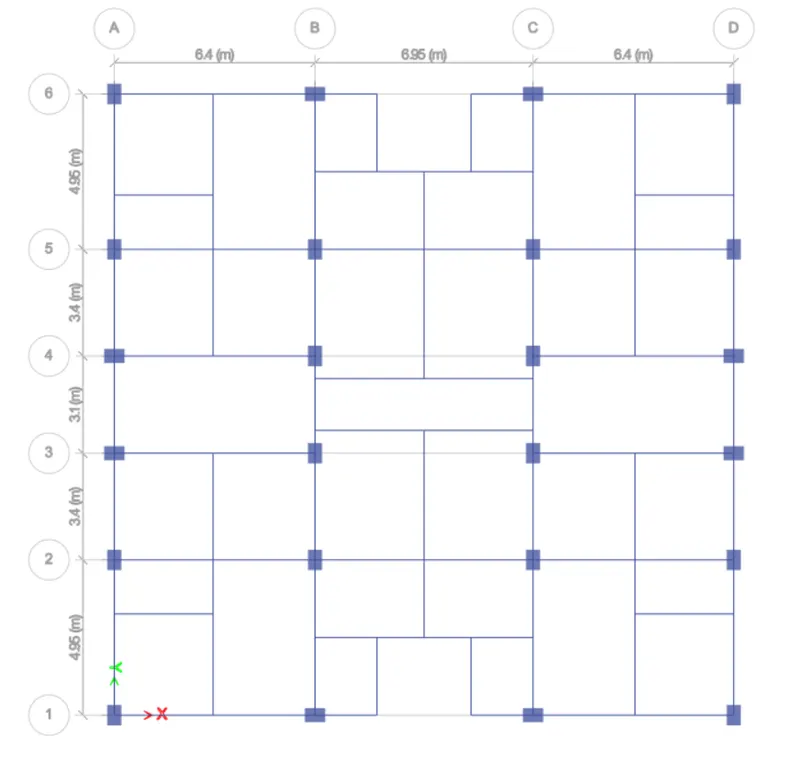
8. After defining the material and Section property, its time to start Drawing the structure Element Using draw tool in Etabs
BEAM COLUMN ARRANGEMENT
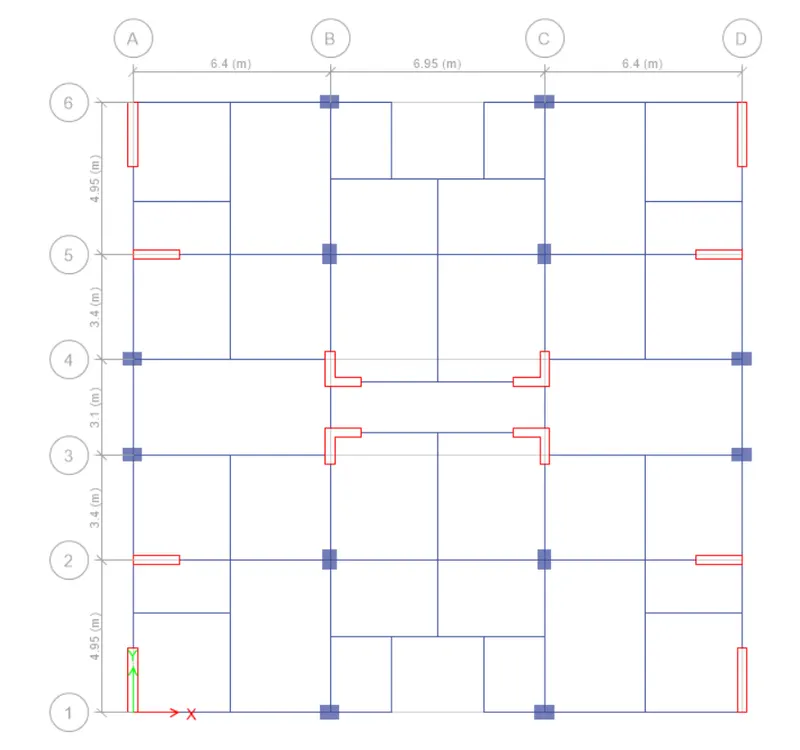
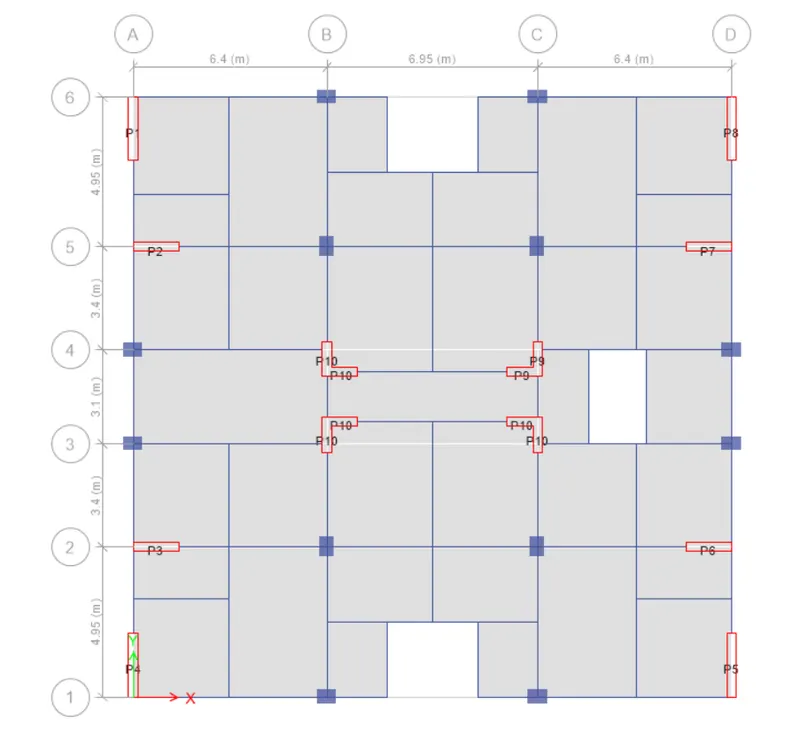
SHEAR WALL ARRANGEMENT
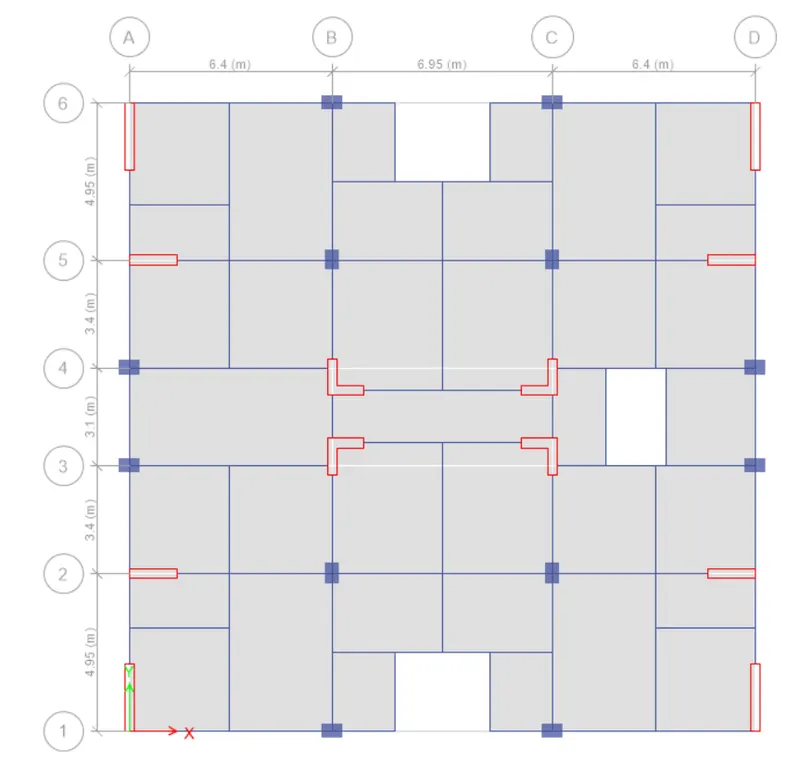
COMPLETE STRUCTURAL MODEL WITH FLOORING
9. Applying all the loads on the models that are expected during the seismic period of the structure
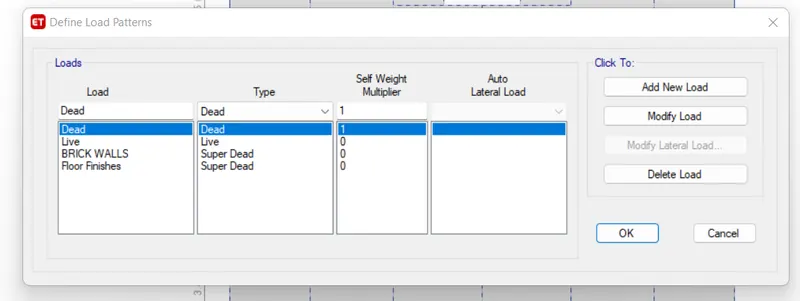
Define Load Patterns
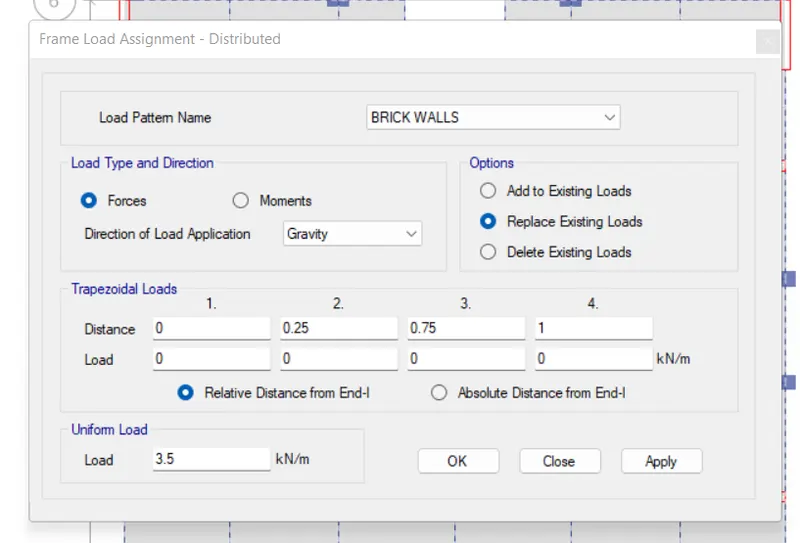
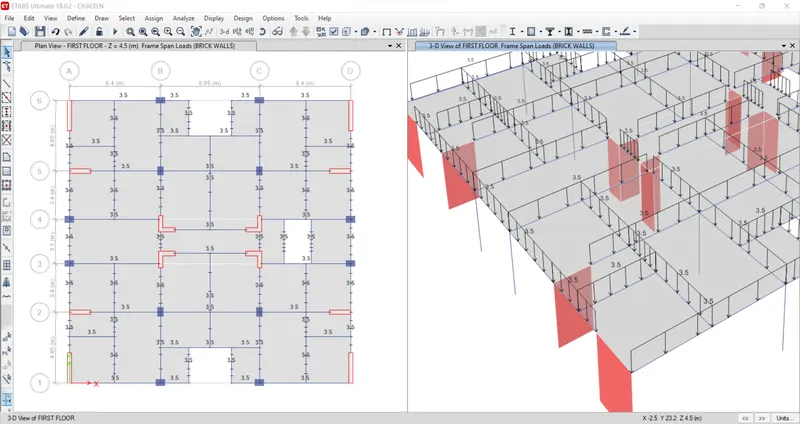
Assign Brick Wall Load
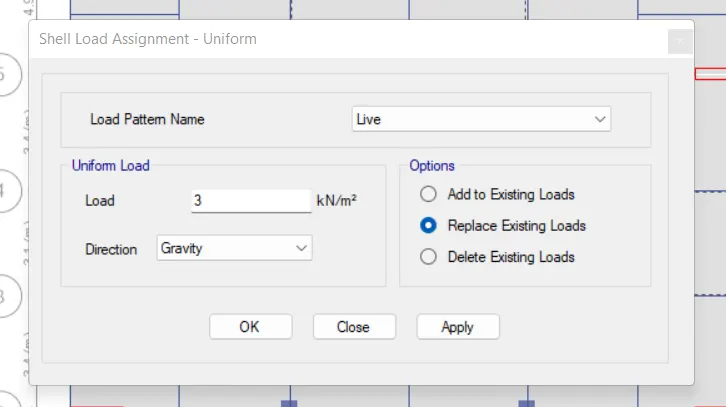
Live Loads
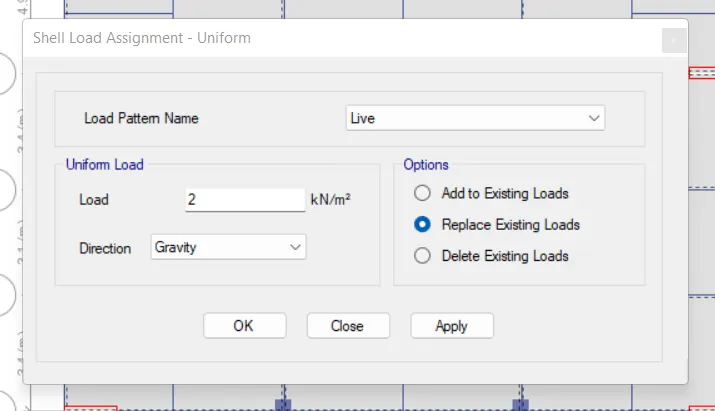
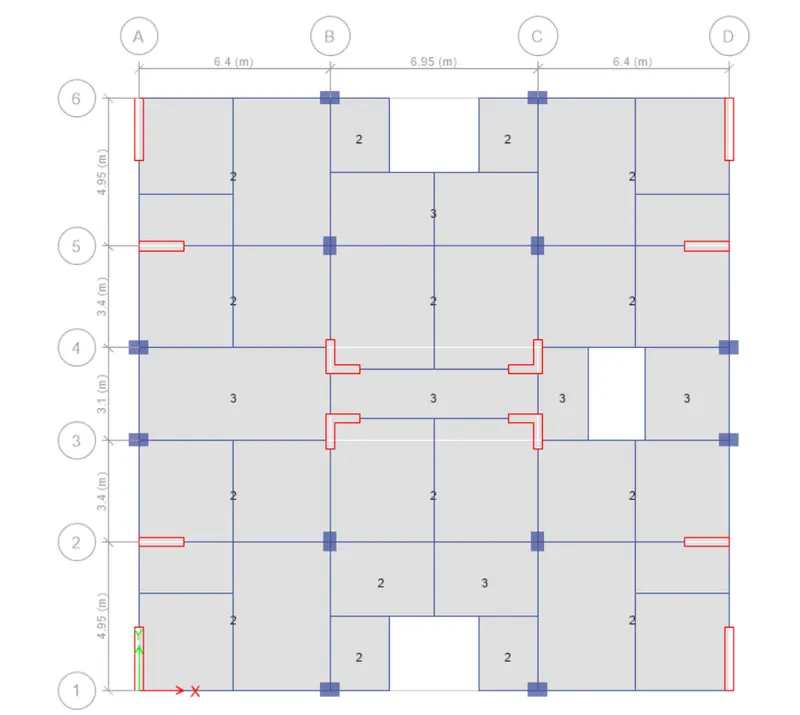
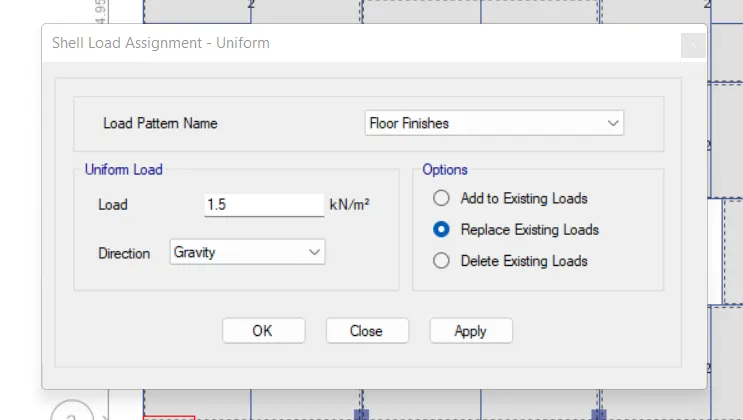
Floor Finishes
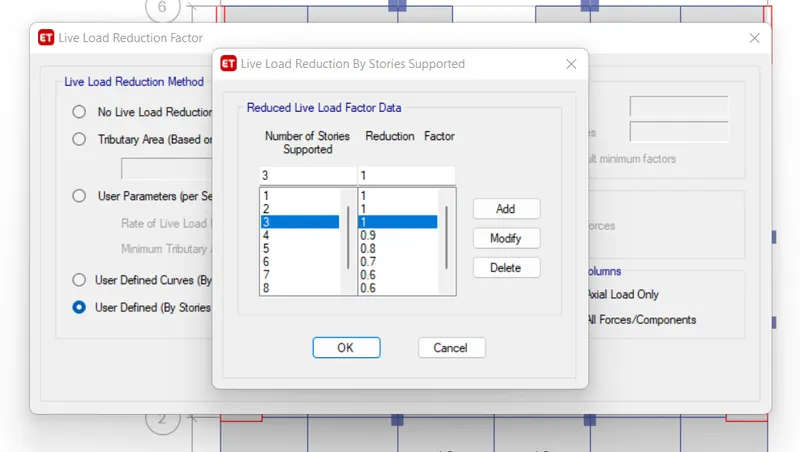
Live Load Reduction As per the Codebook
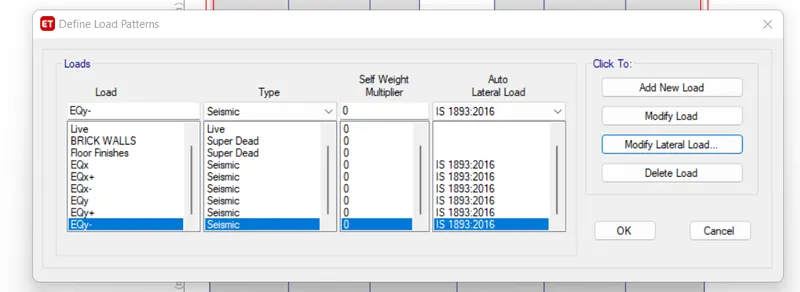
10. Defining lateral Earthquake load. The process of defining and assigning the lateral load is fairly the same as we did for the gravity load
Define EQ Load Patterns
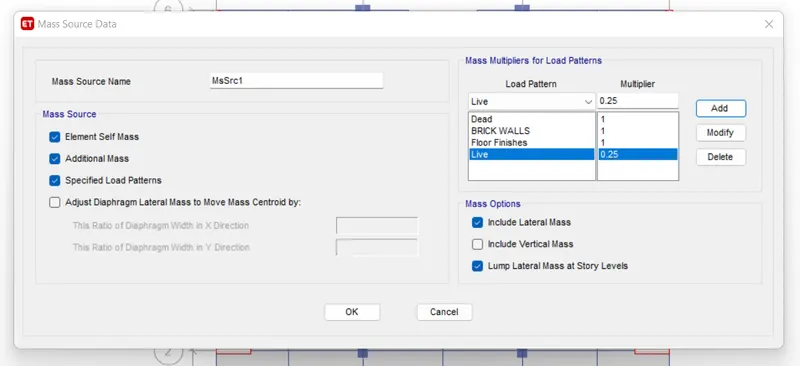
11. We need to define the mass source for all the lateral load patterns we just added
- Define Mass Source
12. After defining the mass source we need to add up a model load case with same mass source we just define
Add up the Modal Case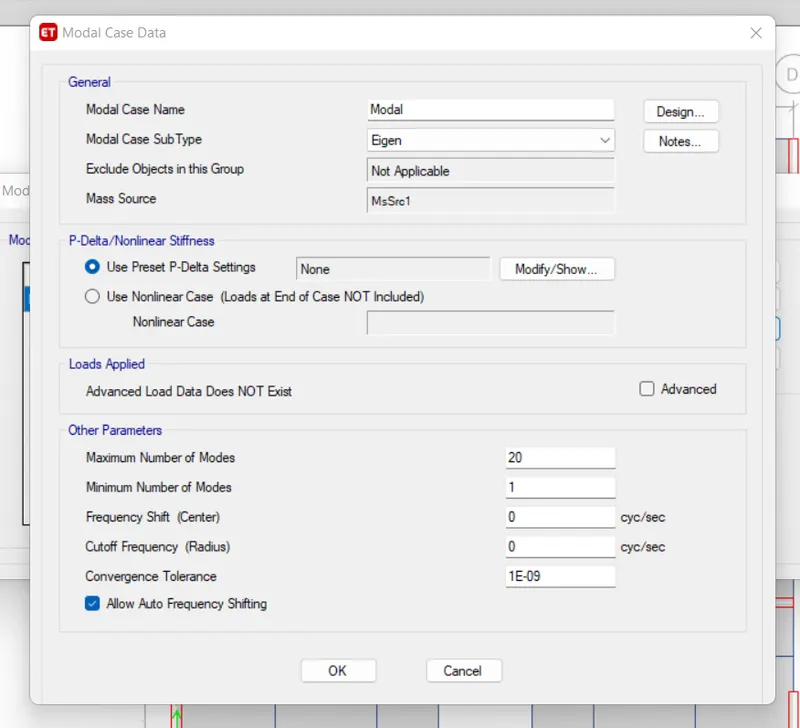
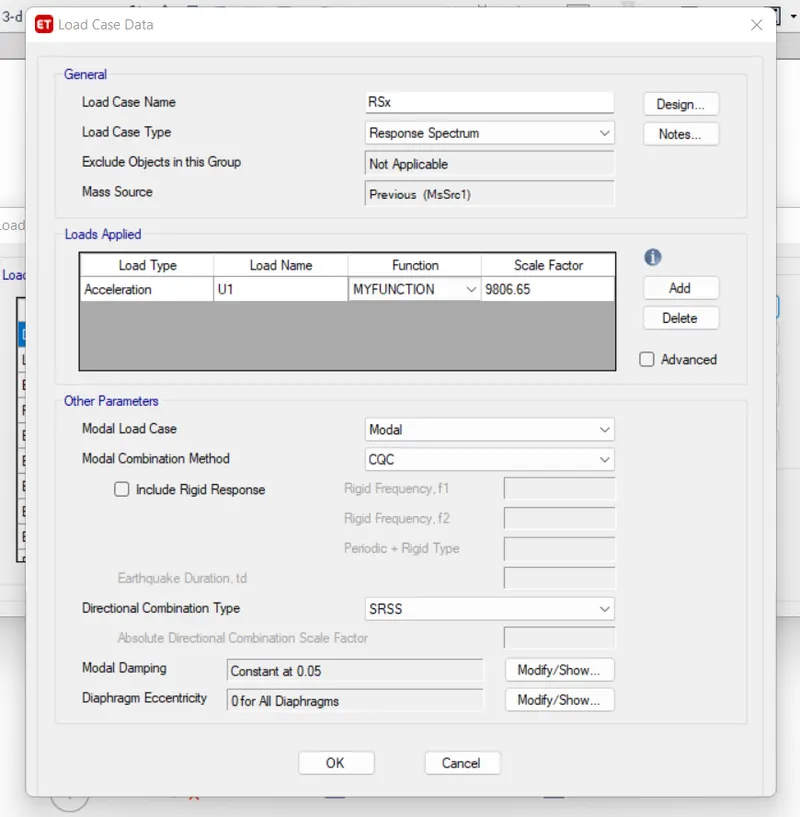
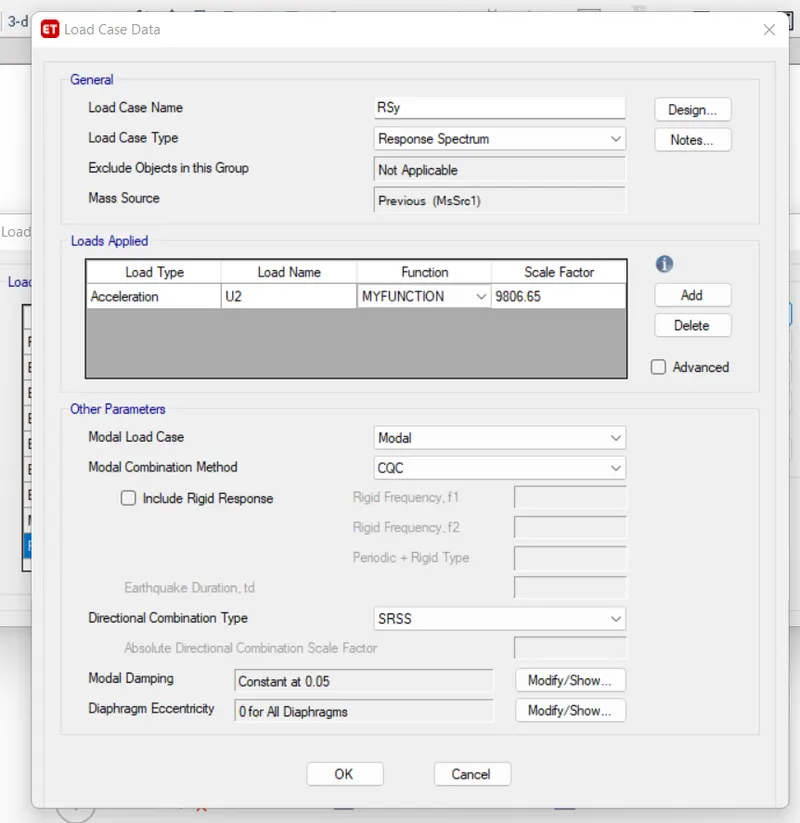
13. Response Spectrum Function
Now that the linear load cases have been complete its time to go ahead with the dynamic response spectrum analysis
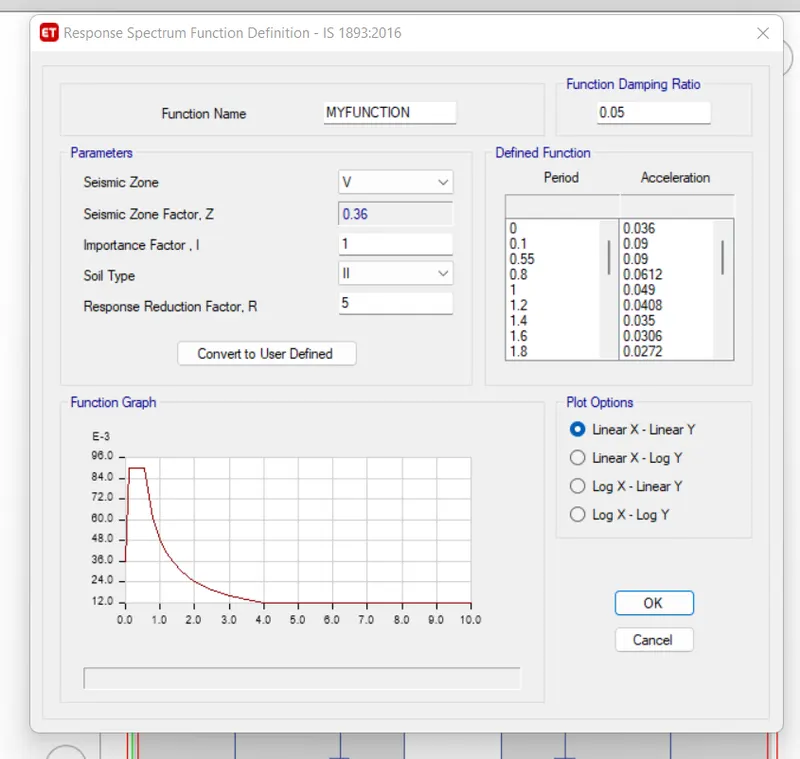
Response Spectrum Load Case in X-direction: RSx
Response Spectrum Load Case in Y direction: RSy
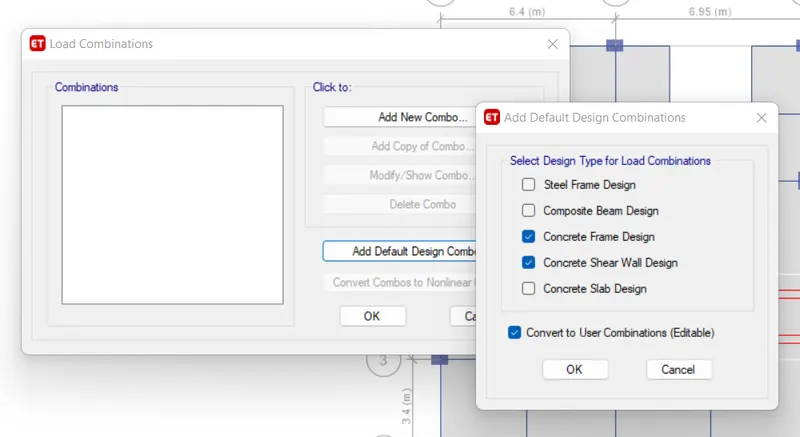
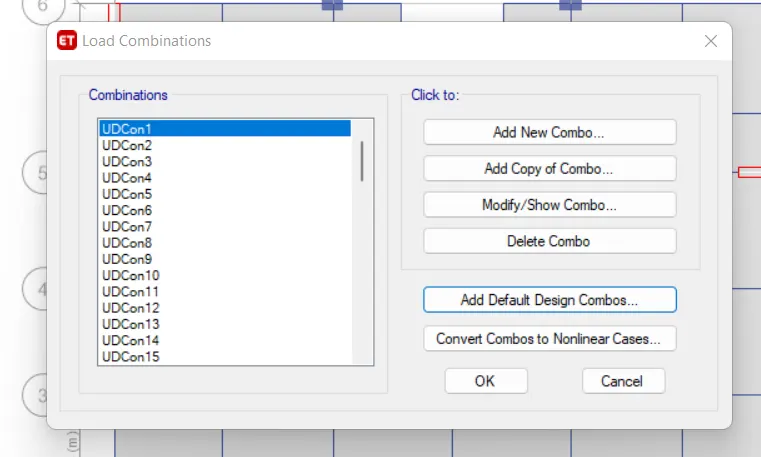
14. Generate load combination Since we are done with all the load patterns and cases We can now go ahead and generate the automatic load combination in Etabs
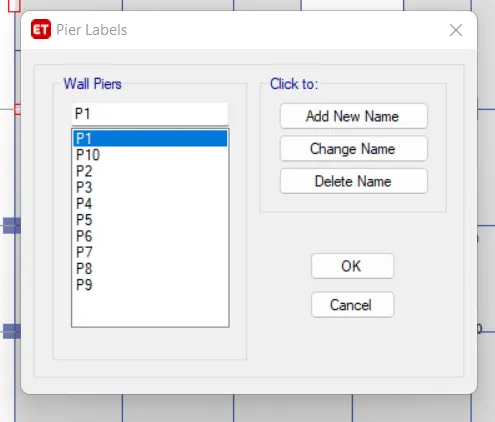
15. Define and Assign pier labels to the shear wall
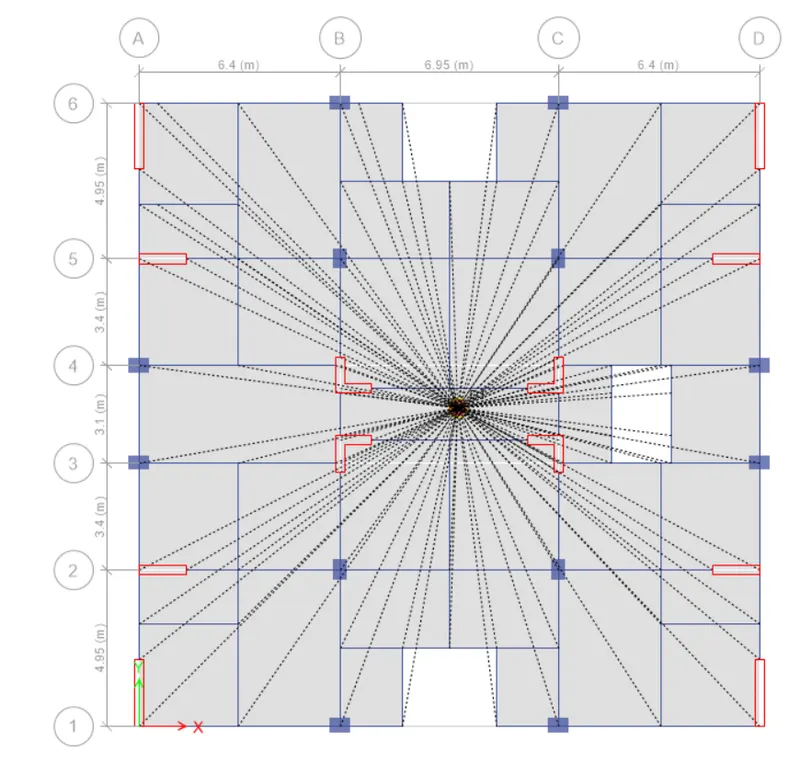
16. Assigning Diaphragm in order to locate the center of mass for our model we need to assign the diaphragm to it and Etabs locate in Automatically
17. check the model and run the analysis
Result
1] Base Shear Check
- Compare the Base Shear Obtained from Linear Elastic Analysis VS the Response Spectrum Base Shear
- As per the codebook, the response spectrum base shear must be at least equal to the same obtained by the linear analysis.
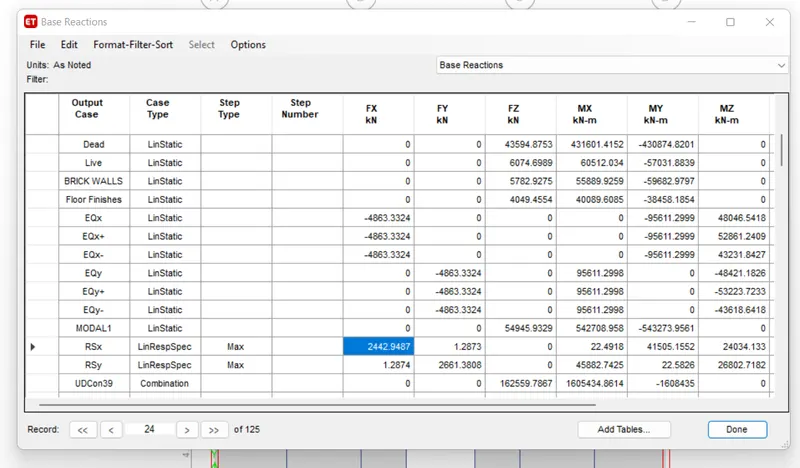
- Base Shear Scaling
- As can be seen from the comparison, the response spectrum base shear is significantly less than that of the EQx and EQy.
- So, what we need to do now is increase the scale for the response spectrum load cases in X and Y for it to match the base shear value.
-
Scale Factor for RSx = Linear Elastic base shear/ dynamic base shear = 4863/2442 = 1.9914
Multiplying it with the initial scale, we get a total scale = 19528.96
Scale Factor for RSy = Linear Elastic base shear/ dynamic base shear = 4863/2661 = 1.8275
Multiplying it with the initial scale, we get a total scale = 17921.73
- Now, we need to unlock the model and rerun the analysis and check if the values have been matched or not.
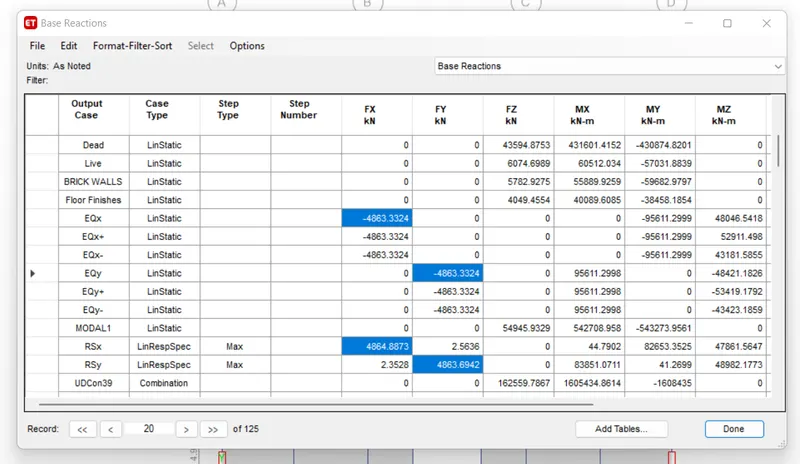
As can be seen from the above picture, both the base reactions have reached the same value
2. Modal Participation Ratio Check
- As per the IS-Code, the participation of the rotational axis that is Uz should not be the governing mode within the fundamental modes.
- So, we need to check the participation ratio of the two translational modes for the fundamental modes.
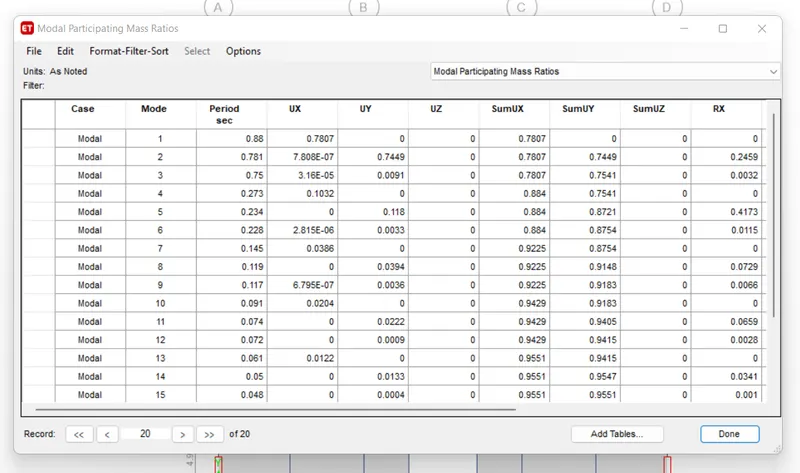
3. Check for the Inter-Story Drift
- The maximum allowable interstory drift as per the IS-1893 is 0.4%.
Story Drift in the X-direction
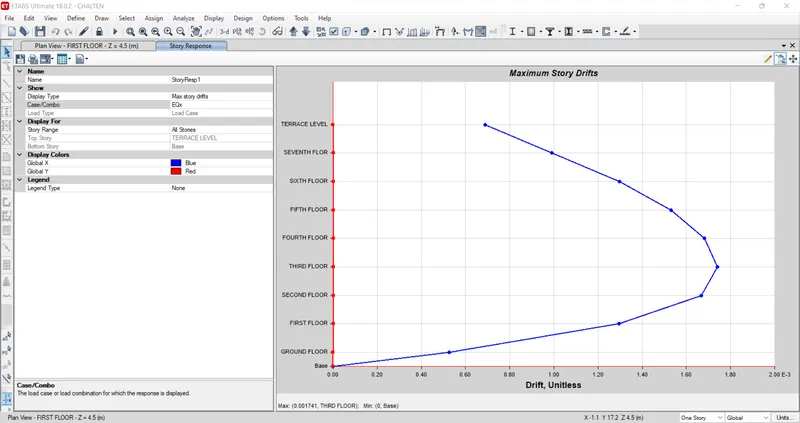
Story Drift in the Y-direction
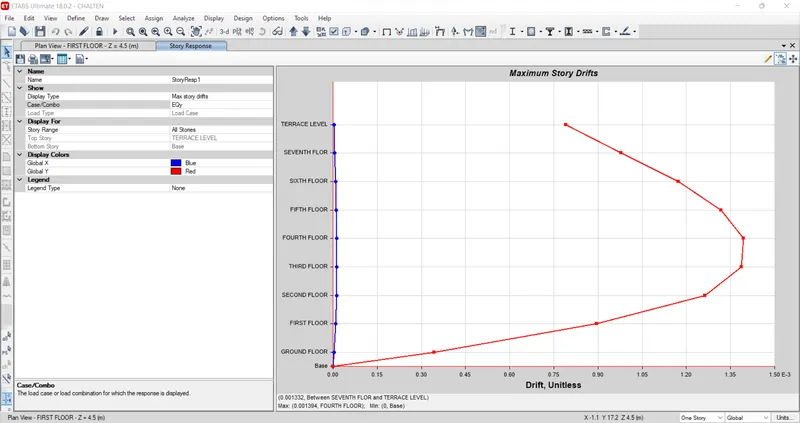
Drift From Both Direction is within the specified limit