Menu

IIT Certification Programs

Workshops

Projects

Blogs

Careers

Student Reviews


More

Academic Training

Informative Articles

Find Jobs

We are Hiring!


All Courses

Choose a category

Loading...

All Courses

All Courses

logo

Structural Modelling using Etabs 2018

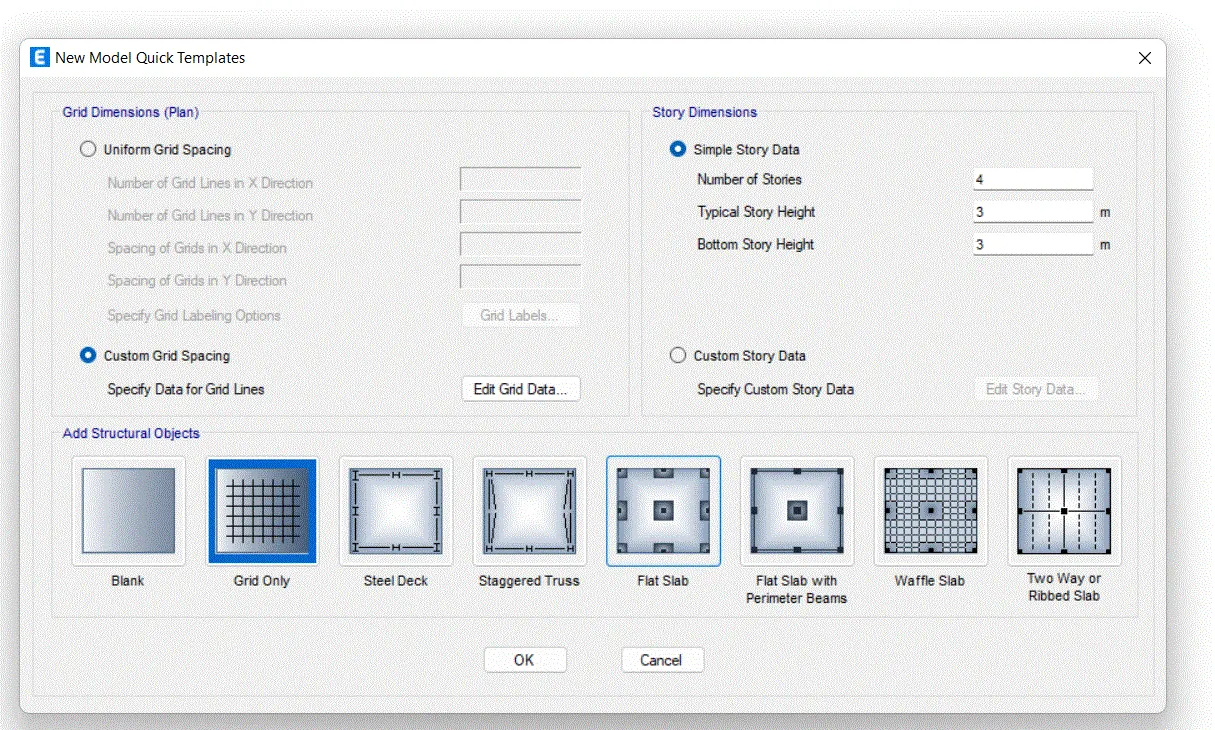
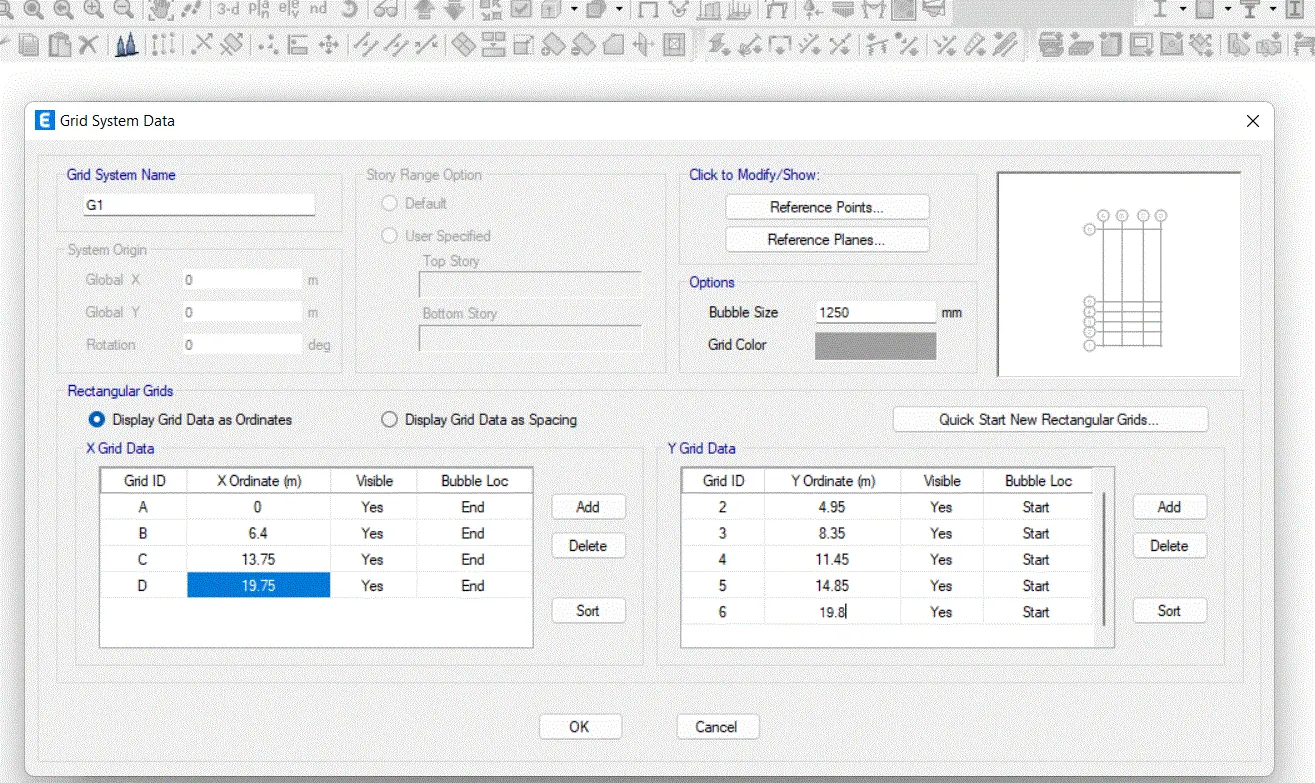
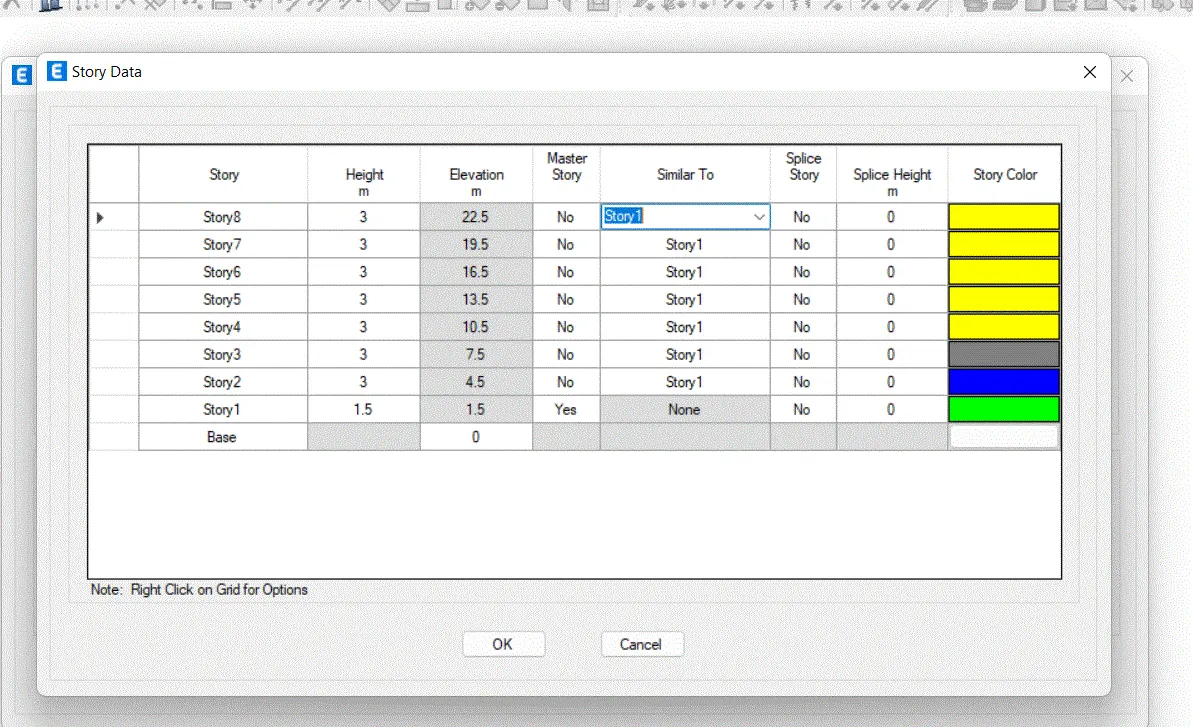
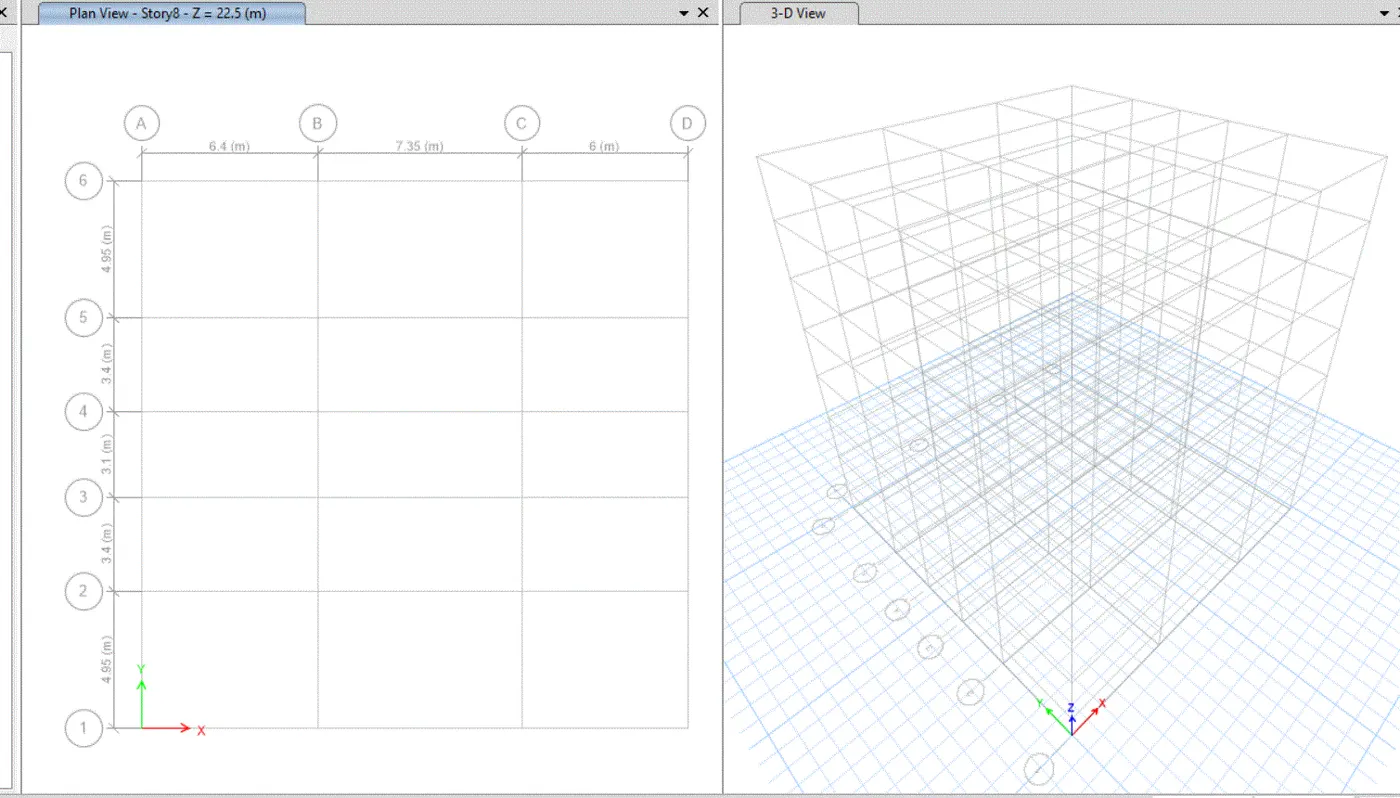
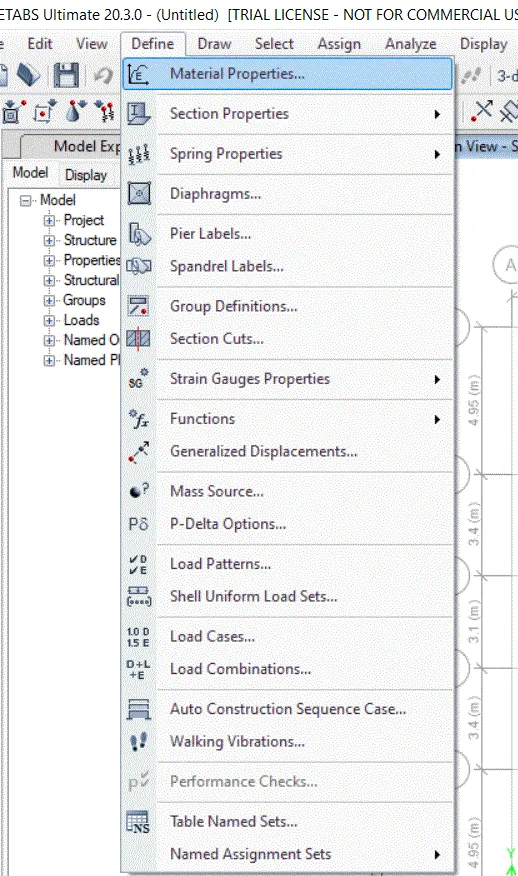
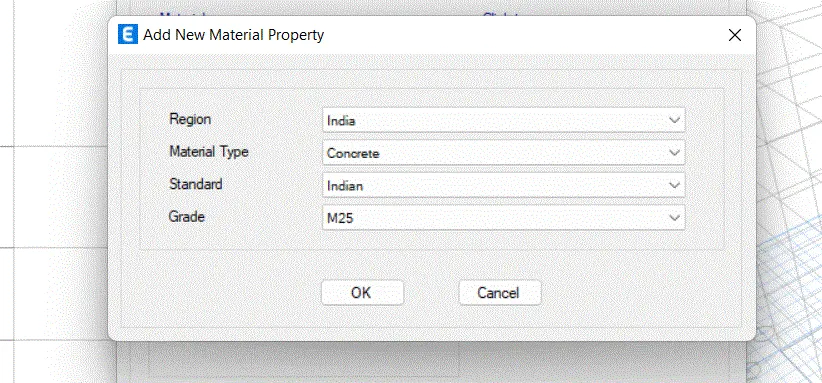
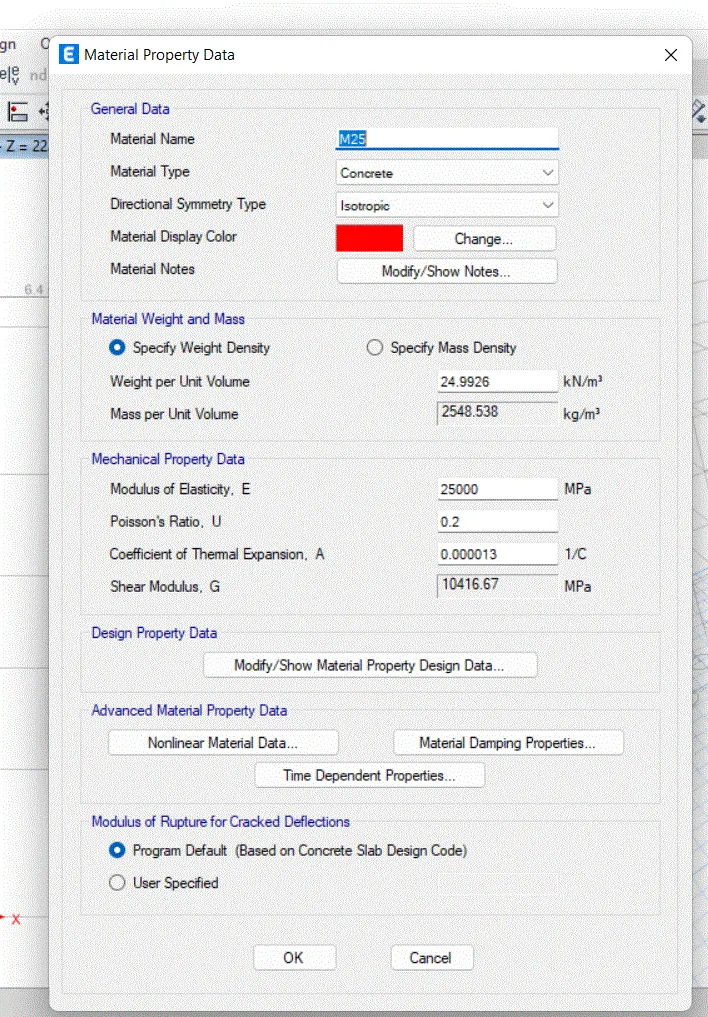
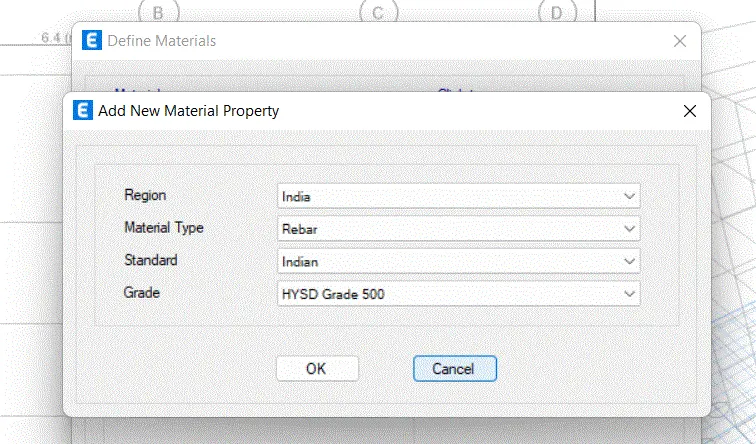
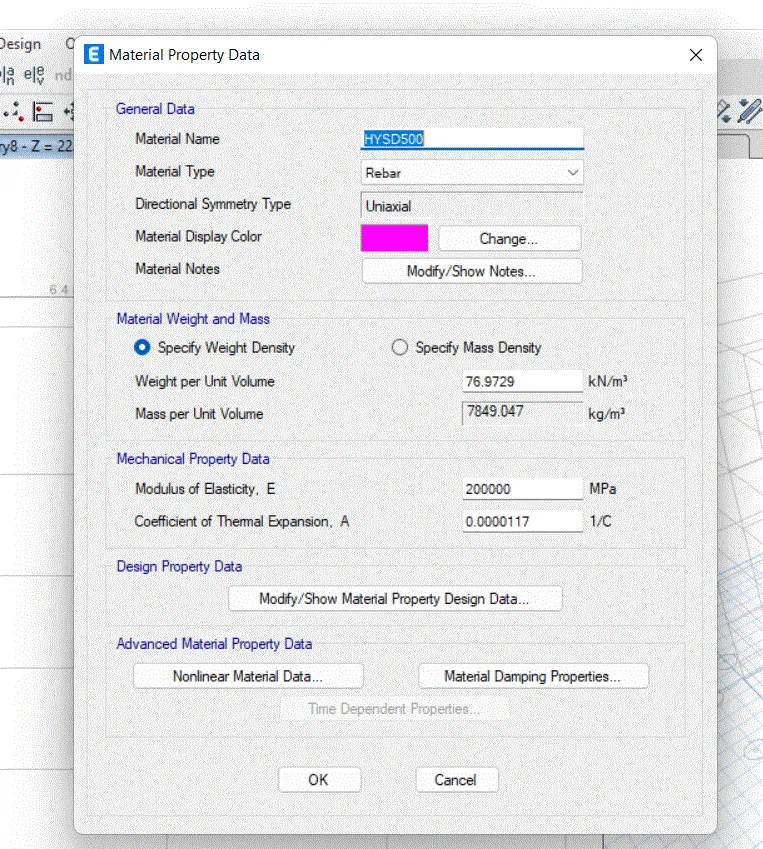
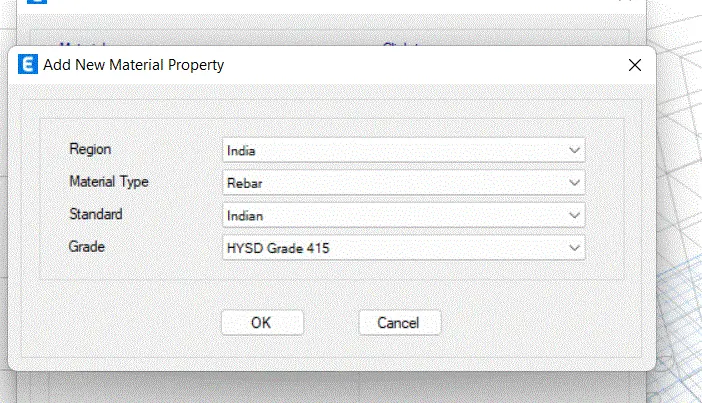
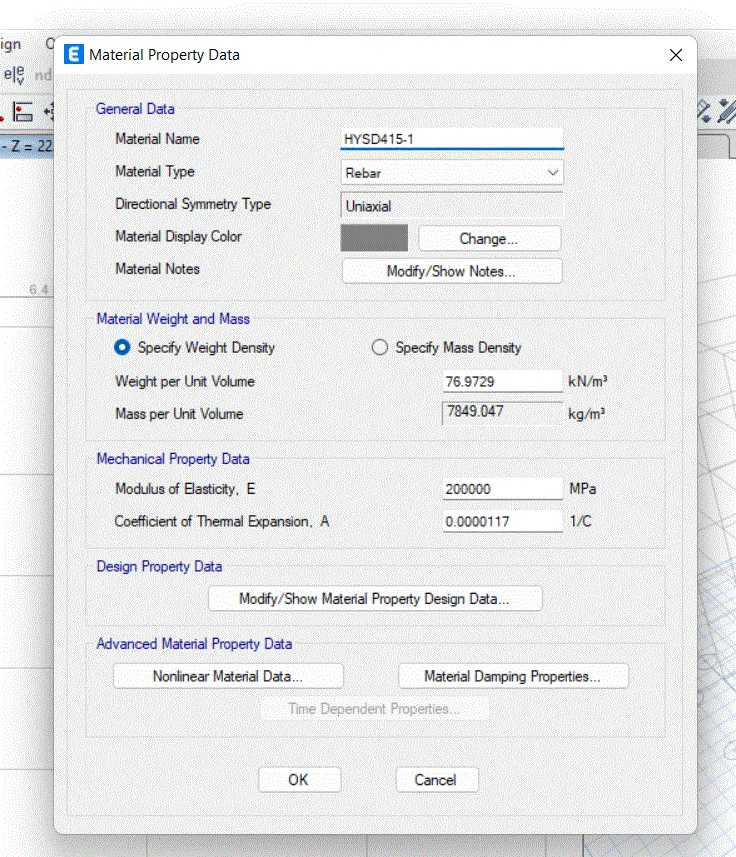
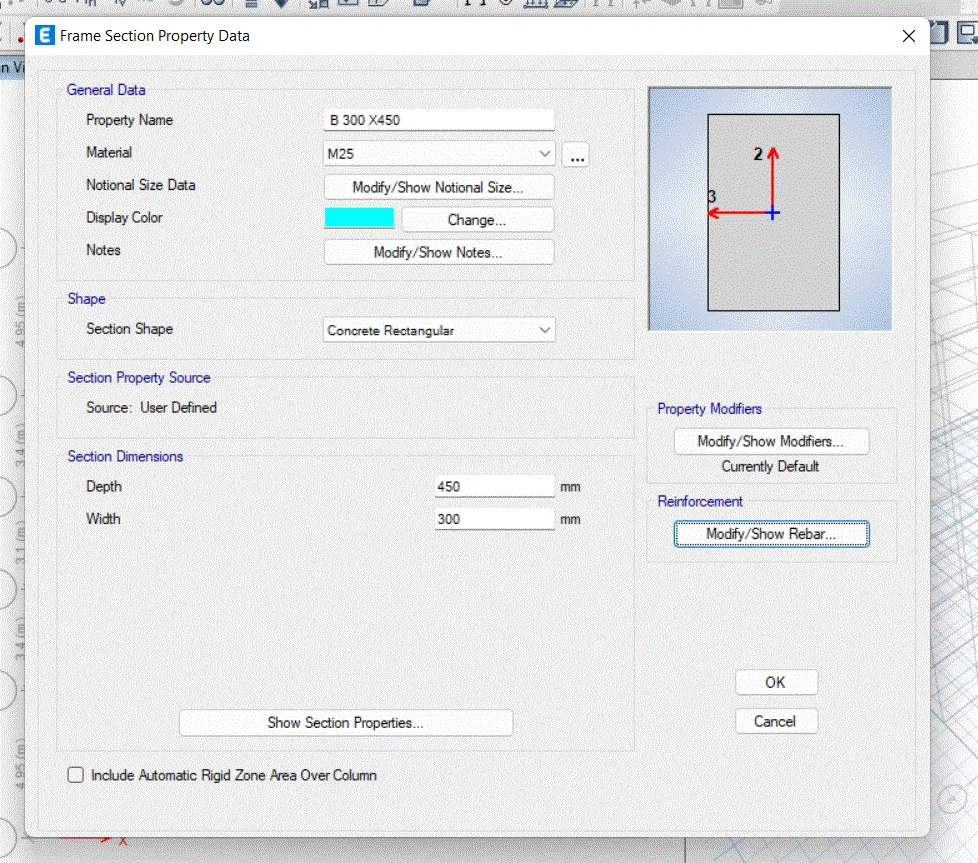
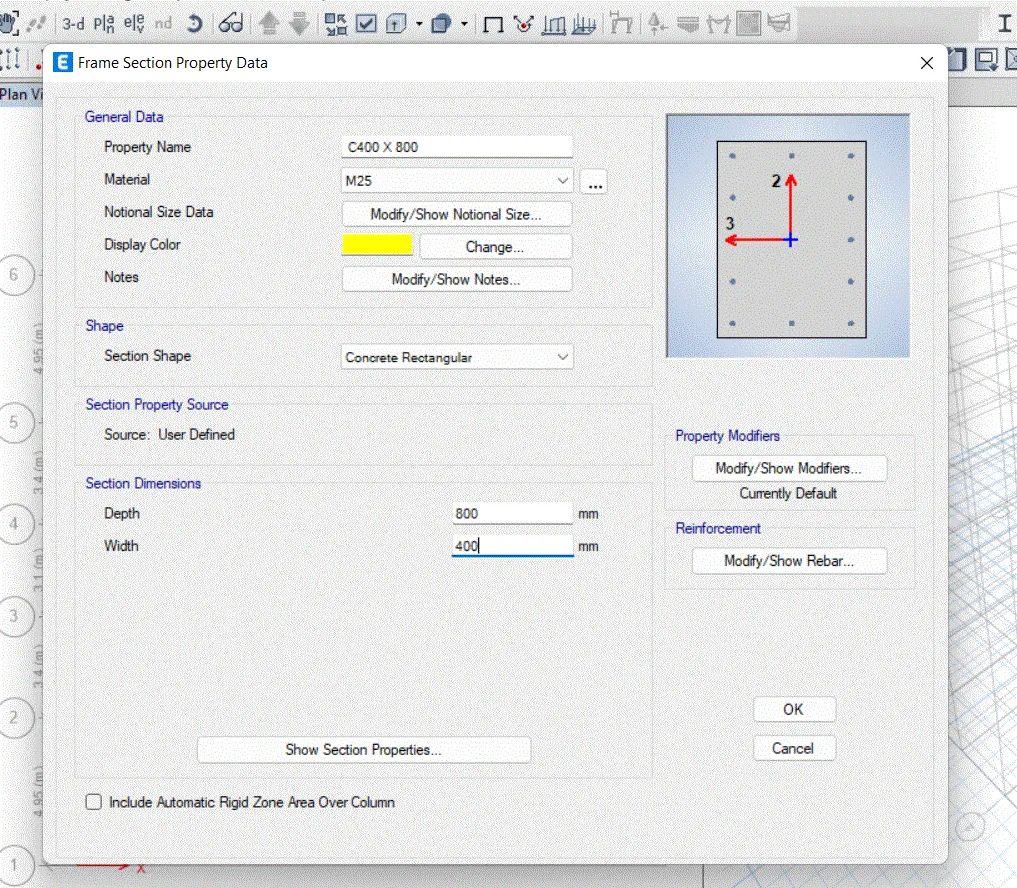
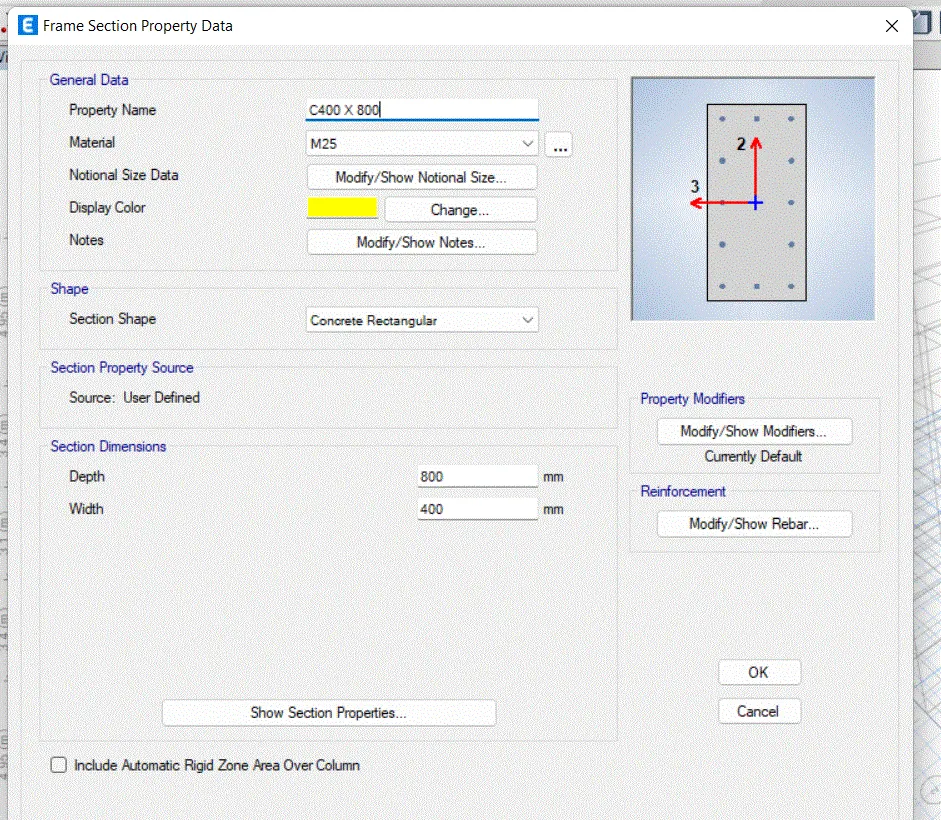
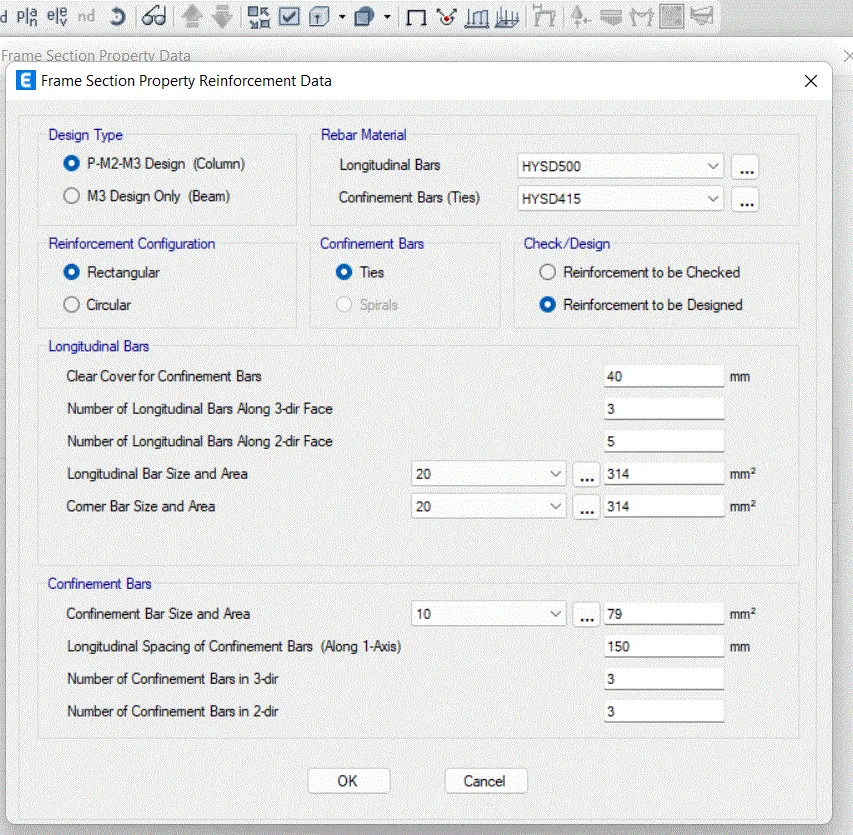
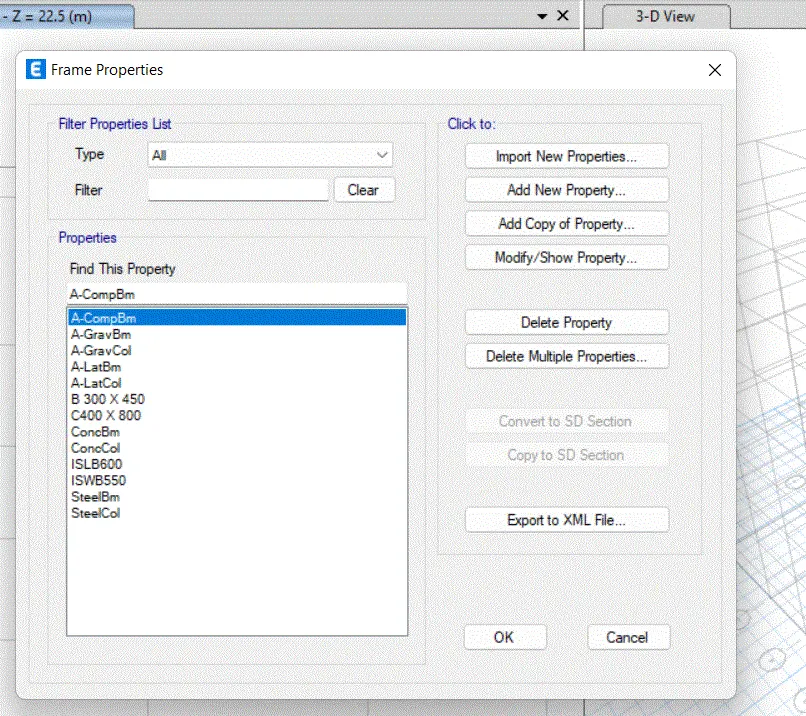
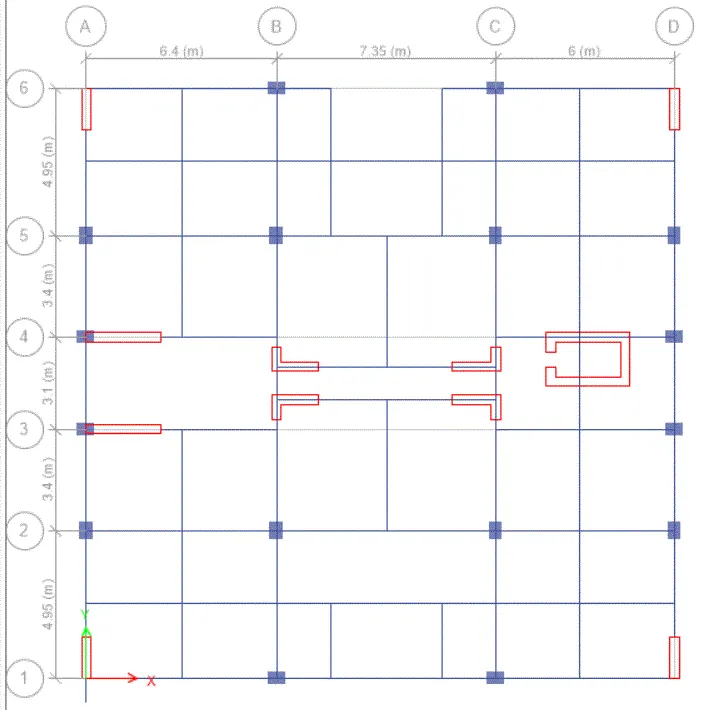
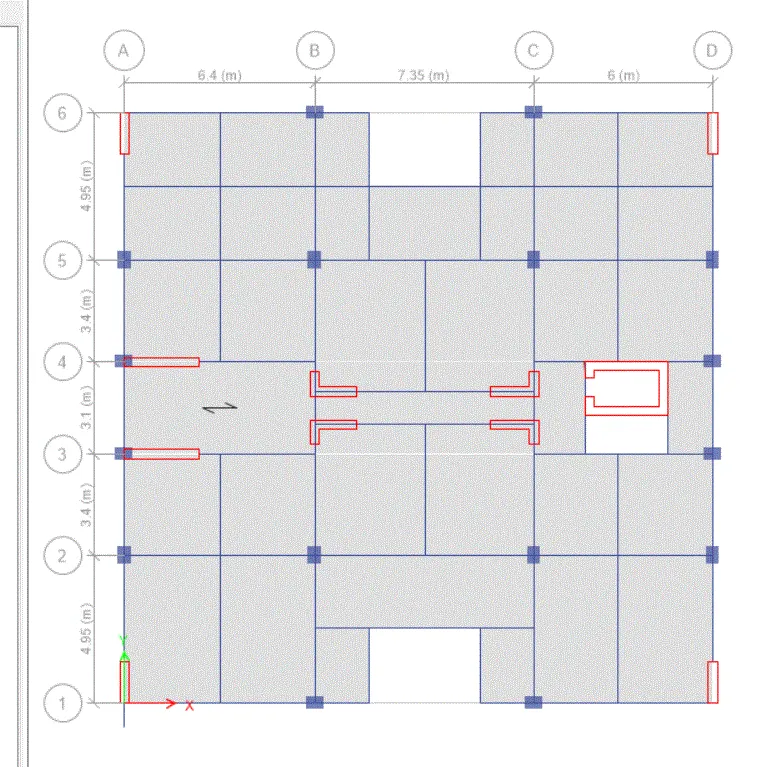
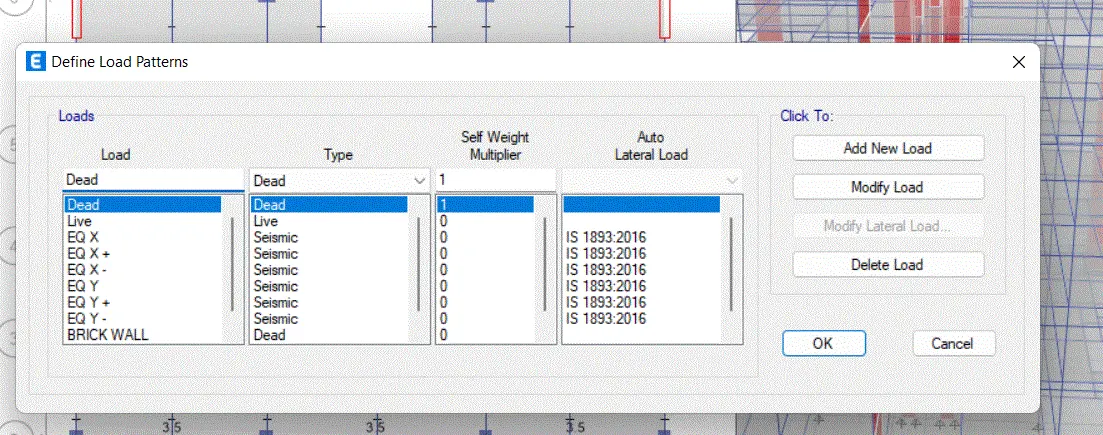
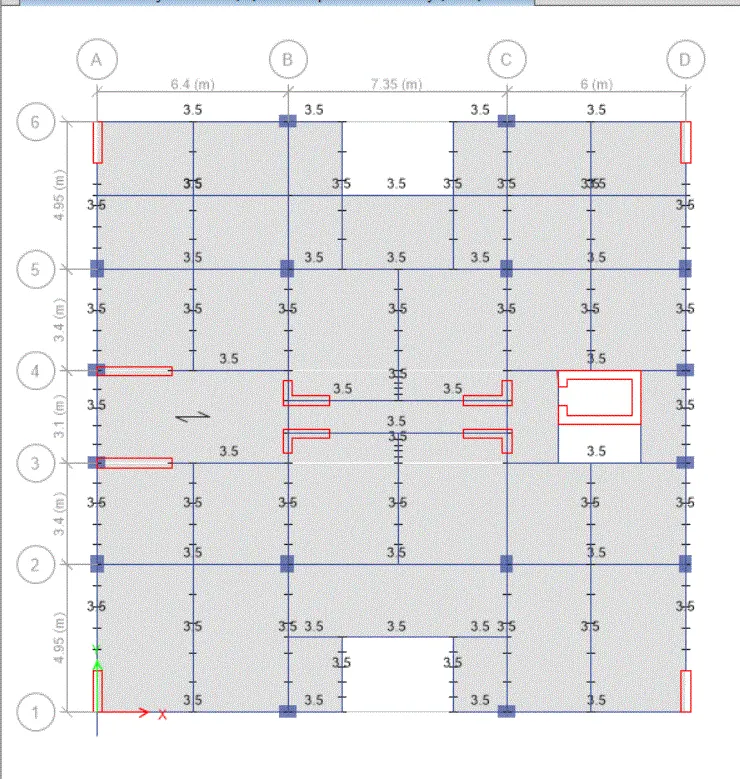
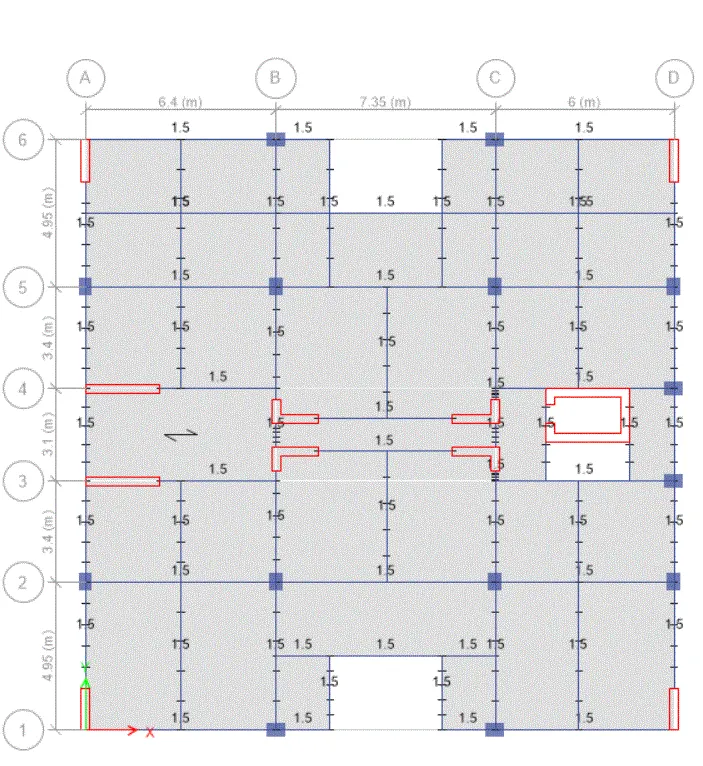
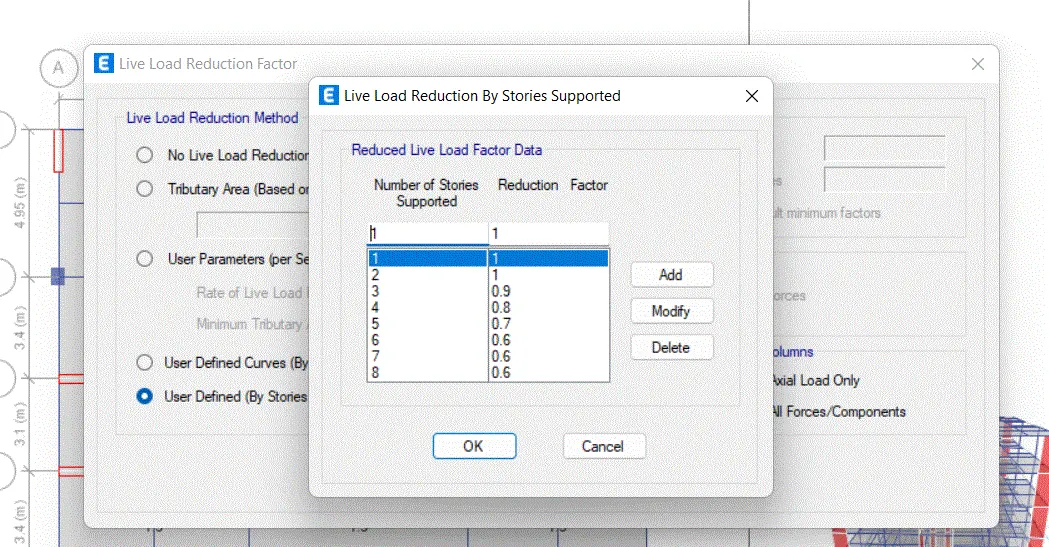
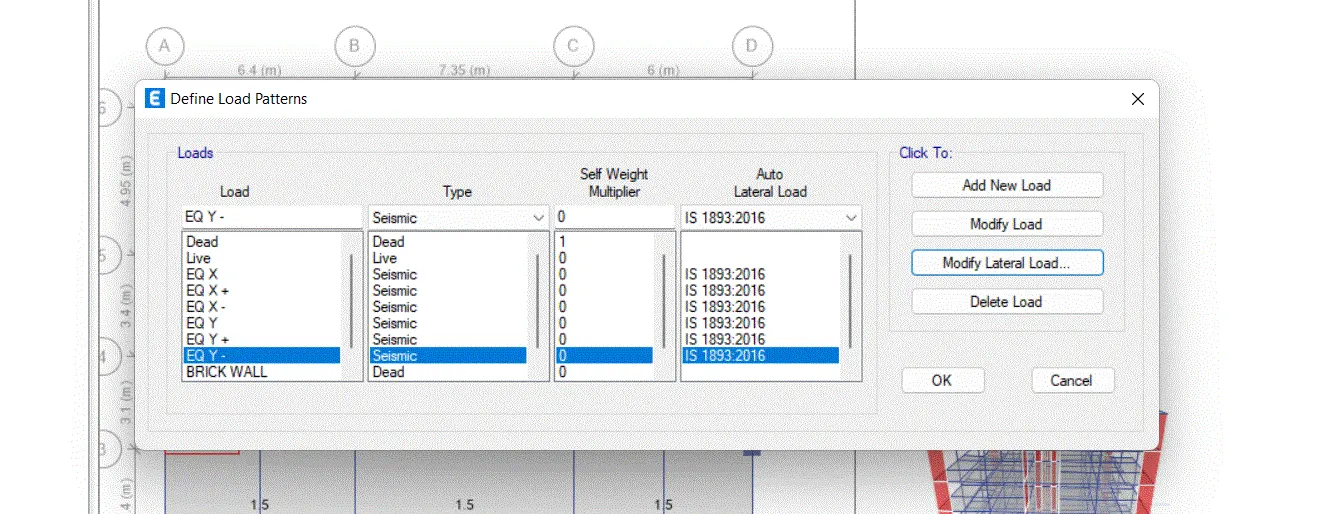
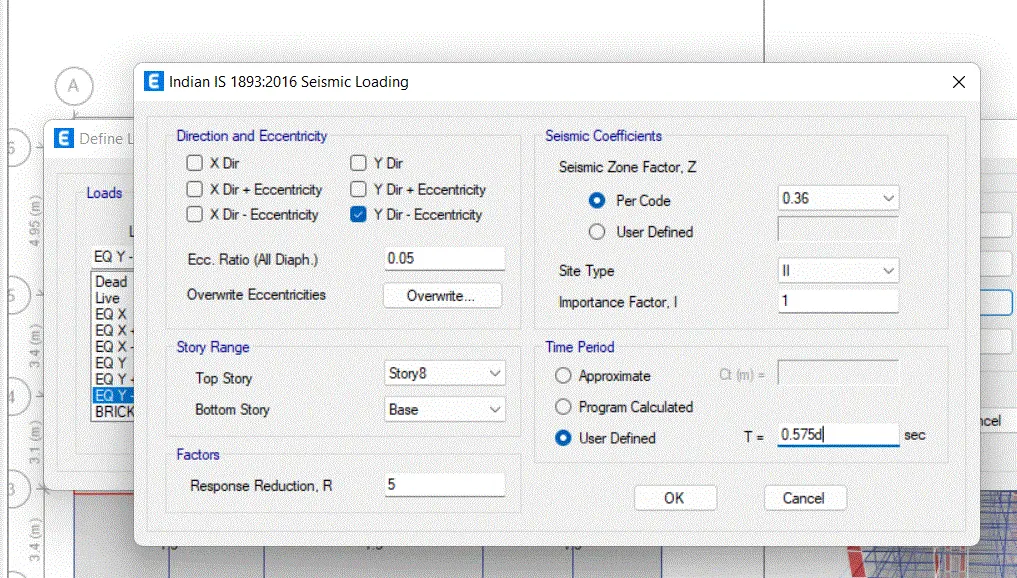
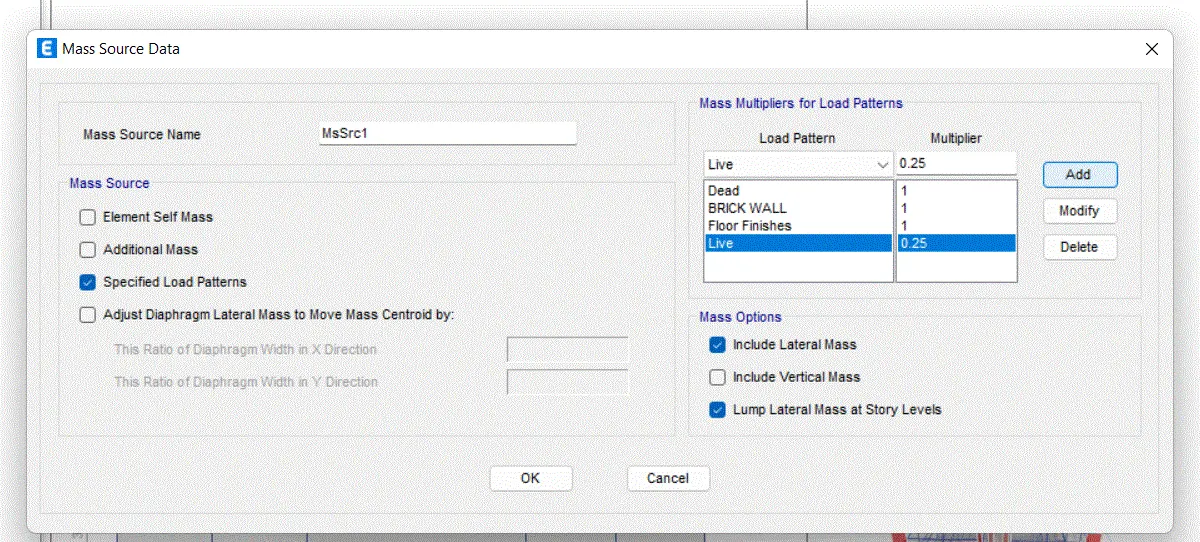
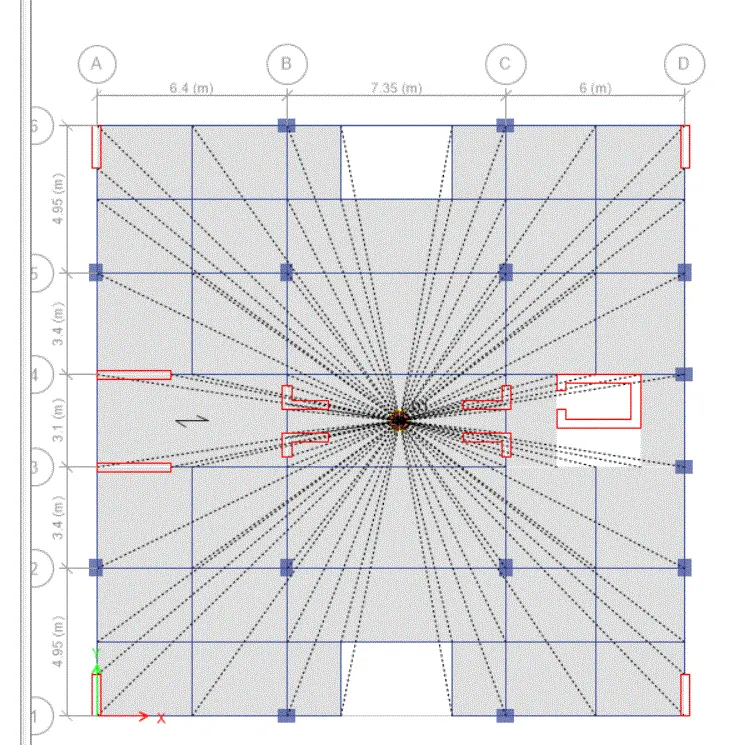
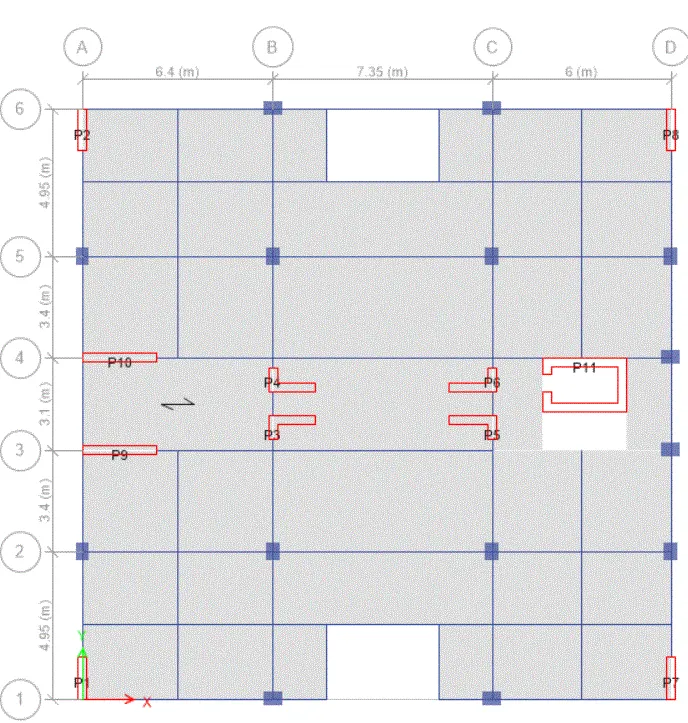
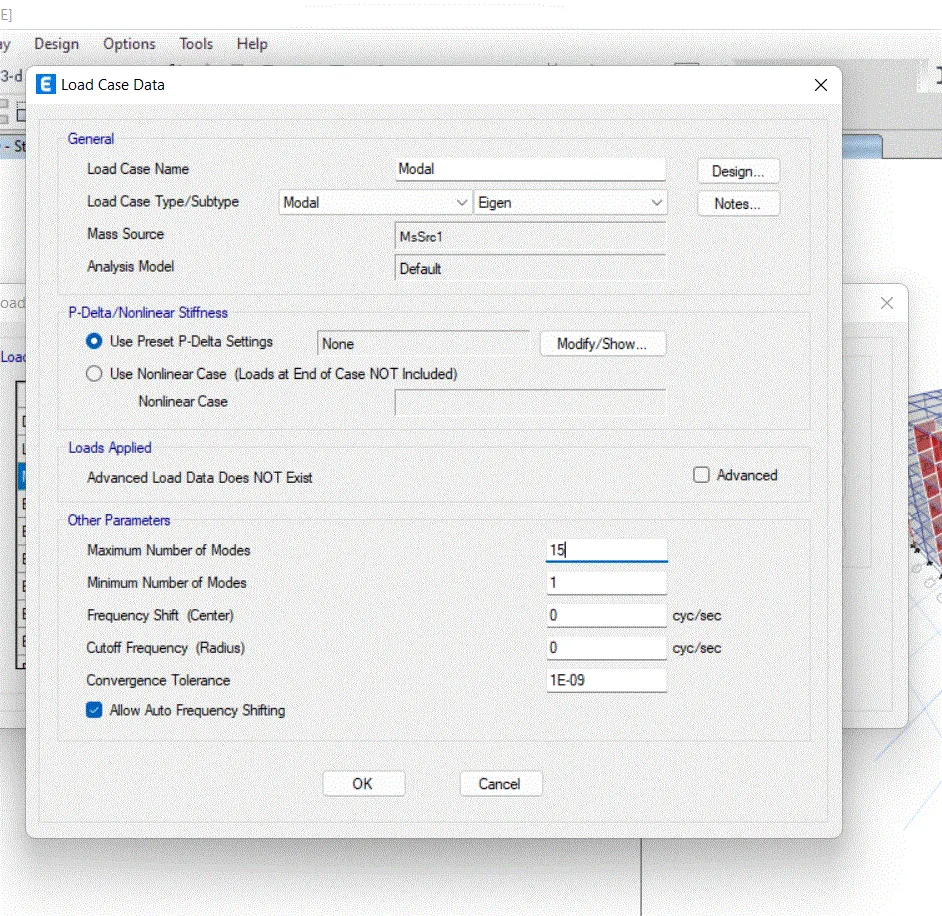
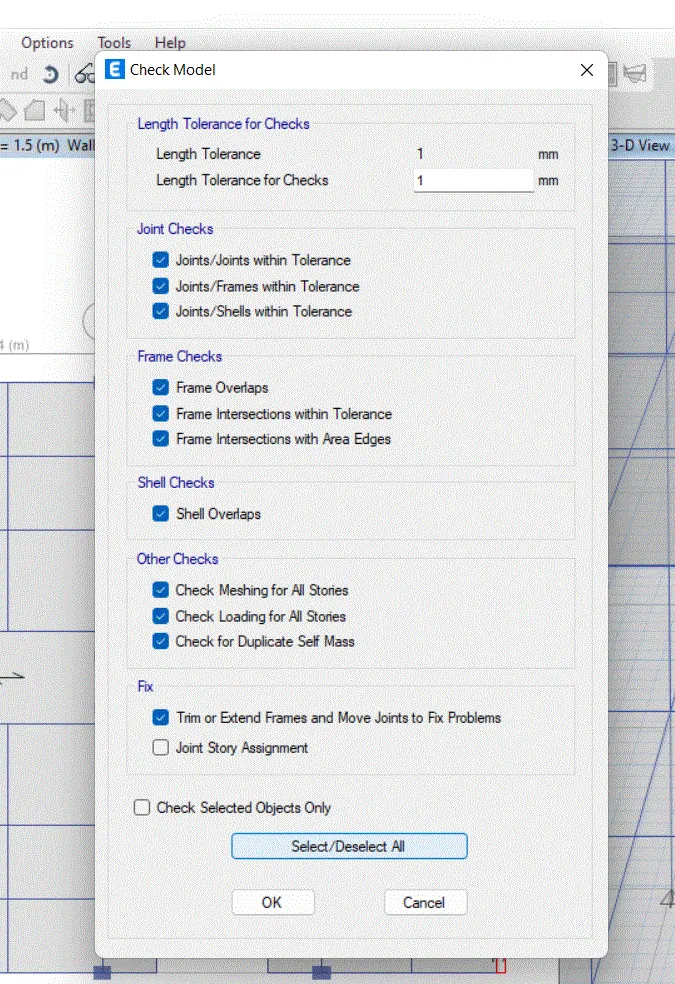
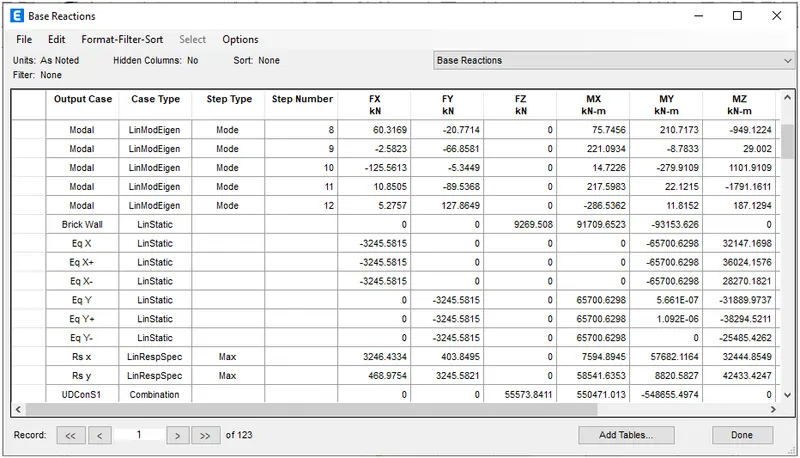
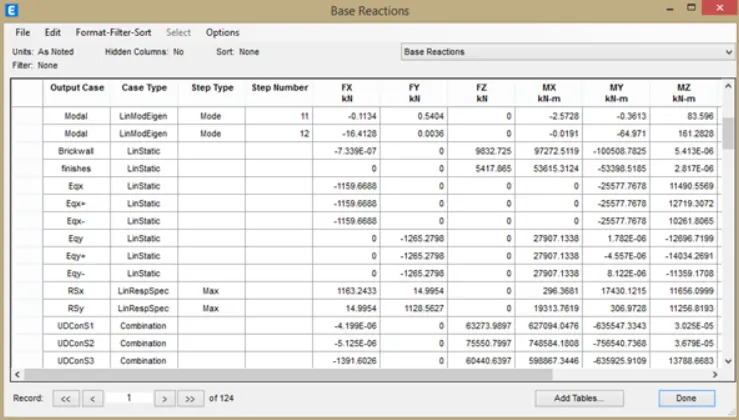
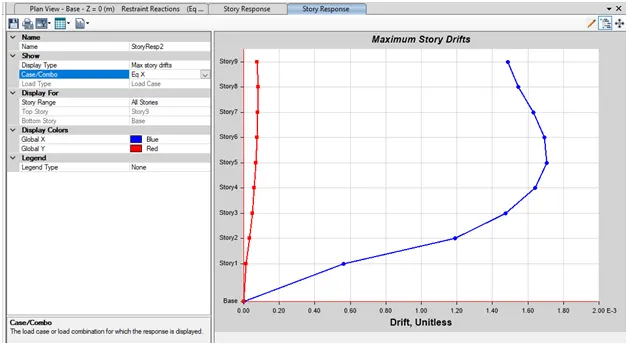
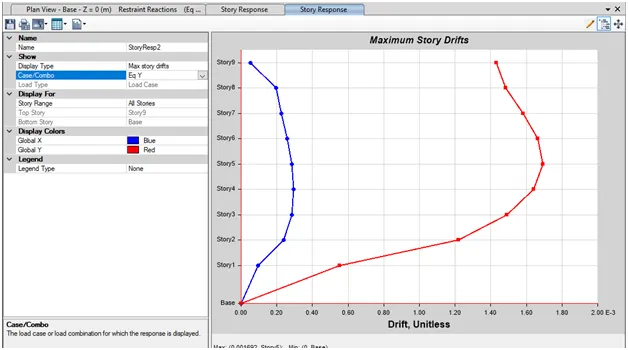
AIM: To run a model response spectrum analysis and check analysis results of the ETABS model for the inter story drift requirements ,vertical and planner irregularities ,minimum shear wall requirements ,amximum axial load ratio for column  and shear walls ,an effective moment of inertial for beams   PROCEDURE: …
Project Details

Loading...

Leave a comment

Thanks for choosing to leave a comment. Please keep in mind that all the comments are moderated as per our comment policy, and your email will not be published for privacy reasons. Please leave a personal & meaningful conversation.

Please  login to add a comment

Other comments...

No comments yet!
Be the first to add a comment

Read more Projects by Viresh Rokade (58)

Week 2 Challenge

Objective:

 1.1 How will you design circulat section to column So in order to assign the circular section to column is discussed below CLick on option define THen there will be another dilogue box xalled property in that dialogue box select the option circular section from given list After that give desired diameter for that…

calendar

31 Jan 2023 08:20 AM IST

  • DESIGN
Read more

Week 1 Challenge

Objective:

AIM : Write the steps involved in stadd pro file through web mail   PROCEDURE :  Open the soaftware in the landing page Click on share icon  Click on send mail Browse the file you want to share Ensure that ypu are sign in Type of material used in staad pro       There are three methods…

calendar

24 Jan 2023 12:01 PM IST

    Read more

    Project 2_Analyze and Design the RC office building as per IS standard code in TEKLA STRUCTURAL DESIGNER

    Objective:

    AIM : To devlop model as per given plan and analyze and design structure   TOOLS USED    Paint  Manage properrty set  Constructiokn levels  Grids  Column Beams Model report Show report  Interactive design Slab on beams Frames Roof panels Wall panels Loads Loadcases Seismioc wizard   PROCEDURE Open the plan in them in paint…

    calendar

    22 Nov 2022 06:46 AM IST

      Read more

      Project 2_Analyze and Design the RC office building as per IS standard code in TEKLA STRUCTURAL DESIGNER

      Objective:

      AIM : To devlop model as per given plan and analyze and design structure   TOOLS USED    Paint  Manage properrty set  Constructiokn levels  Grids  Column Beams Model report Show report  Interactive design Slab on beams Frames Roof panels Wall panels Loads Loadcases Seismioc…

      calendar

      20 Nov 2022 06:43 PM IST

        Read more

        To Generate report for Steel Industrial and RC structures using TSD

        Objective:

        AIM : To generate report for steel industrial and RC structure using TSD   PROCEDURE : Open the saved tekla software Now go to report option from the ribbon and select model report NOw select the load cases and combination summary to obtain report Click on the show report to obtain the report      …

        calendar

        16 Nov 2022 06:04 PM IST

          Read more

          To Design slab and foundation for an RC residential building using TSD

          Objective:

          AIM : To design slab and foundation of the model   INTRODUCTION :  First order analysis , Status ,Check panel ,Properties     PROCEDURE    Open file created in TSD and open 3D view         Click on First order analysis and perform  analysis and also perform analysing …

          calendar

          15 Nov 2022 07:16 PM IST

            Read more

            To Design RC column and beam for RC residential structure using TSD

            Objective:

            AIM : To design the RC column and beams after the analysis   PROCEDURE : OPen the tekla file Now right click the member to be designed and then select interactive design and static   Design of Column   Select Static  from interactive design after that dialogue box appears  This dialogue box shows…

            calendar

            15 Nov 2022 07:36 AM IST

              Read more

              To Generate seismic loading based on IS code and to run the analysis using TSD

              Objective:

              AIM : To generate the seismic loading based on IS Code and zone II using seismic wizard   INTRODUCTION : Seismic load indicates how much seismic energy a structure would need to endure in a specific geographic location   PROCEDURE Load toolbar > Click on seismic load >Seismic Wizard      …

              calendar

              14 Nov 2022 06:09 PM IST

                Read more

                To calculate the dead , live and wind load for RC residential structure and to apply them using TSD

                Objective:

                AIM: To calculate the dead load in design based on IS code and apply on the model   Tools used : Load cases ,Full UDL , Area load ,Property window\   Calculation :    Slab model   Finishes Loading = 0.05 X 24 KN/M^2 =1.2 KN/m^2  Brick Wall with cement plaster thickness = 225mm Unit weight = 20KN/m^2 Floor Height = 3.6…

                calendar

                14 Nov 2022 08:39 AM IST

                  Read more

                  To Model a RC residential structure using TSD

                  Objective:

                   Aim : To set up a model for RC buillding design   PROCEDURE: Open Tekla Structural design GO to settings---> Structural defaults Select the SSL for the cover in contact with the ground Eneter the cover values as given in the above table         For the cover above the ground change default…

                  calendar

                  09 Nov 2022 06:39 PM IST

                    Read more

                    Project 1_Analyze and design a steel building to 10T CRANE as per IS standard code using TEKLA STRUCTURAL DESIGNER.

                    Objective:

                    AIM : To analyze and design a steel building to 10T crane as per IS standard code using TEKLA STRUCTURAL DESIGNER   INTRODUCTION : First Order kinear analysis for most of the cases  The process performed when this analysis is run can be summarized as follows             …

                    calendar

                    09 Nov 2022 09:42 AM IST

                    Read more

                    To Analysis and Design of Steel Structures using TSD

                    Objective:

                    AIM : To analyze the model and summarize the study of bending moment , shear force and deflection for the elements of the model satisfying all the loads and load combination as per the code     Open the previous model with all the loads assigned the model  Performing analysis check for the settings of the…

                    calendar

                    22 Oct 2022 10:25 AM IST

                      Read more

                      To calculate wind load for industrial steel structures and to apply it by using TSD

                      Objective:

                      Generate module wind loading in the design report based IS code as per following input   Basic wind speed Terrain category 2   AIM : To calculate wind load as per IS CODE 875 part -III   INTRODUCTION : Wind load is calculated according to IS code 875 -III For industrial Building     …

                      calendar

                      18 Oct 2022 10:46 AM IST

                        Read more

                        To calculate dead and live load for industrial steel structures and to apply them using TSD

                        Objective:

                        AIM : To calc502ulate dead load in design report based on IS code and apply the dead load on model   PROCEDURE :   Dead load = 1.2 Kn/M^2 Finishes    = 500 mm X 24 Kn/m^2 = 1.2 Kn/m^2 Brick wall load  = 0.15 X 20 X 5.2    = 15.6 Kn/m^2 Brick wall load  = 0.15 X 20 X 6.8   …

                        calendar

                        13 Oct 2022 07:42 PM IST

                          Read more

                          To model beams and bracings for industrial steel structures using TSD

                          Objective:

                           AIM : To create beam properties for first floor  and model the beams   PROCEDURE:  Open the tekla software  Open the Previous file     Go to home tab and manage properties set         Define beams B2 and go to model and select steel beam and draw beam as shown…

                          calendar

                          07 Oct 2022 08:13 AM IST

                            Read more

                            To model columns for industrial steel structure using TSD

                            Objective:

                            AIM: To model column for industrial steel structure using TSD   PROCEDURE :  Initially opened the tekla file which we created in the last week Check the level by clicking the construction levels         To add pedestal properties click on the manage property in the home menu, the  manage…

                            calendar

                            02 Oct 2022 08:02 AM IST

                              Read more

                              To plan a structural layout and to create grids using TSD

                              Objective:

                              . AIM: To summarize the user interface in TSD   PROCEDURE:  Open the tekla software and click on the new option  Now project workspace will be visible     Now demostrate the use of scene content  Open the tekla software and click on the new option Now project workspace will be visible Now click on the scene content  With…

                              calendar

                              28 Sep 2022 01:39 PM IST

                                Read more

                                Project 1_Comparative study of different storey buildings for Seismic forces

                                Objective:

                                       Project1 : Comparative study  of diffrent storey building for seismic forces         AIM: Comparative study of diffrent storey building for seismic forces        INTRODUCTION: Factors influencing the Natural Period if a building      …

                                calendar

                                21 Sep 2022 07:40 PM IST

                                Read more

                                Project 2_Design & Analysis of a Hostel building at Guwahati, Assam

                                Objective:

                                AIM: To carryout modelling analysis ,design and preparation of construction drawings a G+3 RCC building situated in Guwhahati ASSAM   PROCEDURE: Initially Open the Etabs sopftware and then provide the grid and story information                     We need to define…

                                calendar

                                21 Sep 2022 06:21 PM IST

                                  Read more

                                  Foundation Design using SAFE

                                  Objective:

                                  Model the isolated footinf provided in week 11 challenge on SAFE. Analyze and design it to verify the size,depth and steel provided as per calculations     PROCEDURE Open  the SAFE 2020 Software CLick on the new model CLick on the new model Display Units - Metric SI Dlect the Region -Indian Select the Concrete…

                                  calendar

                                  18 Sep 2022 01:51 PM IST

                                    Read more

                                    Design of Shallow Foundation (Isolated Footings)

                                    Objective:

                                    AIM: To design a square footing  for a clumn size for 400 X 400.   PROCEDDURE:   Design of square footing Net soil Upword Pressure Depth of footing Gross bearing capacity Reinforcement Check For one way shear Check for two way shear   Design Of square Footing   Column size : 400 X 400 mm Soil…

                                    calendar

                                    14 Sep 2022 05:29 PM IST

                                      Read more

                                      Structural Modelling using Etabs 2018

                                      Objective:

                                      AIM: To run a model response spectrum analysis and check analysis results of the ETABS model for the inter story drift requirements ,vertical and planner irregularities ,minimum shear wall requirements ,amximum axial load ratio for column  and shear walls ,an effective moment of inertial for beams   PROCEDURE: …

                                      calendar

                                      10 Sep 2022 01:17 PM IST

                                      Read more

                                      Analysis & Design of RCC shear walls in the model using ETABS

                                      Objective:

                                                                                                                  ANALYSIS AND DESIGN USING RCC SHEAR WALLS IN THE…

                                      calendar

                                      06 Sep 2022 10:50 AM IST

                                      Read more

                                      Reinforcement detailing of Columns from ETABS output

                                      Objective:

                                            AIM: To provide details of longitudnal reinforcement for the two column from foundation to terrace level.         STEP1:) Open a G+4 Etab file Click the concrete frame design info option Select the display design info option Choose design output as longitudnal reinforcement…

                                      calendar

                                      03 Sep 2022 03:55 PM IST

                                        Read more

                                        Reinforcement Detailing of Beams from ETABS output

                                        Objective:

                                        AIM: To provide details of longitudnal and shear reinforcement for the two continous beams usinf ETABS   PROCEDURE:       STEP 1): After downloading the model given in the question ,click the concreter frame design tool in the ribbon tab Choose the appropriate design combination Select the appropriate…

                                        calendar

                                        31 Aug 2022 07:41 PM IST

                                        Read more

                                        Modelling of 25 storey building with the specified properties using ETABS

                                        Objective:

                                              AIM:  To modelling a 25 storey building on etabs 2020 with structural properties including ground floor or plinth level at a height off 1.5 meters from the base and a story  height of 3 meter         PROCEDURE: Open ETABS 2020 application Click the file menu and choose…

                                        calendar

                                        27 Aug 2022 05:39 PM IST

                                        Read more

                                        Conceptual design of a building with columns and shear walls

                                        Objective:

                                        QUESTION 1   The building shown 20 X 35m in plan has column on a 5 X 5 m grid and shear wall in three alternatives arrangements (a),(b),(c), all with the same total cross sectional area of the sear walls.Compare the threealternatives ,taking into accounting the restraint floor shrinkage ,the lateral stiffness and…

                                        calendar

                                        20 Aug 2022 05:39 PM IST

                                          Read more

                                          Concept on positioning of Columns

                                          Objective:

                                          QUESTION :1   Comment on the layput of the framing ,concerning earthquake resistance in the two horizontal direction X or Y (dots are column, lines  depicts beams).Look into aspects of symmetry.redundancy and bi directional stiffness and ductility                  …

                                          calendar

                                          17 Aug 2022 07:19 PM IST

                                            Read more

                                            Understanding the concepts on Degrees of Freedom

                                            Objective:

                                            Question 1                                                                                          …

                                            calendar

                                            13 Aug 2022 07:31 PM IST

                                              Read more

                                              Calculation of Stiffness in Structural elements

                                              Objective:

                                              1.Compute lateral stiffness of the one story frame with an intermediate realistic stiffnessof the beam.The system has e dof's as shown.Assume L=2h and Elb=Elc    SOLUTION      Stiffness matrix is determined by the method called stiffness matrix method of analysis   In this above image the…

                                              calendar

                                              12 Aug 2022 06:31 PM IST

                                                Read more

                                                Identification of Cracks

                                                Objective:

                                                What is mode of failure or damage of the beams in the figure above? are the damage repairable ?Elaborate      We can clearly see in this image damage is done in the bottom of the beam and column is clear The above Figure shows that flexural cracks devlop at the bottom part of the beam  Flexural failure…

                                                calendar

                                                10 Aug 2022 01:52 PM IST

                                                  Read more

                                                  Usage of Navigation tool , Timeliner and Clash Detection test using Naviswork

                                                  Objective:

                                                                                                                Usage of Navigation tool,Timelinear and clash detection test using Naviswork    INTRODUCTION:…

                                                  calendar

                                                  08 Aug 2022 12:27 PM IST

                                                    Read more

                                                    Creating Conceptual mass in REVIT and Creation of Sinusoidal curve and a Parametric stadium using Dynamo

                                                    Objective:

                                                      Creating Conceptual mass in revit and creation of sinusoidal curve and a parametric stadium using dynamo Introduction   Dynamo is an open source visual programming language for revit,written by designer and construction professional.Its a programming language that allows you to type lines of code,while creating…

                                                    calendar

                                                    07 Aug 2022 06:27 PM IST

                                                    Read more

                                                    Preparing Schedule & Cost Estimation for a building using REVIT

                                                    Objective:

                                                    PREPARING SCHEDULE AND COST ESTIMATE FOR A BUILDING USING REVIT INTRODUCTION SCHEDULE: A schedule is a tabular  display pof information,extracted from tghe properties of the elements in a project,A schedule can list every instance of the type of element you are scheduling ot it can collopse multiple instances…

                                                    calendar

                                                    06 Aug 2022 06:41 PM IST

                                                    Read more

                                                    Structural analysis of a buidling using Robot Structural Analysis

                                                    Objective:

                                                                                                                                               …

                                                    calendar

                                                    06 Aug 2022 10:28 AM IST

                                                    Read more

                                                    Creating Architectural and Structural model with 3D rendering using REVIT

                                                    Objective:

                                                    QUESTION :1 ANSWER: Office buillding   QUESTION:2 ANSWER My building is constructed in plan area or flat area Location: Ahmednagar, Maharahtra,India   QUESTION 3:   AIM: To draw the structural model of office building   PROCEDURE: Start the revit 2023 software        Then click…

                                                    calendar

                                                    05 Aug 2022 05:23 PM IST

                                                      Read more

                                                      Usage of Collaborate tool in REVIT

                                                      Objective:

                                                                                                                                               USAGE…

                                                      calendar

                                                      29 Jul 2022 01:59 PM IST

                                                      Read more

                                                      Introduction to National Building Code and Steps in a Construction project

                                                      Objective:

                                                                   INTRODUCRION TO NATINAL BUILDIONG CODE AND STEPS IN A CONSTRUCTION PROJECT          1.WHY ARE BUILDING CODES OR STANDARD  ESSENTIAL FOR THE MODELING/ EFFICENCY OF DRAWING IN REVIT   The NATIONAL BUILDING CODES (NBC) is a document…

                                                      calendar

                                                      28 Jul 2022 06:27 PM IST

                                                      Read more

                                                      3D Creation of Celing, Roof, Architectural plan, Structural plan, Sectional view, Elevation view and Camera specific view for a house plan using REVIT

                                                      Objective:

                                                      AIM: To create the ceiling above the wall at first floor level     PROCEDURE: Initially open the week 3 assignement from the revit software We open the revit software and select the ceiling option from the architecture toolbar       After selecting the ceiling option select the room …

                                                      calendar

                                                      26 Jul 2022 08:48 AM IST

                                                        Read more

                                                        Creating Walls, Partition walls and Floors for a residential layout using REVIT

                                                        Objective:

                                                        AIM: To create the floor for layout created in the week 2 and provode appropriate material and thickness to the floor   PROCEDURE: Initially open the week assignement        Now, in order to create the floor ,go to architectural tab of the ribbon and choose the floor option Now choose pick boundry…

                                                        calendar

                                                        20 Jul 2022 07:07 PM IST

                                                          Read more

                                                          Creating Levels, Grids, Layout and model elements for a residential unit using REVIT

                                                          Objective:

                                                          AIM: To know what is BIM and to summerize the features of BIM and benifits of using BIM over 2D cad tools             BIM Bim is an acronym for building information building or building information management.It is a highly collabarative process that allows architects,engineers,…

                                                          calendar

                                                          11 Jul 2022 04:16 PM IST

                                                          Read more

                                                          Introduction to REVIT concepts

                                                          Objective:

                                                          AIM: To create the project and name project appropriaeky   PROCEDURE:  Initially open the  revit software               choose architectural template then click on project and then click on ok Now,open revit software opens Click on the save icon which is on the left…

                                                          calendar

                                                          06 Jul 2022 09:19 PM IST

                                                          Read more

                                                          Project 2_Creating a 3D rendered model for a Residential Building in AutoCad

                                                          Objective:

                                                          AIM: To create the 3d dimension of the buiding   PROCEDURE: External wall : 9 inch window: 3' X 4 All dimnsion are in inches    Click on the  autocad and opne application  Set the unit in ''engineering'' and inches Keep ortho mode on Keep decimal degrees zero Assign color to each to building  use…

                                                          calendar

                                                          05 Jul 2022 10:39 AM IST

                                                            Read more

                                                            Creating 3D Isometric view of various structural elements in AutoCAD

                                                            Objective:

                                                            AIM: TO CREATE THE ISOMTRIC VIEW OF THE BUILDING   PROCEDURE: Draw the floor plan and elevation of the building and given imfor,mation Create the layer 3d wall, 3d window Select the wall in floor by using command boundry creathe region inside the boundry Then use the subtract command to subtract the inner region…

                                                            calendar

                                                            03 Jul 2022 10:14 AM IST

                                                              Read more

                                                              Creating various 3D Models like Furniture, Footing, Girder, Column drop with panel and Gable Wall in AutoCad

                                                              Objective:

                                                              AIM: To create the a 3d furniture as shown  in the figure   PROCEDURE: Type  ''un'' and set the  units in ''engineering'' and ''inches''  Select the workspace in '3d modelling'' in the workspace Take line command select the first point  specify the next point >@0,0,2.6''>enter  specify…

                                                              calendar

                                                              01 Jul 2022 04:52 PM IST

                                                                Read more

                                                                Creating Kitchen layout, Hatching of Architectural elements and sectional view of an Industrial Building in AutoCad

                                                                Objective:

                                                                AIM: To create kitchen layout and hatching of architectural elements and sectional view of industrial building   PROCEDURE Units are set to be  mm  limmax and limits are set zoom command is also set  STEP 1) In the command type ''rec'' and create rectangle of 4734 X  3688 In the command type offset…

                                                                calendar

                                                                30 Jun 2022 06:39 PM IST

                                                                  Read more

                                                                  Creation of Multiple viewports, Scaling the drawing and setting in Template in AutoCad

                                                                  Objective:

                                                                  To create the multiple viewport scaling and drawing and setting in template in the drawing   PROCEDURE   AIM: To create a layout of plan and section of project using template m-arch.dwt   Open plan and section of a challenge number 7 Select layout at the bottom Right click on template and open ''march template…

                                                                  calendar

                                                                  30 Jun 2022 03:18 PM IST

                                                                    Read more

                                                                    Creating Bar Bending schedule, Different Door types, and Creation of standard drawing templates using AutoCad

                                                                    Objective:

                                                                    AIM: To create the template as shown in the figure   PROCEDURE:      Creation of Custom1_Titleblock In the command type ''UN'' and select the units and scale Type offset distance in the command box  Select the object the to offset  Select the text tool from the ribbon tab and enter…

                                                                    calendar

                                                                    29 Jun 2022 08:32 AM IST

                                                                      Read more

                                                                      Project 1 _Creating an Architectural plan for the provided plot size and develop relevant basic structural drawings

                                                                      Objective:

                                                                      AIM: To design and design and layout of a residential building having plot size 60'X 20' facing east direction   ARCHITECTURAL DRAWING   Site plan layout Ground floor plan First floor plan  Elevation Section view   STRUCTURAL DRAWING Column layout Beam layout Footing layot     PROCEdDURE…

                                                                      calendar

                                                                      26 Jun 2022 03:25 PM IST

                                                                        Read more

                                                                        Creating a Layout, Section and Elevation with dimensions using AutoCad

                                                                        Objective:

                                                                        AIM: To create plan, section , elevation as shown in figure by using proper dimension and technique and dimension style to document the project and also assuming  the sizes of doors and windows  as per                   construction INTRODUCTION The  plan…

                                                                        calendar

                                                                        24 Jun 2022 05:45 PM IST

                                                                          Read more

                                                                          Creating a Wardrobe detailed drawing, Floor Plan, Kitchen Layout and Column Detail using AutoCad

                                                                          Objective:

                                                                          AIM:TO Draw the elevation and details of a wardrobe as shown in figure below.After sketching and to provide the dimensions and text with use of layers   PROCEDURE: STEP 1: Units are set to be in "Engineering" and in ''mm'' Limits and Limitmax are also set Click zoom and enter ''all''     2.STEP 2: In the…

                                                                          calendar

                                                                          22 Jun 2022 02:43 PM IST

                                                                            Read more

                                                                            Creation of Column Schedule and Drawing Template using AutoCad

                                                                            Objective:

                                                                            AIM:To create a column schedule as shown in the figure.     PROCEDURE: STEP1 In the command tab type "L'' to create tables In the command type ST(Text style)>Aerial.shx>left In the command type text to text the given text in drawing In the command type mtext>symbols>to get diameter symbol RESULT:…

                                                                            calendar

                                                                            16 Jun 2022 07:30 PM IST

                                                                              Read more

                                                                              Creating a Residence Layout, Seating plan, Toilet and Utility room plan using AutoCad

                                                                              Objective:

                                                                              Aim:To draw the layout of the residential plan Commands used: XL-H Offset fillet Extend Trim PROCDURES: First create a new Autocad file with imperial settings Type ''Engineering'' in units and selects inches Set the limits with command ''LIMITS'' specify the left corner points and right corner enter zoom all draw construction…

                                                                              calendar

                                                                              14 Jun 2022 05:41 PM IST

                                                                              Read more

                                                                              Drafting of various geometries using Chamfer, Fillet tool in AutoCad

                                                                              Objective:

                                                                                AIM:Drafting of various geometrics using chamfer , fillet tool in autocad   Drawing No: 1       Drawing No:2       Drawing No:3         Drawing no 4                                …

                                                                              calendar

                                                                              12 Jun 2022 07:52 AM IST

                                                                                Read more

                                                                                Creating a Floor plan, Footing detail and Isometric view using AutoCad

                                                                                Objective:

                                                                                   AIM:To draw cross section of wall over footing     Commands used: Line Rectangle  Trim   Procedure  Step 1:Create Rectangle by using REC in command box Specify the first corner point as (5,5) Specify the length of rectangle=0.9 units in command box Specify width of rectangle =…

                                                                                calendar

                                                                                07 Jun 2022 07:17 PM IST

                                                                                  Read more

                                                                                  Creation of geometries by Coordinate system methods using AutoCad

                                                                                  Objective:

                                                                                      AIM: To create diffrent geometrics shape given above by coordinate system using line and circle tool   INTRODUCTION: COORDINATE SYSTEM:It is a method which allow to define the placement of points to determine the position of point/geometricsshape.This system is mainly of two types thy are ABSOLUTE COORDINATE…

                                                                                  calendar

                                                                                  04 Jun 2022 01:49 PM IST

                                                                                    Read more

                                                                                    Sketch a G+1 residential plan according to Vaastu Shastra and Calculation of Loads as per IS code

                                                                                    Objective:

                                                                                       Dimension of First floor plan Bedroom:4 X  3.5 Toilet : 3.5 X 2.5 Study room : 3 X 3.3 Terrace : 13.69 X 4 Bed room : 4.5 X 4     Dimenaion of ground floor plan Bed room : 4.5 X 4 Dining : 4.5 X 3.5 Parking: 6.23 X 3.5 Pooja room : 2.8 X 3.5 Store room : 3.5 X 2.8 Wash room : 2.5 X 3.5 Guest…

                                                                                    calendar

                                                                                    12 May 2022 05:00 PM IST

                                                                                      Read more

                                                                                      Project on Concrete Mix Design for various grades of Concrete

                                                                                      Objective:

                                                                                      Q1) Concrete mix Design for M35 Ans: Target mean strength for M35 grade concrete Fck=fck+1.65s Fck=35+1.65*5 Fck=43.25 N/mm2     2.Determination of water cement ratio As per IS 456 Table no.5 Water cement ratio = 0.45        3.Selection of water content Water cement ratio for 100mm slump=…

                                                                                      calendar

                                                                                      05 May 2022 11:40 AM IST

                                                                                        Read more
                                                                                        Showing 1 of 58 projects