Structural analysis of a buidling using Robot Structural Analysis
AIM: Structural analysis of a building using Robot Structural Analysis
INTRODUCTION:
Autodesk Revit is a Building Information Modeling (BIM) tool, which can be used by more than one person working on a new project. This is an important feature in collaboration within a project, between projects, and with other users, firms, and disciplines.
TASK 1: What are HVAC systems? Why are they essential in the modeling of buildings
HVAC SYSTEMS:
- HVAC stands for Heating, Ventilating, and Air Conditioning, and HVAC systems are, effectively, everything from our air conditioner at home to the large systems used in industrial complexes and apartment blocks. A good HVAC system aims to provide thermal control and indoor comfort, and one that is designed using the principles of thermodynamics, fluid mechanics, and heat transfer.
- Basically, HVAC means the various systems and types used for moving air between different indoor and outdoor spaces. In addition to that, HVAC also offers heating and cooling in both residential and commercial buildings.
- HVAC systems ensure the air quality of a building. From residential buildings like houses and apartments to commercial buildings like offices and hospitals, all use an HVAC system.
- The big air conditioner boxes that we might see on top of apartment blocks or offices are examples of (the visible part of) HVAC systems. They're typically deployed in large industrial buildings, skyscrapers, apartment blocks, and large interior environments. They're also an essential component of environments where there are health regulations requiring that temperature and humidity be kept at certain levels, using air taken from outside.
- But the heating and cooling systems we use in our home are also HVAC systems. They may take a different form, but many of the fundamental principles determining how they operate, as well as their efficiency, cross over from the smallest of personal devices right through to the biggest commercial installations.
NECESSITY OF HVAC IN MODELLING A BUILDING:
- The importance of HVAC systems cannot be overstated. HVAC systems play an important role in keeping indoor air quality high.
- According to research conducted by the Environmental Protection Agency, poor air quality was the leading cause of environment-related illnesses. This problem can be solved by installing efficient HVAC systems. The system circulates the air, regulates the temperature based on the weather, and removes toxic particles and gases. This reduces allergies, lung issues, and seasonal flu to a great extent.
- HVAC systems regulate the flow of air, heat, and ventilation in a building. HVAC systems provide occupants with a comfortable and healthy environment, enabling them to be healthier, happier, and more productive.
Buildings need HVAC installed in them because:
- HVAC systems control the overall climate in a building. As a result, when it's warm outside, it keeps the inside cool during the warm season, or warm during the cold season. During the warmer months, the air conditioner runs, while the boiler or heater is on during the colder months.
- Having an HVAC system in the office increases productivity because employees feel comfortable. When people are comfortable, their minds and bodies work better, which results in better job performance.
- A building's HVAC system ensures the air quality is suitable for human breathing and comfort. By decreasing humidity, occupants can enjoy a more comfortable indoor environment. This is especially useful in buildings or underground spaces with limited ventilation.
- When it comes to energy bills, HVAC systems can help you save more money. We no longer use fans and old-fashioned air conditioners to feel cooler inside a building or fireplaces to stay warm. Because modern HVACs are automatic, we don't waste energy by forgetting to turn them off at night. Schedules and conditions can now be set. For instance, the newer air conditioner will stop working when it senses the temperature desired is already achieved and will start working again when it senses a drop in temperature. Some units can even tell when the occupants have already left the premises and automatically shut down. Since the air conditioner won't work continuously, more energy can be saved.
TASK 2: From the week 7 assignment, based on the building design using the same Revit file to design an HVAC system for each floor to cover the topics included in the class.
a. Typical HVAC unit includes Distribution center
b. Collector
c. Ducts
d. Blower
Based on the layout choose appropriate ducts and elevation using property browser and assign the components to appropriate groups to complete modeling of the HVAC unit
To design an HVAC system for each floor and to include the following components
A. Distribution center
B. Collector
C. Ducts
D. Blower
And to assign the components to appropriate groups to complete modeling of the HVAC unit
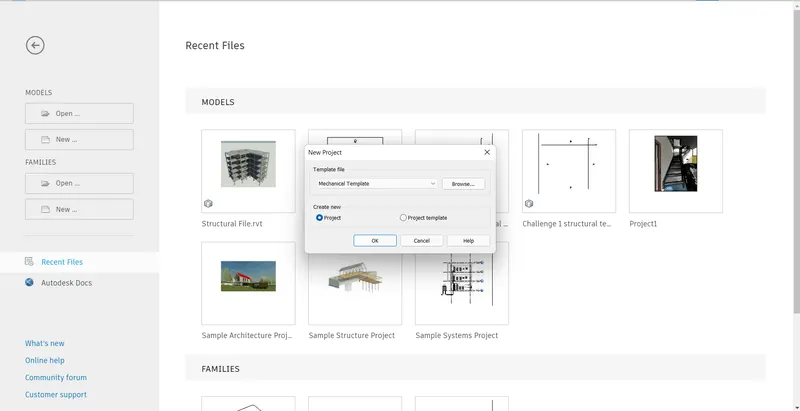
- Initially open a new mechanical template
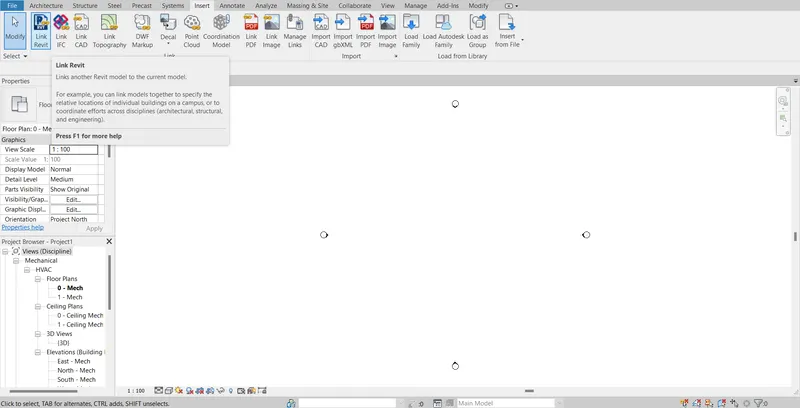
- Now using the link Revit option link the architectural model of week 7
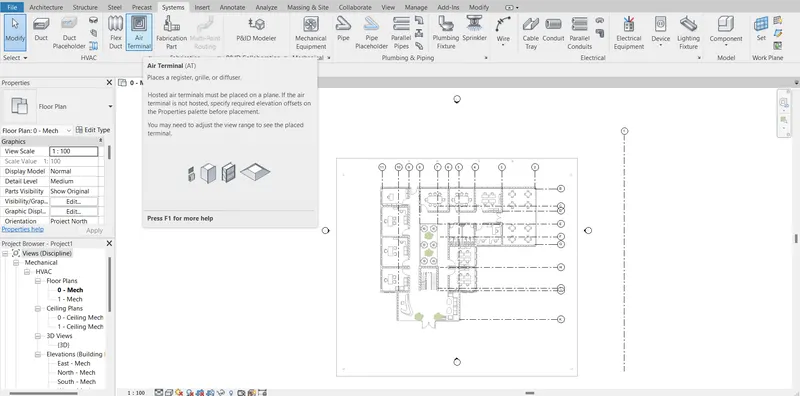
- Click on the systems tab. Select air terminal from the ribbon
- Now select the supply diffuser
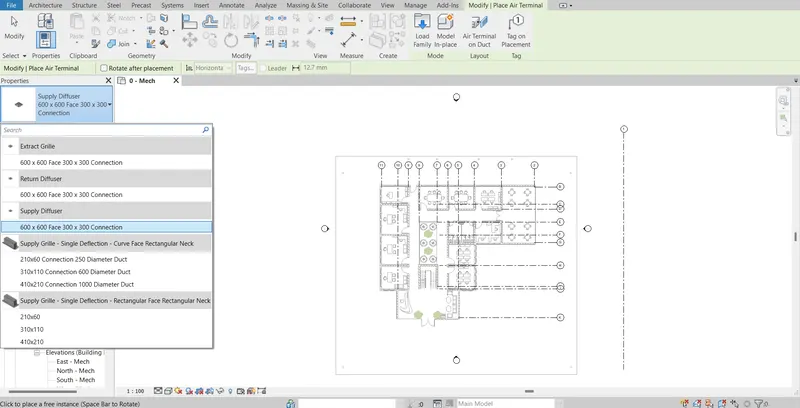
- The supplied diffuser is placed at locations as shown.
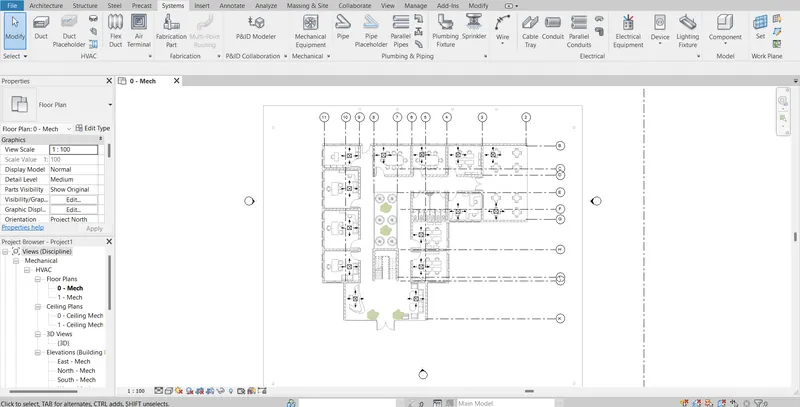
- In the same way, the return diffuser is placed at locations as shown.
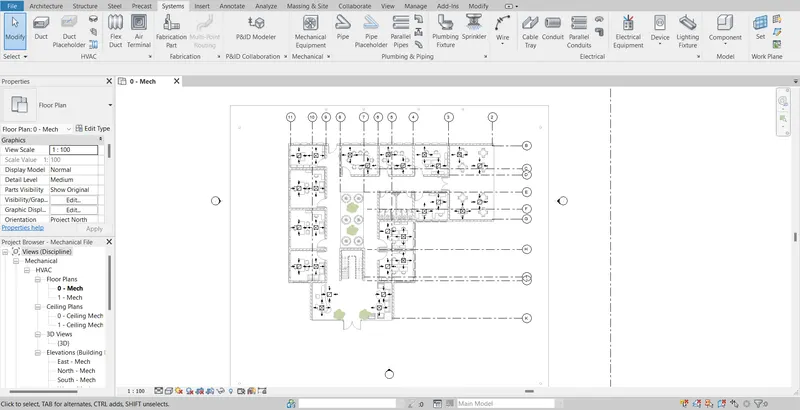
- Now click on mechanical equipment and select the air handling unit.
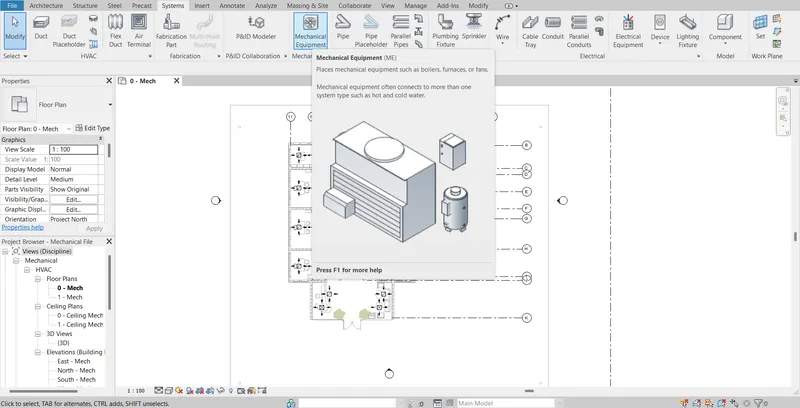
- Place the air handling unit in the required place so that no clashes with the wall take place.
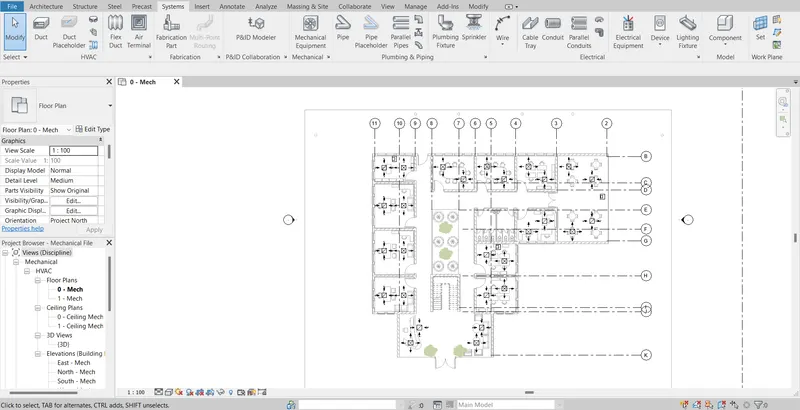
- Next, we have to provide ducts.
- For this, initially select the return diffusers and AHU unit and then click on the duct. Then generate the layout desired.
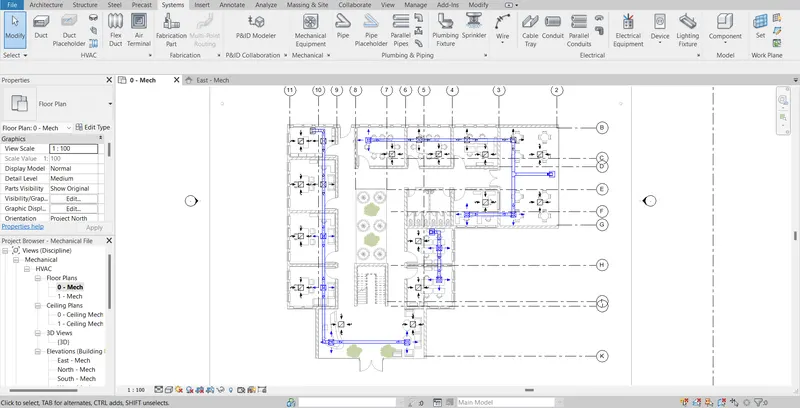
- Similarly, a duct for the supply diffusers was also created.
- All the ducts for other rooms were also created as shown. The HVAC system is developed for level 1.
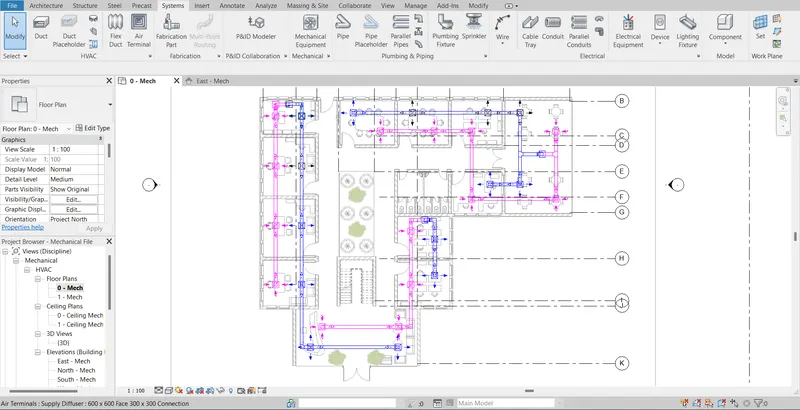
- Click on the hide analytical model option for easy selection.
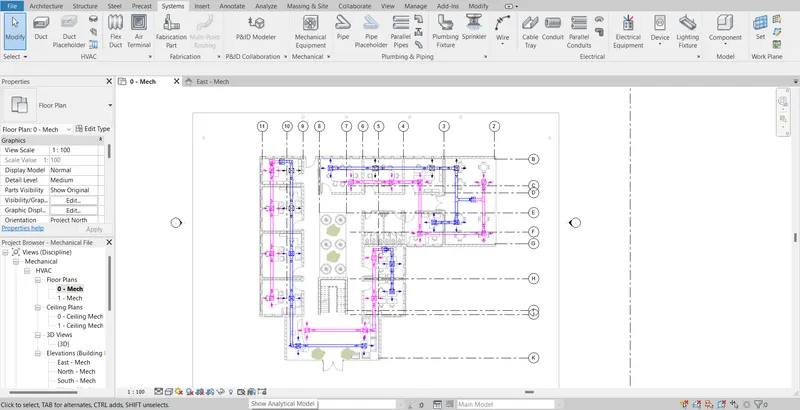
- Select the HVAC systems from level one and copy them to the clipboard.
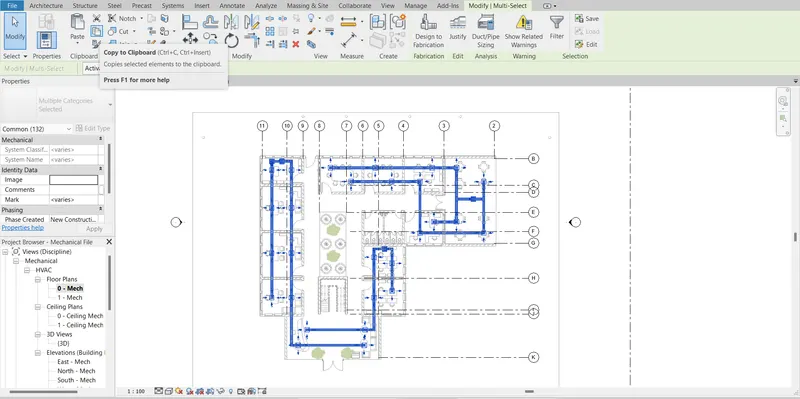
- And then paste it into the next levels.
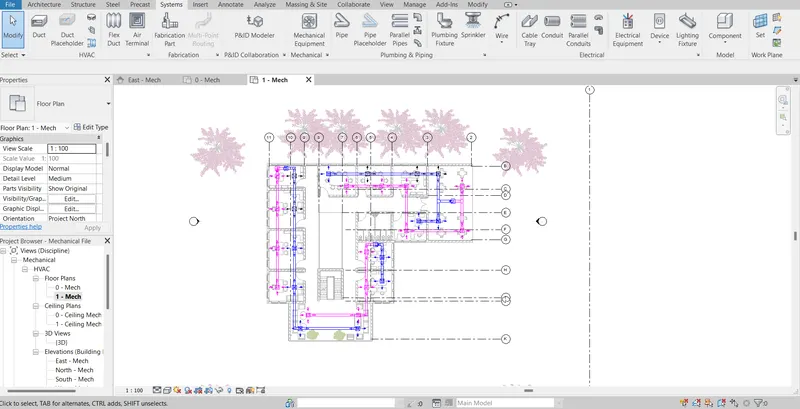
- The HVAC systems are loaded for level 2 and in this way and in this way it was applied to the rest of the floors.
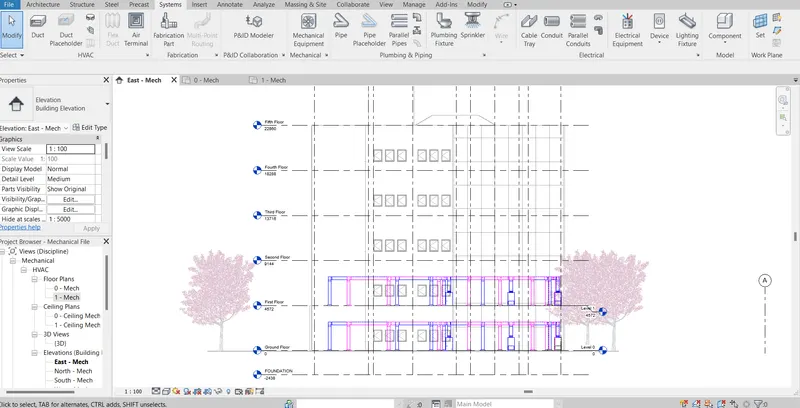
RESULT:
HVAC systems were developed for the model created.
TASK 3: Use the add-ins tab to load plug-ins for robot structural analysis to your Revit software
- Go to a new tab Google and type Robot Structural Analysis Professional 2022.
- Click the Autodesk website option. Click and download the trial version of this.
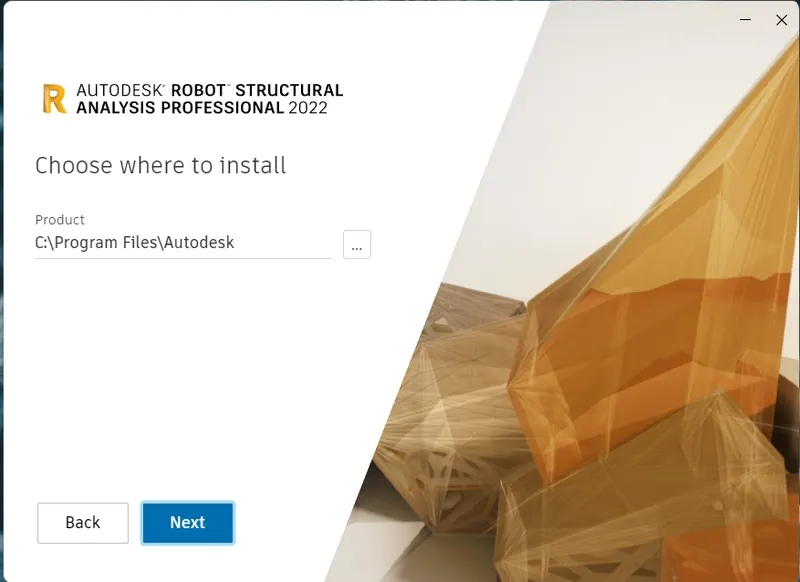
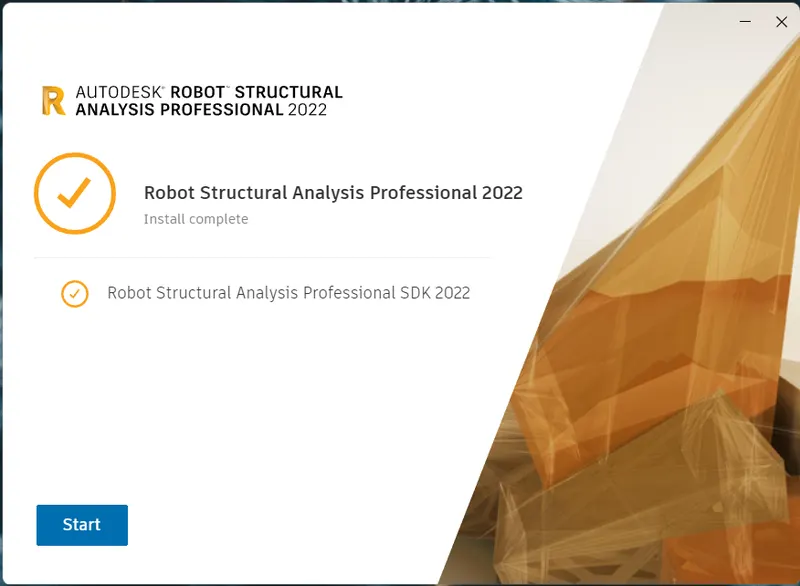
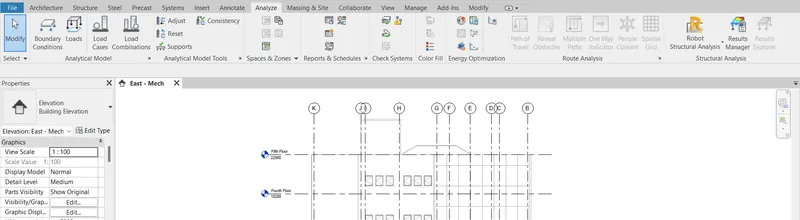
- Now in the analysis panel, we can see that the ROBOT STRUCTURAL ANALYSIS option becomes available
RESULT:
Autodesk's ROBOT STRUCTURAL ANALYSIS has been successfully installed on the computer.
TASK 4: Why do we need to assess buildings/analyze while modeling elements? Does design affect modeling in any way?
- Structural analysis is important in modeling elements because it allows you to calculate and determine the effects of loads and internal forces on a structure, building, or object.
- It is especially critical for structural engineers to ensure that they fully comprehend the load routes and the effects of the loads on their engineering design.
- It lets engineers and designers confirm that a piece of equipment or structure is safe to operate under the projected loads.
- Wind load, live load, and dead load are all forces that are applied to these elements. As a result, it is critical for the engineer to examine how each of these elements performs under these loads; this is the structural analysis' main focus.
- The modeling is influenced by the structural design. Structural analysis can be performed during design, testing, or after the building has been constructed, and it usually takes into account the materials used, the geometry of the structure, and the applied loads.
- The structural analysis primarily focuses on individual structural parts and the pressures they face. It will aid in the creation of better models by addressing faults with existing models and allowing for the incorporation of alternatives.
TASK 5: From the structural model developed in week 6 and 7, export the complete analytical model to robot structural analysis.
a. List your assumptions on what boundary conditions will be realistic for the analysis approach
b. Use the design standards to decide what loads must be applied to floorings based on the type of structure decided
c. List the load combinations and include them in the analysis model
d. Analyze the building and report the following results
i. Maximum Moment in each floor for all Load Combinations
ii. Maximum Displacement in each floor for all Load combinations
iii. Lateral Displacement in building for all Lateral Load combinations
e. After analysis, do you think you have a better approach or idea in modeling structural members?
A) Boundary conditions are points on a structure where the external force or displacement is known at the outset of the study. Every position on the border of our structure must have a known force or displacement for a structural analysis issue to be solvable. It's possible that the known force or displacement is of some magnitude or that it's zero. A zero boundary condition would exist, for example, if there are no external forces acting on some parts of the structure. When the displacement boundary condition is 0, the structure is maintained in place at that position.
B) Loads applied to floorings are:
- Dead load.
- Live load.
- Wind load.
C) AIM: To create a list of load combinations that will be included in the analysis model.
PROCEDURE:
- Initially open the week 7 assignment in the structural template and open the analytical model.
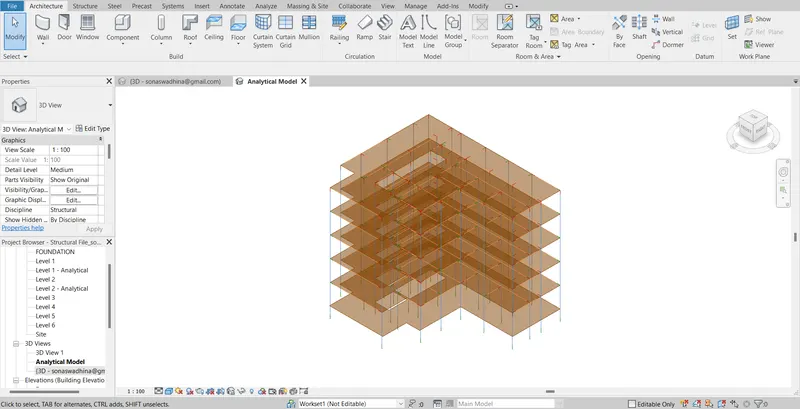
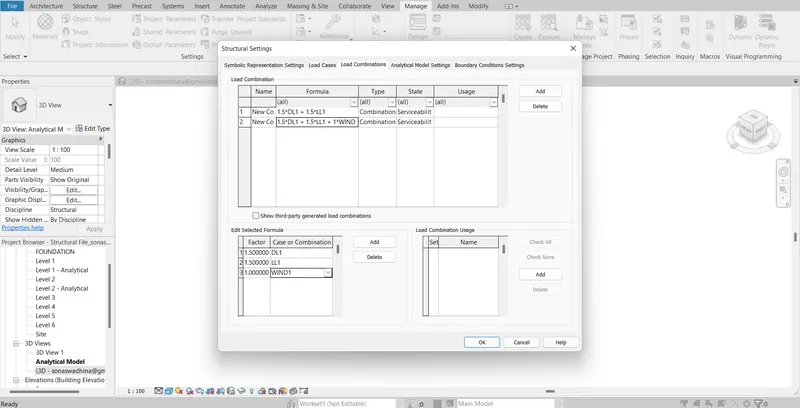
- Click on the manage tab and go to structural settings. The structural dialogue box appears and sets the load combinations as shown.
- In the analyze tab click on boundary conditions and make them fixed state.
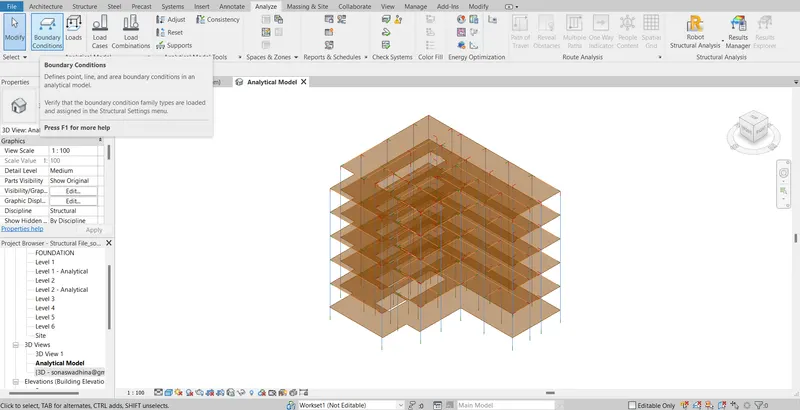
- Now the boundary conditions are defined.
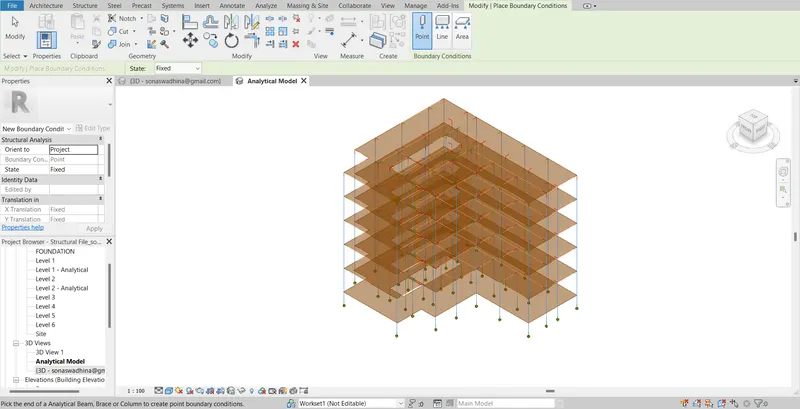
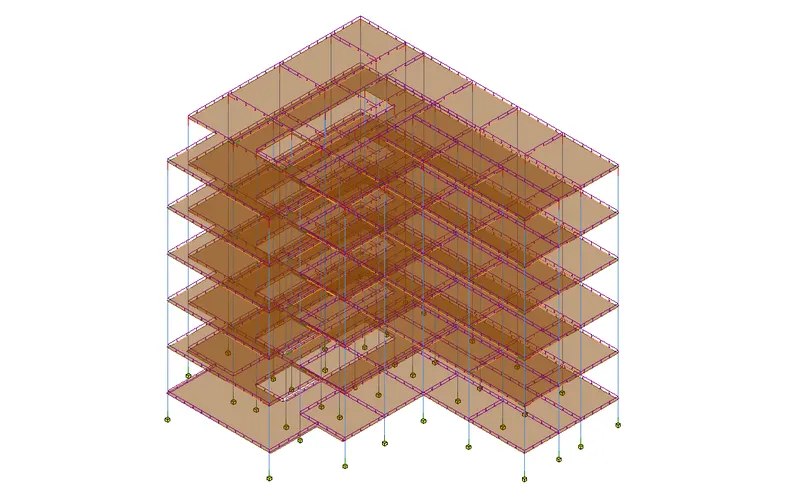
- In the analyze tab choose loads and apply the loads.
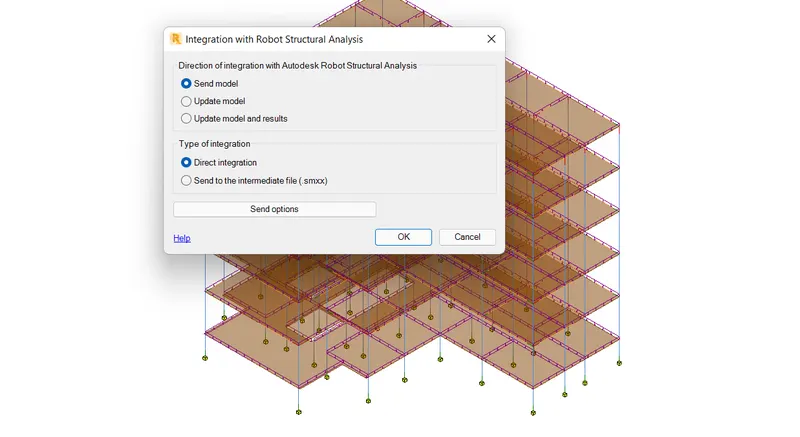
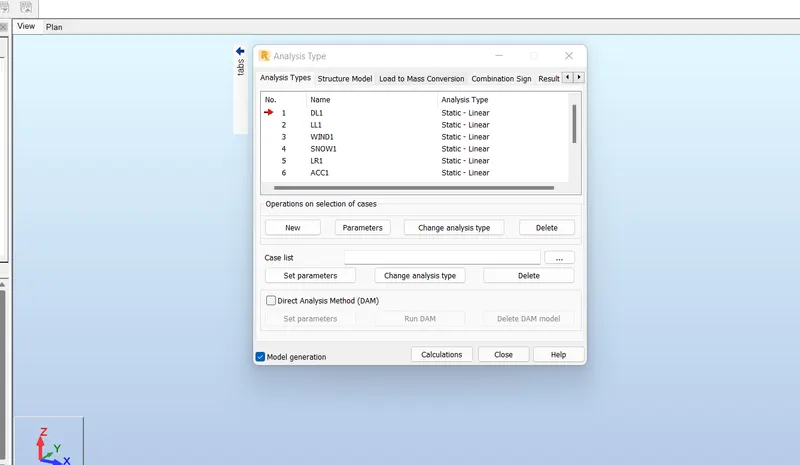
- Now for analysis go to the analysis tab and click on the ROBOT STRUCTURAL ANALYSIS option and then click OK.
- The model is now open for robot structural analysis
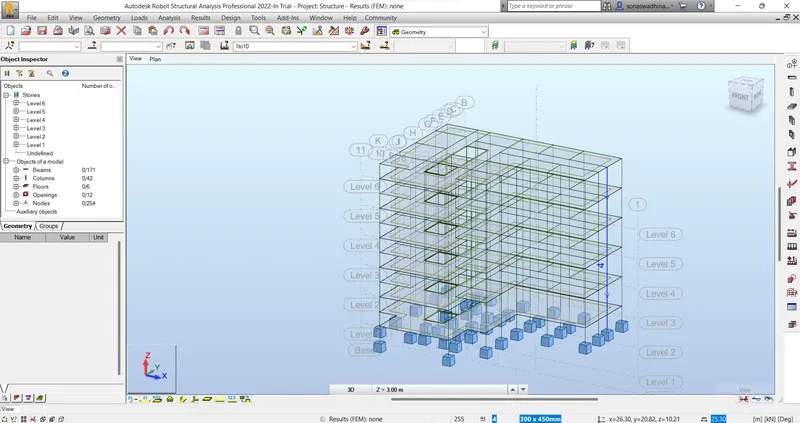
- Go to the Analysis tab select loads and then select apply loads. Click on analyze and run the calculations.
D) Description of the model is provided here.
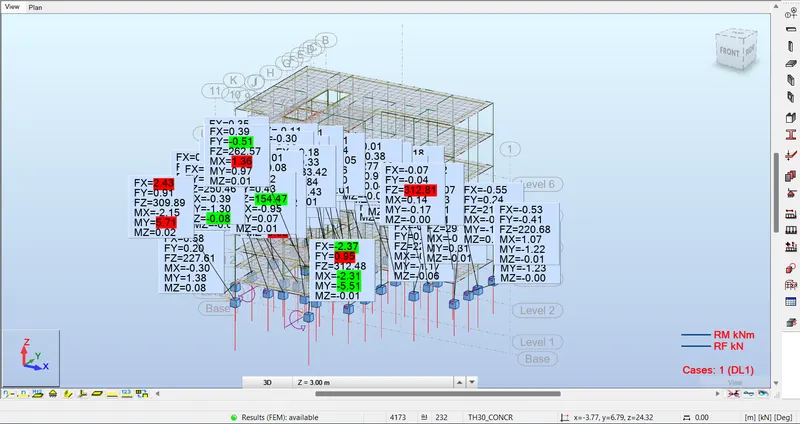
E) The analysis of the model gave a better approach to modeling structural elements.
RESULT:
ROBOT STRUCTURAL ANALYSIS was performed on the model.
TASK 6: What is energy analysis and why do we need to consider it while modeling in Revit?
How does the factor of sustainability improve the quality of your design?
Energy analysis and its considerations while modeling in Revit Impact of factors of sustainability ion the quality of your design.
Energy analysis is a conventional method of evaluating how energy is used in operations involving the physical or chemical processing of materials, as well as energy transfer and/or conversion.
The following are the four main steps in an energy usage analysis:
- Calculation of heat loss and gain in building spaces, as well as the heating and cooling loads on building systems.
- Calculation of energy addition and extraction to meet temperature and humidity setpoints that may fluctuate.
- Determination of main equipment fuel usage in order to meet the energy demand of the HVAC system
- It compares the cost of equipment, fuels, electricity, labor, and retrofit components against the cost of investing in other ways.
In building models, energy stimulation can aid in the analysis of energy transport in, out, and through rooms and volumes. This data can assist designers in making more educated, cost-effective decisions that increase building performance while reducing environmental impact.
The geometry, climate, building type, envelope features, and active systems of a building are used to calculate predicted energy use (fuel and electricity) (HVAC and lighting). It takes into account the interdependencies of the building as a whole system.
- Through intelligent design, the sustainable design aims to totally remove negative environmental impacts. This notion can be applied to any discipline of design, including architecture. Regardless of the application, a sustainable design will strive to incorporate environmentally preferable results such as:
- Lower energy and water usage throughout the life cycle.
- Reduce greenhouse gas emissions or mitigate them through carbon offsets to reduce the impact of climate change. Activities that function as a buffer
- Reduce resource use via manufacturing without waste.
- Look for ways to use biomimicry principles wherever possible by following the 3R concept (Reduce, Reuse and Recycle).
- Give preference to non-toxic materials.
- Emphasize quality and durability over price.
CONCLUSION:
All results of each drawing have been attached which were drawn in Revit.