Structural analysis of a buidling using Robot Structural Analysis
1.
Aim:- What are HVAC systems? Why are they essential in the modeling of buildings
- It is a technology of indoor environmental comfort. It's goal is to provide thermal comfort and acceptable indoor air quality
- HVAC stands for Heating ventilation and air conditioning
- It's one of the important in building modelling
- Heating is a increase the temperature of the incoming air in the building
- Ventilation is the process of maintaining the flow of fresh air inside the building
- This process of ventilation occured in two ways
- 1. Naturally 2. Mechanically (HVAC system)
- The doors, windows, ventilators are used to exchange the air naturally
- HVAC systems are used to exchgae the air mechanically
- HVAC system enhances the quality
- HVAC system controals the climate of the builidng, If the climate is hot it cools the building, If the climate is cool it warms ths builidng
2.
Aim:- From week 7 assignment, based on the building designed use the same Revit file to design a HVAC system for each floor to cover the topics included in the class.
a. Typical HVAC unit includes Distribution center
b. Collector
c. Ducts
d. Blower
Based on the layout choose appropriate ducts and elevation using property browser and assign the components to appropriate groups to complete modeling of the HVAC unit
Procedure:-
Step1:-
- Open the project file with a mechanical template
- Then link the architectural file of week 7 into the mechanical template
- To insert the HVAC equipements
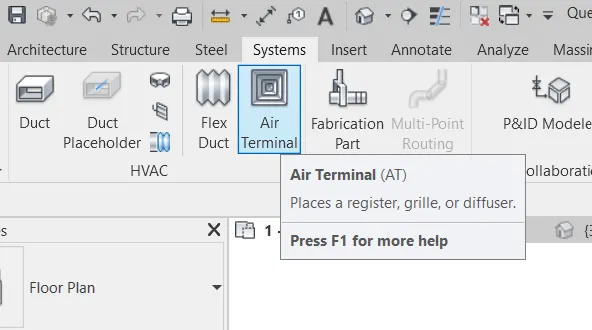
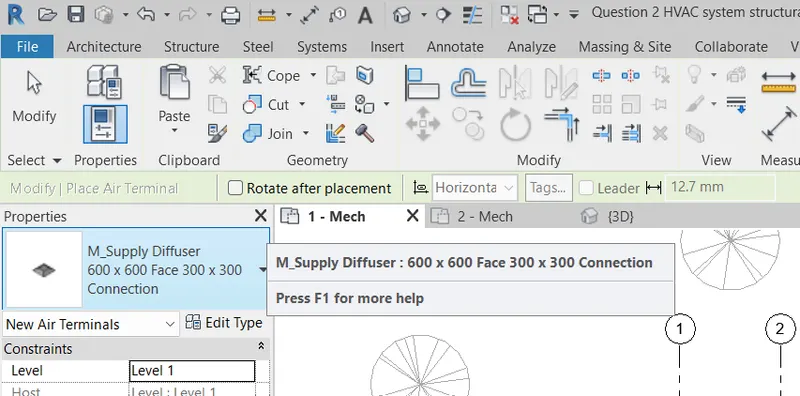
- Go to system tab then click on air terminals
- Then select the equipement you need then place it where you required
Step2:-
- To insert the HVAC equipements
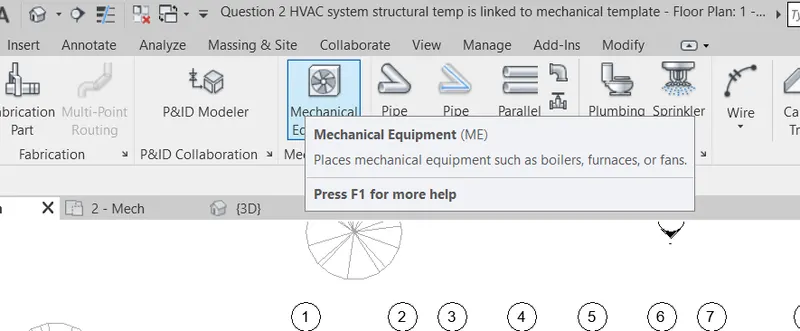
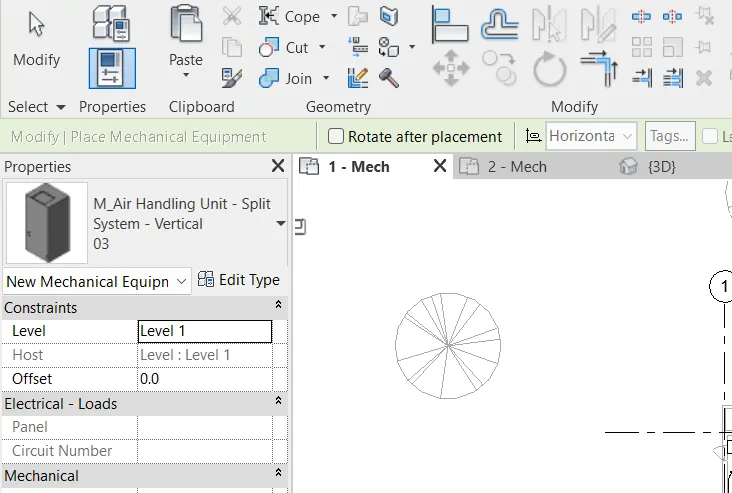
- Go to system tab then click on mechanical equipements
- Then select the equipement you need then place it where you required
Step3:-
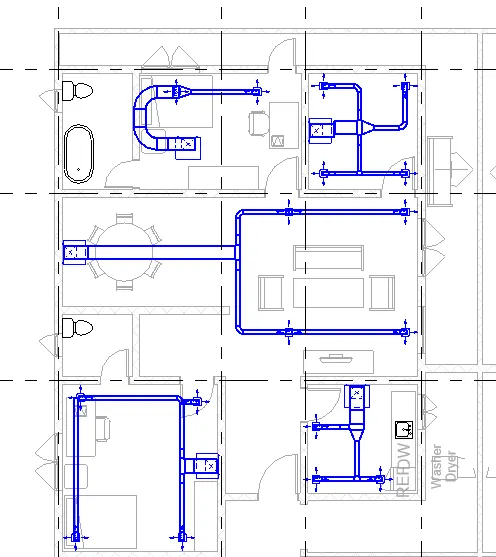
- This is the HVAC equipements installed to the one residential unit
- It consists of diffusers and air handling unit
Step4:-
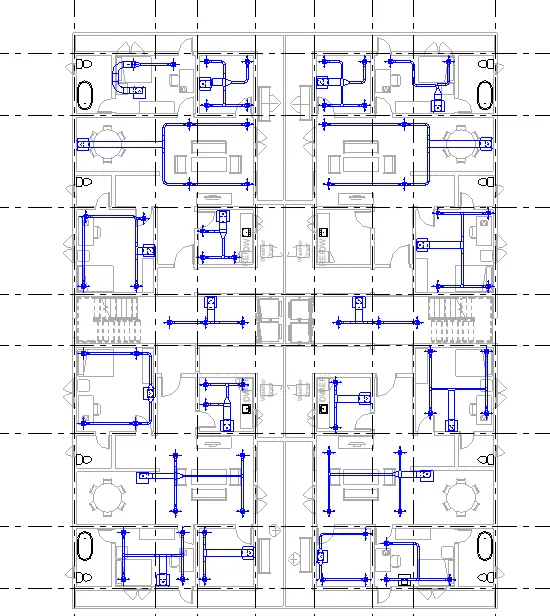
- This is the HVAC equipements installed to the four residential in appartment unit
- It consists of diffusers and air handling unit
Result:-
This is the HVAC equipements installed to the four residential in appartment unit
3.
Aim:- Use the add-ins tab to load plug-ins for robot structural analysis to your Revit software
Procedure:-
- To get the Robot structural analysis software
- Click on the add-ins tab then it will direct you to the autodesk account
- Then search structural analysis tool kit
- Select the software based on your Revit software version
- Then click on download then it will automatically download in your download folder
- Click on downloaded folder then click a right button of your mouse after that click on run as administrator
- After installation the software is ready to use in the Revit software
Or
- Go to the google
- Search Robot structural analysis professional 2019
- Then click on the autodesk link
- Then click on download then it will automatically download in your download folder
- Click on downloaded folder then click a right button of your mouse after that click on run as administrator
- After installation the software is ready to use in the Revit software
4.
Aim:- Why do we need to assess buildings/analyze while modeling elements? Does design affect modeling in anyways?
- Structures are very important components to the buildings
- All the loads and load transfer are done by the structures like columns. bea,s, footing, floors, slabs and may be or maynot be wall
- Analysis means calculating the force and bending moment when they applied on the buildings
- Revit helps to calculate the force and bending moment by usinga Robot structural analysis
- Energy analysis helps to calculate the overall performance of the buildings
- Analysis plays an very important role because it gives complete understanding about the building
- Strutural analysis is the determination of the effect of loads on the strcture
Yes Design affects the modelling
- It helps to design better models and cover the issues with an existing models and allows to incorporate the alternatives
5.
Aim:- From the structural model developed in week 6 and 7, export the complete analytical model to robot structural analysis.
a. List your assumptions on what boundary conditions will be realistic for the analysis approach
b. Use the design standards to decide what loads must be applied to floorings based on the type of structure decided
c. List the load combinations and include them in the analysis model
d. Analyze the building and report the following results
i. Maximum Moment in each floor for all Load Combinations
ii. Maximum Displacement in each floor for all Load combinations
iii. Lateral Displacement in building for all Lateral Load combinations
e. After analysis, do you think you have a better approach or idea in modeling structural members?
Procedure:-
Step1:-
- To analyse the Robot structural analysis
- Open the week 7 project structural model
Step2:-
- Add the loads for the structural elements
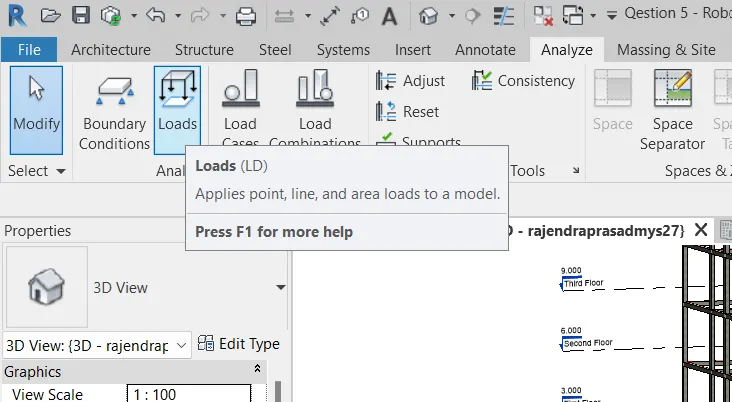
- Click on the analyze tab
- Then click on Loads
- Loads are of different types i.e., point load, line load, area load, hosted load, hosted line load, hosted area load
Step3:-
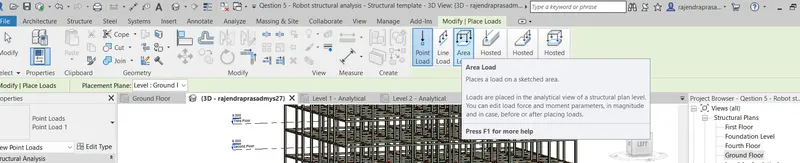
- Select the area load
- Then it gives an access to draw click on rectangle and draw the rectangle left top grid to right bottom grid
- Then the loads are assigned to the level which you have selected
Step4:-
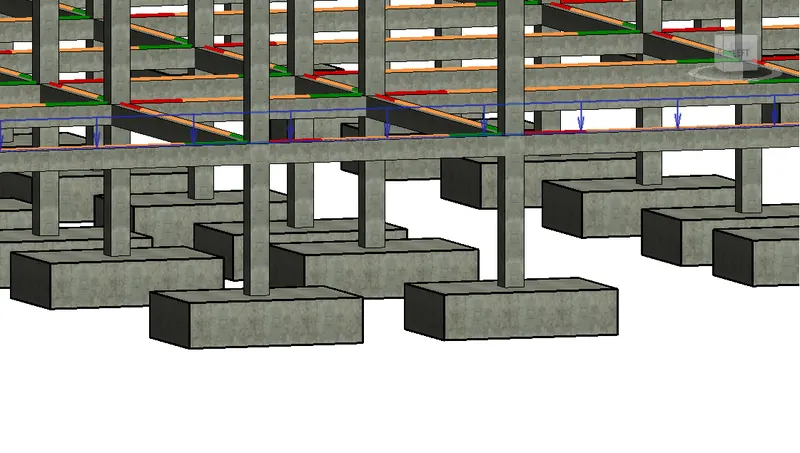
- This is the snap shot of a assigning looads to the structural element
Step5:-
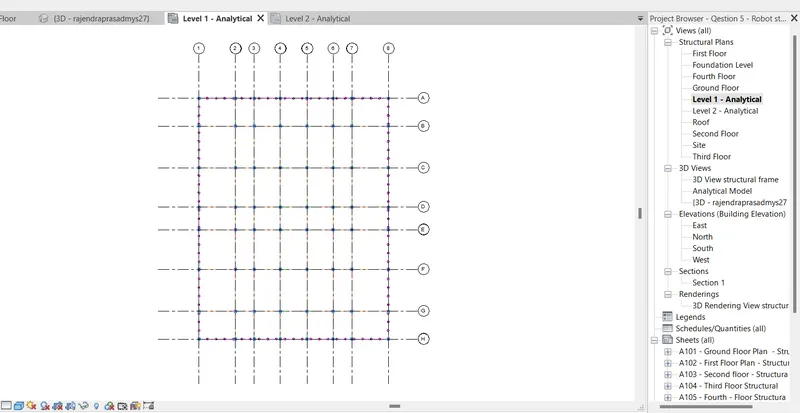
- Go to the analytical level then you see the loads which are assigned to the structure
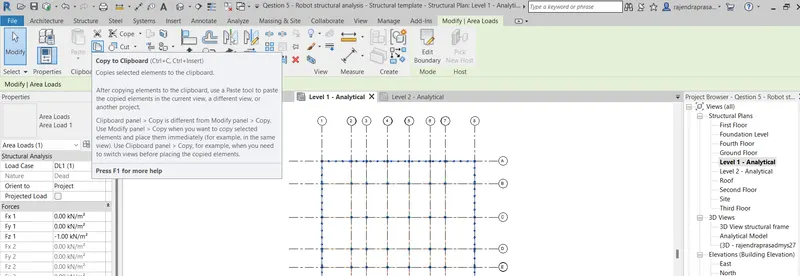
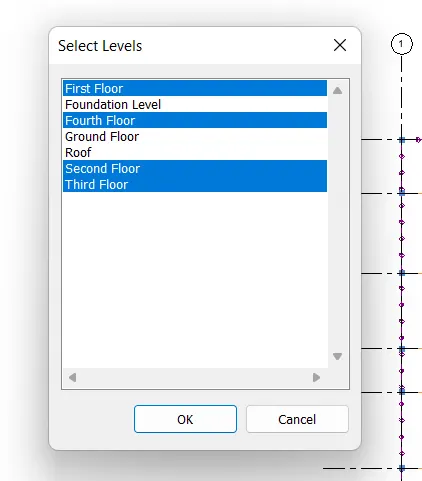
- Select the all loads then click on copy option then paste it to the different levels like First floor, Second floor, Third floor, Fourth floor, Roof level
Step6:-
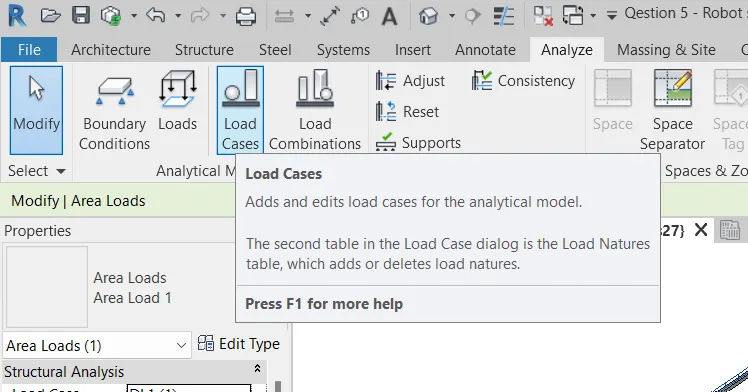
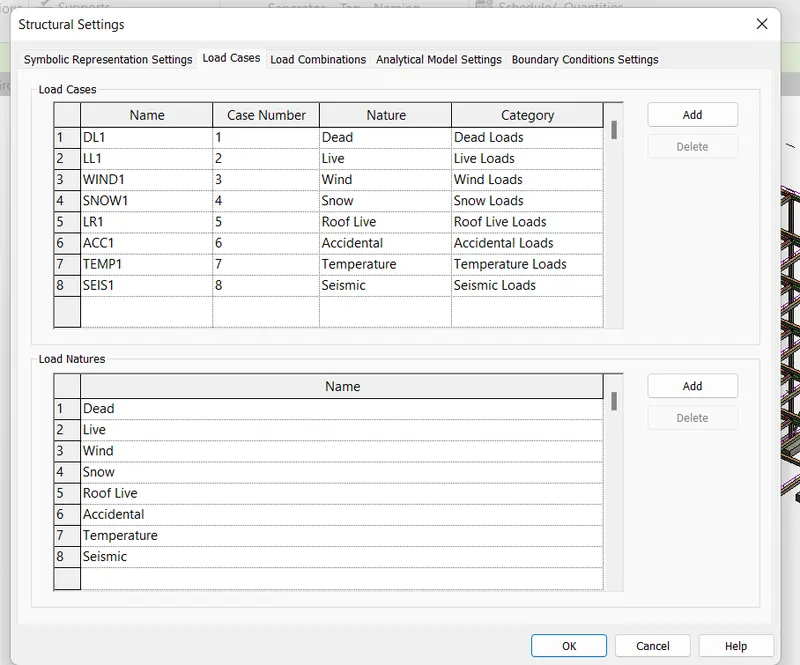
- After load assigning then go to load cases
- Click on add then select the loads that are required
- Then click on OK
Step7:-
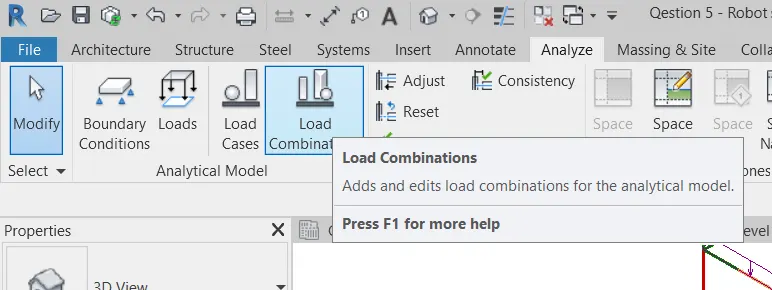
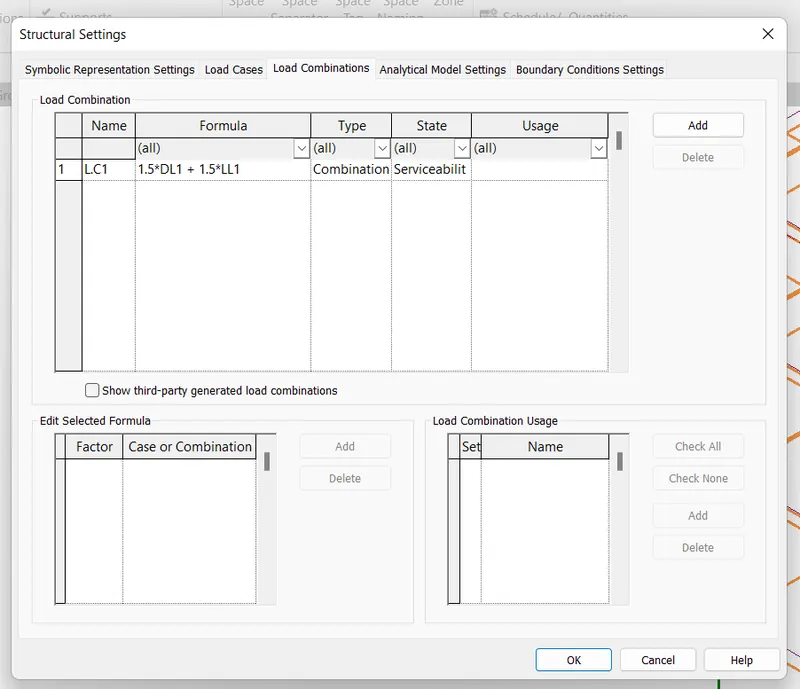
- Assign the load combinations to the structure
- Click on Analyze tab then click on load combination
- Assign the dead load and live load for the structure
- Next click on OK
Step8:-
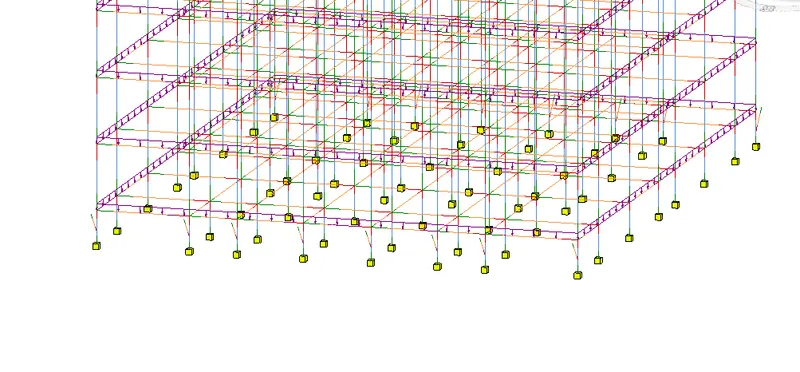
- Assign the boundary condition to the structure
- Click on the boudary condition
- Then you will get different option like point, line, area
- Select the point option then assign it for footing

Step9:-
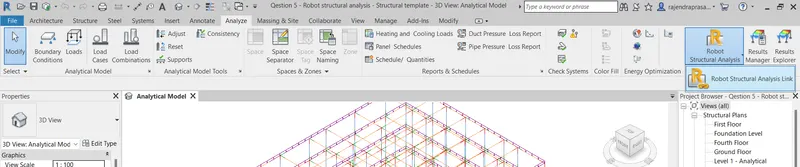
- After installing the Robo-structural analysis it will automatically inserted into the Revit software
- Click on the analyse tab then drop down the Robo structural analysis
- Then click on Robo structural analysis link
Step10:-
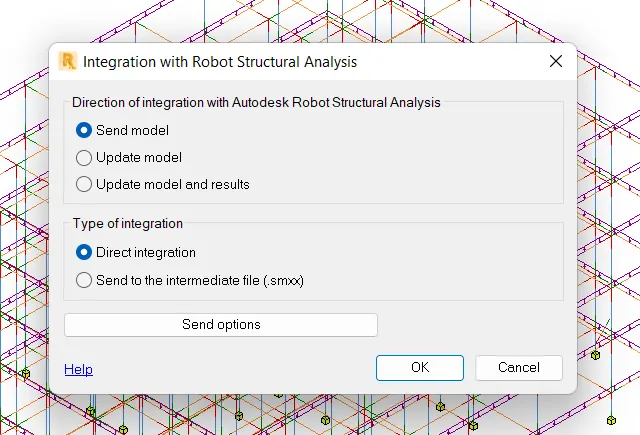
- After selecting the Robo structural analysis link
- Then integration Robot structural analysis dialouge box opens
- Then select the send model and direct integration
- Then click OK
6.
Aim:- What is energy analysis and why do we need to consider it while modeling in Revit?
How does the factor of sustainability improve the quality of your design?
Energy analysis is the traditional method of determining the way the energy is used in an opration involving the physical or chemical processing of material and transfer of energy
It has a 4 energy principles
- Calculating heat loss or gain :- Calculation of heat loss or gain to the building space and heating and cooling loads is imposed on the building HVAC system. This calculation is carried out for a space temperature
- Calculating the energy :- Calculation of energy addition and extraction to meet the possibility variying temperature sets and humidity criteria
- Determining the fuel requirement:- The fuel requires a primary equipements like boiler and the energy from the solar this is based on the calculation of the energy required for that
- Evaluating the cost:- It helps to evaluating the equipements fuel, labours, electricity and retrofit components against the more investment of the money, so the evaluation is helpfull
Sustainability
- it reduces the negative energy in the building
- Lower energy and water consumption through out the life cycle
- It minimize the impact on climate change by reducing green house gas emmition
- It enhances the quality and durability of price
- It's a resource consumption
- It reduces the non-toxic materials