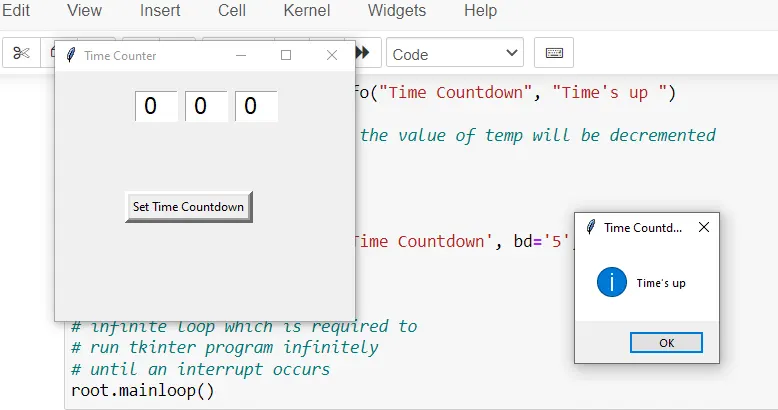
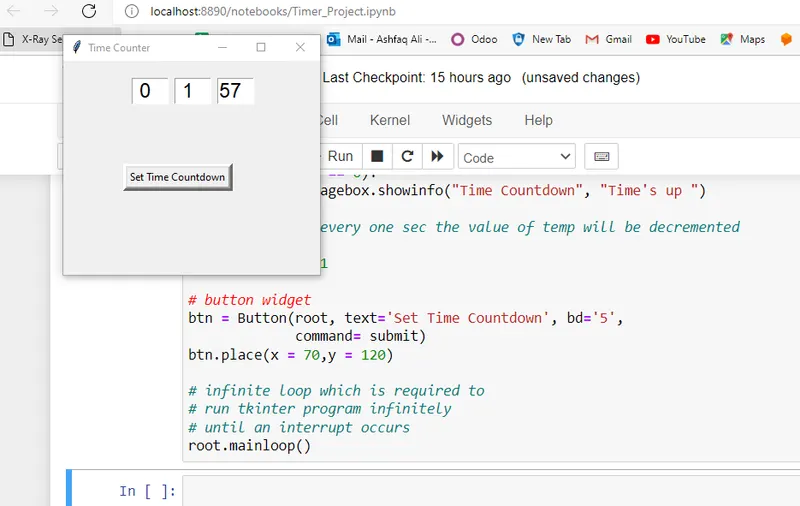
Set countdown Timer
import time
from tkinter import *
from tkinter import messagebox
# creating Tk window
root = Tk()
# setting geometry of tk window
root.geometry("300x250")
# Using title() to display a message in
# the dialogue box of the message in the
# title bar.
root.title("Time Counter")
# Declaration of variables
hour=StringVar()
minute=StringVar()
second=StringVar()
# setting the default value as 0
hour.set("00")
minute.set("00")
second.set("00")
# Use of Entry class to take input from the user
hourEntry= Entry(root, width=3, font=("Arial",18,""),
textvariable=hour)
hourEntry.place(x=80,y=20)
minuteEntry= Entry(root, width=3, font=("Arial",18,""),
textvariable=minute)
minuteEntry.place(x=130,y=20)
secondEntry= Entry(root, width=3, font=("Arial",18,""),
textvariable=second)
secondEntry.place(x=180,y=20)
def submit():
try:
# the input provided by the user is
# stored in here :temp
temp = int(hour.get())*3600 + int(minute.get())*60 + int(second.get())
except:
print("Please input the right value")
while temp >-1:
# divmod(firstvalue = temp//60, secondvalue = temp%60)
mins,secs = divmod(temp,60)
# Converting the input entered in mins or secs to hours,
# mins ,secs(input = 110 min --> 120*60 = 6600 => 1hr :
# 50min: 0sec)
hours=0
if mins >60:
# divmod(firstvalue = temp//60, secondvalue
# = temp%60)
hours, mins = divmod(mins, 60)
# using format () method to store the value up to
# two decimal places
hour.set("{0:2d}".format(hours))
minute.set("{0:2d}".format(mins))
second.set("{0:2d}".format(secs))
# updating the GUI window after decrementing the
# temp value every time
root.update()
time.sleep(1)
# when temp value = 0; then a messagebox pop's up
# with a message:"Time's up"
if (temp == 0):
messagebox.showinfo("Time Countdown", "Time's up ")
# after every one sec the value of temp will be decremented
# by one
temp -= 1
# button widget
btn = Button(root, text='Set Time Countdown', bd='5',
command= submit)
btn.place(x = 70,y = 120)
# infinite loop which is required to
# run tkinter program infinitely
# until an interrupt occurs
root.mainloop()