REVIT_ Scheduling & Estimation_Week 9
1) Use the shortcut keys in Revit discussed in class to complete the following tasks and list them below
a. Using 3D model create a section box
b. To create similar doors and windows in a floor plan layout
c. To reduce the thickness of lines visible in plan views
d. To apply override settings to a floor in the model section view
e. To increase the range of visibility in a plan view
f. To select the previously selected items
g. To add annotations to the model views
h. To bring the model elements in line
i. To rotate the model elements
j. To move an object to another location
k. To copy a model element
l. To mirror an element about an axis
m. To create an array of model elements
AIM:- Use the shortcut keys in Revit for the following tasks
a. Using 3D model create a section box= BX
b. To create similar doors and windows in a floor plan layout= CS
c. To reduce the thickness of lines visible in plan views= TL
d. To apply override settings to a floor in the model section view= EOD
e. To increase the range of visibility in a plan view= VR
f. To select the previously selected items= CTRL+<
g. To add annotations to the model views= DI
h. To bring the model elements in line= AL
i. To rotate the model elements= RO
j. To move an object to another location= MV
k. To copy a model element= CO/CC
l. To mirror an element about an axis=MM
m. To create an array of model elements=AR
2) Using Revit and the project used from week 6 to 8 prepare a schedule for the following
a. Walls
b. Doors
c. Windows
d. Material – Concrete/Wood
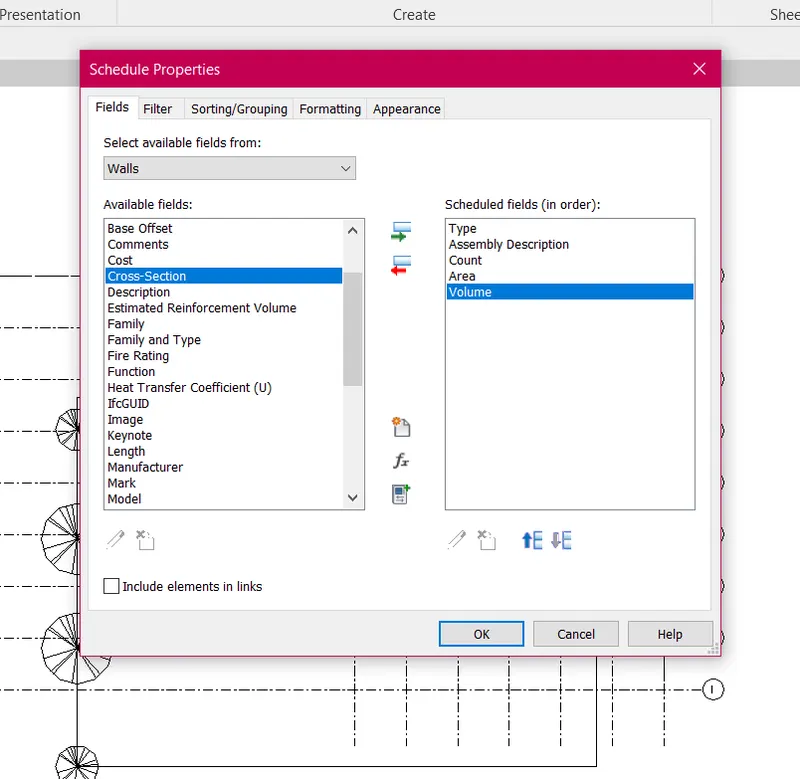
AIM:- Create schedules of the following
Commands used:-
View
Schedule
Schedule quantities
Schedule properties
Procedure:-
Open the archtitectural template in revit
click the view command and select schedule quantities
Select the component such as walls, columns, doors etc
Schedule properties tab will open select the things which we want to display in schedule like area, volumn, type
Click ok
Results:-
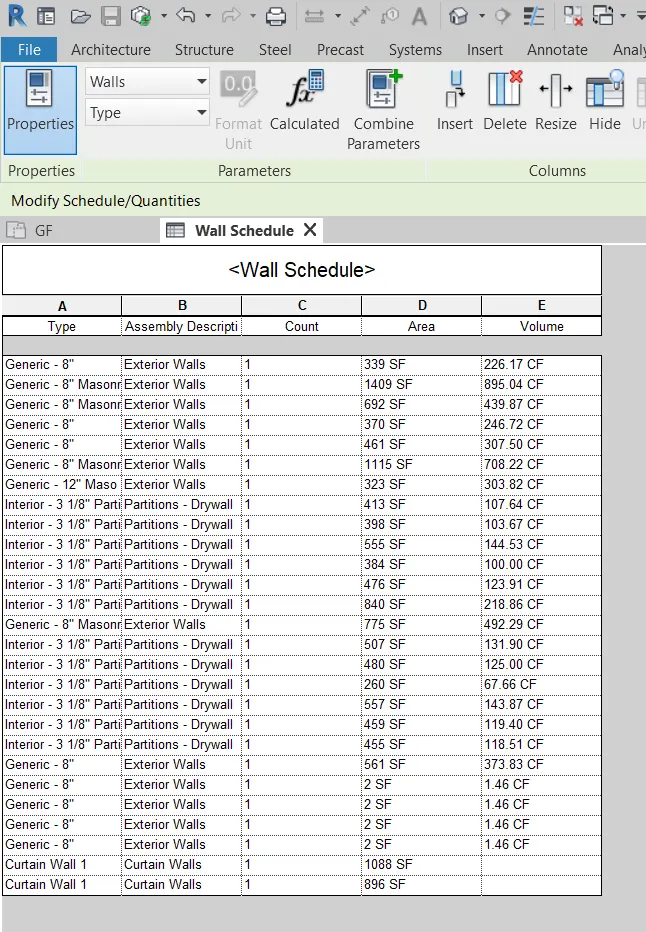
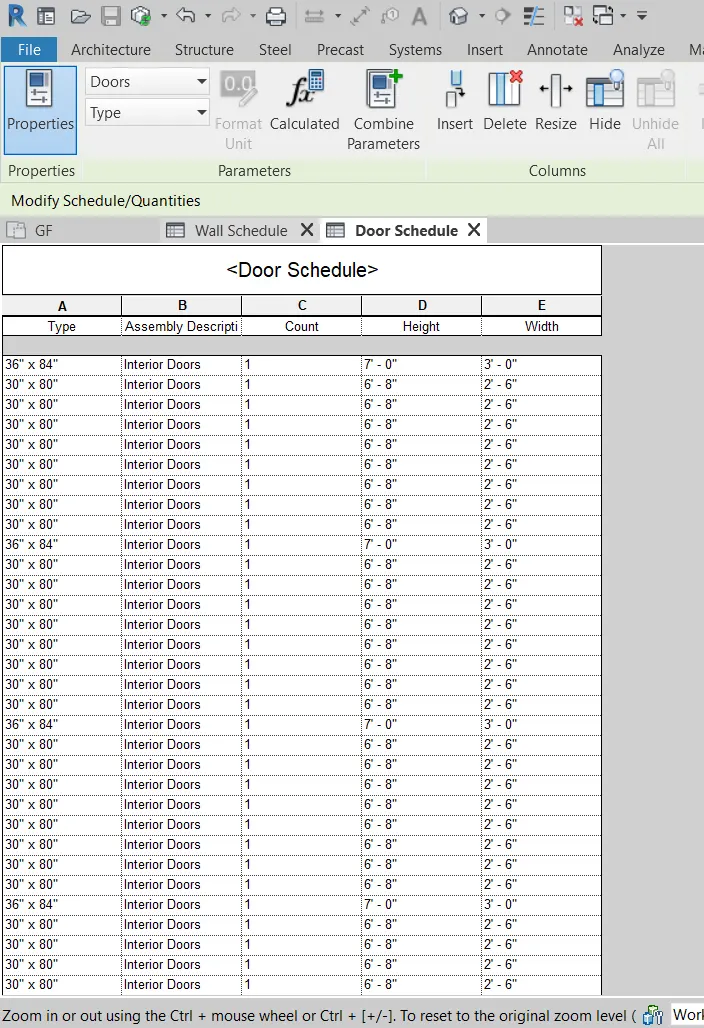
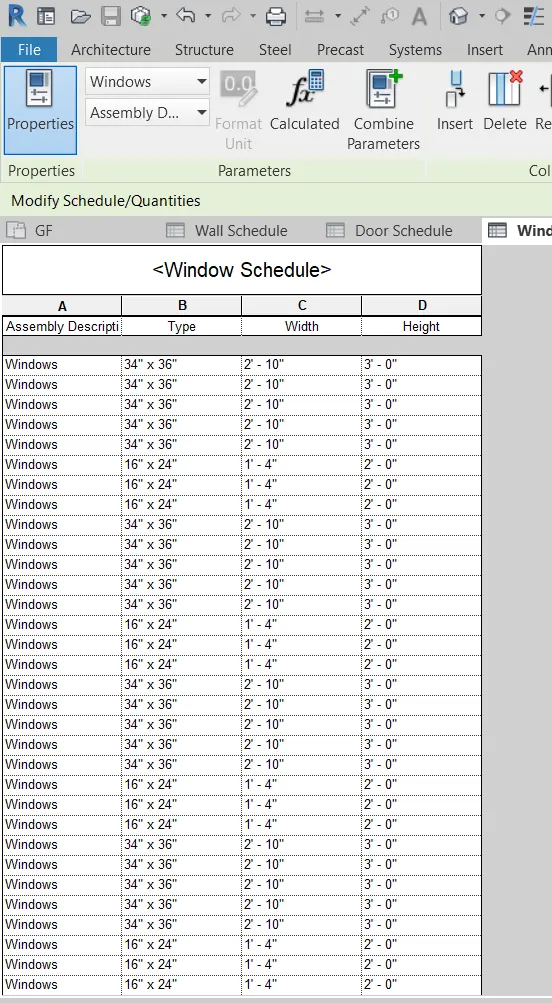
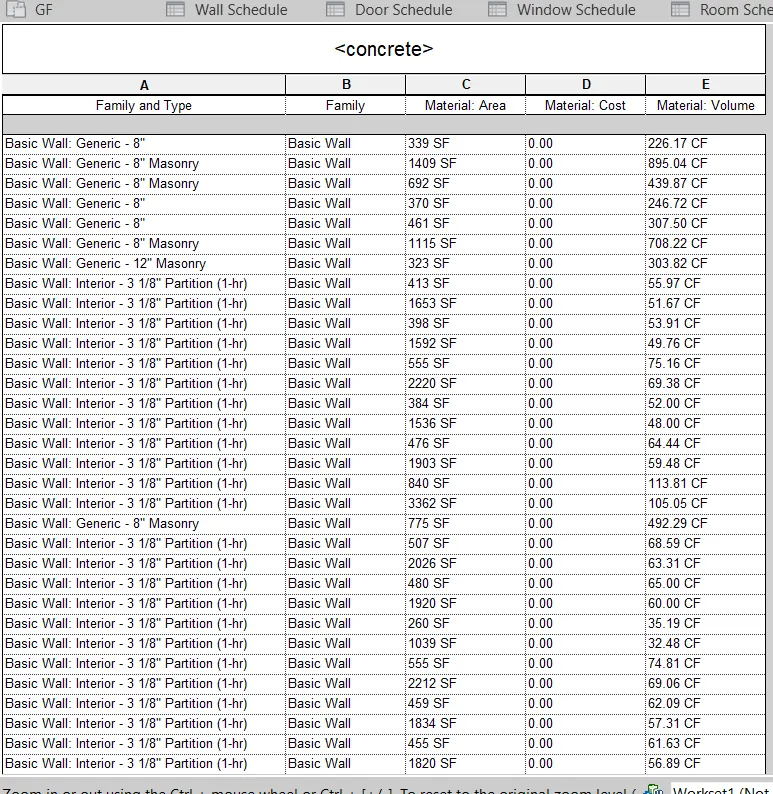
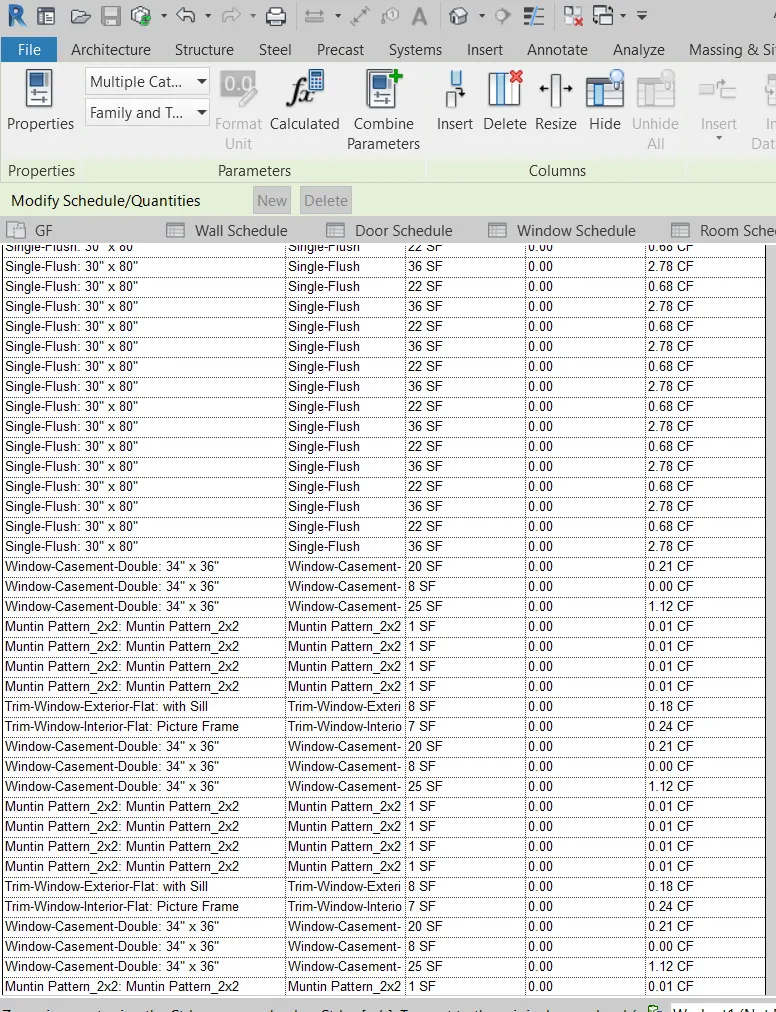
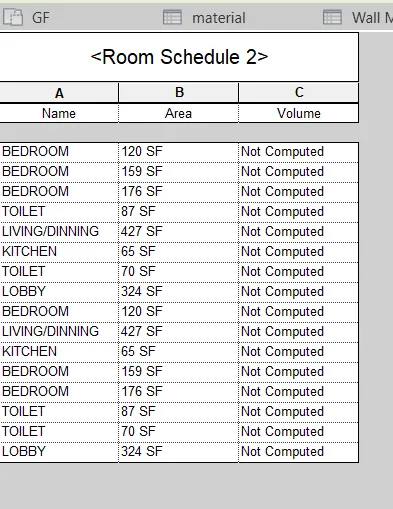
3) Using Revit Calculate area and volume of each room in the model with appropriate room tags applied to each room. Prepare a schedule report for area and volume of each room.
AIM:- Using Revit calculate the area and volume of each room
Commands used:-
View
Schedules
Procedure:-
Open the architectural file in revit
Select the view option and select schedule
In the dialoge box select rooms
Select the parameters like areas volumes
Seleck ok
Rooms area schedule is obtained
Results:-
4) Using the same schedule using the unit cost rate for materials available in the internet, prepare total cost of materials used in the project
a. Total Cost of Materials
b. Individual Material Take off
AIM:- Create a schedule of total cost of material
Commands Used:-
View
Schedule
Material Takeoff
Procedure:-
Open the architectural template in Revit
Select the view tab and select schedule and select material take off
Specify the name click ok
Select the parameters which we need
Select the total cost and select calculated and sefine the formula for total cost
Result:-
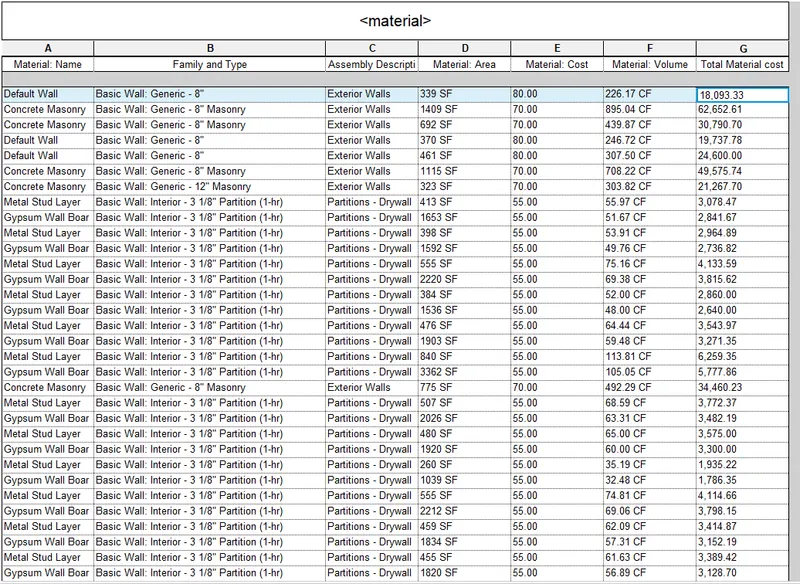
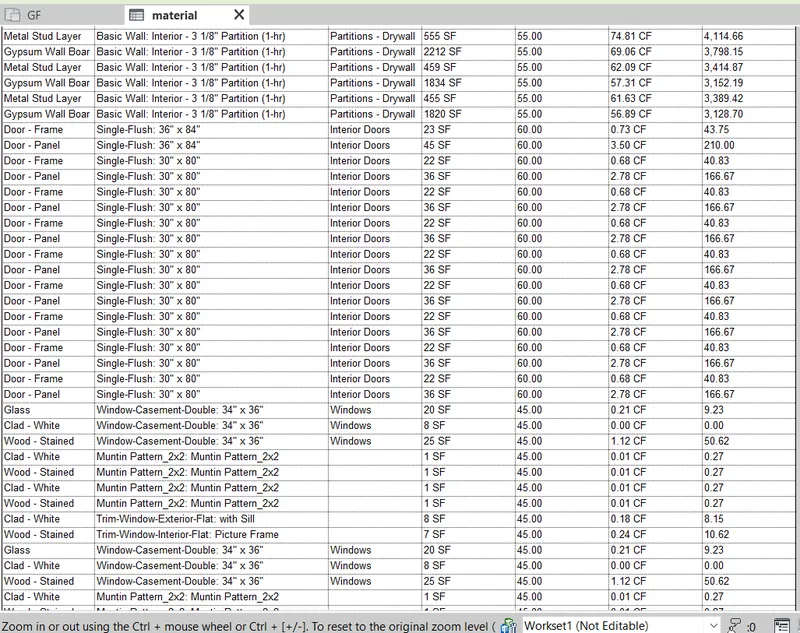
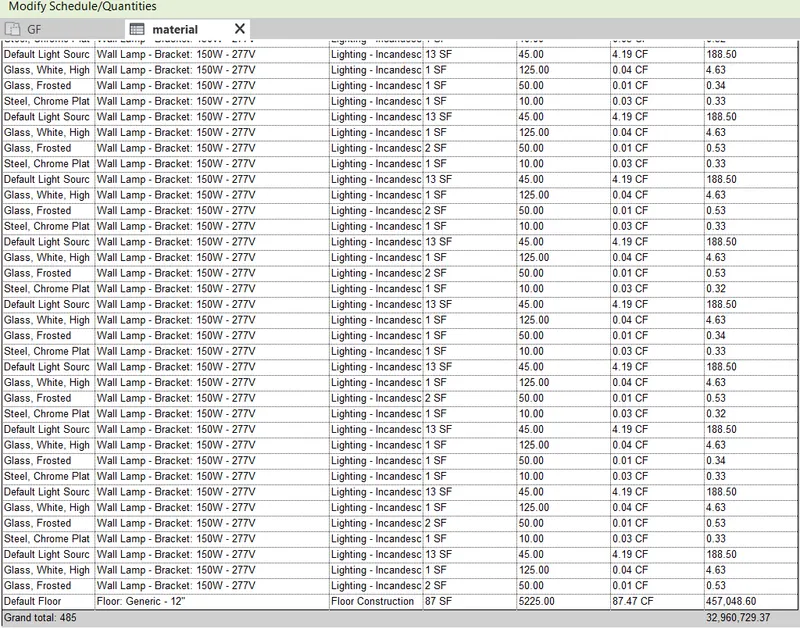
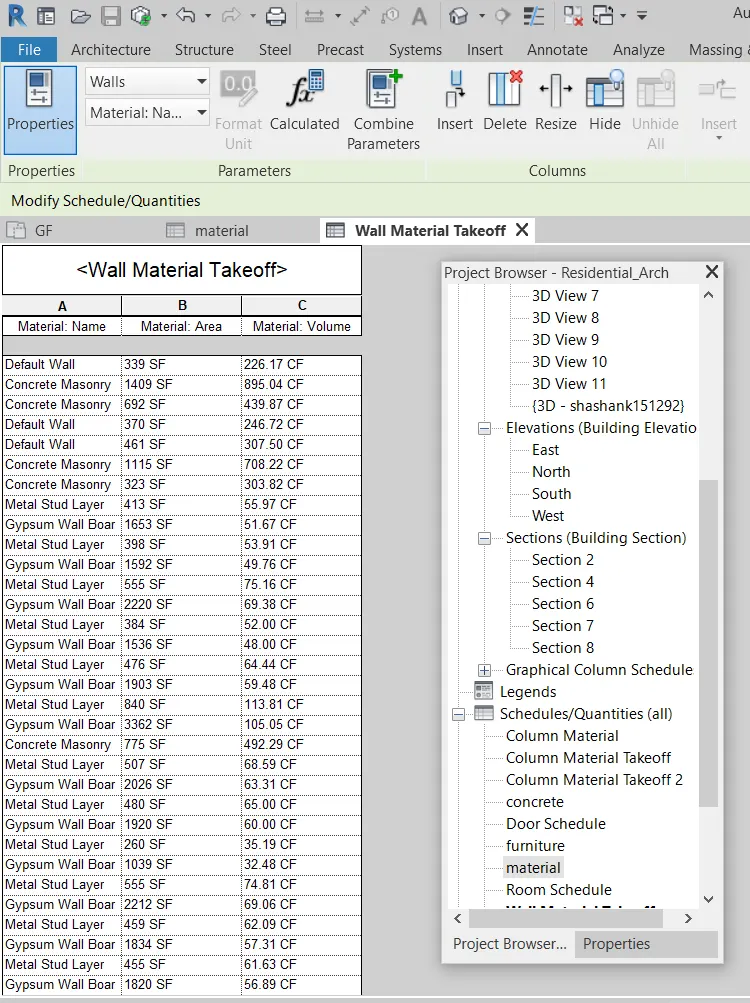
P.S Here I have put two materials takeoff we can make similar to others material schedule with the same procedure.
5) Using the concept of Visual Programming discussed in class, list a flowchart for the following scenario
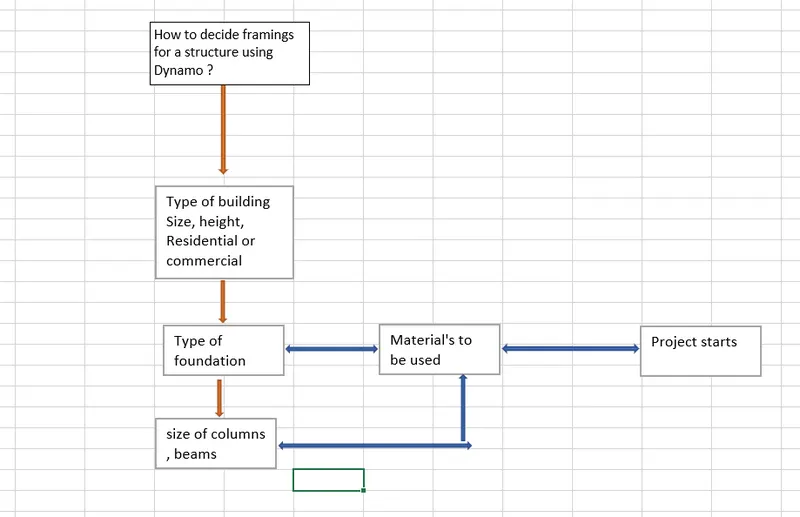
a. How to decide framings for a structure using Dynamo ?
b. If there is no water coming from the pipes
c. If request for money from client has been declined for the project
Ans:-
a. Framing structure of the building or project is as follows;-
b. Flow chart for pipes are as follows:-
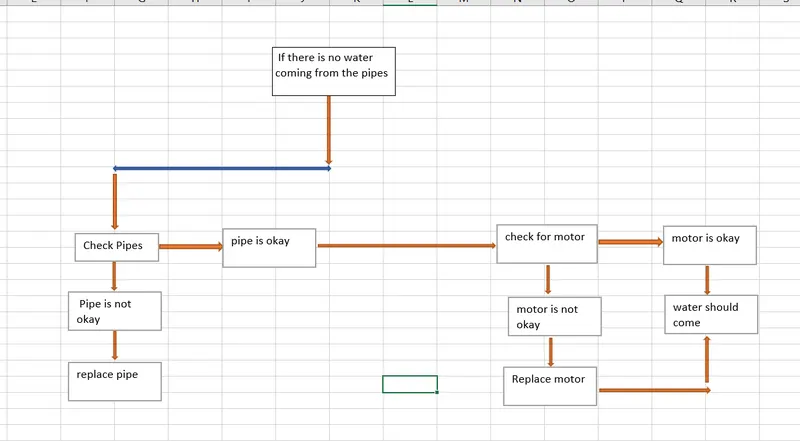
c. Flow chart for request of money from client for a project is as follows:-
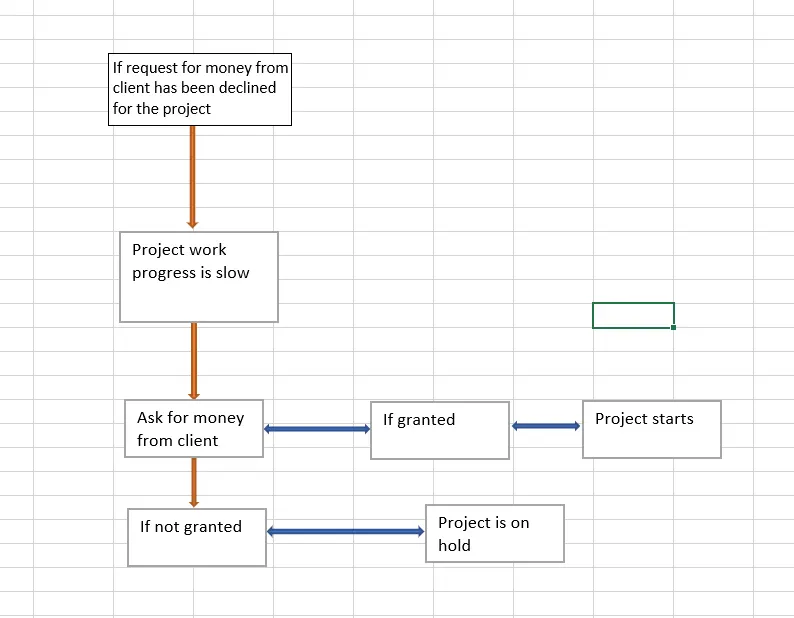
6) List the parameters associated with each model element
a. Wall
b. Floor
c. Door
d. Window
e. Table
f. Building
Ans:- Parameters associated with each model elements are
a. walls
- Type of wall
- Length
- Width
- Height
- Material used
- cost
- Thickness
b. Floor
- Type of floor
- Length
- Width
- Area
- Volume
- Cost
- Thickness
c. Doors
- Height of sill
- Length
- Width
- Materials
- Type of door
- Height of lintel
- Thickness
d. Windows
- Height of sill
- Length
- Width
- Materials
- Type of window
- Height of lintel
- Thickness
e. Table
- material
- Purpose of table
- Length
- Width
- Material
- Height
f. Building
- Type of building
- No. of floors
- Height
- Width
- Area
- Material
- Loads on buildings
- Location