Quick Return Mechanism Assembly
QUICK RETURN MECHANISM
AIM:
To create a 3 D Solid CAT Part files using 2 D Sketch, also to solve the sketches with fully (ISO) constrained and also to create a 2 D Drafting sheet from the solid CAT part and Assembly Product with the Frame and Tittle Block
OBJECTIVE:
- To draw the 2-D sketch in CATIA by using the Positioned sketch in Sketcher Workbench.
- To create a Solid CAT Part using Part Workbench with Sketch based feature and Dress up features.
- To create a complete Assembly for Quick Return Mechanism using Assembly Workbench.
- To create a complete Assembly for CV Joint using Assembly Workbench.
- To create a 2D Draft sheet using Drafting workbench.
- To follow the Design standards and to Align the views in a proper way.
- To Import the Frame/Border and Tittle Block in the 2D draft sheet to locate the drawing inside the sheet to guide.
- To Dimensionate the 2D using the feature in the Drafting workbench.
ASSEMBLY WORKBENCH:
The assembly workbenches use constraints and expressions to create relationships between the objects in model,in order to mathematically tie the objects in place.
The components are brought together and assembled in Assembl
y Design workbench by applying suitable parametric assembly constraints to them. The assembly constraints allow you to restrict the degrees of freedom of components on their respective work positions. The assembly files in CATIA are called Product files.
CONSTRAINTS:
The constraint is used to arrest the Degeress of Freedom (DOF) along x, y and z axis iin translational and rotational movements. Constraints can also be manually applied after the sketch geometry exists to stabilize sketch shape or position.
TYPES OF CONSTRAINTS:
(1). Dimensional Constraints.
(2). Geometrical Constraints.
(1). DIMENSIONAL CONSTRAINT:
A dimensional constraint is a constraint whose value determines geometric object measurement.
For example:
It control the length of a line, or the distance between two points.
(2). GEOMETRICAL CONSTRAINT:
A geometric constraint is a relationship that forces a limitation between one or more geometric elements.
For example:
A geometric constraint requires that two lines be parallel. If three lines are selected, or two lines and a point, these elements will automatically result parallel to each others.
DRAFTING:
The Drafting is a engineering drawing, graphical representation of structures, machines, and their component parts that communicates the engineering intent of a technical design to the craftsman to makes the product.
PROJECTIONS:
Projection methods are used to represent a 3D object in simple terms so that it can be understood more easily. It’s used in mechanical drawing and design so that the structure created by a designer can be communicated to manufacturers.
FRAMES AND TITTLE BLOCK:
A border/ Frame is a line drawn around the inside edge of the paper. It is basically a rectangle drawn precisely and inside this rectangle is the design area.
A title block is comprised of the information boxes found on the bottom right- hand corner of a drawing, which indicate drawing details such as the title, author name, scale, and date the drawing was created and informations.
QUICK RETURN MECHANISM -PART-1
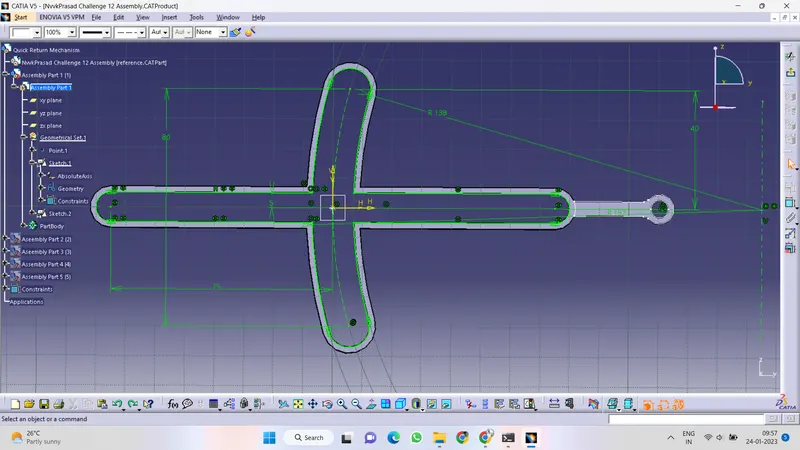
ISO CONSTRAIN SKETCH:
All the degrees of freedom of a geometry have been taken up by a consistent combination of dimensions and fixed geometry, that geometry is said to be iso-constrained/ fully defined.
In two dimensions, points and lines have two degrees of freedom, circles have three and ellipses have five degrees of freedom. Fixed geometry will never be moved, and has no degree of freedom. Arresting all DOF from the origin then the sketch will be iso constrained.
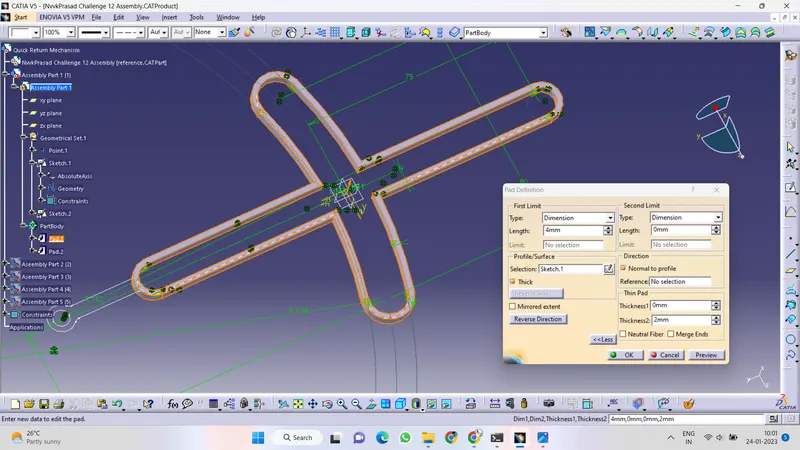
PAD FEATURE:
Pad command is a 3D sketching tool that allows to create sketches to extrude on the defined range of dimensions. Creating a pad means extruding a profile or a surface in one or two directions. The application lets choose the limits of creation as well as the direction of extrusion. By using a 2D closed profile, the Dimension and Mirrored extent options the extrusion as been done.
2 -D DRAFT SHEET:
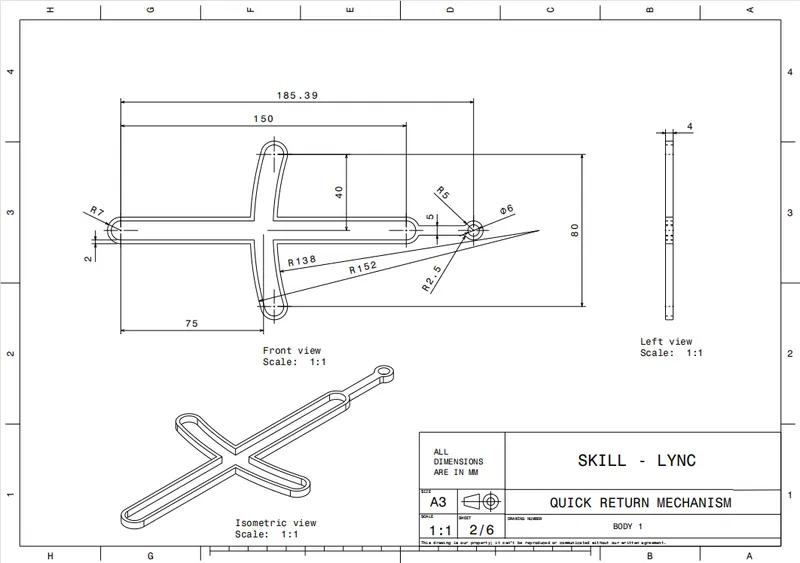
By using the Drafing Workbench the Quick Return Mechanism- Body -1 are drafted in Front View, Isometric view, Side view and Top View and using the detailed view the complex dimensions are scaled and Dimensioned in a proper way.
QUICK RETURN MECHANISM - PART -2:
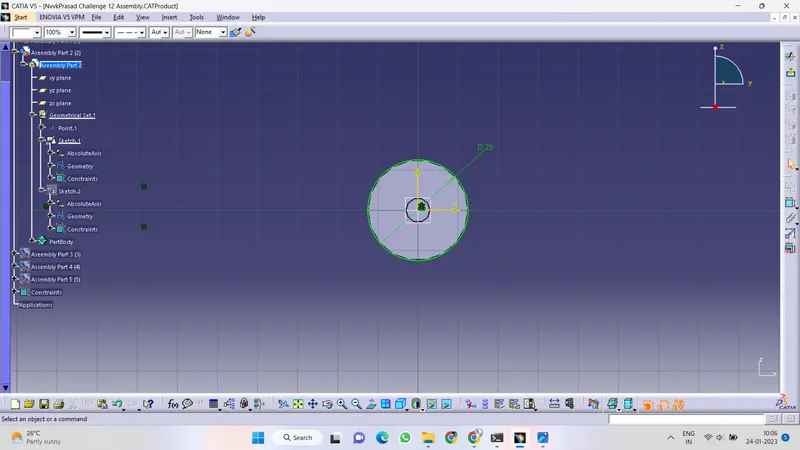
ISO CONSTRAIN SKETCH:
All the degrees of freedom of a geometry have been taken up by a consistent combination of dimensions and fixed geometry, that geometry is said to be iso-constrained/ fully defined.
In two dimensions, points and lines have two degrees of freedom, circles have three and ellipses have five degrees of freedom. Fixed geometry will never be moved, and has no degree of freedom. Arresting all DOF from the origin then the sketch will be iso constrained.
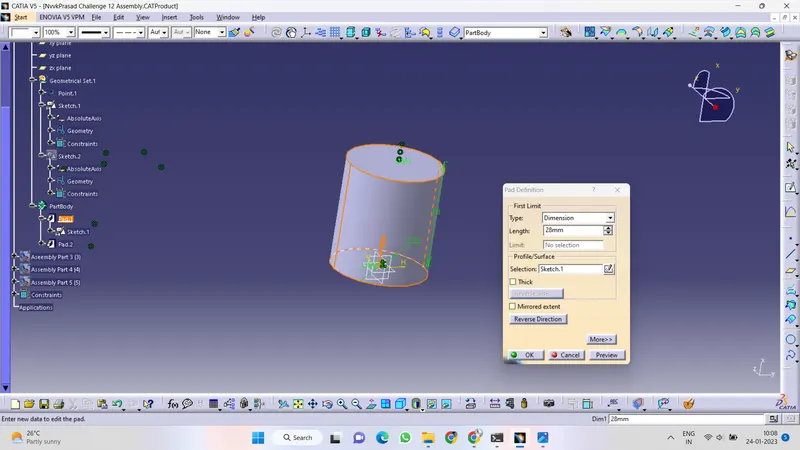
PAD FEATURE:
Pad command is a 3D sketching tool that allows to create sketches to extrude on the defined range of dimensions. Creating a pad means extruding a profile or a surface in one or two directions. The application lets choose the limits of creation as well as the direction of extrusion. By using a 2D closed profile, the Dimension and Mirrored extent options the extrusion as been done.
2 -D DRAFT SHEET:
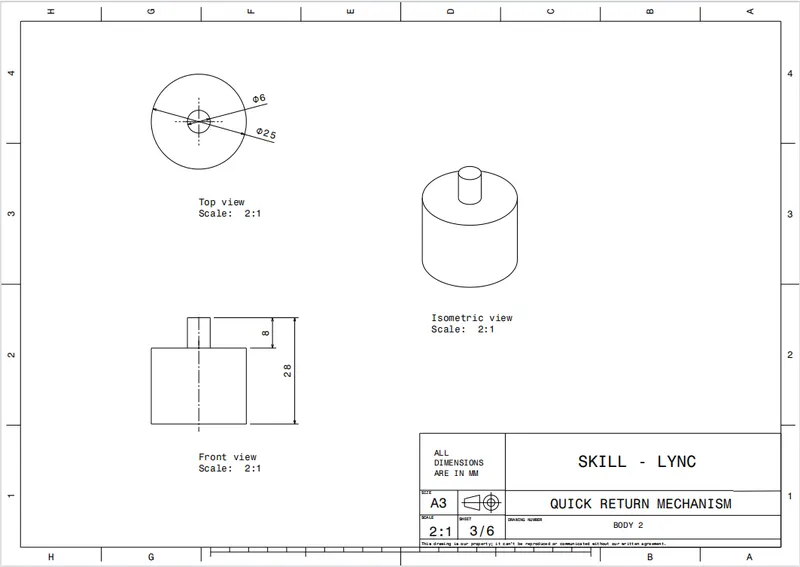
By using the Drafing Workbench the Quick Return Mechanism- Body -2 are drafted in Front View, Isometric view, Side view and Top View and using the detailed view the complex dimensions are scaled and Dimensioned in a proper way.
QUICK RETURN MECHANISM -PART -3:
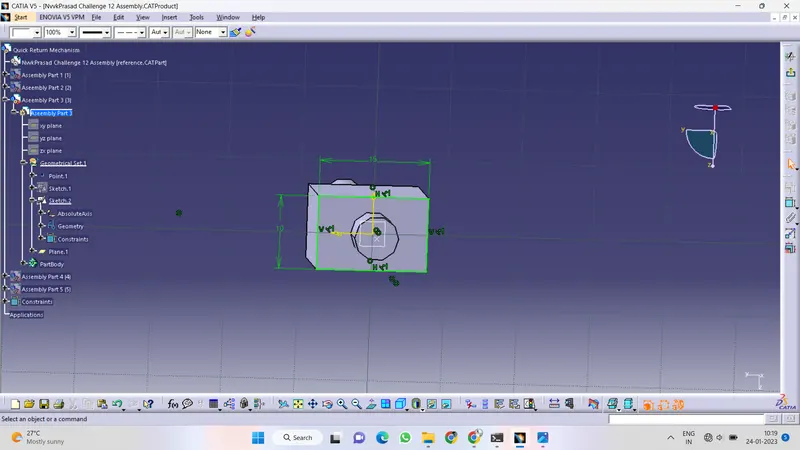
ISO CONSTRAIN SKETCH:
All the degrees of freedom of a geometry have been taken up by a consistent combination of dimensions and fixed geometry, that geometry is said to be iso-constrained/ fully defined.
In two dimensions, points and lines have two degrees of freedom, circles have three and ellipses have five degrees of freedom. Fixed geometry will never be moved, and has no degree of freedom. Arresting all DOF from the origin then the s sketch will be iso constrained.
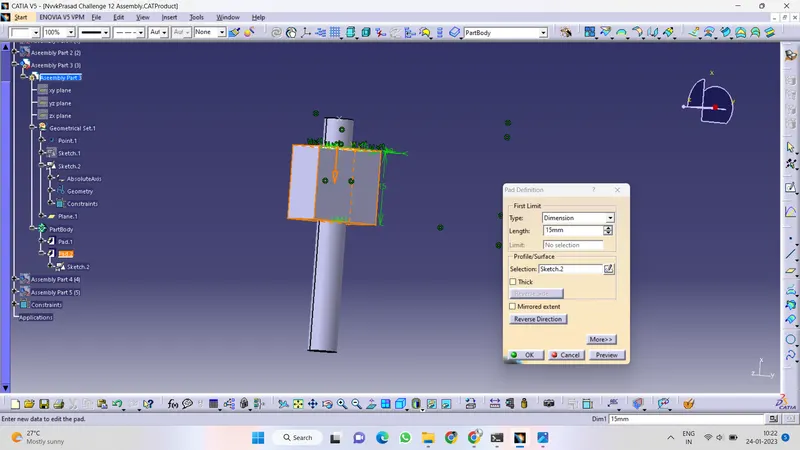
PAD FEATURE:
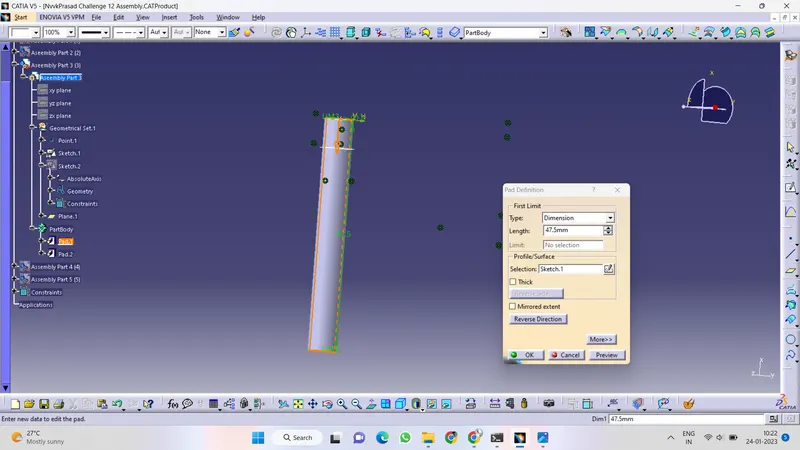
Pad command is a 3D sketching tool that allows to create sketches to extrude on the defined range of dimensions. Creating a pad means extruding a profile or a surface in one or two directions. The application lets choose the limits of creation as well as the direction of extrusion. By using a 2D closed profile, the Dimension and Mirrored extent options the extrusion as been done.
2 -D DRAFT SHEET:
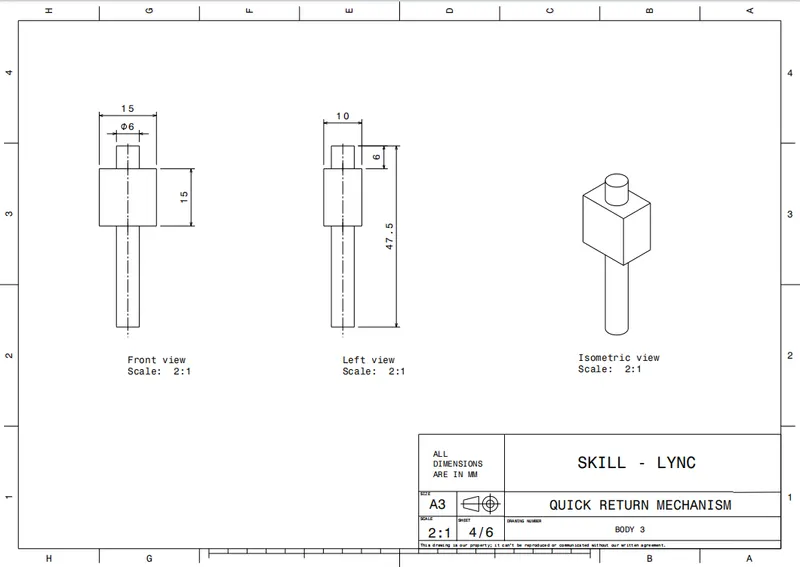
By using the Drafing Workbench the Quick Return Mechanism- Body -3 are drafted in Front View, Isometric view, Side view and Top View and using the detailed view the complex dimensions are scaled and Dimensioned in a proper way.
QUICK RETURN MECHANISM -PART-4:
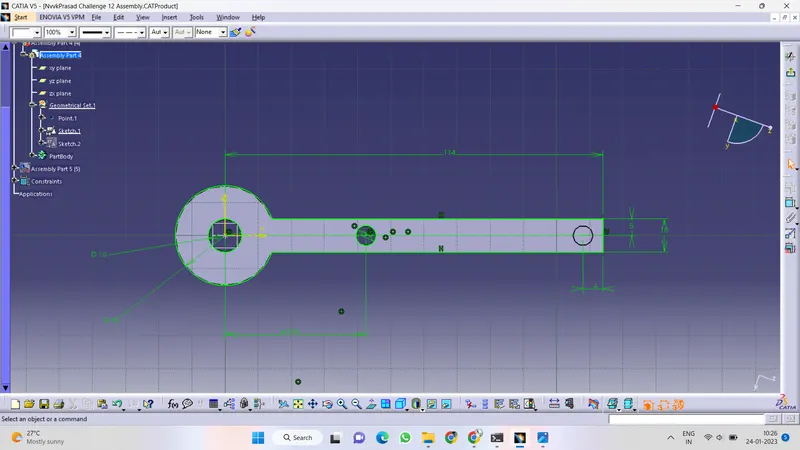
ISO CONSTRAIN SKETCH:
All the degrees of freedom of a geometry have been taken up by a consistent combination of dimensions and fixed geometry, that geometry is said to be iso-constrained/ fully defined.
In two dimensions, points and lines have two degrees of freedom, circles have three and ellipses have five degrees of freedom. Fixed geometry will never be moved, and has no degree of freedom. Arresting all DOF from the origin then the sketch will be iso constrained.
PAD FEATURE:
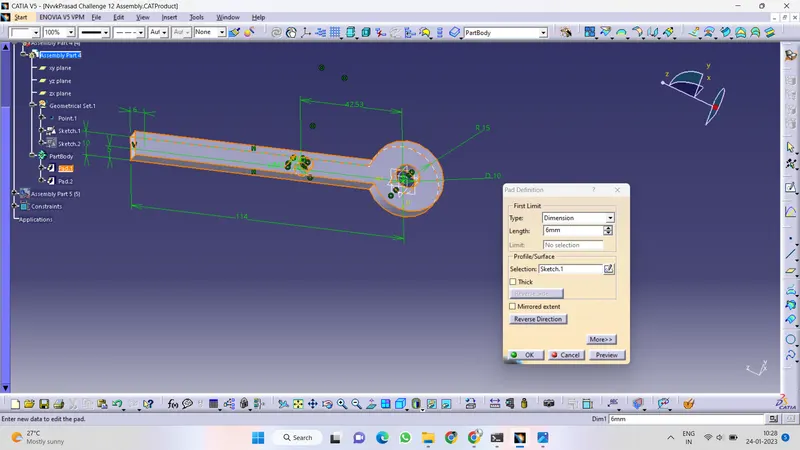
Pad command is a 3D sketching tool that allows to create sketches to extrude on the defined range of dimensions. Creating a pad means extruding a profile or a surface in one or two directions. The application lets choose the limits of creation as well as the direction of extrusion. By using a 2D closed profile, the Dimension and Mirrored extent options the extrusion as been done.
2 -D DRAFT SHEET:
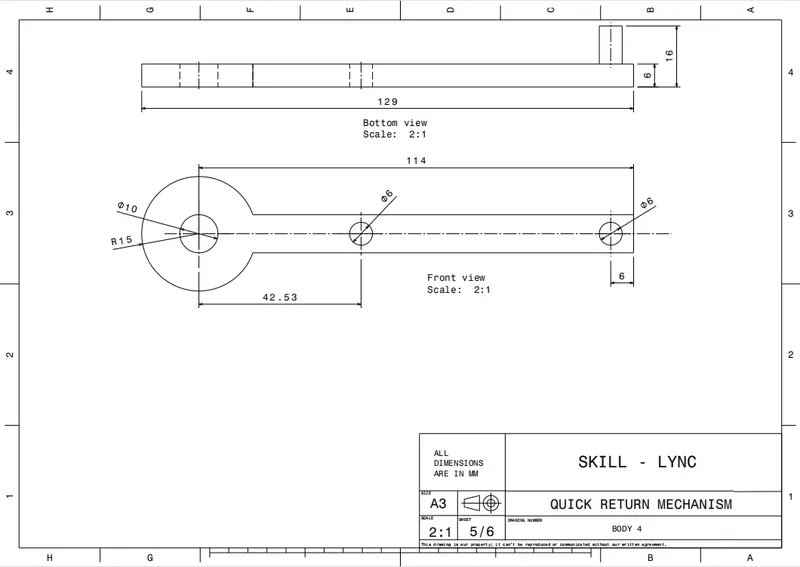
By using the Drafing Workbench the Quick Return Mechanism- Body -4 are drafted in Front View, Isometric view, Side view and Top View and using the detailed view the complex dimensions are scaled and Dimensioned in a proper way.
QUICK RETURN MECHANISM -PART -5:
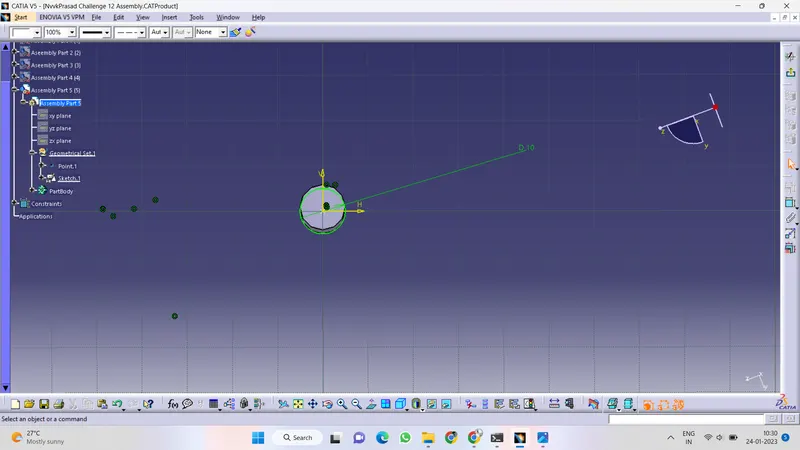
ISO CONSTRAIN SKETCH:
All the degrees of freedom of a geometry have been taken up by a consistent combination of dimensions and fixed geometry, that geometry is said to be iso-constrained/ fully defined.
In two dimensions, points and lines have two degrees of freedom, circles have three and ellipses have five degrees of freedom. Fixed geometry will never be moved, and has no degree of freedom. Arresting all DOF from the origin then the sketch will be iso constrained.
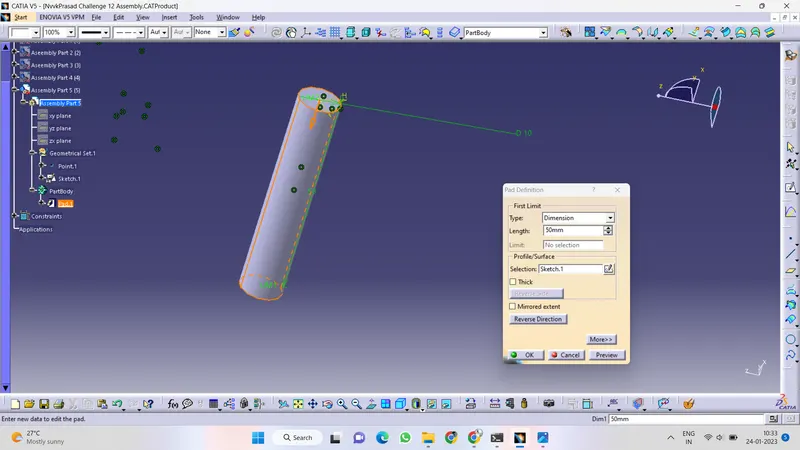
PAD FEATURE:
Pad command is a 3D sketching tool that allows to create sketches to extrude on the defined range of dimensions. Creating a pad means extruding a profile or a surface in one or two directions. The application lets choose the limits of creation as well as the direction of extrusion. By using a 2D closed profile, the Dimension and Mirrored extent options the extrusion as been done.
2 -D DRAFT SHEET:
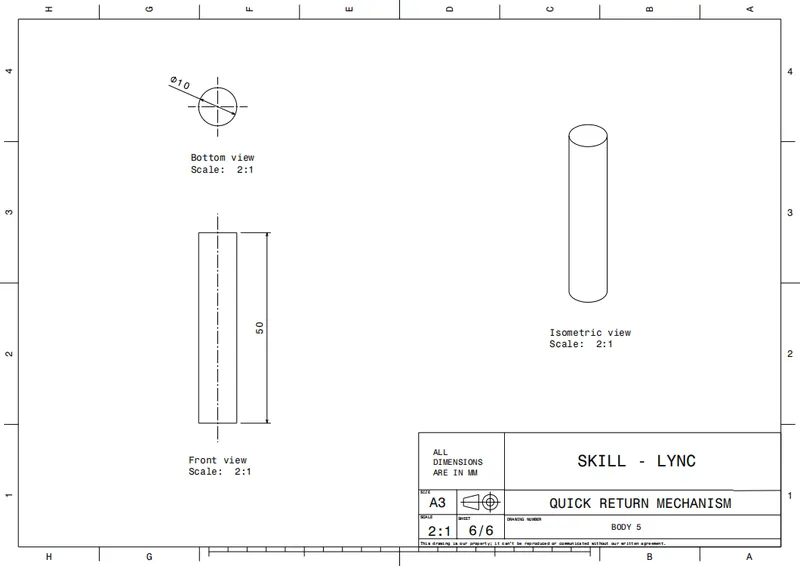
By using the Drafing Workbench the Quick Return Mechanism- Body -5 are drafted in Front View, Isometric view, Side view and Top View and using the detailed view the complex dimensions are scaled and Dimensioned in a proper way.
QUICK RETURN MECHANISM - ASSEMBLY
CREATING REFERENCE PARENT:
In the Assembly Workbech, THe reference skelton/ parent planes and Reference points are been created, in which by using the excesting part features the created solid CAT Parts are been gathered together in an assembly Workbenchs.
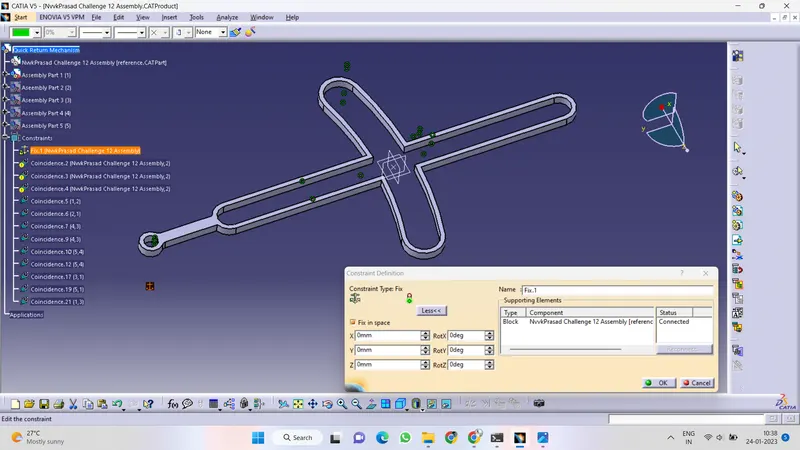
By using the Fix Constraint the reference points are been fixed by which all the DOF are been arrested, preventing this component from moving from its parents during the update operation. The component is fixed by selecting one of its geometrical element at least.
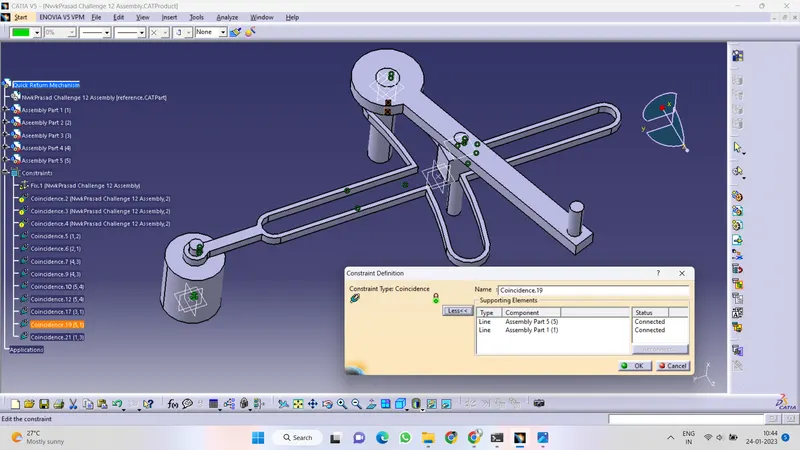
COINCIDE CONSTRAINT:
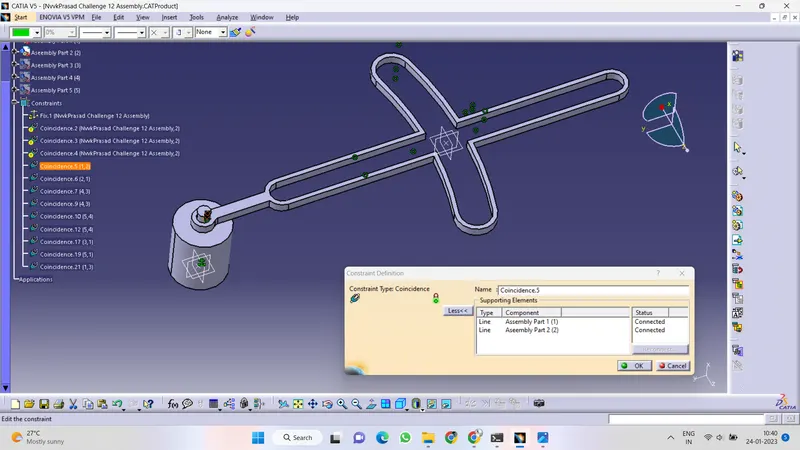
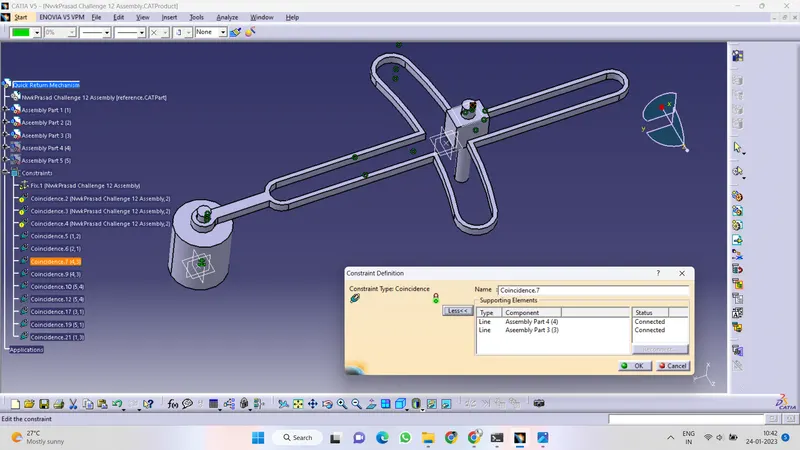
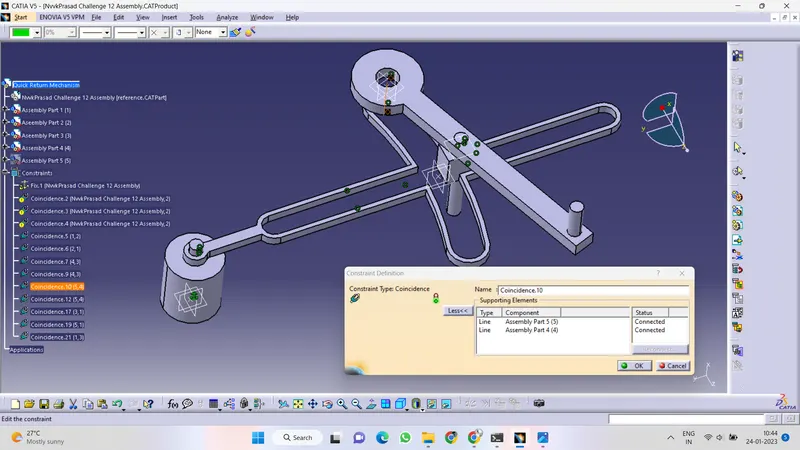
Coincidence constraints are used to align elements. Depending on the selected elements, you may obtain concentricity, coaxiality or coplanarity. By which the Axis are been selecetd andconstrained accordingly.
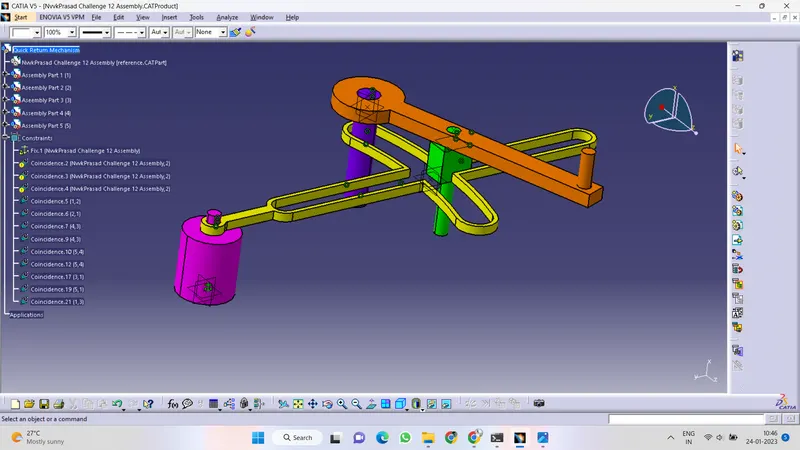
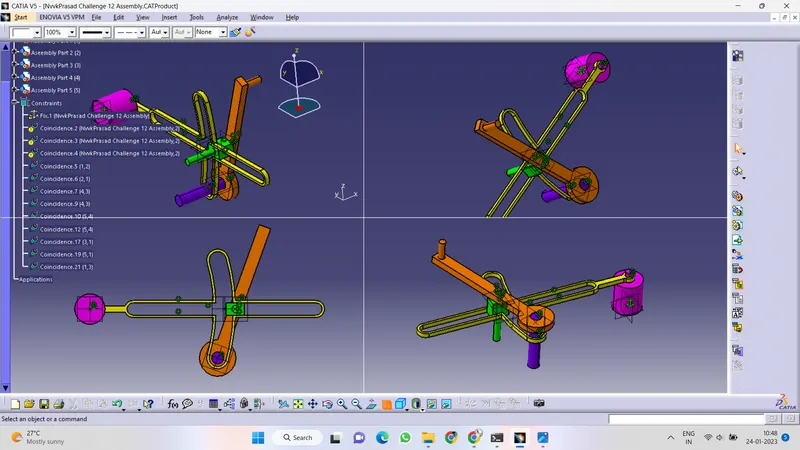
ISOMETRIC VIEW, FRONT VIEW, SIDE VIEW AND BOTTOM VIEW:
2 -D DRAFT SHEET:
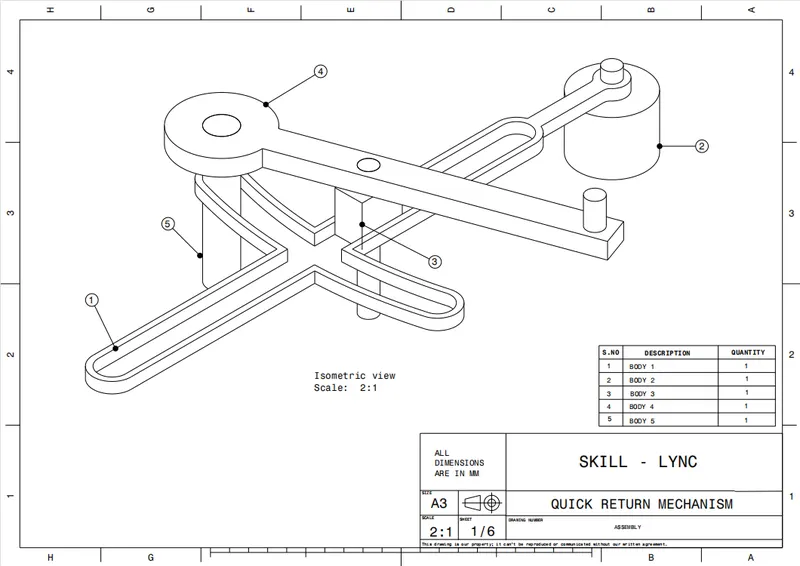
By using the Drafing Workbench the Quick Return Mechanism- ASSEMBLY are drafted in Isometric view using the detailed view the complex dimensions are scaled and Dimensioned in a proper way