Project3- Non-linear dynamic analysis using SolidWorks Simulation
Aim: To perform the non-linear dynamic analysis of sheet metal during the punching operation in SolidWorks.
Objective: To analyze the stress, strain and displacement which are developed in sheet metal (plate) during the simulation of the CAD model for the punching operation.
Introduction:
Myself Keval N. Patel. In this project we are going to perform the non-linear dynamic simulation of sheet-metal during the punching operation.
So the question is WHAT IS PUNCHING OPERATION?
Punching is the machining process in which the material here in this case sheet metal is deformed by the punch. The sheet metal is placed between the die and punch, then punch is forced to move on the sheet metal by means of punch press to get the desired deformed shape.
SIMULATION:
- Simulation is the process of performing the test on CAD model which replicates the actual experimental test.
- Simulation reduces the expense of industries for performing the actual experimental test. For example, the crash test of car which manufacturing industries are performing on the actual model of car.
Performing that test on software considerably reduces the number of iterations of the actual test performed on that car. We can get that crash test done on software like SolidWorks which we are going to use and considerably reduce the expense of the industries.
- However there are some basic requirements for the testing to be done.
It requires the CAD model which replicates the original model.
Initial conditions must be applied to the CAD model.
- Simulation still is an approximate solution but as I discussed earlier that it can reduce the number of actual experimental test.
Finite element analysis (FEA)
- Method to solve engineering problems
- Method to solve engineering problems
- Analytical method
- Experimental method
- Numerical method
- Analytical method-
- Use of mathematical formula which is derived by yourself or someone other like sir Issac newton formula of gravitational force.
- Assumptions are made in analytical solution.
- Easier to solve some basic problems but for complex problems numerical method like FEA is preferred.
- Experimental method-
- performing manual experiment and recording solution.
- Numerical method-
- Uses mathematical tools to acquire approximate solution.
- Problems are divided into small segments and the calculation for each small segments is done to get the final solution of the problem.
- Numerical method i.e. FEA may seems to be more complex than analytical solution but the calculations of each segments are not manually done but done by some software. But we have to provide the software the CAD model and the initial boundary conditions.
- Saves money and time as the operations like car crash tests are being performed on a software which if performed experimentally the expense would be high.
- But one thing to remember that FEA is also an approximate solution and it totally depends on the CAD model prepared and the intial conditions applied in the software.
Basic steps in analysis:
- Pre-processing
- Checking of CAD model geometry
- Meshing- means dividing the CAD model into small segments. The process is called Discretization.
- Applying boundary conditions for simulation.
- Softwares which are especially designed for pre-processing are hypermesh, NASTRAN, etc.
- Processing
- is the actual running of the test on any CAD software. The software does all the calculations in the backend we don’t have to perform the calculations.
- Softwares like Ansys
- Post-processing
- Is the results we obtained after performing above two tests and analyze it for modification for better design.
Materials applied to punch die and the plate is alloy-steel.
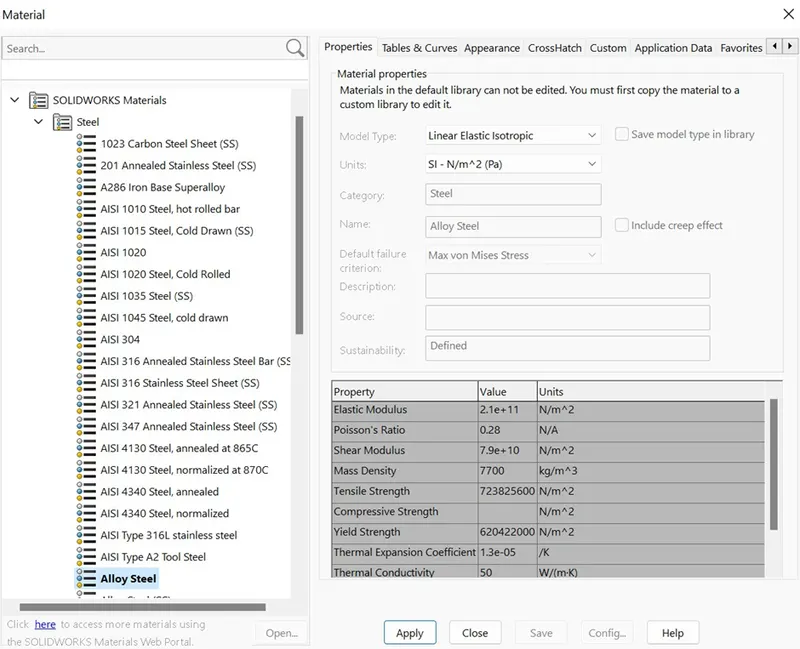
Fig 1 indicates the material property applied to punch, plate and die
CASE1(Penetration condition): SIMULATION TEST OF PUNCHING OPERATION ON SHEET-METAL IN SOLIDWORKS:
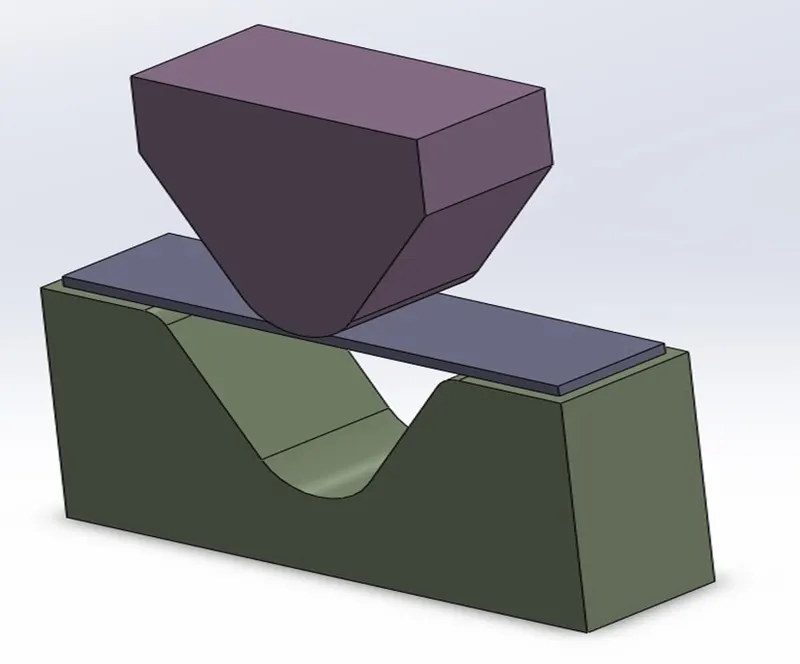
Fig-1.1 Setup (CAD Model of Punch, sheet-metal and die) in
SolidWorks software.
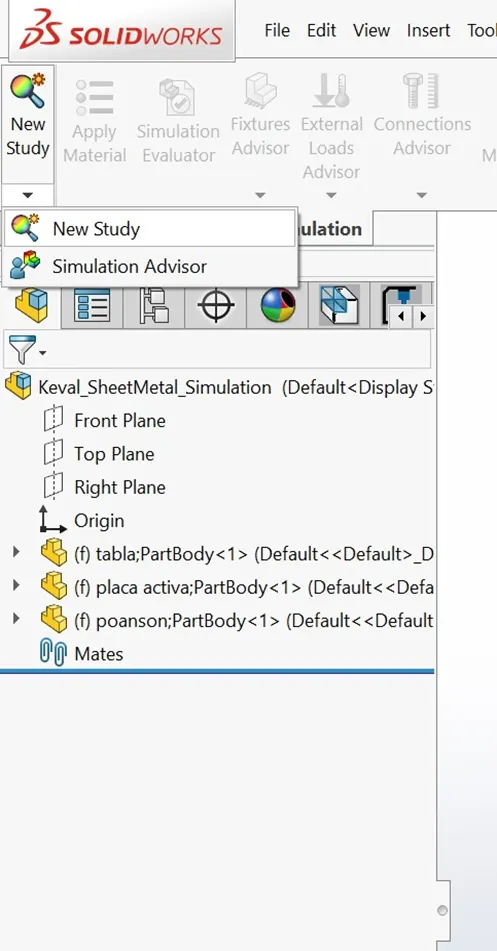
Fig 1.2 creating new study in simulation
Environment of SolidWorks
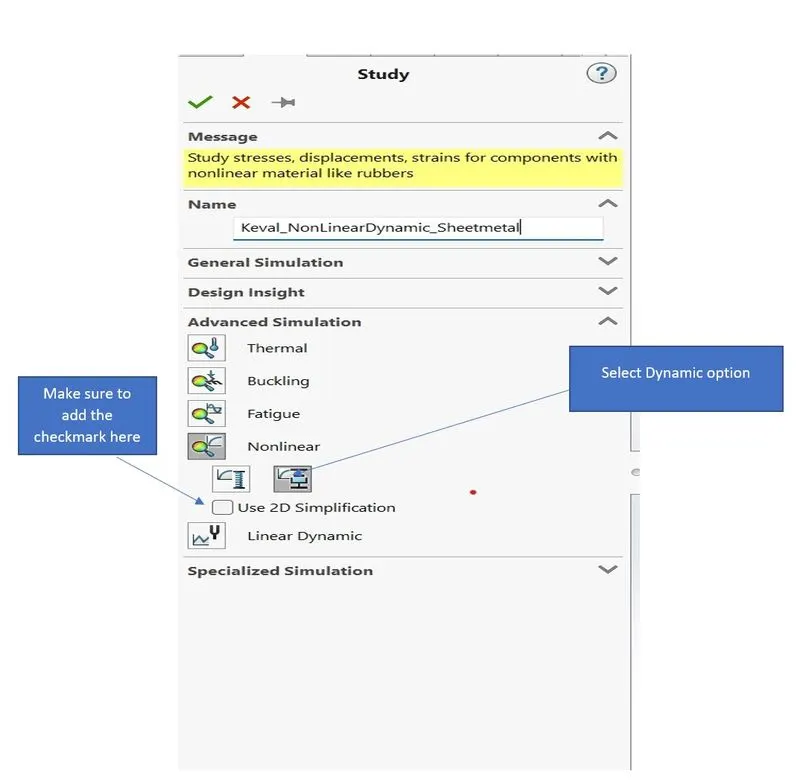
Fig 1.3 Selection of nonlinear dynamic study with 2D-simplification
Why 2D simplification?
To create the simplified 3D version of the given CAD model. Because the part is symmetric and hence performing the study on 3D model will take more time and it is not necessary.
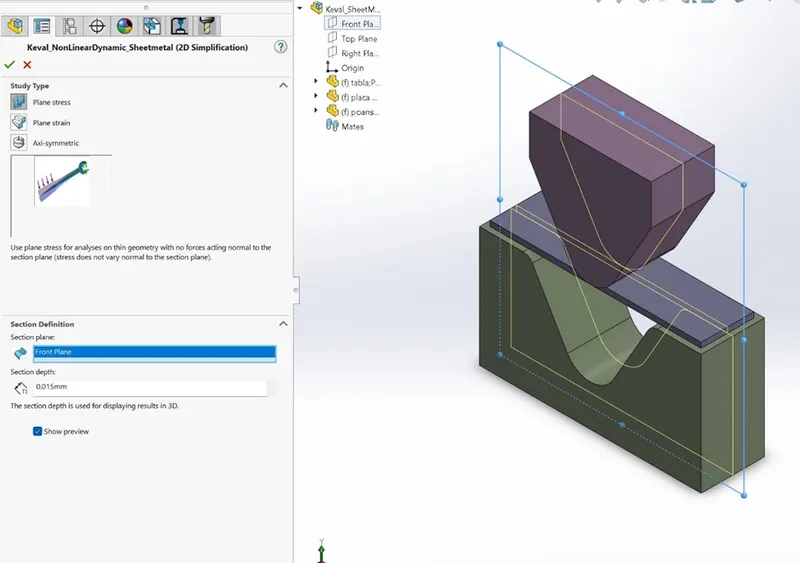
Fig 1.4 indicates the step of 2D simplification
As the part is symmetric, we will do 2D simplification of the model by selecting the front plane and giving the section depth of 0.015.
After the 2D simplification process, I have applied the material Alloy steel to all the 3 parts punch, sheet-metal and die.
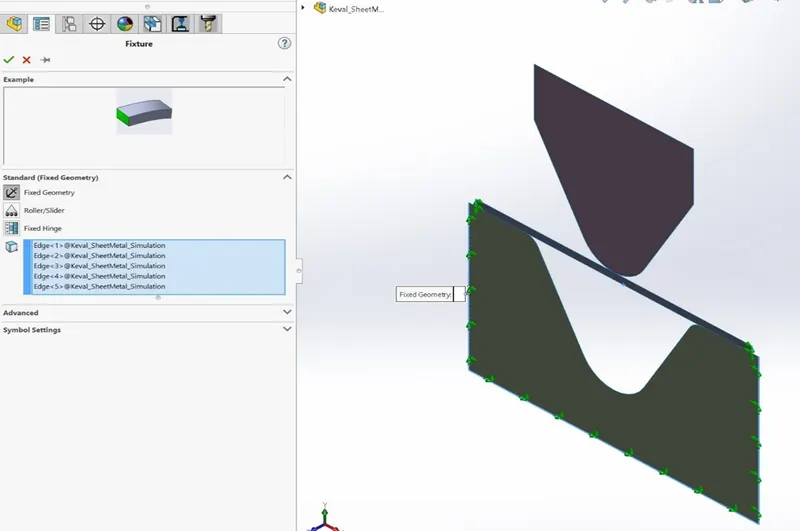
Fig 1.5 Setting up the fixtures
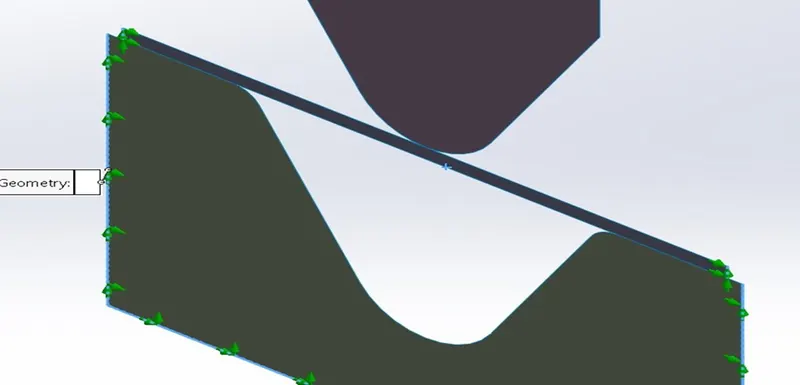
Fig 1.6 Zoom view of previous fig1.5 indicating the fixed geometry applied to the edges of die and sheet-metal
Fixed Geometry:
To replicate the industrial procedure of punching operation, here I have fixed the die by applying fixture i.e. fixed geometry to the 3 edges of die and 2 side edges of sheet-metal plate to prevent it from sliding.
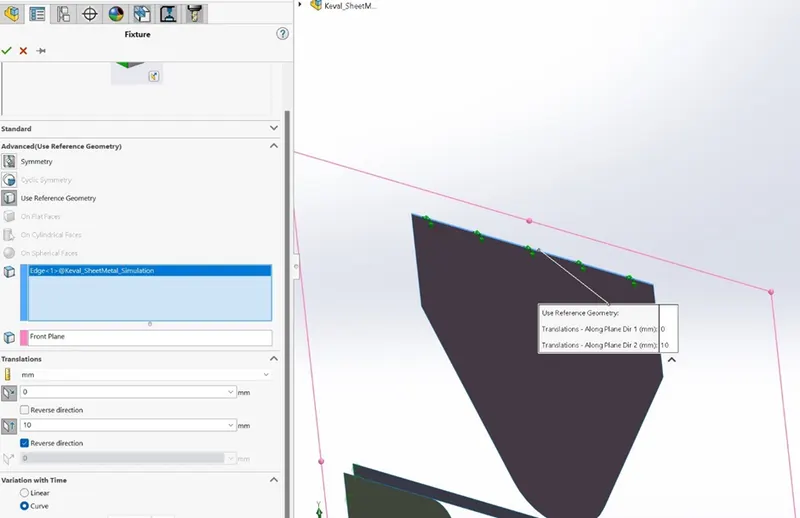 Fig 1.7
As shown in fig 1.7 to give the translational movement to the punch I have applied 10mm displacement which is acting downwards.
Meshing:
As it is a 2D simplified model no need to apply meshing.
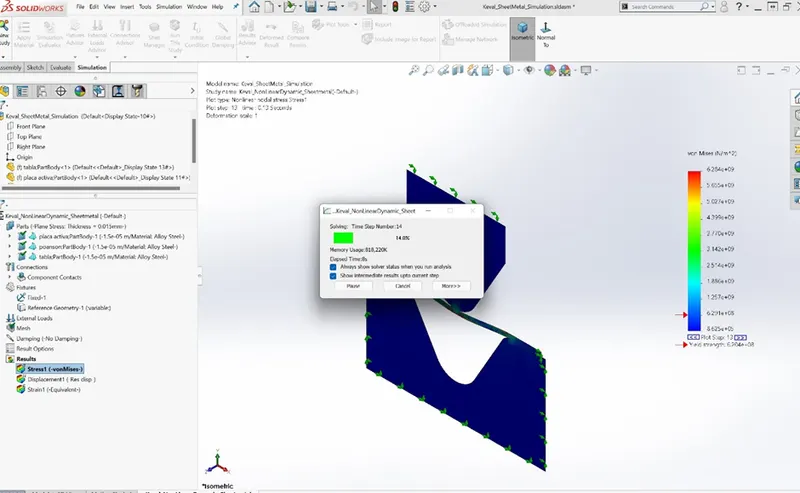
Fig1.8 Running of simulation study
Results of CASE 1 (penetration condition):
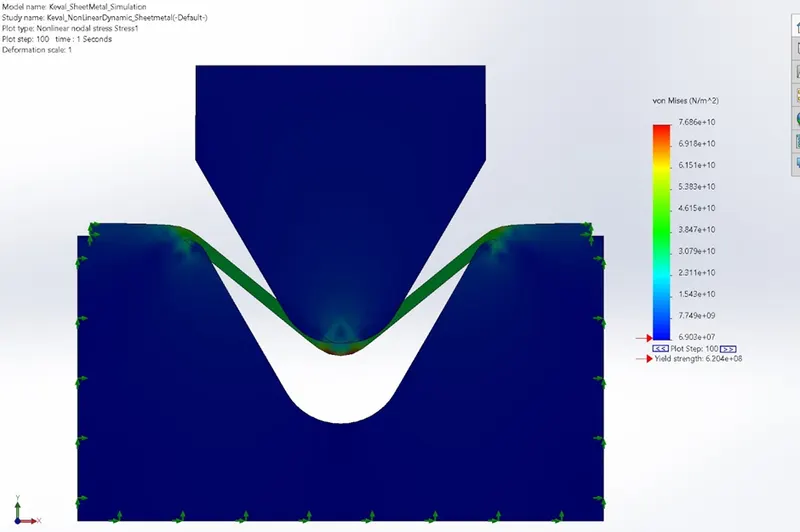
Fig 1.9 Result of von-mises stress (Case1-pentration condition)
As shown in the figure the punch gets penetrated into the sheet-metal plate and sheet-metal also penetrated into the die at the 2 edges.
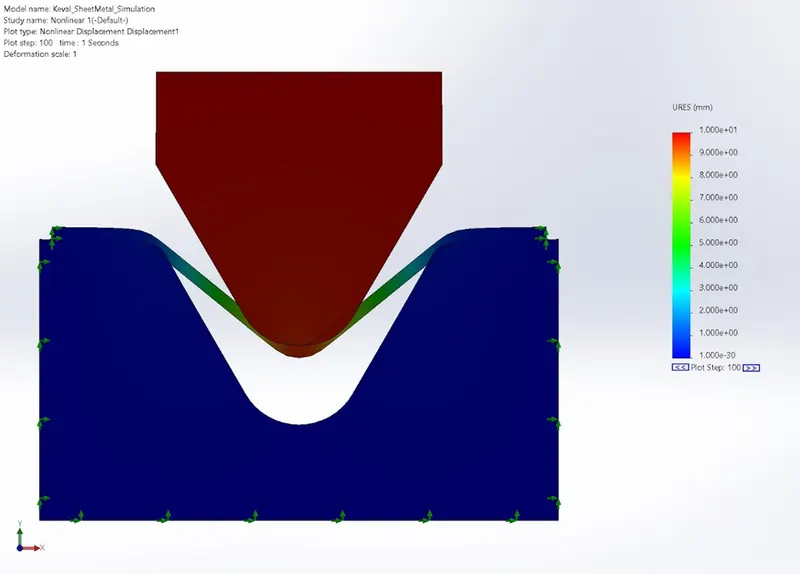
Fig1.10 Displacement result (Case1-penetration condition)
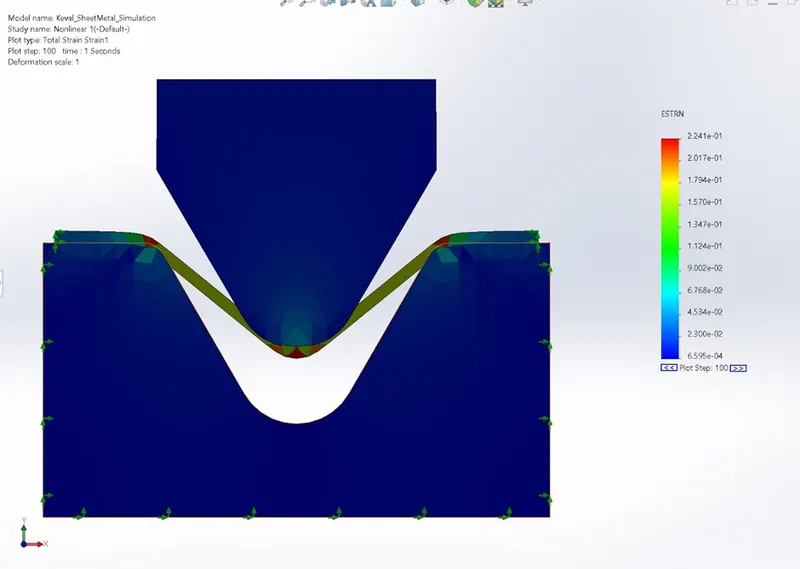
Fig1.11 Strain result (Case1-penetration condition )
CASE 2: (No penetration condition):
As we have seen in the case1 that the punch tool get penetrated into the sheet metal and sheet metal into the die.
So here comes into play the no penetration condition which is applied by right click on the component contacts and selecting the contact set.
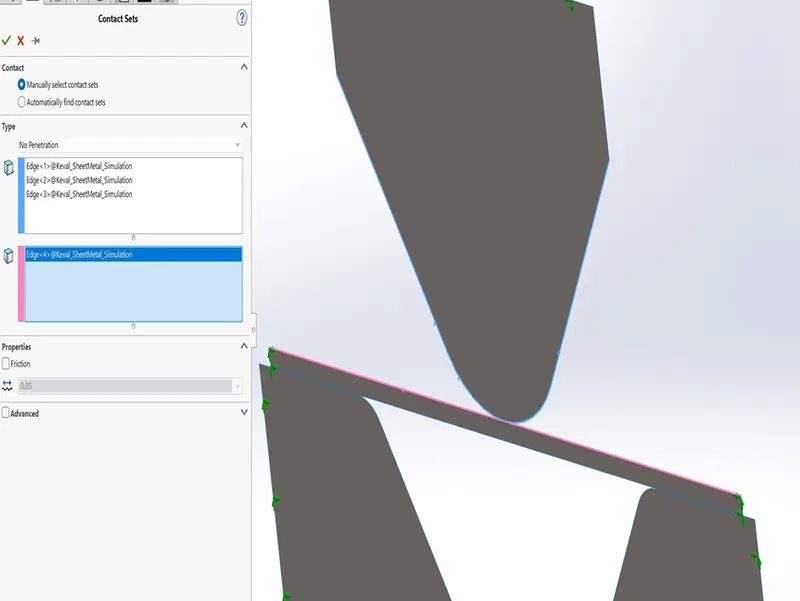
Fig 1.12 contact sets applied to the punch and upper edge of sheet metal plate
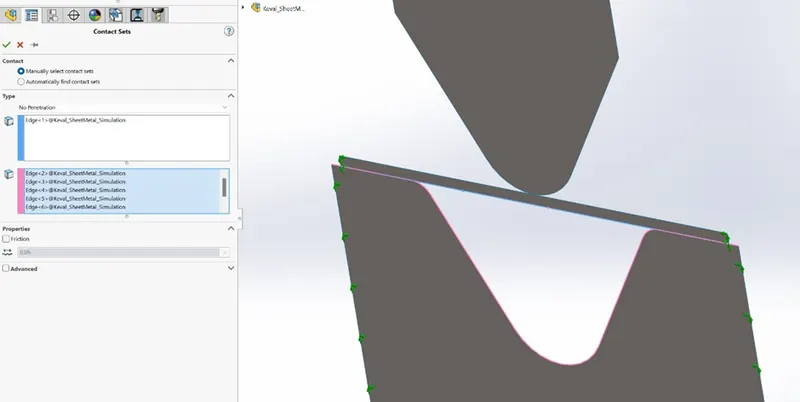
Fig1.13 contact sets applied to lower edge of sheet-metal plate and die
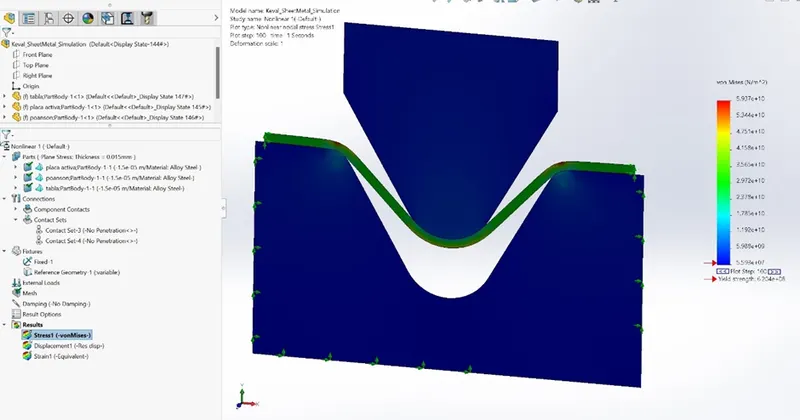
Fig1.14 Result of von-mises stress (Case2: No penetration condition)
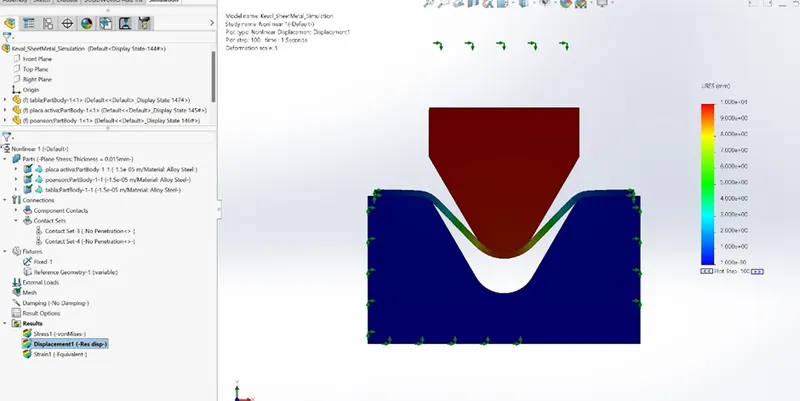
Fig 1.15 Result of Displacement (Case2: No penetration condition)
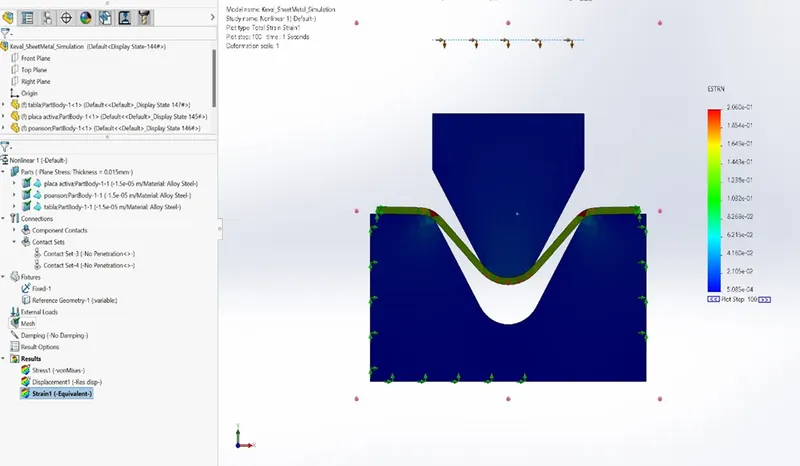
Fig1.16 Results of strain (Case 2: No penetration condition)
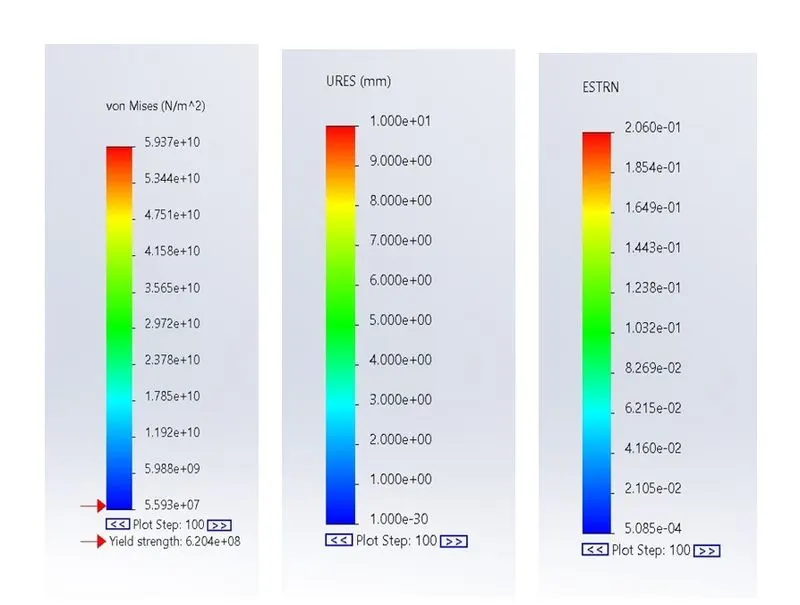
Fig 1.17 Comparison of Von-mises stress, displacement and Strain
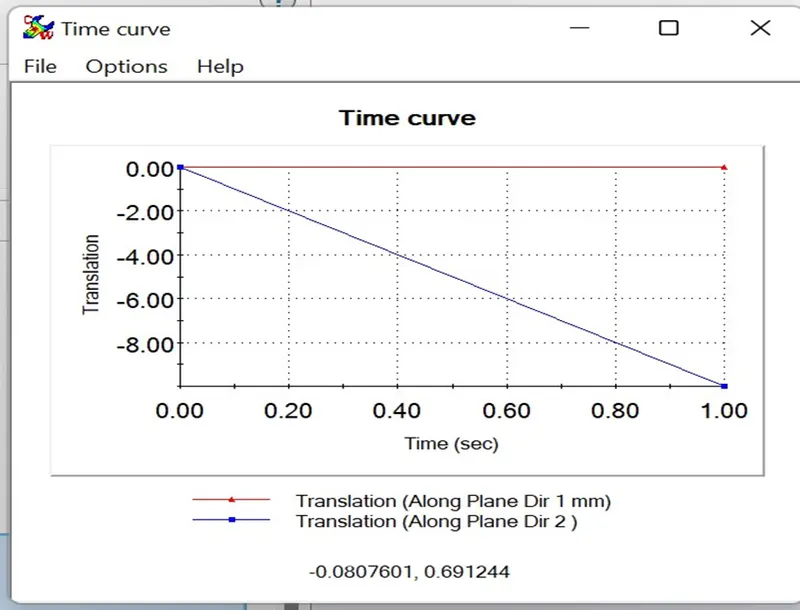
Fig 1.18 Time vs Translation curve
Explanation of graph:
- X-axis indicates the Time in seconds and Y-axis the translation (Displacement) in mm.
- At 0 second the translation will be 0
- At 0.50 second the translation will be 5mm.
- At 1 Second the translation will be 10mm.
- Negative sign indicates the downward movement of the punch.
Conclusion:
As the Von-mises stress is 5.937e+10 > yield strength 6.204e+10 i.e. the Von-mises stress is more than the yield strength of material (Alloy steel) the material will fail and and will have the property of plasticity.