Project-4 Buckling analysis in SolidWorks Simulation
Aim: To perform a simple buckling test on a cyclonic separator stand in SolidWorks Simulation.
Objective: To do the buckling analysis on cyclonic separator stand using two different cases:
- Case 1: The first buckling study will be performed without any stiffener.
The main purpose of performing this analysis is to know how the stand will behave without stiffener and notice the buckling factor of safety or load factor.
- Case 2: In second case, analysis will be done with stiffener.
The main purpose of case no. 2 is to determine the optimum position of stiffener which will give the buckling factor of safety >20.
CHAPTER 1
Introduction:
Hello everyone, myself Keval N. Patel, and in this project as discussed earlier that we will be performing the buckling test.
Before starting the test, let’s discuss some basics.
For making the project simple, I will use minimum number of derivations and equations for better understanding.
Under which conditions the bar will fail…??
- When a bar is loaded in uniaxial tensile direction, it will fail when the bar exceeds the yield/tensile strength of the material.
- When a bar is loaded in compression, it will fail by crushing when the compressive strength of the material is exceeded.
- Also there is another way the bar will fail i.e. Buckling
Buckling: Buckling is the instability of the bar, when the compressive load reaches its critical value which causes the sudden changes in the bar.
These deformations due to buckling are sudden and produces large displacements.
But don’t get confused between BENDING AND BUCKLING.
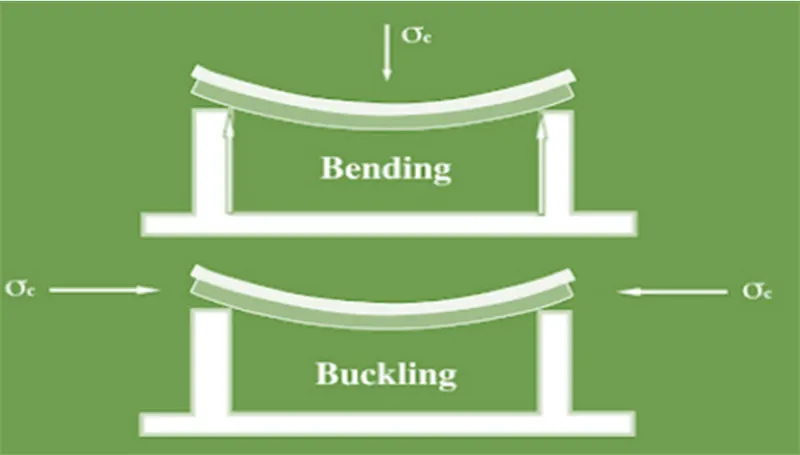
Fig. shows the difference between bending and buckling
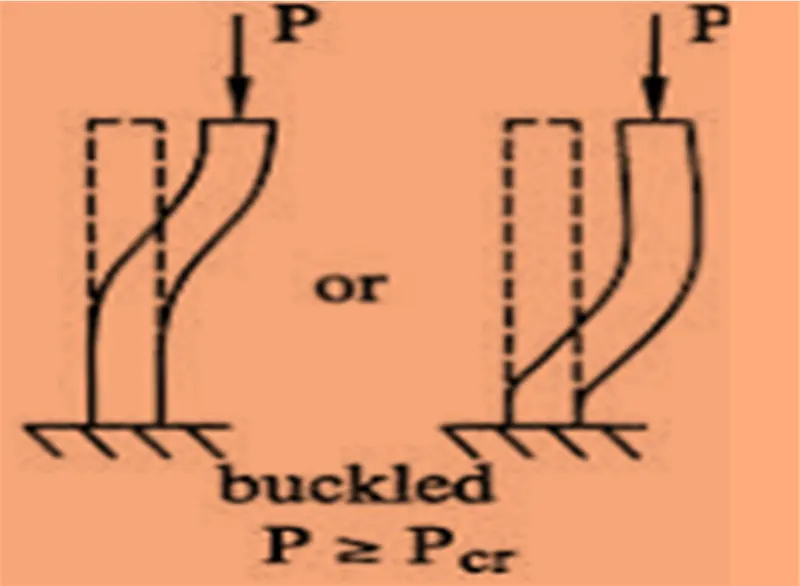
Fig. When Load(P) exceeds critical load(Pcr) then the buckling occurs.
- Euler’s formula: It is used since many years for designing of columns
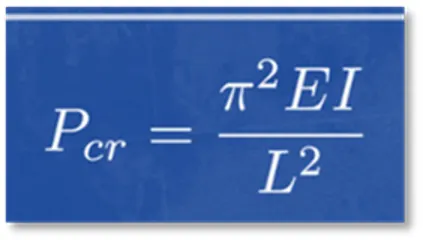
The critical load depends on mainly,
E = Young’s modulus
I = Area moment of inertia
L= length
- Stiffeners: In a simple language, stiffeners are secondary plates which are attached to the beams/columns to resist some extra load which occurs due to buckling.
CHAPTER 2
BASIC OVERVIEW OF DESIGN PROCESS:
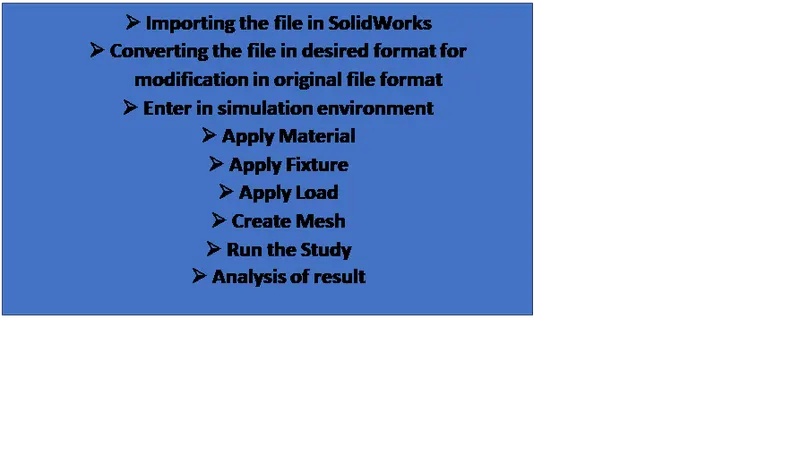
- Procedure to import and convert the given file in SolidWorks:
1) The given file is in .STEP format.
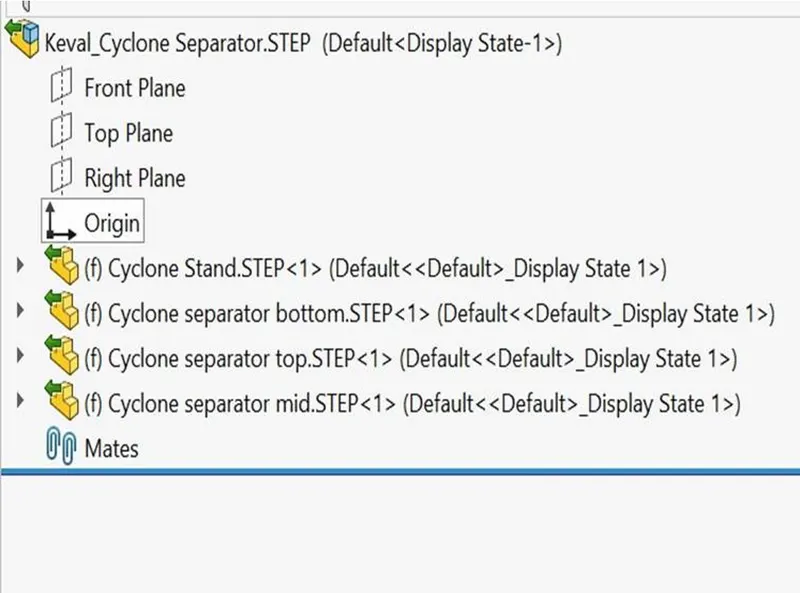
The feature tree looked like above fig. of STEP file
2) The file was saved as part file format that is .sldprt format to allow the modifications in that file.
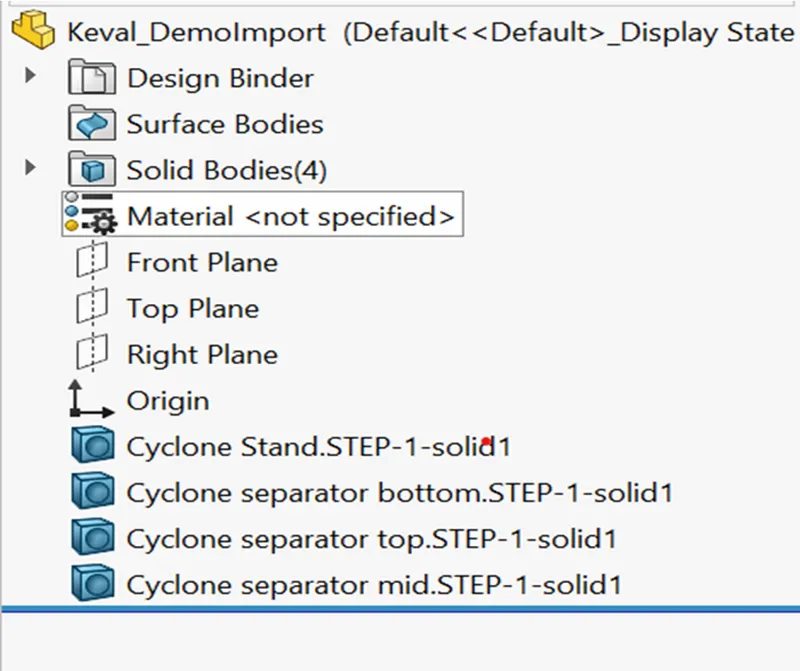
After saving as part file the feature tree will look like above fig.
3)
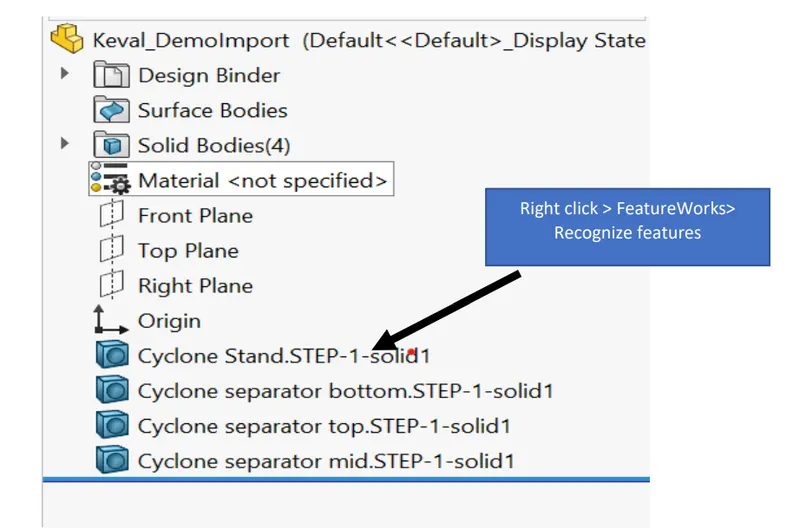
Note: here I have only taken the features of cyclone stand .STEP-1-solid1 as analysis of only stand is to be done in this project.
4)
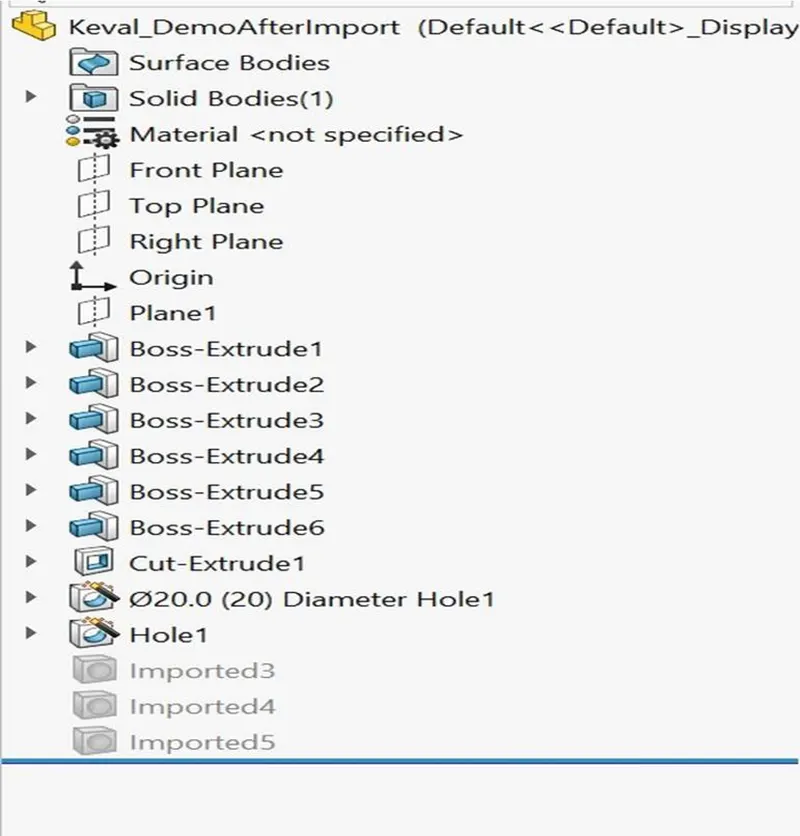
After feature recognition and suppressing other 3 imported
solid bodies to reduce the computational time for this project.
- PERFORMING THE TEST IN SOLIDWORKS
Some parameters used in test:
- Material used is CAST ALLOY STEEL
- Load applied on the stand is 150 kN
- Target load factor(Buckling factorof safety) = must be greater than 20.
CASE 1: Simulation test without use of stiffener
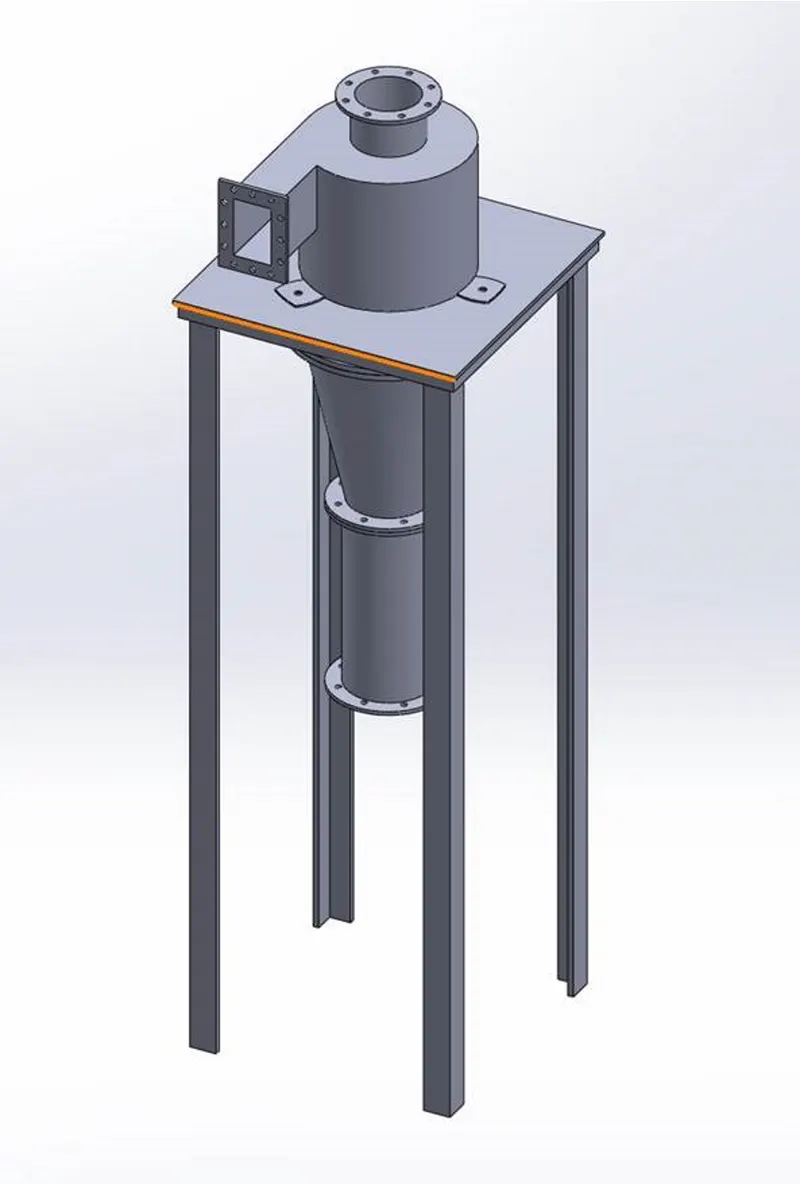
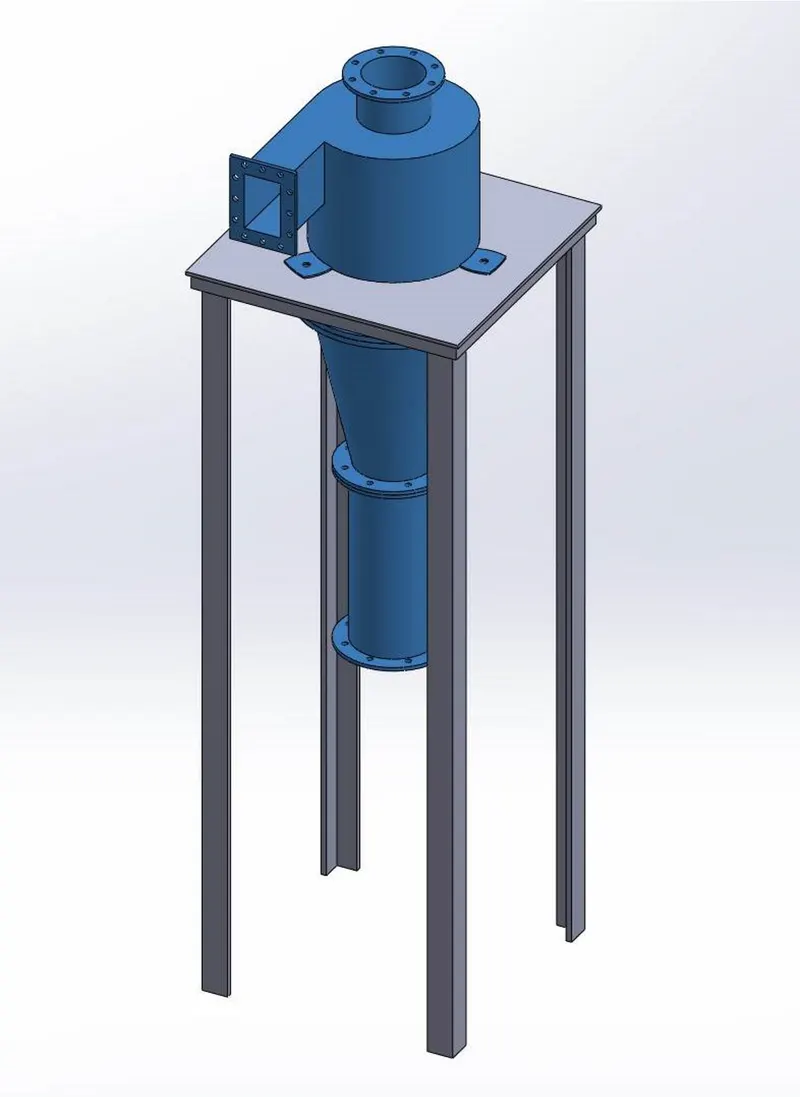
- In this study of simulation we do not require the 3 components (shown in blue colour in the image) i.e. top, mid and bottom portion of the cyclonic separator. Because our main aim here is to analyze the buckling of the column i.e. the stand in this case.
- If all the 4 components would be taken into consideration then it will only increase the computational time of the study.
- But in actual scenario of the real world, we need to perform the simulation on each single part of the cyclonic separator.
Now, let’s apply the material to stand: Cast alloy steel
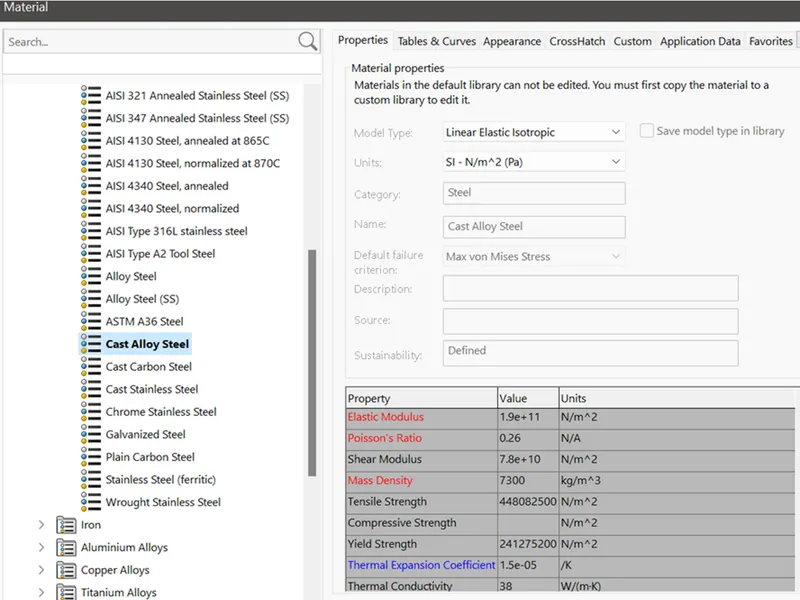
Material properties of Cast alloy steel
The properties shown in redcolour i.e. Elastic modulus, Poisson’s ratio, mass Density are of prime importance during the buckling study. We cannot run the study without defining these properties.
Blue/Black colour properties indicates that they may be required during the study.
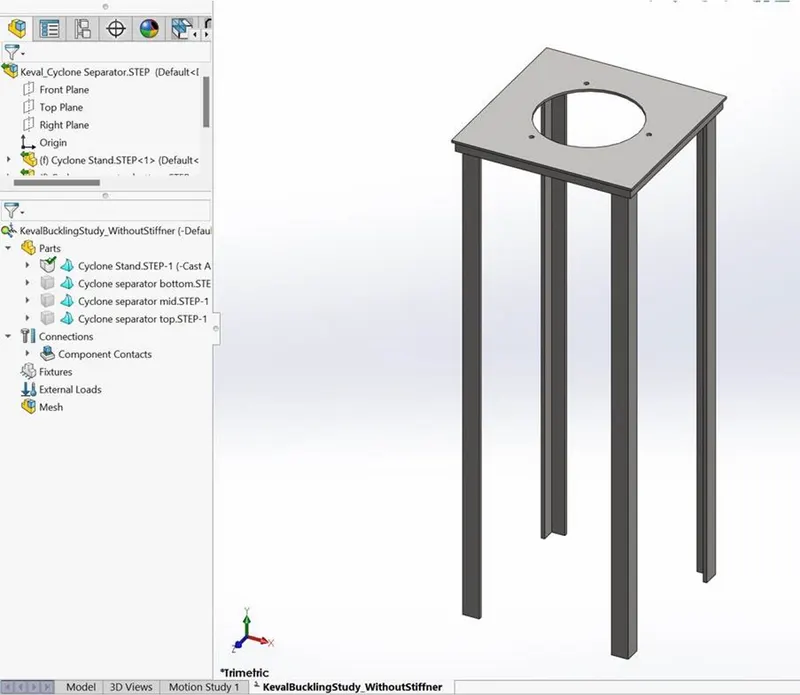
Material applied to the stand is: Cast alloy steel
Apply Fixture as show below:
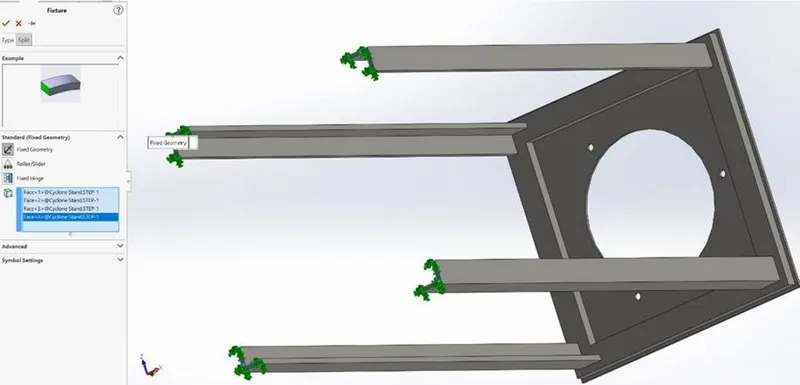
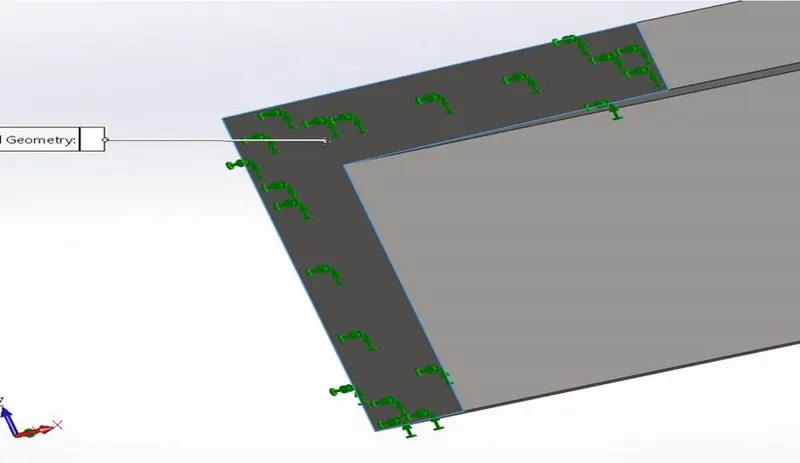
Zoom view of Fixture applied on faces not edges of the stand
The important thing to consider during the application of fixture that we select the bottom faces of the legs of the stand and not the egdes.
Apply FORCE:
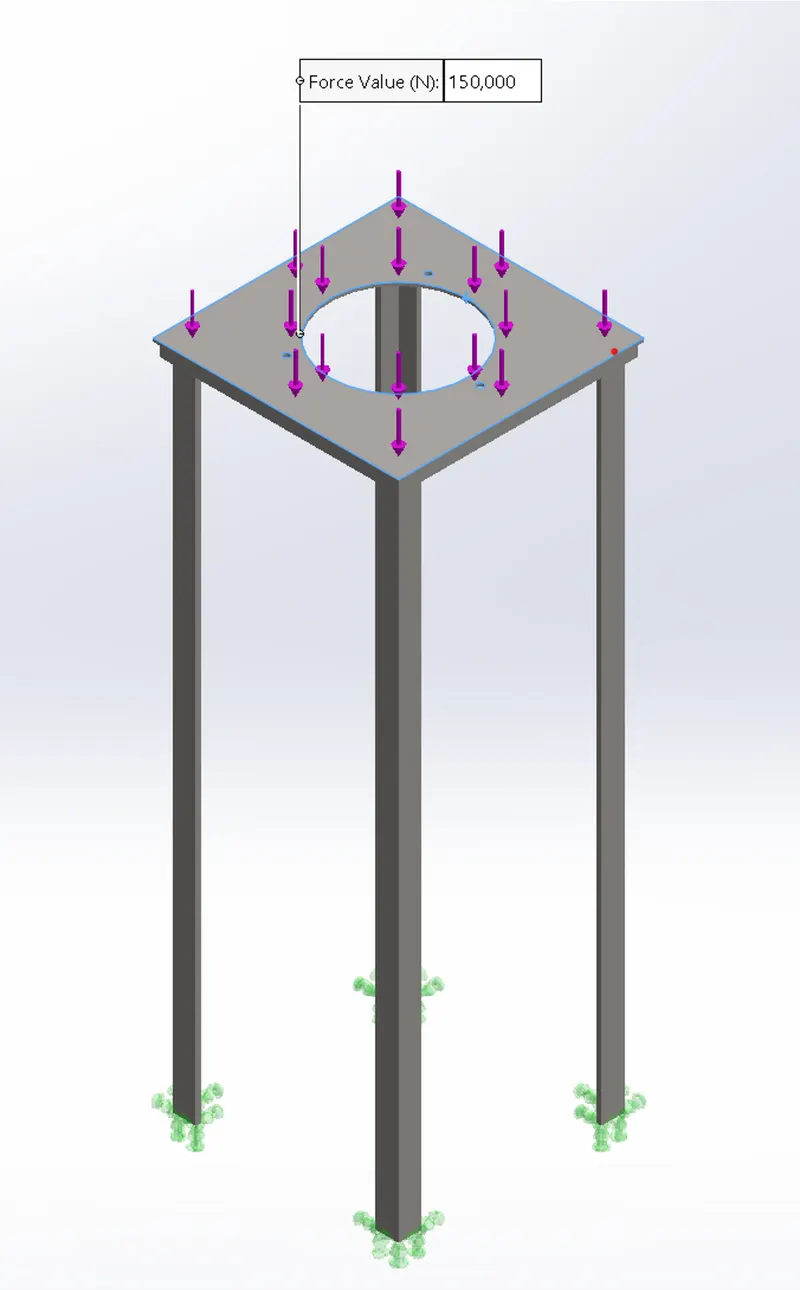
Force on top face of stand-150 kN or 1,50,000 N acting downwards
Meshing:
- The four legs of the stand will have maximum deformation during the buckling test and the top face of the stand minimum.
- There we will apply the fine mesh to the legs of the stand to get accurate result and coarse mesh to the top face to reduce the computational time of the buckling test.
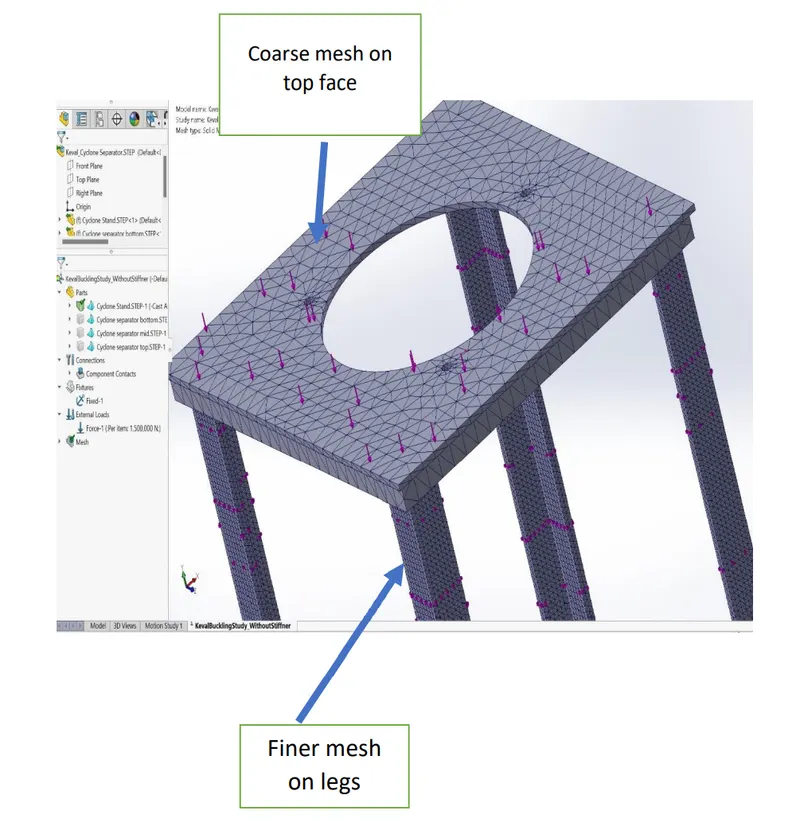
After meshing is done click on Run this study
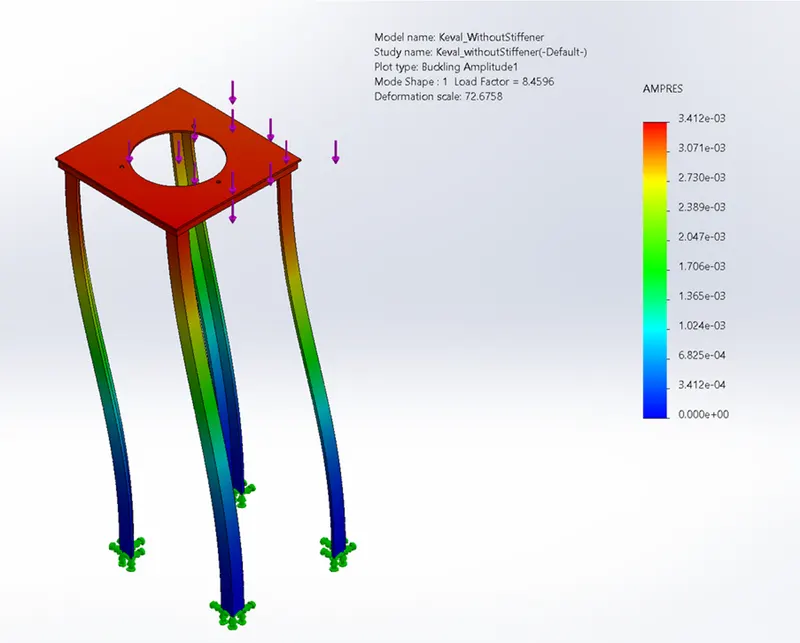
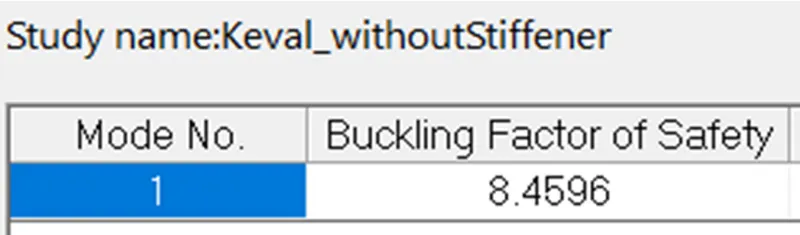
AMPRES – Resultant Amplitude
CASE-2 BUCKLING TEST WITH THE USE OF STIFFENER
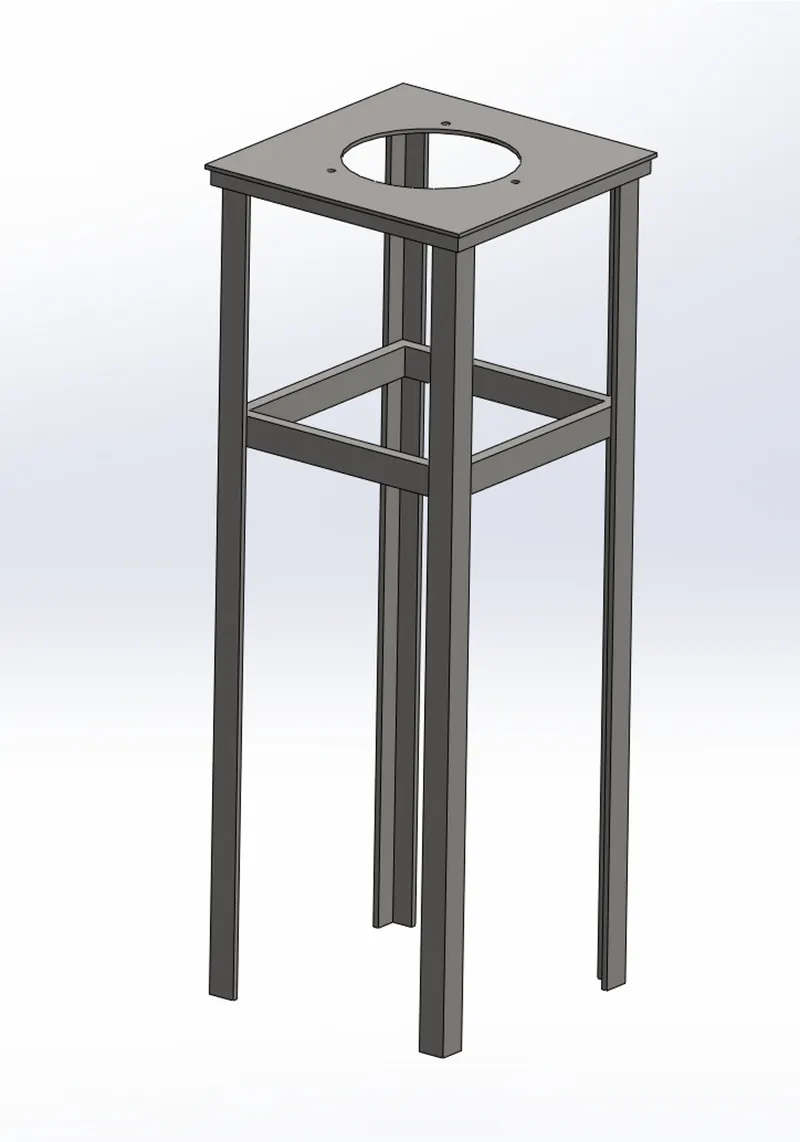
Except meshing, the steps of applying of fixture and force are same
Here meshing is applied as follow:
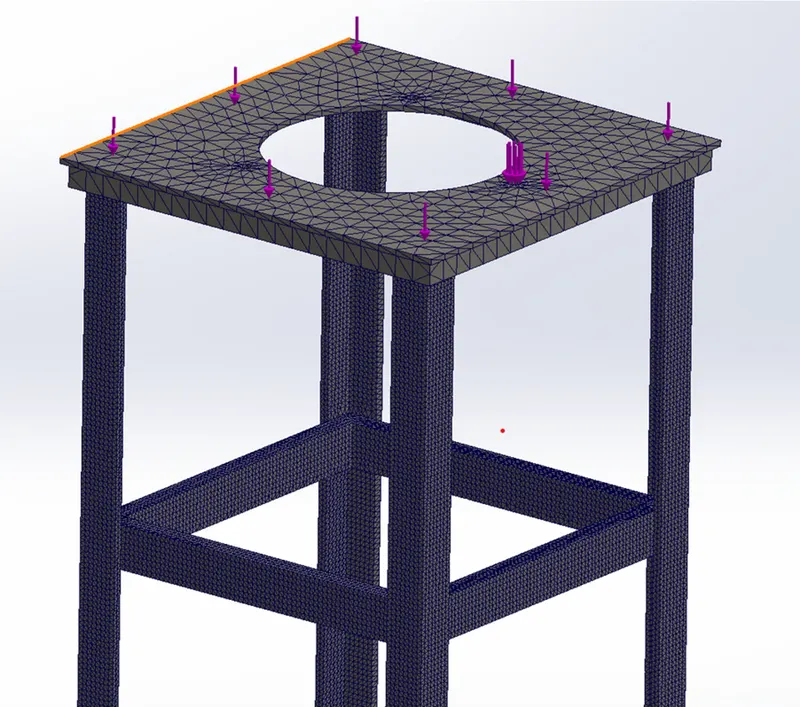
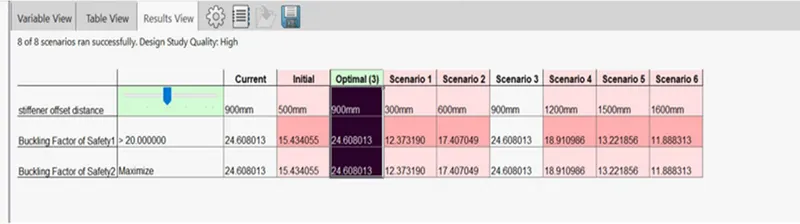
To save time I have used the parametric study to find the appropriate position of stiffener for more than 20 buckling factor of safety.
The results of the parametric study shown below.
Conclusion:
- The optimum value of Buckling factor of safety i.e. 24.608 (Scenario 3) was obtained at 900 mm distance from the top face of the stand.
- While we can observe from the parametric study chart that value of buckling factor was less before and after scenario 3.
- Without the use of stiffener the load factor / buckling factor of safety obtained was 8.459
- From this study I came to know the importance of MESHING and ASSUMPTIONS to be made are extremely important to reduce the computational time for the simulation test.