Part-Modelling, Assembly and Photo-Realistic rendering of AMERICAN CHOPPER
PROJECT 1:
PART-MODELLING, ASSEMBLY AND PHOTO-REALISTIC RENDERING OF AMERICAN CHOPPER
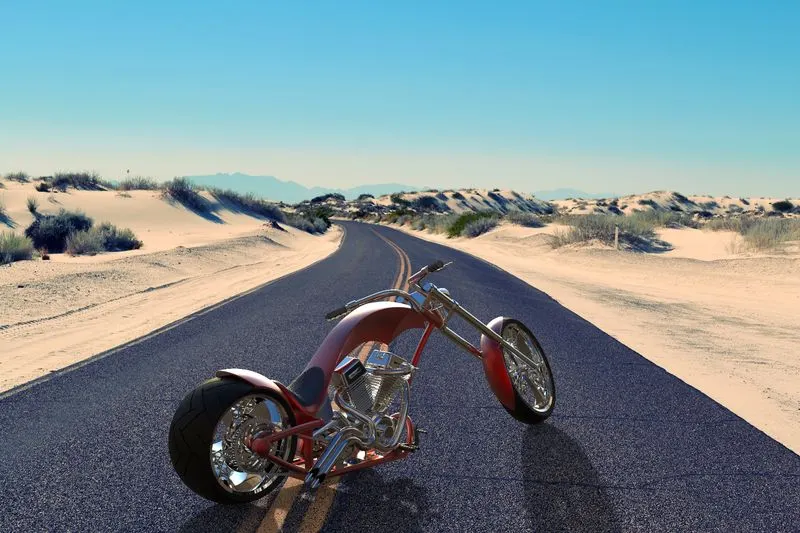
- OBJECTIVE:
- To do the part-modelling of all the parts of American Chopper in SolidWorks software.
- Get the knowledge of how to assemble all the parts of Chopper.
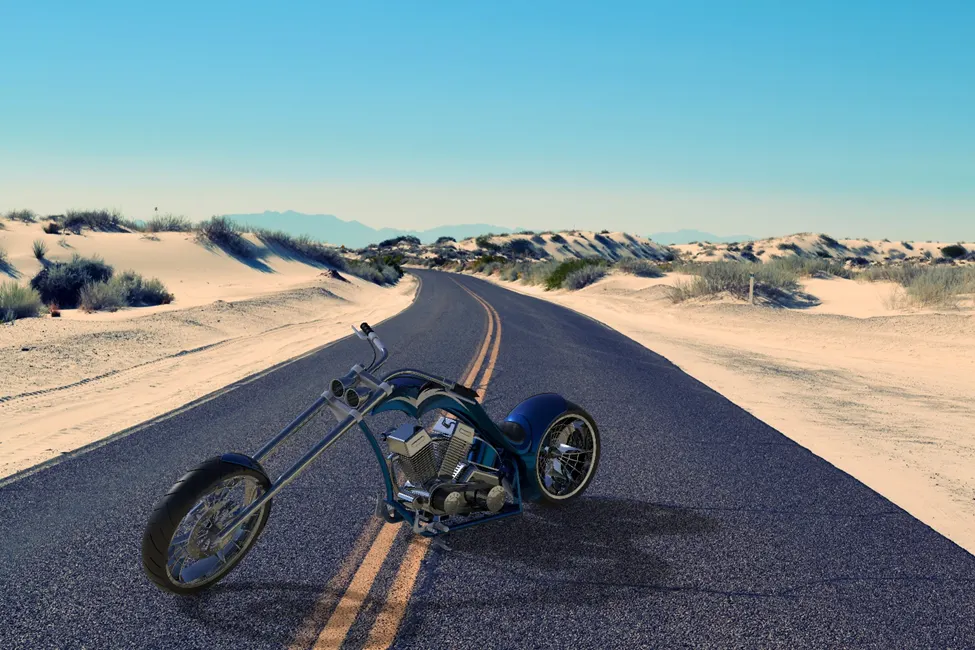
- Do the photo-realistic rendering of the Chopper in SolidWorks software itself.
- Do the modelling using blueprints of the American Chopper.
- INTRODUCTION:
Hello everyone,
Myself Keval N. Patel and I am a Mechanical Engineer. I will discuss the design methodology and also discuss the tools used in the design process of American Chopper which is originally manufactured by the Orange County Chopper.
Both Solid and Surface modelling are used in the design procedure.
The various parts which we are going to model are:
- Transmission Belt
- Kick Stand
- Front-Fender
- Rear-Fender
- Chain
- Oil-Tank
- Pedal
- Front-Wheel
- Rear-Wheel
- Front-Fork
- Chassis
- Engine with Exhaust-manifold
- Gas-tank
- DESIGN APPROACH:
There are 2 types of approaches in SolidWorks software.
1.Top-down Assembly approach:
In Top-down assembly approach, most of the design of part and assembly is done in the assembly file (.SLDASM) of SolidWorks itself. In-context assembly is also done in this design of American Chopper.
- Bottom-up Assembly approach:
In Bottom-up assembly approach the parts are design in the individual part file (.SLDPRT) and then assembly of parts is done in another file i.e. (.SLDASM).
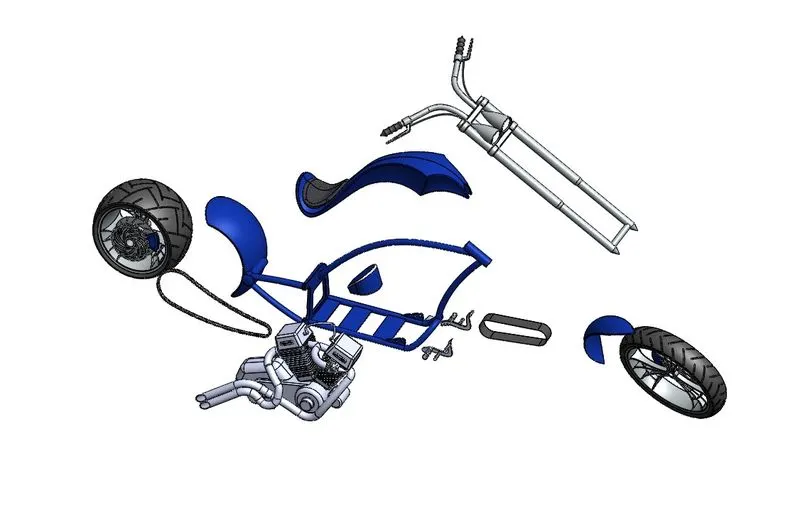
- EXPLODED VIEW OF AMERICAN CHOPPER ASSEMBLY
CHAPTER 1
- FEATURES AND TOOLS USED IN THE DESIGN OF AMERICAN CHOPPER
- Boss Extrude:
This is the very basic feature used in SolidWorks. The feature is found in property manager on the left side. Boss Extrude requires the 2D sketch which is fully defined.
Below shows the example of how to do the Boss-Extrude:
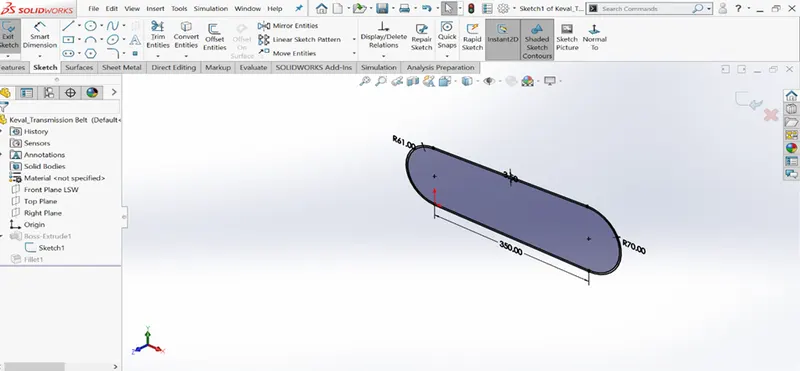
Fig 1.1 Shows the Fully defined 2D sketch for Boss Extrude.
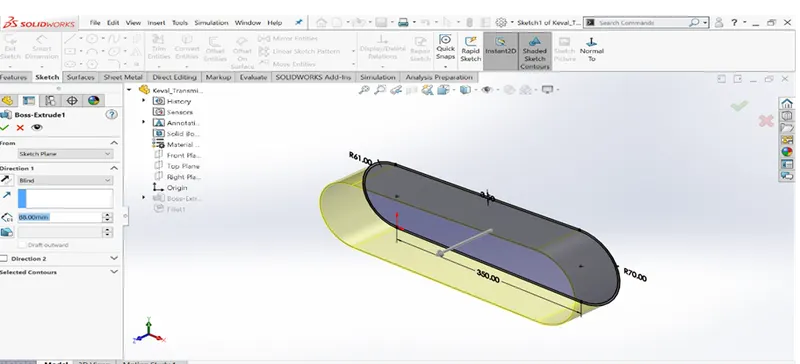
Fig 1.2 Shows the process of Boss-extrude.
- Revolve Boss/Base:
Revolve Boss/Base is used to revolve the 2D sketch which is fully
defined. An axis should be there for revolving the 2D sketch around it. Following is the example of Revolve Boss/Base.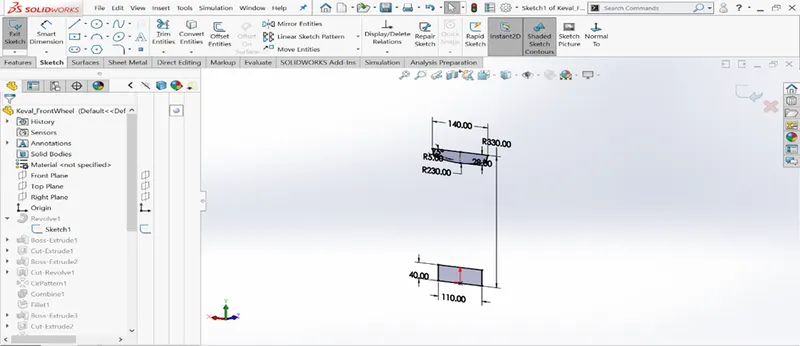
Fig 1.3 2D sketch for revolve boss/base
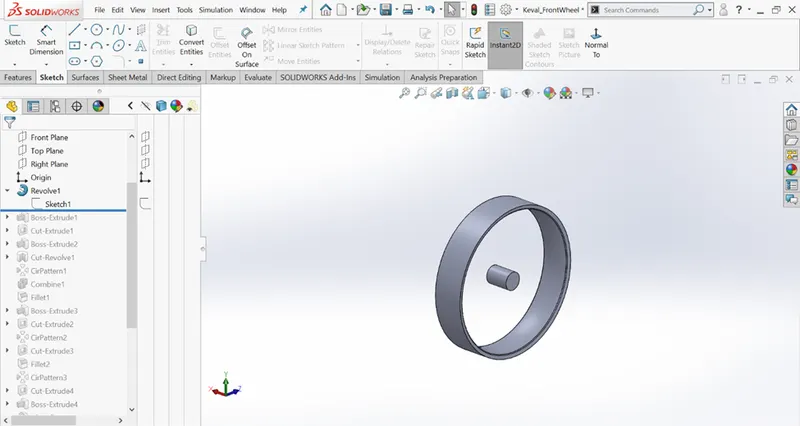
Fig 1.4 After using the Revolve Boss/Base feature
- Circular Pattern:
Circular pattern minimizes the requirement of creating another feature. Using this feature we can create as many pattern as we want.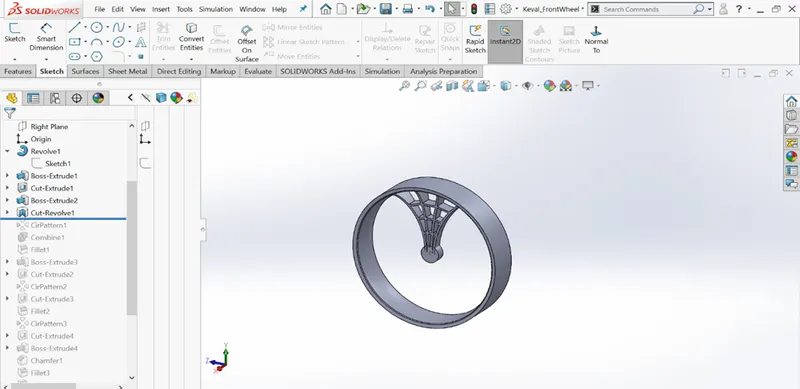
Fig 1.5 Before applying Circular pattern
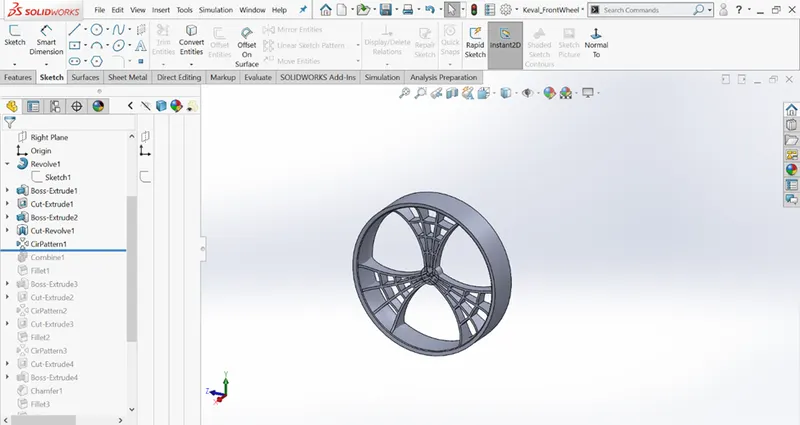
Fig 1.6 After applying Circular Pattern of 3 instances
- Combine:
Combine feature is used to add, subtract and create common part of 2 separate
objects. Following is the example of combine operation.
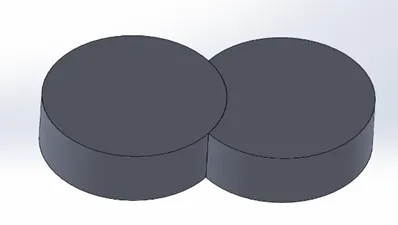
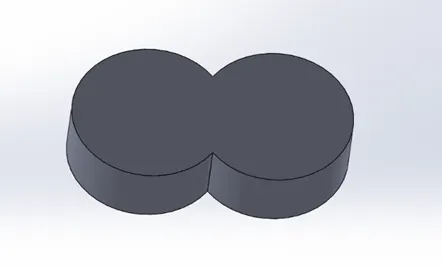
Fig 1.7 Before Combine operation Fig 1.8 After Combine (Add) operation
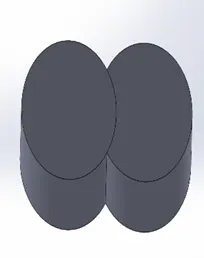
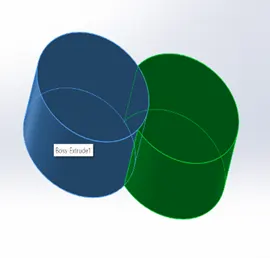
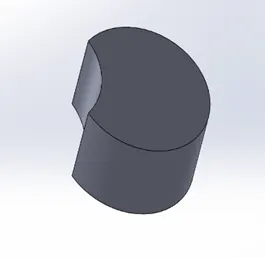
Fig1.9 Indicating the process of subtract
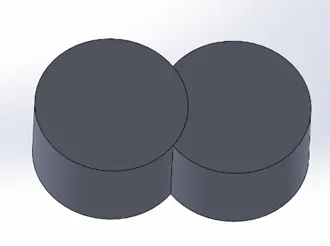
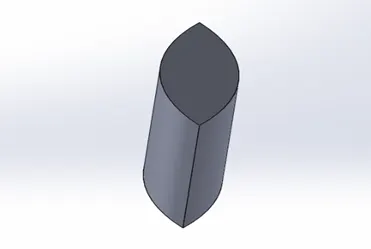
Fig 1.11 Before and after Combine operation (Option selected: Combine)
- Dome
Dome feature is located in Insert > Features > Dome. Dome command is used to create dome like shape without sketching 2D complex drawing.
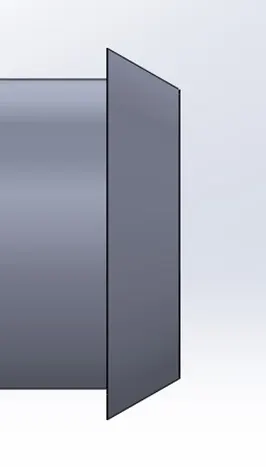
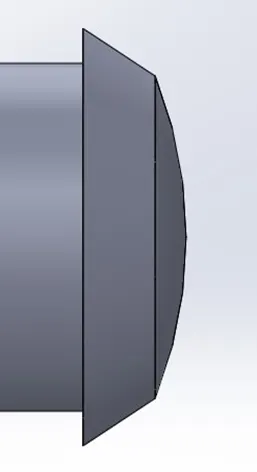
Fig 1.12 Before Dome Fig 1.13 After Dome
- Fillet
Fillet is used to create smooth rounded face. It gives nice look and removes the sharpen edges. There are 4 options available in SolidWorks
- Constant size fillet
- Variable size fillet
- Face fillet
- Full round fillet
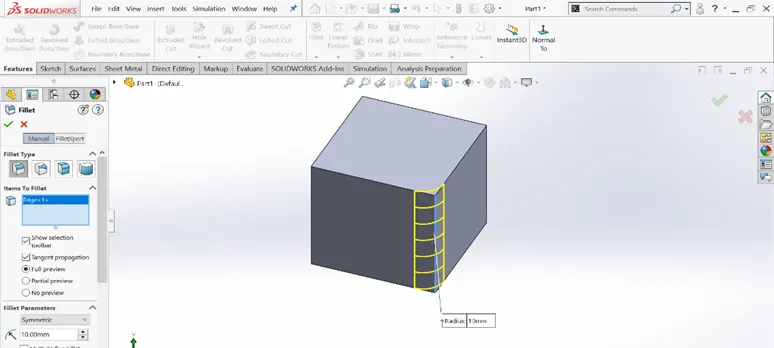
Fig 1.14 Indicates the Constant size fillet applied on single edge
- Extrude-Cut
As in the name indicates cut in its name, it is used to cut the part by creating the 2D sketch on face of the part.
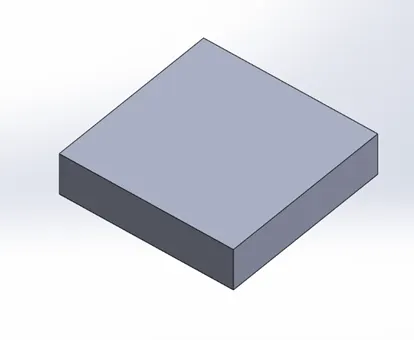
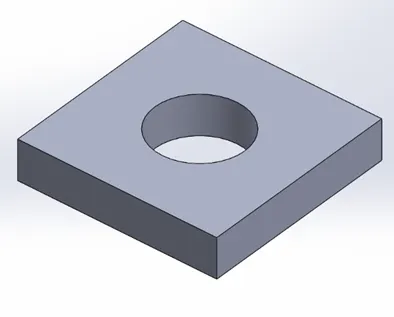
Fig 1.15 Before Extrude-Cut Fig 1.16 After Extrude-Cut
- Shell
It is used to create the hollow part from the solid body. Different thickness can be applied to shell feature.
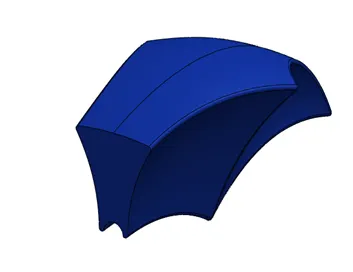
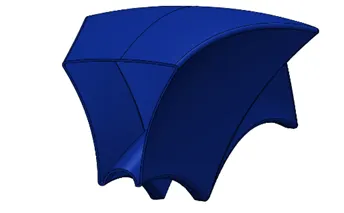
Fig.1.17 Shell feature in Solid body Fig1.18 Shell feature used to create
Hollow part
- Linear Pattern
Linear pattern, as the name says pattern it creates the pattern as we have seen previously in circular pattern but here is the case of linear pattern.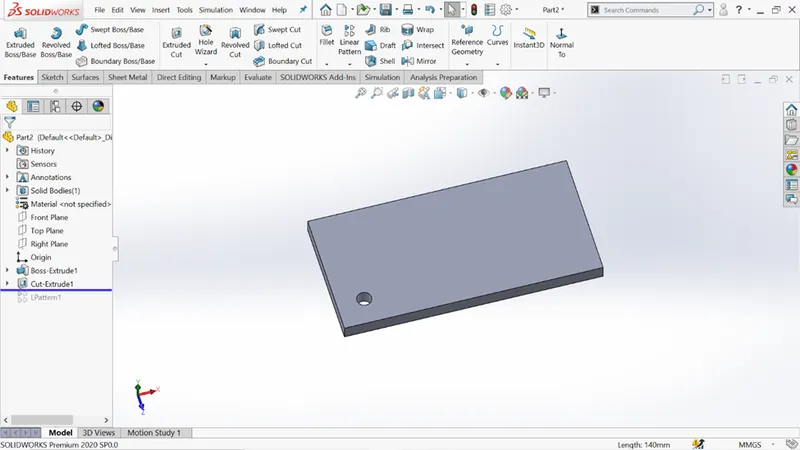
Fig. 1.19 Before applying linear pattern
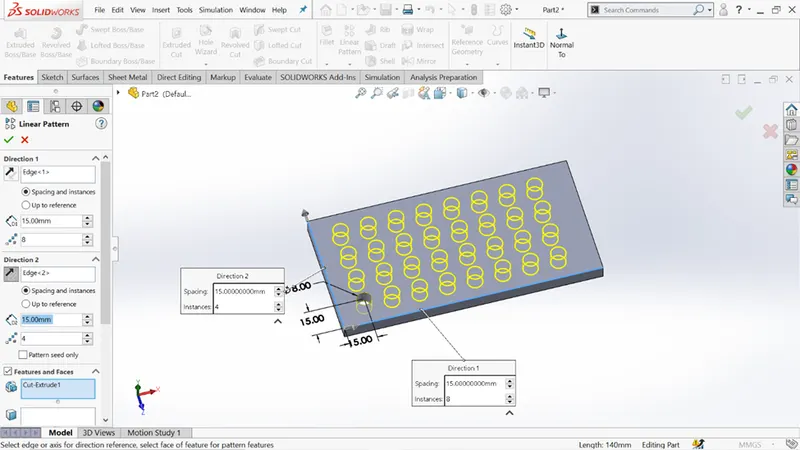
Fig 1.20 Indicates the linear pattern applied in both x and y directions
- Mirror
Mirror is used to create the copy of the part to its another side. Mirror feature requires the plane or axis.
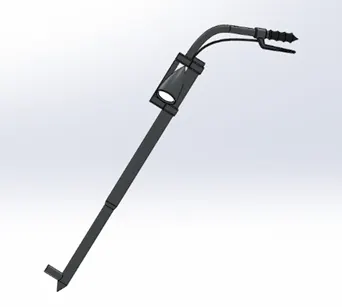
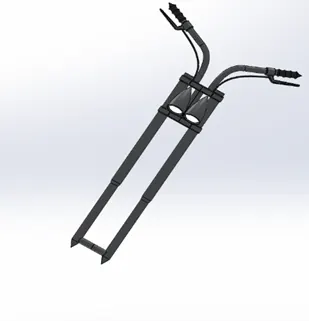
Fig 1.21 Before applying mirror Fig 1.22 After applying mirror
- Projected Curve:
Projected curve is the line formed by the intersection of two extruding surfaces.
There are two options available for the projected curve.
- Sketch on face
- Sketch on sketch
Following is the example of sketch on sketch of projected curve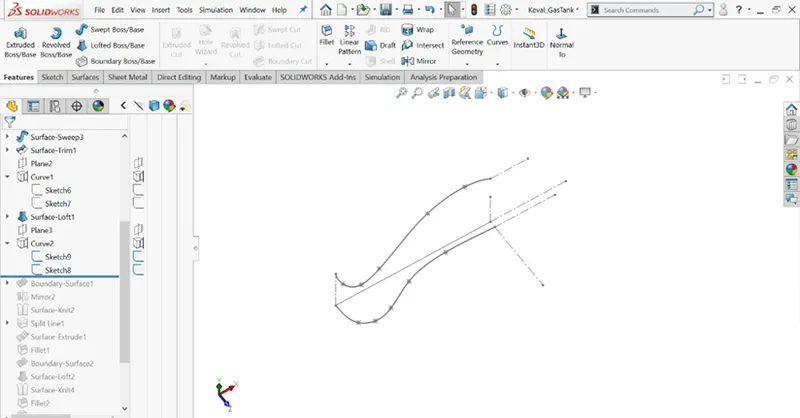
Fig 1.23 Shows the 2 splines required for sketch on sketch option for projected curve
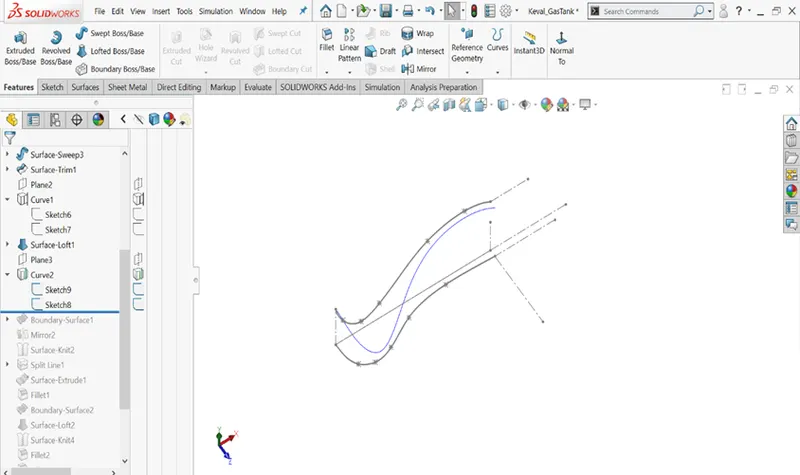
Fig 1.24 Shows the final projected curve (Blue colour spline)
Chapter 2
Details of parts used in assembly of American Chopper
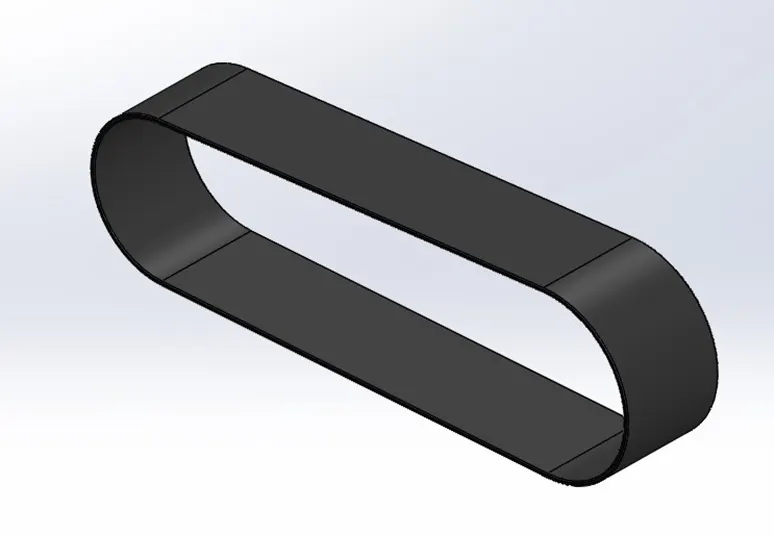
1)Transmission Belt
Use: Transmission Belt is used to transfer the power from one pulley to the another pulley. It is basically made of rubber. It is fitted on the pulley very tightly so that the power can be transmitted. The features used to make the transmission belt are as follows
- Boss-Extrude
- Fillet
2) Kick-Stand
Design Procedure: I have designed the kickstand by first of all creating the 2 ellipse and the spline for guide curve for using the loft feature. Dome feature is also used in design. The features used in the design process of kick stand are :
- Loft
- Dome
- Extrude-Cut
- Split
- Boss-Extrude
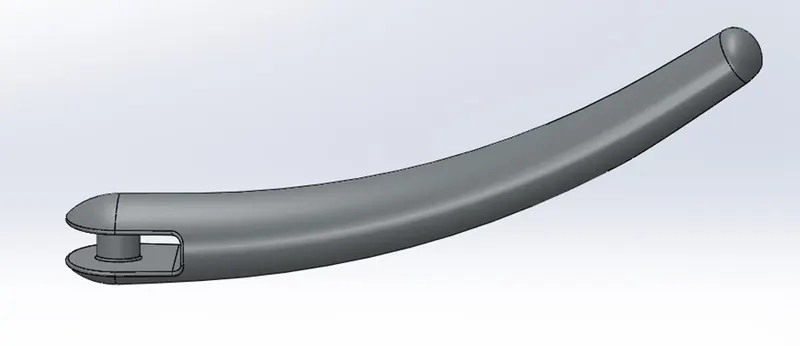
Material applied in the appearance of Kickstand is chrome.
3) Front-fender
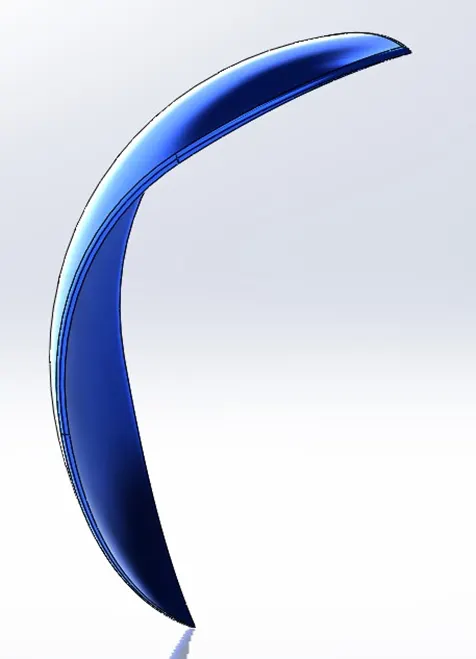
Use: Fenders basically acts as a mudguard and protects the driver on bike from water and mud. It also protects the engine and other parts of the bike as well.
I have created the 3 point arc curve and then revolved it along the axis. Features used here are
- 3 point arc
- Revolve
- Split
- Fillet
4) Rear-Fender
Rear fender is here is designed by sketching the 3 point arc plane and then revolving around the axis. Lastly the shell feature is also used to accommodate the rear tyre. Features used are:
- 3 point arc
- Revolve
- Split
- Fillet
- Shell
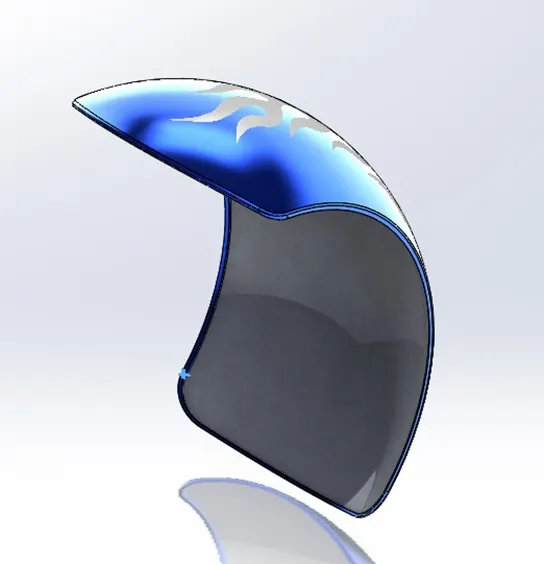
Fig 2.4
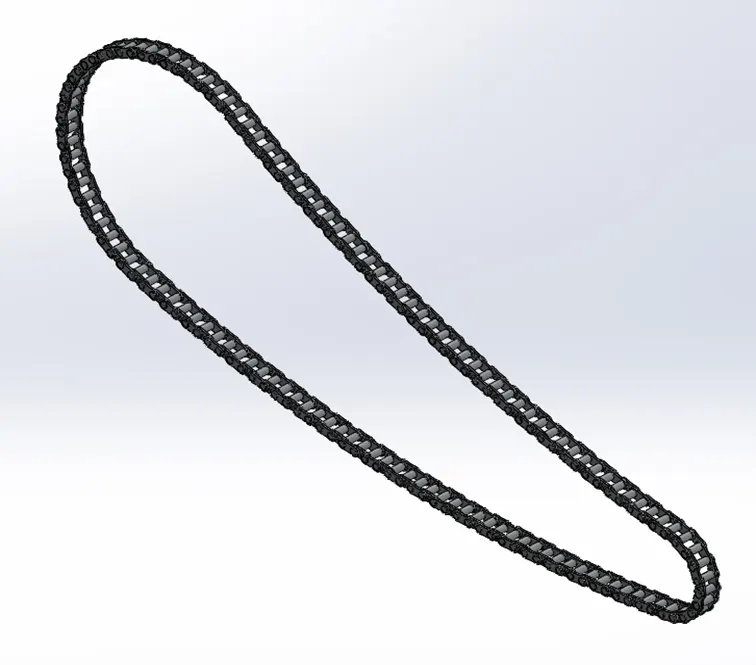
5) Chain
Chain link is created by sketch using the 3 point arc and lines. Then the block of whole sketch is created using the block command. Then the blocks are patterned on the sketch drawn.
The following features are used to create the chain:
- 3 point arc
- Slot
- Boss-extrude
- Blocks
- Curve-driven pattern
- Mirror
- Fillet
6) Oil-tank
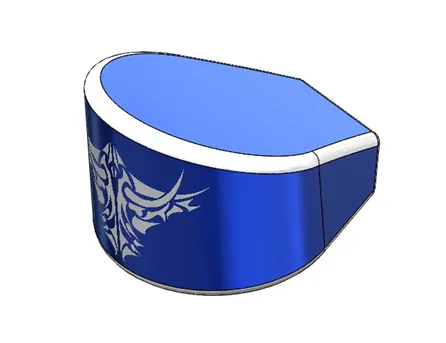
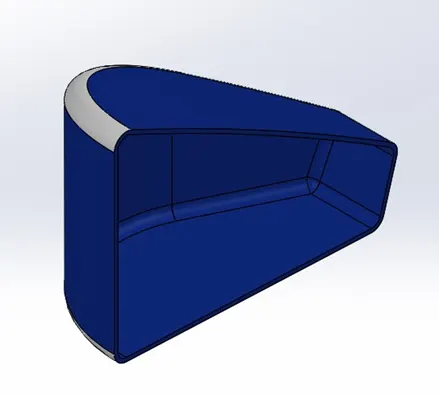
Oil-tank is created by using the sketch and then extruding it. Then the 2 Boss-Extruded feature is combined using the combine option. The resulting combine feature is the required feature for Oil-tank.
Then fillet is done on the edges of dome and finally the shell is used to create the hollow Oil-tank.
7) Pedal
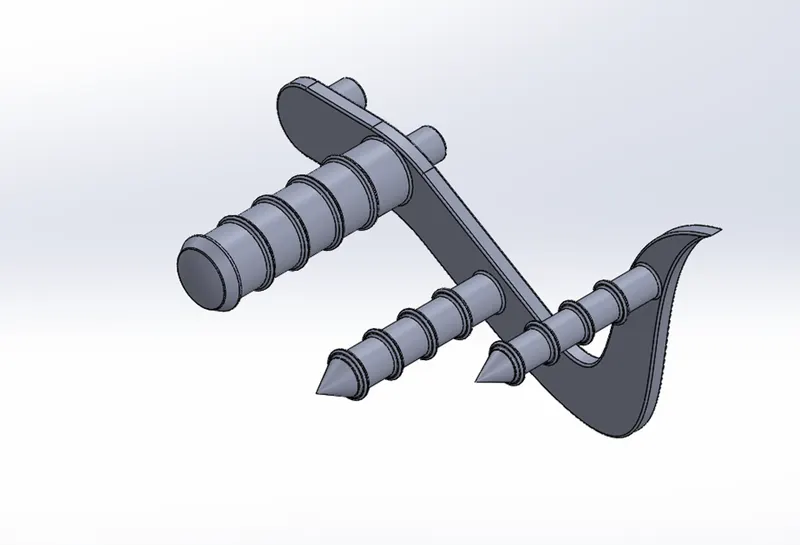
In creating the pedal for the bike, basic sketch layout is drawn and then extruded it and then lever is created by using the revolve feature. On the ends of lever dome is applied which gives a nice look to the lever. Chamfer is applied to created a pointed shape on the front part of the pedal. And finally the linear pattern is created and the fillets are applied.
Following features are used to create the pedal:
- Boss-Extrude
- Revolve Boss-Base
- Dome
- Fillet
- Chamfer
- Linear pattern
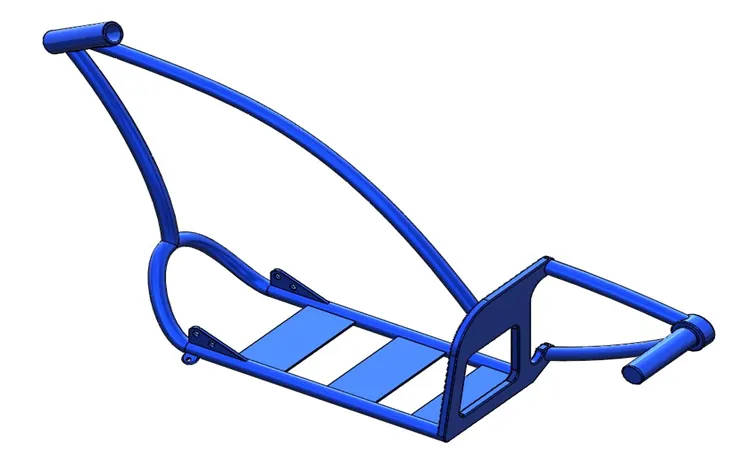
8) Chassis
Chassis the most important part of the chopper bike, as the whole load and the parts are mounted on chassis. Modelled the chassis using the blueprint of the chopper and then 2 curves are drawn on 2 different planes and then projected the 2 sketches using the project curve command.
The projected curve is converted to sketch entities and the profile is created for the sweep feature to be applied. Split command is used to consume the extra portion of the sweep and then combine command is used to join the 2 separate bodies. After the half section is modelled then the mirror command is used.
Following are the features:
- Sketch picture
- Project Curve
- Sweep
- Mirror
- Fillet
- Chamfer
- Dome
- Split
- Linear pattern
- Combine
10) Engine with exhaust-manifold
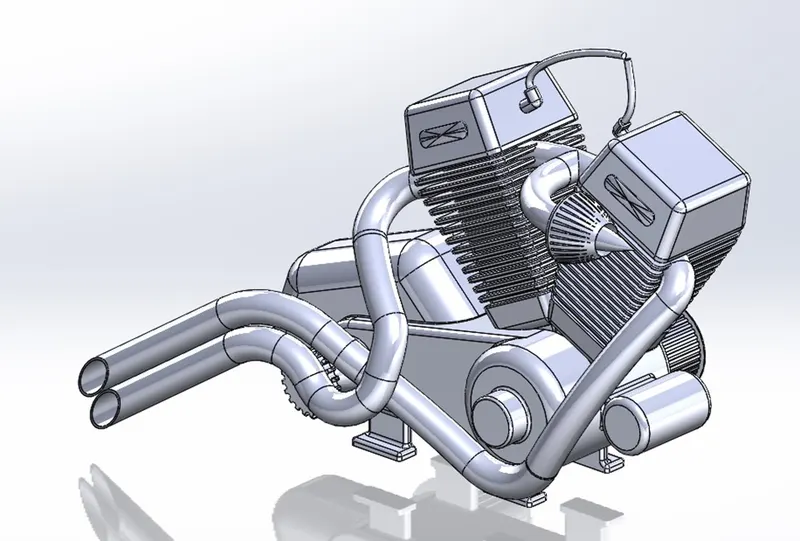
Engine the heart of the American-chopper. Again the blueprint of chopper is used. The following features are used to create the engine:
- Boss-Extrude
- Fillet
- Revolve
- Reference Plane
- Circular-pattern
- Dome
- Extrude-cut
- Mirror
- Linear-pattern
- Split
- Sweep
- Composite curve
11) Gas-Tank/Fuel-Tank
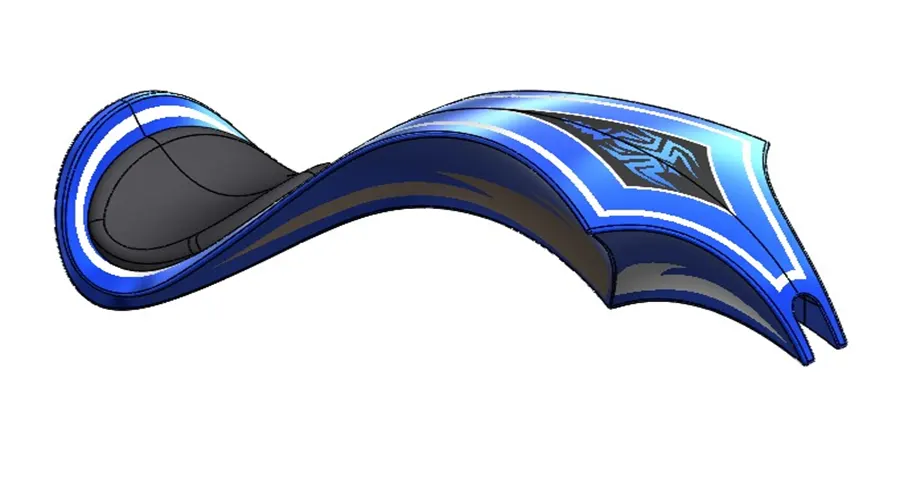
Following features are used to modelled the gas-tank/fuel -tank. Surfacing tools are also used here.
- Surface-loft
- Boundary-surface
- Mirror
- Split-line
- Reference plane
- Surface Extrude
- Knit
- Fillet
- Swept-cut
- Shell
12) Front-Wheel
13) Rear-Wheel
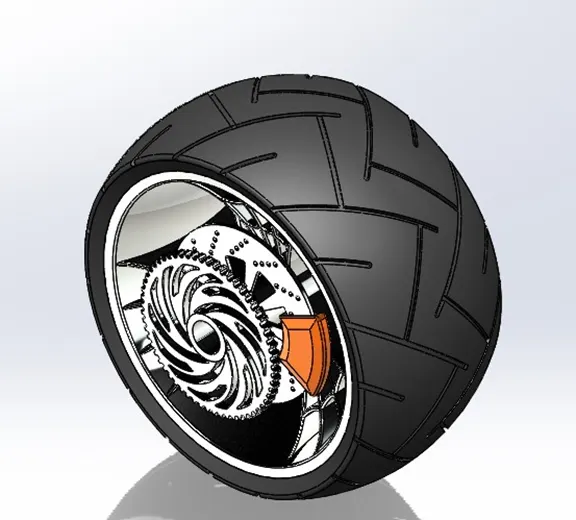
14) Front-Fork
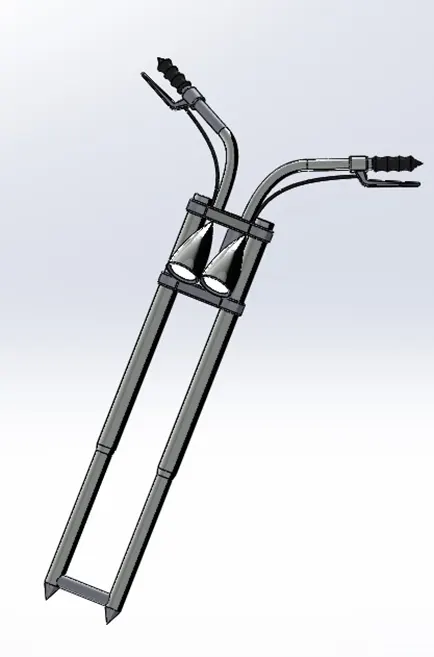
ASSEMBLY:
Assembly is the final bike where the different parts which we created are assembled using the different types of mates. Firstly, in our case the parts are inserted using the Bottom-up assembly approach. In-context feature and Top-down assembly approach are also used for editing purpose.
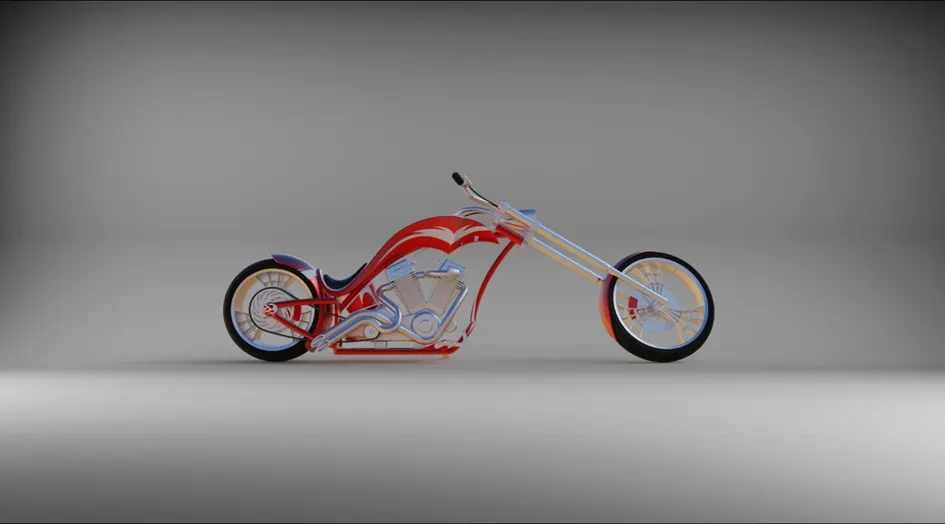
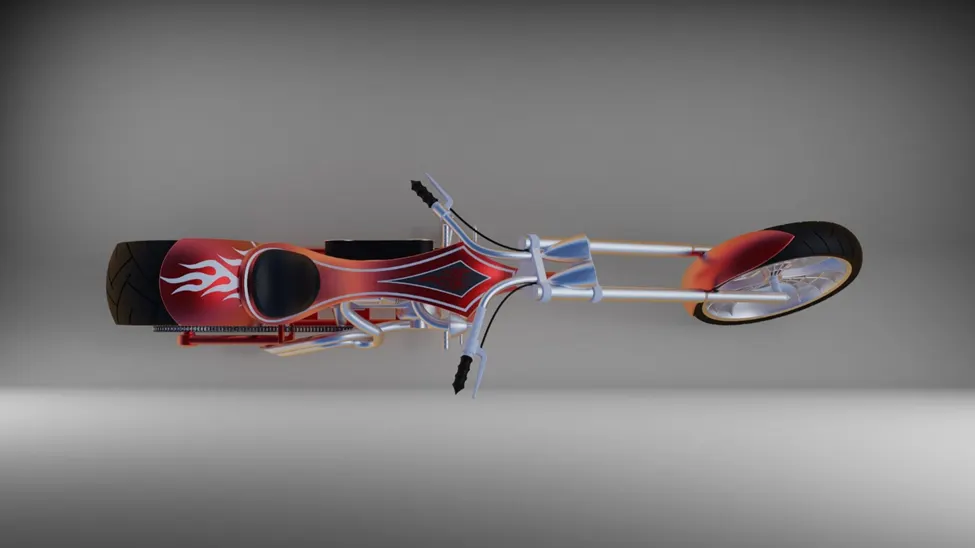
RENDERING:
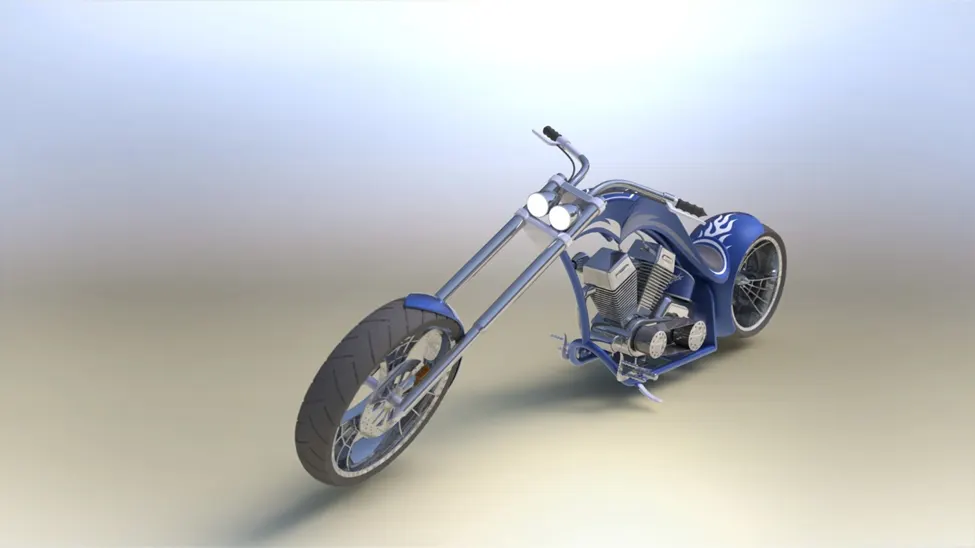
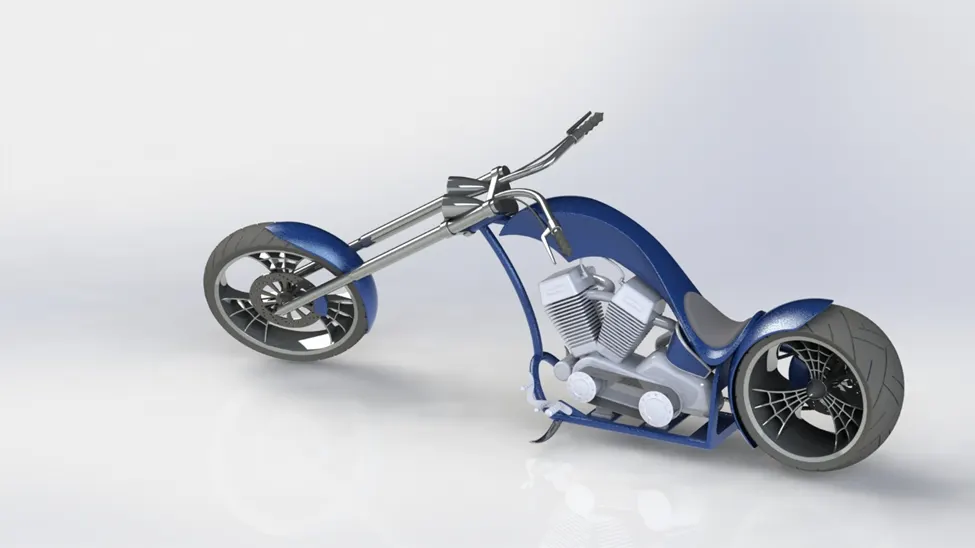
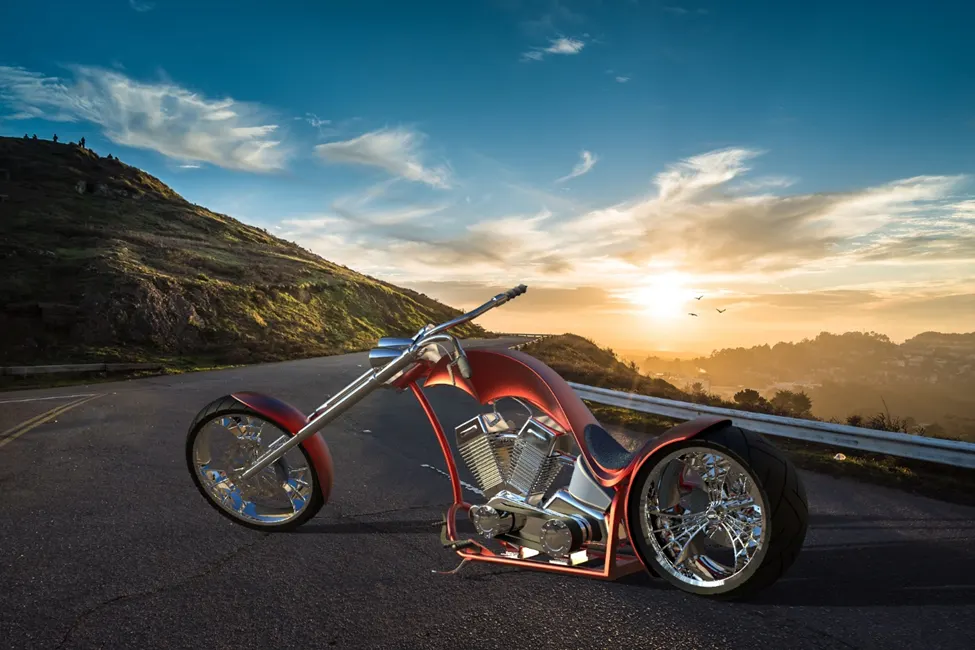
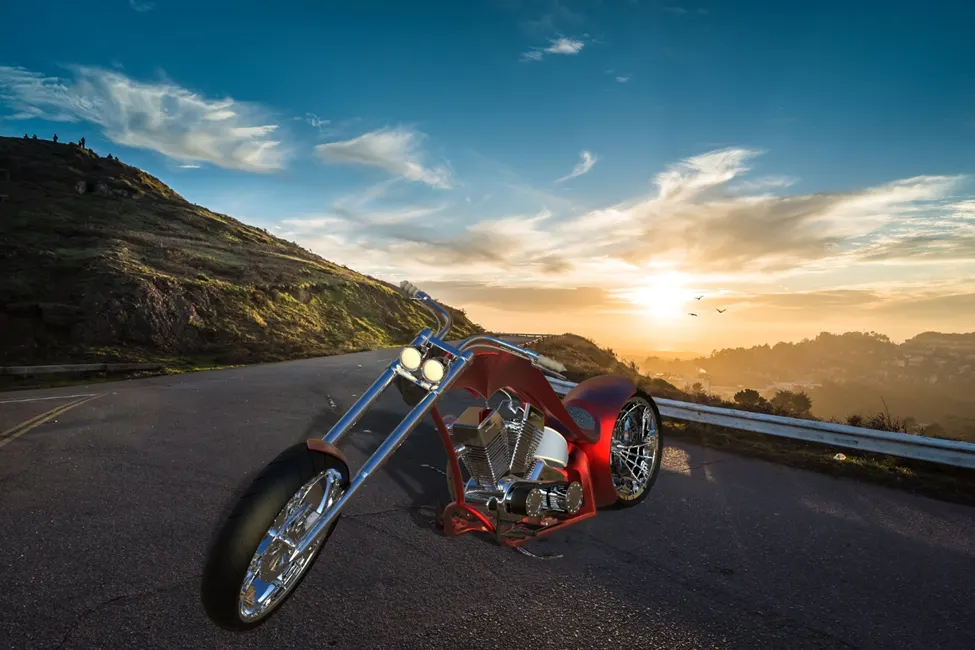
Rendering is the photo-realisitic appearance given to any product which here in this case is the American chopper.
Thank You.
- Sasikumar DharmarajVery nice...