Project - Data Handling and Interpolation
Read the excel file in the Matlab program and perform interpolation
data = xlsread("VI.xlsx"); % Reading the excel data into MATLAB
V = data(:,1); % Separating the Voltage and Current values
I = data(:,2);
range = -17.3:0.1:0.9; % Range of Voltage values for which Current values need to be interpolated
I_interpolated_lin = interp1(V,I,range); % Default Linear Interpolation
I_interpolated_spl = interp1(V,I,range,'spline'); % Spline Interpolation
fileID_lin = fopen("linearInterpolated_data.txt",'w'); % Creating a file ID for the file 'linearInterpolated_data.txt' with 'write' permission
fprintf(fileID_lin,'%4.4f \n',I_interpolated_lin); % Saving the interpolated current data
fclose(fileID_lin); % Closing the file ID having written the required data
fileID_spl = fopen("splineInterpolated_data.txt",'w');
fprintf(fileID_spl,'%4.4f \n',I_interpolated_spl);
fclose(fileID_spl);
% Plotting the original and Linear interpolated data together
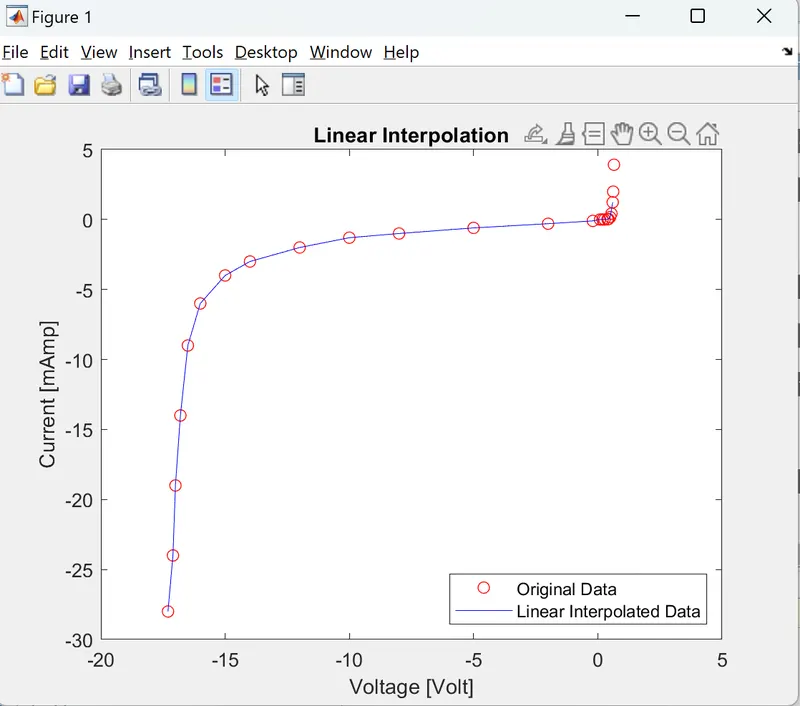
figure(1)
plot(V,I,'ro',range, I_interpolated_lin,'b-')
title('Linear Interpolation')
xlabel('Voltage [Volt]')
ylabel('Current [mAmp]')
legend('Original Data','Linear Interpolated Data','Location','southeast')
% Plotting the original and Spline interpolated data together
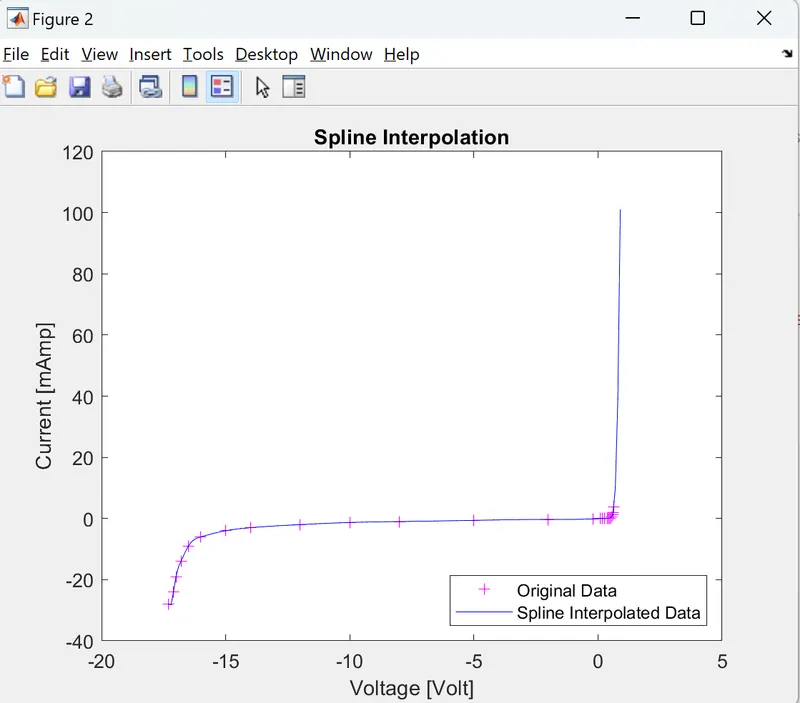
figure(2)
plot(V,I,'m+',range,I_interpolated_spl,'b-')
title('Spline Interpolation')
xlabel('Voltage [Volt]')
ylabel('Current [mAmp]')
legend('Original Data','Spline Interpolated Data','Location','southeast')