Project
System level simulation of an all-terrain vehicle
Objective:
The objective is to prepare a techincal report explaining the model properties and comments on the results of an all-terrain vehicle. The model used is from the baja all terrain vehicle ATV model.
Blocks Used:
- Custom Guage: This shows the output in the guage format.
- Knob: This gets the input from the user in real time environment.
- Constant Block: This provided a constant value throughout.
- Go to block: This send the signal to the particular path.
- Mechanical Rotational reference: This is the rotational reference point which is used in the simulation.
- Generic Engine: This is the Engine block where we can simulate the general Engine using the basic parameters.
- RPM Sensor: This measures the speed of the rotating object.
- Signal Builder: This blocks helps to build custom signal for the simulation.
- CVT: Continiously variable transmission this block is to implement the CVT.
- Simple Gear: This provides the mechanical gear transformation.
- Scope: This helps the output to be seen in graphical form.
Model:
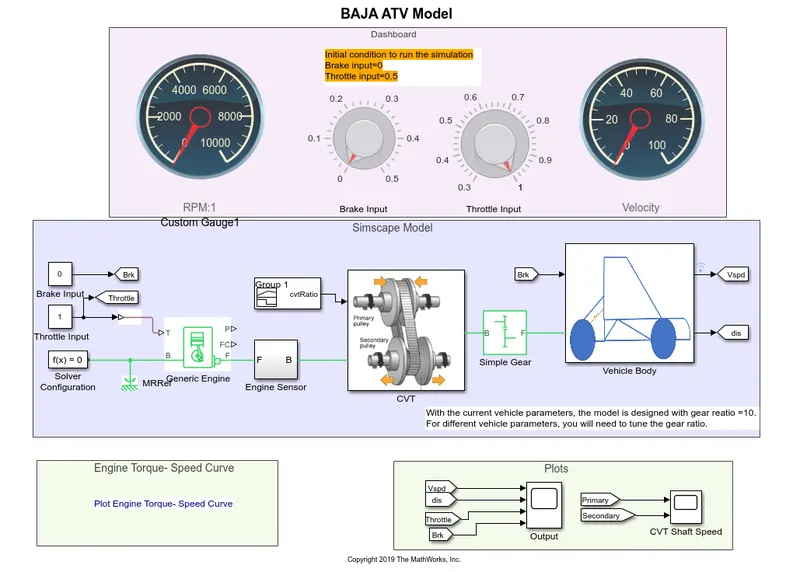
The below is the BAJA ATV Model from MATLAB. It has the complete model with dashboard to see the inputs and some outputs, the simscape model where the complete ATV model is modeled, and the final plots where we can analyse various parameters.
Engine Sensor
This is a sub-system which contains the set of fundamental blocks grouped together. This engine RPM is displayed in the dashboards guage.
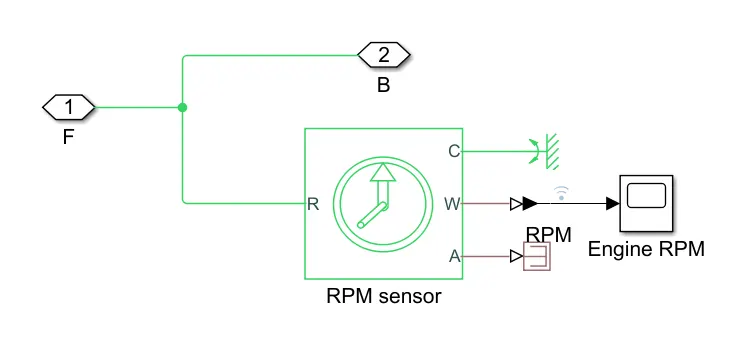
This is connected in between the Enginer block and CVT
CVT:
This is the sub system of the CVT, this is similar to the automatic transmission without a manual gear box, where the transmission is done via this pulley mechanism.
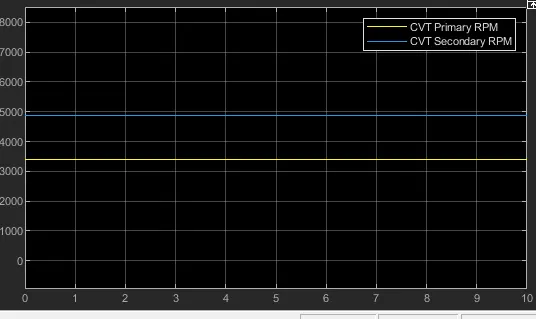
This generic CVT is modeled as the snap, where the primary and the secondary RPM's are measured using the RPM sensor and also displayed in the scopes. The variable ratio gear is used to model the primary and secondary pulleys.
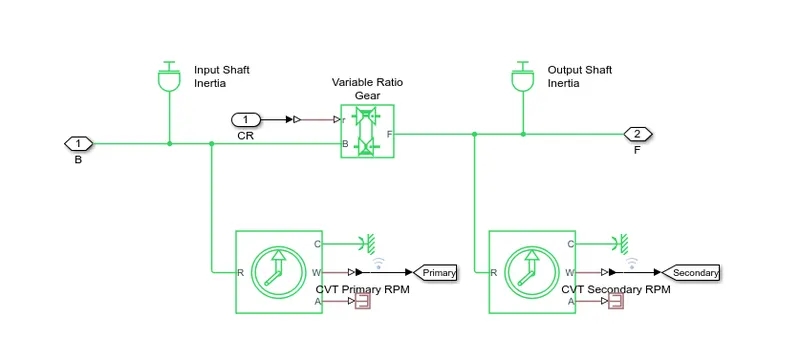
This is connected in between the Engine Sensor and the simple gear.
Vehicle Dynamics:
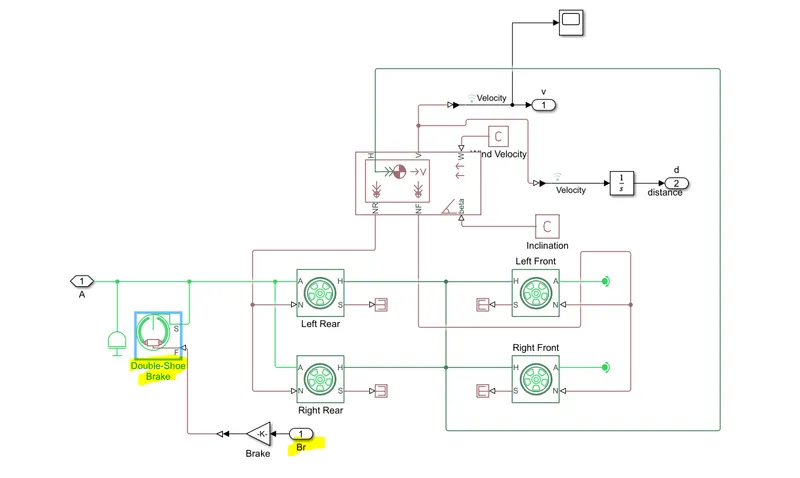
Inside the vehicle dynamics sub-system, there are the Tires,brakes, vehicle body blocks.
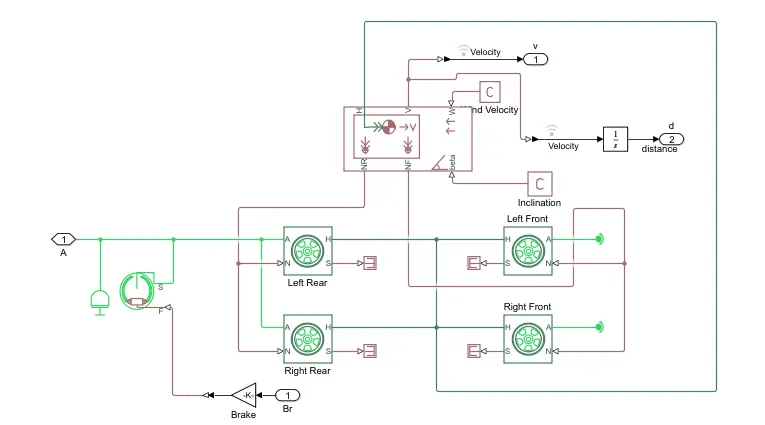
The vehicle dynamics parametes are been set in this sub system.
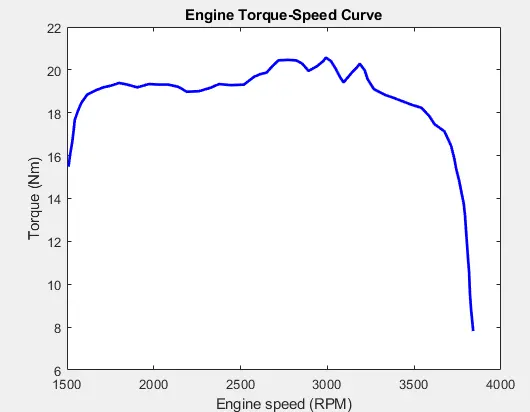
In the final we can see the scopes and the engine-torque speed curves.
Observation:
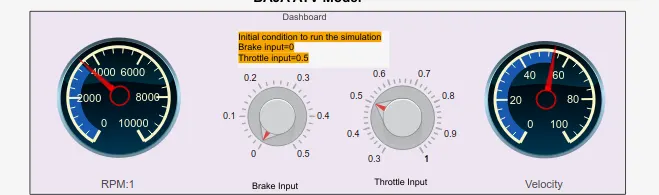
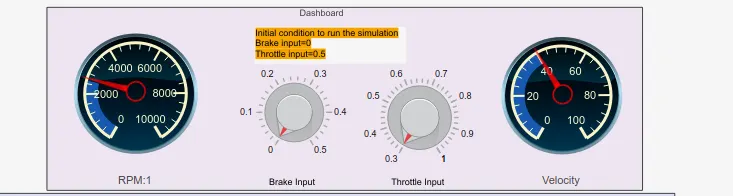
When we start to simulate the model we can see that the Engine RPM is at 3400and the velocity around 58kmph.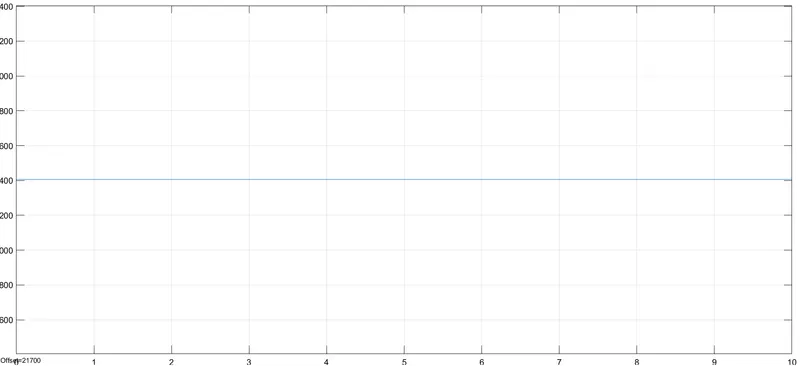
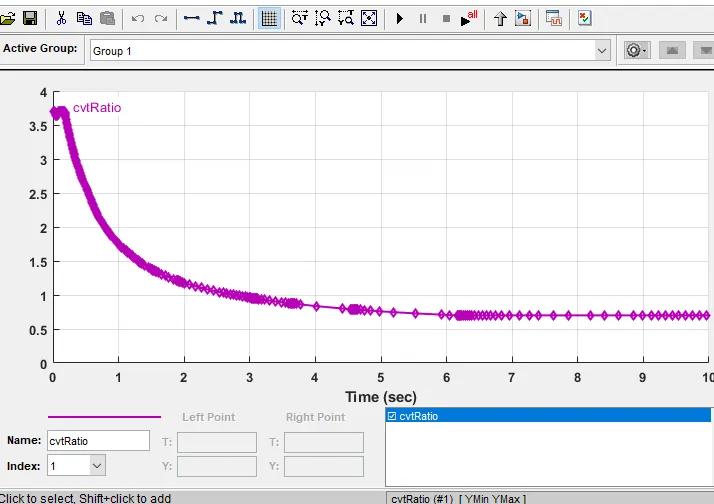
The ratios of the input to output angular shaft velocities are defined in the signal builder.
The throttle input is fed in realtime form the knob to the 't' input to the generic engine model.
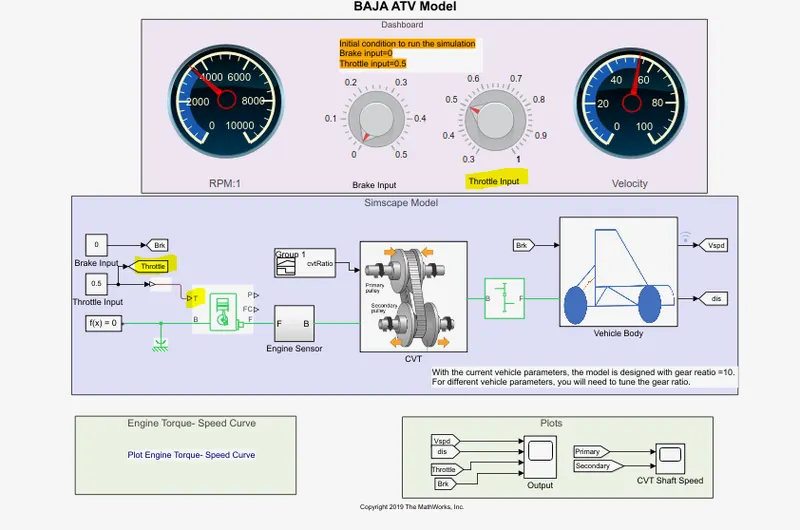
Similarly the brake input is fed to the double shoe braking inside the vehicle body dynamics sub system.
From the torque-speed graph we can see that the max torque is around 3000RPM for the provided parameters, and the torque reduces beyond 3500RPM.
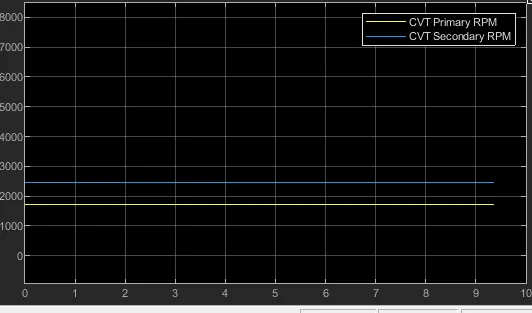
In the below graph we can see the primary and secondary RPM for the CVT, which is around 3400RPM and 4900RPM respectively.
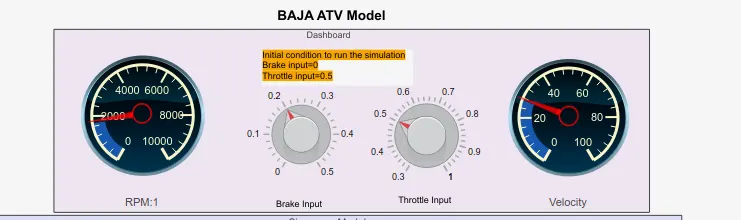
When the trottle is reduced to 0.3 in the knob we can see the visual difference in the RPM and the velocity guages, showing around 2400RPM and 40KMPH.
Now lets apply braking
We could see that the RPM is reduced in the primary as well as the seconday pulley.
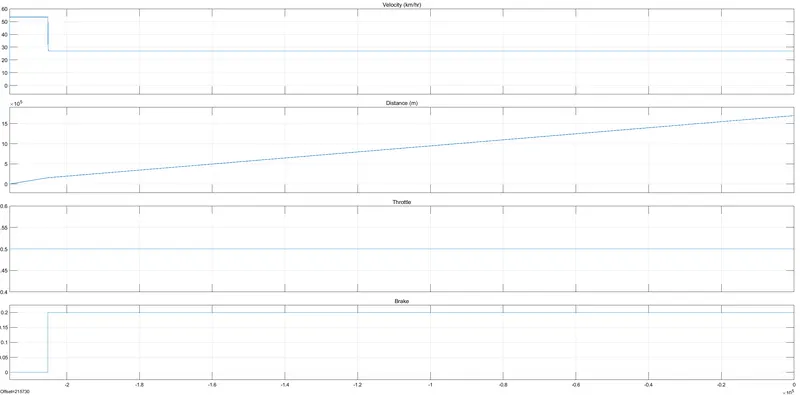
In the above graph we can see that at the throttle is 0.5 and at the braking instant there is a decrease in the velocity and the brake graph is shifted to the 0.2mark.
Whereas the distance keeps on increasing till the simulation is being stopped.
Result:
Since the all terrian vehicle has to deliver continious variable torque- speed characteristics which is required in the realtime, using this example model we can understand the basics of the ATV and its behaviour in different conditions.
We could further tweak the settings and acheive acurate to real time models, thus solving the issues which is to be happened on road before it being hapening.