Project 3
Program for Attack Terminal:
i). a). Dos Attack for Full CAN bus:
The web server is now prone to attacks and is an easy target for the hackers. Hackers usually attempt two types of attack.
- DoS (Denial-of-Service)
- DDoS (Distribted Denial of Service)
DoS (Denial-of-Service) Attack
The Denial of Service (DoS) attack is an attempt by hackers to make a network resource unavailable. It usually interrupts the host, temporary or indefinitely, which is connected to the Internet. These attacks typically target services hosted on mission critical web servers such as banks, credit card payment gateways.
Symptoms of DoS attack
- Unusually slow network performance.
- Unavailability of a particular web site.
- Inability to access any web site.
- Dramatic increase in the number of spam emails received.
- Long-term denial of access to the web or any Internet services.
- Unavailability of a particular website.
DDoS (Distributed Denial-of-Service) Attack
A Distributed Denial of Service (DDoS) attack is an attempt to make an online service or a website unavailable by overloading it with huge floods of traffic generated from multiple sources.
Unlike a Denial of Service (DoS) attack, in which one computer and one Internet connection is used to flood a targeted resource with packets, a DDoS attack uses many computers and many Internet connections, often distributed globally in what is referred to as a botnet. A large-scale volumetric DDoS attack can generate a traffic measured in tens of Gigabits (and even hundreds of Gigabits) per second.
Set a duration of Attack:
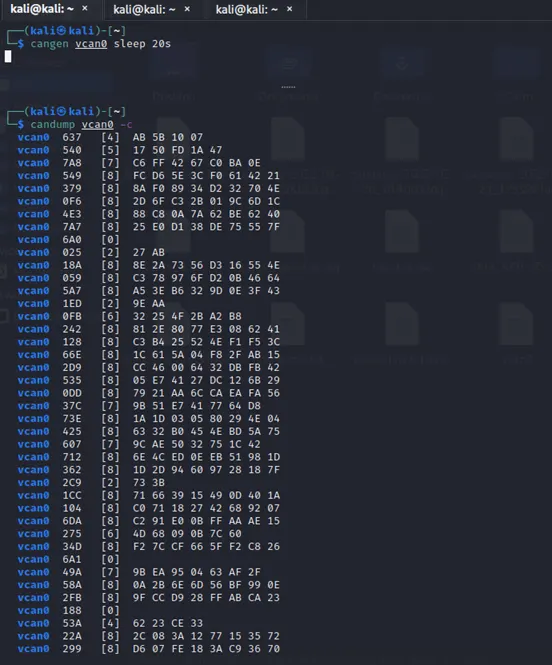
In the linux terminal CAN bus messages are generated by using the CANGEN tools. The Cangen tool where used to generated the some ARB ID message that pass virtual message to the machine. In the process here use set duration for the attack where lead by Denial of Service the commend used in terminal is SLEEP. The Sleep commend is used to set the duration for the attack DoS on the CAN generated some virtual ARB ID messages.
Syntax for Set a Duration of Attack:
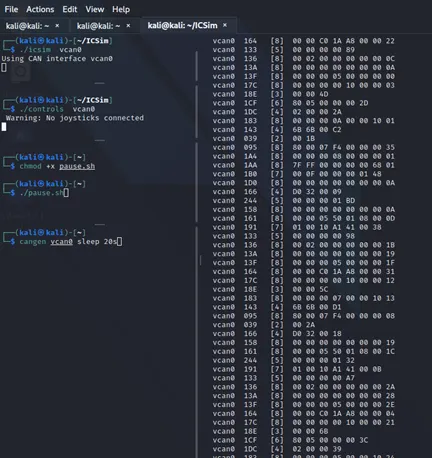
Sender side: (kali㉿kali)-[~]$ cangen vcan0 sleep 20s {cangen is generate the random messages using the ARB ID & Sleep commend is used to hold the process “s” is denoted the Seconds}
Receiver side: (kali㉿kali)-[~]$ candump vcan0 -c -l {Here the tool candump is view the message passed in the machine & ‘-c’ is denoted the color of flow & ‘-l’ is denoted save the messages in the log files}
Sample Screen shot:
b). Partial DoS
- User Priority of DoS:
In the program on the bash script the priority of attack is decided by the user where the attack leads together by Timestamp attack or else the duration block attack whether the program is denoted the attack is partially run the commands by order of message generated on the ARB ID while data is dump on the candump it store the messages on log format file.
Sample DoS Program
To begin with, let us import the necessary libraries −
import socket
import struct
from datetime import datetime
Now, we will create a socket as we have created in previous sections too.
s = socket.socket(socket.PF_PACKET, socket.SOCK_RAW, 8)
We will use an empty dictionary −
dict = {}
The following line of code will open a text file, having the details of DDoS attack in append mode.
file_txt = open("attack_DDoS.txt",'a')
t1 = str(datetime.now())
With the help of following line of code, current time will be written whenever the program runs.
file_txt.writelines(t1)
file_txt.writelines("\n")
Now, we need to assume the hits from a particular IP. Here we are assuming that if a particular IP is hitting for more than 15 times then it would be an attack.
No_of_IPs = 15
R_No_of_IPs = No_of_IPs +10
while True:
pkt = s.recvfrom(2048)
ipheader = pkt[0][14:34]
ip_hdr = struct.unpack("!8sB3s4s4s",ipheader)
IP = socket.inet_ntoa(ip_hdr[3])
print "The Source of the IP is:", IP
The following line of code will check whether the IP exists in dictionary or not. If it exists then it will increase it by 1.
if dict.has_key(IP):
dict[IP] = dict[IP]+1
print dict[IP]
The next line of code is used to remove redundancy.
if(dict[IP] > No_of_IPs) and (dict[IP] < R_No_of_IPs) :
line = "DDOS attack is Detected: "
file_txt.writelines(line)
file_txt.writelines(IP)
file_txt.writelines("\n")
else:
dict[IP] = 1
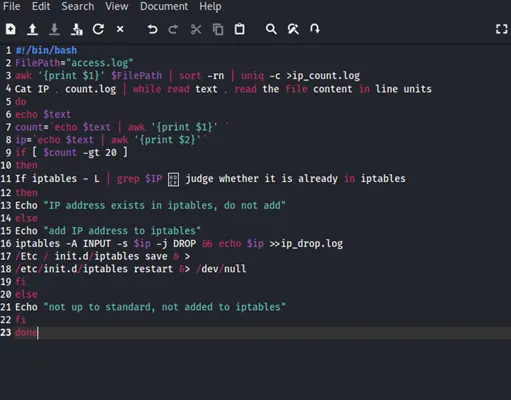
After running the above script, we will get the result in a text file. According to the script, if an IP hits for more than 15 times then it would be printed as DDoS attack is detected along with that IP address and provide the decision making of attack from the user side.
- User Set duration of Attack
Actually DDoS attack is a bit difficult to detect because you do not know the host that is sending the traffic is a fake one or real. The Python script given below will help detect the DDoS attack.
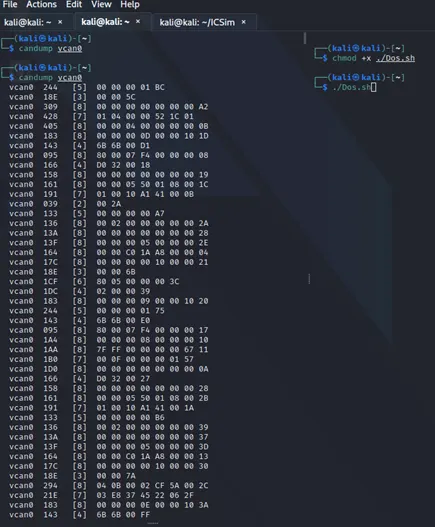
Sample Screenshot of Dos Program:
When execute this Dos Bash in the terminal the process of user set a duration of time is allow in the terminal while, ./Dos.sh this command is process on the terminal
Sample Screenshot:
c).Message Replay:
- Buffer Capture and Fuse:
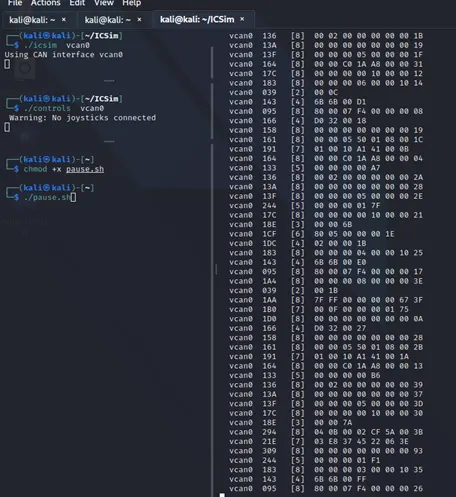
In the program is execute on linux terminal the message is pass through on candump tool while which is used to store ARB ID from the sender. The program here used provide the replay attack on ARB ID while provide from the cangen and ICSim controller. The buffer is provide across on those ARB ID message using the program like DoS buffering also executed here to manage and pass buffer like repeated message to the storage server like candump side.
Sample Screenshot of Buffer Capture:
- Fuse:
In the program while using the pause.sh bash script for fuse the timestamp and also buffer capturing process also provide in the area of terminal ARB ID message passing in candump tool.
Sample Program Screenshot:
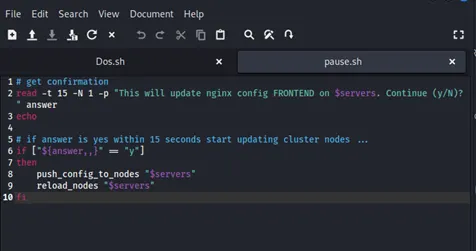
Sample Screenshot of fuse:
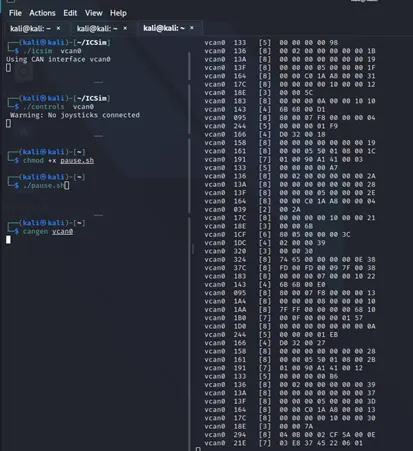
ii). Fuse of Time to Pass Before Execute the Attack:
In the program the CAN bus Message is passed through under the ARB ID which the message is generated by using some virtual and random format message generated by the tool where used in the CAN bus. The random Message generated tool is CANGEN.
Here the fuse message is process on the SLEEP command is takes place to prove some timestamp duration on the program execute on the terminal.
The buffer process is takes place on the some bash script is used to created the repeated message son the CAN message is passing through on terminal.
While this type of SLEEP, CANGEN, ICSim and Bash script is used in the fuse process to provide the DoS Attack is place in the CAN bus ARB ID message is generated on terminal.
Sample Screenshot of FUSE:
iii). The Create Linux Directory for DoS Attack:
Here the CAN bus tool used to create directory to story the all DoS attack using the tool is CANDUMP to create the directory by the command are used to story the ARB IB Messages with the file name, date and time.
Syntax: candump [options] <VCAN interface>
Command: Receiver side: (kali㉿kali)-[~]$ candump vcan0 -c -l > Full_DosAttack {Here the tool candump is view the message passed in the machine & ‘-c’ is denoted the color of flow & ‘-l’ is denoted save the messages in the log files}
Screenshot of Logfile:
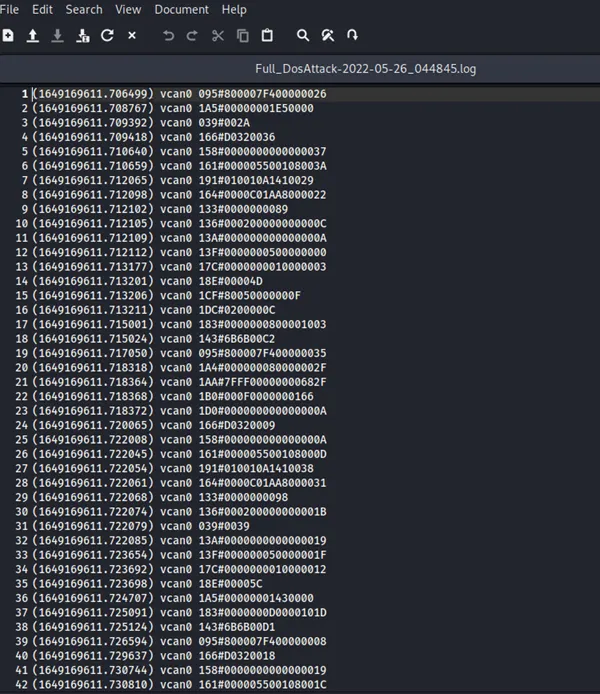
Fuse Attack Execute by Log File:
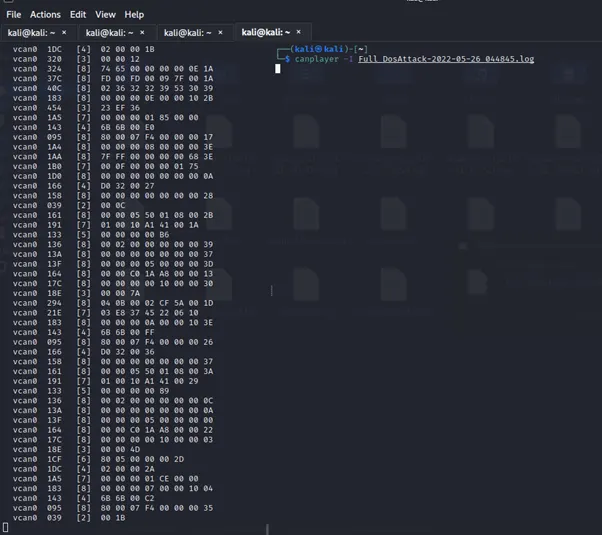
CAN bus tool which is to execute the fuse attack where save in log file by immediately process in terminal using the tool is CANPLAYER which is execute the ARB ID message is provided by the DoS is stored in log file.
Syntax: canplayer <option> [Interface Assignment]
Command: canplayer -I Full_DosAttack-2022-05-26_044845.log {-I <infile> (default stdin)}
Sample Screenshot:
iv). No Attack Option:
In linux terminal the CAN bus process to send message on the server the DoS attack is provide while the tools are operate in safety manner while execute the program using the inface option in optimize method it helps to avoid the traffic like buffer provide in the ARB ID messages passing to the CANDUMP like it is receiver side to optimize the buffer and traffic in the Dos Attack while takes place in Full CAN BUS passes the message to the automation of operate the vehicle.
V). Save all CAN Operation in Log file:
Using the CAN bus tool to save all ARB ID message passing through while the process is takes on the DoS Attack on the CAN BUS. The Messages are save in log file using the tool is CANDUMP.
Syntax: candump [options] <VCAN interface>
Note:
The files are attached here the name are:
- DoS.sh this file is shell file format operation of DoS Attack
- Pause.sh this file is shell file format operation of Buffering process
- Full_DosAttack-2022-05-26_044845.log this file is log file format operation of store message