Project 1
1.CAN messages sorted into logs of even ARB ID messages and odd ARB ID messages:
Arbitration ID:
Identifies the message and indicates the message's priority. Frames come in two formats standard, which uses an 11-bit arbitration ID, and extended, which uses a 29-bit arbitration ID.
CAN message sorted into Even ARB ID message:
The Even ARB ID message is sort by using the CAN bus tools are cangen and candump.
Cangen:
The cangen is provide the random CAN message through the random ARB ID. So, cangen is used as sender CAN tool for pass the CAN message.
Program: cangen vcan0 {To generate the Random Message}
Candump:
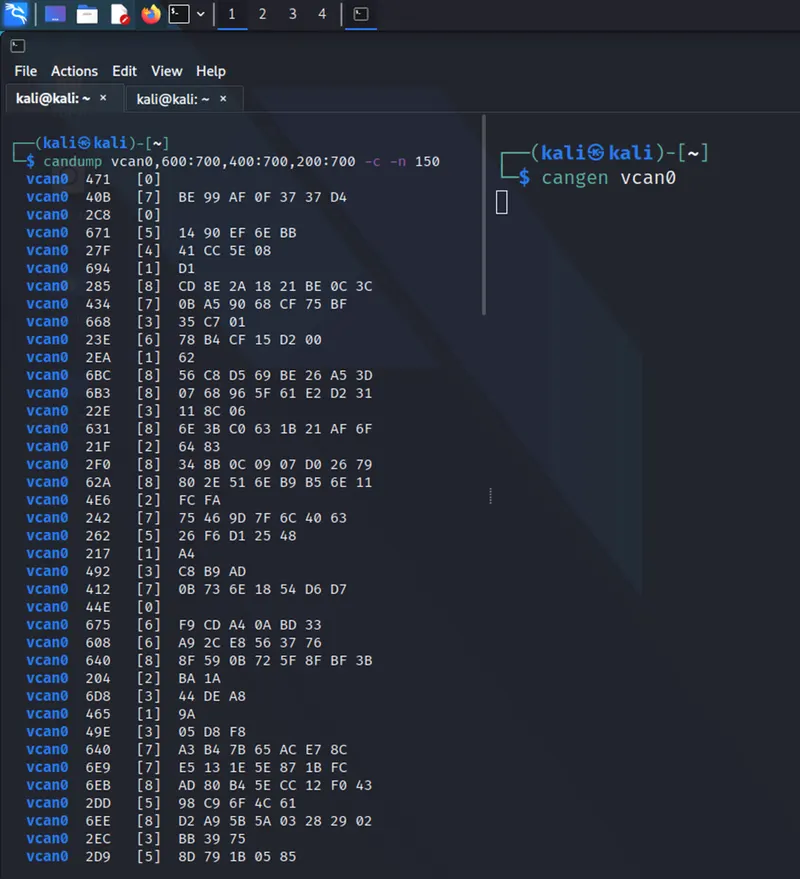
The candump tool is used as received side to sort the random message from cangen using some option to change the program by receiving the Even ARB ID messages. The Even ARB ID message values are 2xx,4xx,6xx.. are the even ARB ID messages.
Program: candump vcan0,600:700,400:700,200:700 -c -n 150 {the Even ARB ID mentions 2xx,4xx,6xx}&{-c (increment color mode level)} & {-n (terminate after reception of CAN frames)}
Screenshot of Even program:
CAN message sorted into ODD ARB ID message:
The Odd ARB ID message is sort by using the CAN bus tools are cangen and candump.
Cangen:
The cangen is provide the random CAN message through the random ARB ID. So, cangen is used as sender CAN tool for pass the CAN message.
Program: cangen vcan0 {To generate the Random Message}
Candump:
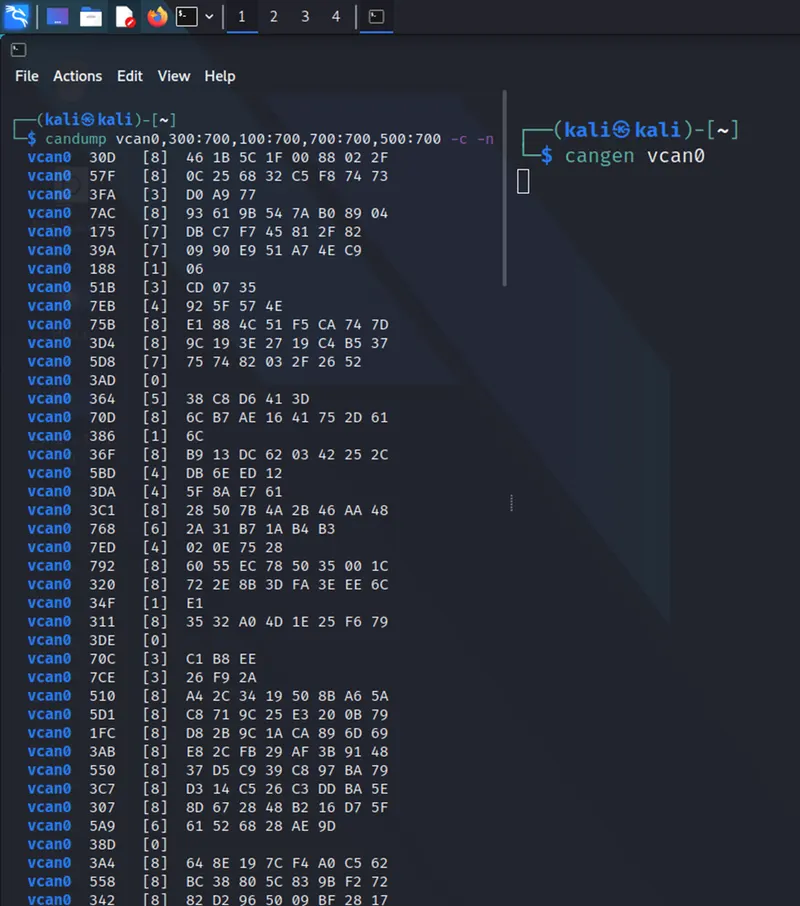
The candump tool is used as received side to sort the random message from cangen using some option to change the program by receiving the Even ARB ID messages. The Odd ARB ID message values are 1xx,3xx,5xx,7xx.. are the even ARB ID messages.
Program: candump vcan0,300:700,100:700,700:700,500:700 -c -n 150 {the Odd ARB ID mentions 1xx,3xx,5xx,7xx }&{-c (increment color mode level)} & {-n (terminate after reception of CAN frames)}.
Screenshot of Odd ARB ID Message:
2.Even logs stored in a Linux Directory “Even Logs” and Odd logs stored in a Linux Directory “Odd Logs”:
Even Logs:
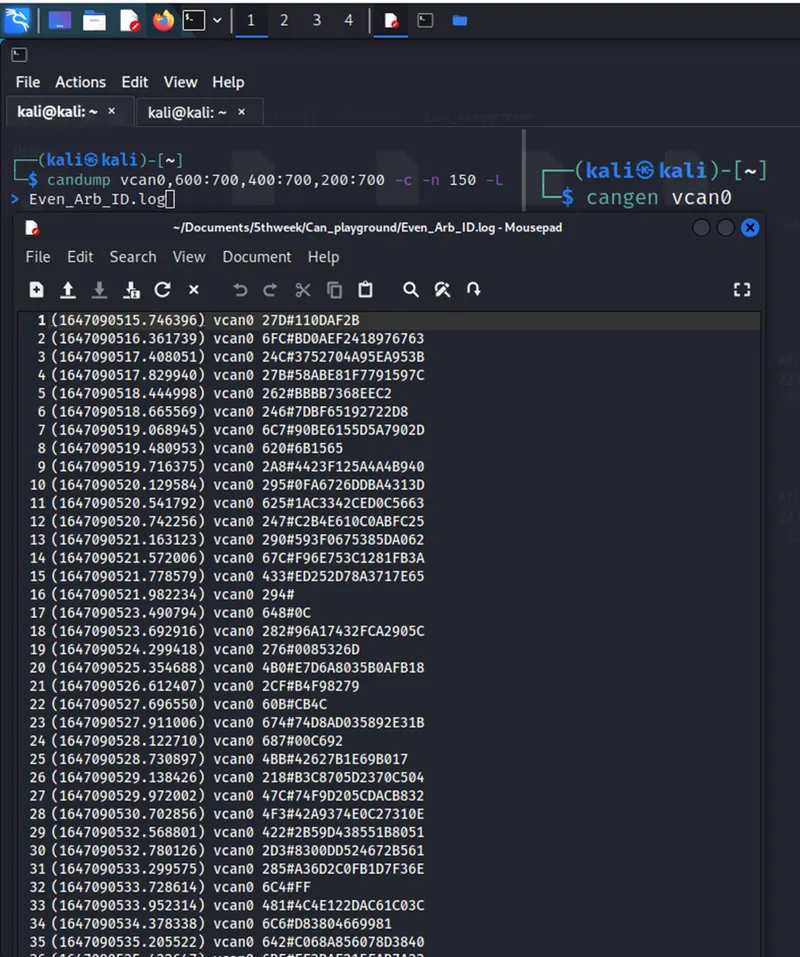
The generate to sort out the even ARB ID message using the CAN tools like Cangen and Candump. But, now here use some options like -L in the receiver side to save the even ARB ID in Log file at linux directory.
Program:
sender side: cangen vcan0 {To generate the Random Message}
Receiver side: candump vcan0,600:700,400:700,200:700 -c -n 150 -L > Even_Arb_ID.log {the Even ARB ID mentions 2xx,4xx,6xx}&{-c (increment color mode level)} & {-n (terminate after reception of CAN frames)} & {-L (use log file format on stdout)}
Screenshot of Even ARB ID Message Log file:
Odd Logs:
The generate to sort out the odd ARB ID message using the CAN tools like Cangen and Candump. But, now here use some options like -L in the receiver side to save the Odd ARB ID in Log file at linux directory.
Program:
sender side: cangen vcan0 {To generate the Random Message}
Receiver side: candump vcan0,300:700,100:700,700:700,500:700-c -n 150 -L > Odd_Arb_ID.log {the Even ARB ID mentions 1xx,3xx,5xx,7xx}&{-c (increment color mode level)} & {-n (terminate after reception of CAN frames)} & {-L (use log file format on stdout)}
Screenshot of Odd ARB ID Message Log file:
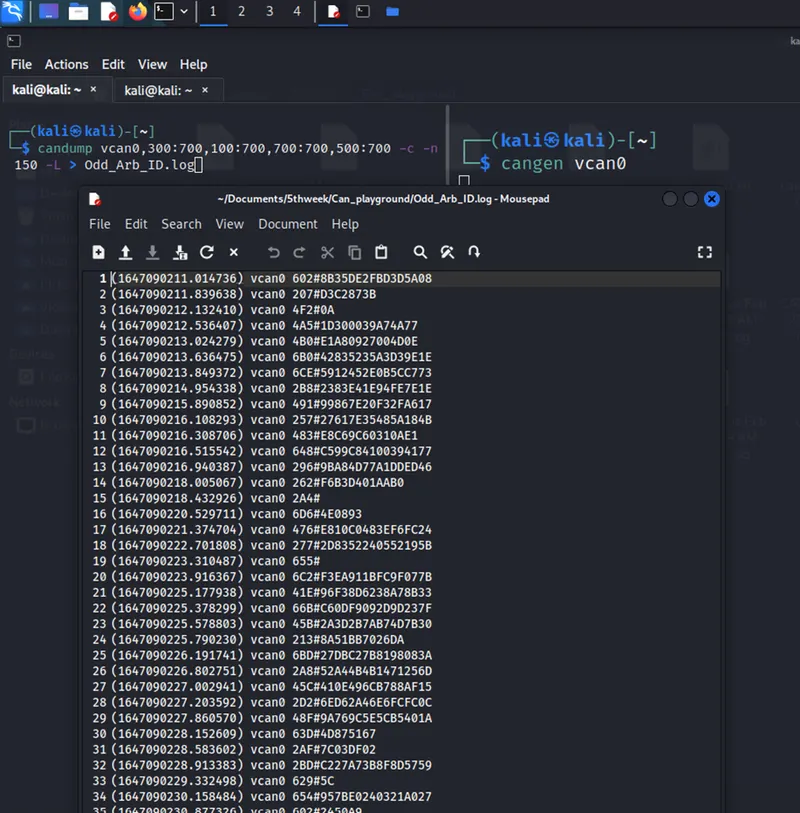
Note: Log files are attached as a name is 1.Even_Arb_ID.log & 2. Odd_Arb_ID.log
3.Individual log files store up to 1000 CAN message:
The CAN messages are generated using the tools are Cangen & Candump. In this question the task to store the CAN message upto 1000 message. So, here have one option like -n at the receiver side candump to generate and store limited CAN message in the terminal.
Program:
Sender Side: cangen vcan0 -c -g 10 {-c (number of messages to send in burst, default 1)} & { -g <ms> (gap in milli seconds - default: 200 ms)}
Receiver Side: candump vcan0 -c -n 1000 -L > 1000_Message.log {-c (increment color mode level)} & {-L (use log file format on stdout)} & {-n <count> (terminate after reception of <count> CAN frames)}
Screenshot of 1000 CAN message:
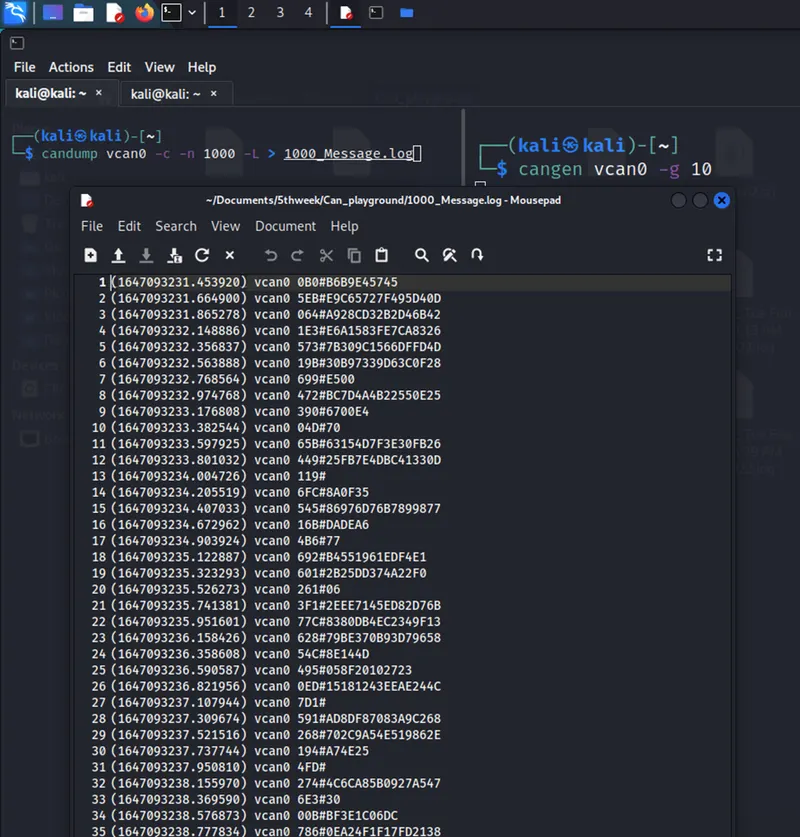
Note: The log file is attached name as 1000_Message.log
4.The program should run indefinitely until manually stopped:
The CAN messages are generated using the tools are Cangen & Candump. In this question the task to generate the infinite CAN Message till the manually stop the message using the ctrl+c as form symbol like ^c.
Program:
Sender Side: cangen vcan0 -c -g 10 {-c (number of messages to send in burst, default 1)} & { -g <ms> (gap in milli seconds - default: 200 ms)}
Receiver Side: candump vcan0 -c > 1000_Message.log {-c (increment color mode level)} & {-L (use log file format on stdout)}.
Screenshot of Infinite CAN Message until Manually stop:
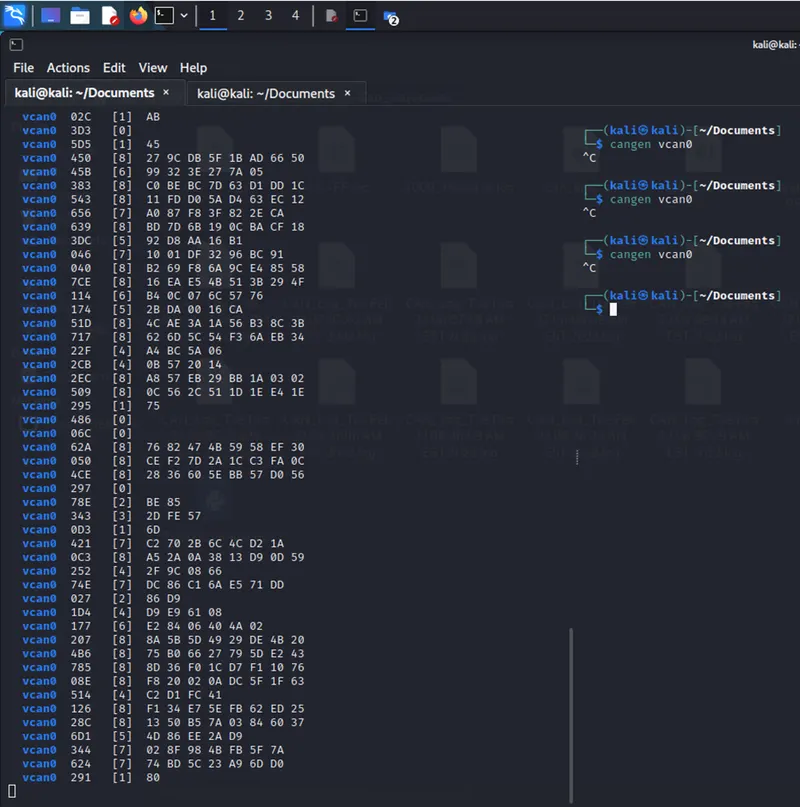
Note: The Log file is attached name as Message_until_stop_manual.log